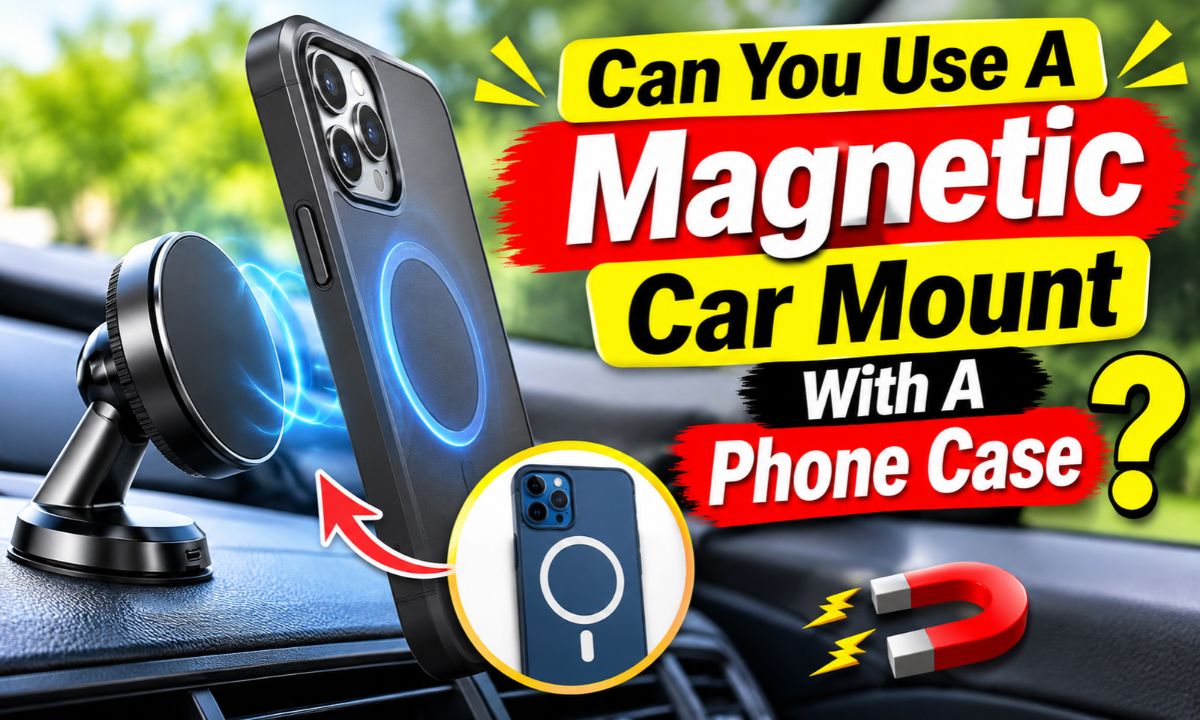
Yes, you can use a magnetic car mount with most phone cases, but the case thickness, magnet design, and mounting method affect how well it holds your phone.
Drivers across the United States often use phone mounts for GPS directions, hands-free calls, and music controls. A magnetic car mount is a simple way to keep a phone within view. But you may wonder if you need to remove your phone case each time you get in the car. In most cases, you do not. Many magnetic mounts work through a phone case or use a small metal plate to create a firm connection.
The key is to match the mount to your case. A slim case may let the magnets hold the phone without extra parts. A thick or rugged case may need a metal plate attached to its outside. Some newer mounts use MagSafe or Qi2 technology, which can work with compatible magnetic cases without a separate metal plate. Understanding these differences can help you avoid a weak grip, a dropped phone, or problems with wireless charging.
Can You Use a Magnetic Car Mount With a Phone Case?
Yes, you can use a magnetic car mount with a phone case. The case does not always need to come off. What matters is whether the magnets can create a strong enough connection through the case or through an added metal plate.
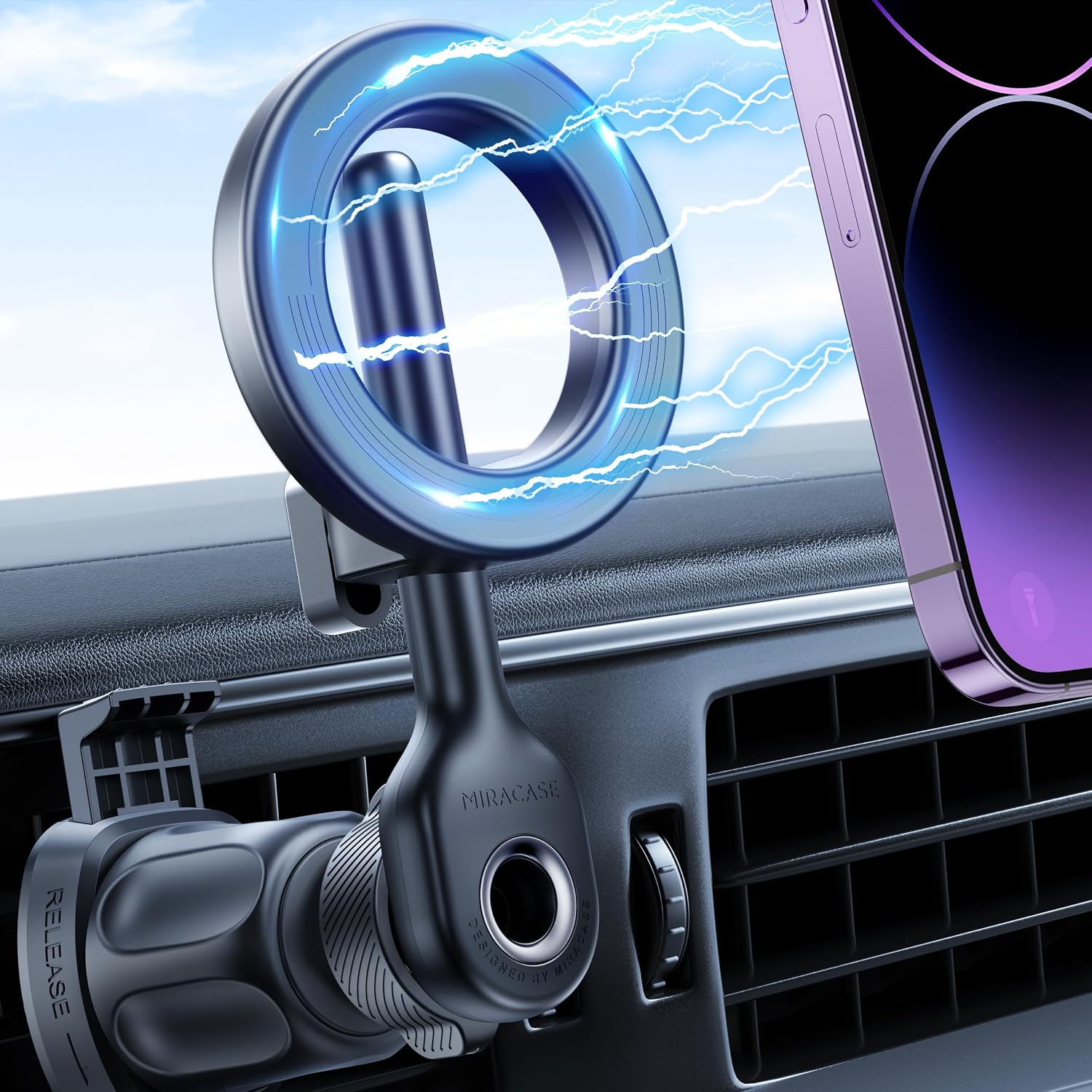
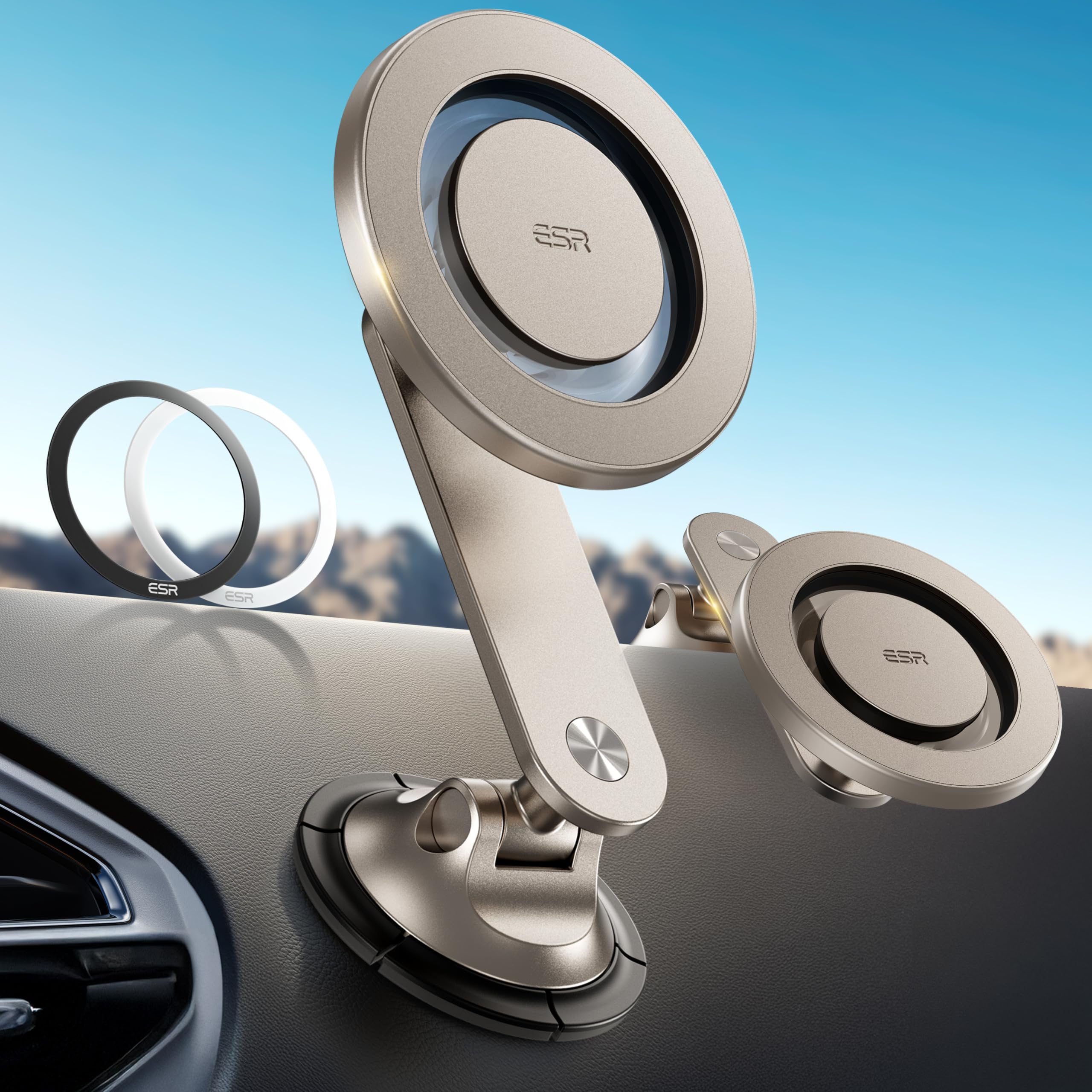
A magnetic mount holds your phone with magnetic force. Some mounts use a metal plate attached to the back of the phone or case. Others use a ring of magnets that connects to a compatible phone or magnetic case. Both styles can work with a case, but they do not use the same setup.
For example, a slim plastic case may allow a metal plate inside the case to connect with a magnetic holder. A thick protective case may block too much of the magnetic force. In that situation, placing the plate on the outside may work better, provided the case surface allows it to stick securely.
You should also check the mount maker’s case thickness limit. There is no single thickness that works for every magnetic holder. Magnet strength, phone weight, case material, and the shape of the mount all affect the result.
Source: m.media-amazon.com
Slim cases
These often work well because they leave less space between the phone and the mount.
Magnetic cases
Cases with a built-in magnetic ring can connect directly to compatible MagSafe or Qi2 mounts.
Thick cases
These may weaken the connection and may need an external metal plate or a different mount.
Cases with accessories
Wallets, grips, and kickstands can create an uneven surface or add too much distance.
Why Does a Phone Case Affect Magnetic Grip?
A phone case adds space between the phone and the mount. Magnetic force becomes weaker as the gap between the two magnetic parts grows. This means a mount that holds a bare phone well may not hold the same phone as firmly inside a thick case.
The case material and shape also matter. A smooth, flat case gives the mount a better contact area. A raised camera edge, rough texture, or curved back can stop the phone from sitting flat against the mount.
The phone’s weight is another factor. A large phone inside a heavy protective case puts more strain on the magnetic connection, especially when the car moves over rough roads or makes sharp turns.
Distance
More material between the phone and mount can reduce magnetic holding strength.
Surface shape
A flat surface helps the phone sit evenly against the magnetic holder.
Phone weight
A heavier phone and case may need a stronger mount.
Which Types of Phone Cases Work With Magnetic Car Mounts?
The best case for a magnetic car mount has a flat back, a suitable thickness, and no loose accessories. However, several common case types can work if you choose the right mount.
Before buying anything, look at the back of your case. Check whether it has a magnetic ring, a smooth surface, or a built-in metal part. Also look for raised sections that could stop the phone from sitting flat.
The following table compares common phone case styles and explains what to expect when using them with a magnetic car mount.
Source: m.media-amazon.com
Clear plastic cases
Thin clear cases often work with traditional mounts when a suitable metal plate is placed inside or outside the case.
Silicone cases
These may work with a built-in magnetic ring, but adhesive metal plates may not stick well to soft or flexible silicone.
Rugged cases
Thick protective cases can weaken magnetic grip. An outside plate or a compatible clamp mount may be a better option.
Leather cases
A flat leather case may work with a magnetic ring or plate, but check the surface and adhesive instructions first.
Wallet cases
These are often poor choices because the added thickness and stored cards can interfere with the connection.
Do Clear Phone Cases Work With Magnetic Mounts?
Yes, many clear phone cases work well with magnetic mounts. A thin, smooth case usually allows a metal plate to sit inside without creating too much distance between the plate and holder.
However, not every clear case has the same thickness. Some clear cases have reinforced corners, raised camera edges, or extra protective layers. These features can affect how the phone sits on the mount.
If you use a MagSafe-compatible clear case, check that it has a built-in magnetic ring. A clear case that is simply made for an iPhone is not automatically MagSafe compatible.
Best approach
Use a slim case and follow the metal plate or magnetic ring instructions supplied with your mount.
What to avoid
Do not assume every clear case supports MagSafe just because it fits an iPhone.
Can You Use a Magnetic Mount With an OtterBox or Rugged Case?
You may be able to use a magnetic mount with an OtterBox or another rugged case, but the exact model matters. Some protective cases are much thicker than standard cases. This added distance can reduce the force between the phone and mount.
If your case has a smooth, flat back, you may be able to attach the supplied metal plate to its outside. Check that the adhesive is suitable for the case material and that the plate does not cover a camera, button, or charging area.
Some rugged case makers also offer models with built-in magnetic rings. These can be a better match for magnetic mounts than adding a separate plate to a thick case.
If the phone still moves when attached, do not rely on the setup while driving. A sturdy clamp-style mount may be a better choice for a large phone in a heavy protective case.
Check the case model
Look for a built-in magnetic system or an approved mount accessory.
Check the rear surface
A flat surface makes it easier to attach a metal plate.
Test the connection
Make sure the phone does not slide or twist when gently moved while parked.
How Do Traditional Magnetic Car Mounts Work With Phone Cases?
Many traditional magnetic car mounts use a metal plate to connect the phone to the holder. The mount contains magnets, while the plate gives those magnets a surface to attract.
The metal plate may come as a thin rectangle or a round disc. Some packages include adhesive pads or protective films. The exact setup depends on the mount maker’s instructions.
You can often place the plate between the phone and a thin case. This keeps the outside of your case clean. However, some cases are too thick for this method, so the plate may need to go on the outside.
A metal plate is not the same as a magnetic ring. A plate works with a traditional magnetic holder, while a magnetic ring is designed to line up with compatible magnetic accessories.
Source: ae01.alicdn.com
Mount magnets
These create the magnetic attraction that holds the phone against the holder.
Metal plate
This attaches to the phone or case and provides a surface for the mount magnets.
Adhesive
This keeps the plate in place when it is attached to the outside of a case.
Where Should You Put the Metal Plate?
The best plate position depends on your phone, case, and charging habits. Follow the mount’s instructions before attaching anything. A plate placed in the wrong spot may interfere with wireless charging or other phone features.
For a phone with a thin case, the plate may fit between the phone and case. For a thick case, the mount maker may recommend attaching it to the outside. Make sure the plate sits flat and does not cover the camera or important buttons.
Some phones have wireless charging coils near the center of the back. A metal plate over this area can prevent normal wireless charging. If you use wireless charging, check the phone and mount guidance before choosing a plate location.
Inside the case
This can work with a thin case if the plate does not move and the mount still has a strong grip.
Outside the case
This can help when the case is too thick for the magnetic force to pass through.
Away from charging areas
Check the phone’s charging coil location and the accessory instructions before attaching a metal plate.
How to Install a Magnetic Metal Plate on a Phone Case
You can attach a metal plate to many hard phone cases in a few simple steps. Before starting, gather the plate, its adhesive or protective film, a soft cleaning cloth, and the mount instructions.
Do not attach the plate directly to a phone or case until you know where it needs to sit. Adhesive plates may be difficult to remove cleanly, and some can leave marks on soft finishes.
Step 1: Check compatibility
Read the mount instructions and confirm that the plate is suitable for your case and phone.
Step 2: Clean the case
Wipe the chosen area with a suitable cleaner. Let the surface dry fully before applying adhesive.
Step 3: Find the right position
Hold the phone against the mount to find a balanced location. Keep the plate away from the camera and charging coil when required.
Step 4: Attach the plate
Remove the adhesive backing and press the plate firmly onto the case as directed.
Step 5: Allow the adhesive to set
Follow the maker’s stated waiting time before using the mount. Some products require several hours or longer.
Step 6: Test the hold
Attach the phone while parked and check that it stays in place when gently moved.
Can You Use a MagSafe Car Mount With a Phone Case?
Yes, you can use a MagSafe car mount with a compatible magnetic phone case. MagSafe uses a ring of magnets that helps the phone and accessory line up. A compatible case has a matching magnetic system built into it.
This is different from a traditional magnetic mount that needs a separate metal plate. With a suitable MagSafe setup, you can attach the phone without sticking a plate to the outside of the case.
Apple introduced MagSafe with the iPhone 12 family. Newer compatible iPhones and magnetic accessories can use this system, but you should still check the exact phone and accessory model. A standard case without a magnetic ring may not provide the grip you expect.
Some Android phones can also use magnetic car mounts through compatible cases or magnetic adapter rings. The phone does not need to be an iPhone, but the case and mount must use a matching system.
Source: m.media-amazon.com
Magnetic alignment
Matching magnet rings help the phone sit in the correct position on the mount.
No separate metal plate
A compatible magnetic case can connect directly to the mount without an added plate.
Model compatibility
Check the phone, case, and mount specifications rather than relying only on the word magnetic.
Does Every iPhone Case Work With MagSafe?
No. A case can fit an iPhone without supporting MagSafe. Standard cases may not have the built-in magnet ring needed for a strong connection to a MagSafe car mount.
Look for clear wording such as MagSafe compatible or a documented magnetic ring in the case specifications. Some third-party cases offer this feature, but quality and holding strength can vary.
If you use a thick case, check its compatibility with the exact mount. A magnetic ring alone does not guarantee a secure connection if the case has a large gap, an uneven back, or extra accessories.
Compatible case
Has a magnetic system designed to connect with MagSafe accessories.
Standard case
May fit the phone but may not provide the magnetic connection needed by the mount.
Third-party case
Check the maker’s compatibility details and test the connection before driving.
Can Android Phones Use MagSafe-Style Car Mounts?
Yes, many Android phones can use MagSafe-style mounts when paired with a compatible magnetic case or adapter ring. The important part is the magnetic connection between the case and holder.
Some Android phones have their own magnetic accessory systems, while others need an added ring. A plain Android case will not automatically work with every magnetic mount.
If you use a magnetic adapter ring, check that it is designed for your phone and case. It should not cover the wireless charging coil or interfere with the phone’s normal use.
Magnetic Android case
Choose a case with a documented magnetic ring that matches the mount.
Adapter ring
Use a compatible ring when the phone or case does not have built-in magnets.
Charging support
Check whether the complete phone, case, and mount setup supports wireless charging.
Will a Magnetic Car Mount Affect Wireless Charging?
A magnetic car mount can affect wireless charging, but the result depends on its design. The biggest concern is a traditional metal plate placed between the phone and wireless charger.
Wireless charging uses a coil to transfer power between the charger and phone. A metal plate in the wrong position can block or disrupt this process. Your phone may fail to charge, charge poorly, or become warmer than expected.
A MagSafe or Qi2 charging mount is different. These systems are designed to align compatible charging coils and magnets. They can support wireless charging when the phone, case, mount, and power source meet the required specifications.
Do not assume that every magnetic phone holder is also a wireless charger. Some only hold the phone. Others have a built-in charging pad and need a suitable power adapter and cable.
Source: m.media-amazon.com
Traditional metal plate mount
A metal plate may prevent wireless charging if it sits over the charging coil.
MagSafe charging mount
Can charge compatible devices when the phone and case support the required magnetic charging system.
Qi2 charging mount
Uses magnetic alignment for supported wireless charging devices and accessories.
Non-charging magnetic mount
Holds the phone but does not supply power to it.
Can You Keep a Metal Plate and Still Use Wireless Charging?
Sometimes, but you should not count on it. A metal plate placed over the charging coil can stop a wireless charger from working properly. Some phone and mount makers recommend removing the case or plate before wireless charging.
Certain setups place a small plate near the lower part of the case to leave the charging coil clear. However, this depends on the phone’s coil location and the mount’s design. A position that works for one phone may not work for another.
The safest approach is to follow the instructions for both your phone and mount. If the maker does not confirm that the plate position supports wireless charging, use a separate case or remove the plate before charging.
Check coil placement
Find the wireless charging area for your exact phone model.
Check plate instructions
Use only a placement that the mount maker identifies as suitable.
Check charging behavior
Stop using the setup if charging fails or the phone becomes unusually warm.
What About NFC, GPS, and the Phone Compass?
Metal parts and magnets can affect some phone functions, depending on their location and design. A metal plate may interfere with wireless charging or NFC when it covers the relevant area. Magnets can also affect a digital compass in some situations.
GPS is not the same as a compass. A magnetic mount does not automatically stop GPS navigation from working. However, the exact accessory design and its placement can affect other wireless or sensor functions.
If your navigation arrow points in the wrong direction, move the phone away from the mount and check the compass again. If the issue stops, the mount or its placement may be contributing to the problem. Follow your phone maker’s guidance before changing the setup.
NFC
Keep metal plates away from NFC areas when the phone or accessory maker advises it.
Compass
A nearby magnet may affect compass readings on some devices.
GPS
Do not confuse compass direction problems with a complete loss of GPS reception.
How to Choose the Right Magnetic Car Mount for Your Phone Case
Choose a mount based on your phone, case, and daily driving needs. A small magnetic holder may work well with a slim phone case, while a heavy phone in a rugged case may need a stronger magnetic system or a clamp-style holder.
Start by checking whether your phone case has a built-in magnetic ring. If it does, look for a mount that supports the same system. If it does not, decide whether you are comfortable using an adhesive metal plate or adapter ring.
Also think about where you want to install the mount. Dashboard mounts, windshield mounts, and air vent mounts have different fitting needs. The best choice is one that holds your phone securely without blocking your view or affecting vehicle controls.
Choose a mount that clearly supports MagSafe or the matching magnetic accessory system.
For rugged cases
Look for a stronger magnetic holder with documented case compatibility or consider a clamp mount.
For wireless charging
Choose a charging mount designed for your phone’s wireless charging standard.
Magnetic Mount vs. Clamp-Style Mount
A magnetic mount is quick to use because you can attach and remove your phone with one hand while parked. It also leaves the sides of the phone open, which can make buttons and ports easier to reach.
A clamp-style mount holds the phone with adjustable arms or grips. It can be useful for bulky cases, heavy phones, or devices that do not have a suitable magnetic connection.
Neither design is automatically better for every driver. A magnetic mount is convenient when the phone and case match the holder. A clamp mount can be more practical when case thickness makes magnetic grip unreliable.
Magnetic mount advantages
Fast attachment, easy removal, and an uncluttered phone surface.
Magnetic mount limits
Grip depends on magnet strength, case thickness, and correct alignment.
Clamp mount advantages
Adjustable grips can hold phones with many case styles and shapes.
Clamp mount limits
The arms may cover side buttons or make one-handed removal harder.
Dashboard, Windshield, or Air Vent Mount?
A dashboard mount is useful when your vehicle has a suitable flat surface. Many use an adhesive base or suction cup. Check the dashboard material before installation because some adhesives are not designed for leather, textured surfaces, or soft-touch finishes.
A windshield mount can offer a clear viewing angle, but it must not block your forward view. Check local vehicle rules and the mount instructions before attaching it to the glass.
An air vent mount keeps the dashboard free. However, not every vent can support the holder’s weight. Some clips may not fit round vents, unusual vent shapes, or weak vent blades. A phone mounted in front of a vent may also receive direct heat or cold from the climate system.
Dashboard
Choose a smooth, suitable surface and follow the adhesive or suction installation instructions.
Windshield
Position it without blocking the driver’s view or interfering with vehicle safety systems.
Air vent
Check vent compatibility and make sure the clip does not damage or loosen the vent.
How to Test Whether Your Phone Case Is Compatible
A simple parked-car test can help you find out whether your phone case works with a magnetic holder. You do not need special tools. You only need the phone, case, mount, and any plate or adapter supplied with the product.
Do not perform the first test while driving. A phone that looks secure while the car is parked may move when the vehicle hits a bump or makes a turn. Test the complete setup before using it for navigation.
Source: m.media-amazon.com
Step 1: Read the mount instructions
Check the supported phone sizes, case thickness, magnetic system, and plate placement.
Step 2: Attach the phone
Place the cased phone on the mount using the correct magnetic ring or metal plate.
Step 3: Check alignment
Make sure the phone sits flat and the mount does not hold it at an uneven angle.
Step 4: Check the grip
While parked, gently move the phone to see whether it slides, twists, or comes away.
Step 5: Check the mount base
Make sure the dashboard base, vent clip, or windshield holder remains firmly attached.
Step 6: Check charging
If the mount supports wireless charging, confirm that the phone charges normally and does not become unusually warm.
Signs That Your Phone Case Is Too Thick
A case may be too thick if the phone barely sticks to the mount, falls away with light movement, or cannot stay in the position you choose. You may also notice that the phone rotates more easily than it should.
Another warning sign is an inconsistent connection. The phone may stick at first but slide when you adjust its viewing angle. This can happen when the magnetic force is too weak for the combined phone and case weight.
If these signs appear, do not try to solve the problem by driving more slowly or accepting a loose connection. Use an approved external plate, a compatible magnetic case, or a different mount.
Weak attraction
The phone does not stay attached when placed against the holder.
Phone movement
The phone slides or turns without much force.
Poor alignment
The camera bump or uneven case back stops the phone from sitting flat.
What to Do If the Magnetic Mount Does Not Hold Your Phone
First, check whether the problem comes from the case or the mount itself. Remove the phone case and test the phone with the mount according to the maker’s instructions. If the connection becomes stronger, the case may be adding too much distance.
Next, inspect the plate or magnetic ring. A loose plate, poor adhesive bond, or incorrect position can cause the phone to move. Replace damaged adhesive parts rather than relying on a plate that is already peeling away.
If the phone still does not hold securely, the mount may not be suitable for your device. A larger phone or heavier protective case may need a different holder.
Check the case
Compare the magnetic connection with and without the case while parked.
Check the plate
Make sure it is firmly attached and correctly positioned.
Check the mount
Inspect the magnetic face, clip, adhesive base, and adjustment joints.
Change the setup
Choose a compatible case or a mount designed for a heavier phone.
Common Mistakes to Avoid When Using a Magnetic Car Mount
A magnetic mount is simple to use, but a few mistakes can make it unreliable. Most problems come from choosing the wrong case, placing the metal plate incorrectly, or installing the mount in an unsuitable spot.
A secure phone holder should work as part of your vehicle setup. It should not block your view, interfere with controls, or create a loose object that could move during a sudden stop.
Source: m.media-amazon.com
Ignoring case thickness
A mount may support a phone model but still fail with a thick protective case.
Using the wrong metal plate
A plate that is too small, poorly placed, or not designed for the holder may provide a weak connection.
Covering the wireless charging coil
A metal plate in the wrong place can stop wireless charging from working.
Attaching a plate to a soft case without checking
Adhesive may not bond well to silicone, flexible rubber, or textured materials.
Skipping the parked-car test
A weak magnetic connection may fail when the car moves.
Installing the mount near an airbag
An accessory must never interfere with an airbag or its deployment path.
Can a Magnetic Mount Damage Your Phone?
A properly designed magnetic phone mount should not automatically damage a modern smartphone. However, accessory placement and construction still matter. Strong magnets or poorly designed metal parts may affect the digital compass or other functions.
A metal plate can also interfere with wireless charging if it covers the charging area. Adhesive plates may leave residue or damage some case finishes when removed.
Use accessories designed for your phone and follow the manufacturer’s instructions. Avoid placing loose metal parts, bank cards, or other sensitive items between the phone and mount.
Compass issues
A nearby magnet may affect compass direction readings.
Charging issues
An incorrectly placed metal plate may prevent wireless charging.
Case damage
Strong adhesive may leave marks or affect some case materials.
Where Should You Never Place a Car Phone Mount?
Never install a phone mount where it can block your view of the road. Avoid locations that interfere with the steering wheel, dashboard controls, gear selector, or other important vehicle functions.
Do not place a mount in an airbag deployment area. An accessory or phone can become a hazard if an airbag deploys. Check your vehicle owner’s manual for approved mounting areas.
Also avoid placing a phone where it can fall onto the pedals or distract you while driving. Set your navigation route and viewing angle before you start moving.
Airbag areas
Keep the mount and phone away from airbag covers and deployment paths.
Driver’s field of view
Do not block the windshield or important road views.
Vehicle controls
Keep buttons, switches, steering controls, and gear controls easy to reach.
Is a Magnetic Car Mount Worth Using With a Phone Case?
A magnetic car mount can be a practical choice if you want quick phone access without removing your case. It is especially useful for drivers who use navigation often and prefer a simple way to attach and remove their phone.
The main benefit is convenience. You can keep the case on and connect the phone with a quick movement. You also avoid adjusting clamp arms every time you enter the car.
The trade-off is compatibility. A thick case, weak magnetic ring, or poorly attached plate can make the setup unreliable. Some traditional mounts also prevent wireless charging while the metal plate is in place.
If your case already has a compatible magnetic ring, a matching MagSafe or Qi2 mount may be a clean option. If you use a rugged case without magnetic support, compare an external plate setup with a clamp-style holder before making a choice.
Source: mensgear.net
Choose a magnetic mount if
You want fast attachment and your phone case has a suitable magnetic connection.
Choose a metal plate mount if
You have a suitable case surface and do not need wireless charging through the plate.
Choose a clamp mount if
Your phone is heavy, your case is very thick, or magnetic grip is unreliable.
Choose a charging mount if
You want your phone to stay charged during navigation and your device supports the mount’s charging standard.
A Simple Compatibility Checklist Before Buying
Before buying a magnetic car mount, compare the specifications of your phone, case, and holder. Do not rely on a product title that says universal or strong magnet. Those words do not confirm that the holder supports your exact case setup.
A few minutes of checking can help you avoid buying a mount that needs a different case or cannot charge your phone. Keep the product manual so you can check installation limits later.
Phone model
Confirm that the mount supports your phone’s size and weight.
Case type
Check the case thickness, back shape, material, and magnetic features.
Mount design
Confirm whether it needs a metal plate, magnetic ring, or adapter.
Charging needs
Check whether the setup supports wired or wireless charging.
Installation location
Make sure your vehicle has a suitable place for the mount.
Safety
Confirm that the mount will not block your view or interfere with airbags.
Frequently Asked Questions
Q
Can I leave my phone case on a magnetic car mount?
Yes. You can usually leave your phone case on a magnetic car mount. The case must be thin enough for the magnetic connection to work, or it must have a compatible magnetic ring or metal plate. Check the mount instructions and test the grip while parked before driving.
Q
Do magnetic car mounts work through silicone cases?
They can, but the result depends on the case thickness and mount design. A thin silicone case may work with a suitable magnetic system. However, adhesive metal plates may not stick well to soft silicone. A case with a built-in magnetic ring may be a better option.
Q
Do I need a metal plate for a magnetic car mount?
Not always. Traditional magnetic mounts often need a metal plate attached to the phone or case. MagSafe and compatible Qi2 mounts use matching magnetic systems and generally do not need a separate metal plate. Check the product specifications before buying.
Q
Can a magnetic car mount hold a phone with a thick case?
It may, but thick cases can weaken the magnetic connection. Some mount makers recommend placing the metal plate on the outside of the case. If the phone still moves or slides, choose a compatible magnetic case or a clamp-style mount.
Q
Can I use wireless charging with a magnetic phone mount?
Yes, if the mount is designed for wireless charging and your phone supports the required standard. A traditional metal plate can block wireless charging when placed over the charging coil. MagSafe and Qi2 charging mounts are designed to align compatible devices for wireless charging.
Q
Will a magnetic car mount damage my phone battery?
A magnetic holder does not automatically damage your phone battery. The main concern is the complete accessory setup. A metal plate may interfere with wireless charging, while a charging mount that produces excessive heat may affect charging performance. Use compatible accessories and stop charging if the phone becomes unusually hot.
Q
Can I use a magnetic car mount with a Samsung phone?
Yes. A Samsung phone can use many traditional magnetic car mounts with a suitable metal plate. It can also use a MagSafe-style holder with a compatible magnetic case or adapter ring. Check the exact phone, case, and mount specifications, especially if you want wireless charging.
Q
Can a magnetic phone mount fall off on bumpy roads?
Yes, it can if the magnetic connection is weak or the mount base is not secure. A thick case, heavy phone, poor plate placement, or loose vent clip can increase the risk. Test the complete setup while parked and check it regularly. Never use a phone holder that allows the phone to slide or fall.
✦ Wrapping Up
Conclusion
You can use a magnetic car mount with a phone case in most situations. The important thing is to choose a holder that matches your case and phone. Slim cases often work with traditional magnetic mounts, while compatible MagSafe cases can connect to magnetic holders without an extra metal plate.
Thick, rugged, silicone, and wallet cases need more care. They may reduce magnetic strength, create an uneven surface, or prevent an adhesive plate from staying in place. If you use wireless charging, pay close attention to metal plate placement and choose a mount that supports your phone’s charging system.
Before driving, test the phone while the car is parked. Make sure the phone stays attached, the mount base does not move, and the setup does not block your view or interfere with vehicle safety features. A secure fit matters more than a quick installation.
💡 Key Takeaway
Check your phone case for a built-in magnetic ring. If it does not have one, read your mount instructions to see whether it needs a metal plate. Test the complete setup while parked before using it on the road.