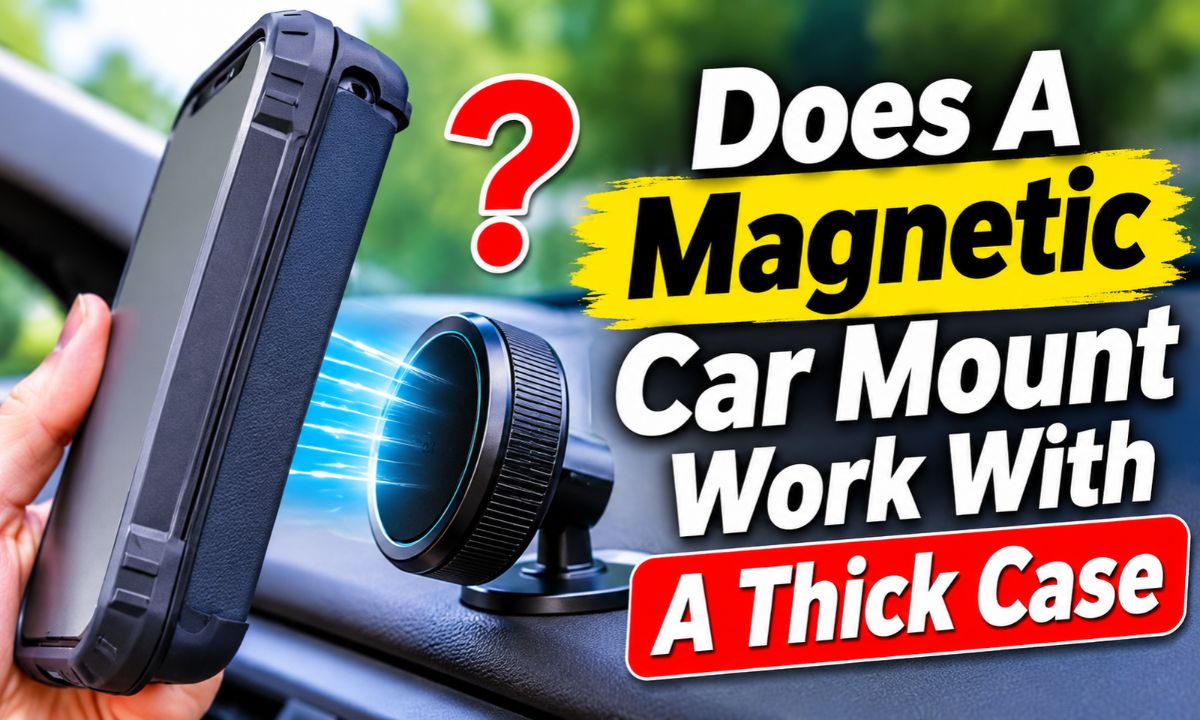
Yes, a magnetic car mount can work with a thick case, but added distance can weaken the magnetic hold and may stop wireless charging.
For drivers in the United States, the answer depends less on the word thick and more on how the case, phone, and mount are built. A slim MagSafe case with a built-in magnetic ring can work very well, while a bulky rugged case, wallet case, or case with a kickstand may reduce the connection enough to cause slipping.
Magnetic force drops as the gap between two magnets grows. A thick case adds that gap. If the mount uses a magnetic charging system such as MagSafe or Qi2, the case also has to let the phone sit close enough and line up well for charging. Some current mounts list a specific case limit, so that limit matters more than a general claim that the magnet is strong.
The good news is that you can test the setup before relying on it while driving. Check the case thickness, look for a built-in magnetic ring, attach the phone to the mount, and gently test for sliding or rotation. If the phone feels weak on the mount, the case is often the first thing worth checking.
A magnetic mount does not pull on a phone in isolation. It pulls across the space between the mount and the magnetic material on or inside the phone setup. When a case becomes thicker, that space grows, and the magnetic connection can become weaker.
This is easy to picture with two small magnets. Hold them close together and they snap together firmly. Move one away by adding layers of material between them, and the attraction becomes less useful. A phone case does the same thing when it sits between the mount and the magnetic ring or metal plate.
The effect varies by design. A rugged case made with thick rubber may create more separation than its listed wall thickness suggests at the actual contact area. A case with a raised back, camera guard, kickstand, or textured surface can also keep the mount from sitting flat.
That is why there is no single case thickness that works with every magnetic car mount. One mount may hold a certain case securely, while another may not. The mount’s magnet design, the phone’s magnetic system, the case material, and the shape of the contact area all matter.
Source: m.media-amazon.com
More distance
A thicker case places the magnetic surfaces farther apart, which can reduce holding force.
Poor contact
A curved, textured, or uneven case can prevent the phone from sitting flush against the mount.
Added weight
A rugged case adds weight to the phone, increasing the force that the mount must resist during turns and bumps.
A mount advertised with strong magnets can still perform poorly with a particular case. Magnetic strength matters, but the distance and alignment of the magnetic surfaces matter too. A strong magnet separated by a large gap may not outperform a well-aligned system with a smaller gap.
The weight of the phone also matters. A large phone in a heavy protective case creates more load on the connection than a small phone in a slim case. Road vibration, braking, sharp turns, and bumps add movement that the mount must resist.
Magnet placement
The magnetic ring or plate needs to line up with the mount’s magnetic area.
Phone weight
A heavier phone and case combination puts more demand on the magnetic connection.
How Thick Is Too Thick For A Magnetic Car Mount
There is no universal maximum thickness for every magnetic car mount. The safest approach is to use the limit given by the mount maker. For example, Belkin lists up to 3 mm of case thickness for certain BoostCharge magnetic charging car mounts. That is a product-specific limit, not a rule for every magnetic holder.
MagSafe cases add another useful point. A compatible case can include its own magnet array so the accessory does not have to rely only on the phone’s internal magnets through the case. Apple’s accessory design guidance also sets requirements for MagSafe case magnet arrays, including a uniform case thickness limit of 2.1 mm for cases designed to meet that specification.
These figures should not be treated as a promise that every 2 mm or 3 mm case will work with every mount. Case shape, material, magnet placement, mount design, and the phone itself can change the result. A case with a built-in magnetic ring is often more useful than a plain case of similar thickness because it creates a purpose-built magnetic interface.
If your case is much thicker than the mount’s stated limit, assume compatibility is uncertain until you test it. Do not rely on a mount simply because it feels strong when the car is parked.
Source: cdn.mos.cms.futurecdn.net
Up to 2 mm
Often favorable for magnetic accessory systems, especially when the case has a properly designed magnetic ring, but compatibility still depends on the mount.
Around 3 mm
Some mounts specifically support cases in this range, while others may not.
Thicker rugged cases
These need closer attention because added material, weight, and raised surfaces can reduce grip.
Very bulky cases
A mechanical clamp or a mount designed for rugged cases may be more dependable than a basic magnetic mount.
Check The Mount’s Actual Case Limit
Before buying a new mount, look for a documented case thickness limit in the manufacturer’s specifications or support material. If no limit is given, do not assume that a very thick case will work just because the mount uses powerful magnets.
For a magnetic charging mount, also check whether the stated case limit applies to charging. A phone may stay attached while still failing to charge reliably. Holding and charging are related, but they are not the same compatibility test.
Simple holder
The main question is whether the magnetic connection can hold the phone securely.
Charging mount
The phone must stay securely attached and remain close and aligned enough for the charging system to work.
MagSafe Cases Usually Work Better Than Plain Thick Cases
If you want to use a magnetic car mount with a protective case, a case made for MagSafe or another compatible magnetic accessory system is usually the easier route. These cases have a magnetic ring positioned to match the accessory’s magnetic pattern.
That ring gives the mount a designed contact point instead of asking the mount to pull through a thick layer of plastic or rubber toward the phone’s internal magnets. This can improve alignment and reduce the uncertainty that comes with a plain case.
A MagSafe-compatible case still needs to match the mount. Not every magnetic accessory has the same design or strength, and accessories such as wallets or kickstands can add distance. If the case maker lists magnetic accessory compatibility, use that information along with the car mount’s own specifications.
For Android phones, compatibility depends on the phone and case. Some newer Android devices and cases use magnetic accessory systems, while other phones need a compatible magnetic case or adapter ring. A regular case without a magnetic interface may not provide the same result.
Source: tradefilon.com
Built-in magnetic ring
A correctly positioned ring creates a direct magnetic interface for compatible accessories.
Better alignment
The ring can help the phone settle into the mount’s intended position instead of relying on a random contact point.
Less guesswork
A case made for the magnetic standard gives you clearer compatibility information than a generic thick case.
What About A Thick MagSafe Case
A thick MagSafe case can still work if its magnetic ring sits close enough to the outside surface and the mount supports that case design. The word MagSafe does not automatically mean every accessory will hold every case securely.
If the case has a large protective bumper but a magnetic ring near the rear surface, the mount may still connect well. If the ring is recessed, covered by extra material, or combined with a raised accessory, the effective gap can be larger.
Good sign
The phone snaps firmly into the mount and stays centered when you gently tilt it.
Warning sign
The phone attaches but slides down, twists, or separates with light movement.
How To Test A Thick Case Before Driving
A short home test can tell you more than simply seeing the phone stick to the mount. Test the complete setup with the same phone, case, and mount that you will use in the car. If the mount is also a charger, test charging at the same time.
Start with the phone and case clean and dry. Remove wallets, cards, detachable grips, and other accessories that sit between the case and mount. Then place the phone on the mount and make sure the magnetic ring or plate is centered.
Gently tilt the mount in different directions while keeping the phone attached. You are looking for movement, not just separation. A phone that slowly slides or rotates can be a problem even if it never completely falls off.
Next, check the setup after a few minutes. If the phone has shifted, charging has stopped, or the mount has lost alignment, investigate the case before assuming the mount itself is defective.
Source: oandys.com
Step 1: Check the case
Measure or check the manufacturer’s listed thickness and remove extra accessories from the back.
Step 2: Center the phone
Align the phone’s magnetic ring or plate with the mount’s magnetic area.
Step 3: Test for sliding
Gently tilt the mounted phone and watch for downward movement or rotation.
Step 4: Test charging
If the mount charges wirelessly, confirm that charging starts and remains active.
Step 5: Repeat without the case
If the setup fails, remove the case and test again. A major improvement points toward the case as the cause.
Signs Your Case Is The Problem
The clearest sign is a large change between the phone with the case and the phone without it. If the bare phone attaches firmly but the cased phone slides or rotates, the case is adding too much distance, weight, or unevenness for that mount.
Another clue is a charging problem. If wireless charging works without the case but repeatedly stops with the case installed, the case may be outside the charger’s supported thickness or alignment range.
Weak attachment only with the case
This strongly suggests that case thickness, material, or magnetic design is affecting the connection.
Charging stops with the case
The case may be too thick, poorly aligned, or incompatible with the mount’s charging system.
What To Do If The Magnetic Mount Does Not Hold
If the phone will not stay attached, start with the simplest cause: remove anything between the case and mount that is not needed. A wallet, card holder, ring grip, kickstand, or thick adhesive accessory can create a larger gap than the case alone.
Next, clean the contact surfaces according to the mount and case maker’s care instructions. Dust or debris can keep surfaces from sitting correctly. Do not use a cleaning method that could damage the case, adhesive, or mount.
If the case is thick and has no built-in magnetic ring, consider a compatible magnetic ring or mounting plate designed for that case. Placement matters. Follow the accessory maker’s instructions, especially if you use wireless charging, because a metal plate in the wrong location can interfere with charging.
If the case remains unreliable, a thinner magnetic case may be the simplest fix. For a very rugged phone and case, a clamp-style car holder can also make more sense because it physically grips the phone instead of depending only on magnetic attraction.
Source: acefast.com
Remove extra accessories
Test the phone without wallets, grips, kickstands, and other items that add distance.
Try a compatible magnetic ring
A properly designed adapter can provide a magnetic interface when the phone or case lacks one.
Use a thinner case
Reducing the gap can restore a stronger magnetic connection.
Switch mounting styles
A clamp holder may be a better fit for unusually heavy or rugged phone-and-case combinations.
Be Careful With Metal Plates And Wireless Charging
Metal plates can make a non-magnetic case usable with some magnetic mounts, but they change the setup. If your mount also provides wireless charging, check the mount maker’s instructions before placing a plate over or near the phone’s charging area.
A plate can solve the magnetic attachment problem while creating a charging problem. The goal is not simply to make the phone stick; it is to make the complete setup work as intended.
Mount only
A metal plate may be useful when you only need magnetic holding.
Mount plus charging
Check placement and compatibility carefully because the plate can affect wireless charging.
Thick Case Types That Need Extra Attention
Not all thick cases create the same problem. A thick case with a built-in magnetic ring can perform much better than a thinner case with no magnetic interface. The design of the back surface can matter as much as the overall thickness.
Rugged cases are the main group to check closely. They often add thick edges, raised lips, reinforced corners, and textured materials. Those features protect the phone, but they can also increase the gap or prevent the magnetic mount from sitting flat.
Wallet cases create another challenge because cards and the wallet section add distance. They can also introduce materials that are not suitable for use between a phone and a wireless charger. If you use a wallet case, check both the mount and phone maker’s guidance.
Battery cases can also be difficult because they add both thickness and weight. A phone that already feels heavy in the hand can place much more demand on the mount when the case adds a battery and extra structure.
Source: cdn.mos.cms.futurecdn.net
Rugged cases
Check the case’s magnetic ring, rear surface, thickness, and total weight.
Wallet cases
Cards and wallet layers can increase the gap and may interfere with wireless charging.
Battery cases
Extra thickness and weight can make a magnetic connection less reliable.
Kickstand cases
A raised or movable rear section can keep the magnetic surfaces from making close contact.
When A Clamp Mount May Be Better
A clamp mount can be a better option when your phone and case combination is too heavy or bulky for a magnetic mount. Instead of relying on magnetic attraction, it grips the phone or case mechanically.
That does not make every clamp mount better. The clamp must fit the case, remain clear of buttons and ports, and hold the phone without damaging it. Still, for a very rugged setup, a mechanical holder removes one major variable: magnetic distance.
Choose a clamp when
Your rugged case exceeds the magnetic mount’s stated thickness limit or repeatedly slips.
Stay magnetic when
Your case has a compatible magnetic ring and the phone remains firmly attached during your normal use.
Magnetic Holding And Wireless Charging Are Different Tests
A phone can pass the magnetic holding test and fail the wireless charging test. This is one of the most useful distinctions when choosing a mount for a thick case.
Magnetic attachment mainly depends on magnetic force, distance, alignment, surface shape, and the weight of the phone and case. Wireless charging also depends on close coil alignment and the charger’s supported operating conditions.
That means a thick case may still let the phone stay attached while reducing charging performance or causing charging to stop. A charging mount’s published case limit should therefore be treated as a separate compatibility requirement.
For example, Belkin lists a 3 mm case limit for certain magnetic Qi2 car mounts. If your case is thicker than that, the fact that the phone still sticks to the mount does not establish that the charging function will work properly.
Source: oandys.com
Attachment test
Check whether the phone stays firmly attached and centered.
Charging test
Check whether wireless charging starts and remains active with the case installed.
Heat check
If wireless charging becomes hot or repeatedly stops, follow the charger and phone maker’s guidance rather than assuming the case is harmless.
Frequently Asked Questions
Q
Can a magnetic car mount work through a 3 mm case?
Yes, some magnetic mounts are designed to work with cases up to 3 mm thick. Belkin, for example, lists a 3 mm case limit for certain magnetic Qi2 car mounts. That does not mean every mount will work with every 3 mm case, so check the exact model’s specifications.
Q
Will a thick MagSafe case stay on a magnetic car mount?
It can. A MagSafe case with a properly positioned built-in magnetic ring is generally a better match than a thick case with no magnetic interface. The mount still needs to support the case thickness and the total phone-and-case weight.
Q
Why does my phone stick to the mount but still fall off while driving?
The connection may be strong enough for a stationary test but not strong enough to resist vibration, bumps, turns, or the weight of the phone and case. Check for a thick case, uneven rear surface, extra accessories, poor magnetic alignment, or a mount that does not support the case.
Q
Can I use a magnetic ring with a thick phone case?
Often, yes. A compatible magnetic ring can give a case a defined magnetic attachment point. Follow the ring maker’s placement instructions, and check wireless charging compatibility before using a metal ring or plate with a charging mount.
Q
Does a thick case stop MagSafe charging?
Not always. Some cases are specifically designed for MagSafe charging and use a magnetic ring that keeps the accessory aligned. Very thick, poorly aligned, metal-backed, or otherwise incompatible cases can reduce or stop wireless charging, so the charger and case specifications matter.
✦ Wrapping Up
Conclusion
A magnetic car mount can work with a thick phone case, but thickness is only one part of the equation. The key issue is the distance between the mount’s magnets and the phone’s magnetic interface, along with the weight, shape, and material of the case.
A thick MagSafe-compatible case with a well-placed magnetic ring is usually a better starting point than a thick generic case. For charging mounts, use the manufacturer’s case thickness limit because charging can fail even when the phone remains attached.
If you already have the case and mount, test the complete setup before driving. Remove extra accessories, center the phone, gently test for sliding and rotation, and confirm wireless charging if your mount provides it. If the phone is still unstable, a compatible magnetic case, adapter ring, or mechanical clamp mount may be the better solution.
💡 Key Takeaway
Check your mount’s stated case limit first, then test the phone with its exact case for firm attachment, stable alignment, and reliable charging before using it on the road.