
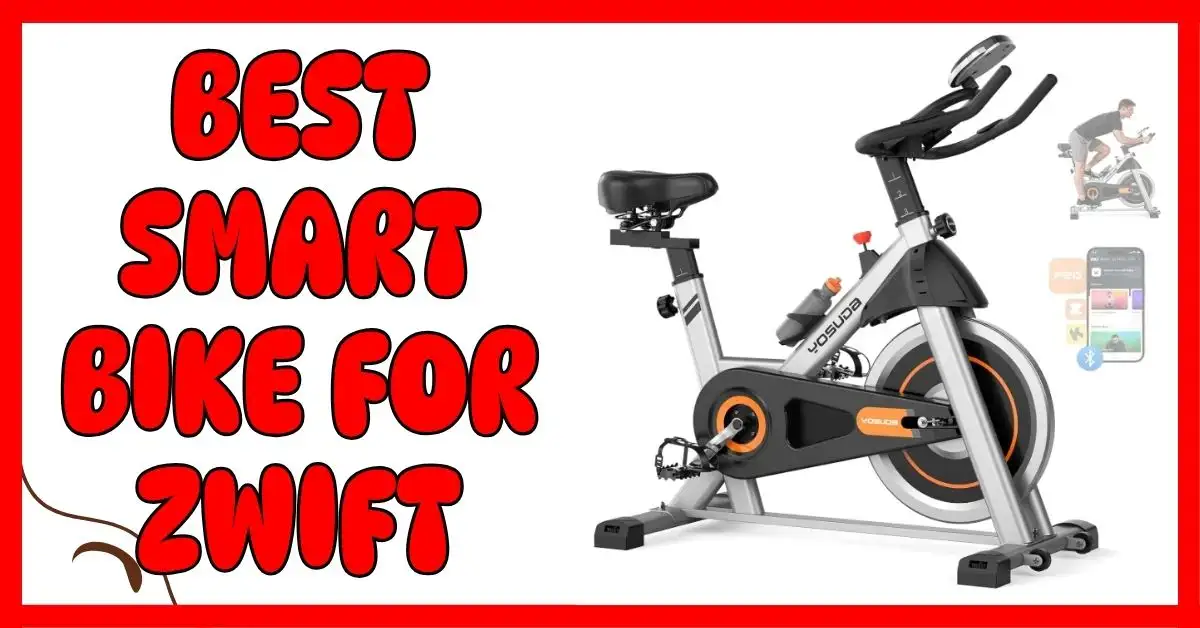
Looking for the best smart bike for Zwift? I’ve tried many at home, from cheap models to high-end bikes. Some felt smooth and real. Others made every ride a chore. The right smart bike changes everything. It makes Zwift fun, easy, and close to real riding. In this guide, I’ll share my top picks, what to look for, and why these bikes work best for daily rides.

What Is a Smart Bike, and Why Zwift Riders Love It
A smart bike is a new kind of exercise bike that connects to cycling apps like Zwift, Rouvy, or Kinomap. It changes resistance on its own as you ride. When the road tilts up on screen, the pedals feel harder. When you go down, they ease up. It feels real, smooth, and close to riding outside.
A regular bike stays the same unless you turn a knob. A smart bike does more. It tracks your power, speed, and cadence. It talks to your app through Bluetooth or ANT+. It knows when to add or drop resistance. That’s what makes it “smart.”
Zwift riders love this kind of bike. It reacts fast and feels real. Every hill, sprint, or flat road syncs with your legs. You ride in your living room, but it feels like you’re on the open road. It makes indoor rides fun, not boring.
I still remember my first time connecting a smart bike to Zwift. I started pedaling, and when my screen showed a hill, the bike pushed back. It caught me off guard—in the best way. I laughed and thought, “Wow, this feels real.” From that moment, indoor cycling stopped feeling like a workout. It became a ride I looked forward to.
What to Look for in the Best Smart Bike for Zwift
When you pick a smart bike for Zwift, first check app compatibility. Make sure it works with Zwift, Rouvy, or Kinomap. A bike that connects fast keeps your ride smooth. I noticed that bikes that sync well make sessions more fun and less frustrating.
Resistance type is important. Magnetic resistance is quiet and smooth. Friction resistance can be noisy and uneven. Magnetic bikes feel closer to real road riding. Long rides feel easier, and your legs stay steady.
Check connectivity. Bikes with Bluetooth and ANT+ sync with apps and heart monitors. You can also track data in Apple Health or Google Fit. I like seeing watts and cadence in real time. It helps me stay on track and reach my goals.
Comfort and adjustability matter a lot. Look at the seat, handlebars, and pedals. A soft seat and adjustable bars make long rides easier. My rides feel much better when the bike fits my body.
Weight capacity and stability keep you safe. A strong frame stops wobbling during sprints or climbs. Bikes with a high weight limit feel more secure. Stable bikes make you feel confident while riding.
Display and tracking are key. Look for metrics like speed, cadence, watts, distance, and heart rate. Clear numbers help you track progress. I often use this data to set goals and measure improvement.
Finally, check warranty and support. A good brand offers at least one year of coverage. Fast support helps if parts break or issues appear. From my experience, reliable help makes riding less stressful and more enjoyable.
My Top Picks for the Best Smart Bike for Zwift (USA Edition)
Schwinn IC4 – Best All-Around Smart Bike for Zwift
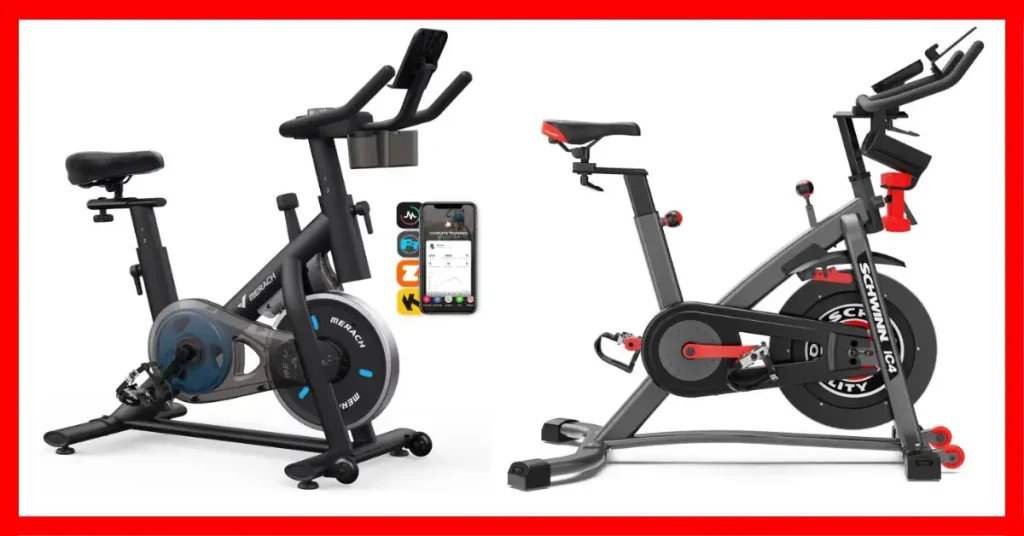
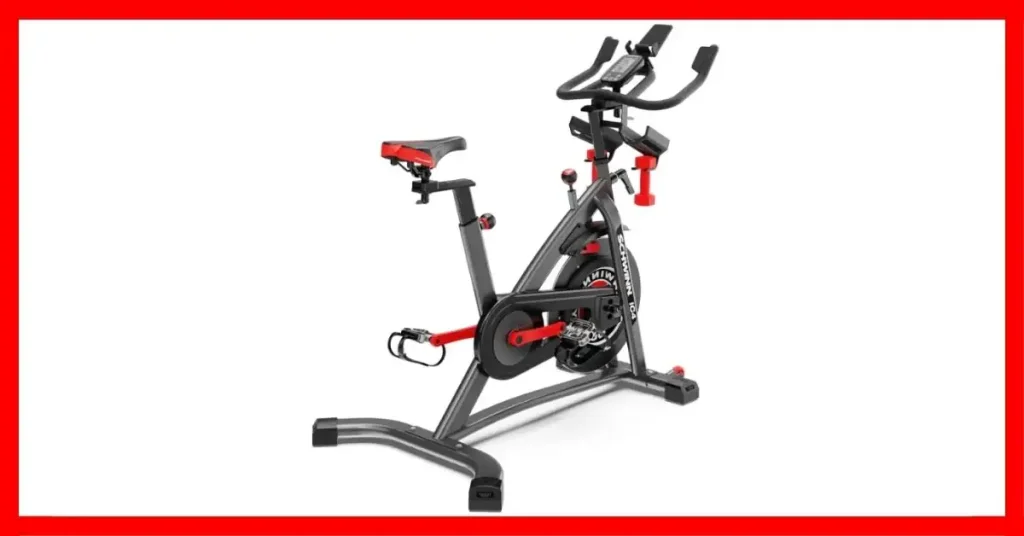
The Schwinn IC4 pairs easily with Zwift and Peloton. The bike is smooth and quiet. Its magnetic resistance has 100 levels. This makes rides feel close to real road cycling. I felt stable even on long sessions. The bike’s display matches Zwift data perfectly.
Pros: Smooth, quiet, Zwift-ready, 100 resistance levels.
Cons: Bulky, costs more than budget options.
SLUNSE Magnetic Exercise Bike – Best Budget Smart Bike for Zwift
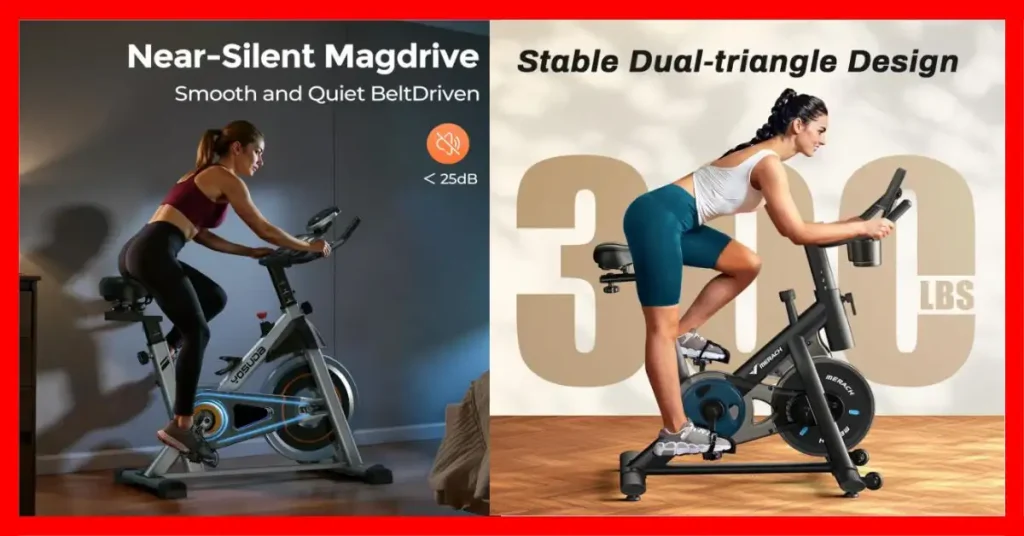
The SLUNSE is a great budget option. It works with Zwift and Kinomap. It supports up to 350 lbs. The belt drive keeps it quiet. I liked it for beginners who want a smart bike without spending too much. The ride is smooth, though not as premium as Schwinn IC4.
Pros: Affordable, quiet, Zwift-compatible, strong frame.
Cons: Fewer resistance levels, less smooth than high-end bikes.
MERACH Smart Exercise Bike – Best Smart Bike for Data Lovers
The MERACH is perfect for tracking your rides. It shows cadence, watts, and heart rate. It syncs with Apple Health and Google Fit. I liked using it for interval and endurance workouts. The bike is quiet and compact. Even intense rides felt stable and safe.
Pros: Great metrics, compact, quiet, app-friendly.
Cons: Limited resistance range, basic display.
YOSUDA Smart Bike – Best Smart Spin Bike for Beginners
The YOSUDA is simple and reliable. It works with the FED Fitness App and Zwift. The pedals are smooth, and the seat is easy to adjust. I found it very comfortable for daily home workouts. It’s a good choice for beginners who want smart features without complexity.
Pros: Simple, reliable, beginner-friendly, smooth ride.
Cons: Fewer features than premium bikes.
These bikes all work well with Zwift. The Schwinn IC4 feels closest to real riding. SLUNSE and YOSUDA are good for beginners. MERACH is best if you like tracking stats.
👉🏿👉🏻 Check Latest Price and Offer at Amazon 👈🏻👈🏿
👉🏿👉🏻 Check Latest Price and Offer at Amazon 👈🏻👈🏿
👉🏿👉🏻 Check Latest Price and Offer at Amazon 👈🏻👈🏿
👉🏿👉🏻 Check Latest Price and Offer at Amazon 👈🏻👈🏿
Smart Bike vs. Smart Trainer – Which One Should You Get?
A smart bike is a ready-to-ride indoor bike. It has sensors and can change resistance automatically. A smart trainer lets you use your own road bike indoors. It also measures power and speed. The main difference is that a smart bike is a full machine, while a smart trainer needs your bike. If you want ease and quick setup, a smart bike is the better choice.
Smart bikes are stable and quiet. They are good for long rides at home. They fit small spaces and need little setup. Smart trainers feel closer to outdoor riding because you use your real bike. When I tried both, the smart trainer felt more like real road riding. But the smart bike was easier for daily Zwift workouts and less hassle overall.
If you are new to Zwift, a smart bike is a simple, stress-free option. If you want a more realistic ride and have a road bike, a smart trainer is fun. Both connect to Zwift. The ride experience depends on which setup you choose.
How to Connect Your Smart Bike to Zwift (Quick Guide)
Connecting your smart bike to Zwift is easy. First, turn on Bluetooth on your phone, tablet, or computer. Open the Zwift app.
Go to the pairing screen. You will see options for “Power Source” and “Cadence.” Pick your smart bike from the list. Zwift will read your speed, power, and cadence as you pedal.
The first time I did this, my bike didn’t show up right away. I restarted the app, and it worked. A tip: keep your device close to the bike. Avoid other Bluetooth signals nearby.
Once paired, your avatar moves as you ride. The bike adjusts resistance on hills automatically. It feels very close to real road riding, and setup takes just a few minutes.
My Real Experience Riding with Zwift – The Good and the Real
Riding with Zwift made indoor cycling feel real. At first, I was unsure if a screen could make riding fun. But it really does. Zwift turns your living room into a virtual road. You can climb hills, sprint, and ride with others online.
It also keeps you motivated. Seeing your avatar move and hit goals makes you pedal harder. I started riding more often because it feels like a game, not a boring workout. Consistency became easier.
There were small problems. My bike sometimes didn’t connect right away. Bluetooth could glitch. I learned to keep my tablet close and restart the app when needed. These fixes worked every time.
The best part is the immersion. The virtual worlds, group rides, and races make training exciting. I stopped watching the clock. I just focused on riding. After a few sessions, indoor cycling became fun, not a task.
Best Budget Smart Bikes for Zwift (Under $500–$800)
You don’t need to spend a lot to enjoy Zwift. Some budget smart bikes work great. Two I recommend are MERACH and SLUNSE. Both connect easily to Zwift and other apps like Kinomap.
The MERACH bike is quiet and smooth. It handles short and long rides well. You can see speed, cadence, and watts on the app. For under $600, it feels very solid.
The SLUNSE bike is simple and reliable. It supports Zwift and holds up to 350 pounds. Its magnetic resistance is quiet and smooth. It’s great for beginners or daily workouts.
These bikes don’t feel exactly like high-end spin bikes. But they still make indoor riding fun. If you want a smart bike on a budget, these are my top picks.
| Bike | Price | Max Weight | Apps | Notes |
| MERACH | ~$600 | 330 lb | Zwift, Apple Health | Quiet, compact, apartment-friendly |
| SLUNSE | ~$500 | 350 lb | Zwift, Kinomap | Smooth resistance, beginner-friendly |
Even on a budget, you can track stats and enjoy realistic rides at home.
Best Smart Bike Alternatives for Rouvy or Kinomap
Not everyone likes Zwift. Some riders prefer Rouvy or Kinomap. These apps use real video routes. You can feel like you are cycling through real streets and trails. It makes indoor training feel more natural.
The Schwinn IC4 works well with both Rouvy and Kinomap. It pairs easily and tracks your power and cadence accurately. Another good option is the SLUNSE bike. It is quiet, easy to set up, and budget-friendly.
App choice changes your ride. Zwift is more like a game with virtual worlds. Rouvy and Kinomap show real roads and scenery. If you love seeing real landscapes, these apps make your rides more immersive.
In my experience, riding Rouvy on the Schwinn IC4 felt realistic. SLUNSE also worked well for everyday home rides. If you want a simple and scenic ride, these smart bike alternatives are great choices.
Smart Bike FAQs
What is the best smart bike for Zwift right now?
The Schwinn IC4 is my top pick. It pairs easily with Zwift, feels smooth, and tracks all your ride data accurately. If you want a solid balance of quality and comfort, this bike works great.
Are all smart bikes compatible with Zwift?
Not all of them, but most modern smart bikes connect via Bluetooth or ANT+. Always check the app compatibility before buying. A simple test is pairing the bike with your phone first—it usually works if the app detects it.
What’s the difference between a smart trainer and a smart bike?
A smart bike is a standalone exercise bike with built-in sensors. A smart trainer uses your real road bike and adjusts resistance electronically. I found smart bikes easier for daily use, while trainers feel closer to outdoor riding.
Do I need a subscription to use Zwift?
Yes, Zwift requires a subscription to access all its virtual routes and races. The monthly fee is around $15, which is worth it if you want motivation and immersive rides.
Can you use a budget smart bike for Zwift?
Absolutely. Bikes like the SLUNSE or MERACH handle Zwift well. You may not get all the premium features, but they are reliable for most training sessions.
What makes a bike “smart”?
A smart bike automatically tracks metrics like watts, cadence, and heart rate. It can adjust resistance in sync with apps like Zwift. Basically, it makes your indoor ride feel interactive and real.
How quiet are smart bikes compared to regular ones?
Most smart bikes are surprisingly quiet. Magnetic resistance bikes, like the Schwinn IC4, barely make a sound. I can ride early in the morning without waking anyone, which is a huge plus.
Final Thoughts – My Pick for the Best Smart Bike for Zwift
After testing many smart bikes, my top pick is the Schwinn IC4. It feels smooth and quiet. The ride is stable and realistic. It pairs easily with Zwift and other apps.
If you are new or on a budget, the SLUNSE or MERACH bikes work well. They are reliable and give good ride data. They may lack some premium features, but they get the job done.
Heavier riders or serious cyclists may want bikes with stronger frames and higher resistance. I found the IC4 and MERACH hold up well on long rides. Stability matters when you push hard.
The right smart bike makes Zwift feel like real road riding. It keeps you motivated and consistent. Pick a bike that fits your goals, space, and budget. You will enjoy every ride, even indoors.
To Get More About Sports & Outdoors Product You Can Visit Our Site. If You Found our Posts Helpful Leave a Comment Below