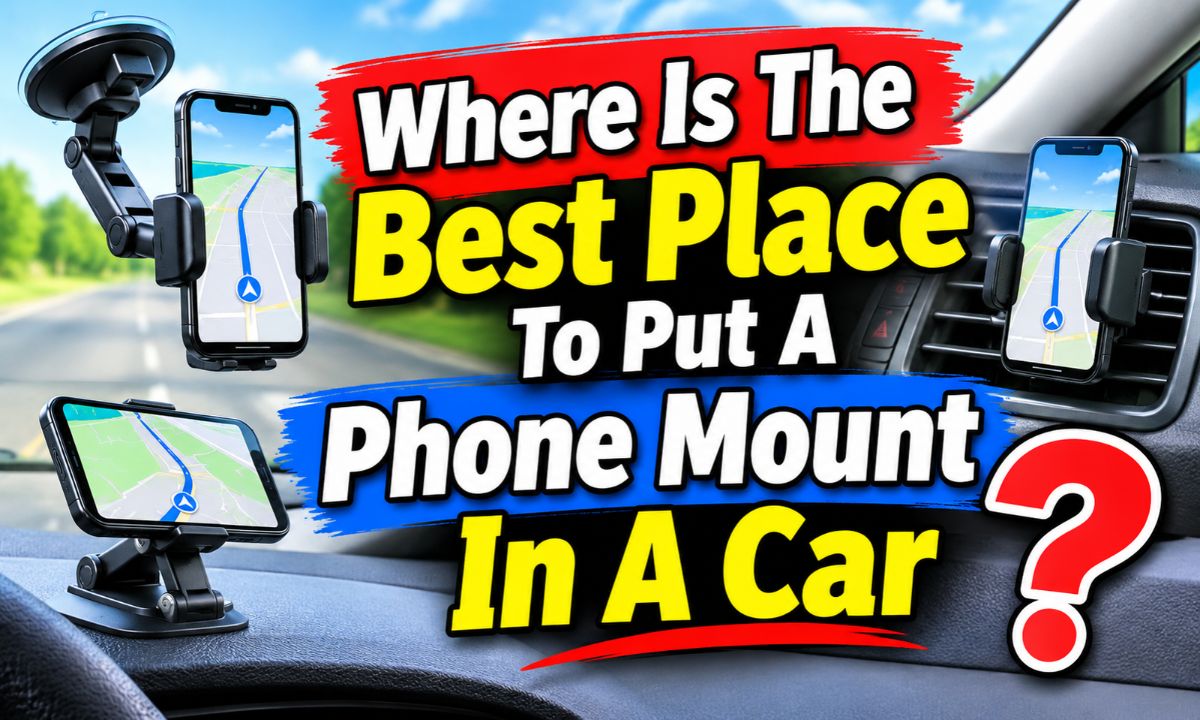
The best spot is usually a low, stable dashboard or center-console area that keeps the phone easy to see without blocking the road, controls, vents, or airbags.
For drivers in the United States, the best phone mount location is the one that gives you a quick glance at navigation while keeping your eyes focused on traffic. A mount should sit within easy view but outside the main part of your windshield view. State rules differ, so check your state’s phone and windshield-mount rules before installing one.
A center dashboard position is often a strong starting point because it can keep the phone close to eye level without putting it directly in front of the driver. A vent mount can also work well when the vent is sturdy and the phone does not interfere with air flow or vehicle controls. Windshield mounts can provide a clear view, but their exact location matters because an object on the glass can obstruct your view.
The best location has four basic traits: it stays secure, remains easy to see, does not block your view, and does not interfere with the vehicle. These points matter more than whether the mount is called a dashboard, vent, windshield, or CD-slot mount.
California’s driver handbook gives a useful safety model for U.S. drivers: a mounted phone may be placed on the windshield, dashboard, or center console, but it cannot block the driver’s view of the road. The same guidance also limits interaction to a single swipe or touch in the situations covered by the handbook. Your own state may have different rules.
The mount should also sit where a quick glance does not require you to turn your head far from the road. If you have to look down toward your lap or reach across the cabin, the location is less practical even if the holder itself is secure.
Source: cdn.thewirecutter.com
Clear road view
The phone and mount should stay outside the driver’s important forward view and should not cover a pedestrian, vehicle, traffic signal, or other road hazard.
Stable support
The mounting surface should hold the phone firmly during normal turns, braking, and rough pavement.
Easy glance
Navigation information should be visible with a short glance rather than a long look away from traffic.
No control conflict
The phone should not block climate controls, the infotainment display, hazard switch, gear selector, steering controls, or important warning lights.
Best Overall: A Low Dashboard Position
For many cars, a low dashboard position near the center is the best overall choice. It keeps the phone visible without placing it directly in the driver’s main line of sight. It can also leave the windshield mostly clear and keep the phone close to the vehicle’s existing display.
The ideal spot is not necessarily the exact center of the dashboard. Look for a flat, sturdy area where the mount can sit securely and where the phone does not cover the factory screen or controls. A position slightly to the right of the steering wheel can work well in a left-hand-drive vehicle when it remains easy to see.
Before sticking a mount down, sit in the normal driving position and look through the windshield. Check the road, mirrors, instrument cluster, and factory display. Then place the phone in the proposed position and repeat the check.
Source: m.media-amazon.com
Best for navigation
A dashboard mount can keep turn-by-turn directions close to your normal forward view.
Good for a clean windshield
A dashboard base avoids placing another object on the windshield.
Watch the factory screen
Do not place the phone where it covers the infotainment display, backup-camera view, or other important vehicle information.
Where On The Dashboard Should It Go?
Start near the center or slightly toward the driver’s side only if that position leaves the road view clear. The phone should be high enough for a short glance but low enough that it does not become a visual obstruction.
A good test is simple: sit normally, look straight ahead, and identify the areas where the phone would overlap the windshield view. If the mount covers a meaningful part of the road scene, move it lower or farther toward the center.
Avoid the airbag zone
Do not place a mount or its adhesive base where it could interfere with an airbag or its deployment path. Consult the vehicle manual when the dashboard layout is unclear.
Avoid the instrument cluster
Keep the speedometer, warning lights, and other driver information visible.
When A Vent Mount Is The Better Choice
A vent mount can be a smart choice when your dashboard has little flat space. It keeps the phone close to the driver and avoids adhesive on the dashboard. The trade-off is that the mount depends on the design and strength of the air vent.
Before using one, check whether the vent slats can support the holder and phone without moving. Some vents are strong and rigid, while others are thin, rounded, or designed to move easily. A heavy phone can make a weak vent mount tilt or shift.
Heat and cold are another practical concern. A phone sitting directly in strong heated air can become warmer than it would in a more open position. If the phone gets hot while charging or running navigation, redirect the vent or choose another mounting location.
Source: travelandleisure.com
Choose a sturdy vent
The vent should stay stable when the phone is attached and when the vehicle travels over normal road bumps.
Keep airflow practical
The mount should not prevent you from using the vent when you need heating or cooling.
Check the screen angle
A vent mount is only useful if the phone can face you without blocking other controls.
A Vent Mount May Not Suit Every Car
Large phones, heavy protective cases, and wireless charging holders can put more weight on a vent. If the vent bends or points downward after installation, the location is not a good match.
Some newer dashboards also use unusual vent shapes or integrated screens. In those vehicles, a dashboard or console mount may offer better stability and a clearer view.
Good fit
Strong horizontal or vertical vent slats with enough support for the holder.
Poor fit
Loose, fragile, highly movable, or unusually shaped vents that cannot keep the phone steady.
What About A Windshield Phone Mount?
A windshield mount can provide a very direct view of navigation, but it requires more care with placement. The phone should never sit where it blocks an important part of the road view, and state rules may limit where objects can be attached to a windshield.
California, for example, tells drivers not to put objects on the front windshield or side rear windows when they block the driver’s view. Its handbook also specifically says a mounted phone cannot hinder the driver’s view of the road. This is a useful reminder that a technically secure mount can still be poorly placed.
If you use a windshield mount, place it in a location that keeps the phone out of the main forward view. Check the legal requirements in the state where you drive, because windshield obstruction rules are not identical across the United States.
Source: cdn.shopify.com
Check state rules
Review your state’s current vehicle and distracted-driving rules before using a windshield-mounted phone holder.
Keep the glass clear
Do not let the phone cover traffic signals, signs, pedestrians, vehicles, or other important visual information.
Think about night driving
A bright phone screen in a prominent windshield position can draw your attention away from the road.
Why Windshield Height Is Not Always Better
A higher phone may feel easier to see, but height alone does not make a mount safer. If the phone sits in the wrong part of the windshield, it can overlap more of the road scene.
The goal is not to put the screen as close to eye level as possible. The goal is to place it where a brief glance is possible while preserving a broad, unobstructed view.
Better target
Use the lowest practical position that keeps navigation readable and the road view clear.
Avoid
Do not mount the phone in a central windshield position that covers a large part of the forward view.
Center Console And CD-Slot Mounts
A center-console mount can work well when the dashboard is crowded or shaped in a way that does not accept a stable base. It can also keep the windshield clear. The main drawback is height: if the phone sits too low, looking at it may require more downward eye movement.
CD-slot mounts can be useful in older vehicles with an unused disc player. They place the phone near the center of the cabin and can provide a solid attachment point. However, they are not suitable when the slot is needed, when the mount interferes with the player, or when the holder blocks other controls.
The key test is whether the phone remains visible without requiring a long look away from traffic. A secure mount is not automatically a good mount if its location creates a poor viewing angle.
Source: media.licdn.com
Center console benefit
It can keep the windshield and upper dashboard free while placing the phone near the center of the vehicle.
Center console drawback
A low position can force the driver to look farther down than with a dashboard mount.
CD-slot benefit
An unused slot can provide a firm attachment point without adhesives or windshield suction.
CD-slot drawback
The mount may interfere with the disc player or nearby controls, and many newer vehicles do not have a CD slot.
How To Choose The Right Position For Your Car
The best position can be found with a simple test before you permanently install anything. Start in your normal driving position, not while leaning forward or sitting unusually low.
Place the phone holder in each possible location and check the same set of points. The strongest candidate is the one that keeps the phone visible, the road clear, the controls usable, and the mount stable.
Source: shunauto.com
Step 1: Sit normally
Adjust the seat and steering wheel as you normally would before judging the mount location.
Step 2: Check the road
Look through the windshield and confirm that the mount does not cover important parts of the forward view.
Step 3: Check the controls
Make sure the phone does not block the instrument cluster, climate controls, hazard switch, infotainment screen, or gear selector.
Step 4: Check movement
Confirm that the phone stays in position when you gently move the mount and holder.
Step 5: Check the cable
If you charge while driving, route the cable so it does not cross the steering wheel, gear selector, pedals, or important displays.
Step 6: Test the view
Start navigation while parked and check whether the screen is readable from the normal driving position.
A Simple Position Comparison
Use this table as a practical starting point. It is a general comparison, not a universal ranking, because the best location changes with the vehicle and mount.
Low center dashboard
Often the best balance of visibility and windshield clearance when the dashboard provides a stable mounting surface.
Air vent
Good when the vent is strong and the phone remains stable, but airflow and vent strength can limit the choice.
Windshield
Provides direct visibility but requires careful placement and attention to state windshield-obstruction rules.
Center console
Keeps the upper dashboard clear but may put the screen too low for comfortable quick glances.
CD slot
Useful in compatible older vehicles with an unused slot, but it is not an option in vehicles without one.
Common Phone Mount Placement Mistakes
Most placement problems are easy to avoid when you judge the mount as part of the whole driving environment. The phone should not be treated as an isolated accessory because its position can affect visibility, controls, cables, and driver attention.
One common mistake is choosing the spot that looks best while the car is parked. A mount can seem fine from the passenger seat but become distracting from the driver’s normal position. Always make the final decision from the driver’s seat.
Source: m.media-amazon.com
Blocking the road view
A phone directly in front of the windshield can hide road users and other important visual information.
Blocking the instrument cluster
The speedometer and warning indicators should remain easy to see.
Covering the factory display
A phone should not make it harder to use or see the vehicle’s built-in navigation, camera, climate, or audio controls.
Putting the mount near an airbag
Avoid areas that may interfere with airbag deployment and use the vehicle manual when the airbag locations are unclear.
Letting a cable cross controls
A charging cable should not cross the steering wheel, pedals, gear selector, or other moving controls.
Using the phone while moving
A mount does not remove the distraction risk. Set the route before moving and follow your state’s hands-free and distracted-driving rules.
The Mount Is Secure But The Location Is Wrong
A strong suction cup, adhesive pad, clamp, or vent clip only solves the attachment problem. It does not prove that the location is safe or practical.
If the phone stays firmly attached but blocks the road, covers controls, or forces long glances, move the mount. Placement should be judged by the whole driving setup, not by grip strength alone.
What To Do If The Phone Keeps Falling Or Moving
If the phone moves, first identify whether the problem comes from the mount, the mounting surface, the phone case, or the location itself. Do not solve every movement problem by simply tightening the holder.
For an adhesive or suction mount, clean and prepare the mounting surface according to the mount maker’s instructions. For a vent mount, check whether the vent slats are strong enough. For a dashboard mount, check whether the surface is too textured, curved, soft, or dusty for the mounting method.
Source: m.media-amazon.com
Phone tilts downward
The holder may be overloaded, the joint may be loose, or the phone may be too heavy for the selected mount.
Entire mount moves
The mounting surface or attachment method may not provide enough support.
Vent rotates
The phone may be too heavy for the vent, or the vent design may not suit the holder.
Phone slips from the holder
The clamp may not fit the phone or case securely, especially with unusually thick or slippery cases.
Phone Mount Safety And U.S. Driving Rules
A phone mount can support hands-free navigation, but it does not make every type of phone use legal or safe. U.S. phone-use laws vary by state, and some states have additional restrictions for young or novice drivers.
The National Highway Traffic Safety Administration notes that state cell-phone laws vary and that some states allow certain uses, such as navigation, under specific conditions. California’s current driver handbook provides one clear example: a mounted phone must not block the driver’s view, and the handbook instructs drivers to use a single swipe or touch on a mounted device.
The safest practice is to enter your destination before driving, use voice controls when appropriate, and pull over safely when you need to perform an action that requires sustained attention. Never treat a convenient mount as permission to read messages, type, browse, or interact with the phone freely while moving.
Source: cdn.thewirecutter.com
Check your state
Review current rules where you drive because phone and windshield-obstruction laws can differ between states.
Keep the road view clear
The phone should never become a visual obstacle between you and the road.
Prepare before driving
Enter the route, connect charging, and adjust the screen before moving.
Pull over when needed
If a task needs more than a quick permitted interaction, stop in a safe location before using the phone.
Do Not Ignore Advanced Driver Assistance Sensors
Modern vehicles may have cameras and sensors near the windshield, dashboard, or rearview mirror. A phone mount should not cover or interfere with equipment used by driver-assistance features.
If you are unsure where a sensor is located, check the vehicle owner’s manual before installing a mount. A clean view for the driver is not the only consideration in a modern vehicle.
Check sensor areas
Keep the phone and mount away from cameras, sensors, and other equipment identified by the vehicle manufacturer.
Follow the vehicle manual
Use the vehicle maker’s instructions when the mounting area overlaps an airbag, sensor, display, or other built-in system.
Frequently Asked Questions
Q
Is the dashboard or windshield better for a phone mount?
A low dashboard position is often the better starting point because it can keep the windshield clear while leaving the phone easy to see. A windshield mount can also work, but its position must not obstruct your view and may be subject to state-specific rules.
Q
Is it safe to put a phone mount in front of the steering wheel?
It is generally a poor location because the phone can block the instrument cluster and may interfere with the steering area. More importantly, you should avoid placing accessories where they could interfere with an airbag or its deployment path. Check the vehicle manual for airbag locations.
Q
Is a vent phone mount a good idea?
It can be a good option when the vent is sturdy and the holder keeps the phone stable. Check that the mount does not interfere with airflow, vent movement, controls, or the phone’s temperature during charging.
Q
How high should a phone mount be in a car?
There is no single height that fits every vehicle. Use the lowest practical position that lets you see navigation with a brief glance while keeping the road, mirrors, instrument cluster, and important controls clear.
Q
Can a phone mount block the windshield?
It should not block your view of the road. Windshield obstruction rules vary by state, so check the current law where you drive before using a windshield mount. Even where a particular placement is permitted, avoid any position that hides important road information.
Q
Should I mount my phone near the car’s infotainment screen?
It can be useful if the phone remains visible without covering the factory screen or controls. Keep enough space for the built-in display, hazard switch, climate controls, and other functions you need while driving.
✦ Wrapping Up
Conclusion
For most cars, a stable, low dashboard position near the center is a strong choice for a phone mount. It can keep navigation within easy view while leaving the windshield more open than a poorly placed windshield mount. A vent mount is a useful alternative when the vent is strong and the phone does not interfere with airflow or controls.
The exact best spot depends on your vehicle. Before installing the mount, sit in the driver’s seat, check the forward view, confirm that the instrument cluster and factory controls remain visible, and make sure the mount does not interfere with airbags or driver-assistance equipment. Then test the phone’s viewing angle while the car is parked.
Most of all, remember that a phone holder is only a positioning tool. It does not remove distracted-driving risks or replace local laws. Prepare navigation before moving, keep interactions brief and legally permitted, and pull over safely when you need to do more.
💡 Key Takeaway
Start with a low center-dashboard position, then compare it with a sturdy vent or console location. Choose the spot that gives you a quick view without blocking the road, controls, displays, mirrors, airbags, or vehicle sensors.