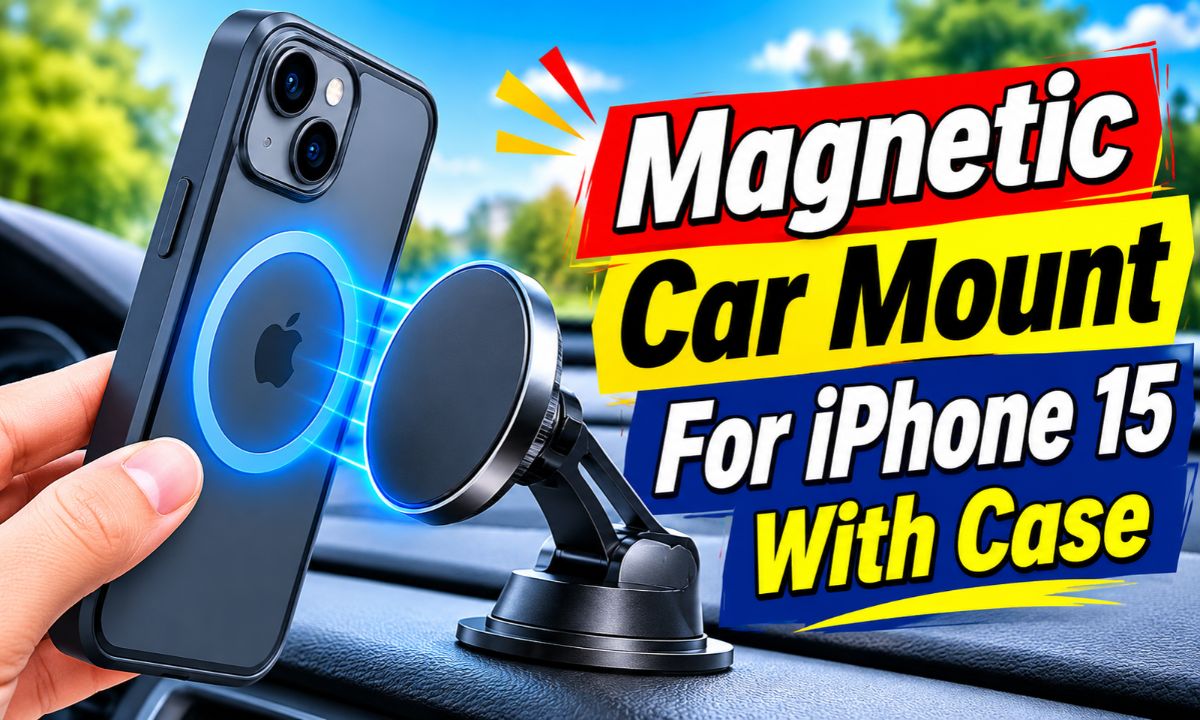
Yes, an iPhone 15 can work well with a magnetic car mount while still inside a case, but the case needs to support the magnetic connection.
For drivers in the United States, the easiest setup is usually an iPhone 15, a case made for MagSafe, and a magnetic car mount designed for MagSafe phones. The iPhone 15 has a built-in magnetic ring, so you do not need to attach a metal plate to the phone. The case is the part that can make or break the connection.
A thin MagSafe-compatible case normally lets the phone connect through the case. A thick case, a wallet case, a case without a magnetic ring, or a case with metal parts can change the result. The mount also needs to be placed where it does not block your view, controls, vents that you need, or an airbag deployment area.
Will An iPhone 15 Work With A Magnetic Car Mount In A Case?
Yes. The iPhone 15 is designed to work with MagSafe accessories, including magnetic car mounts. When the phone is in a compatible case, the case can sit between the phone and the mount while the built-in magnetic system still lines up with the mount.
The key word is compatible. A regular protective case may look thin enough but still lack the magnetic ring needed for a reliable connection. In that situation, the phone may attach weakly, slide during a turn, or fall when the car hits a bump.
A MagSafe-compatible case is made with a magnetic ring that matches the phone’s magnetic system. That ring helps the mount and phone line up instead of relying on the magnet to pull through the whole case material.
This means you usually do not need to remove a good MagSafe case every time you get in the car. If the case and mount are designed to work together, the setup can stay simple.
Source: m.media-amazon.com
Best match
An iPhone 15 in a thin MagSafe-compatible case paired with a MagSafe magnetic car mount.
Possible match
A thin non-MagSafe case may work with some mounts, but the connection can be less predictable.
Poor match
A thick case, wallet attachment, or case with a large metal plate can interfere with the magnetic connection.
Why The Case Matters So Much
A magnet can pull through some materials, but distance matters. The farther the phone‘s magnetic ring sits from the mount, the less useful the magnetic attraction may become. A case that adds only a small amount of material can behave very differently from a bulky case with several layers.
The shape of the case matters too. A case with a built-in magnetic ring gives the mount a defined area to connect with. A plain plastic or silicone case does not provide that same magnetic target.
Check the case label
Look for MagSafe compatibility or a clearly stated magnetic ring made for MagSafe accessories.
Check added accessories
Wallets, grips, kickstands, and other attachments can change the distance between the phone and mount.
What Type Of Case Is Best For A Magnetic Car Mount?
The best case for this setup is a MagSafe-compatible case that is not unnecessarily bulky. You want enough protection for normal daily use while keeping the magnetic ring close enough to the mount for a firm connection.
A slim MagSafe case is usually the simplest choice. It gives the iPhone 15 a protective layer without adding a large gap between the phone’s magnetic system and the mount. A thicker protective case can still work if it has a well-designed magnetic ring, but compatibility should be checked rather than assumed.
Clear cases can work well when they include a proper magnetic ring. Some clear cases have a visible ring around the back, while others keep the ring less noticeable. The appearance of the ring is not as important as whether it is actually designed to work with MagSafe accessories.
Wallet cases need more care. A wallet or card holder attached to the back can add distance and weight. Cards can also make the setup less convenient because you may need to remove the wallet section before mounting the phone.
Source: images-na.ssl-images-amazon.com
Slim MagSafe case
Usually the easiest option because the magnetic ring stays close to the mount.
Rugged MagSafe case
Can work if the case has a strong, correctly positioned magnetic ring, but extra thickness can affect the connection.
Non-MagSafe case
May require an added magnetic ring or plate, depending on the mount design.
Wallet case
Can be less convenient because extra layers and weight may weaken the connection or prevent a flat connection.
Do You Need A Metal Plate On An iPhone 15?
Usually, no. The iPhone 15 already has a built-in MagSafe magnetic system. A MagSafe car mount is designed to connect directly to that system, so adding a metal plate is normally unnecessary.
Metal plates are more common with generic magnetic mounts that were designed around an adhesive plate. Adding one to an iPhone or case can create a different setup and may interfere with other accessories. If the goal is to use the iPhone 15 with MagSafe accessories, a compatible magnetic mount and compatible case are usually the cleaner approach.
Use MagSafe directly
Choose this when your iPhone 15 and case already support the MagSafe connection.
Use a plate only when needed
A plate may make sense for a mount that specifically requires one, but check the mount instructions first.
How To Test Your iPhone 15 And Case Before Driving
Before trusting the setup on a real drive, test the phone and case together while the vehicle is parked. This simple check can reveal a weak magnetic connection before a sudden stop or rough road does.
Start by cleaning the back of the case and the contact area of the mount. Dust, grit, or an accessory stuck between the two surfaces can prevent the magnetic ring from sitting as intended.
Place the iPhone 15 on the mount with the case installed. Let the magnetic connection center the phone. Then gently move the phone by hand to see whether it stays centered or shifts easily.
Next, check the mount itself. A phone can have a strong magnetic connection while the mount base is weak. A vent clip can move inside the vent, an adhesive base can loosen, or a suction mount can lose grip. The entire system needs to remain stable.
Source: m.media-amazon.com
Step 1: Park first
Do all setup and testing while the vehicle is parked in a safe location.
Step 2: Keep the case on
Test the exact case you plan to use every day rather than testing the bare phone.
Step 3: Center the phone
Allow the magnetic ring to line up naturally with the mount.
Step 4: Check movement
Gently test for unwanted sliding, twisting, or separation.
Step 5: Check the base
Make sure the vent clip, suction cup, adhesive pad, or other mounting hardware stays secure.
Signs The Connection Is Good Enough
A good setup should center the phone with little effort and keep it in place during normal handling while the vehicle is parked. The phone should not slide down simply because the case is installed.
If the phone rotates or falls away with very light movement, treat that as a compatibility problem rather than hoping the connection will improve during driving. A mount that feels marginal in the driveway is not a good candidate for a moving vehicle.
Centered connection
The phone sits naturally on the magnetic mount instead of hanging at an angle.
Stable position
The phone stays where you place it without repeated sliding.
Stable mount base
The vehicle-side attachment does not wobble or loosen when the phone is attached.
Why Does An iPhone 15 Keep Falling From A Magnetic Mount?
If an iPhone 15 keeps falling from a magnetic car mount, check the case and the magnetic alignment before assuming the mount itself is defective. A case that is too thick or lacks a proper magnetic ring is a common reason for a weak connection.
The first check is simple: remove the case and attach the bare iPhone 15 to the mount while the vehicle is parked. If the bare phone connects firmly but the cased phone does not, the case is the main variable to investigate.
If both the bare phone and the cased phone connect poorly, inspect the mount. The magnetic surface may not be intended for the iPhone 15’s MagSafe system, or the mount may have a different magnetic design than expected.
Also check for accessories. A pop grip, wallet, ring holder, kickstand, or other attachment can prevent the magnetic surfaces from meeting correctly.
Source: m.media-amazon.com
Weak with case, firm without it
The case is likely adding too much distance or does not have the right magnetic ring.
Weak with and without case
The mount itself may not provide the expected magnetic connection.
Phone sits off-center
A misplaced magnetic ring or accessory may be preventing proper alignment.
Phone rotates easily
The magnetic connection may not be strong enough for the weight and movement of the mounted phone.
What About A Very Thick Protective Case?
A thick protective case can still be compatible with a magnetic mount, but the word compatible does not guarantee the same holding strength as a thin case. The extra material creates more distance between the phone and mount.
If you need a rugged case, look for one that specifically supports MagSafe rather than adding a generic magnetic ring and assuming the result will be equal. The placement and design of the ring matter as much as the case material.
Do not judge by thickness alone
A well-designed rugged MagSafe case may perform better than a thinner case without a proper magnetic ring.
Test the full setup
The phone, case, mount, and mounting position should be tested together before regular driving.
Where Should You Put The Magnetic Car Mount?
The best location is one that keeps the phone easy to see without putting it in the driver’s main line of sight or interfering with vehicle controls. The exact safe location depends on the vehicle’s dashboard, vents, windshield layout, and airbag system.
A dashboard mount can be convenient when the chosen spot gives a clear view without requiring the driver to look far away from the road. A vent mount can keep the phone close, but it may interfere with airflow or be unsuitable for a particular vent design.
A windshield mount may offer a good viewing angle in some vehicles, but the phone should not be positioned where it creates an unsafe obstruction. Local laws and vehicle instructions can also affect where a phone may be mounted.
Do not place the mount over an airbag cover or in an area where an airbag could deploy into the phone and mount. If you are unsure about a location, check the vehicle owner’s manual rather than guessing.
Source: m.media-amazon.com
Keep the road view clear
The phone should not create a major obstruction in the driver’s forward view.
Avoid airbag areas
Do not mount the phone on or directly over a marked airbag cover or another likely deployment path.
Avoid critical controls
The mount should not block buttons, switches, gauges, or other controls you need while driving.
Check the vehicle manual
Use the vehicle manufacturer’s guidance when the dashboard or airbag layout is unclear.
Dashboard, Vent, Or Windshield Mount?
There is no single mounting location that fits every American vehicle. A dashboard mount may give a better viewing angle in one car, while a vent mount may be easier in another. The best choice is the one that provides a stable connection and a safe viewing position without interfering with the vehicle.
Think about the whole path from your eyes to the road. A phone that is technically easy to see but sits directly in a critical part of your windshield view is not a good placement.
Dashboard
Useful when a flat, stable surface provides a safe viewing position.
Air vent
Compact and close to the driver, but it may block airflow or be unsuitable for some vent designs.
Windshield
Can offer flexible positioning, but the phone must not create an unsafe view obstruction.
Does A Magnetic Mount Damage The iPhone 15?
A properly designed magnetic phone mount is not expected to damage the iPhone 15 simply because it uses magnets. The iPhone’s MagSafe system is built around magnetic accessories, which is why magnetic mounts can be used without attaching a traditional metal plate to the phone.
The bigger concerns are physical and practical. A mount can scratch a case if dirt gets trapped between surfaces. A phone can also be damaged if it falls from a weak mount, especially onto a hard vehicle surface.
Avoid adding random magnets or metal parts inside the phone or case just to increase holding power. Use accessories made for the intended magnetic system and follow the accessory maker’s instructions.
If the mount also includes wireless charging, treat charging and magnetic attachment as separate functions. A mount may hold the phone magnetically without providing wireless charging, while a charging mount has additional electrical and heat considerations.
Source: m.media-amazon.com
Use compatible accessories
Choose a mount and case designed for the iPhone’s magnetic accessory system.
Keep contact surfaces clean
Dust and grit can create scratches or prevent a flat magnetic connection.
Do not modify the phone
There is usually no reason to attach a metal plate directly to an iPhone 15 when using a MagSafe-style mount.
What If The Mount Also Charges The Phone?
A magnetic mount and a magnetic charging mount are not the same thing. A simple magnetic holder only needs to keep the phone in place. A charging mount also needs to align its charging hardware correctly with the phone.
If you choose a charging model, check that the mount explicitly supports the iPhone 15 and the case you use. A thick case or poorly aligned accessory can affect charging even when the phone remains attached.
Holder only
The mount’s main job is to hold and position the phone.
Charging mount
The mount must both hold the phone and deliver compatible wireless charging.
Common Mistakes When Using An iPhone 15 Magnetic Mount
Most problems come from treating the phone, case, and mount as separate products. The setup works as a system. Changing any one part can change the result.
A common mistake is buying a mount that says magnetic and assuming every phone and case will attach equally well. Magnetic designs vary, so the mount should clearly state what type of magnetic connection it supports.
Another mistake is testing the bare iPhone and then adding a case later. Always test the complete setup because the case changes the distance and contact arrangement.
It is also easy to focus on magnetic strength and ignore the mounting base. A powerful magnetic head cannot compensate for a loose vent clip, weak adhesive, unstable suction cup, or poor dashboard surface.
Source: m.media-amazon.com
Mistake: ignoring case compatibility
A case can reduce the effective magnetic connection even when the bare iPhone works well.
Mistake: adding unnecessary metal
A metal plate may not be needed for a MagSafe-compatible iPhone and case combination.
Mistake: testing only while parked
Parking is the right place for initial setup, but you should also check whether the mounting base remains secure during normal vehicle movement.
Mistake: choosing the mount by magnet strength alone
The base, viewing angle, case compatibility, and vehicle location all matter.
Mistake: placing it over an airbag
A strong mount can still be unsafe if it is installed in an inappropriate airbag deployment area.
A Simple Compatibility Checklist
Before buying or installing a magnetic mount, check the complete chain: iPhone 15, case, mount, and vehicle. If all four fit together, the setup is much easier to predict.
This checklist is also useful if you already own a mount and are trying to decide whether changing the case will solve a weak connection.
Phone
Confirm that the device is an iPhone 15 or another compatible model.
Case
Confirm that the case supports the magnetic system used by the mount.
Mount
Check that the mount is intended for MagSafe-compatible phones.
Vehicle
Confirm that the chosen mounting location is stable and does not interfere with the driver’s view, controls, or airbags.
Frequently Asked Questions
Q
Can I use my iPhone 15 in a normal case with a magnetic car mount?
You can try, but the result depends on the case and mount. A normal case without a magnetic ring may not hold the phone securely enough. A MagSafe-compatible case is generally the more predictable choice.
Q
Do I need a MagSafe case for an iPhone 15 car mount?
You do not need one for every type of magnetic mount, but a MagSafe-compatible case is the simplest option for a MagSafe-style car mount. It provides a magnetic ring designed to work with the iPhone’s built-in magnetic system.
Q
Will a thick iPhone 15 case work with a magnetic car mount?
It may. Thickness alone does not decide compatibility. A thick case with a well-designed magnetic ring can work, while a thinner case without the right magnetic structure may work poorly. Test the complete phone and case combination before driving.
Q
Can I use a magnetic car mount with an iPhone 15 wallet case?
It depends on the wallet design. Extra cards, a wallet flap, or another attachment can increase the distance between the phone and mount. A removable wallet section or a case designed specifically for MagSafe accessories is usually easier to use.
Q
Where is the safest place to mount an iPhone 15 in a car?
Use a position that keeps the phone accessible without blocking the driver’s forward view or interfering with vehicle controls. Avoid airbag covers and likely airbag deployment paths. The vehicle owner’s manual is the best source for vehicle-specific restrictions.
✦ Wrapping Up
Conclusion
An iPhone 15 can work very well with a magnetic car mount while it remains inside a case. The most reliable combination is an iPhone 15, a case with a proper MagSafe-compatible magnetic ring, and a mount designed for that magnetic system.
If the phone keeps slipping, start with the case. Test the bare phone against the mount while parked, then test the phone with the case installed. If the case is the problem, replacing it with a compatible magnetic case is usually a cleaner fix than adding random metal plates or extra magnets.
Finally, do not judge a mount only by how strongly it holds the phone. The mounting base, viewing angle, case fit, and vehicle location all matter. A stable magnetic connection is useful only when the entire installation is safe and does not interfere with driving.
💡 Key Takeaway
For the simplest setup, pair your iPhone 15 with a slim MagSafe-compatible case and a compatible magnetic car mount, then test the complete setup while parked before regular driving.