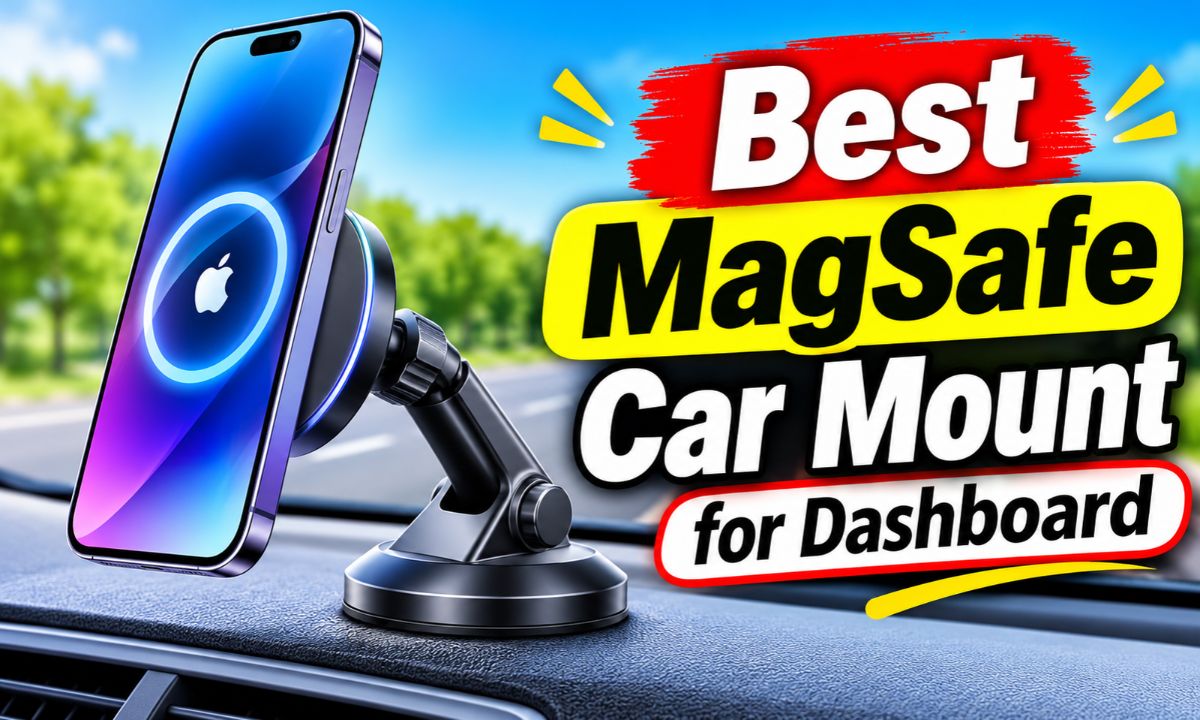
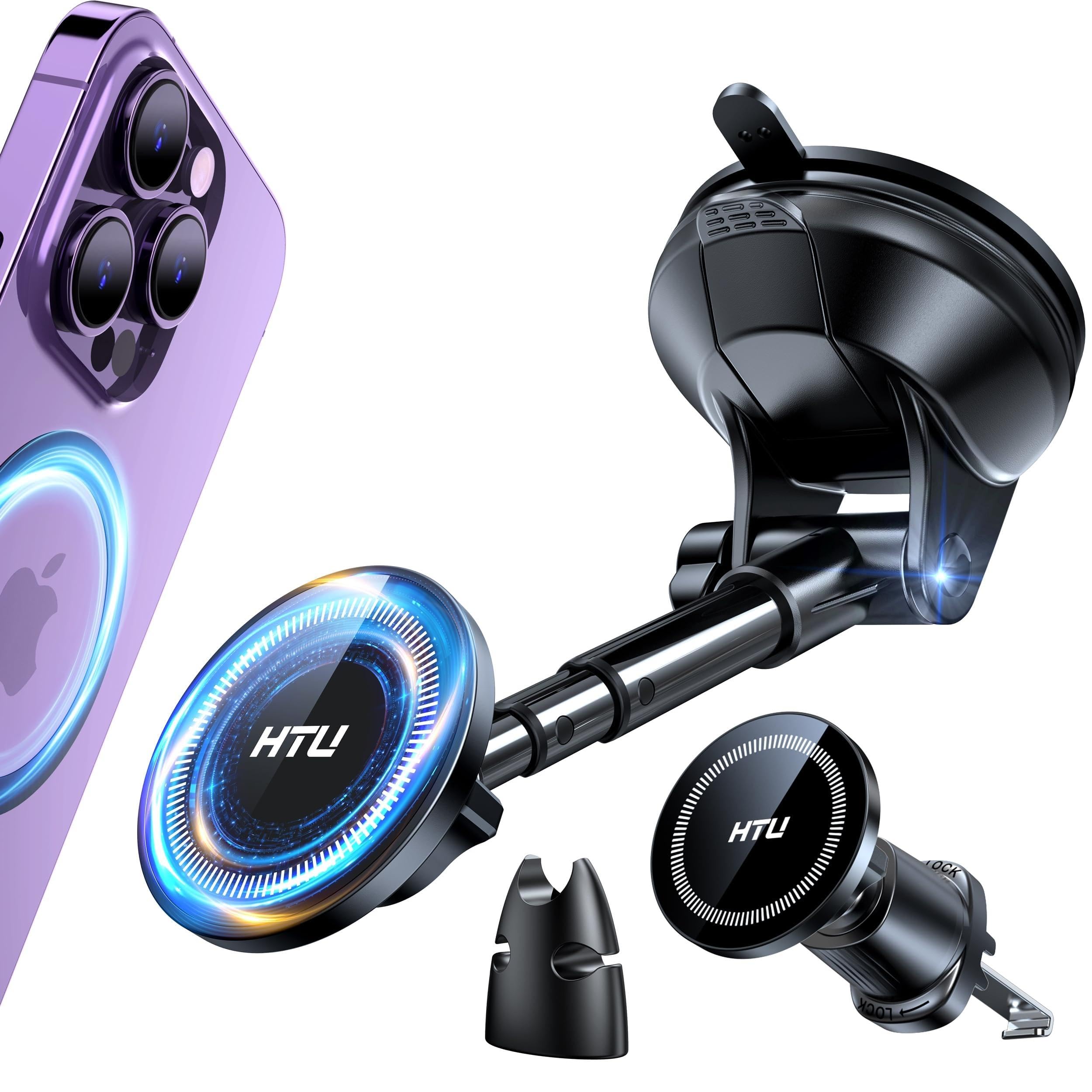
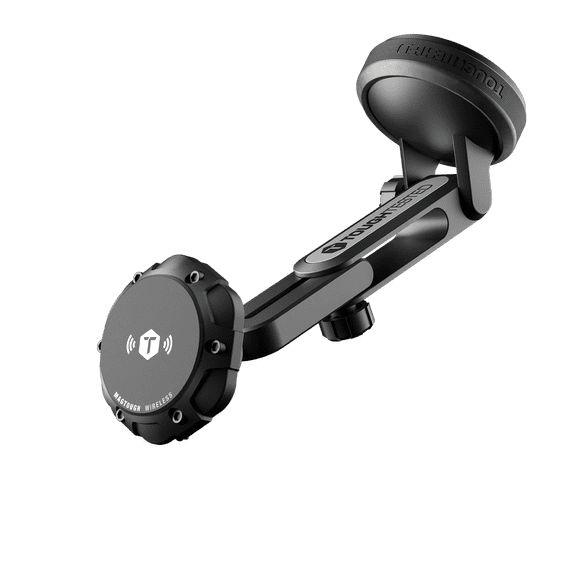
The best MagSafe car mount for most dashboards is a strong magnetic mount with a reliable suction base, adjustable arm, and secure phone alignment. ESR HaloLock and Scosche MagicMount Pro2 are two options worth comparing.
Driving in the United States often means using a phone for GPS, music, traffic updates, and hands-free calls. Whether you are crossing town in a busy city or taking a long trip on an interstate, a good dashboard phone mount can make these tasks easier. A MagSafe mount adds another useful feature: it lets a compatible iPhone snap into place with a magnetic connection.
However, not every magnetic mount works well in every car. Some dashboards have a smooth finish, while others have soft-touch plastic, curves, or rough surfaces. Heat, road bumps, phone weight, and case thickness can also affect how well a mount stays in place. The right choice should hold the phone firmly without blocking your view or getting in the way of driving.
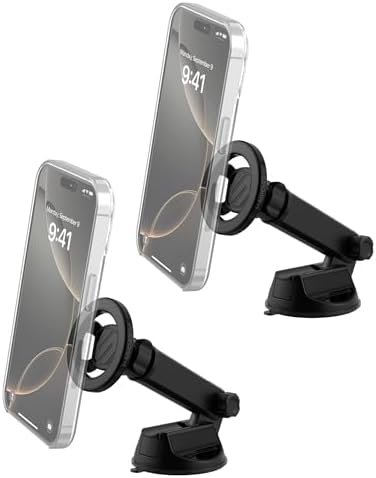
For a simple magnetic setup, the Scosche MagicMount Pro2 Window/Dash is worth considering. It supports compatible MagSafe iPhones, has a suction-based mounting system, and offers 360-degree adjustment. For drivers who want wireless charging, an ESR HaloLock charging mount is another option to examine, provided the exact model supports the charging speed and phone combination they need.
This guide explains what makes a dashboard MagSafe mount worth buying, which features matter most, and how to choose one for your car. It also covers phone cases, charging, hot weather, mounting problems, and safe placement. The aim is to help you choose a mount that fits your actual driving needs rather than one with the biggest marketing claims.
What Is the Best MagSafe Car Mount for the Dashboard?
The best overall choice depends on whether you want simple magnetic holding or wireless charging. For a basic dashboard setup, the Scosche MagicMount Pro2 Window/Dash is a practical option because it combines a suction base, a magnetic phone holder, and adjustable viewing angles. It does not charge the phone, so you will need a separate cable if you want to keep your battery topped up.
If wireless charging is a priority, compare an ESR HaloLock charging model instead. Check the exact version before buying because the HaloLock name covers different mounts, including non-charging magnetic holders and charging accessories. A magnetic mount should not be assumed to offer wireless charging just because it works with MagSafe.
I would put dashboard stability, case compatibility, and viewing position ahead of advertised magnet strength. A powerful magnet cannot make up for a weak suction cup or a poorly placed base. The best mount is the one that stays in place and lets you see your phone without taking your attention away from the road.
Source: slickdeals.net
Best simple magnetic option
Scosche MagicMount Pro2 Window/Dash is worth considering if you want magnetic attachment, suction-based installation, and adjustable positioning without wireless charging.
Best type to consider for charging
An ESR HaloLock wireless charging mount may suit drivers who want to charge while using navigation. Check the model’s charging specifications and power requirements.
Best buying approach
Choose the base according to your dashboard surface, then check the magnet, phone case, adjustment range, and charging features.
Why the Scosche MagicMount Pro2 Is Worth Considering
The Scosche MagicMount Pro2 Window/Dash uses a StickGrip suction-cup base and a magnetic head. Its design supports compatible iPhone models with MagSafe without requiring a separate magnetic plate. Scosche also lists 360-degree adjustment, which helps drivers position the phone in portrait or landscape mode.
One useful detail is that the mount is not a wireless charger. That makes it a simpler choice for people who already have a charging cable in their car. It is also worth considering if you want to avoid the extra cost and heat that can come with wireless charging during long drives.
Main advantage
A straightforward magnetic setup with an adjustable head and a suction-based dashboard or windshield attachment.
Main limitation
It holds the phone but does not supply power or charge the battery.
When an ESR HaloLock Mount Makes More Sense
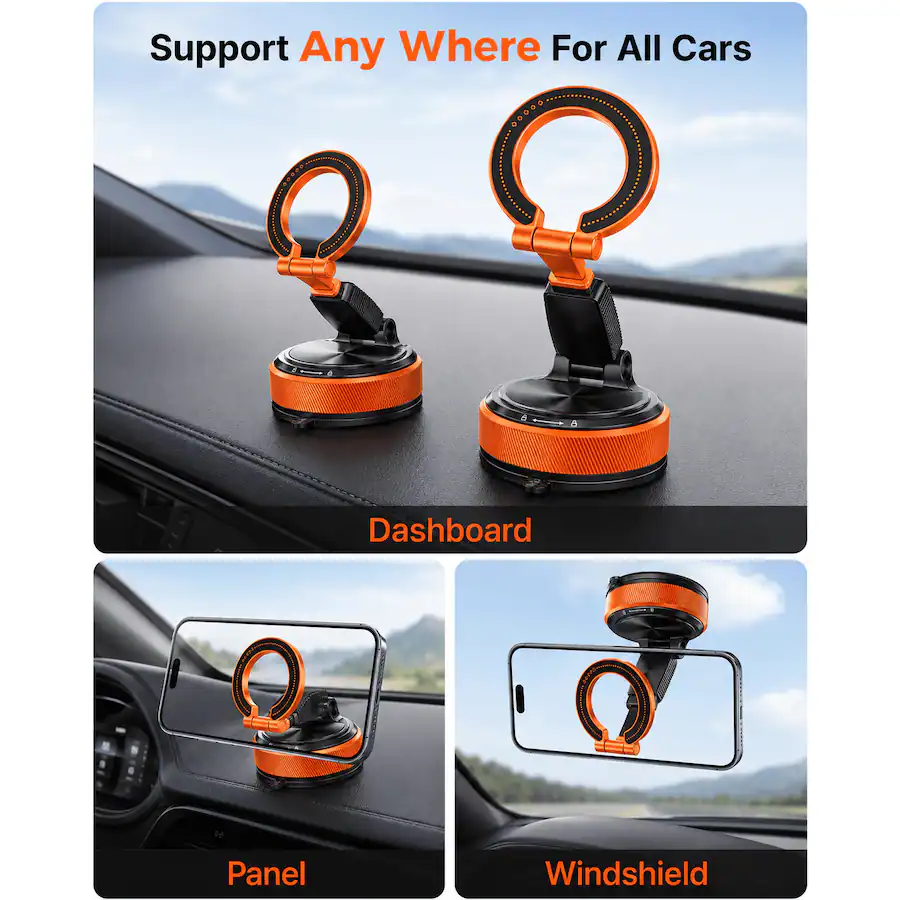
ESR offers several HaloLock car accessories, so it is important to identify the exact product before ordering. Its dashboard magnetic phone mount is a non-charging holder, while other HaloLock car products include wireless charging. These are not interchangeable features.
A charging model can reduce cable handling because the phone attaches magnetically and receives power while mounted. Still, you should check the supported charging rate, required car adapter, and compatibility with your iPhone and case. Do not rely on a product title alone to confirm these details.
Main advantage
Some models combine magnetic phone attachment with wireless charging.
Main limitation
Different HaloLock models have different functions, and the charging version may require a suitable power adapter.
What Makes a Good Dashboard MagSafe Mount?
A good dashboard mount needs to do more than attract a phone. It must hold the phone through normal driving movement, stay attached to the dashboard, and allow a useful viewing angle. These parts work together, so it is worth checking each one before buying.
A mount can have a strong magnetic head but still fail if its base slips. Likewise, a good suction cup will not help much if the phone sits too low or shakes on a long arm. Think of the mount as a small support system with several parts that need to work together.
Source: bestbuy.com
Strong magnetic connection
The magnetic surface should align with the phone’s MagSafe system or compatible case. The phone should attach evenly and remain stable during normal driving.
Reliable dashboard base
A suction cup, adhesive base, or suitable mounting pad should match the surface where you plan to install the holder.
Adjustable viewing angle
A swivel head or adjustable arm helps position the display in portrait or landscape mode.
Stable construction
A firm joint and well-supported arm reduce unwanted movement and screen vibration.
Easy phone removal
The phone should attach and detach without forcing you to pull hard on the dashboard base.
Magnetic Strength and Phone Weight
Magnetic strength matters, especially if you use a large phone such as an iPhone Pro Max. A larger phone can place more weight and leverage on the magnetic connection. A thick case, added ring, or wallet attachment can also change how well the phone sits against the mount.
Look for a mount designed for the size and weight of your phone. If the manufacturer gives a supported device range, use that information rather than assuming every magnetic holder can support every phone. A secure connection should hold the phone without requiring you to press it into place repeatedly.
Check phone size
Large phones need a mount that can support their weight without excessive movement.
Check magnetic alignment
The phone should sit flat against the magnetic surface rather than hanging from one edge.
The Mounting Base Matters Just as Much
The base is the part that connects the holder to your car. A suction base may work well on a suitable smooth or slightly textured surface, but a heavily curved or deeply textured dashboard can cause problems. An adhesive base may offer a more permanent hold, but it can leave residue or affect some dashboard finishes.
A mounting pad can help create a flatter surface for certain suction mounts. However, it must be compatible with the mount and dashboard material. Never assume that a generic pad will work with every type of plastic, leather, or soft-touch finish.
Suction base
Useful when you want to remove or reposition the mount, provided the dashboard surface supports a secure seal.
Adhesive base
Useful for a more fixed installation on a suitable clean surface, but removal may be difficult.
Dashboard mounting pad
Can provide a flatter surface for a suction cup when the car’s original dashboard is unsuitable.
Magnetic Mount vs. MagSafe Wireless Charging Mount
A magnetic phone mount and a MagSafe wireless charging mount may look almost the same, but they do different jobs. A magnetic holder keeps the phone in position. A charging mount combines that magnetic connection with a wireless charging system.
This difference matters when comparing prices and features. A basic magnetic mount can be enough if you only need navigation and hands-free access. A charging mount may be more useful during long commutes or road trips when your phone battery is under regular demand.
Source: ebay.com
How to Choose the Right Mount for Your iPhone and Case
Your phone and case determine whether a MagSafe mount will work as expected. An iPhone with built-in MagSafe magnets can attach directly to a compatible magnetic holder. A non-MagSafe phone or a case without the correct magnetic arrangement may need an additional magnetic ring or adapter.
Apple lists iPhone 12 and later models as supporting its MagSafe charging system, with model-specific differences. Some newer devices and cases also support magnetic attachment. However, an iPhone that supports wireless charging is not automatically compatible with every magnetic mount.
The case is just as important as the phone. A MagSafe-compatible case has a built-in magnetic arrangement designed to work with compatible accessories. A standard thick case may weaken the connection or prevent proper alignment. Check the case maker’s compatibility details before buying a mount.
Source: bestbuy.com
iPhone with MagSafe
A compatible magnetic mount can usually attach directly without an extra metal plate.
iPhone with a standard case
Check whether the case supports magnetic accessories. A thick or non-magnetic case may reduce holding strength.
Android phone
A compatible magnetic case or manufacturer-approved magnetic adapter may be needed.
Older iPhone
Some older models can use a suitable magnetic adapter, but wireless charging and magnetic attachment should be checked separately.
Will a MagSafe Mount Work Through a Phone Case?
Yes, it can work through a case designed for MagSafe. These cases have magnets positioned to line up with compatible accessories. This allows the phone to attach without removing the case every time you enter the car.
A regular case may not provide the same result. If the case is too thick, has a metal plate, or uses an unusual back design, the phone may attach weakly or sit at an angle. Test the magnetic connection before driving and check that the phone does not slide when you gently move it by hand.
If you use a magnetic ring adapter, follow its placement instructions. An adapter that is not centered can affect alignment and may interfere with wireless charging. Also check whether the ring is intended for your phone and case material.
Best case type
A case specifically designed for MagSafe or a compatible magnetic accessory system.
Case to avoid
A very thick case or one with an unapproved metal plate that prevents the phone from sitting flat.
Can You Use a MagSafe Mount With Samsung or Google Phones?
Yes, some magnetic mounts can hold Samsung Galaxy and Google Pixel phones when used with a suitable magnetic case or adapter. However, the term MagSafe is associated with Apple’s accessory system, so Android users should check the mount’s actual compatibility rather than relying on the product name.
A magnetic attachment does not automatically provide wireless charging. The phone, case, charging standard, and mount must all support the required functions. For Android users, a mount with a clearly documented compatibility list is a safer purchase than one that only claims universal support.
Check the case
Choose a case with a compatible magnetic ring or a suitable adapter.
Check wireless charging
Confirm that both the phone and charging mount support a compatible wireless charging standard.
Should You Buy a MagSafe Mount With Wireless Charging?
A wireless charging mount is worth considering if you often use GPS, stream audio, or take long drives. Navigation can use battery power over time, especially when the screen stays on and the phone relies on mobile data. Charging while mounted can help reduce the need to plug in a separate cable.
However, charging adds more things to check. The mount needs a suitable power source, the correct cable, and an adequate car adapter. A charging mount may also produce heat, particularly when the phone is charging while running navigation in a warm vehicle.
If your trips are short, a simple magnetic holder may be enough. You can use a USB-C or other suitable charging cable when needed. This can be a simpler and less costly setup.
Source: amazon.sa
Choose wireless charging if
You make long trips, use navigation often, or want to avoid connecting a charging cable each time you enter the car.
Choose a basic magnetic holder if
Your trips are short, your battery lasts through the day, or you prefer wired charging.
Check the power adapter
Make sure your car charger can supply the power required by the wireless mount.
Watch phone temperature
Wireless charging can create heat. Avoid placing the phone in direct sunlight for long periods.
Understand MagSafe and Qi2 Charging
MagSafe uses magnets to align a compatible charger with the back of an iPhone. This alignment helps the charging coils sit in the right position. A well-aligned connection can support more consistent wireless charging than a poorly positioned standard wireless charger.
Qi2 is a wireless charging standard that includes a Magnetic Power Profile. It brings magnetic alignment to compatible devices and chargers. However, a product that says magnetic or MagSafe compatible should not automatically be treated as Qi2 certified.
Check the exact charging standard and certified power level when comparing products. A mount that holds an iPhone magnetically may offer no charging at all. Another may support wireless charging but provide a different power level from Apple’s MagSafe charger.
Magnetic holding
Uses magnets to keep a compatible phone attached to the mount.
Wireless charging
Transfers power to a compatible phone through charging coils.
Qi2 support
Indicates compatibility with a defined magnetic wireless charging standard when the product is properly certified.
Does Wireless Charging Make the Phone Hot?
Some warmth during wireless charging is normal. Heat may increase when you use navigation, stream music, keep the display bright, and charge the phone at the same time. A hot dashboard in summer can add to the problem.
If the phone becomes too warm, its software may reduce charging speed or pause charging to protect the battery. Remove unnecessary apps, reduce direct sunlight, and allow the phone to cool when needed. Do not cover a hot phone or place it near a heater to speed up cooling.
Reduce heat
Use a suitable charging setup and avoid direct sunlight when possible.
Check alignment
Make sure the phone sits correctly on the charging surface.
Allow cooling
Stop charging if the phone becomes unusually hot and let it return to a normal temperature.
Suction Cup vs. Adhesive Dashboard Mount
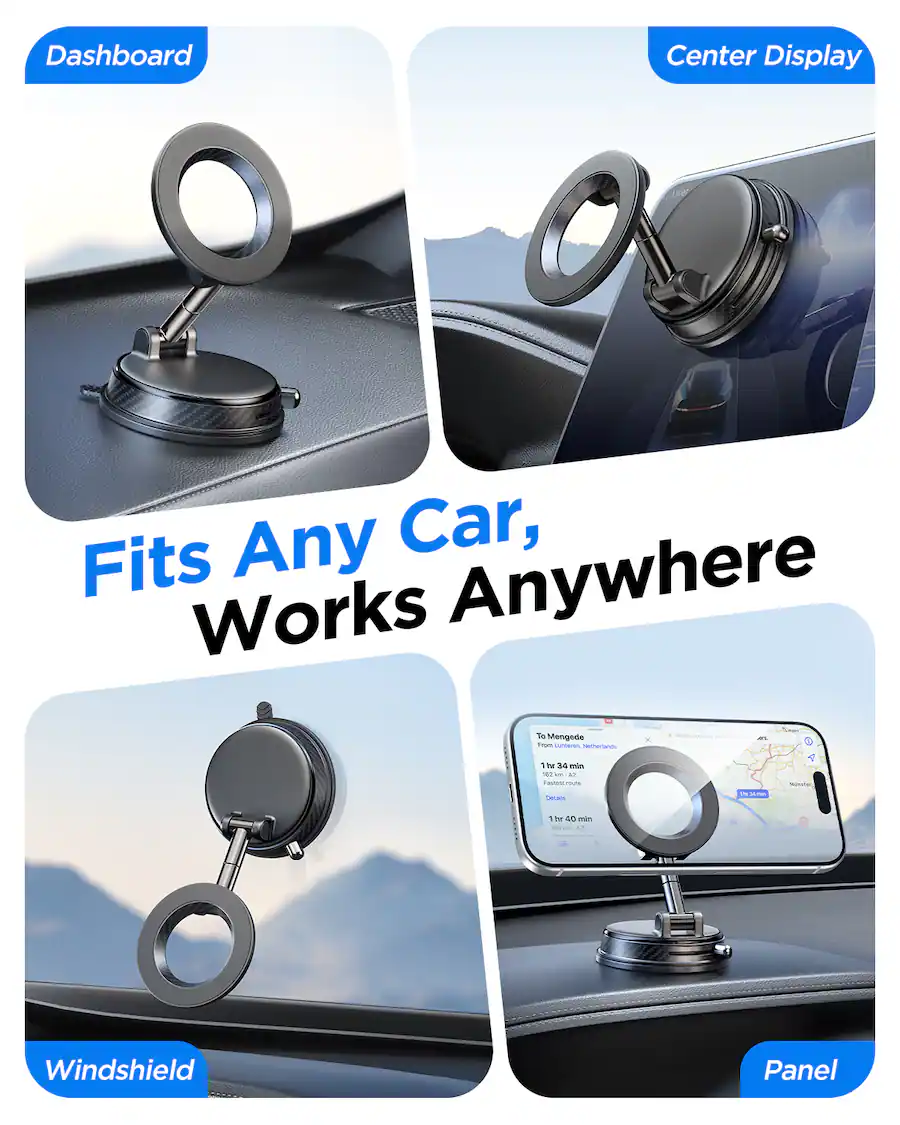
The best base depends on your dashboard. Suction cups are useful when you want a removable mount, while adhesive bases are useful when you want a more fixed position. Neither type is ideal for every vehicle.
Many American cars have dashboards with different shapes and finishes. Some have smooth plastic, while others have textured panels, curved sections, or soft-touch coatings. A mount that works well in one car may fail in another, even if both use the same phone.
Before installing anything, check the dashboard material and the manufacturer’s mounting instructions. A secure base is more important than a stylish design.
Source: ebay.com
Suction cup
A removable option for compatible flat or slightly textured surfaces. It may need cleaning or repositioning if the seal weakens.
Adhesive mount
A more fixed option that can hold securely on a suitable surface but may leave residue when removed.
Suction pad
A suitable mounting pad can help create a better surface for some suction-based holders.
How to Install a Suction Cup Dashboard Mount
Start by choosing a location that does not block your view of the road, windshield, or dashboard controls. Check the vehicle manual for restrictions around airbags and other safety equipment. Never place a mount where it could interfere with an airbag deployment area.
Clean the surface using a method approved for your dashboard material. Let it dry fully before installing the base. Dirt, dust, and oil can prevent the suction cup from forming a proper seal.
Press the suction cup firmly against the chosen surface and engage its locking mechanism if the model has one. Adjust the arm and magnetic head before attaching your phone. Give the base time to settle according to the manufacturer’s instructions.
Step 1
Choose a safe, suitable, and reasonably flat dashboard area.
Step 2
Clean the surface without using a product that may damage the dashboard finish.
Step 3
Install and lock the suction cup according to the product instructions.
Step 4
Adjust the phone position and check the base before driving.
What If Your Dashboard Is Textured or Curved?
A deeply textured or curved dashboard can prevent a suction cup from forming a reliable seal. In this case, check whether the manufacturer offers a compatible dashboard pad or a different base. Do not force a suction cup onto a surface that cannot support it.
An adhesive mount may be another option, but first check whether the adhesive is suitable for the dashboard material. Some soft-touch finishes and leather surfaces can be damaged by strong adhesive products. If you lease your vehicle, a removable solution may be the better choice.
For rough surfaces
Look for a manufacturer-approved mounting pad or another suitable mounting system.
For curved surfaces
Choose a flatter location rather than forcing the base onto an uneven area.
For rental vehicles
Avoid permanent adhesive unless the vehicle owner allows it.
How to Position a MagSafe Mount Safely
A safe mounting position should keep the phone visible without blocking your view of the road. The screen should be easy to glance at, but it should not become the main focus of your attention. A good mount helps you use navigation without forcing you to look down or reach across the dashboard.
Avoid placing the holder in front of important dashboard displays, warning lights, or controls. Keep it away from airbag deployment areas. The vehicle owner’s manual is the best place to check where dashboard and windshield accessories should not be installed.
State laws and local rules may also affect where drivers can mount or use a phone. Check the rules that apply where you drive, especially if you plan to use the mount in more than one state. A mount does not make handheld phone use safe or legal.
Source: tacticalgearguy.com
Keep the windshield clear
Do not position the phone where it blocks your view of traffic, pedestrians, or road signs.
Stay away from airbags
Do not install a mount in a marked airbag deployment area or a location restricted by the vehicle manual.
Keep controls accessible
The mount should not block climate controls, hazard lights, or other important vehicle functions.
Set the angle before driving
Adjust the screen while parked so you do not need to handle the mount while moving.
Use hands-free features
Set up navigation and voice controls before starting your trip.
Dashboard Mount or Windshield Mount: Which Is Better?
A dashboard mount is often a good choice when you have a suitable surface near the center of the vehicle. It can keep the phone within easy reach while leaving more of the windshield clear. However, a high or poorly placed dashboard mount can still block part of your view.
A windshield mount can offer a useful viewing angle in some cars, but it takes up space on the glass. Local restrictions may also limit where windshield accessories can be placed. Check the rules in your area before choosing this setup.
Neither mounting location is automatically safer. The correct position depends on your vehicle, seat height, dashboard layout, and local rules. Choose the location that gives you a clear road view and does not interfere with vehicle safety systems.
Dashboard mount
A good option when the dashboard has a suitable surface and offers a clear viewing position.
Windshield mount
Useful when dashboard placement is unsuitable, provided the position follows local rules and does not block visibility.
Common Problems With MagSafe Dashboard Mounts
Most mounting problems come from poor magnetic alignment, an unsuitable dashboard surface, or a loose adjustment joint. Checking these parts in order can help you find the cause without buying another holder. Start with the simplest and safest checks.
Source: amazon.co.uk
Phone keeps falling off
Check the case, magnetic alignment, phone weight, and mount compatibility. Remove an unsuitable case or magnetic accessory and test again while parked.
Suction cup keeps coming loose
Check for dust, oil, moisture, and an uneven surface. Clean the cup as directed by the manufacturer and reinstall it on a suitable surface.
Phone shakes while driving
Check whether the arm is too extended or the adjustment joint is loose. Shorten the arm and tighten the joint according to the instructions.
Wireless charging does not work
Confirm that the mount is a charging model, the phone supports the required charging standard, and the power adapter supplies enough power.
Phone becomes too hot
Stop charging, reduce direct sunlight, and let the phone cool. Check whether navigation and charging are creating extra heat.
Why Does the Magnetic Connection Feel Weak?
A weak connection may come from a non-MagSafe case, poor ring placement, or an extra accessory between the phone and mount. Wallets, grips, and metal plates can change how the phone sits against the magnetic surface.
Remove unnecessary accessories and check the phone directly against the mount. If the connection improves, the case or accessory may be the cause. If it remains weak, check the mount’s compatibility and inspect the magnetic surface for damage.
First check
Remove a wallet, grip, or extra magnetic accessory.
Second check
Test the phone with a compatible MagSafe case or without the case if the manufacturer permits it.
Final check
Inspect the mount and contact the manufacturer if the magnetic connection still fails.
How to Fix a Loose Suction Cup
A suction cup can lose its grip when dust, oil, or moisture gets between the cup and the dashboard. Some cups can be rinsed with water and air-dried, but others require a different cleaning method. Follow the instructions for your exact mount.
If the dashboard itself is too rough or curved, cleaning will not solve the problem. Use a compatible mounting pad or choose another mounting location. Never rely on a loose base and hope that it will hold during a sudden stop.
Clean correctly
Use the cleaning method approved by the mount manufacturer.
Check the surface
Make sure the mounting area is suitable for the type of suction cup.
Replace damaged parts
A cracked, stretched, or damaged suction cup should not be trusted to hold the phone.
What Should You Look for Before Buying?
Before buying a MagSafe dashboard mount, compare the features that affect daily use. A long list of features does not always mean better performance. Focus on the parts that match your phone, dashboard, and driving habits.
The following table gives a simple way to compare common mount types. It describes general design differences, not measured performance from a hands-on product test.
Phone compatibility
Check the exact iPhone or Android model and whether your case supports the required magnetic connection.
Mounting method
Choose between suction, adhesive, or another mounting design based on your dashboard.
Charging support
Confirm whether the holder only supports magnetic attachment or also provides wireless charging.
Adjustment
Look for a swivel head or adjustable arm that lets you position the screen without blocking your view.
Warranty and replacement parts
Check the return policy, warranty terms, and whether the manufacturer sells replacement bases or accessories.
Comparison of Common Dashboard Mount Types
Different mount designs suit different drivers. A basic magnetic holder is simple and often costs less than a charging model. A charging mount offers more convenience, while an adjustable arm may help when the dashboard has limited flat space.
Basic magnetic suction mount
Best for drivers who want easy attachment and removal without built-in wireless charging.
Magnetic wireless charging mount
Best for drivers who use navigation often and want the phone to receive power while mounted.
Magnetic adhesive mount
Best for a fixed installation on a compatible dashboard surface.
Magnetic adjustable-arm mount
Best when the phone needs to sit farther from the base or at a more specific viewing angle.
Features That Are Worth Paying More For
A well-made adjustment joint, reliable mounting base, and suitable magnetic alignment can justify paying more. A charging feature may also be worth the added cost if you regularly use navigation for long periods.
You do not need every extra feature. Decorative lighting, oversized claims about magnetic strength, and unnecessary accessories should not outweigh basic build quality. Spend money on the features that solve a real problem in your car.
Worth the extra cost
A stable base, strong and compatible magnetic system, useful adjustment, and a clear warranty.
Optional extras
Wireless charging, a longer arm, and extra mounting options.
Not enough on its own
A large magnet-strength number or a long list of features without clear compatibility details.
Common Buying Mistakes to Avoid
A cheap mount can become an expensive mistake if it does not fit your dashboard or phone. Before ordering, look beyond the product title and read the exact specifications. These common mistakes can help you avoid a poor match.
Assuming every magnetic holder supports charging
A magnetic mount may only hold the phone. Check for an actual wireless charging specification.
Ignoring the phone case
A thick or non-MagSafe case may weaken the connection or prevent proper alignment.
Choosing by magnet strength alone
The dashboard base, joint, and arm also affect how securely the phone stays in position.
Ignoring dashboard material
A suction cup may not attach properly to a deeply textured or curved surface.
Mounting too close to an airbag
Check your vehicle manual and keep accessories away from airbag deployment areas.
Overlooking power requirements
A charging mount may need a compatible car adapter and cable to reach its advertised charging rate.
Ignoring heat
A phone mounted in direct sunlight can become hot, especially when charging and running navigation.
Why the Cheapest Mount May Not Be the Best Value
A low-cost mount can be a good purchase if it uses a suitable base and supports your phone. However, very cheap products may provide limited information about magnetic compatibility, supported phone weight, or replacement parts.
If a mount fails to hold your phone, you may end up buying another one. It is better to compare the total setup, including any required case, adapter, mounting pad, and charging cable, before deciding.
Check what is included
Some products include a charging cable, adapter, magnetic ring, or dashboard pad, while others sell these items separately.
Read the warranty
Check the coverage period and which parts are included.
Compare the complete cost
Include any extra accessories needed to make the mount work with your phone and car.
Which MagSafe Dashboard Mount Should You Choose?
The right choice comes down to your most important need. Some drivers want a simple holder that keeps the phone in place, while others want wireless charging and more adjustment. There is no single design that works best for every dashboard and phone.
For a basic magnetic holder, the Scosche MagicMount Pro2 Window/Dash is a sensible product to compare. Its suction base and adjustable magnetic head make it suitable for drivers who do not need built-in charging. Remember that it is a holder, not a wireless charger.
For wireless charging, compare the exact ESR HaloLock charging model and verify its power specifications. If your dashboard is textured or strongly curved, pay extra attention to the mounting base before making a purchase. A good magnetic head is not useful if the base cannot stay attached.
Source: walmart.com
For everyday driving
Choose a simple magnetic suction mount if you want easy phone attachment and already have a separate charging cable.
For long road trips
Choose a compatible magnetic wireless charging mount if you want to keep your phone powered during navigation.
For large iPhones
Choose a mount with documented support for larger phones and a stable base.
For textured dashboards
Look for a compatible mounting pad or a base designed for the surface in your vehicle.
For rental cars
Choose a removable option that does not require permanent adhesive or dashboard modifications.
My Practical Buying Recommendation
If I were comparing dashboard MagSafe mounts, I would start with the dashboard surface and phone case rather than the advertised magnet strength. These two details determine whether the mount can work properly in the first place.
Next, I would decide whether wireless charging is necessary. A basic magnetic mount is enough for many daily trips, while a charging model can be more convenient for frequent navigation. I would also check the adjustment range, warranty, and the manufacturer’s instructions before choosing.
The Scosche MagicMount Pro2 is a reasonable starting point for a simple magnetic setup. Drivers who need charging should compare a genuine charging model instead of assuming the basic version includes it.
Best first step
Measure the available dashboard area and check its surface before choosing a mount.
Best compatibility check
Confirm that your phone and case support the magnetic attachment method.
Best final check
Make sure the mounted phone does not block visibility, controls, or safety equipment.
Frequently Asked Questions
Q
What is the best MagSafe car mount for the dashboard?
The best option depends on whether you need charging. The Scosche MagicMount Pro2 Window/Dash is worth considering for simple magnetic holding, suction-based mounting, and adjustable positioning. If you want wireless charging, compare an ESR HaloLock charging model and check its exact specifications.
Q
Are MagSafe car mounts strong enough for bumpy roads?
A properly matched mount can hold a compatible phone during normal driving, but performance depends on the magnetic connection, phone weight, case, mounting base, and road conditions. Large phones may need a stronger and more stable holder.
Always test the connection while parked. If the phone moves or the base begins to loosen, stop using the setup until you correct the problem.
Q
Do MagSafe car mounts work with thick cases?
Some do, but a thick case can weaken the magnetic connection or prevent proper alignment. A case designed for MagSafe is usually a better choice because its magnets are positioned to work with compatible accessories.
If you use a standard case, check the mount and case compatibility. Avoid adding random metal plates that may interfere with wireless charging.
Q
Can I use a MagSafe dashboard mount without wireless charging?
Yes. A magnetic holder can keep your phone in position without charging it. You can use a separate cable if you need power during a trip.
This type of mount can be a good choice if you mainly use navigation for short journeys or prefer wired charging.
Q
Will a MagSafe mount damage my iPhone battery?
A magnetic holder without wireless charging does not charge the battery. A wireless charging mount can create heat, as wireless charging normally does, but a compatible charging system is designed for supported devices.
Avoid prolonged high temperatures and direct sunlight. iPhones can reduce charging when the battery becomes too warm.
Q
Can I install a MagSafe mount on a leather dashboard?
It depends on the dashboard material and the mount’s base. Suction cups may not seal properly on textured or soft leather, while adhesive products may damage the finish.
Check the vehicle and mount instructions before installation. A compatible mounting pad or another mounting location may be a better option.
Q
Is a suction cup or adhesive MagSafe mount better?
A suction cup is usually more convenient if you want to remove or reposition the mount. An adhesive mount may provide a more fixed installation on a suitable surface.
Choose based on your dashboard material, vehicle ownership, and whether you want a permanent or removable setup.
Q
Can I use a MagSafe car mount with an Android phone?
Yes, some magnetic mounts support Android phones when paired with a compatible magnetic case or adapter. However, magnetic attachment and wireless charging are separate features.
Check the phone model, case, magnetic alignment, and charging standard before buying.
✦ Wrapping Up
Conclusion
The best MagSafe car mount for the dashboard is one that fits your phone, matches your dashboard surface, and keeps the screen in a safe viewing position. A strong magnet is useful, but the suction base, adjustment joint, case compatibility, and overall design matter just as much.
The Scosche MagicMount Pro2 Window/Dash is a practical option for drivers who want a simple magnetic holder without built-in charging. If you want to charge your phone while driving, compare an ESR HaloLock charging model and check its exact power specifications before buying.
Take a few minutes to inspect your dashboard, check your phone case, and decide whether wireless charging is worth the extra cost. A well-matched mount can make everyday navigation easier while keeping your phone secure and your attention on the road.
💡 Key Takeaway
Before ordering, check three things: your phone and case compatibility, your dashboard surface, and whether you need wireless charging. Then choose a mount with a stable base, useful adjustment, and a safe viewing position.