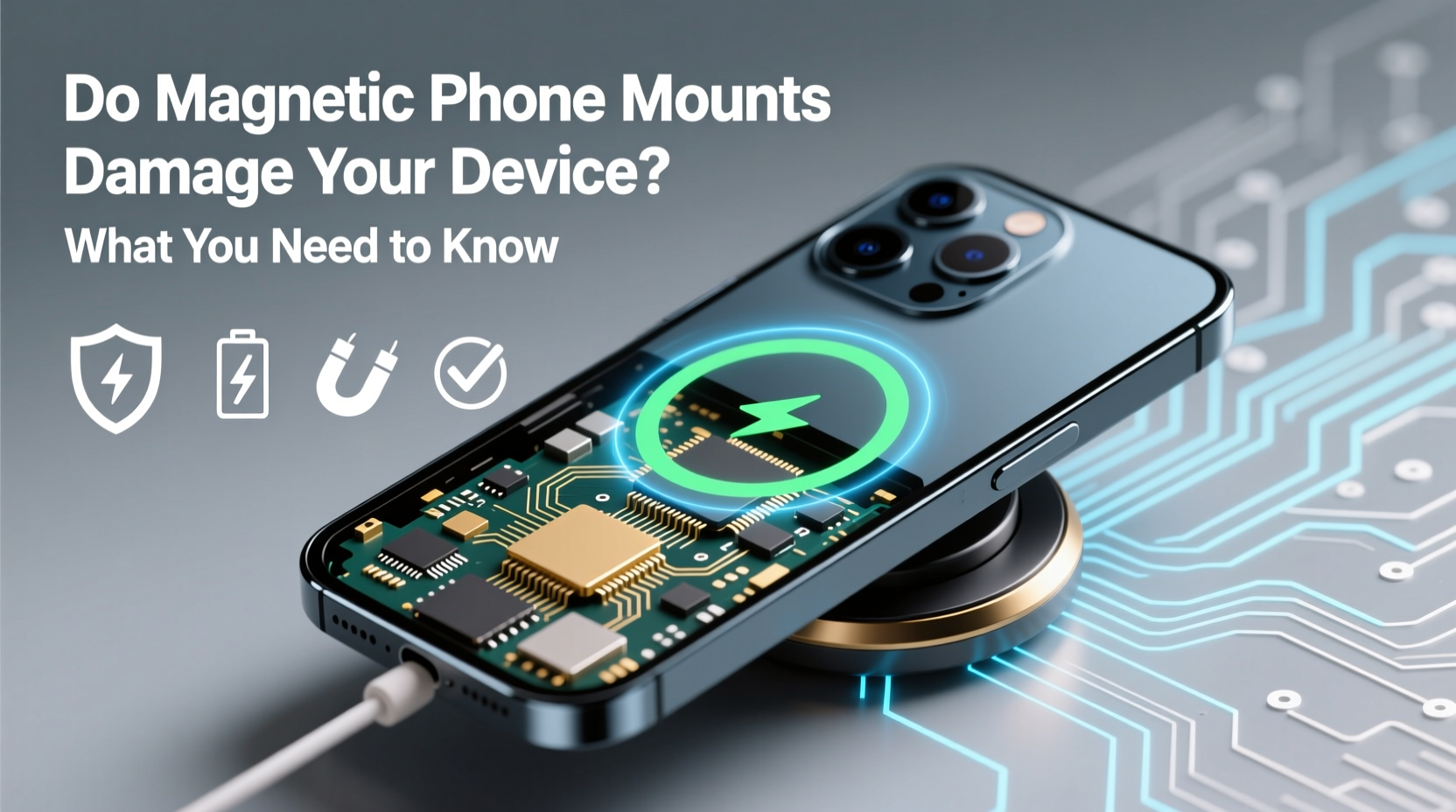
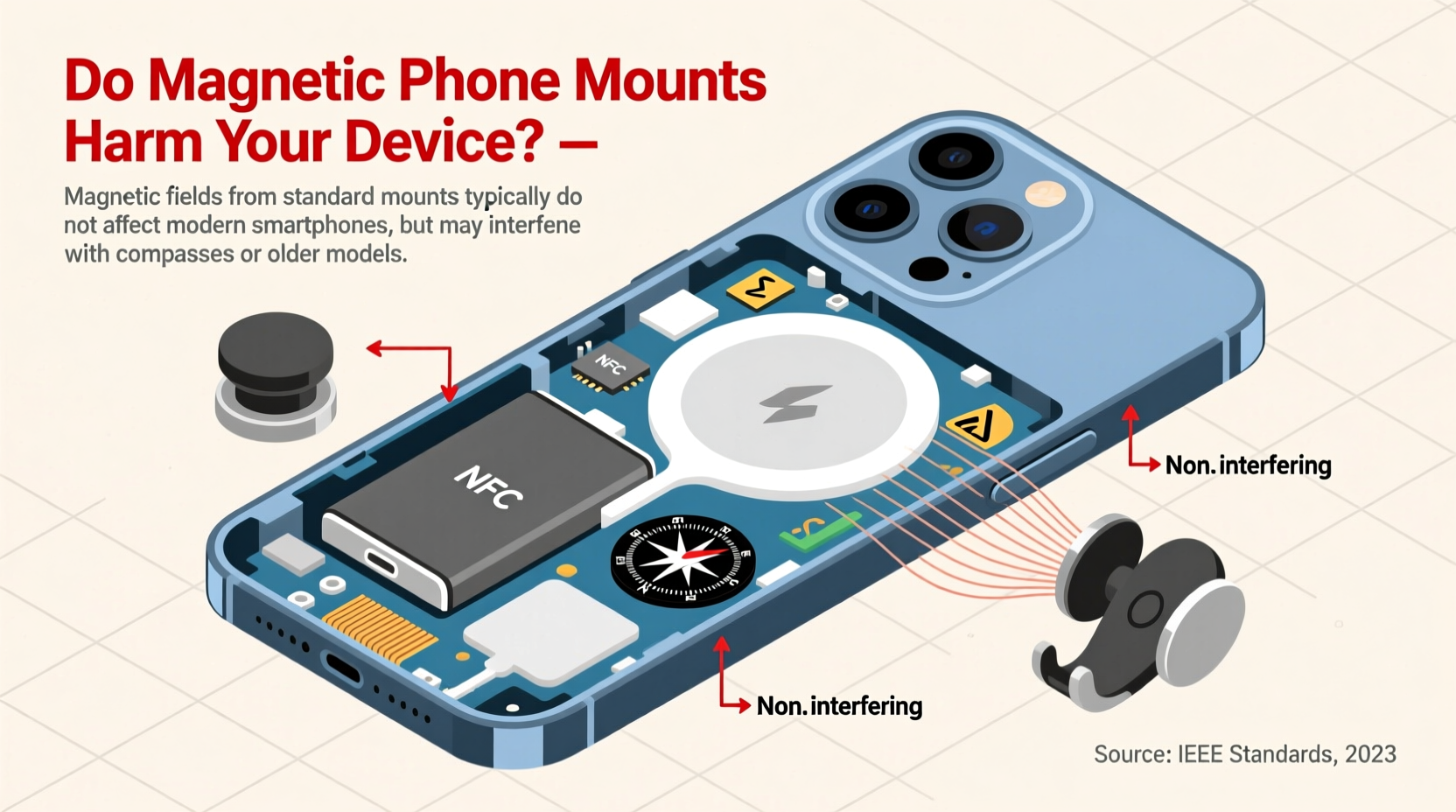
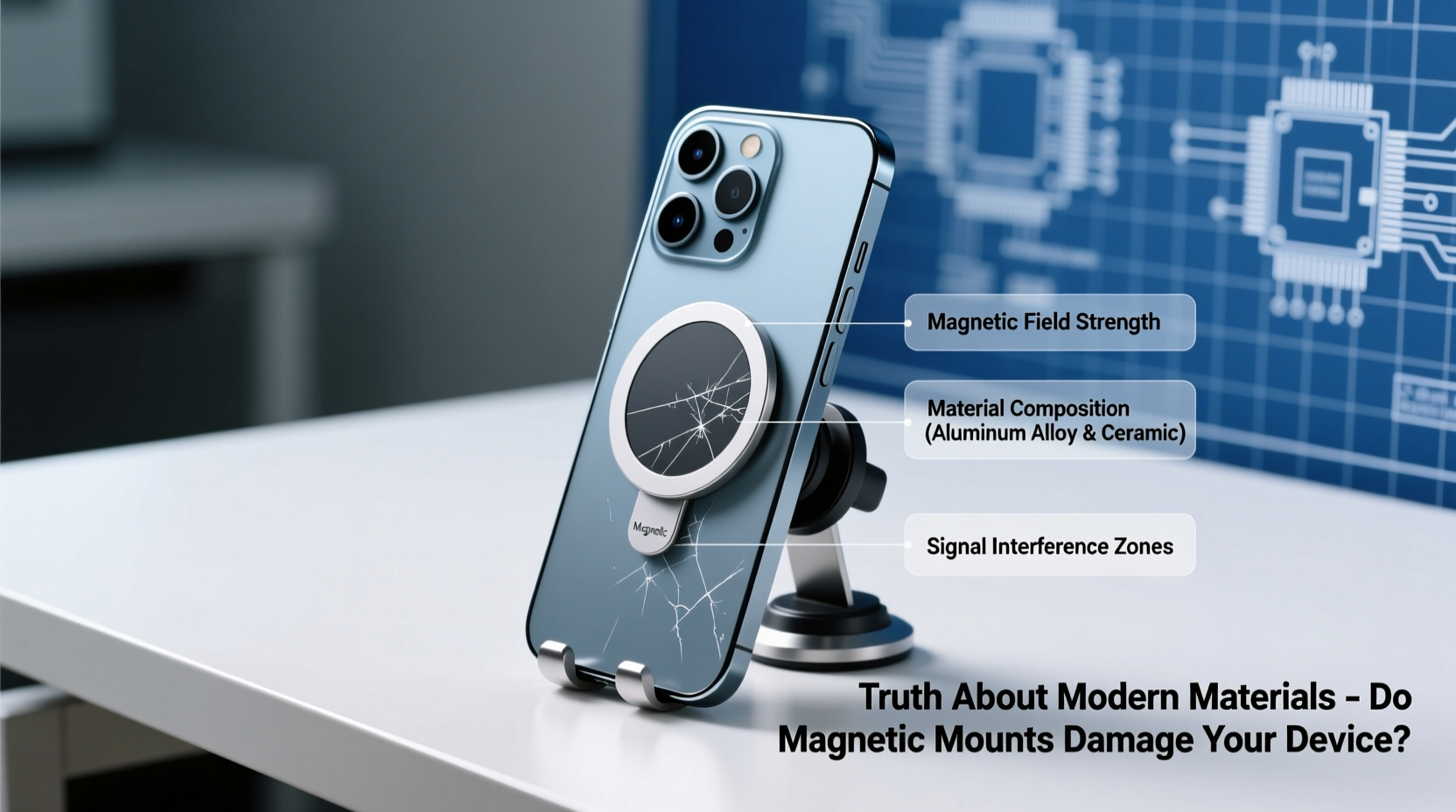
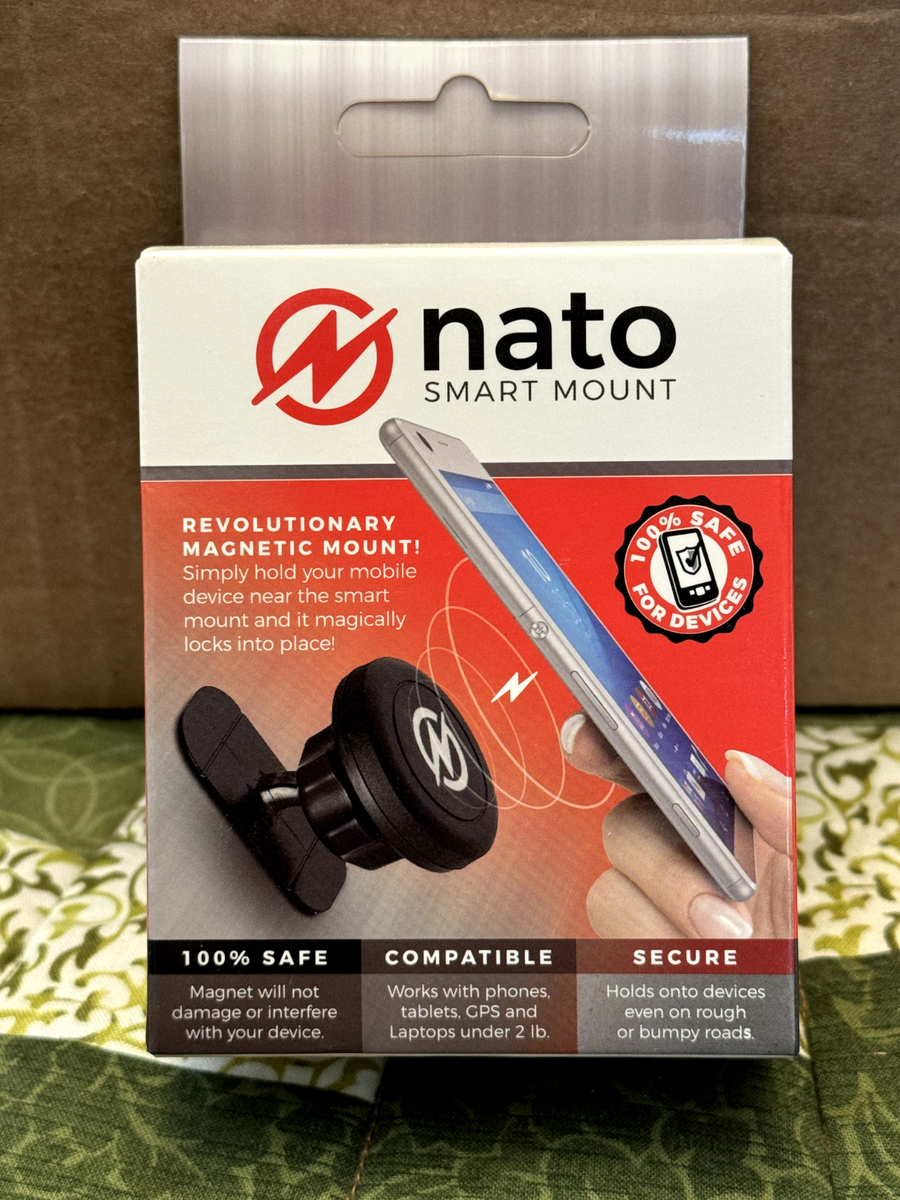
No, a normal magnetic phone mount will not usually cause permanent damage to a modern smartphone. However, a strong magnet placed near certain camera parts or sensors can affect how they work.
If you drive around the United States, you may use your phone for Google Maps, Apple Maps, music, or hands-free calls. A magnetic car mount makes these tasks easier because you can attach your phone with one hand and keep it in view. Still, many drivers worry about what a strong magnet might do to their expensive iPhone or Android phone.
The good news is that modern smartphones are built to work around small magnets. Their speakers, vibration parts, and some camera systems already use magnetic parts. A regular phone mount is not likely to erase your photos, ruin your battery, or damage your screen. However, that does not mean every magnetic mount is free from risk.
The main concern is magnetic interference with certain camera systems and the digital compass. Apple warns that strong magnets or magnetic metal near some iPhone rear cameras can affect optical image stabilization and closed-loop autofocus. A metal plate placed in the wrong spot can also block wireless charging or make some accessories less useful.
The safest approach is simple: choose a mount that fits your phone, follow the plate placement guide, and keep strong magnets away from the rear camera when possible. You do not need to avoid every magnetic phone holder. You just need to understand what it can affect and how to prevent common problems.
A magnetic phone mount uses a magnetic force to hold your phone in place. Most car models have a mount head with one or more magnets. The other side of the setup is a magnetic ring, a metal plate, or a compatible phone case.
When you bring the phone close to the mount, the two parts attract each other. This creates a firm hold without a clamp around the phone’s edges. You can then turn the screen toward you or remove the phone when you leave the car.
Some mounts only hold the phone. Others also include a wireless charging pad. These charging models need more care because the phone and charging coils must line up in the right way.
Source: alibaba.com
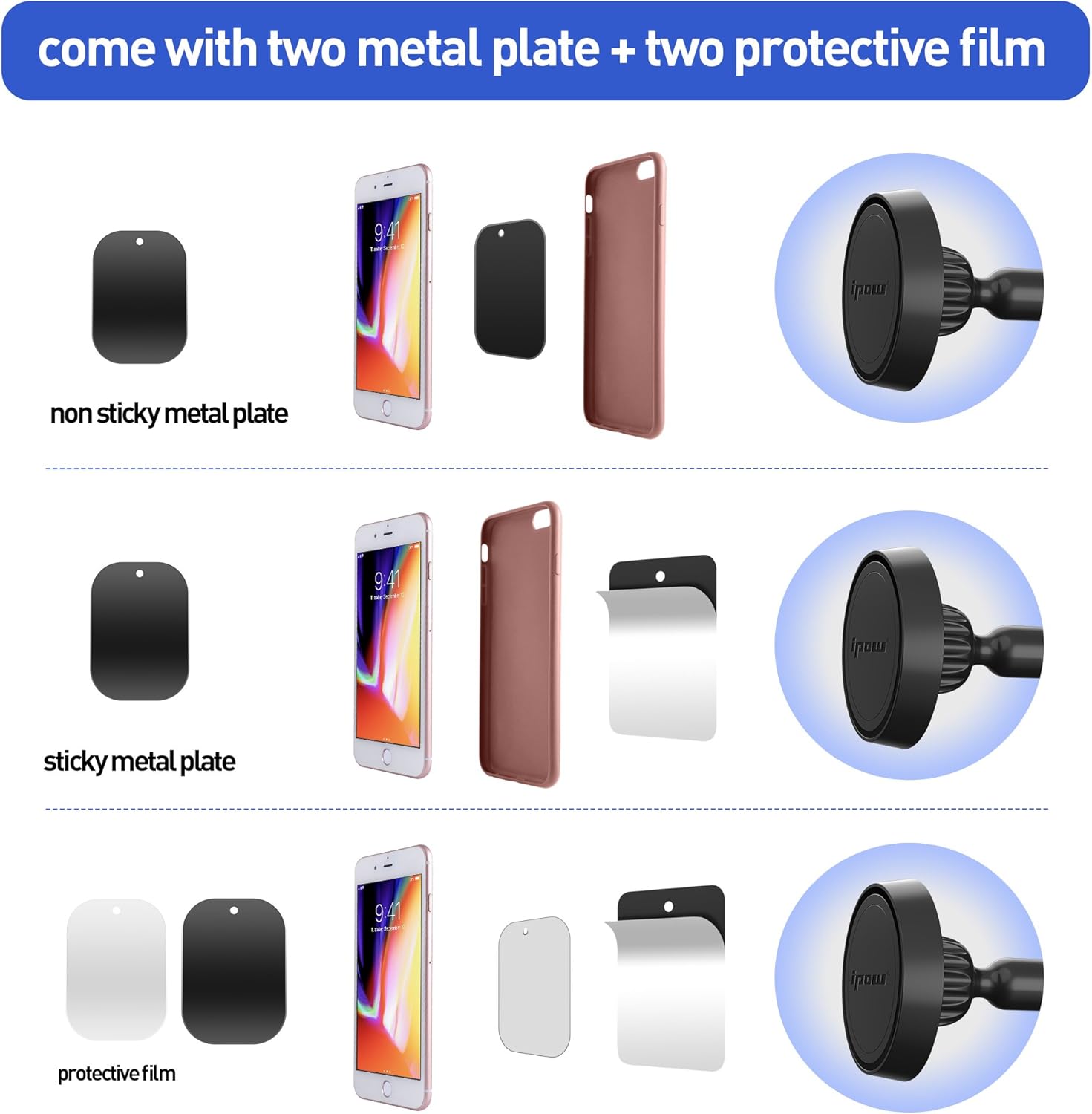
Magnetic mount with a metal plate
This type often comes with a thin metal plate that sticks to the back of a phone or case. The mount magnet attracts the plate and holds the phone.
MagSafe-compatible mount
This type uses a magnetic ring designed to work with compatible iPhones and cases. It can hold the phone without a separate metal plate.
Magnetic wireless charging mount
This combines a magnetic holder with a charging coil. The magnetic parts help keep the phone in the right position for charging.
Are All Magnetic Mounts Equally Strong?
No. The holding force depends on the number, size, position, and type of magnets. The design of the mount also matters. A well-designed magnetic ring may spread its holding force around the phone instead of using one small contact point.
A strong hold is useful on rough roads, but strength alone does not prove that a mount is better. A mount must also fit the phone, stay secure, and avoid placing magnets too close to sensitive parts.
Mount design
A ring or well-arranged magnet system may provide a more even hold than a poorly designed single-magnet mount.
Phone case
A thick or poorly fitted case can reduce the magnetic connection and make the phone easier to dislodge.
Phone weight
Large and heavy phones may need a stronger, compatible holder to remain secure during turns and sudden stops.
Can a Magnetic Phone Mount Damage Your Phone’s Battery?
A normal static magnet in a phone mount is not expected to damage a modern smartphone battery. Today’s phones use rechargeable lithium-ion or lithium-polymer battery systems. These batteries do not store their charge through magnetic data, so a regular mount magnet does not erase their power or directly change their battery chemistry.
You also do not need to worry that every time you attach your phone to a magnetic holder, the battery will lose capacity. There is no good basis for treating ordinary magnetic phone mounts as a normal cause of battery wear.
However, a different issue can arise when the mount includes wireless charging. Charging creates heat, and excessive heat can affect battery health over time. A poorly aligned charging coil, a faulty charger, or a phone left charging in a hot car can add to this problem.
Source: alibaba.com
Normal magnetic holding
The magnet itself is not expected to reduce battery capacity or cause a normal phone battery to lose its charge.
Wireless charging heat
A charging mount can warm the phone. Repeated exposure to excessive heat is a more relevant battery concern than the holding magnet.
Hot car interiors
A parked car can become very hot in direct sunlight. Avoid leaving a phone charging in extreme heat and follow its temperature warnings.
Can a Magnetic Mount Make Your Phone Overheat?
A passive magnetic holder does not normally generate charging heat because it does not supply power. A magnetic wireless charging mount is different. It transfers power to the phone, and some warmth during charging is normal.
If your phone becomes unusually hot, stop charging it and remove it from the mount. Check whether the charging surface is clean, the phone is correctly aligned, and the charger is suitable for your device.
Do not cover a hot phone with a cloth or leave it in direct sunlight while charging. If the phone repeatedly overheats with different chargers, have it checked by the manufacturer or a qualified repair service.
Normal warmth
A little warmth during wireless charging can be expected.
Excessive heat
Stop charging if the phone shows a temperature warning, becomes too hot to handle comfortably, or repeatedly interrupts charging.
Can a Magnetic Mount Damage Your Phone Camera?
Yes, a strong magnetic field close to certain rear camera parts can interfere with camera performance. This is one of the most important concerns to understand before using a magnetic phone holder.
Apple explains that some iPhone camera systems use optical image stabilization and closed-loop autofocus. These systems rely on sensors that help control lens movement and maintain sharp focus. A strong magnet placed too close can interfere with those sensors.
Optical image stabilization, often called OIS, helps reduce blur when your hand or phone moves. Closed-loop autofocus helps the camera maintain accurate focus. If magnetic interference affects these systems, you may notice blurry images, poor focus, or reduced stabilization.
This does not mean every magnetic mount will permanently ruin your camera. The risk depends on the magnet’s strength, its position, and the phone’s camera design. Apple specifically advises avoiding magnetic accessories and magnetic metal near the rear cameras for the best camera performance.
Source: alibaba.com
Blurry pictures
Magnetic interference may reduce the effectiveness of camera stabilization and lead to less sharp pictures.
Autofocus problems
A camera may struggle to maintain accurate focus if its lens-position sensors are affected.
Reduced stabilization
The camera may continue to work but lose some of the benefit provided by its normal stabilization system.
Which Phones May Be Affected?
Apple documents this concern for iPhones with the relevant camera systems. Its guidance covers optical image stabilization on several iPhone generations and closed-loop autofocus on iPhone XS and later, including supported iPhone SE models.
That does not mean every iPhone will react in the same way to every mount. Camera layouts and magnet positions differ. A magnet placed near one camera may be farther from another camera on a different phone.
Android phones can also use optical image stabilization, autofocus, and magnetic sensors. However, the exact effect depends on the model. Check the support information for your specific phone rather than assuming that all Android devices have identical camera protection.
iPhone users
Follow Apple’s guidance about strong magnets and metal accessories near rear-facing cameras.
Android users
Check the phone maker’s accessory and camera guidance, especially if the mount magnet sits close to the camera area.
People who take many photos
Consider a clamp-style holder if you regularly remove the phone from the car to take photos or record video.
How to Check for Camera Interference
If your camera starts acting strangely after you install a magnetic mount, test it without the accessory. Remove the phone from the mount and take a few photos in good light. Test the main camera and other available rear cameras.
Compare the focus and image stability with the phone away from the mount. If the problem disappears, the magnetic accessory may be involved. If the problem remains, check the camera lens for dirt, update the phone software, and follow the manufacturer’s troubleshooting steps.
Do not keep testing a setup that repeatedly causes camera problems. Move to a different mount or use a mechanical clamp instead.
Step 1
Remove the phone from the magnetic mount and any magnetic case or attachment.
Step 2
Take several photos and short videos with the rear camera.
Step 3
Check focus, sharpness, and stabilization in the same lighting conditions.
Step 4
If the problem continues without the accessory, contact the phone manufacturer or a qualified repair service.
Can a Magnetic Phone Holder Affect GPS or the Compass?
A magnetic phone holder can affect the digital compass, but this is not the same as damaging the GPS hardware. Your phone uses a magnetic sensor called a magnetometer to detect direction. A nearby magnet can change the magnetic field that this sensor reads.
You may notice the direction arrow in Google Maps or another navigation app pointing the wrong way. Your location may still appear correctly on the map, but the phone may have trouble showing which direction you are facing.
GPS uses signals from satellites to estimate your location. The compass helps determine the direction the phone is pointing. These are different functions, so a compass problem does not automatically mean the GPS receiver is damaged.
In many cases, moving the phone away from the mount and recalibrating the compass can help. If the direction remains wrong, check the app’s calibration instructions and the phone manufacturer’s troubleshooting advice.
Source: alibaba.com
Wrong direction arrow
The navigation arrow may point sideways or spin while your phone is near the magnet.
Location still works
Your map may continue to show your location even when the compass direction is inaccurate.
Temporary interference
Removing the nearby magnet may allow the compass to read the surrounding magnetic field more accurately.
How to Fix a Compass Problem
First, take your phone away from the magnetic holder. Move away from other strong magnets and metal objects if possible. Then open your navigation app and check whether the direction arrow improves.
If it does not, follow the calibration instructions for your phone and navigation app. Some devices use a figure-eight movement to recalibrate the compass. The exact method can vary by phone and software.
If the compass remains inaccurate in different locations and without the mount, the issue may have another cause. Contact the phone manufacturer if normal troubleshooting does not help.
Remove the magnet
Take the phone away from the mount before checking the compass.
Recalibrate
Use the method recommended by your phone or navigation app.
Test again
Check the direction arrow in an open area away from other magnetic objects.
Can a Magnetic Phone Mount Damage the Screen or Erase Data?
A normal magnetic phone mount is not expected to erase photos, messages, contacts, or other files stored on a modern smartphone. Today’s phones use flash memory rather than the magnetic storage found in older devices such as floppy disks.
This is why the old fear of magnets wiping phone data does not apply in the same way to modern smartphones. A typical car mount magnet does not work like a powerful magnetic data eraser.
The same basic reassurance applies to modern LCD and OLED screens. These displays do not store their pictures as magnetic information. A regular mount magnet is not expected to erase the display or cause permanent screen damage.
However, a phone can still suffer physical damage if it falls from a poorly fitted holder. A sudden stop, sharp turn, or rough road can cause the phone to hit the dashboard or floor. This is a mechanical risk, not damage caused by magnetic fields.
Source: carawareness.com
Photos and files
Normal magnetic mounts do not erase information stored in modern flash memory.
OLED and LCD screens
These displays do not rely on magnetic data storage, so ordinary mount magnets do not normally damage them.
Drops and impacts
A weak magnetic connection can allow a phone to fall, which may crack the screen or damage the body.
Can a Magnetic Mount Damage the Phone Body?
The magnet itself is not usually the main concern for the phone’s body. The contact surface and metal plate matter more. A rough plate, trapped dust, or a poorly finished mount can rub against the case or phone back.
If you attach a metal plate directly to your phone, removing it later may leave adhesive residue. Pulling too hard can also damage a case or its finish. A removable case is often a better place for the plate, as long as the plate position follows the mount instructions.
Keep the contact area clean and check the mount for sharp edges. If the mount leaves marks or scratches, stop using it until you can fix the contact problem.
Check the plate
Make sure it has smooth edges and no rough spots.
Clean the contact area
Remove dust and grit that could scratch the back of the phone or case.
Use a suitable case
A compatible case can help protect the phone from direct contact with a metal plate.
Can a Magnetic Mount Interfere With Wireless Charging?
Yes, a metal plate or incompatible magnetic attachment can interfere with wireless charging. This is usually a compatibility or alignment issue rather than permanent damage to the phone.
Wireless charging relies on coils inside the phone and charging pad. These coils need to line up properly so power can transfer. A metal plate placed over the wrong area may block the charging path or cause poor charging performance.
This is especially important if you use a basic magnetic mount with a separate metal plate. Some plates are designed to work with a magnetic holder but are not designed to remain on the phone during wireless charging.
Magnetic charging systems such as MagSafe and Qi2 use specific designs to align the phone and charging coil. Google also documents its Pixelsnap accessories as using the Qi2 magnetic standard on compatible devices. That does not mean every magnetic mount or metal plate is Qi2-compatible.
Source: alibaba.com
Incorrect plate placement
A metal plate over the charging coil may prevent wireless charging from working as intended.
Incompatible accessories
A magnetic holder may attach to a phone without supporting wireless charging.
Correct magnetic alignment
Compatible magnetic charging accessories are designed to position the charging components correctly.
How to Protect Wireless Charging
Before attaching a metal plate, check the mount instructions and your phone’s charging layout. Do not guess where the charging coil sits. Its position can vary between phone models.
If you use wireless charging often, choose a compatible magnetic case or charging mount rather than placing an ordinary metal plate on the phone. Check whether the product specifically supports your phone and charging standard.
If wireless charging stops after installing a plate, remove the plate if possible and test the charger again. If charging works normally, the plate or its position may be the cause.
Read the instructions
Use the plate location recommended by the mount maker.
Check Qi or Qi2 support
Make sure the phone, case, and charger support the charging standard you want to use.
Remove unsuitable plates
Do not leave a plate in place if it blocks wireless charging or causes repeated charging problems.
Can Magnetic Phone Mounts Damage Credit Cards or Other Accessories?
Strong magnets can affect some items that store information on magnetic stripes. This includes certain older hotel key cards, gift cards, and payment cards with magnetic-stripe data. Keeping these items pressed against a strong mount magnet for long periods is not a good idea.
Modern chip-based payment cards and contactless NFC payments use different technology. Their main payment data is not stored on a magnetic stripe, so the usual concern about magnetic erasure does not apply in the same way. Still, keeping your wallet separate from a mount is a simple habit.
You should also check other accessories that attach to the back of your phone. Some magnetic wallets, battery packs, grips, and stands may not work properly together. A mount can also prevent a magnetic charging accessory from attaching in the right position.
Source: shunauto.com
Magnetic-stripe cards
Keep these away from direct, prolonged contact with strong magnets.
Chip payment cards
A normal magnetic mount does not erase the information stored on an EMV chip.
Contactless cards
NFC payment technology does not depend on magnetic-stripe storage.
Magnetic phone accessories
A mount may not work well with a wallet, stand, battery pack, or other attachment already on the phone.
Should You Keep Your Wallet Away From the Mount?
Yes. Even if your main payment card uses a chip, keeping your wallet away from the mount is a sensible choice. It prevents magnetic-stripe problems and avoids having several accessories compete for the same space.
Do not place a hotel key card or older stripe-based card between your phone and the mount. Store it in a wallet or another place away from the magnet.
Keep cards separate
Do not use your phone mount as a storage spot for bank cards or hotel key cards.
Avoid stacked accessories
Remove magnetic wallets and other attachments before connecting the phone to the mount.
How to Use a Magnetic Phone Mount Safely
You can lower the chance of problems by choosing the right mount and installing it with care. Start by checking your phone model, case type, and charging needs. A holder that works well with one phone may not fit another phone in the same way.
You should also think about where the mount sits. A position that keeps the phone easy to see may still place its magnet too close to the rear camera. Follow the phone maker’s advice if camera performance is a concern.
For drivers in the United States, a mount should not block the windshield view, cover important controls, or distract you while driving. Set your route before you start moving and use hands-free features where available. Always follow the laws that apply in your state.
Source: thebestcaraccessories.com
Choose a compatible mount
Check the supported phone size, case type, magnetic system, and charging features before buying.
Check the camera position
Avoid placing a strong magnet or magnetic metal close to the rear camera system.
Follow plate instructions
Place any supplied metal plate where the manufacturer recommends.
Keep cards away
Do not store magnetic-stripe cards between the phone and the holder.
Test the connection
Make sure the phone stays firmly attached when you gently check the mount before driving.
Use a safe viewing position
Keep the mount in a position that does not block your view of the road.
A Simple Installation Checklist
Before using the mount on a daily commute, check the installation. A clean surface and correct position help the mount stay in place. If the mount uses adhesive, follow the instructions about surface preparation and curing time.
Attach the phone and check whether the case allows a firm connection. Gently test the hold while the car is parked. Do not rely on the mount if the phone slides, tilts, or falls with light movement.
If the mount includes charging, test it with the phone in the correct position. Check for unusual heat, charging interruptions, or camera problems before making it part of your daily routine.
Before installation
Read the mount instructions and check phone and case compatibility.
During installation
Clean the mounting area and place the holder away from important controls and the driver’s main field of view.
After installation
Check magnetic grip, camera operation, charging, and navigation while parked.
When Should You Choose a Non-Magnetic Mount?
A mechanical clamp is a useful alternative if you want to avoid magnetic contact. It holds the phone with adjustable arms or grips instead of magnets. This can be a better option if your phone maker advises against magnetic accessories near its camera.
A clamp may also suit people who use different phones or cases. You do not need a matching magnetic ring or a special case. However, check that the clamp fits the phone without pressing its buttons or covering the charging port.
A non-magnetic holder is not automatically better in every way. It may take longer to attach and remove the phone. The right choice depends on your device, daily use, and preferred mounting style.
Choose a clamp mount
If you want to keep magnets away from the rear camera, a mechanical holder avoids that magnetic contact.
Choose a magnetic mount
If your phone and case support it, a compatible magnetic mount offers quick attachment and removal.
What Should You Do If Your Phone Starts Acting Strange?
If your phone develops a problem after you start using a magnetic holder, remove it from the mount first. This is the simplest way to check whether the accessory is involved. Do not assume that every new problem means the phone has suffered permanent damage.
Look at the type of problem and test the phone without the mount. A compass issue, camera problem, charging interruption, and battery warning have different possible causes. Checking them separately can help you avoid unnecessary repairs or replacements.
Source: shunauto.com
Camera becomes blurry
Remove the magnetic accessory, clean the camera lens, and test the camera again. If the issue continues, follow the manufacturer’s camera troubleshooting steps.
Compass points in the wrong direction
Move away from the magnet and recalibrate the compass using the recommended method.
Wireless charging stops
Remove any metal plate or incompatible attachment and check the phone on a compatible wireless charger.
Phone becomes unusually hot
Stop charging, remove the phone from the mount, and allow it to cool in a safe place.
Phone falls from the mount
Check the case, plate, mount surface, and magnetic connection. Replace a damaged or unreliable holder.
When Should You Contact a Repair Professional?
Contact the phone manufacturer or a qualified repair service if the camera remains blurry after you remove the magnetic accessory, the phone repeatedly overheats, or charging problems continue with compatible chargers.
You should also seek help if the phone has suffered a fall or shows physical damage. A cracked body, damaged camera glass, swollen battery, or charging port problem needs proper inspection.
Do not open the phone or try to repair its internal camera parts yourself unless you have the required skills and equipment. A professional can check whether the issue comes from the camera, charging system, software, or another component.
Persistent camera problems
Seek support if focus or stabilization does not return after removing the accessory.
Repeated overheating
Stop using the charger and get the phone checked if excessive heat keeps returning.
Visible physical damage
Have cracks, battery swelling, or damaged charging parts inspected by a qualified service provider.
Common Myths About Magnetic Phone Mounts
Many concerns about magnetic phone holders come from older technology or misunderstandings about how modern smartphones work. A magnet can affect certain sensors, but that does not mean it damages every electronic part inside the phone.
Knowing the difference between interference and permanent damage helps you make a better choice. Here are some common claims and what you should understand about them.
Source: holdingdevices.com
Myth: Magnets erase all phone data
Modern smartphones use flash memory. An ordinary magnetic mount is not expected to erase photos, contacts, or apps.
Myth: Magnets destroy phone batteries
A normal static mount magnet does not directly damage the chemistry of a modern rechargeable phone battery.
Myth: Every magnetic mount damages the camera
The actual concern is interference from a strong magnetic field near sensitive camera parts. Risk depends on the phone and accessory design.
Myth: Magnets always stop GPS
A nearby magnet can affect compass readings, but GPS positioning and compass direction are separate functions.
Myth: MagSafe and all magnetic mounts are the same
MagSafe, Qi2 accessories, and ordinary metal-plate mounts have different designs and compatibility requirements.
Are MagSafe Accessories Safe for Modern iPhones?
MagSafe is a magnetic accessory system designed for compatible iPhones. It allows suitable chargers, stands, wallets, and other accessories to attach to the phone. Its existence shows that magnetic attachments are not automatically harmful to smartphones.
However, this does not mean every third-party magnet is safe in every position. Apple still advises users to avoid magnetic accessories or magnetic metal close to the rear camera when camera performance matters.
Choose accessories that clearly state their compatibility and follow the manufacturer’s guidance. A product that simply says magnetic or MagSafe-style is not necessarily certified or suitable for every phone.
Check compatibility
Confirm that the accessory is designed for your exact phone model or compatible case.
Check camera clearance
Consider where the magnets sit in relation to the rear camera system.
Check charging support
Do not assume a magnetic attachment also supports wireless charging.
Which Magnetic Phone Mount Should You Choose?
The right mount depends on how you use your phone. If you mainly need navigation during a daily commute, a simple holder may be enough. If you also want wireless charging, you need a model that supports your phone’s charging standard.
Do not choose a mount only because it has the strongest advertised magnet. Check its fit, mounting method, camera clearance, and charging support. A reliable holder should keep the phone secure without creating unnecessary problems.
Source: moft.com
For compatible iPhones
Look for a mount designed for your iPhone’s magnetic attachment system and case.
For Android phones
Check whether your phone supports a compatible magnetic case or whether the mount requires a separate metal plate.
For wireless charging
Choose a charger that clearly lists support for your phone and the relevant Qi or Qi2 standard.
For camera protection
Consider a mount that keeps strong magnets away from the rear camera, or choose a mechanical clamp.
For different phones
A universal clamp may be more practical if you often switch between devices.
Magnetic Mount vs. Mechanical Clamp
A magnetic mount offers quick attachment and removal. It can also provide a clean look because there are no large side arms around the phone. However, it needs a suitable magnetic connection and may require a compatible case or plate.
A mechanical clamp uses physical grips to hold the phone. It does not depend on a magnet to keep the device in place, which makes it a useful option for people who want to avoid magnetic accessories near the camera.
Neither design is automatically the best choice. Think about how often you remove your phone, whether you need wireless charging, and whether your phone maker has any accessory warnings.
Magnetic mount advantage
Quick attachment, easy removal, and a compact design.
Magnetic mount limitation
Needs compatible magnetic parts and careful placement near sensitive components.
Clamp mount advantage
Holds the phone mechanically without relying on magnetic force.
Clamp mount limitation
May take longer to attach and can press against phone buttons if poorly sized.
Research Notes and Useful Next Questions
The main evidence distinction is between permanent physical damage and temporary magnetic interference. Apple documents the camera concern, while its explanation does not establish that every magnetic car mount permanently damages an iPhone. Google’s Pixelsnap documentation also shows that magnetic attachment is an intentional feature on compatible modern phones.
The main improvement readers need is a clear way to identify which part may be affected. A camera problem, compass problem, charging issue, and physical drop should not be treated as the same type of damage.
The following questions reflect useful next steps for someone choosing or already using a magnetic holder. The camera and charging questions are supported by manufacturer guidance. The need to check a specific mount’s fit and placement is an inferred next step from the setup process.
Question: Can magnets affect camera stabilization?
Reader stage: Before or during use. Basis: Documented manufacturer warning. Other reviewed coverage discusses the risk, but a clear removal-and-test process is more useful. Priority: High. Placement: Camera section and troubleshooting section.
Question: Can a magnetic mount affect GPS?
Reader stage: During navigation. Basis: Inferred next need from compass interference. Coverage: Some reviewed pages discuss compass behavior but do not clearly separate compass direction from GPS positioning. Priority: High. Placement: Compass section.
Question: Can a metal plate block wireless charging?
Reader stage: Before installation. Basis: Observed topic in reviewed mount guidance. Coverage: Some reviewed pages mention coil alignment but offer limited practical checks. Priority: High. Placement: Wireless charging section.
Question: What if the camera stays blurry after removing the mount?
Reader stage: After a problem occurs. Basis: Inferred next need from the manufacturer’s camera troubleshooting guidance. Coverage: Some reviewed pages explain the interference but offer less detail on what to do next. Priority: High. Placement: Troubleshooting section.
Question: Should I use a clamp instead?
Reader stage: Before buying a replacement. Basis: Inferred next need from the camera warning. Coverage: Some reviewed pages mention non-magnetic alternatives but do not explain the main trade-offs. Priority: Medium. Placement: Mount comparison section.
Frequently Asked Questions
Q
Can I leave my phone on a magnetic mount all day?
Yes, you can generally leave a compatible phone on a normal magnetic holder during the day. The magnet itself is not expected to damage the battery, screen, or stored data. However, check the camera position and make sure the phone does not become too hot if the mount also charges it.
Avoid leaving a charging phone in a very hot parked car. Remove it if you notice excessive heat or repeated charging warnings.
Q
Can a magnetic phone mount damage an iPhone?
A typical magnetic mount is not expected to cause general permanent damage to an iPhone. However, Apple warns that strong magnetic fields near some rear camera systems can interfere with optical image stabilization and closed-loop autofocus.
For the best camera performance, keep strong magnets and magnetic metal away from the rear camera area. Check your specific iPhone model and accessory guidance before using a mount.
Q
Can a magnetic mount damage a Samsung phone?
A normal magnetic phone holder is not generally expected to damage a Samsung phone’s battery, screen, or stored data. However, Samsung phones may use camera stabilization and magnetic sensors that can be affected by nearby magnetic fields.
The exact risk depends on the phone model and mount design. Check Samsung’s guidance for your device, especially if you notice camera or compass problems.
Q
Can magnets damage a phone camera permanently?
Magnetic interference can affect certain camera functions, including autofocus and optical image stabilization on supported devices. Apple describes interference that can affect or temporarily disable the relevant sensors.
That warning does not prove that every magnetic accessory causes permanent camera damage. Remove the accessory and test the camera. If the problem remains, contact the phone manufacturer or a qualified repair service.
Q
Will a magnetic phone mount affect Bluetooth or Wi-Fi?
A normal magnetic holder is not expected to stop Bluetooth or Wi-Fi from working. These connections use radio signals rather than magnetic data storage.
However, some poorly designed accessories or metal components can affect wireless performance through factors other than the holding magnet. If a connection problem begins after installation, remove the accessory and test again.
Q
Can a magnetic phone mount affect NFC payments?
A normal magnetic holder does not erase NFC payment data. NFC uses short-range radio communication, not magnetic-stripe storage.
However, a metal plate or incompatible case may affect where the phone’s NFC antenna can communicate with a payment terminal. If contactless payments stop working after installation, remove the plate or case and test again.
Q
Should I remove the metal plate from my phone case?
You should remove the plate if it blocks wireless charging, causes a poor magnetic connection, or interferes with another phone feature. Follow the mount instructions when choosing its position.
If the plate is attached with strong adhesive, remove it carefully. Avoid using sharp tools that could scratch the phone or damage the case.
Q
Are MagSafe mounts safer than ordinary magnetic phone holders?
A compatible MagSafe mount is designed for the magnetic attachment system used by supported iPhones. It can offer better fit and charging compatibility than an ordinary holder with a separate metal plate.
However, MagSafe compatibility does not mean every magnetic accessory is free from camera interference. Follow Apple’s guidance and check the position of the magnets in relation to the rear cameras.
Q
Can a magnetic mount make my phone lose its GPS signal?
A nearby magnet may affect the digital compass, which can make the direction arrow behave incorrectly. This does not automatically mean the phone has lost its GPS signal.
Move the phone away from the mount and check the navigation app again. If the location itself remains inaccurate, investigate other possible GPS or software issues.
Q
Is a non-magnetic phone mount better for camera protection?
A mechanical clamp avoids placing a mount magnet against the back of the phone. It may be a useful choice if you are concerned about magnetic interference near the rear camera.
The main trade-off is convenience. A clamp may take longer to attach and remove, while a compatible magnetic holder can be quicker to use.
✦ Wrapping Up
Conclusion
So, can a magnetic phone mount damage your phone? In normal use, the answer is no. A regular magnetic holder is not expected to erase your files, ruin your screen, or directly damage your battery. Modern smartphones are designed to work with several magnetic components, and compatible magnetic accessories are widely used.
Still, there are a few real concerns. Strong magnets near certain rear cameras can interfere with autofocus and optical image stabilization. A nearby magnet can also affect compass readings, while an incorrectly placed metal plate may block wireless charging. These problems are worth checking before you use a mount every day.
The best choice is a compatible holder with clear installation instructions. Keep magnetic parts away from sensitive camera areas when possible, use the correct plate position, and check that charging and navigation work as expected. If you notice a problem, remove the accessory and test your phone before assuming that permanent damage has occurred.
A magnetic mount can be a useful tool for everyday driving. You do not need to fear every magnet, but you should choose and install your holder with care.
💡 Key Takeaway
Before your next drive, check your phone and case compatibility, keep strong magnets away from the rear camera, follow the metal plate instructions, and test the camera, compass, and wireless charging while parked. If you want to avoid magnetic interference altogether, choose a well-fitted mechanical clamp.