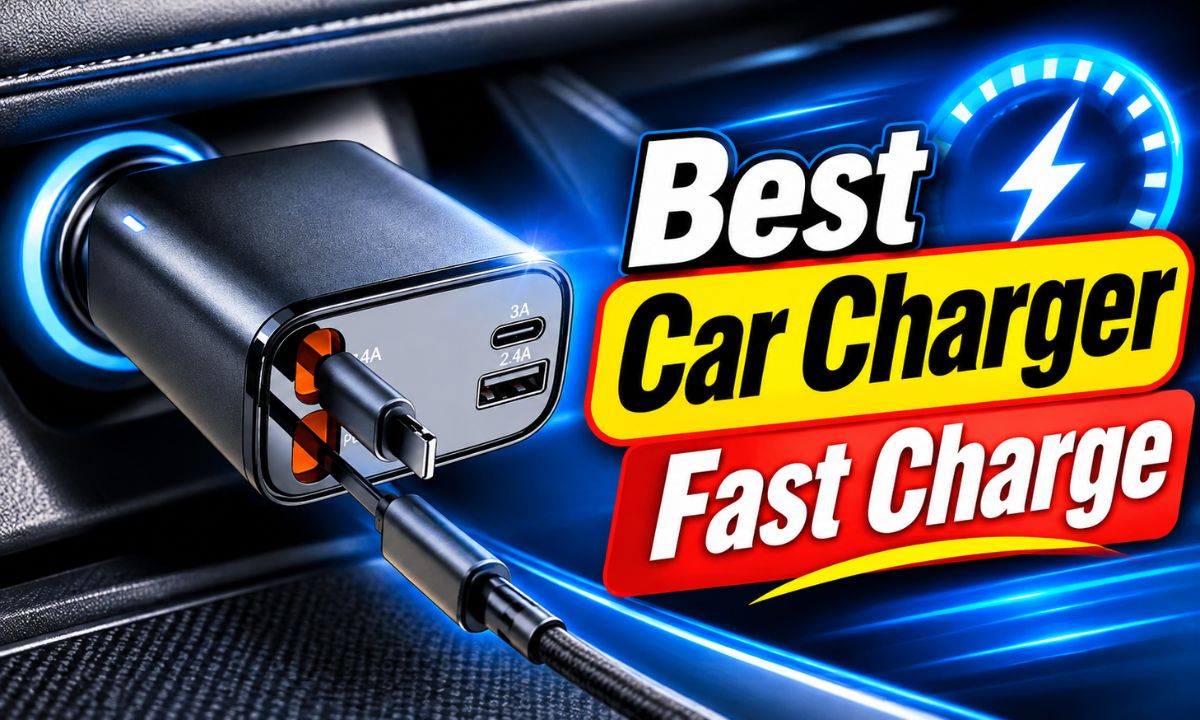
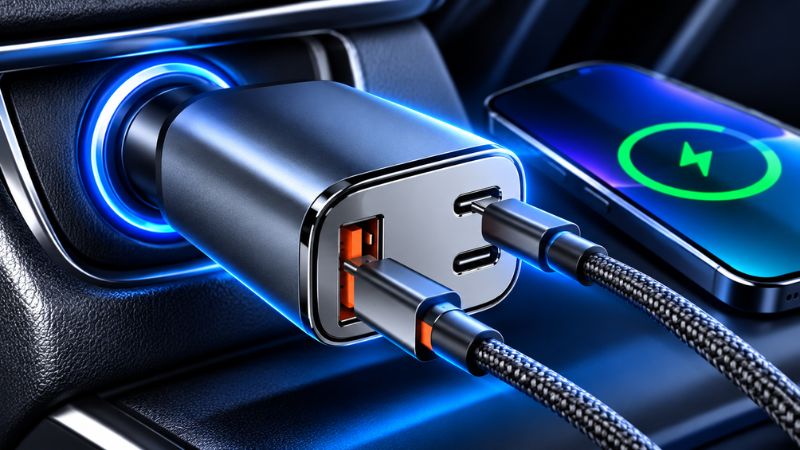
The best fast car charger has USB-C Power Delivery, enough wattage for your phone, and the right charging support, such as PPS for compatible Samsung phones.
A reliable car charger can make a big difference during daily drives across the United States. Whether you commute to work in New York, take a long road trip through Texas, or run errands around Los Angeles, a fast charger helps keep your phone ready. It can also power a tablet or other small device when you need it.
However, a charger with a large wattage number is not always the fastest choice. Your phone, charging cable, USB port, and car power socket must all work together. A 100W charger may offer more power than a phone can use, while a smaller charger with the right charging standard may deliver better results.
For most modern phones, a USB-C charger with Power Delivery is a good starting point. Samsung users who want Super Fast Charging should also check for PPS support. iPhone users should look for a compatible USB-C PD output and the wattage their model needs. This guide explains how to compare these features and choose a charger that fits your car and phone.
A fast car charger delivers power to a phone at a higher rate than a basic USB charger. It does this through a charging standard that lets the charger and phone agree on a suitable voltage and current. This process is called power negotiation.
A basic USB port may provide only enough power for slow charging. A modern USB-C charger can provide much more, as long as the phone supports the same charging method. The phone controls how much power it accepts.
Fast charging also depends on battery level and temperature. A phone may charge quickly when its battery is low, then slow down as it gets closer to full. This helps manage heat and protect the battery.
Higher power output
The charger needs enough available wattage to meet the phone’s charging needs.
Compatible charging standard
The charger and phone must support a shared charging method, such as USB Power Delivery.
Suitable charging cable
The cable must support the power level and charging mode used by the charger.
Good heat control
The phone may lower charging speed when it becomes too warm.
What Does Wattage Mean?
Wattage measures the rate at which electrical power is supplied. You can calculate it by multiplying volts by amps. For example, 9 volts at 2 amps equals 18 watts.
A 20W charger can supply up to 20 watts under the right conditions. It does not mean every phone will use all 20 watts. A phone that supports a lower charging rate will draw less power.
The same rule applies to larger chargers. A 65W car charger does not make a 20W phone charge at 65W. The phone and charger must agree on a supported power level.
20W
A useful level for many modern phones, including compatible iPhone models.
30W to 45W
A useful range for phones with higher charging needs and some tablets.
65W or more
Useful when you want to charge a phone and a compatible laptop or tablet.
Why USB-C Matters
USB-C is a connector type. It is not a promise of fast charging by itself. Some USB-C ports provide only basic power, while others support advanced charging standards.
USB Power Delivery, often called USB PD, is a charging standard that allows compatible devices to negotiate power. The USB Implementers Forum describes USB PD as a flexible way to provide power through USB connections.
When shopping, look for both a USB-C port and an explicit USB PD rating. Do not assume that every USB-C car charger offers the same speed.
USB-C connector
The physical port used by many newer phones, tablets, and laptops.
USB PD
A power standard that allows compatible devices to negotiate charging levels.
USB-A
An older rectangular connector that can still charge many devices but may offer fewer modern fast-charging features.
How to Choose the Best Car Charger Fast Charge Option
Start with your phone’s charging requirements, not the largest charger you can find. Check the phone maker’s support page or product manual for its supported charging method and maximum wired charging rate.
Next, compare the charger’s port output. A charger may advertise 100W across several ports, but that number can describe combined output rather than the power available from one port. Read the power distribution details before buying.
Finally, check the cable, vehicle socket, and safety information. A good charger should fit firmly, have clear specifications, and come from a seller or maker that provides reliable product information.
Check your phone model
Different versions of the same phone family may have different charging limits.
Look for USB PD
Choose a charger with USB PD for compatible USB-C devices.
Confirm how much power each port supplies on its own and when other ports are in use.
Check vehicle support
Make sure the charger matches your vehicle’s power socket and electrical limits.
Choose the Right Wattage for Your Phone
The right wattage depends on your exact phone model. Many phones can use a 20W charger for fast charging, while some newer models support higher rates. A charger with more power can offer flexibility, but it may not improve charging speed on a phone with a lower limit.
For example, a phone that supports up to 25W will not gain a charging benefit from a 100W charger if both use the same compatible charging mode. The extra power may be useful for another device, but it will not raise the phone’s own limit.
Check the official specifications before choosing a charger. This is especially useful when buying for a family with several phone models.
For a basic phone setup
A compatible 20W USB-C PD charger may be enough.
For higher-speed phones
Look at 30W, 45W, or another output that matches the phone’s official requirements.
For phones and laptops
Consider a higher-output charger with a clearly stated per-port power split.
Look for PPS Support for Samsung Phones
PPS stands for Programmable Power Supply. It is an optional part of USB Power Delivery that allows a compatible charger to adjust its output in smaller steps. This gives supported phones more control over the charging process.
Samsung uses USB PD PPS for its Super Fast Charging feature on compatible Galaxy models. A charger may have a high wattage rating and still fail to provide this charging mode if it lacks PPS.
Samsung’s support guidance also explains that the cable must meet the required charging specifications. Therefore, check both the charger’s PPS support and the cable rating when buying an accessory for a Galaxy phone.
USB PD
Provides the main charging standard for compatible USB-C devices.
PPS
Allows adjustable power output for compatible devices.
Cable rating
A suitable cable helps the phone and charger reach their supported charging level.
Best Charging Features for iPhone and Android
A charger that works well with one phone may not provide the fastest mode on another. iPhones, Samsung Galaxy phones, Google Pixel phones, and other Android devices can use different charging requirements.
USB-C PD is a useful choice for many modern phones because it is widely supported. However, some Android phones use additional charging standards or proprietary systems for their highest advertised speeds.
If you own more than one phone, choose a charger that supports the standards needed by the devices you use most often. A flexible charger can be more useful than one designed around a single phone.
Check Apple’s guidance for your exact model and choose a compatible USB-C PD charger.
Samsung users
Check the required USB PD PPS support and cable rating for your Galaxy model.
Google Pixel users
Check the model’s supported charging specifications and whether PPS is required for its preferred charging mode.
Other Android users
Check whether the phone uses standard USB PD or a maker-specific fast-charging system.
What iPhone Users Should Check
Many recent iPhones support fast wired charging through a compatible USB-C power source. Apple explains that the required adapter and cable depend on the iPhone model.
For many earlier USB-C fast-charging setups, a compatible USB PD charger is the key feature. Newer models may have different power requirements, so do not rely on an old charger recommendation for every iPhone.
If your iPhone uses a USB-C port, a USB-C to USB-C cable is generally the direct choice. If you have an older Lightning model, use a compatible USB-C to Lightning cable.
Check the model
Look up Apple’s charging guidance for the exact iPhone version.
Use a compatible cable
Match the cable connector to your iPhone’s charging port.
Avoid wattage assumptions
A charger with a higher rating does not guarantee a faster charge.
What Android Users Should Check
Android phones do not all use the same fast-charging system. Many support USB PD, while some use PPS or a maker-specific charging mode.
A charger with USB PD may charge an Android phone quickly, but it may not reach the phone’s highest supported rate. This is why the official phone specifications matter more than a broad compatibility label.
For a phone that uses a special charging system, check whether the charger supports that system or whether a standard USB PD charger will be limited to a lower rate.
Check the phone manual
Find the supported charging standard and maximum wired power.
Check PPS
Confirm PPS support when the phone requires it for its faster charging mode.
Check cable needs
Some higher-power charging modes need a cable with a specific current rating.
Single-Port vs. Dual-Port Car Chargers
A single-port charger is a good choice when you mainly charge one phone. It is simple to use and makes it easier to understand how much power is available to your device.
A dual-port charger is more useful when you travel with a passenger or need to charge a phone and another device at the same time. However, two ports do not always provide their full rated output at once.
Some chargers lower the output of one or both ports when a second device is connected. Others assign different power levels to each port. Read the output table on the package or product manual before buying.
Single-port charger
A simple option for one main phone and a clear power rating.
Dual USB-C charger
Useful for two modern phones or a phone and tablet.
USB-C and USB-A charger
Useful when you have both newer and older charging cables.
Three-port charger
Can support several devices, but the combined power split needs close attention.
Why Total Wattage Can Be Misleading
Imagine a charger advertised as 65W with two ports. The 65W figure may apply only when one port is in use. When two devices are connected, the charger may split power between them.
For example, a hypothetical charger may provide 45W through its first USB-C port and 20W through its second port. That gives a combined 65W, but neither port supplies 65W by itself.
This matters when one device needs a specific power level. Always check the individual port ratings and the combined output table.
Read the output chart
Look for separate ratings for one-port and multiple-port use.
Find the main port
Some chargers reserve their highest output for a specific USB-C port.
Check power sharing
Confirm what happens when another phone or tablet is plugged in.
USB-C PD vs. Quick Charge vs. PPS
USB PD, Quick Charge, and PPS are charging technologies. They help devices receive power at supported levels, but they are not interchangeable in every situation.
USB PD is a common choice for modern USB-C devices. Quick Charge is a charging technology associated with Qualcomm and supported by some phones and chargers. PPS works within USB PD and allows more flexible voltage adjustment.
A charger may support more than one standard. That can help when different people in the car use different phones, but you should still confirm the exact device compatibility.
USB Power Delivery
A widely used standard for compatible USB-C phones, tablets, and other devices.
Quick Charge
A charging technology used by compatible phones and accessories.
Programmable Power Supply
A USB PD feature used by compatible devices, including Samsung Super Fast Charging models.
Which Charging Standard Should You Choose?
For a modern iPhone, USB PD is a practical starting point. For a compatible Samsung Galaxy phone, USB PD with PPS is often the better choice when you want Super Fast Charging.
For other Android phones, check the maker’s charging specifications. Some devices support standard USB PD, while others may need an additional charging protocol for their highest speed.
If you have several different devices, a multi-protocol charger may offer more flexibility. Still, do not assume that a list of supported standards guarantees the fastest speed for every phone.
Best general starting point
USB-C Power Delivery for compatible modern phones.
For supported Samsung models
USB PD with PPS and the correct cable.
For proprietary Android charging
A charger that specifically supports the phone maker’s required standard.
Does Your Car’s Power Socket Affect Charging Speed?
Yes. A car charger can only draw power within the limits of the vehicle’s electrical system and the socket it uses. A high-output charger may not reach its full rating in every car.
Many traditional cars and trucks have a 12V accessory socket. Some vehicles also use 24V electrical systems or have USB ports built into the dashboard. These connections may have different power limits.
Read the vehicle manual before using a high-power accessory. Check the socket’s stated limit and whether the vehicle maker allows the type of charger you plan to use.
12V accessory socket
Common in passenger cars, but the permitted current varies by vehicle.
24V vehicle system
Found in some trucks and commercial vehicles. Check the charger’s stated input range.
Built-in USB port
May have a lower power limit than a separate fast car charger.
Electric vehicle
Check whether the vehicle has a suitable accessory socket or USB port and follow the vehicle manual.
How to Check Your Vehicle’s Socket
First, find the owner’s manual for your car. Look for the accessory power outlet or 12V socket section. It may state the maximum voltage, current, or permitted accessory load.
Next, compare the vehicle limit with the car charger’s input specifications. Do not assume that a charger advertised for cars will work with every vehicle.
If the charger becomes unusually hot, the socket connection feels loose, or the vehicle displays an electrical warning, stop using it. Check the vehicle manual or ask a qualified technician if the cause is unclear.
Find the socket rating
Use the vehicle manual rather than guessing from the socket’s appearance.
Check charger input
Confirm that the charger’s input voltage range matches the vehicle.
Check the fit
The charger should sit firmly without excessive movement.
Why Your Fast Car Charger May Charge Slowly
A phone may charge slowly even when the charger has a high wattage rating. The most useful checks are the charging standard, cable, phone settings, temperature, and battery level.
Start with the easiest and safest checks. Make sure the cable is fully connected and the charger is seated correctly. Then check whether the charger supports the phone’s required charging mode.
If the phone still charges slowly, test it with a known compatible charger and cable. This can help identify whether the issue comes from the charger, cable, phone, or car socket.
Wrong charging standard
The charger may not support the fast-charging method used by your phone.
Poor cable
A damaged or unsuitable cable can limit power or cause an unstable connection.
High phone temperature
The phone may reduce charging speed to manage heat.
High battery level
Charging often slows as the battery approaches full.
Power sharing
A second connected device may reduce the output available to the first port.
Step-by-Step Troubleshooting
Begin by unplugging the charger and checking it for visible damage. If the plug, socket, cable, or charger body looks damaged, do not keep using it.
If everything looks normal, reconnect the charger and cable firmly. Try another suitable cable if the phone still does not show its fast-charging status.
Check the phone’s charging settings. Samsung devices have a fast-charging setting, although the exact menu can vary by model and software version. Other phone makers may use different menus or automatic charging controls.
If possible, test the same phone with another compatible charger in the car or at home. If it charges normally elsewhere, the car charger or vehicle socket may be the cause.
Step 1: Inspect the equipment
Look for bent connectors, damaged insulation, dirt, or loose parts.
Step 2: Reconnect the cable
Make sure both ends are firmly seated.
Step 3: Check charging settings
Make sure the phone allows its supported fast-charging mode.
Step 4: Test another cable
Use a cable with the correct connector and power rating.
Step 5: Test another charger
Compare results with a known compatible power source.
Signs That the Charger Needs Replacement
A charger that repeatedly disconnects, becomes unusually hot, or has a loose plug should not be ignored. These signs may point to damage or a poor electrical connection.
Do not open the charger or try to repair its internal parts. Replace damaged accessories with a suitable product from a reputable manufacturer.
If the vehicle socket itself is loose, scorched, or shows signs of melting, stop using it and have the vehicle inspected by a qualified technician.
Frequent disconnections
The charger loses contact even when the vehicle and cable remain still.
Unusual heat
The charger becomes excessively hot during normal use.
Burning smell
Stop using the charger and disconnect it when safe to do so.
Visible damage
Cracks, melted plastic, or exposed wiring mean the accessory should be replaced.
Important Safety Tips for Fast Car Chargers
A good car charger should provide stable power without damaging the vehicle socket or connected device. Choose an accessory with clear electrical ratings and suitable safety information.
Avoid unknown products that make extreme power claims but do not provide a proper output chart or manufacturer details. A low price is not worth the risk of a poorly made electrical accessory.
Keep the charger and cable away from water, excessive heat, and physical damage. Do not use a charger that has melted, cracked, or developed a burning smell.
Buy from a reputable source
Check the manufacturer, model number, support details, and product documentation.
Check electrical ratings
Confirm input voltage, output voltage, current, and total power.
Avoid damaged cables
Replace cables with broken insulation, exposed wires, or damaged connectors.
Keep the socket clean
Do not insert metal objects or liquids into the vehicle’s power socket.
Watch for excess heat
Stop using an accessory that becomes unusually hot or shows signs of damage.
Can a Fast Car Charger Damage Your Phone Battery?
A compatible fast charger should not force a phone to accept more power than its charging system allows. The phone and charger negotiate a supported charging level.
However, heat can affect battery health over time. Fast charging can create more heat under some conditions, especially when the phone is also running demanding apps or sitting in direct sunlight.
To reduce unnecessary heat, keep the phone out of direct sunlight, avoid covering it while charging, and remove it from a hot dashboard area when possible. You can also avoid heavy gaming or other demanding tasks while charging.
Use compatible equipment
Choose a charger and cable that meet the phone maker’s requirements.
Avoid direct sunlight
A hot dashboard can raise the phone’s temperature.
Allow airflow
Do not cover the phone with clothing or other objects while charging.
How Much Should You Spend on a Fast Car Charger?
You do not need the most expensive charger to get good charging performance. The right choice depends on the phone, the number of devices you charge, and the power available from your vehicle.
A basic single-port charger may be enough for one phone. A dual-port charger may cost more but can be useful for families, passengers, and long trips. A higher-output model can make sense if you also charge a tablet or compatible laptop.
Focus on the specifications and support rather than the advertised price alone. Check the warranty, return policy, product documentation, and availability of replacement cables.
Budget option
Choose a reputable single-port USB-C PD model with enough power for your phone.
Mid-range option
Consider a dual-port model with clear power-sharing details.
Higher-output option
Choose a model with suitable USB PD or PPS support if you also need to charge larger devices.
Features Worth Paying For
A well-documented USB PD or PPS implementation is more useful than a large number printed on the charger. Clear per-port ratings help you know what to expect.
A sturdy plug can also matter. A charger that moves around in the socket may disconnect when the car hits a bump. Good fit and build quality can make everyday use easier.
A multi-port charger is worth the extra cost only if you regularly charge several devices. If you use one phone, a simpler model may be the better purchase.
Clear output specifications
The maker should state the power available from each port.
Useful safety features
Look for documented protection against conditions such as overcurrent and overheating.
Good physical fit
The charger should connect securely to the vehicle socket.
Warranty and support
Choose a seller or maker that provides clear help if the accessory fails.
Common Mistakes to Avoid When Buying a Fast Car Charger
Many charging problems begin with a mismatch between the phone and charger. Buyers often focus on wattage and overlook the charging standard, cable, or port rating.
A little research can prevent a poor purchase. Check the phone manual, read the charger’s full output specifications, and confirm the vehicle socket requirements before ordering.
Buying by wattage alone
A high number does not prove that the charger supports your phone’s fastest charging mode.
Ignoring PPS
Some Samsung phones need PPS for Super Fast Charging.
Using a poor cable
An unsuitable cable can limit charging speed or cause interruptions.
Ignoring power sharing
Two connected devices may receive less power than expected.
Ignoring vehicle limits
The car socket may not support the charger’s full input demand.
Trusting vague product claims
Avoid accessories without clear model details, electrical ratings, and manufacturer information.
A Simple Pre-Purchase Checklist
Before you buy, compare the phone’s charging requirements with the charger’s specifications. Make sure the connector, power standard, and cable are all suitable.
If you plan to charge two devices, check the combined output table. If you drive a truck or use an older vehicle, confirm that the charger supports the vehicle’s power system.
Phone compatibility
The charger supports the phone’s required charging standard.
Correct wattage
The main port supplies enough power for the intended device.
Cable support
The cable can handle the required charging mode.
Vehicle compatibility
The charger’s input range and physical plug suit the car.
Reliable documentation
The maker provides clear specifications and product support.
Research Notes and Reader Question Gap Map
This guide uses official charging documentation and a review of three relevant car charger buying guides. The reviewed pages were accessed on November 7, 2026. The market focus is the United States, while the charging principles apply broadly to compatible USB devices.
The reviewed buying guides covered charger wattage, port counts, PPS, USB PD, and power sharing. One guide provided detailed protocol testing, while another compared maker-published specifications and clearly stated that its products had not been physically tested. Those distinctions matter because product specifications are not the same as independent performance tests.
The main improvement in this guide is its focus on the full charging chain. It explains how the phone, cable, charger, and vehicle socket work together, rather than treating the charger’s maximum wattage as the only buying factor.
USB-C PD and PPS car charger testing page
Tinker Vault, https://www.tinkervault.com/usb-power-sources/car-pd-chargers. Accessed November 7, 2026. Provides protocol measurements, compatibility details, and product limitations.
USB car charger buying guide
FitMyRide, https://www.fitmyride.uk/best/car-chargers/. Accessed November 7, 2026. Covers charger types, socket limits, and port power sharing.
USB-C car charger comparison
thisUSB, https://thisusb.com/guides/best-usb-c-car-chargers. Accessed November 7, 2026. Compares output ratings and notes that its selections are based on research rather than physical testing.
Official USB Power Delivery information
USB Implementers Forum, https://www.usb.org/usb-charger-pd. Explains the USB PD standard and power negotiation.
Official iPhone charging guidance
Apple Support, https://support.apple.com/en-gb/102574. Explains fast-charging requirements and the effect of temperature.
Official Samsung charging guidance
Samsung Bangladesh, https://www.samsung.com/bd/support/mobile-devices/enable-fast-charging-and-fast-wireless-charging-samsung-galaxy/. Explains PPS, cable requirements, and fast-charging settings.
Compact Next-Question Gap Map
The following questions are useful next steps inferred from the main buying task. They are not presented as verified search-volume findings. Competitor coverage refers only to the pages reviewed for this article.
Will a 65W charger make my phone charge faster?
Reader stage: Before buying. Basis: Inferred next need. Competitor coverage: Answered in part. Reader benefit: Understand phone charging limits. Evidence: Phone and charger power negotiation. Priority: High. Placement: Wattage section.
Why does my Samsung phone not show Super Fast Charging?
Reader stage: After setup. Basis: Inferred next need. Competitor coverage: Shallow in general buying pages. Reader benefit: Check PPS, cable, and settings. Evidence: Samsung support documentation. Priority: High. Placement: Troubleshooting section.
Can I charge two phones at full speed?
Reader stage: Before buying. Basis: Inferred next need. Competitor coverage: Answered in part. Reader benefit: Understand port power sharing. Evidence: Maker output tables and reviewed comparison guides. Priority: High. Placement: Multi-port section.
Can a fast car charger work in a truck?
Reader stage: Before buying. Basis: Inferred next need. Competitor coverage: Shallow. Reader benefit: Check 12V and 24V input support. Evidence: Charger input specifications and vehicle manual. Priority: Medium. Placement: Vehicle compatibility section.
Why does charging slow down near full battery?
Reader stage: During use. Basis: Inferred next need. Competitor coverage: Not fully explored in the reviewed buying guides. Reader benefit: Avoid mistaking normal charging behavior for a faulty charger. Evidence: Battery charging management and manufacturer guidance. Priority: Medium. Placement: Fast charging explanation.
Evidence Limits
This article is a document-based buying and educational guide, not a laboratory test. No physical charger measurements, temperature tests, vehicle socket tests, or independent charging-time comparisons were conducted for this article.
Product availability, prices, warranties, and model revisions can change. A manufacturer’s output rating describes its stated specification, not proof that every vehicle and phone will reach that output in everyday use.
For a final buying decision, verify the exact phone model, charger model, cable rating, and vehicle requirements. This is more reliable than choosing a product based only on a general best-car-charger label.
Documented
USB PD, PPS, and manufacturer charging requirements are supported by official documentation.
Reported by others
Product comparisons and third-party charging tests are attributed to their respective publishers.
Analysis
The buying recommendations follow from matching device requirements with charger and vehicle specifications.
Not established
No universal fastest charger or single best model for every phone and car has been established by this research.
Frequently Asked Questions
Q
What is the best car charger for fast charging?
The best option is a charger with USB-C Power Delivery, enough power for your phone, and the correct additional charging features. For compatible Samsung Galaxy phones, check for PPS support.
Also check the cable and vehicle socket. A charger is only as useful as the other parts of the charging setup.
Q
Is a 20W car charger fast enough?
A 20W car charger is fast enough for many phones that support USB PD charging at that level. It may be a good choice for a basic phone charging setup.
However, phones with higher charging limits may benefit from a charger with more output. Check your exact model’s specifications before buying.
Q
Is USB-C PD better than Quick Charge?
Neither standard is automatically better for every phone. USB PD is widely used by modern USB-C devices, while Quick Charge supports compatible phones and accessories.
Choose the standard that matches your device. If you own several types of phones, a charger that supports multiple charging methods may offer more flexibility.
Q
Do I need PPS for Samsung fast charging?
PPS is required for Samsung Super Fast Charging on compatible Galaxy models that use this charging mode. A charger with a high wattage rating but no PPS may not provide the same charging feature.
Check Samsung’s specifications for your phone and choose a suitable cable. The charger’s output rating alone does not confirm Super Fast Charging support.
Q
Can I use a 65W car charger with a 20W phone?
Yes, if the charger supports the phone’s charging standard and provides a compatible output. The phone will normally draw only the power it can use.
A 65W charger will not force a 20W phone to accept 65W. The extra power rating may be useful for another compatible device.
Q
Why does my phone charge slowly in the car?
Common causes include an incompatible charging standard, a weak cable, a low-power USB port, or heat. A second connected device may also reduce the power available to your phone.
Check the charger and cable first. Then check your phone settings and test another compatible power source if the problem continues.
Q
Can I leave a car charger plugged in all the time?
It depends on the vehicle and its accessory socket. Some sockets switch off with the ignition, while others may remain powered when the vehicle is parked.
Follow the vehicle manual and remove the charger if it causes unusual heat or other problems. Avoid leaving damaged or poor-quality accessories connected.
Q
Does a longer charging cable reduce speed?
A longer cable can affect charging performance if it has high electrical resistance or does not meet the required power specifications. Cable quality and rating matter more than length alone.
Use a cable from a reputable maker that supports your phone’s required charging mode. Replace cables that are damaged or cause repeated disconnections.
✦ Wrapping Up
Conclusion
Choosing a fast car charger is easier when you focus on compatibility rather than marketing claims. A suitable USB-C PD charger can provide fast charging for many modern phones, while PPS is an important feature for compatible Samsung Super Fast Charging devices.
Wattage is only one part of the decision. Your phone’s charging limit, the cable, the charger’s individual port output, and the vehicle’s electrical system all affect the result. A charger with more power is useful only when the connected device can take advantage of it.
For everyday driving, a well-made USB-C PD charger with enough power for your phone is a sensible starting point. If you charge several devices, choose a multi-port model with a clear power-sharing chart. Always check the official device and vehicle specifications before use.
💡 Key Takeaway
Before buying, check your phone’s maximum charging rate, confirm USB PD or PPS support as needed, choose a suitable cable, and verify that your car’s power socket supports the charger.