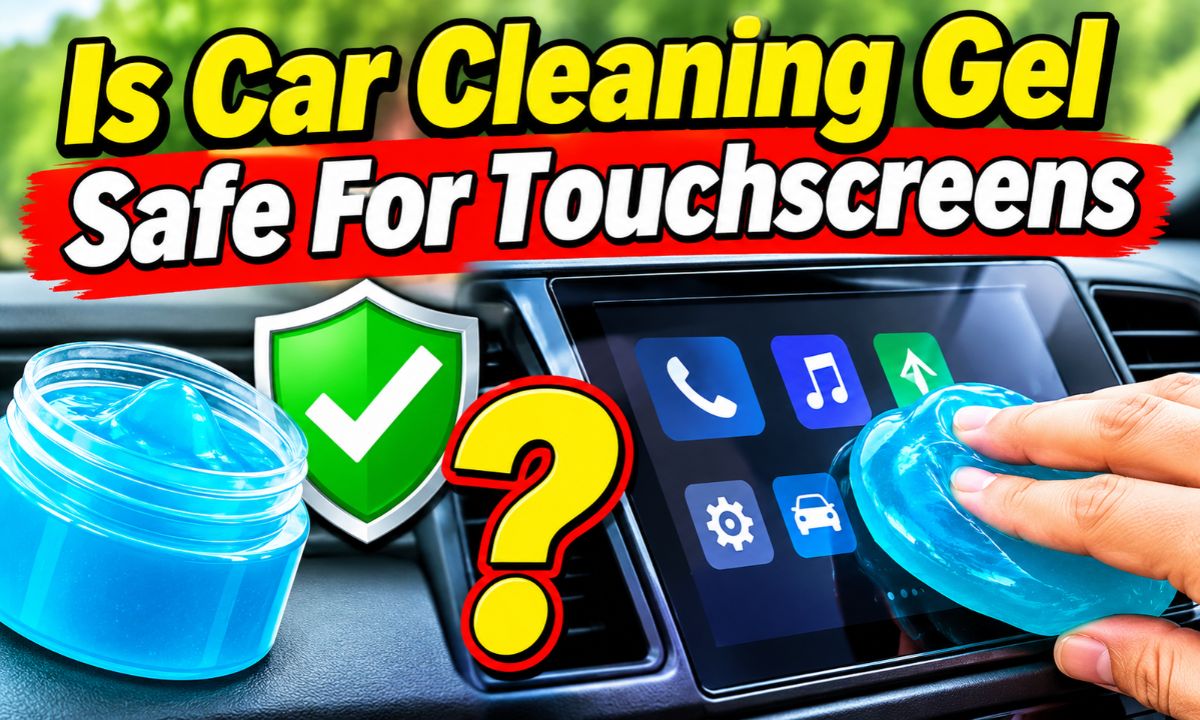
No, most car cleaning gels are not recommended for touchscreens unless their manufacturers specifically approve them for display surfaces.
Across the United States, drivers use car cleaning gel to remove dust, crumbs, and dirt from dashboards, air vents, cup holders, and other hard-to-reach areas. It looks like an easy way to keep a car interior neat. However, using that same gel on a touchscreen is a different matter. Your car’s infotainment display has a sensitive surface that needs careful cleaning.
Most car cleaning gels are made to pick up loose dirt from textured surfaces. They are not automatically designed for glass displays or touch-sensitive panels. Some may leave a sticky film, while others may contain ingredients that are not approved for screen coatings. Even a gel that feels soft in your hand may be unsuitable for a delicate display.
The safest choice is to follow your vehicle owner’s manual and use a clean, soft microfiber cloth. If your screen needs more than a dry wipe, check the manufacturer’s cleaning instructions before adding moisture or a cleaning product. A little care can help preserve the screen’s finish, touch response, and clear appearance.
Why Car Cleaning Gel Is Not Usually Safe for Touchscreens
Car cleaning gel is not automatically safe for every surface inside your vehicle. Its main purpose is to collect dust, crumbs, hair, and loose dirt from small spaces. This makes it useful for areas where a cloth cannot reach easily. However, a touchscreen needs a different type of care.
A car infotainment display may have several surface layers. These can include a glass or plastic outer panel, touch-sensing components, and a protective coating. The exact construction varies by vehicle and display model. A cleaning product that works well on a plastic dashboard may not be suitable for these materials.
Most general-purpose cleaning gels are not tested or approved for every type of display. Unless the label clearly identifies touchscreen compatibility and the vehicle manufacturer permits that cleaning method, it is better to keep the gel away from the screen.
The main concern is not only whether the gel sticks to the display. Its ingredients, texture, cleaning pressure, and ability to leave residue can all affect the result. A screen may look clean at first but develop a cloudy or greasy appearance after repeated use.
Source: amazingcarsanddrives.com
Sticky residue
Some gels can leave a thin film on a smooth display. This film may attract dust, create streaks, and make the screen harder to clean.
Unverified ingredients
A general cleaning gel may contain ingredients that have not been tested for the screen’s protective coating or outer material.
Pressure and friction
Pressing a gel onto the display and pulling it away may create unnecessary friction or stress, especially if dirt becomes trapped between the gel and screen.
Moisture concerns
Some gels may leave moisture or oily residue behind. This is a concern near display edges, buttons, and other openings.
The Difference Between a Dashboard and a Touchscreen
A dashboard is usually made from hard plastic, soft-touch plastic, vinyl, or other interior materials. Many cleaning gels are designed to collect dust from these surfaces. Their flexible texture can reach grooves and narrow spaces.
A touchscreen is a more delicate surface. It may have an anti-glare finish or an oil-resistant coating. These layers help reduce reflections and fingerprints. An unsuitable cleaner or rough cleaning method may affect their appearance or performance.
Think of the difference between cleaning a plastic storage bin and cleaning a pair of eyeglasses. Both may look smooth, but they do not need the same cleaning method. Your car’s display deserves the gentler approach.
Dashboard
Usually suitable for a compatible interior cleaning gel when the product label permits its use.
Air vents
A common use for cleaning gel because it can collect loose dust from narrow spaces.
Touchscreen
Requires a cleaning method approved for the specific display. Ordinary detailing gel should be avoided.
What Is an Oleophobic Coating?
An oleophobic coating is a surface layer designed to repel oils. It helps reduce fingerprints and makes some displays easier to wipe clean. Similar coatings are used on many smartphones and other electronic screens.
This coating can wear down through normal use. Repeated rubbing, abrasive materials, and unsuitable cleaning products may speed up its loss. Not every car touchscreen uses the same coating, so you should not assume that your display has identical protection to a smartphone.
A cleaning gel is not a proven way to preserve this layer. A soft microfiber cloth is a better starting point because it can remove everyday fingerprints without requiring a sticky material.
What Can Happen If You Put Cleaning Gel on a Car Screen?
Using an unsuitable cleaning gel on a touchscreen can create several problems. The outcome depends on the gel formula, screen material, amount of pressure, and length of contact. Not every accidental touch will cause permanent damage, but there is little reason to take the risk.
One common problem is residue. A gel that works well on dashboard plastic may leave a film when used on smooth glass or coated plastic. This can make fingerprints more visible and reduce screen clarity.
Another concern is trapped dirt. If dust or small particles stick to the gel, pressing it against the display may drag those particles across the surface. This can cause fine scratches, especially when the screen is wiped or rubbed afterward.
There is also the risk of contact with the display’s edges. Cleaning gel may spread into narrow gaps around the panel, depending on its consistency and how it is handled. Moisture or unwanted material near these areas can create additional cleaning and maintenance concerns.
Source: autocarehq.com
Cloudy appearance
Residue can make the display look hazy or leave patches that are difficult to remove.
Sticky surface
Some gel formulas may leave a tacky feeling that collects more dust and fingerprints.
Fine scratches
Loose dirt trapped between the gel and display may create scratches if it moves across the surface.
Coating wear
Repeated use of unsuitable materials or cleaners may affect protective surface treatments.
Edge contamination
Gel or moisture may enter the gaps around the display if the product is pressed too close to the edges.
Can Car Cleaning Gel Scratch a Touchscreen?
Yes, it can contribute to scratching under certain conditions. The gel itself may feel soft, but that does not guarantee that it is free from abrasive particles. Dirt picked up from a dashboard, air vent, or other surface may remain trapped inside it.
When you press contaminated gel against a screen, those particles may rub against the display. Pulling the gel away or moving it across the surface can increase the risk.
This does not mean every gel will scratch every display. However, without a clear manufacturer approval and a clean application method, the risk is unnecessary. Use a clean microfiber cloth instead.
Avoid reused gel
Never use gel that has already collected dust, crumbs, or grit from another part of the vehicle on a display.
Avoid firm pressure
Do not press a sticky material hard against a sensitive screen.
Can Cleaning Gel Damage the Touchscreen Coating?
It is possible, but the risk depends on the gel’s formula and the screen’s surface treatment. A general-purpose product may contain ingredients that have not been evaluated for a particular coating.
A screen can also lose some of its fingerprint resistance through ordinary wear. Therefore, a change in how easily fingerprints wipe away does not automatically prove that cleaning gel caused the problem.
The practical rule is simple: do not use a product on a display unless both the product instructions and the vehicle manufacturer’s guidance support that use.
How to Clean a Car Touchscreen Safely
The safest routine is to switch off the display, remove loose dust with a clean microfiber cloth, and follow the cleaning instructions in your owner’s manual. This method avoids unnecessary chemicals and reduces the chance of scratching the surface.
You do not need a large collection of detailing products to clean an infotainment screen. A soft, clean microfiber cloth is often enough for everyday fingerprints and light dust.
Some manufacturers allow a slightly damp cloth for stubborn marks, while others require dry cleaning only. This difference matters. Always identify the correct method for your vehicle before using water or a screen cleaner.
Source: autocarehq.com
What you need
A clean, soft, lint-free microfiber cloth. Keep a second dry cloth available if the approved method requires a final dry wipe.
What to avoid
Ordinary car cleaning gel, paper towels, rough cloths, household glass cleaners, abrasive pads, and unapproved chemical products.
Step 1: Turn Off the Infotainment Screen
Turn off the vehicle or switch off the infotainment system according to the owner’s manual. If the display stays active, accidental touches may open menus or change settings while you clean.
A dark screen also makes fingerprints, dust, and smudges easier to see. You can check the display without confusing existing marks with reflections or bright icons.
Safety first
Park the vehicle in a safe location. Never clean the display while driving or while you need to watch the road.
Step 2: Remove Loose Dust
Use a clean, dry microfiber cloth to lift loose dust from the display. Move gently and avoid pressing hard. Small particles can act like grit if you rub them into the screen.
Use a fresh section of the cloth as you work. If the cloth has collected dirt from the dashboard or another surface, replace it before touching the display.
Use gentle movements
Wipe with light pressure using short, controlled movements.
Keep the cloth clean
Do not use a microfiber cloth that contains trapped sand, grit, or dried cleaning product.
Step 3: Remove Fingerprints and Smudges
For ordinary fingerprints, try a clean microfiber cloth first. Many marks will come off without additional moisture. Avoid repeated hard rubbing over the same spot.
If a fingerprint remains, check the owner’s manual. If the manufacturer permits moisture, lightly dampen a corner of the cloth with the approved liquid. Never pour liquid onto the display.
Some vehicle screens require dry cleaning only. If your manual gives that instruction, do not use water or a cleaning spray even when the screen has stubborn marks.
Follow the manual
The vehicle manufacturer’s instructions take priority over general cleaning advice.
Control moisture
The cloth should not drip or leave visible pools of liquid on the display.
Step 4: Dry the Screen When Required
If your vehicle’s approved cleaning method uses a damp cloth, follow any specified rinsing or drying steps. A second clean microfiber cloth may be appropriate for removing remaining moisture when the manual permits it.
Do not leave moisture sitting around the display edges, buttons, or openings. Avoid using a heat gun, hair dryer, or direct sunlight as a shortcut for drying.
Check for streaks
Look at the screen from different angles to check for leftover marks.
Allow the display to dry
Wait until the screen is completely dry before using it again.
Step 5: Check the Display
Once the screen is clean and dry, turn the infotainment system back on. Check whether the display looks clear and whether normal touch functions work as expected.
A successful cleaning should remove ordinary fingerprints and dust without leaving a sticky feel, cloudy patches, or visible moisture. If the screen still looks unusual, stop cleaning rather than applying stronger products.
Good result
The screen looks clear, feels clean, and responds normally to touch.
Possible problem
Persistent haze, unusual discoloration, or a change in touch response may require professional inspection.
Which Cleaning Products Are Safe for Car Touchscreens?
The safest cleaning product depends on the display and its manufacturer’s instructions. There is no single liquid or cleaning gel that is guaranteed to work on every car touchscreen.
For routine cleaning, a soft microfiber cloth is the best starting point. For stubborn marks, the owner’s manual may permit distilled water on a cloth or a specific screen-cleaning product.
Do not assume that a product labeled safe for electronics is automatically safe for your vehicle. Some displays have special anti-glare finishes or other surface treatments that require different care.
Source: amazingcarsanddrives.com
Microfiber cloth
A suitable first choice for removing ordinary dust and fingerprints.
Distilled water
May be suitable when the vehicle manufacturer allows a slightly damp cloth. Apply it to the cloth rather than directly to the screen.
Screen cleaner
Use only when the product is approved for the display material and the vehicle manual permits it.
Car cleaning gel
Keep it away from the touchscreen unless its manufacturer specifically approves that exact product for the display and the vehicle manufacturer permits its use.
Can You Use Isopropyl Alcohol on a Car Touchscreen?
Do not assume that isopropyl alcohol is safe for every car display. Some manufacturers permit certain alcohol-based cleaning methods, while others warn against alcohol or solvents.
For example, Ford’s current online owner guidance for some vehicles recommends a microfiber cloth for fingerprints and dust and warns against pouring or spraying alcohol onto the touchscreen. It also warns against detergent and solvents.
Apple permits certain alcohol wipes for some of its hard, nonporous products, but that guidance does not automatically apply to car infotainment displays. Each manufacturer sets its own cleaning rules.
If your vehicle manual does not specifically permit alcohol, do not experiment with rubbing alcohol, disinfectant wipes, or alcohol-based sprays.
Avoid direct application
Never pour or spray alcohol directly onto a car touchscreen.
Check compatibility
Confirm that the exact concentration and cleaning method are allowed for your display.
Can You Use Glass Cleaner on an Infotainment Screen?
Ordinary household glass cleaner is generally a poor choice for a car touchscreen unless the vehicle manufacturer specifically approves it. A product made for home windows may contain ingredients that are unsuitable for display coatings.
Some glass cleaners contain ammonia or other chemicals that can affect sensitive surface treatments. A clear glass bottle or a streak-free label does not prove that the formula is safe for an automotive display.
Choose the method in your owner’s manual instead. If the manual calls for a dry microfiber cloth, stick with that method.
Avoid ammonia-based cleaners
Do not use them unless your vehicle manufacturer explicitly approves the exact product.
Avoid household sprays
A cleaner designed for windows, mirrors, or kitchen surfaces may not be suitable for your touchscreen.
Are Electronics Screen Cleaning Wipes Safe?
Some electronics wipes are made for delicate displays, but their use on a car screen still depends on the vehicle manufacturer’s instructions. The words screen safe do not guarantee compatibility with every anti-glare or protective coating.
Check the wipe’s ingredients and intended surfaces. Avoid wipes that contain abrasive particles, strong solvents, or other ingredients that conflict with your owner’s manual.
If the vehicle manufacturer recommends only a dry cloth, use that instead of an electronics wipe.
Car Cleaning Gel vs. Microfiber Cloth: Which Is Better?
A microfiber cloth is the better choice for cleaning a touchscreen. It is designed to lift dust, oils, and fingerprints from smooth surfaces without the sticky contact associated with cleaning gel.
Car cleaning gel has a different job. It can be useful for collecting loose debris from narrow gaps, textured plastic, and some air vents when the product instructions permit those uses. It is not a replacement for a screen-cleaning cloth.
The best approach is to use each tool for the surface it was designed to clean. This keeps dirt from moving between different parts of the cabin and reduces the chance of unwanted residue on sensitive displays.
Source: carwashwiz.com
Touchscreen cleaning
Choose a clean, soft microfiber cloth and follow the vehicle manufacturer’s instructions.
Air vent cleaning
Use compatible cleaning gel to collect loose dust from narrow vent spaces without forcing it into the mechanism.
Dashboard cleaning
Use a gel or interior cleaner only if its label permits the dashboard material.
Cup holder cleaning
A suitable detailing gel may help collect loose crumbs and dust from accessible cup holder areas.
Comparison of Common Car Cleaning Tools
The following table compares common interior cleaning tools by their intended use. It is a general guide, not a substitute for the instructions supplied with your vehicle or cleaning product.
Microfiber cloth
Best starting option for routine touchscreen dust and fingerprints. Use a clean, soft cloth and follow the approved dry or damp method.
Car cleaning gel
Useful for compatible textured interior surfaces and some vent areas. Not recommended for displays without specific approval.
Soft detailing brush
Can remove loose dust from dashboard seams and vent edges. Keep it away from the screen if its bristles are not approved for delicate displays.
Screen cleaning wipe
May work on compatible displays when the vehicle manufacturer permits its ingredients and cleaning method.
Household paper towel
Not a preferred option because its surface may be rougher than a suitable microfiber cloth.
Where Should You Use Car Cleaning Gel Instead?
Car cleaning gel can still be a useful detailing tool when used correctly. Its flexible texture can collect loose debris from places that are difficult to reach with a normal cloth.
Use it only on surfaces listed on the product label. Avoid electrical connections, buttons, speaker openings, moving parts, and delicate finishes unless the manufacturer specifically permits contact.
Keep the gel separate from your touchscreen cleaning supplies. This simple habit prevents dirt and residue from moving from one surface to another.
Air vents
Collect loose dust from accessible vent openings without forcing the gel deep inside.
Cup holders
Pick up crumbs and loose debris from compatible surfaces.
Dashboard seams
Reach some narrow gaps where dust collects, provided the dashboard material is compatible.
Center console
Clean suitable textured areas while keeping the gel away from sensitive controls and electronic openings.
How to Remove Cleaning Gel Residue From a Touchscreen
If cleaning gel has already touched your car’s display, do not panic. A small amount of contact does not automatically mean permanent damage. The first step is to stop using the gel and check the screen for visible residue or moisture.
Do not immediately reach for alcohol, glass cleaner, soap, or another strong product. Adding a second cleaning chemical may make the problem worse, especially if the original gel contains unknown ingredients.
Use the cleaning method approved by the vehicle manufacturer. For some displays, this may mean a clean, dry microfiber cloth. Other displays may allow a lightly damp cloth, but the manual should determine that choice.
Source: shunauto.com
Stop cleaning
Remove the gel from the cleaning process and avoid pressing or rubbing it further.
Inspect the screen
Look for sticky patches, haze, streaks, discoloration, or moisture near the edges.
Use an approved cloth
Follow the vehicle’s recommended cleaning method to remove any remaining surface material.
Seek help if needed
Contact an authorized dealer or qualified service provider if residue remains or the display behaves differently.
What If the Screen Feels Sticky?
A sticky feeling may indicate that some gel residue remains on the display. Do not try to remove it by scraping, scratching, or rubbing harder.
Check the gel packaging for its ingredients and cleaning instructions. Keep this information available in case the vehicle dealer or display manufacturer needs to identify the product.
Use only the approved cleaning method. If the sticky layer does not come off with gentle cleaning, stop and ask the dealer for advice.
What If the Screen Looks Cloudy?
Cloudiness may come from leftover cleaning material, surface moisture, fingerprints, or a change in the screen’s finish. It is not possible to identify the cause from appearance alone.
Try the manufacturer’s normal cleaning method once, using a fresh cloth. Avoid repeating the process many times because excessive rubbing can create additional problems.
If the cloudy appearance remains after the screen is clean and dry, have the display inspected. A professional can help determine whether the issue is residue or damage to the surface.
What If Touch Controls Stop Responding?
If the screen stops responding after gel contact, stop cleaning and do not press harder. A change in touch response may have several causes, including software issues, moisture, or a hardware problem.
Turn the system off according to the owner’s manual and allow the exterior surface to dry if moisture is present. Do not use heat or insert tools into the display edges.
If the problem continues, contact an authorized service center. Avoid taking the screen apart or applying additional chemicals.
Do not force the controls
Repeated hard presses will not fix a display that is malfunctioning.
Avoid home repairs
Do not pry open the screen or try to remove its protective layers.
Common Mistakes to Avoid When Cleaning a Car Touchscreen
Most touchscreen cleaning problems come from using the wrong product or applying too much pressure. A display does not need aggressive scrubbing to remove everyday fingerprints.
Even a product that works well elsewhere in the cabin can be unsuitable for a screen. Before cleaning, think about the surface, the cleaning material, and the manufacturer’s instructions.
Avoid the following mistakes to keep your infotainment display in good condition.
Source: slickmotorz.com
Using ordinary cleaning gel
Do not assume that a gel made for dashboard dust is safe for glass or coated display surfaces.
Using a dirty microfiber cloth
Trapped dust and grit may scratch the screen during wiping.
Spraying cleaner directly onto the display
Liquid can collect around the edges and enter openings. Apply an approved liquid to a cloth only when the manual allows it.
Using excessive pressure
Hard rubbing is unnecessary for ordinary fingerprints and can increase surface wear.
Using paper towels
Some paper products have a rough texture and may leave fibers or marks.
Mixing cleaning products
Do not combine gel, alcohol, glass cleaner, or other products to create a stronger cleaning solution.
Cleaning while driving
Always park safely before cleaning or inspecting the infotainment display.
Ignoring the owner’s manual
Cleaning instructions can vary between vehicles and even between different display types.
Why More Cleaning Is Not Always Better
Touchscreens are designed for regular contact from fingers, but that does not mean they need frequent chemical cleaning. For most light dust and fingerprints, a gentle wipe is enough.
Repeated cleaning can increase friction and expose the display to more moisture or chemicals. It may also wear down a surface coating over time.
Clean the display when it needs attention rather than following an unnecessarily aggressive daily routine. A clean cloth and light pressure are usually better than a collection of strong products.
How to Choose a Touchscreen-Safe Car Cleaning Product
Choose a cleaning product based on the exact screen material and the instructions provided by your vehicle manufacturer. A broad claim such as safe for cars or suitable for interiors is not enough to establish touchscreen compatibility.
Read the product label before buying or using it. Look for clear instructions that identify compatible display surfaces, application methods, and ingredients. If the label does not mention touchscreens, do not assume that the product is suitable.
It is also helpful to check the vehicle manufacturer’s support information. Some automakers publish different instructions for different screen types, and some prohibit all liquids on certain displays.
Source: hygadget.com
Clear compatibility information
The product should explicitly identify the types of displays it can be used on.
Simple application instructions
Look for clear guidance about applying the cleaner to a cloth rather than directly to the screen.
Material information
Check whether the product is compatible with glass, coated glass, plastic, or the specific display surface.
No unsupported promises
Be cautious of broad claims such as completely scratch-proof or safe for every electronic screen.
Questions to Ask Before Using Any Cleaning Gel
A few simple checks can help you avoid using an unsuitable product. Do not rely only on the appearance or texture of the gel.
If the product manufacturer cannot confirm that the formula is suitable for your screen, use a microfiber cloth instead.
Is it specifically approved for touchscreens?
A product designed for air vents or dashboard plastic may not be approved for displays.
Does the vehicle manual allow it?
Even a screen-compatible product should not be used if the vehicle manufacturer prohibits that cleaning method.
Can it leave residue?
Check the product directions for warnings about sticky films, drying, or surface compatibility.
Is the application method clear?
Avoid products that require forceful pressing, scraping, or rubbing on a sensitive display.
Does Every Car Touchscreen Need the Same Cleaning Method?
No. Different vehicles can use different display materials and protective finishes. Their manufacturers may also give different instructions about moisture, alcohol, detergents, and cleaning cloths.
For example, Ford’s online owner guidance for certain current vehicles recommends a microfiber cloth for removing dust and fingerprints. It also warns against pouring or spraying alcohol onto the display and against using detergent or solvents.
Alpine’s multimedia system guidance shows another important difference. It identifies several screen types and gives different cleaning methods, including dry cleaning for some displays and a slightly damp microfiber cloth for others.
These examples show why a general car detailing tip should not replace the owner’s manual. Your exact vehicle model, display type, and model year matter.
Source: shunauto.com
Check the vehicle model
Use the cleaning guidance for your exact make, model, and model year.
Check the screen type
Some displays have anti-glare or other special surface treatments.
Check the permitted moisture level
Some screens allow a slightly damp cloth, while others require dry cleaning.
Follow any updated instructions
If the manufacturer provides newer service guidance, check whether it applies to your display.
Where to Find Your Vehicle’s Screen Cleaning Instructions
Start with the vehicle owner’s manual. Look under sections such as Vehicle Care, Interior Cleaning, Display Cleaning, or Infotainment System Maintenance.
If you cannot find the instructions, visit the official automaker website and search for your vehicle’s digital manual. You can also contact an authorized dealership and ask about the approved cleaning method.
If you have an aftermarket touchscreen, check the display manufacturer’s documentation as well. The vehicle manual may not cover every accessory or replacement display.
Owner’s manual
The primary source for cleaning rules for the original vehicle display.
Automaker support website
A useful place to find digital manuals and current maintenance guidance.
Authorized dealer
Can help clarify instructions when the screen type or cleaning requirements are unclear.
Aftermarket display documentation
Provides the cleaning rules for an installed replacement or additional display.
Frequently Asked Questions
Q
Can I use car cleaning gel on my car’s touchscreen?
You should avoid using ordinary car cleaning gel on your touchscreen. Most products are made for dashboard surfaces, air vents, and other textured areas rather than delicate displays. Use a clean microfiber cloth unless the gel manufacturer and vehicle manufacturer specifically approve that product for your screen.
Q
Can cleaning gel leave marks on a car screen?
Yes. Some cleaning gels may leave sticky residue, streaks, or a cloudy film on smooth display surfaces. Dirt trapped inside the gel may also create fine scratches if it moves across the screen. Stop using the gel and follow the approved cleaning instructions if marks appear.
Q
Is microfiber better than car cleaning gel for touchscreens?
Yes. A clean, soft microfiber cloth is generally the better choice for routine touchscreen cleaning. It can remove dust and fingerprints without the sticky contact of detailing gel. Use a dry or slightly damp cloth according to your vehicle manufacturer’s instructions.
Q
Can I use a phone screen cleaner on my car touchscreen?
Not automatically. A cleaner designed for a smartphone may still be unsuitable for your vehicle’s display coating or material. Check the product label and your owner’s manual before using it. If compatibility is unclear, use a clean microfiber cloth.
Q
Can I use rubbing alcohol to clean my car infotainment screen?
Only if your vehicle manufacturer specifically permits the cleaning method and concentration. Some manufacturers warn against alcohol on their displays, while other electronic device makers allow certain alcohol-based wipes for particular products. Never assume that instructions for a smartphone apply to your car.
Q
What should I do if cleaning gel gets stuck around the screen edges?
Do not push the gel farther into the gaps or use a sharp tool to remove it. Stop cleaning and consult the vehicle manufacturer’s instructions. If the material is trapped inside the display edges or near controls, contact an authorized service center rather than trying to dismantle the panel.
Q
Can I use car cleaning gel on the plastic around my touchscreen?
Possibly, but check the gel label and the vehicle manufacturer’s guidance first. The plastic trim around a display may have a different finish from ordinary dashboard plastic. Keep the gel away from the screen, buttons, openings, and control gaps.
Q
How often should I clean my car touchscreen?
Clean it when dust, fingerprints, or visible marks build up. There is no universal cleaning schedule for every vehicle. Frequent aggressive wiping is unnecessary and may increase surface wear. A gentle wipe with a clean microfiber cloth is usually enough for routine care.
✦ Wrapping Up
Conclusion
So, is car cleaning gel safe for touchscreens? In most cases, you should avoid using it. Ordinary detailing gels are designed to collect dust and debris from areas such as air vents, dashboard seams, and cup holders. They are not automatically suitable for delicate infotainment displays.
The main concerns include sticky residue, trapped dirt, unwanted moisture, and possible damage to protective surface coatings. Even if a gel feels soft, that does not prove that it is safe for your screen. Its ingredients and cleaning method matter just as much as its texture.
A clean microfiber cloth is the better choice for everyday touchscreen care. For stubborn fingerprints or marks, follow the cleaning instructions in your owner’s manual. Some screens allow a lightly damp cloth, while others require dry cleaning only.
You can still use car cleaning gel as part of your interior detailing routine. Keep it on compatible surfaces and away from delicate electronics. Using the right cleaning tool for each part of your vehicle is a simple way to keep the cabin clean without creating avoidable problems.
💡 Key Takeaway
Before cleaning your car’s touchscreen, check the owner’s manual, turn off the display, and use a clean microfiber cloth. Keep ordinary car cleaning gel away from the screen unless both manufacturers specifically approve its use.