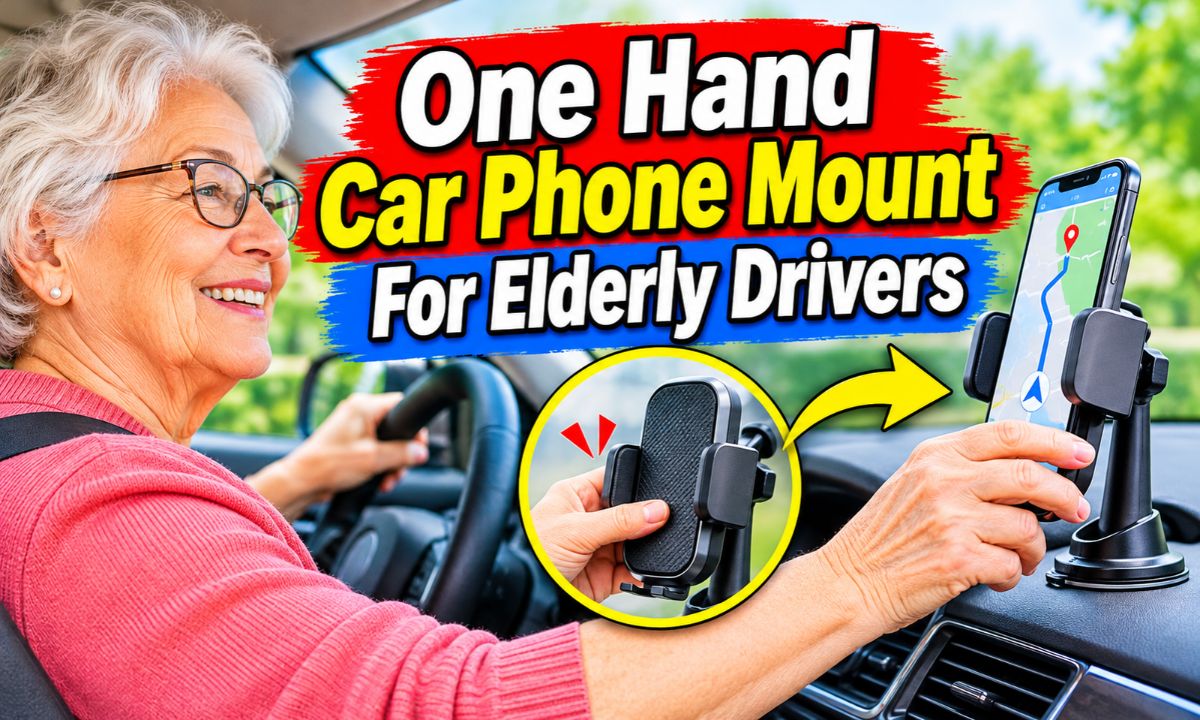
A one-touch mechanical cradle or a magnetic car phone mount with a secure, easy-release design can make phone placement simpler for older drivers.
Driving across the United States often means using a phone for GPS directions, traffic alerts, and calls. For older drivers, reaching for a phone or struggling with a small holder can make a simple trip more stressful. A well-placed car phone mount gives the phone a fixed place near the driver’s normal field of view. It can also reduce the need to search between seats or reach toward the center console.
The best choice depends on how easily the driver can grip, press, and release the phone. Some mounts use spring-loaded arms, while others rely on magnets or a simple support cradle. A one-hand design should allow the driver to place or remove the phone without struggling with several small controls. However, a phone mount does not make phone use during driving safe. Set up the phone before moving, use navigation without repeated screen interaction, and pull over safely whenever an adjustment is needed.
Older drivers have different needs. One person may prefer a large release button, while another may find a magnetic holder easier because it requires less finger movement. Hand strength, eyesight, phone size, vehicle layout, and personal comfort all matter. The goal is to find a holder that feels natural to use while the vehicle is parked and stays securely in place during normal driving.
A one-hand phone mount can make everyday driving tasks easier by reducing the effort needed to place and secure a phone. Instead of holding the phone while trying to adjust a bracket, the driver can use a holder designed around a simple movement. This can be helpful when small buttons, tight springs, or awkward clips are difficult to operate.
For example, an older driver may want to place a phone in a holder before leaving home. A complicated mount may require both hands and several adjustments. A simple cradle or magnetic holder can reduce those steps when the vehicle is parked.
Age alone does not determine which mount someone needs. Hand mobility, vision, posture, and personal comfort differ from one person to another. A good choice should match the driver’s abilities rather than rely on assumptions about all senior drivers.
The National Institute on Aging recommends limiting distractions and using hands-free features when using a phone for navigation. A mount can help position the screen, but drivers should still keep their attention on the road.
Less finger movement
A large release button or magnetic connection may be easier to manage than several small locking tabs.
A fixed phone position
The driver knows where the phone is instead of searching through a bag, seat, or center console.
Better access before driving
The phone can be positioned and secured while the vehicle is parked, making it easier to prepare navigation.
Less physical effort
An adjustable arm can bring the phone closer without requiring the driver to lean forward or stretch toward the dashboard.
Common Difficulties With Traditional Phone Holders
Some traditional phone holders use narrow side clips that must be pulled apart before the phone can fit. Others have stiff springs or tiny release buttons. These designs may be inconvenient for someone with limited finger movement or reduced hand strength.
A holder that requires two hands is not always a poor choice, but it may not meet the needs of someone who specifically wants one-hand operation. The important detail is how much pressure and movement the holder requires while the car is parked.
A long or awkward mounting arm can create another problem. If the phone sits too far away, the driver may lean forward to see it. A better setup keeps the screen within a comfortable viewing area without interfering with normal driving.
Small controls
Tiny buttons can be difficult to locate and press.
Stiff clamps
Strong springs may require more hand pressure than the driver can comfortably apply.
Poor positioning
A holder that sits too low or too far away may encourage uncomfortable reaching.
Best Types of One-Hand Car Phone Mounts for Elderly Drivers
The most useful mount type depends on how the driver prefers to hold and release a phone. Mechanical cradles, magnetic holders, gravity holders, and automatic clamping mounts all work in different ways.
A mechanical one-touch cradle is a practical starting point for someone who wants a physical grip around the phone. A magnetic mount may suit someone who finds it easier to bring a compatible phone toward a magnetic surface. Gravity holders can reduce the number of steps, but they may require a specific insertion motion.
There is no single mount that works best for every older driver. Compare the operating force, phone compatibility, release method, and mounting position before choosing.
One-touch mechanical cradle
This holder usually has a trigger or button that opens or closes its side arms. It can be a good choice for drivers who prefer a physical grip and a clear release control.
Magnetic phone mount
A magnetic holder keeps the phone against a magnetic surface. It can be convenient when the phone or case supports the required magnetic connection.
Automatic clamping mount
Some holders detect the phone and close their arms around it. These can reduce manual effort, but the driver should check how the holder releases the phone and whether it needs power.
Gravity phone holder
This design uses the phone’s weight to move supporting arms into position. It can be simple, although the phone must be lowered into the holder in the correct direction.
Adjustable dashboard cradle
A dashboard holder with a wide support base can provide a stable position and allow the screen to be adjusted before driving.
One-Touch Mechanical Cradle
A one-touch mechanical cradle uses a physical mechanism to hold the phone. Some designs have side arms that open when the user presses a release control. Others use a rear trigger that closes the arms when the phone touches it.
This design can be useful for older drivers who prefer to feel the phone lock into place. It does not depend on a magnetic phone case, so it may work with many different smartphone brands and protective cases.
However, not every one-touch cradle is equally easy to use. Some require the user to squeeze two side buttons at once. Others use a single central trigger. Look for the second type if the driver has difficulty coordinating both hands or pressing several controls.
Main benefit
A physical grip holds the phone from the sides and provides a clear attachment point.
Main limitation
The release mechanism may still require finger strength or careful positioning.
Magnetic One-Hand Phone Mount
A magnetic holder can make attaching a phone feel simple. The driver brings a compatible phone close to the mount, and the magnetic connection helps hold it in place. Removing the phone usually involves pulling it away from the magnetic surface.
This system may suit someone who has trouble opening mechanical clamps. It can also make it easier to switch between portrait and landscape positions if the mount has a rotating head.
Compatibility is important. Some magnetic mounts are designed for MagSafe-compatible iPhones or cases, while others use a metal plate attached to a phone or case. A metal plate may affect wireless charging, so check the phone and accessory instructions before installing one.
A magnetic connection should never be judged by appearance alone. The holder must keep the phone secure during ordinary road movement. Test the fit while parked and make sure the phone does not slide or fall when the car moves.
Main benefit
Attaching and removing a compatible phone may require fewer hand movements.
Main limitation
The phone, case, and magnetic mount must work together. A weak or poorly aligned connection can allow the phone to fall.
Automatic and Motorized Phone Holders
Automatic phone holders use sensors or powered mechanisms to close their arms around a phone. Some models open when the driver presses a button, while others use a sensor to detect the phone.
These holders can be convenient for someone who struggles with manual clamps. However, they may depend on a power connection, internal motors, or electronic controls. The driver should understand how to release the phone if the vehicle power is off or the mechanism stops working.
A motorized holder is not automatically easier than a basic cradle. It may have more controls and parts to manage. Try the opening and release process while parked before deciding.
Main benefit
The holder can reduce the amount of manual work needed to secure a phone.
Main limitation
It may need power and can be harder to operate if its electronic controls fail.
Important Features to Look for Before Buying
The best phone mount for an older driver should be easy to operate, stable, adjustable, and compatible with the phone. A low price or attractive design should not be the main deciding factor.
Start by checking the release system. The driver should be able to understand how it works without reading a long set of instructions every time. Large controls, a simple locking motion, and a clear release point can make daily use easier.
Next, check the phone support. The holder should fit the phone with its normal protective case. A phone that barely fits between the arms may be difficult to insert and could become loose over time.
Finally, consider the mount’s position inside the vehicle. A holder should not block the driver’s view of the road, mirrors, warning lights, or important controls.
Large release button
A large button is often easier to locate and press than a small recessed control.
Simple locking action
Look for a holder that uses one clear movement instead of several separate adjustments.
Wide phone support
The cradle should fit the phone and protective case without forcing the side arms.
Adjustable viewing angle
A rotating head and adjustable arm can help place the screen at a comfortable angle.
Stable mounting base
The base should stay attached to the chosen surface during normal driving.
Easy-to-clean design
A simple holder with fewer small gaps can be easier to keep free of dust and dirt.
Clear charging access
A cradle with an opening at the bottom can allow a charging cable to remain connected without getting pinched.
Choose Controls That Match Hand Strength
A person with reduced grip strength may prefer a magnetic holder or a cradle with a broad release button. Someone with good finger movement but limited wrist flexibility may prefer a holder that allows the phone to be placed from the front.
The best test is simple: while seated in the parked car, try the holder with the phone and its case. Notice whether the driver must squeeze hard, twist the wrist, or use several fingers at once.
If the holder causes pain, shaking, or repeated failed attempts, choose another design. A phone mount should reduce effort, not add another difficult task.
For limited finger strength
Consider a magnetic holder or a cradle with a large, light-touch release control.
For limited wrist movement
Consider a front-loading cradle with an adjustable angle.
For reduced coordination
Choose a holder with one clear attachment motion and a simple release method.
Check Phone Size and Case Compatibility
Smartphones vary in width, thickness, and weight. A large phone with a rugged case may not fit in a compact cradle, even when the product description says it supports most phones.
Measure the phone with its case if the manufacturer provides a size range. Compare that measurement with the holder’s supported width and thickness.
For magnetic holders, check whether the case has a compatible magnetic system. A thick case, an incorrectly placed metal plate, or a poorly aligned magnet may reduce the strength of the connection.
Measure the complete phone
Include the protective case, camera bump, and any attached accessories.
Check magnetic support
Confirm the phone or case is compatible with the exact magnetic holder.
Avoid forced fitting
The phone should enter and leave the cradle without bending or damaging its protective case.
Which Mounting Location Is Best for an Older Driver?
The best mounting location is one that keeps the phone easy to see without blocking the driver’s view of the road. It should also allow the driver to sit normally, reach the phone before driving, and keep both hands available for vehicle control.
Dashboard, windshield, air vent, and cup holder mounts each have advantages and limits. The vehicle’s layout matters more than the mounting style alone.
A dashboard location may be convenient when the surface is suitable for the base. A vent mount can be useful when dashboard space is limited, but it may block airflow. A cup holder mount can avoid adhesives, although it may place the phone too low for comfortable viewing.
Dashboard mounting
Can provide a convenient viewing position when the dashboard has a suitable flat or approved mounting surface.
Windshield mounting
Can offer flexible placement, but the holder must not obstruct the driver’s view or violate applicable local rules.
Air vent mounting
Can be useful in vehicles with limited dashboard space, but may interfere with airflow or vent controls.
Cup holder mounting
Can avoid dashboard adhesives, but the phone may sit too low and take up a useful cup holder.
Dashboard Mounts
A dashboard mount can be a convenient choice for drivers who want the phone near the center of the cabin. Some models use suction cups, while others use adhesive pads or special dashboard discs.
Before attaching one, check the dashboard material. Textured, curved, soft, or leather-covered surfaces may not provide a suitable bond for every suction or adhesive base.
Avoid placing the mount overdashboard airbag covers or near areas where an airbag may deploy. Follow the vehicle and mount manufacturers’ instructions.
Windshield Mounts
Windshield mounts can provide flexible positioning, but they need careful placement. A phone should not block the driver’s view through the windshield or interfere with required sightlines.
Some states restrict where objects can be placed on a windshield. The rules can differ by state, so check the laws where the car is registered and driven.
For an older driver who already has difficulty seeing road signs or checking mirrors, a windshield mount that sits too high or too far to the side may be a poor choice.
Air Vent and Cup Holder Mounts
Vent mounts can be useful when a dashboard has no suitable flat surface. However, a heavy phone and mount can place pressure on vent slats. The holder may also reduce heating or cooling airflow.
Cup holder mounts avoid attaching anything to the dashboard or windshield. Their main drawback is viewing height. If the phone sits near the gear selector or center console, the driver may need to look down for longer.
The driver should test the location while parked and make sure it does not interfere with the gear selector, emergency brake, climate controls, or other important vehicle features.
How to Install and Use a One-Hand Car Phone Mount
Install the mount while the vehicle is parked in a safe location. Take time to check its position, phone fit, and release mechanism before using it on the road.
The process is easier when the driver prepares the phone first. Remove unnecessary accessories, clean the mounting surface as directed, and check that the phone can be inserted without touching nearby vehicle controls.
Do not try to adjust the mount while driving. If the phone moves, the holder becomes loose, or the screen is difficult to see, stop in a safe parking area before making changes.
Step 1: Select a suitable location
Choose a position that is easy to see and reach while seated normally. Keep the windshield, mirrors, airbags, and vehicle controls clear.
Step 2: Prepare the mounting surface
Clean and dry the selected surface according to the holder’s instructions. Check whether the surface supports suction or adhesive mounting.
Step 3: Attach the mount
Follow the manufacturer’s installation steps. Tighten the base or secure the suction mechanism as directed.
Step 4: Adjust the phone holder
Set the height, angle, and rotation while the car is parked. Keep the screen away from direct glare where possible.
Step 5: Test the one-hand operation
Place the phone in the holder and remove it while parked. Check whether the release control is comfortable to use.
Step 6: Test the phone’s stability
Confirm that the phone stays in place during gentle movement of the mount. Do not perform this test while driving.
Step 7: Prepare navigation
Enter the destination, set the volume, and activate any needed voice guidance before moving the vehicle.
How to Tell Whether the Installation Is Successful
A successful installation feels stable and comfortable. The phone should sit securely without leaning against vehicle controls or covering important parts of the driver’s view.
The driver should be able to understand the locking and release mechanism while seated normally. The holder should not require excessive finger pressure or repeated attempts.
Check the base after installation and again during routine vehicle cleaning. If the mount begins to loosen, stop using it until it has been properly secured or replaced.
Stable base
The mount does not peel away, slide, or wobble excessively.
Secure phone grip
The phone does not shift out of its support during normal handling.
Comfortable access
The driver can place and remove the phone without pain or awkward stretching.
Clear visibility
The holder does not obstruct the road, mirrors, or essential vehicle displays.
Comparison Table: Choosing the Right One-Hand Mount
This comparison shows how common mount designs differ in daily use. It focuses on operation, phone compatibility, and possible drawbacks rather than claiming that one style is best for every driver.
A driver with limited finger strength may prefer a magnetic holder. Someone who wants a physical grip may feel more comfortable with a mechanical cradle. The best choice is the one that can be operated comfortably while parked and stays secure during normal vehicle movement.
Mount Type Comparison
Use this table as a starting point. Actual ease of use depends on the specific model, phone, case, and vehicle.
Mechanical one-touch cradle
Operation: Physical button or trigger. Main advantage: Secure side support. Main concern: Some models need firm pressure.
Magnetic holder
Operation: Bring the compatible phone close to the mount. Main advantage: Simple attachment. Main concern: Magnetic compatibility and holding strength.
Automatic clamp
Operation: Electronic or sensor-based closing. Main advantage: Less manual clamping. Main concern: Power dependence and electronic controls.
Gravity holder
Operation: Lower the phone into the support. Main advantage: Simple mechanical action. Main concern: Phone size and insertion direction.
Cup holder mount
Operation: Place the phone into a cradle attached to the cup holder. Main advantage: No dashboard adhesive. Main concern: The phone may sit too low.
Common Problems and How to Fix Them
A phone mount may become difficult to use because of poor positioning, an unsuitable surface, a loose connection, or a phone that does not fit correctly. Check the simplest and safest causes first.
Do not keep using a mount that allows the phone to fall or shift into the driver’s lap. A loose phone can distract the driver and may interfere with vehicle controls.
Make adjustments only when the vehicle is parked. If the mount cannot hold the phone securely after proper installation, replace it with a compatible design.
The phone keeps falling
Check whether the cradle is wide enough, the case is too thick, or the magnetic connection is incompatible. Replace the holder if it cannot secure the phone.
The release button is too stiff
Look for a different design with a larger control or a magnetic attachment. Do not force a painful or difficult mechanism.
The suction cup will not stay attached
Check the mounting surface and clean it as directed. Some textured or curved dashboards are unsuitable for standard suction cups.
The screen is difficult to read
Adjust the angle while parked, reduce screen glare, and consider a different mounting location.
The holder blocks airflow
Move the holder to a suitable dashboard or cup holder location if the vehicle layout allows it.
The phone vibrates too much
Check the arm joints, base attachment, and phone fit. A shorter arm or a more stable mounting style may help.
What to Do When the Mount Is Difficult to Operate
First, identify which movement causes the problem. The difficulty may come from opening the arms, placing the phone, pressing the release button, or pulling the phone away from a magnet.
Try the holder while seated in the parked vehicle. If the problem continues, compare another holder that uses a different operating method. For example, someone who struggles with stiff spring arms may find a compatible magnetic holder easier.
If hand pain, weakness, or limited movement makes even simple controls difficult, consider asking an occupational therapist about practical ways to adapt everyday tasks. The goal is to find a setup that does not require uncomfortable movement.
What to Do When the Mount Keeps Coming Loose
A loose mount can result from dust, unsuitable dashboard material, heat, an incorrect installation method, or a worn suction cup. Follow the cleaning and attachment instructions for the exact model.
Do not add random glue, tape, or household adhesive to improve a mounting base. These materials may damage the vehicle’s surface or create a new attachment problem.
If the holder still moves, stop using it. A replacement with a different base style may be a better solution.
Driving Safety Tips for Older Adults Using Phone Mounts
A phone mount should make it easier to store and position a phone, not encourage more phone use while driving. The safest approach is to prepare the device before starting the trip and leave it alone while the vehicle is moving.
The National Highway Traffic Safety Administration identifies visual, manual, and cognitive distraction as important parts of distracted driving. A driver can be distracted by looking at a screen, handling a device, or focusing on a conversation instead of the road.
Hands-free operation does not remove every risk. Even a voice call or spoken navigation instruction can take attention away from driving. Older adults should use only the phone functions they can manage without losing focus.
The National Institute on Aging also advises older drivers to limit distractions, use hands-free features when needed, and avoid driving when tired or when vision or alertness makes driving difficult.
Prepare before moving
Enter the destination, check the route, adjust the volume, and secure the phone before leaving.
Keep the screen simple
Use clear navigation instructions and avoid unnecessary apps, messages, and notifications.
Avoid texting
Never read or type messages while driving. Stop in a safe parking area if a response is necessary.
Keep the road in view
Position the phone where a brief glance does not require leaning forward or looking far away from the road.
Use voice guidance carefully
Set up navigation before the trip and avoid complex voice commands while driving.
Check state laws
Review the phone-use and windshield-mounting rules in the states where the vehicle will be driven.
Why Hands-Free Does Not Mean Distraction-Free
A phone mount can reduce the need to hold a device, but it cannot remove every type of distraction. Reading a long direction, searching for an address, or following a complex conversation can still take attention away from driving.
The National Transportation Safety Board warns that hands-free phone use can still create cognitive distraction. This means the driver’s mind may be focused on the call instead of traffic conditions.
For this reason, a phone mount should support limited, prepared use. If the driver needs to change a route, answer a message, or fix a setting, the right action is to park safely first.
Check Visibility and Driving Comfort
A driver should be able to see the road, mirrors, and important dashboard information without leaning around the phone. A mount that appears convenient while parked may become distracting once the vehicle is on the road.
Check the setup from the normal driving position. Wear the glasses normally used for driving and confirm that the phone does not create glare or cover important sightlines.
If the driver has trouble reading road signs, judging distances, or reacting to traffic, a phone mount cannot solve those problems. A professional vision check or driving assessment may be appropriate.
Consider a Professional Driving Assessment
Some older drivers may benefit from an occupational therapy driving assessment. This can help identify whether changes in vision, movement, attention, or physical comfort affect driving tasks.
An occupational therapist with driving rehabilitation training may suggest vehicle adjustments or other adaptive equipment. These recommendations should be based on the driver’s actual needs rather than age alone.
If a driver cannot comfortably steer, turn to check traffic, or react to hazards, choosing a phone mount should not be treated as the main solution. Driving safety needs to come first.
Mistakes to Avoid When Buying a Senior-Friendly Phone Holder
A common mistake is choosing a holder because its description says one-hand operation without checking the actual mechanism. A product may allow one-hand use but still require considerable pressure or precise finger movement.
Another mistake is buying a magnetic mount without checking phone compatibility. The mount may look suitable but fail to hold a phone with a thick case or an unsuitable metal plate.
The mounting location also matters. A holder that fits the dashboard may still block an air vent, cover a control, or interfere with the driver’s view.
Ignoring the release mechanism
Check how the phone comes out of the holder. A simple attachment system is not helpful if removal requires a strong pull.
Buying without checking dimensions
Confirm that the phone fits with its protective case and any attached accessories.
Choosing a mount with a weak base
A holder that slips or falls can create a distraction. Match the base to the dashboard or vent design.
Placing the phone too low
A low position may force the driver to look away from the road for too long.
Ignoring vehicle safety features
Never attach a mount over an airbag cover or in an area that could interfere with airbag deployment.
Assuming expensive means easier
A simple mechanical holder may be easier to use than an expensive motorized model with several controls.
Testing while driving
Always check the holder’s controls, grip, and position while the vehicle is safely parked.
Do Not Buy Based on Age Labels Alone
Some products use terms such as senior-friendly or elderly-friendly in their descriptions. These labels do not prove that the holder is easy to operate.
Look at the actual design. A large release button, simple phone support, and a stable base provide more useful information than a general marketing claim.
Whenever possible, let the intended driver try the holder before buying. A design that feels easy for one person may be uncomfortable for someone else.
How to Choose a Mount for Different Driving Needs
The right phone holder depends on the driver’s physical comfort, phone type, and vehicle layout. A useful purchase decision starts with the main difficulty the holder needs to solve.
For example, a driver with limited finger movement may prefer a magnetic holder. Someone who wants a firm physical grip may prefer a mechanical cradle. A driver who changes cars often may want a removable base that does not require permanent installation.
The following examples are practical decision guides, not medical recommendations. The driver should test the selected mount while parked before relying on it.
For limited grip strength
Consider a magnetic holder or a mechanical cradle with a large, easy-to-press release button.
For large smartphones
Choose an adjustable cradle with enough width and depth for the phone and its protective case.
For frequent vehicle changes
Consider a removable suction or vent mount that can be installed according to each vehicle’s layout.
For limited dashboard space
Consider a suitable vent or cup holder design, provided the phone remains easy to view without reaching down.
For drivers who prefer physical controls
A mechanical one-touch cradle may be easier to understand than a sensor-based electronic holder.
A Practical Example
Imagine an older driver who uses a large Android phone with a thick protective case. The driver finds narrow spring clips difficult to open and wants to use navigation on familiar local roads.
A compact magnetic holder may not be the first choice if the phone case does not support its magnetic system. A larger mechanical cradle with a broad release button may be more suitable, provided the driver can operate it comfortably.
Now consider another driver who uses a compatible MagSafe iPhone and has difficulty pressing small buttons. A magnetic holder may require fewer hand movements and could be easier to manage.
These examples show why the phone, case, hand movement, and mounting position should be considered together. Buying a holder based on one feature alone can lead to an uncomfortable setup.
How to Maintain a Car Phone Mount
Regular checks can help keep a phone mount useful and secure. Dust, heat, repeated adjustments, and normal wear may affect the mounting base or phone grip over time.
The exact cleaning method depends on the material. Follow the manufacturer’s instructions rather than using strong cleaners that may damage plastic, rubber, suction cups, or adhesive surfaces.
Check the holder before longer trips and after moving it to another vehicle. If the base becomes loose or the release mechanism stops working correctly, repair or replace it before use.
Clean the holder
Remove dust and dirt using the cleaning method approved by the manufacturer.
Inspect the mounting base
Look for cracks, worn suction cups, loose joints, and damaged adhesive pads.
Check the phone grip
Make sure the arms, support pads, and magnetic surface still hold the phone securely.
Check moving parts
Confirm that the release button and adjustable joints work without sticking.
Keep the charging cable clear
Arrange the cable so it does not interfere with the steering wheel, gear selector, or other controls.
When Should You Replace a Phone Mount?
Replace a holder when it can no longer keep the phone secure or when important parts become damaged. A cracked arm, loose joint, worn suction cup, or faulty locking mechanism can make the holder unreliable.
A mount that repeatedly releases the phone should not remain in use just because it was expensive. The cost of a replacement is less important than preventing a loose device from becoming a distraction.
Also replace a holder if the driver can no longer operate it comfortably. A design that once worked may become less suitable after a change in phone size, case, or physical ability.
Frequently Asked Questions
Q
What is the easiest car phone mount for an elderly driver to use?
A one-touch mechanical cradle with a large release button or a compatible magnetic phone holder can be easy to use. The better option depends on the driver’s hand strength, finger movement, and phone type.
A magnetic holder may require fewer movements, while a mechanical cradle provides a physical grip. Try both designs while parked if possible, and choose the one that feels comfortable and secure.
Q
Are magnetic car phone mounts good for seniors?
Magnetic mounts can be useful for older drivers because attaching a compatible phone may require less finger movement than opening a spring-loaded cradle.
However, the phone or case must support the mount’s magnetic system. The connection must also be strong enough to keep the phone secure during normal driving. Check compatibility and test the holder while parked.
Q
Can an older driver install a phone mount without help?
Many basic phone mounts can be installed without professional help if the driver can comfortably handle the parts and follow the instructions. Suction and vent mounts may require fewer installation steps than some adhesive dashboard mounts.
However, installation should not involve stretching, awkward bending, or excessive force. If the driver has difficulty reaching the mounting location, a family member or another helper can assist.
Q
Where should a car phone mount be placed for better visibility?
The phone should be placed where the driver can see navigation information with a brief glance without blocking the windshield, mirrors, or important dashboard displays.
The ideal position varies by vehicle. Check the driver’s normal seating position and local windshield-mounting rules before attaching the holder.
Q
Are automatic phone holders better than manual holders for elderly drivers?
Not always. Automatic holders may reduce the effort needed to close the phone clamps, but they can depend on power, sensors, or electronic controls.
A simple mechanical cradle may be more dependable for someone who prefers physical controls. Compare the opening, closing, and emergency release process before buying.
Q
Can a one-hand phone mount hold a large smartphone?
Yes, some one-hand holders support large smartphones, but the maximum phone width, thickness, and weight vary by model.
Measure the phone with its protective case and compare it with the holder’s supported dimensions. Do not force an oversized phone into a small cradle.
Q
Is a car phone mount enough to make phone use while driving safe?
No. A phone mount helps keep the device in a fixed location, but it does not remove visual, manual, or cognitive distraction.
Prepare navigation before driving, avoid reading or sending messages, and stop in a safe parking area before making adjustments. Follow the phone-use laws in the state where you drive.
Q
What if an elderly driver has difficulty pressing phone mount buttons?
Consider a magnetic holder with a compatible phone or a cradle with a larger, lighter-touch release control. Avoid holders that require repeated squeezing or strong finger pressure.
If hand movement is painful or limited, an occupational therapist may help identify a more suitable way to manage everyday vehicle tasks.
✦ Wrapping Up
Conclusion
A one-hand car phone mount can make everyday phone placement easier for older drivers. The most useful design is one that matches the driver’s hand strength, phone size, and preferred way of attaching and removing the device.
A mechanical one-touch cradle is worth considering for someone who prefers a firm physical grip. A magnetic mount may suit someone who wants fewer finger movements. Automatic and gravity holders offer other options, but their controls and limitations should be checked before buying.
Do not overlook the mounting location. A good holder should keep the phone secure and easy to see without blocking the windshield, mirrors, airbags, or vehicle controls. It should also allow the driver to sit comfortably without leaning or stretching.
Most importantly, a phone holder is an organizational aid, not permission to use a phone freely while driving. Set up navigation before the trip, keep attention on the road, and park safely before making changes. A simple, comfortable, and stable setup is the best starting point for a more convenient driving routine.
💡 Key Takeaway
Before buying, test a one-touch cradle and a compatible magnetic holder while seated in the parked car. Choose the one that requires the least effort, securely holds the phone, and provides a clear view without blocking the road.