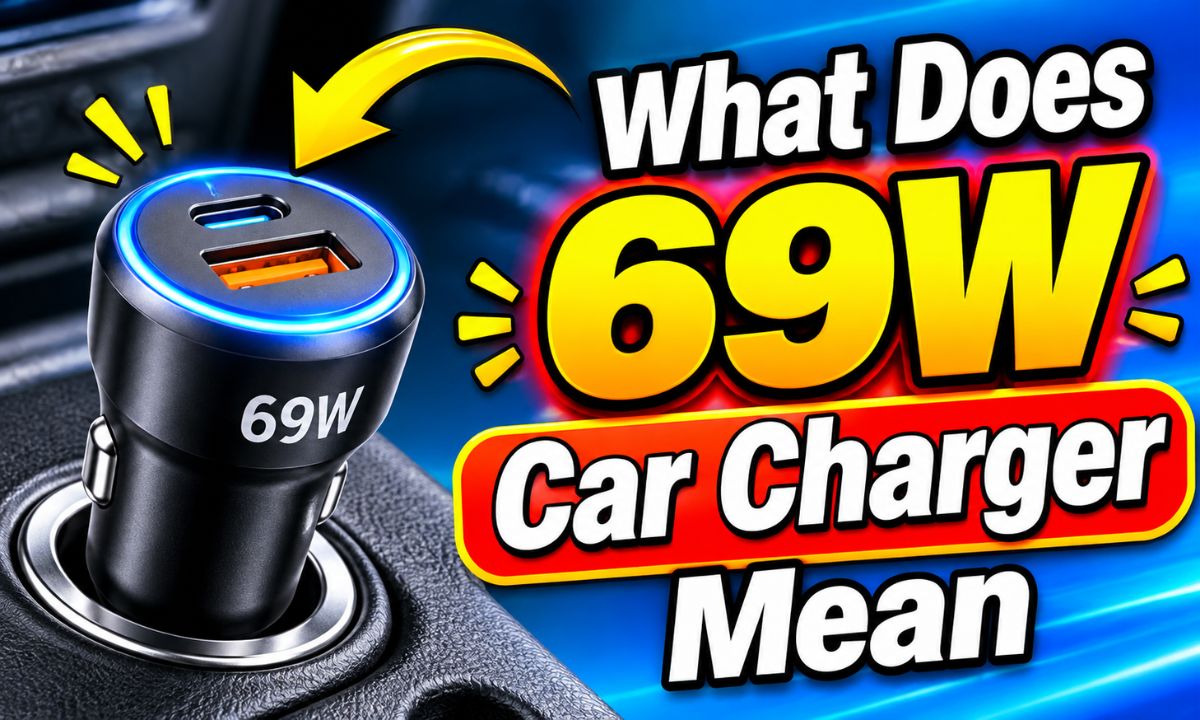
A 69W car charger can deliver up to 69 watts of electrical power through its USB ports, allowing compatible phones, tablets, and other devices to charge quickly.
When you shop for a car charger in the United States, you may see labels such as 18W, 30W, 45W, 65W, or 69W. These numbers describe the charger’s maximum power output. A higher wattage can support faster charging, but your phone, cable, and charging port must also support that power level.
A 69W car charger is often a multi-port USB adapter that plugs into your vehicle’s 12-volt accessory socket. Some models also work with 24-volt vehicle systems. You can use one to charge a phone, tablet, or compatible laptop while driving. The key detail is that 69W may be the combined output of several ports, not the power available from every port at once.
For example, a UGREEN 69W three-port car charger has two USB-C ports and one USB-A port. Its published specifications list a maximum total output of 69W, with different voltage and current options for each port. This makes it useful to understand the difference between total wattage and single-port wattage before connecting your devices.
The letters W stand for watts. A watt is a unit of electrical power. Therefore, 69W means that the charger has a stated maximum power output of 69 watts. It describes how much electrical power the charger can provide to connected devices under supported conditions.
Think of wattage as the amount of power available to do a job. A charger with a higher wattage can provide more power than a lower-rated charger when the connected device can use it. However, this does not mean every phone will charge at 69W.
For example, imagine plugging a phone that supports 20W charging into a compatible 69W car charger. The phone will normally request and receive power according to its supported charging limits. The charger does not force 69W into the phone.
This is why a 69W rating should be viewed as the charger’s maximum capability rather than a fixed charging speed.
Source: amazon.com.au
69W
The maximum stated power available from the charger, often shared across several ports.
USB-C
A connector commonly used for modern phones, tablets, and laptops. The connector alone does not guarantee fast charging.
USB Power Delivery
A charging standard that allows compatible chargers and devices to agree on suitable voltage and current.
Maximum output
The highest supported power under specified conditions, not a promise of constant output.
Does 69W Mean 69 Watts Per Port?
No. This is one of the most common misunderstandings about multi-port car chargers. A charger advertised as 69W may have three ports whose combined maximum output is 69W. Each port can have a different power limit.
For example, a three-port model may offer a high-power USB-C connection for a laptop and two lower-power connections for phones or small accessories. When several devices are connected, the charger may divide its available power between them.
Always check the individual port specifications. A 69W label alone does not tell you whether a particular USB-C port can supply 69W.
Single-device use
The connected device may receive the maximum supported output of the selected port.
Multiple-device use
The charger may reduce or redistribute power when more than one port is occupied.
Is 69W the Same as 69 Volts?
No. Watts and volts measure different things. Watts measure electrical power, while volts measure electrical pressure or potential difference.
A USB charger can use different voltage and current combinations to provide power. The basic formula is watts multiplied from volts and amps: watts = volts × amps.
For example, 20 volts multiplied by 3.45 amps equals 69 watts. This is a simple mathematical example, not a claim that every 69W car charger uses that exact output combination.
Volts (V)
Measure electrical potential difference.
Amps (A)
Measure electrical current.
Watts (W)
Measure the rate at which electrical power is delivered.
How Does a 69W Car Charger Work?
A 69W car charger takes electrical power from your vehicle’s accessory socket and converts it into suitable USB charging power. In many US cars, this socket is designed around a 12-volt electrical system. Some chargers also support 24-volt systems used in certain trucks and other vehicles.
The charger contains electronic circuits that regulate the incoming power. These circuits provide the voltage and current needed by compatible USB devices. The charging process also depends on communication between the charger and the connected device.
When you connect a compatible phone using USB-C Power Delivery, the charger and phone can negotiate a suitable power level. The phone does not simply receive the charger’s maximum rated wattage. It requests a supported charging level.
This process helps different devices use the same charger without requiring every device to accept the same amount of power.
Source: amazon.com.au
Step 1: Connect the charger
Insert the charger into the vehicle’s compatible accessory power socket.
Step 2: Connect your cable
Use a suitable USB-C or USB-A cable that matches the device and charging port.
Step 3: Charging negotiation
Compatible devices and chargers select a supported voltage and current combination.
Step 4: Power delivery
The charger supplies power within the limits of the charger, cable, and device.
Why USB-C Power Delivery Matters
USB-C Power Delivery, often called USB PD, is a charging standard used by many modern electronic devices. It allows compatible equipment to negotiate different power levels instead of relying on one fixed output.
This is useful because a smartphone may need less power than a tablet or laptop. A compatible USB-C charger can support several devices with different power needs, provided its port ratings and charging profiles match.
A USB-C connector does not automatically mean a device supports USB PD. Check the charger specifications and your device’s requirements before expecting a particular charging speed.
Better compatibility
USB PD supports a range of power levels for compatible devices.
Flexible power
The charger and device can select a suitable supported output.
Device protection
Proper power negotiation helps prevent a compatible device from receiving an unsupported charging profile.
What Devices Can a 69W Car Charger Charge?
A compatible 69W car charger can charge many common electronic devices, including smartphones, tablets, wireless earbuds, and some USB-C laptops. The actual charging speed depends on the power requirements of each device and the output available from the selected port.
Smartphones are usually easy to charge with a 69W adapter because many require less power than the charger’s maximum rating. A tablet may benefit from a higher-power connection, while a compatible laptop may need a dedicated USB-C port with sufficient output.
However, not every laptop can charge through a car charger’s USB port. Some laptops require more power than the charger can provide. Others use a proprietary connector or have charging requirements that the adapter does not support.
The best approach is to check your device’s original charger rating or manufacturer charging requirements. Then compare those details with the car charger’s individual port specifications.
Source: amazon.com.au
Smartphones
Many modern phones can charge through a 69W adapter, although their actual charging speed may be much lower than 69W.
Tablets
Compatible tablets can use higher-power USB-C connections when their charging requirements match.
Laptops
Some USB-C laptops can charge from a sufficiently powerful port. Check the laptop’s required wattage and supported charging standard.
Wireless earbuds
Their charging cases generally use low power and can work with suitable USB charging ports.
Other USB accessories
Compatible GPS devices, small electronics, and other USB-powered accessories may also work.
Can a 69W Car Charger Charge an iPhone?
Yes, a compatible 69W car charger can charge an iPhone when you use the correct cable and a suitable USB port. However, the iPhone will not necessarily charge at 69W.
Apple’s charging guidance for several earlier iPhone generations specifies an 18W or greater USB-C power adapter for fast charging, while iPhone 12, iPhone SE third generation, and later models have guidance that includes a minimum 20W adapter for fast charging. Requirements vary by model and charging method.
The iPhone manages the power it accepts. If you connect an iPhone that supports a lower charging rate, it will use its supported charging level rather than taking the full 69W.
For the best result, use a compatible USB-C Power Delivery port and a suitable USB-C cable. Check the charging requirements for your exact iPhone model.
Use the right cable
Choose a USB-C cable that matches your iPhone’s connector and charging needs.
Check the port
Make sure the selected port supports the charging standard required by your iPhone.
Do not expect 69W
The phone determines how much power it accepts.
Can a 69W Car Charger Charge a Laptop?
It can charge some laptops, but compatibility depends on the laptop’s USB-C charging support and the charger’s single-port output. A laptop that supports USB-C Power Delivery may work with a sufficiently powerful car charger.
For example, a laptop designed for a 45W or 65W USB-C adapter may be able to charge from a compatible high-output car charger. However, if the laptop needs 90W or more, a 69W total-output charger may not provide enough power.
A laptop may charge slowly, maintain its current battery level, or continue losing battery power during heavy use if the available input is too low.
Check the laptop manual for its minimum charging requirements. Also confirm that the car charger’s selected USB-C port can supply the required wattage by itself.
Check the charging requirement
Look at the wattage printed on the laptop’s original power adapter or listed in its manual.
Check the USB-C port
Confirm that it supports USB PD at the required power level.
Use a suitable cable
Choose a cable rated for the intended power level.
How Fast Is a 69W Car Charger?
A 69W car charger can support fast charging, but its actual speed depends on the device and charging setup. A compatible device that accepts higher power may charge faster than it would with a lower-rated adapter.
For example, a phone that supports 20W charging cannot normally use the full 69W output. A compatible laptop that accepts 65W may benefit from a suitable high-power USB-C port.
Battery charging also changes over time. A device may accept more power when its battery is low and reduce the charging rate as the battery approaches full capacity. Heat, battery condition, software settings, and active use can also affect charging speed.
This means you should not judge a car charger’s performance by its wattage label alone. Look at the actual output supported by your device and the port you plan to use.
Source: amazon.com.au
69W vs. 20W vs. 30W vs. 45W Car Chargers
The main difference between these ratings is the maximum power each charger can provide. A 20W charger may be enough for many phones. A 30W model offers more available power, while 45W and 69W models can support some higher-power devices.
A higher rating is especially useful when you want to charge more than one device or use a compatible tablet or laptop. However, a higher number does not automatically mean a faster charge for every phone.
20W car charger
A practical power level for many compatible smartphones and smaller USB-C devices.
30W car charger
Offers more available power for supported phones, tablets, and other devices.
45W car charger
Can suit compatible tablets and some USB-C laptops that require up to 45W.
69W car charger
Offers a higher maximum output that can support multiple devices or certain USB-C laptops, depending on port allocation.
Example of How Long Charging Might Take
Imagine a phone with a 4,000mAh battery and a compatible charging system. A 20W adapter may support a fast charging rate, while a 69W adapter may also be compatible. The phone still controls its accepted power, so the 69W label does not mean the phone charges more than three times faster.
Battery capacity alone cannot provide an exact charging-time estimate. You also need the battery’s energy capacity, charging efficiency, supported voltage, current, battery temperature, and the device’s charging curve.
For this reason, treat advertised charging times as conditional figures rather than guarantees. Real charging results can differ between devices and driving conditions.
Low battery level
A device may accept a higher charging rate when its battery is low.
High battery level
Charging often slows as the battery approaches full capacity.
Heavy device use
Navigation, gaming, streaming, and other active tasks can reduce the net battery gain.
How Is 69W Power Shared Between Multiple Ports?
A multi-port 69W car charger divides its available output according to its internal power design. The amount available at each port can change when you connect or disconnect another device.
Consider a three-port charger with two USB-C ports and one USB-A port. The USB-C ports may support different maximum power levels. The USB-A port may have its own voltage and current limits.
The combined output must remain within the charger’s stated total rating. If the device allocation reaches the maximum, the charger cannot provide additional power without exceeding its specifications.
This is why reading the product’s power distribution chart is essential. Do not assume that three ports can each deliver their individual maximum output at the same time.
Source: amazon.com.au
Example: A UGREEN 69W Three-Port Car Charger
The UGREEN CD239, also identified by model number 20467, is one example of a charger advertised with a 69W maximum total output. Its product documentation lists two USB-C ports and one USB-A port.
The manufacturer’s catalogue lists a 12V to 24V input range, an input current limit of 8A, and a maximum total USB output of 69W. It also lists different voltage and current profiles for USB-C1, USB-C2, and USB-A.
Retailer specifications for this model can differ in their description of the maximum single-port output. Some listings describe a 60W USB-C2 limit, while other regional product listings describe a 65W limit. This makes the exact model revision and its supplied documentation important.
The practical lesson is simple: a 69W label tells you the maximum combined rating, but the individual port limits determine what your laptop or phone can actually receive.
USB-C1
A USB-C output with its own voltage and current limits. The manufacturer’s listed profiles include a maximum of 20W.
USB-C2
The higher-power USB-C output. Check the exact unit’s documentation because published regional listings differ on its single-port maximum.
USB-A
A USB-A output with separate charging profiles for compatible older cables and devices.
Combined output
The total available power is limited to the charger’s stated maximum of 69W.
Why Does Charging Slow Down When You Connect Another Device?
Charging can slow down because the charger must share its available power between connected devices. A port that provides high output when used alone may provide less when another port becomes active.
For example, imagine connecting a laptop and a phone at the same time. The charger may allocate more power to the laptop while providing a lower amount to the phone. The exact split depends on the charger’s design.
If your laptop begins charging slowly after you connect a second device, this may be normal power sharing rather than a fault. Check the charger specifications to see which port combination supports your needs.
Connect the laptop first
Use the port designed for the highest single-device output.
Check the total rating
Make sure the combined needs of your devices fit within the charger’s limits.
Test one device at a time
This can help identify whether shared power is causing slower charging.
How to Choose the Right 69W Car Charger
Choose a 69W car charger based on your devices, port needs, and vehicle power socket. The highest wattage is not always the most useful option.
Start by checking the charging requirements of your phone, tablet, or laptop. Then compare those requirements with the individual USB port ratings. If you often charge several devices, look for a clear power distribution chart.
For regular phone charging, a good 20W or 30W charger may be enough. If you carry a tablet and laptop, a higher-output multi-port model may offer more flexibility.
Also check the charger’s physical fit. Some vehicle accessory sockets are recessed or positioned near other controls. A charger that is too large may be awkward to use or may not fit securely.
Source: amazon.com.au
Check the Wattage Requirements of Your Device
The first step is to find the recommended charging power for each device. You can usually find this information in the product manual, on the original power adapter, or on the manufacturer’s support website.
If your laptop requires 65W, look for a car charger with a USB-C port that can supply at least the required power under the conditions you plan to use. A charger rated 69W in total may not provide 65W from one port.
For a phone that needs 20W for its supported fast charging mode, a compatible 20W or higher USB-C PD port may be sufficient.
Find the required wattage
Check the device manual or original adapter.
Check the charging standard
Confirm USB PD, Quick Charge, or another required protocol.
Compare individual outputs
Match the device’s requirements with the actual port rating.
Choose the Right Number of Ports
The number of ports matters if you regularly travel with several devices. A single-port charger may work well for one phone, but it can become inconvenient when passengers also need power.
A three-port model can charge multiple compatible devices at once. However, the combined output may be divided, so check whether the charger can provide enough power to all your devices together.
One port
Suitable for someone who usually charges one device.
Two ports
Useful for charging a phone and another small device.
Three ports
Helpful for families, shared vehicles, and people who carry several devices.
Check Cable Compatibility
A high-wattage charger needs a suitable cable to deliver the intended power. A cable that supports only basic charging may limit the output available to your device.
USB-C cables have different power capabilities. Some support ordinary phone charging, while others are designed for higher-power devices. For USB-C charging above 60W, check whether the cable has the required rating and electronic marking where applicable.
Do not assume that every USB-C cable supports the same power level. Choose a reputable cable that matches the charger’s output and your device’s requirements.
USB-C to USB-C
Commonly used for compatible modern phones, tablets, and laptops.
USB-A to USB-C
Useful for devices that support charging through a USB-A port.
Cable power rating
Make sure the cable supports the intended charging power.
Look for Clear Safety Information
A car charger operates in a vehicle’s electrical system, so build quality and protection features matter. Look for a reputable manufacturer, clear input and output specifications, and relevant safety compliance information for the market where you use the charger.
Useful protection features may include overcurrent, overvoltage, overheating, and short-circuit protection. These features help manage common electrical risks, but they do not make a damaged or poorly fitted charger safe to use.
Avoid products with unclear ratings, misleading wattage claims, or no reliable manufacturer information.
Overcurrent protection
Helps limit excessive current under supported fault conditions.
Overvoltage protection
Helps protect against voltage outside supported limits.
Overheating protection
May reduce output or shut down the charger if its temperature becomes too high.
Short-circuit protection
Helps respond to an electrical short in the charging circuit.
Is a 69W Car Charger Safe for Your Phone?
A properly designed and compatible 69W car charger can safely charge a phone that supports a lower wattage. The phone controls the amount of power it accepts through the supported charging system.
For example, connecting a 20W-compatible phone to a 69W charger does not mean the phone automatically receives 69W. The charger and device use compatible charging settings, and the phone remains limited by its own charging design.
However, the wattage label alone cannot prove that a charger is safe. Product quality, electrical protection, cable condition, vehicle socket condition, and proper use all matter.
Use a charger from a reliable source and stop using it if you notice unusual heat, a burning smell, visible damage, melted plastic, or intermittent electrical contact.
Source: amazon.com.au
Can a 69W Charger Damage a Phone Battery?
A compatible, properly functioning 69W charger should not damage a phone simply because its maximum rating is higher than the phone’s charging requirement. The phone’s charging system controls the power it accepts.
Battery wear is influenced by several factors, including temperature, charging habits, battery age, and the device’s battery management system. Fast charging can create more heat under some conditions, and excessive heat can affect battery health over time.
Keep your phone away from direct sunlight while charging in a parked vehicle. Avoid covering the phone or charger with materials that prevent heat from escaping.
Use compatible equipment
Match the charging protocol and cable to your phone.
Control heat
Avoid charging in very hot conditions when possible.
Inspect the cable
Replace damaged or worn charging cables.
Is It Safe to Leave a Car Charger Plugged In?
Whether you can leave a car charger plugged in depends on the vehicle’s accessory socket and how it is powered. Some sockets switch off when the ignition is turned off, while others remain powered.
If the socket stays active, a connected charger may continue drawing a small amount of power even when no phone is charging. The amount depends on the charger design.
For long periods of parking, removing the charger is a simple precaution, especially if you do not know whether the socket remains powered. Follow your vehicle owner’s manual for accessory socket guidance.
Ignition-controlled socket
Usually loses power when the vehicle is switched off.
Always-powered socket
May continue supplying power after the engine is turned off.
Long-term parking
Remove unnecessary accessories if you are unsure about their power use.
Why Is My 69W Car Charger Charging Slowly?
A 69W rating does not guarantee fast charging in every situation. If your phone or laptop charges slowly, the cause may be the cable, selected port, charging protocol, device settings, or shared power output.
Start with the simplest checks. Disconnect other devices, try a different compatible cable, and connect your phone to the port with the appropriate charging rating.
If the charging speed improves, the problem may have been power sharing or a cable limitation. If nothing changes, check the device’s charging requirements and the charger’s specifications.
Source: amazon.com.au
Problem 1: The Wrong USB Port
Some multi-port chargers have one high-power USB-C port and another port intended for phones or smaller devices. Connecting a laptop to the lower-power port may result in slow charging.
Check the port labels and the manufacturer’s power chart. Move the device to the port that supports its required power level.
Possible cause
The selected port has a lower maximum output than the device needs.
What to do
Use the correct high-power port and test the device again.
Problem 2: A Low-Rated or Damaged Cable
A poor-quality, damaged, or unsuitable cable can limit charging speed. Even when the charger supports high output, the cable may not support the required current or charging mode.
Inspect both ends of the cable for damage, dirt, loose connectors, or bent contacts. Try a known-good cable that supports the required power.
Possible cause
The cable cannot support the intended charging power or has a damaged connection.
What to do
Replace it with a suitable, reputable cable.
Problem 3: Multiple Devices Are Connected
Connecting several devices may cause the charger to redistribute power. This can reduce the amount available to the port used by your phone or laptop.
Disconnect the other devices and test charging again. If the speed improves, check the manufacturer’s output distribution information.
Possible cause
The charger is dividing its available power between connected devices.
What to do
Use fewer ports or select a charger with a more suitable power allocation.
Problem 4: Your Device Is Hot
Phones and tablets may reduce charging power when their temperature becomes too high. This can happen when you use navigation, play games, stream video, or leave the device in direct sunlight.
Move the device away from direct sunlight and allow it to cool. Avoid placing it under blankets or inside a hot storage area while charging.
Possible cause
The device has reduced charging power to manage its temperature.
What to do
Stop demanding tasks, improve ventilation, and allow the device to cool.
Problem 5: The Vehicle Socket Has a Poor Connection
A loose, dirty, or damaged accessory socket can interrupt power delivery. The charger may disconnect when the vehicle moves or may fail to make proper electrical contact.
Turn off the vehicle before inspecting the socket. Look for visible dirt, corrosion, or damage without inserting metal objects. If the socket is damaged or repeatedly loses power, have it checked by a qualified automotive technician.
Possible cause
The charger is not receiving stable electrical power from the vehicle.
What to do
Stop using a damaged socket and seek qualified inspection when needed.
Common Mistakes to Avoid When Using a 69W Car Charger
A high-wattage charger is easy to use, but a few common mistakes can lead to slow charging, poor connections, or unnecessary equipment problems. Understanding the charger’s limits can help you get better results.
The biggest mistake is assuming that the total wattage is available from every port. Another is buying a charger without checking the charging standard supported by your device.
Use the following checks before connecting your phone, tablet, or laptop.
Source: amazon.com.au
Assuming every port provides 69W
Check the individual output ratings. A 69W combined rating does not mean each port can provide 69W.
Using an unsuitable cable
A cable with a lower power rating may limit charging speed.
Ignoring power sharing
Connecting multiple devices can reduce the output available to individual ports.
Expecting every phone to charge at 69W
The phone accepts only the power supported by its charging system.
Ignoring heat
Excessive heat can reduce charging speed and may signal an equipment problem.
Buying based on wattage alone
Check the manufacturer, port ratings, charging protocols, safety information, and warranty.
Ignoring vehicle compatibility
Confirm that the charger’s input voltage range matches your vehicle.
What Should You Do If the Charger Gets Too Hot?
A car charger can become warm during normal use because its internal electronics convert electrical power and produce some heat. However, excessive heat is not something to ignore.
If the charger becomes unusually hot, smells like burning plastic, changes color, or causes the socket to feel damaged, disconnect it when safe and stop using it. Do not touch exposed damaged electrical parts.
Let the equipment cool before inspecting it. Replace a faulty charger rather than continuing to use it. If the vehicle socket itself appears damaged or overheated, seek help from a qualified technician.
Normal warmth
A mild temperature increase may occur during ordinary charging.
Stop using damaged equipment and replace or professionally inspect the faulty part.
Is a 69W Car Charger Worth Buying?
A 69W car charger can be worth buying if you need more than basic phone charging. Its higher power capacity may be useful when you travel with a phone, tablet, and compatible USB-C laptop.
For someone who only charges one smartphone, a lower-wattage charger may be a more practical choice. You do not need a 69W adapter simply because it has a higher number on its label.
The value of a 69W model comes from its combination of power, ports, charging standards, and compatibility. A well-designed charger with clear output ratings can be more useful than a higher-rated model with confusing specifications.
Before purchasing, decide what you plan to charge and how many devices you need to connect at once. Then compare the charger’s individual port limits with those needs.
Source: amazon.com.au
Who Should Consider a 69W Car Charger?
A 69W model may be useful for people who carry several devices or need to charge a compatible laptop while traveling. It can also suit families who share charging ports during longer road trips.
However, it may be unnecessary for a driver who only needs to charge a single basic phone. In that case, a smaller charger with suitable output may do the job.
Frequent travelers
Useful for charging several compatible devices during long drives.
Laptop users
Worth considering when the laptop supports USB-C charging at a power level the selected port can provide.
Families
Multiple ports can help passengers charge their devices at the same time.
Everyday phone users
A lower-wattage charger may be enough if only one smartphone needs charging.
What Is Better: A 69W or 100W Car Charger?
A 100W car charger offers a higher maximum power rating than a 69W charger. This can be useful for devices that require more power, provided the charger has a suitable single-port output and supports the required charging standard.
However, a 100W total rating does not automatically mean one USB-C port supplies 100W. Multi-port chargers may divide their output in different ways.
For a phone and tablet, 69W may already provide enough power. For a laptop with a higher charging requirement, a suitable 100W model may be more useful.
Compare the single-port output, combined output, supported charging protocols, and cable requirements instead of relying only on the total wattage.
Choose 69W
When its available port power meets your phone, tablet, or compatible laptop needs.
Choose 100W
When you need more available power and the individual port supports your device’s requirements.
Check compatibility
A higher wattage is useful only when the device, cable, and charging protocol can use it.
How to Use a 69W Car Charger Correctly
Using a 69W car charger is straightforward when you follow the manufacturer’s instructions and match the correct port to your device. A few simple checks can help prevent connection problems.
Before starting, make sure the charger supports your vehicle’s accessory socket voltage. Check that your cable is in good condition and that the device supports the selected charging method.
Once everything is connected, check that the device shows that it is charging. If it does not, try a different compatible cable or port rather than forcing the connection.
Source: amazon.com.au
Simple Setup Steps
Follow these steps to connect your charger safely and check whether it is working as expected.
Step 1: Read the specifications
Check the input voltage range and output ratings printed on the charger or listed in its manual.
Step 2: Inspect the accessory socket
Make sure the vehicle socket is clean, dry, and free from visible damage.
Step 3: Insert the charger
Place it securely into the compatible vehicle power socket.
Step 4: Choose the correct port
Use the USB-C or USB-A port that matches your device’s charging requirements.
Step 5: Connect the cable
Use a suitable cable and make sure both connectors fit securely.
Step 6: Check the device
Confirm that the phone, tablet, or laptop displays its charging status.
Step 7: Monitor the connection
Watch for unusual heat, repeated disconnections, or other warning signs.
How Do You Know the Charger Is Working Properly?
A properly working charger should provide a stable connection and allow a compatible device to charge. The device should show a charging symbol or another charging indicator.
If your device supports fast charging, it may display a fast charging message. However, not every phone displays this information, so the absence of a message does not always mean the charger is faulty.
You can also compare the charging behavior with a known-good charger and cable under similar conditions. Remember that battery level and device temperature can affect the result.
Stable connection
The device continues charging without repeated interruptions.
Suitable charging speed
The device charges at a rate consistent with its supported power level and current conditions.
No unusual heat
The charger and cable do not show signs of excessive heat or damage.
Understanding the Difference Between 69W and Battery Capacity
Wattage and battery capacity are not the same thing. A car charger’s 69W rating describes its maximum power output, while a battery’s capacity describes how much energy it can store.
Phone battery capacity is often listed in milliamp-hours, or mAh. Larger batteries may store more energy, but mAh alone does not tell you how quickly a battery will charge.
Watt-hours, or Wh, provide a more direct measure of stored energy. The relationship between mAh, voltage, and Wh helps explain why two devices with similar mAh ratings may have different energy capacities.
This distinction matters because a 69W charger does not have a 69Wh battery. It is a power adapter that supplies electricity from the vehicle to a connected device.
Source: amazon.com.au
What Is the Difference Between Watts and Watt-Hours?
Watts measure the rate of power delivery at a given moment. Watt-hours measure energy over time.
For example, a device receiving 20W for one hour would receive 20Wh of energy in an idealized calculation. Actual energy delivered to the battery will differ because of conversion losses and changing charging rates.
A 69W car charger describes a maximum power rating, not how much energy it stores or how long it can charge a device without a vehicle power source.
Watt
Measures the rate of electrical power.
Watt-hour
Measures an amount of electrical energy over time.
Milliamp-hour
Commonly used to describe battery capacity, with voltage needed for a direct energy comparison.
Frequently Asked Questions
Q
Is 69W considered fast charging?
Yes, 69W is a relatively high power rating for a car charger. It can support fast charging for compatible phones, tablets, and some laptops. However, the actual charging speed depends on the device, cable, charging protocol, and individual port output.
Q
Will a 69W car charger charge my phone faster than a 20W charger?
Not necessarily. If your phone supports a maximum charging input of 20W under the current conditions, a 69W charger will not automatically make it charge faster. The phone controls how much power it accepts. A 69W charger mainly offers more available power for devices that can use it.
Q
Can I use a 69W car charger with a 12V vehicle?
Yes, if the charger is designed to support a 12V vehicle accessory socket. Many car chargers support a 12V to 24V input range. Check the exact input rating on the charger before using it.
Q
Can I charge two phones at the same time with a 69W car charger?
Yes, if the charger has two or more suitable ports. However, the available power may be divided between the connected devices. Check the manufacturer’s power distribution information to understand how much power each port can provide when used together.
Q
Does a 69W car charger support Samsung fast charging?
Some 69W car chargers support Samsung-compatible charging technologies, including suitable USB Power Delivery and PPS profiles. However, support depends on the exact charger model and Samsung device. Check the charger’s protocol list and your phone’s charging requirements.
Q
Can a 69W car charger damage a laptop?
A properly functioning, compatible USB-C charger should not damage a laptop simply because its maximum rating is higher than the laptop’s power requirement. The laptop and charger negotiate a supported charging level. Make sure the port, cable, and charging standard are suitable for your laptop.
Q
Why does my 69W car charger not provide 69W?
The 69W figure may describe the combined maximum output of all ports. A single port may have a lower limit. The device may also request less power, or the cable may not support the full output. Check the individual port rating and disconnect other devices to test the available power.
Q
Is a 69W car charger better than a 45W charger?
A 69W model offers a higher maximum power rating, which can be useful for compatible high-power devices or multiple connected devices. However, a 45W charger may be enough for many phones and tablets. The better option depends on your device requirements and the charger’s actual port distribution.
Q
Does a 69W charger use more electricity from my car?
It can draw more electrical power when supplying a higher output. However, the charger does not constantly use its full 69W rating. Its input power changes with the connected devices and charging conditions. A vehicle’s electrical system supplies the energy while the charger is operating.
Q
Can I leave my 69W car charger plugged in overnight?
It depends on whether your vehicle’s accessory socket remains powered after the ignition is switched off. If the socket stays active, the charger may continue drawing a small amount of power. For extended parking, unplugging the charger is a simple precaution.
✦ Wrapping Up
Conclusion
A 69W car charger is a USB power adapter with a maximum stated output of 69 watts. It can provide power to compatible smartphones, tablets, and some laptops through its USB ports. The actual charging speed depends on the connected device, cable, charging standard, and available power from the selected port.
The most important thing to remember is that 69W does not mean every connected device receives 69W. On a multi-port charger, the total output may be shared. Each port has its own power limit, and the charger may change its output when you connect additional devices.
Before buying one, check your device’s charging requirements, the charger’s individual port ratings, cable compatibility, and vehicle input voltage. A well-matched 69W charger can be a useful option for drivers who need to charge several devices or a compatible laptop while traveling.
💡 Key Takeaway
Check the wattage required by your device, choose a compatible USB port, and use a cable rated for the intended power. Remember that 69W is the charger’s maximum available output, not a guaranteed charging speed for every device.