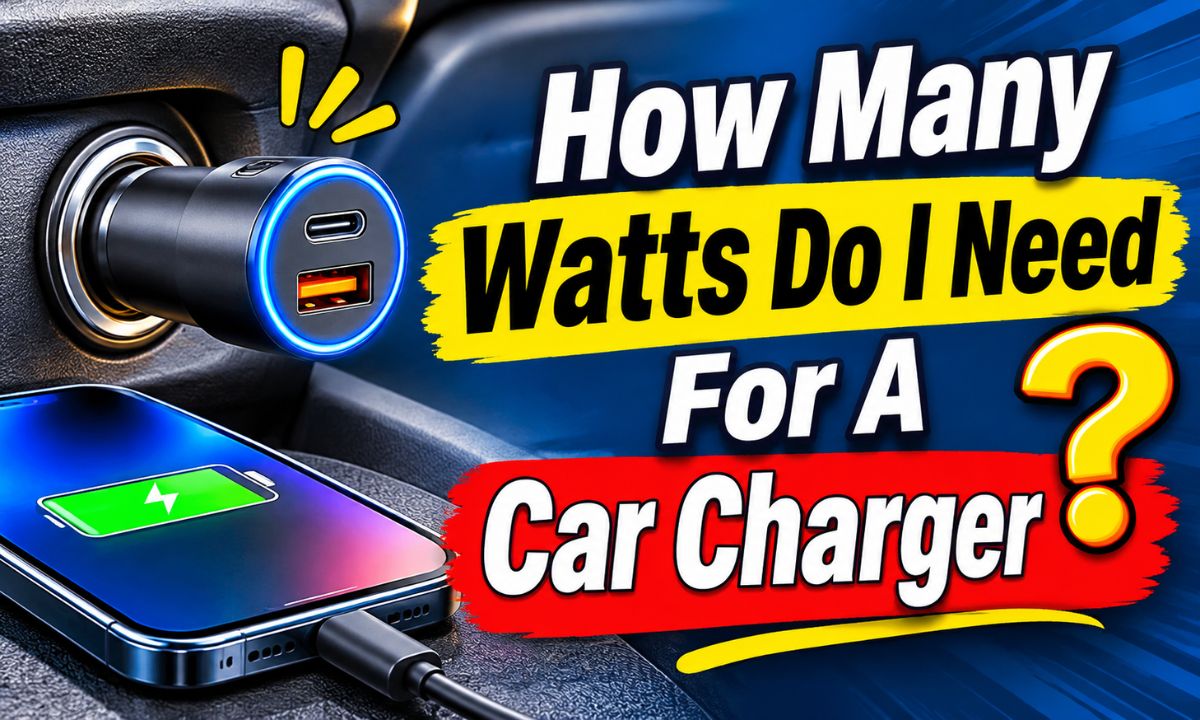
Most smartphones need a 20W to 30W USB car charger for fast charging. Choose 45W to 65W for tablets or multiple devices, and 65W to 100W for compatible laptops.
Whether you drive to work in California, take a family road trip across Texas, or commute through busy streets in New York, a reliable car charger helps keep your devices ready. Most American cars have a 12V accessory outlet, USB ports, or both. However, not every charging port offers the same amount of power.
The right wattage depends on what you plan to charge. A basic smartphone does not need the same power as a tablet or laptop. For most people, a 20W to 30W USB-C car charger is a sensible starting point. It can provide fast charging for many modern phones when the phone, cable, and charger support the same charging standard.
Before buying a charger, check your device’s maximum supported charging speed. Also check the output of each charger port, not just the large wattage number printed on the package. A charger advertised as 60W may share that power between several ports. This guide explains how to choose the right amount without spending extra money on power you may never use.
For most people, a 20W to 30W USB-C car charger is enough. This range works well for many modern smartphones and can provide fast charging when the device supports USB Power Delivery (PD). You do not need a 100W charger just to charge a regular phone.
The best wattage changes when you charge more than one device. A passenger’s phone, a tablet, a portable gaming device, or a laptop can increase the amount of power you need. The goal is to match the charger to your devices rather than buy the highest number available.
The following table gives practical starting points. These are general buying ranges, not guaranteed charging speeds. Your exact device model and its supported charging method determine the actual power it can receive.
Source: psychoautos.com
One smartphone
Choose a 20W to 30W USB-C charger. This is a useful range for many iPhones, Android phones, and other everyday mobile devices.
Two smartphones
Look for a dual-port charger with around 40W to 60W of total output, provided it can supply enough power to each phone when both ports are active.
Tablet
A 30W to 45W charger is a reasonable starting point for many tablets. Check the tablet manufacturer’s recommended charging power.
Laptop
Look for a compatible USB-C PD charger with 45W to 100W output. Some larger laptops need more power or may not support charging through USB-C.
Phone and tablet together
A 45W to 65W multi-port charger may work well if its power distribution provides enough output to both devices.
Quick Wattage Guide by Device
Here is a simple comparison to help narrow your choice before you shop. The listed figures are practical charger targets, not claims that every device in a category accepts the same power.
Basic smartphone: 10W to 18W
This range can handle basic charging on older phones and devices that do not support newer fast-charging methods.
Modern smartphone: 20W to 30W
A good general target for many USB-C phones and compatible iPhones.
High-speed smartphone: 30W to 45W
Useful for phones that support higher charging rates and the required charging protocol.
Tablet: 30W to 45W
Suitable for many tablets, although larger models may need more power.
Laptop: 45W to 100W
Choose according to the laptop’s USB-C charging specification and cable requirements.
Is a 30W Car Charger Enough?
Yes, a 30W car charger is enough for most people who mainly charge one smartphone. It provides more power than many older 5W or 10W car adapters and supports fast charging on compatible devices.
A 30W charger is also useful if you want a little extra room for a phone that supports more than 20W. However, the phone will still control how much power it accepts. A device limited to 18W will not suddenly charge at 30W because you bought a larger adapter.
If you regularly charge two phones, a tablet, or a laptop, consider a higher-output model. For one everyday phone, a well-made 30W charger is often a practical choice.
What Does Wattage Mean on a Car Charger?
Wattage tells you how much electrical power a charger can deliver. It is one of the main details to check when choosing a USB car charger. A higher wattage usually means the charger has more power available, but it does not mean every connected device will use all of it.
For example, a 20W charger can offer up to 20 watts under a supported charging condition. A 45W charger can offer more power to a compatible device. The device and charger communicate to select a suitable charging level.
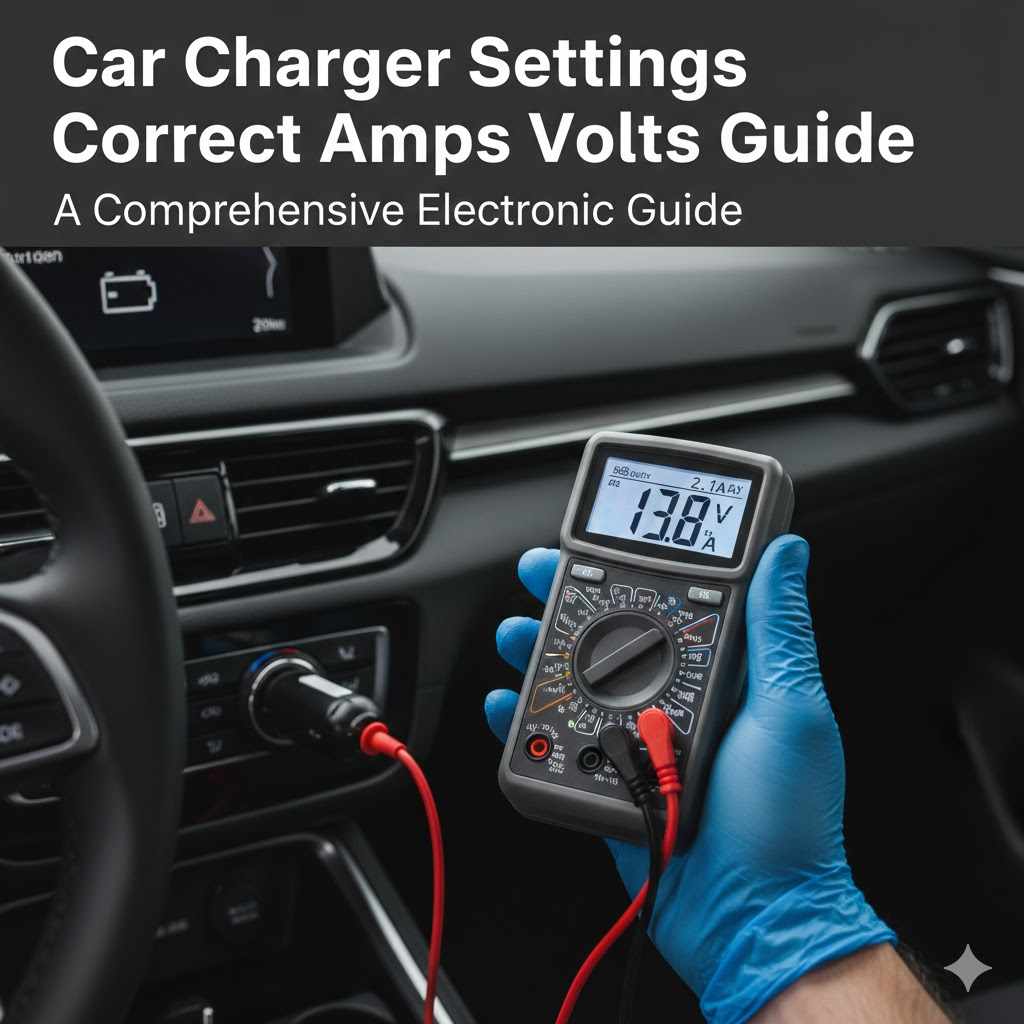
You can calculate electrical power by multiplying voltage by current. The formula is watts equals volts multiplied by amps. This helps you understand the numbers printed on a charger.
Source: carstereowiki.com
Voltage (V)
Voltage is the electrical potential supplied by the charger. USB charging can use different voltage levels depending on the charging standard.
Current (A)
Current measures the flow of electrical charge. It is measured in amperes, often written as amps.
Power (W)
Power is the result of voltage multiplied by current. It tells you the rate at which electrical energy is delivered.
How to Calculate Charger Wattage
The basic formula is simple: Watts = Volts × Amps. You can use it to understand the output printed on a USB charger.
Example 1: 5V and 2A
5 × 2 = 10W. This charger can provide up to 10 watts at that output setting.
Example 2: 9V and 2A
9 × 2 = 18W. This is a common type of higher-power USB charging output.
Example 3: 9V and 3A
9 × 3 = 27W. This provides a higher maximum power level when the device and charger support it.
Example 4: 20V and 3A
20 × 3 = 60W. This type of output can be useful for compatible laptops and other higher-power devices.
Why a Higher Wattage Does Not Force More Power Into Your Phone
A common concern is whether a 65W car charger will damage a phone designed for 20W charging. With a properly designed, standards-compliant charger and a compatible cable, the phone negotiates the charging power it can accept.
For example, if your phone supports a maximum of 20W, connecting it to a compatible 65W charger does not mean it will receive 65W. It will normally draw only the power allowed by its charging system.
This does not make every high-wattage charger safe. Poor-quality adapters, damaged cables, faulty ports, and products with misleading specifications can create problems. Choose a reputable charger with appropriate electrical protection.
How Many Watts Do Different Phones Need?
Different phone brands use different charging systems. Even two phones from the same brand may have different maximum charging speeds. That is why checking your exact model is more useful than relying on a general brand recommendation.
Many iPhones work well with a 20W USB-C PD car charger. Some newer models and charging methods may benefit from higher-rated adapters. Many Android phones also use USB-C, but their fast-charging requirements can vary by manufacturer and model.
Before buying a charger, check the official support page or specifications for your phone. Look for the recommended wattage, connector, and charging protocol. This is the best way to avoid paying for a charger that cannot provide the speed your phone supports.
Source: cdn.thedailyautomotive.com
iPhone
A 20W USB-C PD charger is a useful starting point for many iPhone models. Apple lists higher power requirements for certain newer fast-charging features, so check the exact model and charging method.
Samsung Galaxy
Many Galaxy phones support 25W charging, while selected models support 45W or other charging levels. Some Super Fast Charging modes require USB PD PPS compatibility.
Google Pixel
Pixel charging requirements vary by model. Check Google’s specifications for the recommended USB-C PD power and any supported charging features.
Other Android phones
Some manufacturers use their own fast-charging systems. A generic USB-C charger may work but might not deliver the phone’s advertised maximum speed.
How Many Watts Does an iPhone Car Charger Need?
For many iPhone users, a 20W USB-C PD car charger is a good choice. Apple specifies a minimum 20W adapter for fast charging on iPhone 12, iPhone SE (3rd generation), and later models in its power adapter guidance.
Some newer iPhone models support additional fast-charging options that call for higher power. For example, Apple’s published guidance for certain newer models specifies 40W or higher adapters for particular fast-charging targets. Requirements also differ between wired and wireless charging.
If you own an iPhone 15 or later, choose a USB-C car charger and a suitable USB-C cable. For older Lightning models, use a compatible Lightning charging cable. A 20W to 30W charger is a sensible general choice for many iPhone users, but check your exact model if you want its fastest supported speed.
Everyday iPhone charging
Start with a 20W USB-C PD car charger.
Higher-speed charging
Check whether your particular iPhone benefits from a higher-power adapter and whether the car charger supports the required output.
Wireless charging
Check the power needs of the wireless charging stand and the adapter that powers it. Wireless charging has different power requirements from direct wired charging.
How Many Watts Does a Samsung Car Charger Need?
A 25W USB-C PD charger with PPS support is a useful starting point for many Samsung Galaxy phones that support Super Fast Charging. Some compatible Galaxy models support 45W charging, while newer devices may support other power levels.
PPS stands for Programmable Power Supply. It allows compatible chargers and devices to adjust the supplied voltage within supported limits. Samsung specifies that its Super Fast Charging modes may require both USB PD PPS support and an appropriate cable.
A charger labeled 45W is not automatically the right choice for every Samsung phone. If the charger lacks the required PPS support, your phone may charge at a lower speed. Check the official charging information for your Galaxy model before buying.
25W support
Choose a 25W USB-C PD PPS car charger for a compatible Galaxy phone.
45W support
Choose a charger that supports the required 45W output, PPS profiles, and cable requirements.
Older Galaxy phones
A 15W or compatible fast-charging adapter may be enough, depending on the model.
How Many Watts Do You Need to Charge Multiple Devices?
If you charge more than one device during a trip, you should consider the charger’s total output and its power distribution. A dual-port charger rated at 60W does not necessarily provide 30W to each port in every situation. It may offer different power levels depending on which ports are being used.
For example, a charger may provide 45W from its main USB-C port when used alone but reduce that output when another device is connected. Some chargers divide power evenly, while others give more power to one port.
Read the product’s output table before buying. Look for the maximum output of each port and the combined output when multiple ports operate at the same time.
Source: evchargingstations.com
Two phones
A 40W to 60W total-output charger can be a useful starting point. Confirm that both ports provide suitable charging power at the same time.
Phone and tablet
Consider a 45W to 65W charger with a clear power-sharing table. The tablet may need more power than the phone.
Phone and laptop
A 65W to 100W charger may be appropriate if the laptop supports USB-C PD and the charger can provide enough power to its port.
Several phones and accessories
A multi-port charger can reduce the need for separate adapters, but check the total output and the power available to each device.
What Does Total Output Mean?
Total output is the maximum combined power that a charger can supply across its ports under the stated conditions. It is not necessarily the maximum power available from every port at once.
Imagine a charger with a 60W total rating. Its specification may allow 45W from one USB-C port and 15W from another when both are active. If you connect two phones, the available power may be different from the advertised single-port maximum.
This is why the output table matters more than the headline number. If you often charge two devices, make sure the charger provides enough power for both at the same time.
Should You Buy a 100W Car Charger?
A 100W car charger can be useful if you regularly charge a compatible laptop along with a phone or tablet. It also provides extra capacity for several devices when the port distribution supports your setup.
However, it is unnecessary for someone who only charges one smartphone. A 100W rating does not make a 20W-capable phone charge five times faster. The phone’s own charging limit still applies.
Before choosing a high-output model, check the vehicle’s accessory outlet rating and the charger’s input specifications. A charger must be suitable for the electrical system in your vehicle, not just the devices you connect.
USB-C PD and PPS: Why Charging Standards Matter
Wattage is only part of the decision. Your car charger must also support the charging standard used by your phone. Two chargers can have the same wattage rating but deliver different results because they support different charging protocols.
USB Power Delivery, usually called USB PD, is a charging standard used by many USB-C phones, tablets, and laptops. It allows compatible devices and chargers to negotiate a suitable power level rather than relying on one fixed output.
PPS is an additional feature within USB PD that supports adjustable voltage. Some Samsung Galaxy phones require compatible PPS support for their Super Fast Charging modes. A charger with a high wattage rating but without the required protocol may not deliver the expected charging speed.
Source: psychoautos.com
USB-C
This describes the connector type. It does not guarantee a particular charging speed or protocol.
USB Power Delivery
USB PD supports negotiated charging power and is widely used for modern phones, tablets, and laptops.
PPS
Programmable Power Supply supports adjustable voltage and is required for certain compatible fast-charging modes.
Quick Charge
Qualcomm Quick Charge is another fast-charging technology. Check whether your device and charger support the same version or compatible charging method.
How to Choose the Right Charging Protocol
Start with your phone’s official specifications. If it supports USB PD, choose a car charger with a USB-C PD output. If it requires PPS for its fastest charging mode, make sure the charger lists PPS in its technical specifications.
Do not assume that every USB-C port supports fast charging. Some ports provide only basic power, while others support higher output and advanced charging standards. The connector shape alone cannot tell you the speed.
Check the phone
Find the supported charging standard and maximum wired charging power in the manufacturer’s documentation.
Check the charger
Read the output profiles and confirm that the charger supports the required protocol.
Check the cable
Use a cable rated for the required current and charging power.
How to Choose the Right Wattage for Your Car
Choosing a car charger becomes easier when you follow a few simple steps. Start with the device you use most often, then check its power needs and the available charging port in your vehicle.
You do not need to buy the most powerful adapter on the shelf. Instead, look for a charger that meets your device’s needs, supports the correct charging protocol, and works with your vehicle’s electrical system.
Use the following process to make a practical choice.
Source: cdn.thedailyautomotive.com
Step 1: Identify your devices
Write down whether you will charge one phone, two phones, a tablet, a laptop, or several devices together.
Step 2: Check the maximum charging power
Look up the manufacturer’s recommended charging wattage for each device. Do not rely only on the model’s advertised fast-charging name.
Step 3: Choose the correct port
Choose USB-C for modern USB-C devices when possible. Add USB-A if you still use older charging cables or accessories.
Step 4: Confirm the charging protocol
Check USB PD, PPS, Quick Charge, or another required standard. Make sure the device and charger are compatible.
Step 5: Check the cable
Use a suitable cable that supports the charger’s power level and the device’s charging requirements.
Step 6: Check your vehicle outlet
Read the vehicle manual and charger specifications to confirm the input voltage and permitted accessory load.
Check the Car’s 12V Accessory Outlet
Many cars, trucks, and SUVs have a 12V accessory outlet. It is often called a cigarette lighter socket because older vehicles used it for cigarette lighters. Modern drivers commonly use it for USB adapters, tire inflators, and other accessories.
The outlet’s permitted electrical load depends on the vehicle. Some outlets have a lower current rating than others, and some vehicles turn the outlet off when the ignition is switched off. Others may keep it powered when the vehicle is parked.
Do not assume that every 12V socket can support a high-wattage charger. Check the owner’s manual or the outlet’s documented fuse and load rating. Also follow the car charger’s stated input requirements.
Read the vehicle manual
Find the accessory socket’s maximum permitted current or power rating.
Check the charger’s input
Many car adapters support 12V and 24V input, but confirm this on the exact model.
Avoid overloaded outlets
Do not exceed the outlet’s permitted load by connecting several high-power accessories.
Watch for unusual heat
Stop using the charger if the plug, socket, or cable becomes unusually hot, smells burnt, or shows signs of damage.
Check Whether Your Car Has Built-In USB Ports
Some modern vehicles include USB-A or USB-C charging ports. These can be convenient, but their power output varies by model, trim, and port location.
A dashboard USB port designed mainly for connecting a phone to the infotainment system may provide less charging power than a dedicated USB-C PD car adapter. If your phone charges slowly through the built-in port, check the vehicle manual before assuming something is wrong with the phone.
You can use a compatible 12V car adapter when the built-in ports do not meet your charging needs, provided the accessory outlet supports it.
Why Your Car Charger May Charge Slowly
A high-wattage car charger does not guarantee fast charging. If your phone charges slowly, the cause may be the cable, charging protocol, vehicle port, phone settings, temperature, or power sharing.
Check the simplest causes first. Try a different compatible cable, use one charger port at a time, and make sure the phone supports the charger’s fast-charging standard. These checks can help identify the problem without buying another adapter.
Source: evchargingstations.com
The cable is not suitable
A low-quality, damaged, or incorrectly rated cable may limit charging power. Try a known-good cable that supports the required charging standard.
The charging protocol does not match
A charger may advertise 45W but lack the PD or PPS feature your phone needs for its fastest charging mode.
Several devices are connected
A multi-port adapter may reduce the output available to each device when more than one port is active.
The phone is too warm or cold
Phones can reduce charging power when battery temperature is outside the preferred range.
The phone is being used heavily
Navigation, video streaming, gaming, and screen brightness can use power while the phone charges.
The vehicle USB port has limited output
A built-in USB port may not provide the power available from a dedicated USB-C PD car adapter.
What to Do When Your Phone Charges Slowly
First, unplug the charger and inspect the cable and connector. Look for bent plugs, frayed insulation, dirt, or other visible damage. Replace a damaged cable rather than continuing to use it.
Next, connect only one device to the charger. This removes power sharing as a possible cause. If charging improves, check the manufacturer’s power distribution table for the multi-port adapter.
Then check your phone’s charging settings. Some Android devices allow fast charging to be enabled or disabled. On supported Samsung models, the charging settings include options for fast charging.
If the phone still charges slowly, try a compatible charger and cable that are known to work. If several charging combinations fail, the phone’s charging port, battery, or charging system may need professional inspection.
Sign of success
The phone recognizes the compatible fast-charging mode, and its charging progress improves under similar conditions.
If nothing changes
Check the phone manufacturer’s support guidance or contact an authorized repair provider.
If the charger becomes hot
Disconnect it and stop using it if the heat is unusual or accompanied by a smell, discoloration, or damage.
Does a Higher-Wattage Charger Always Charge Faster?
No. A higher-wattage charger only helps when your device can accept the additional power and the charger supports the correct charging protocol. If your phone has a 20W charging limit, a 65W adapter will not necessarily reduce charging time.
Charging speed also changes as the battery fills. Many phones reduce their charging power as they approach a full charge. This helps control battery temperature and charging behavior.
For this reason, compare charging performance under similar conditions. A charger with the right power profile is more useful than one with the biggest number on its packaging.
Common Car Charger Buying Mistakes to Avoid
Buying the wrong charger can lead to slow charging, wasted money, or an unsuitable electrical setup. A few simple checks can help you avoid the most common mistakes.
The biggest mistake is choosing a charger based only on its total wattage. A 100W label may sound impressive, but it tells you little about the power available to each port or whether your phone supports the required charging standard.
Source: psychoautos.com
Buying more watts than you need
A 100W adapter is unnecessary if you only charge one phone that supports 20W. Choose a power level that matches your actual devices.
Ignoring per-port output
Check the wattage available when all ports are in use. Do not assume each port receives the full advertised total.
Confusing USB-C with fast charging
A USB-C connector does not guarantee USB PD or PPS support. Read the technical specifications.
Using a poor-quality cable
A cable with unsuitable ratings can limit performance or cause unreliable charging.
Ignoring vehicle compatibility
Check whether the adapter supports your vehicle’s input voltage and whether the accessory socket can handle its load.
Choosing an unknown charger with unclear specifications
Avoid products that provide no clear output ratings, manufacturer information, or relevant safety and compliance details.
Is It Safe to Use a 65W or 100W Car Charger?
A properly designed 65W or 100W car charger can be suitable when it matches the vehicle’s electrical system and the connected devices. Higher wattage alone does not make a charger unsafe.
The important checks are input compatibility, output specifications, cable ratings, and the permitted load of the vehicle’s accessory outlet. A high-power charger should not be used in a socket that cannot support its electrical demand.
Choose a product from a reputable manufacturer with clear technical information and suitable protection against electrical faults. Stop using any adapter that sparks repeatedly, has a loose fit, produces a burning smell, or shows physical damage.
Does Leaving a Car Charger Plugged In Drain the Battery?
It depends on how your vehicle powers its accessory outlet. Some outlets switch off with the ignition, while others remain powered after you park and turn off the engine.
A plugged-in charger with no device connected may still use a small amount of power, depending on its design. Over a long period, accessories that remain powered can contribute to battery drain.
Check your vehicle manual to learn whether the outlet remains active when the car is off. Unplug the charger when you do not need it, especially if your vehicle has a battery that is already weak.
Car Phone Chargers vs. EV Chargers and Battery Chargers
The phrase car charger can describe several different products. This guide focuses on a USB adapter that plugs into a vehicle’s 12V accessory socket and charges phones or other electronic devices.
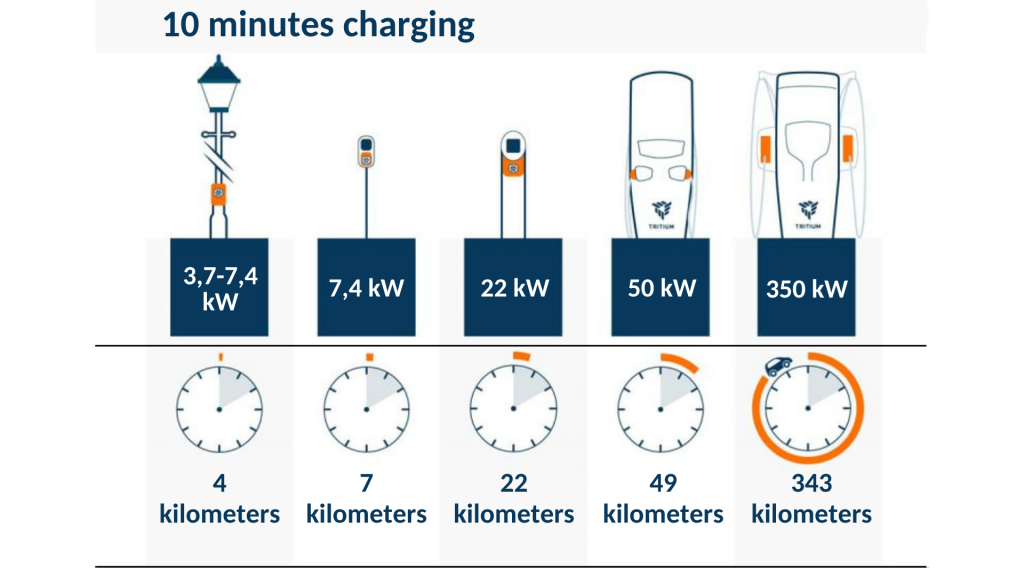
An electric vehicle charging station and a 12V battery charger serve different purposes. Their power ratings are much higher or are measured and applied differently. Comparing their wattage directly with a small USB phone adapter can cause confusion.
Source: octa.energy
USB car charger
A small adapter that uses a vehicle’s electrical system to charge phones, tablets, and other USB devices. Common choices range from around 20W to 100W or more.
Electric vehicle charger
A charging system designed to supply electrical energy to an electric vehicle’s high-voltage traction battery. Home charging equipment is commonly rated in kilowatts rather than the small wattage levels used for phone adapters.
12V car battery charger
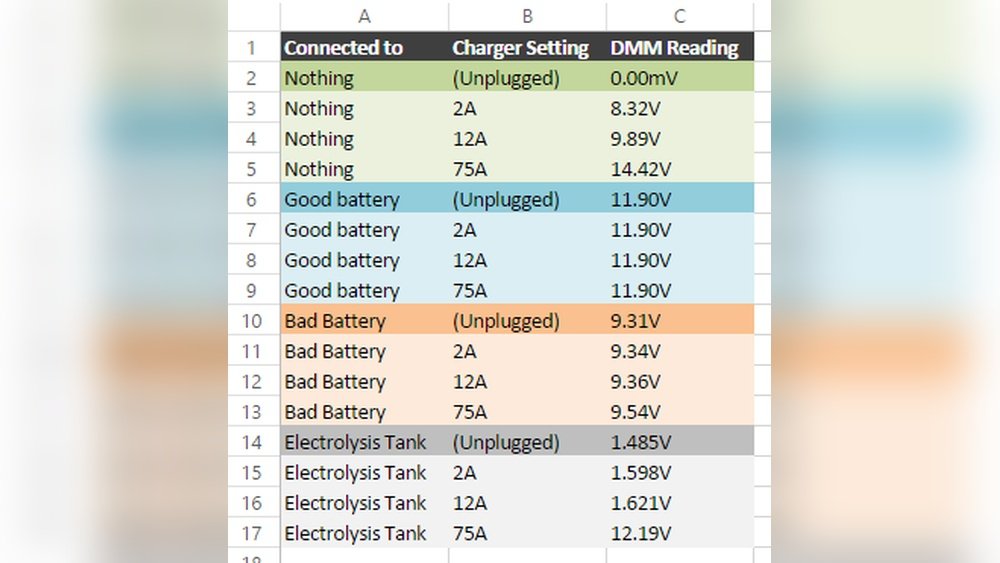
A separate device designed to recharge a vehicle’s 12V lead-acid or compatible auxiliary battery. Its output current and charging voltage matter more than USB phone charger wattage.
Do You Need a 20W Charger or a 20kW EV Charger?
These products have very different jobs. A 20W USB car charger powers a phone through a USB cable. A 20kW EV charging system supplies much more electrical power to an electric vehicle’s main battery.
If you are shopping for an iPhone or Android phone adapter, you should focus on USB-C wattage, charging protocols, and the vehicle’s accessory outlet. If you own an electric vehicle and want to charge its traction battery, you need a suitable EV charging solution instead.
Always identify the device you want to charge before comparing product specifications. This prevents you from choosing a charger designed for the wrong purpose.
Which Car Charger Wattage Is Best for Everyday Driving?
For everyday driving, a 30W USB-C PD car charger is a sensible choice for many people. It can provide fast charging for compatible smartphones without requiring a large adapter.
If you drive with a passenger who also needs power, a dual-port 40W to 60W charger may be more useful. Make sure its power-sharing arrangement gives each phone enough output when both ports are connected.
If you travel with a USB-C laptop, tablet, and phone, consider a 65W to 100W charger with suitable multi-port output. This setup costs more and requires closer attention to your vehicle’s outlet rating, but it can handle a wider range of devices.
Source: carstereowiki.com
Best general choice for one phone
20W to 30W USB-C PD.
Best for two phones
40W to 60W total output with suitable power sharing.
Best for a phone and tablet
45W to 65W total output, depending on the devices.
Best for laptop charging
65W to 100W USB-C PD, if the laptop supports the required charging profile.
A Simple Example for Choosing Your Charger
Imagine you drive a family SUV and use an iPhone for navigation. Your passenger also uses a smartphone during long trips. You do not need a 100W adapter if both phones have modest charging requirements.
A dual-port charger with 30W available to one port and a suitable second-port output may be enough. If both phones need fast charging at the same time, choose a model with a power-sharing table that confirms sufficient output for both.
Now imagine you work remotely and carry a USB-C laptop. A 65W or higher charger with a dedicated high-power port may be more useful. The right choice changes because the devices you charge have changed.
One phone and navigation
A 20W to 30W charger is usually a good starting point.
Two phones on a road trip
Choose a dual-port charger with suitable simultaneous output.
Laptop during a long drive
Choose a compatible high-output USB-C PD charger and check the vehicle socket’s load rating.
Frequently Asked Questions
Q
Is a 20W car charger enough for a phone?
Yes. A 20W USB-C car charger is enough for many modern smartphones and supports fast charging on compatible models. It is a practical choice for many iPhone and Android users.
However, some phones support higher charging speeds or require a specific protocol. Check your phone’s specifications if you want to reach its maximum supported speed.
Q
Is a 30W car charger better than a 20W car charger?
A 30W charger offers more available power, which can help when your phone supports more than 20W. It can also provide extra capacity for some smaller devices.
However, a 30W charger will not make every phone charge faster. If your phone has a 20W charging limit, both adapters may provide similar charging performance.
Q
Can I use a 65W car charger for my iPhone?
Yes, you can generally use a properly designed 65W USB-C PD car charger with a compatible iPhone and cable. The iPhone negotiates the charging power it can accept rather than automatically drawing the full 65W.
Check that the adapter supports the required USB PD features and is suitable for your vehicle. A higher wattage rating does not guarantee a faster charge.
Q
Will a 100W car charger damage my phone?
A compatible, properly designed 100W USB-C PD charger should not force 100W into a phone that supports a lower charging rate. The phone and charger negotiate an appropriate power level.
The important part is buying a reputable charger with clear specifications and using a compatible cable. Avoid damaged, poorly made, or unverified adapters.
Q
How many watts should a dual-port car charger have?
For two smartphones, a total output of around 40W to 60W is a useful starting point. The exact amount depends on the charging needs of both phones.
Check the individual port ratings and the simultaneous-use power table. A charger with 60W total output may not provide 30W to both ports at the same time.
Q
Does a higher-wattage car charger charge faster?
Not always. A higher-wattage charger can provide more power, but your device must support that power level and the required charging protocol.
The cable, battery temperature, current battery level, and device usage can also affect charging speed. Matching the charger to your phone is more important than buying the biggest wattage rating.
Q
Can I charge a laptop with a car charger?
Yes, if your laptop supports USB-C charging and the car adapter provides the required USB-C PD output. Many laptops need 45W to 65W, while some larger models require 90W or more.
Check the laptop manufacturer’s power requirements, the charger’s individual port output, and the cable rating. Also make sure your vehicle’s accessory socket can support the adapter’s input load.
Q
Is USB-C better than USB-A for a car charger?
USB-C is generally the better choice for modern phones, tablets, and laptops because it supports USB Power Delivery and higher power levels when the charger is designed for them.
USB-A can still be useful for older devices and accessories. A charger with both port types may be convenient if you use several kinds of cables.
Q
Why does my 30W car charger only charge at 10W?
Your phone may not support the charger’s fast-charging protocol, the cable may limit power, or the phone may be reducing charging speed because of heat or battery conditions.
Check the charger’s output profile, use a compatible cable, disconnect other devices, and try charging with the screen off. If the problem continues with a known-compatible charger, inspect the phone’s charging port or contact its manufacturer.
Q
Can I leave my USB car charger plugged in all the time?
That depends on whether your vehicle’s accessory socket remains powered after the ignition is switched off. Some vehicles turn off the outlet, while others keep supplying power.
Unplug the adapter when it is not needed if your outlet remains active. This is especially sensible if your vehicle has a weak battery or you notice the charger staying powered while parked.
✦ Wrapping Up
Conclusion
For most smartphone users, a 20W to 30W USB-C car charger is enough for everyday charging. It offers a practical balance of power, size, and convenience. If you regularly charge two phones, a tablet, or a laptop, consider a 40W to 100W model based on the devices you use.
Remember that wattage is only one part of the decision. Check the charger’s per-port output, USB PD or PPS support, cable requirements, and compatibility with your vehicle’s accessory outlet. A higher number on the package does not guarantee faster charging.
You do not need to spend extra money on power your phone cannot use. Choose a reliable charger that matches your device’s actual needs, and you can keep your electronics powered during daily commutes and long road trips.
💡 Key Takeaway
Check your phone’s maximum supported charging wattage first. For one phone, start with a quality 20W to 30W USB-C PD car charger. For multiple devices, choose a higher-output model after checking its per-port power distribution and your vehicle’s 12V outlet rating.