Your car charger may keep disconnecting because of a loose cable, dirty charging port, worn USB socket, unstable power supply, or faulty charger.
A phone that keeps losing its charge in the car can be frustrating, especially during a long drive across the United States. You may be using Google Maps on an interstate, following directions through a busy city, or charging your iPhone on the way to work. When the charging symbol keeps appearing and disappearing, it can be hard to know whether the phone, cable, or car is at fault.
The good news is that many charging problems have simple causes. A loose plug, worn cable, dust inside the phone port, or poor contact in the car’s 12-volt outlet can interrupt power. The best way to find the cause is to test one part at a time. This guide focuses on phone chargers that plug into a car power outlet or USB port, including common wired charging problems.
Your car charger keeps disconnecting when the electrical connection between the phone, cable, charger, and vehicle is not stable. Even a small movement can break contact if a plug or socket is worn. The phone then stops charging and may start again when the connection returns.
A car phone charger has several parts that must work together. The vehicle supplies power through a USB port or 12-volt outlet. The charger changes that power into a form the phone can use, while the cable carries power to the phone. A fault in any part can cause repeated charging interruptions.
The problem may also involve software or charging protection. A phone can pause charging if it gets too hot, and a vehicle’s USB system may reset or lose its connection. If the phone charges normally at home but not in the car, focus first on the car charger, cable, and vehicle port.
Source: sinalda.com
Loose cable connection
A plug that does not fit firmly can lose contact when the phone moves or the car hits a bump.
Dirty phone port
Pocket lint and dust can stop the charging plug from sitting fully inside the phone.
Faulty car charger
Internal wear or damaged electrical parts can cause the charger to switch on and off.
Unstable vehicle power
A worn 12-volt outlet, loose USB port, or electrical fault can interrupt the power supply.
Phone temperature or software
Heat protection, charging settings, or a software issue may pause or interrupt charging.
How to Tell Which Part Is Causing the Problem
Watch what happens when charging stops. If the phone disconnects when you touch the cable, the cable ends or phone port may be loose. If the charger itself switches off, the adapter or vehicle outlet may be at fault.
Try the same phone and cable with a different power source. Then try a different cable in the car. These simple tests help separate a phone problem from a vehicle problem.
Phone charges at home but not in the car
Check the car’s USB port, 12-volt outlet, adapter, and cable.
Phone disconnects with every charger
Inspect the phone’s charging port and check for a device or software issue.
Several devices lose power in the same outlet
The vehicle’s outlet or its electrical supply needs attention.
1. Check for a Loose or Damaged Charging Cable
A damaged or poorly fitted cable is a common starting point when a phone charger keeps disconnecting. The cable may look fine on the outside but have broken wires near the plug. Repeated bending, pulling, and daily use can weaken these small wires.
Start by unplugging the cable from both ends. Look for bent connectors, split insulation, exposed wires, or plugs that feel loose. If you see damage, replace the cable rather than trying to repair it with tape.
Next, test a known-good cable that supports your phone’s charging needs. Use a cable made for your phone’s connector, such as USB-C or Lightning where applicable. If the new cable stays connected, the old cable was likely the cause.
Source: www.youtube.com, Sky Tech Studio
Look near both connectors
Check for fraying, cracks, bent metal ends, and signs of heat damage.
Avoid tight bends
Do not trap the cable under a seat or bend it sharply around the center console.
Use a suitable cable
Choose a cable that supports the required charging power and, when needed, data transfer.
Why Does My Charger Disconnect When I Hit a Bump?
If charging stops when your car hits a pothole or speed bump, a loose physical connection is a strong possibility. The movement can shift the cable, charger plug, or phone. Even a small gap between metal contacts can stop charging.
Park safely before testing the connection. Gently check whether the cable moves inside the phone or whether the adapter moves inside the car outlet. Do not keep bending or forcing a loose plug to make it work. A worn connector may need replacement.
Cable moves at the phone
Try another cable and inspect the phone port for lint or damage.
Adapter moves in the outlet
The 12-volt socket or charger plug may not fit correctly.
Charging stops when the phone moves
Secure the phone so its weight does not pull on the cable.
2. Clean the Phone’s Charging Port
Dust and pocket lint inside a phone’s charging port can prevent the cable from making a firm connection. This is easy to overlook because the debris may sit deep inside the opening. The plug may seem connected even though it cannot reach its proper position.
Turn off the phone and disconnect the charger before inspecting the port. Use a light to look inside. If you see lint, avoid metal pins, needles, paper clips, or other sharp objects. These can damage the contacts or cause an electrical short.
Follow the phone maker’s cleaning instructions. If the debris is packed tightly or the port looks damaged, ask a qualified repair shop to clean or inspect it. Do not pour liquid into the port or use a household cleaner.
Source: toolcroze.com
Check the plug fit
A cable should connect properly without needing pressure or an unusual angle.
Look for visible debris
Use a light to check for dust, lint, or other material inside the opening.
Watch for port damage
Bent contacts, corrosion, or a loose socket need professional attention.
Signs That Your Phone’s Charging Port Is Loose
A loose charging port may cause the cable to fall out or lose power with slight movement. You may also notice that only one cable works, or that the plug must sit at a certain angle. These signs can point to worn contacts or physical damage.
Do not wedge the cable into the port or hold it in place with an object. That can make the damage worse. If several known-good cables have the same problem, have the phone inspected.
Plug will not stay in place
The port may be worn, damaged, or blocked by compacted debris.
Charging works at one angle
The connector or port may have a poor contact point.
Port feels hot or looks damaged
Stop charging and arrange a repair check.
3. Test the Car’s USB Port or 12-Volt Outlet
The vehicle’s power outlet may be the reason your charger keeps disconnecting. Many cars have a 12-volt accessory socket, while newer models may also have USB-A or USB-C ports. These connections can wear out, collect debris, or become loose over time.
First, check whether the outlet works with another compatible device. If a second charger also loses power in the same socket, the vehicle outlet may be the issue. If the second charger works well, the original adapter is a stronger suspect.
Some vehicle USB ports are designed mainly for data or media connections and may offer limited charging power. Others may turn off when the vehicle is switched off. Check your owner’s manual to learn which ports support charging and whether they remain active when the ignition is off.
Source: ownersmanual.kia.com
Test another outlet
If your car has another approved power outlet, try the charger there while parked.
Check the socket for debris
Turn the vehicle off and inspect the outlet without inserting metal objects.
Read the owner’s manual
Confirm which USB ports support charging and which are intended for data.
Why Does My Car Charger Work Only When I Push It In?
A charger that works only when pushed or held in place may have a poor fit inside the 12-volt socket. The plug’s spring contacts may not touch the socket correctly, or the outlet itself may be worn. A loose USB connection can cause a similar problem.
Do not use a wedge, folded paper, foil, or another object to hold the charger in place. These materials can create a short circuit or heat buildup. Try a compatible charger with a proper fit. If several chargers fit poorly, have the vehicle outlet checked.
One adapter feels loose
Its shape or contact design may not suit the socket.
Every adapter feels loose
The vehicle socket may be worn or damaged.
Outlet works intermittently
A technician may need to inspect the socket and its wiring.
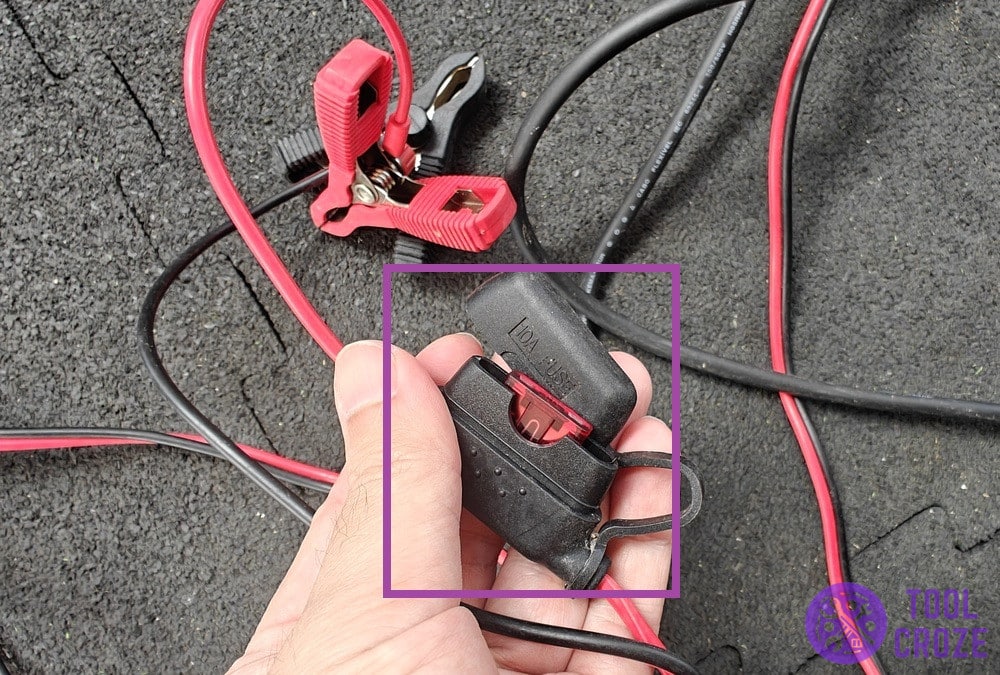
Can a Blown Fuse Cause a Car Charger to Disconnect?
A blown fuse usually causes a complete loss of power to the affected outlet, rather than repeated brief disconnections. However, a loose fuse, poor contact, or a fault in the outlet circuit may cause intermittent power. The exact behavior depends on the vehicle’s electrical design.
Check the owner’s manual for the correct fuse location and rating. Never install a fuse with a higher rating to stop it from blowing. If a replacement fuse fails again, stop using that circuit and have the electrical fault diagnosed.
Outlet has no power
A fuse may be blown, or the socket may have failed.
Fuse fails again
A short circuit or other electrical fault may be present.
Uncertain fuse location
Use the vehicle manual or ask a qualified technician.
4. Replace a Faulty Car Charger Adapter
A car charger adapter can fail even when its outer case looks normal. Internal contacts or electronic parts may wear out after repeated use. A low-quality adapter may also struggle to supply stable power when the phone needs more energy.
Try a different charger that is suitable for your phone and vehicle outlet. If the replacement works without interruption, stop using the old adapter. Choose a charger from a reputable maker and check that its output matches your device’s charging requirements.
A higher wattage number does not automatically mean better charging. Your phone controls how much power it accepts, and the charger must support a suitable charging standard. A charger that lacks the right output may charge slowly, but slow charging alone does not prove that the adapter is faulty.
Source: sinalda.com
Check the output rating
Read the charger label and compare its supported output with your phone’s needs.
Look for physical damage
Cracks, loose parts, melted plastic, or dark marks are reasons to stop using it.
Avoid unknown or damaged adapters
Use a well-made charger with clear electrical ratings and suitable safety protections.
Why Does My Car Charger Keep Turning On and Off?
If the charger’s indicator light or the phone’s charging symbol repeatedly turns on and off, the power supply may be unstable. A loose outlet, worn adapter, damaged cable, or poor connection can cause this cycle. Some chargers may also have protection that interrupts operation when a fault or excess heat is detected.
Unplug the charger and check it after it has cooled. If it smells burnt, feels unusually hot, makes unusual noises, or shows signs of melting, do not plug it in again. Replace it and have the vehicle outlet checked if the problem continues.
Indicator light also switches off
Check the adapter and the vehicle’s power outlet.
Indicator stays on but phone stops charging
Check the cable, phone port, and charging compatibility.
Charger gets very hot
Disconnect it and stop using it until the cause is resolved.
5. Check Whether Your Phone Is Overheating
A hot phone may slow down or pause charging to protect its battery. This can happen during a long drive when the phone runs navigation, streams music, and stays in direct sunlight. A phone placed on a hot dashboard may heat up faster than one kept in a shaded area.
Remove the phone from direct sunlight and let it cool in a safe, shaded place. Close apps that you do not need and avoid covering the phone with thick material while charging. Do not put a hot phone in a refrigerator or against ice, since sudden temperature changes and moisture can cause damage.
If charging returns after the phone cools, heat may have triggered the interruption. If the phone keeps disconnecting when cool, continue checking the cable, port, and charger.
Source: sinalda.com
Keep the phone out of direct sun
Use a shaded phone mount or place the phone where sunlight does not heat it.
Allow airflow
Avoid covering the phone or trapping it between hot surfaces.
Check the phone’s temperature warning
Follow the on-screen advice if the device reports that it needs to cool down.
Can Navigation Apps Cause Charging Problems?
Navigation apps do not normally cause a physical charger connection to fail. However, GPS use, screen brightness, mobile data, and background activity can raise power use and add heat. If the charger supplies less power than the phone consumes, the battery may charge very slowly or even lose charge while connected.
Try lowering screen brightness, closing unused apps, and using a suitable charger. If the charging symbol disappears completely, do not assume high power use is the only cause. Check for a loose connection as well.
Battery percentage rises slowly
The charger may provide less power than the phone uses.
Battery percentage falls while plugged in
Check charger output, cable quality, and phone temperature.
Charging symbol disappears
Inspect the physical connection and power source.
6. Check USB Charging and CarPlay or Android Auto Connections
A phone may keep disconnecting from the car even when it still receives power. This can happen when you use a vehicle USB port for Apple CarPlay, Android Auto, or media playback. Charging and data transfer are related but separate functions, so a phone can charge while its connection to the car display keeps failing.
For wired CarPlay or Android Auto, use a cable that supports data transfer, not just charging. A damaged or low-quality cable may supply power but fail to maintain a stable data connection. Some cars also have several USB ports, and only one may support phone integration.
Check your vehicle manual and phone settings. Try a different compatible cable, connect directly without an extension or hub, and restart the phone and infotainment system while parked. If the system worked before and suddenly stopped, check for phone or vehicle software updates.
Source: www.youtube.com, Sky Tech Studio
Phone charges but CarPlay or Android Auto disconnects
The cable may have a data connection problem even though its power wires still work.
Only one USB port works
Your vehicle may reserve a specific port for phone integration.
Connection fails after an update
Check phone compatibility, app settings, and available vehicle software updates.
What If My iPhone Keeps Disconnecting From the Car?
If an iPhone disconnects while connected by USB, inspect the cable and Lightning or USB-C port, depending on the model. Make sure the plug is fully inserted and the port is free of debris. Try another suitable cable and another compatible vehicle USB port if one is available.
For CarPlay, confirm that your vehicle supports the connection method you are using. Some vehicles support wired CarPlay, while others support wireless CarPlay. Check Settings, General, and CarPlay on the iPhone if you need to review the paired vehicle. Restart the iPhone and check for available software updates.
Use a suitable cable
Choose a cable that supports the required connection and is in good condition.
Check CarPlay compatibility
Confirm whether your vehicle supports wired or wireless CarPlay.
Inspect the iPhone port
Look for debris or damage and seek service if the connection remains loose.
What If Android Auto Keeps Disconnecting?
Android Auto may disconnect because of a weak USB data connection, an unsuitable cable, or a problem with the vehicle’s infotainment system. Google recommends a high-quality cable under 3 feet, or 1 meter, for wired Android Auto. Avoid USB hubs and extensions when troubleshooting.
Try the cable supplied with your phone or another suitable data cable. Check that Android Auto is enabled in the vehicle settings and that the phone has the required permissions. If the problem continues, restart the phone and car system and check for updates.
Try a shorter data cable
A short, good-quality cable can reduce connection problems.
Check vehicle compatibility
Not every car USB port supports Android Auto.
Restart the infotainment system
Follow the vehicle maker’s instructions and perform the reset while safely parked.
7. Inspect the Vehicle’s Electrical System
If several chargers and devices lose power in the same outlet, the problem may be inside the vehicle’s electrical system. The socket could have a damaged contact, loose wiring, or a failing connection. A fuse or accessory circuit fault may also affect the outlet.
Check whether other accessories connected to the same outlet work. If the outlet loses power when the vehicle moves, or if several devices fail in it, stop relying on that socket until it has been checked. A mechanic or auto electrician can inspect the outlet, wiring, fuse, and related circuit.
Do not remove dashboard panels or probe live wiring unless you have the right training and tools. Vehicle electrical systems vary, and careless testing can damage parts or create a short circuit. If you notice a burning smell, smoke, sparks, or melted plastic, stop using the outlet and seek help.
Source: toolcroze.com
Other accessories also lose power
The fault may involve the vehicle outlet or its electrical circuit.
Fuse keeps blowing
A technician should find the cause instead of fitting a larger fuse.
Burning smell or visible damage
Stop using the outlet and arrange a prompt inspection.
When Should You Ask a Mechanic for Help?
Get professional help if the outlet remains unreliable after you test a known-good charger and cable. You should also seek help if the socket is loose, damaged, discolored, or unusually hot. These signs may point to a fault that a simple charger replacement will not fix.
Tell the technician what you tested and what happened. Mention whether the problem occurs only while driving, affects more than one device, or appears after the vehicle starts. This information can help narrow down the fault.
Repeated fuse failure
Ask for an electrical diagnosis rather than replacing the fuse again and again.
Loose or damaged outlet
Have the socket and its wiring inspected.
Heat, smoke, or sparks
Stop using the charger and outlet. Do not continue testing them.
A Simple Step-by-Step Test to Find the Cause
You can often find the cause without buying a new charger right away. The key is to change only one part at a time. Park the car in a safe place before handling the cable or checking the outlet.
Start with the cable because it is easy to inspect and replace. Then test the charger, vehicle outlet, and phone. Keep track of which combination works and which one fails. This gives you a clearer answer than changing several parts at once.
Source: sinalda.com
Step 1: Inspect the cable
Unplug it and check both ends for damage, loose fittings, and bent connectors.
Step 2: Try another cable
Use a known-good cable that supports your phone and the type of charging you need.
Step 3: Test another charger
Use a suitable replacement adapter in the same car outlet.
Step 4: Test another power outlet
If available, try another approved USB port or 12-volt socket.
Step 5: Test another phone
A second compatible phone can help show whether the first phone is the source of the problem.
Step 6: Check the phone port and temperature
Look for debris, damage, and heat warnings before arranging a repair.
Troubleshooting Results and What They Mean
The table below links common test results to the parts you should inspect next. These are diagnostic clues, not proof of a fault. A damaged cable, for example, may behave differently with different phones or chargers.
New cable fixes the problem
The old cable was likely damaged or unsuitable.
New charger fixes the problem
The original adapter may have been faulty.
Different outlet fixes the problem
The original vehicle outlet may be loose or faulty.
Every cable fails with one phone
Inspect the phone port, battery, and software.
Every device fails in one car outlet
Have the vehicle socket and circuit checked.
Common Mistakes That Can Make the Problem Worse
A charger that disconnects can tempt you to push the plug harder, bend the cable, or hold the phone at a certain angle. These quick fixes may restore power for a moment, but they can damage the connector or socket. A poor connection should be repaired or replaced, not forced to work.
Avoid buying a high-wattage charger before you know what is wrong. More power will not fix a loose port, broken wire, or worn outlet. It may also fail to provide the charging standard your phone needs.
Do not use damaged adapters, loose metal parts, or homemade spacers inside a power socket. Never ignore repeated heat, sparks, smoke, or a burning smell. These signs call for a stop in use, not another charging test.
Source: ownersmanual.kia.com
Forcing the plug
Pressure can bend contacts or worsen a damaged charging port.
Using a damaged cable
Exposed wires and broken insulation can create a shock or fire risk.
Ignoring overheating
Unusual heat may point to a faulty charger, poor contact, or electrical problem.
Using a higher-rated fuse
A larger fuse can leave wiring without the protection it needs.
Testing while driving
Pull over safely before handling a phone, cable, or power outlet.
Is It Safe to Keep Using a Charger That Disconnects?
It depends on why the charger disconnects. A loose but undamaged cable may simply need replacement, but a hot adapter, melted plug, damaged socket, or burning smell can signal an electrical hazard. Do not keep using a charger that shows these warning signs.
If the problem is only a worn cable, replace it with a suitable product. If the car outlet itself is damaged or repeatedly loses power, have it inspected before using it again.
Safe next step for a worn cable
Stop using it and replace it with a compatible, undamaged cable.
Safe next step for a hot adapter
Unplug it if safe to do so, let it cool, and replace it.
Safe next step for a damaged outlet
Stop using that outlet and arrange a vehicle inspection.
How to Keep Your Car Charger Connected
Good cable care and a firm connection can prevent many charging interruptions. Keep the cable away from moving seats, sharp edges, and tight bends. When you leave the car, unplug it by holding the connector rather than pulling the wire.
Keep the phone’s charging port free of lint and moisture. Store spare cables in a clean place, and replace any cable that has exposed wires or a loose connector. Check the charger and outlet from time to time for signs of wear.
Choose a charger that fits the vehicle socket properly and supports your phone. If you use wired CarPlay or Android Auto, select a cable that supports data as well as power. A well-fitted cable and a suitable charger are more useful than a high power rating alone.
Source: www.youtube.com, Sky Tech Studio
Secure the phone
Use a stable mount so the phone does not pull on the charging cable.
Keep cables tidy
Avoid tangles, sharp bends, and places where the cable can get trapped.
Use a compatible adapter
Check the connector, output ratings, and charging standards before buying.
Inspect the outlet
Look for loose fit, dirt, heat marks, or other signs of damage.
Keep the phone cool
Avoid direct sun and allow airflow during long trips.
Should You Buy a New Car Charger or a New Cable?
Replace the cable first if it is visibly worn, loose, or fails when tested with another power source. Replace the charger adapter if a known-good cable still disconnects in the same adapter but works with another one. If several chargers fail in one vehicle outlet, investigate the outlet before buying more accessories.
If the phone has trouble with several known-good cables and chargers, the phone port may need service. This simple approach helps avoid replacing parts that are still working.
Replace the cable
Choose this when a different cable solves the problem.
Replace the adapter
Choose this when the old adapter fails but another suitable adapter works.
Repair the vehicle outlet
Choose this when multiple chargers fail in the same socket.
Inspect the phone
Choose this when the phone disconnects with several known-good charging setups.
Research Notes and Useful Reader Questions
This guide treats a car charger as a phone charger connected to a vehicle’s USB port or 12-volt accessory outlet. It does not treat a home-style electric vehicle charging station or a standalone 12-volt battery charger as the main subject. Those devices have different connectors, controls, and safety checks.
The troubleshooting approach follows documented guidance from Apple, Google, Samsung, and vehicle support resources. Their guidance supports checking cable quality, port debris, vehicle compatibility, correct USB ports, and software. It does not establish that one cause explains every intermittent charging problem.
The main reader need is to isolate the failed part before spending money. The most useful next question is whether the fault follows the phone, cable, charger, or vehicle outlet. The one-part-at-a-time test above helps answer that question.
Source: toolcroze.com
Observed question: Why does Android Auto disconnect?
Official Google guidance and Android Auto support discussions address cable quality, port debris, and vehicle compatibility. The practical answer is included in the USB connection section.
Observed question: Why does an iPhone disconnect from a car?
Apple’s support guidance covers cable and port checks, vehicle compatibility, and software. The practical answer is included in the iPhone section.
Inferred next need: Should I replace the cable or adapter?
This follows from the reader’s need to identify the faulty part before buying anything. The comparison is included in the prevention section.
Inferred next need: When is the outlet unsafe?
This follows from the need to distinguish a simple connection fault from an electrical hazard. The warning signs are covered in the safety sections.
Evidence Limits
No hands-on charger test, vehicle inspection, or electrical measurement was performed for this article. The explanations are based on published support guidance and general electrical troubleshooting principles. A specific vehicle may use a different outlet design or charging system, so its owner’s manual remains the best source for model-specific instructions.
The reviewed guidance does not support a universal claim that every disconnect is caused by a bad cable. Testing is needed to separate cable, phone, charger, software, and vehicle faults.
Documented
Apple, Google, Samsung, and vehicle makers publish connection and compatibility checks.
Analysis
Changing one part at a time helps narrow down the likely source of an intermittent connection.
Not established
The exact cause of an individual charging fault cannot be confirmed without testing the device and vehicle.
Frequently Asked Questions
Q
Why does my car charger keep disconnecting when I drive?
Movement from bumps, turns, and braking can shift a loose cable or charger plug. Check whether the cable moves at the phone or the adapter moves inside the car outlet. Replace worn parts rather than holding them in place with force.
Q
Why does my car charger keep connecting and disconnecting?
Repeated connection changes usually point to an unstable physical connection, faulty cable, damaged adapter, or vehicle power issue. Phone heat protection or a software problem may also play a part. Test a different cable and charger, then check another suitable vehicle outlet.
Q
Can a dirty charging port make my car charger disconnect?
Yes. Dust and pocket lint can stop the plug from sitting fully inside the phone port. Turn the phone off and inspect the port with a light. Follow the phone maker’s cleaning advice and avoid sharp metal tools or liquids.
Q
Why does my phone stop charging in the car but charge at home?
The car’s adapter, USB port, 12-volt socket, or cable may be faulty. The phone may also become too hot in direct sunlight or use more power than the car charger supplies. Test a known-good cable and adapter in the car to narrow down the cause.
Q
Can a bad car battery cause my phone charger to disconnect?
A weak car battery is not the first cause to suspect when a phone charger disconnects while the engine is running. A faulty outlet, adapter, or wiring connection is more directly related. If the vehicle also has starting problems, warning lights, or other electrical faults, have the battery and charging system checked.
Q
Why does my car charger stop working when the engine is off?
Some vehicle power outlets switch off when the ignition is turned off. Others remain active for a set time or stay powered. Check your owner’s manual for how your vehicle controls its accessory outlets.
Q
Why does my car charger get hot and disconnect?
Heat can come from heavy power use, poor contact, a damaged cable, or a faulty adapter. Some chargers may stop working when their protection system detects excess heat. Unplug a charger that becomes unusually hot, smells burnt, or shows damage, and replace it rather than continuing to use it.
✦ Wrapping Up
Conclusion
A car charger that keeps disconnecting usually has a problem somewhere along the connection between the vehicle, adapter, cable, and phone. Start with the easy checks: inspect the cable, look for debris in the phone port, and test another suitable charger. Then try another vehicle outlet if one is available.
If several chargers fail in the same socket, the vehicle may need an electrical inspection. If every charger fails with one phone, the phone port or device may need service. Stop using any charger or outlet that shows signs of heat damage, sparks, smoke, or burning.
💡 Key Takeaway
Park safely, test one known-good cable and charger at a time, and replace or repair only the part that the results point to. If the vehicle outlet shows heat or electrical damage, stop using it and ask a qualified technician to inspect it.