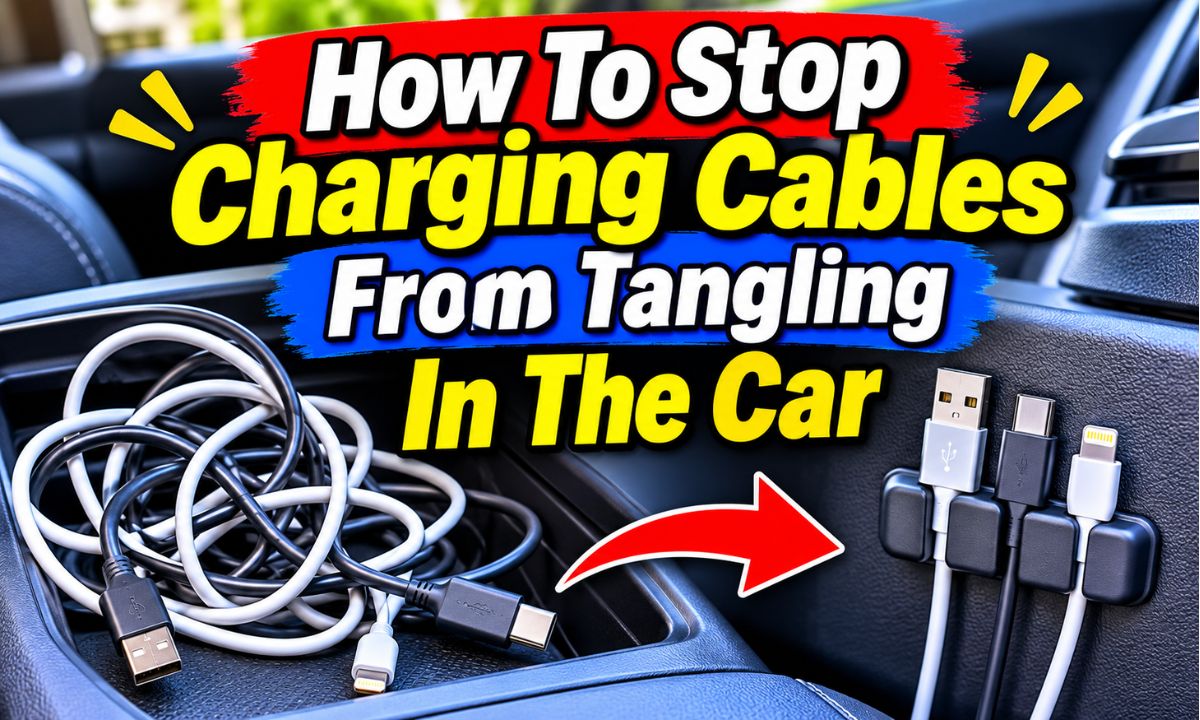
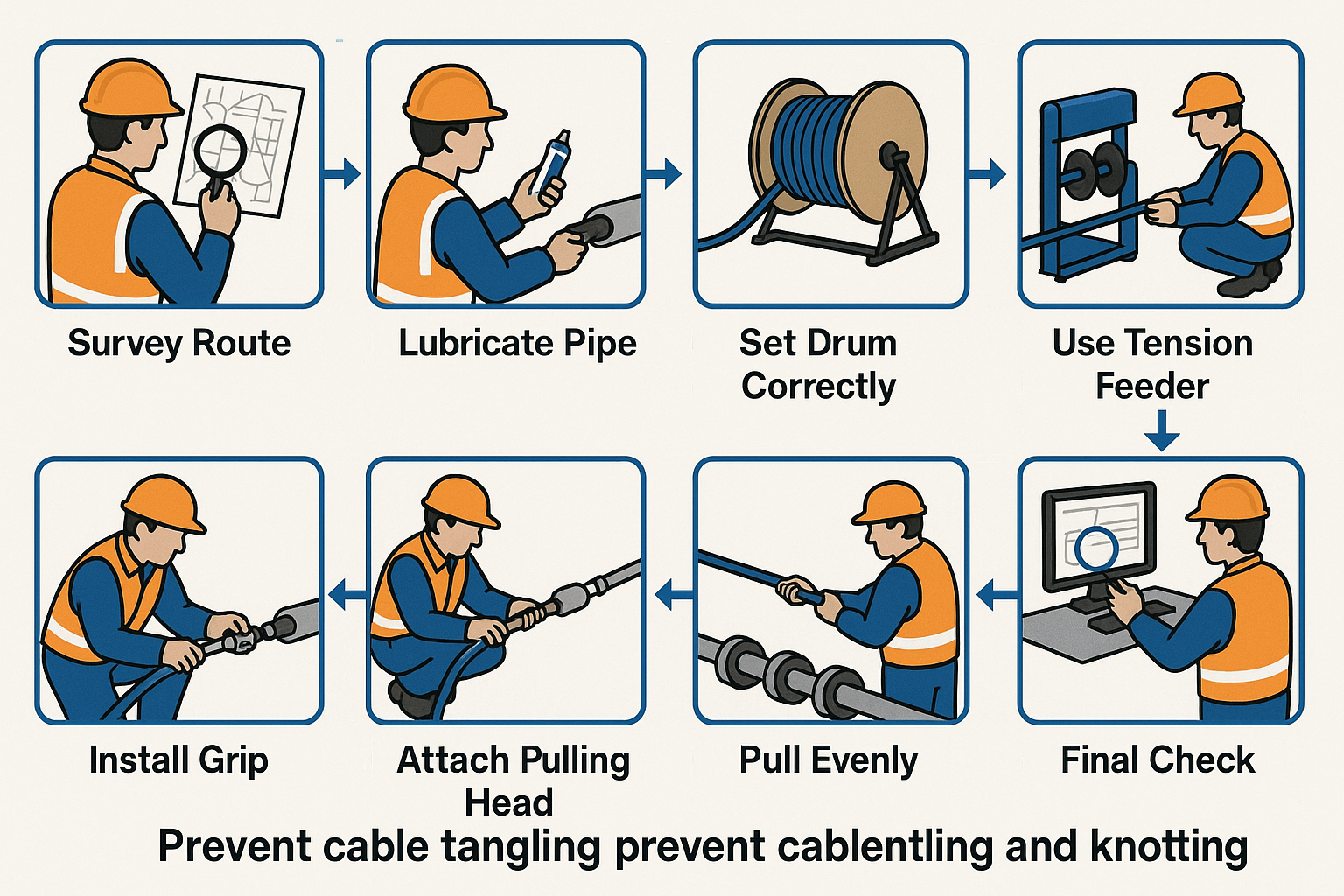
Use shorter cables, secure them with cable clips, bundle extra length with reusable ties, and store unused cords in a dedicated compartment.
American drivers use their cars for daily commutes, school runs, road trips, and long drives between cities. Phones, tablets, dash cameras, and other devices often need power during these trips. However, loose charging cords can quickly turn a clean center console into a messy pile of wires.
The good news is that you do not need an expensive organizer to fix this problem. A few simple tools and a better cable route can make a big difference. The key is to control extra cable length, give each cord a storage spot, and keep wires away from the parts of your car that need to move.
This guide explains how to stop charging cables from tangling in the car with easy steps. You will also learn which organizers work best, how to handle long cables, and how to keep wires away from pedals, seats, and other important parts of your vehicle.
Charging cables get tangled because they often have more length than the driver needs. A long cord may run from the dashboard to the center console, leaving extra wire around the phone, cup holders, or seats. When you move the phone or unplug it, that loose wire can twist around other cords.
The movement of a car can make the problem worse. Braking, turning, opening storage compartments, and moving seats can shift loose cables from one place to another. Two cords that start out neatly placed may end up wrapped around each other after several trips.
Another common cause is using several cables without separate storage spots. A phone cable, tablet cable, and backup charging cord may all sit in the same console compartment. Each time you take one out, the others can become tangled.
Source: solarquotes.com.au
Too much cable length
Long cords leave extra loops around the console and seats. These loops can catch on other objects and twist together.
Poor cable placement
Cables placed across open spaces can move when passengers enter, exit, or adjust their seats.
Mixed storage
Keeping several loose cords in one small compartment makes it harder to remove one cable without disturbing the others.
No fixed cable holders
Without clips or holders, charging cords can slide under seats, fall between cushions, or collect around the gear selector.
Can Tangled Cables Damage Your Charging Equipment?
Tangled cables do not always cause damage, but repeated pulling and twisting can wear them down. The connector ends are especially important because they have small internal parts and flexible sections that can weaken under stress.
A cable caught under a seat or pulled by a passenger may place pressure on the phone’s charging port. Tight bends can also wear the outer covering. If you see exposed wires, damaged insulation, or a loose connector, stop using that cable and replace it.
A neat cable setup helps reduce unnecessary pulling. It also makes it easier to spot damage before it becomes a larger problem.
1. Choose the Right Charging Cable Length
Choosing the right cable length is one of the easiest ways to prevent tangles. A cable that is too long creates extra loops, while one that is too short may pull on your phone or charger. Aim for a cord that follows the route from the power outlet to your phone with a small amount of useful slack.
Before buying a new cable, measure the path inside your car. Start at the USB port or 12-volt power adapter and follow the route to your phone’s normal position. Include any turns around the console or dashboard.
Do not measure only the straight distance between the charger and phone. The cable may need to follow the edge of the console or pass around a storage area. Measuring the real path gives you a better idea of the length you need.
Source: qrunningcable.com
Short cables
These work well when the phone sits close to the charging port. They leave less extra wire to manage.
Medium-length cables
These suit many dashboard phone mounts and center-console setups where the cable needs to follow an edge.
Long cables
These can help rear-seat passengers or drivers with distant charging ports. They need a fixed route and a safe place for extra length.
How Much Extra Cable Should You Leave?
Leave enough slack to remove your phone from its holder without pulling the connector. You should also be able to move the phone slightly while parked without stretching the cable.
Avoid leaving a large hanging loop. A small, controlled amount of slack is usually easier to manage than several inches of loose cord hanging near the dashboard or gear selector.
If the cable feels tight when you pick up the phone, use a longer cord. If it forms a large pile when connected, use a shorter one or secure the extra length.
2. Use Adhesive Cable Clips to Hold Cords in Place
Adhesive cable clips are a simple way to stop charging cords from moving around your car. These small holders attach to a suitable surface and keep a cable in a fixed position. Many have a small opening that lets you press the cord into place and remove it when needed.
You can place clips along the side of the center console, near a suitable dashboard edge, or beside a phone mount. The goal is to guide the cable along a stable path instead of allowing it to hang across the cabin.
Choose clips that match the thickness of your cable. A clip that is too tight can squeeze the cord, while one that is too wide may not hold it securely.
Source: solarquotes.com.au
Select a suitable clip
Look for smooth edges and an opening that holds your cable without crushing its outer covering.
Clean the surface
Remove dust and dirt using a cleaning method suitable for the vehicle’s trim. Let the surface dry before applying an adhesive holder.
Plan the route
Position the clip where the cable can follow a console or dashboard edge without crossing a control or moving part.
Secure the cord
Press the cable into the holder without forcing it. Check that the cord can still move slightly when you unplug your phone.
Where Should You Place Cable Clips?
The side of the center console is often a useful place because it keeps the cable close to the charging port and away from open spaces. A suitable point near a phone mount can also keep the connector from hanging or pulling downward.
Avoid placing clips over dashboard buttons, display screens, air vents, or surfaces that open and close. Never cover an airbag panel or attach accessories in an airbag deployment area.
Test the clip location before installing it. Make sure the cable does not interfere with the steering wheel, gear selector, parking brake, pedals, or seat movement.
3. Bundle Extra Cable Length With Reusable Ties
If your charging cable is longer than needed, bundle the unused section with a reusable cable tie. Hook-and-loop straps are a useful option because they can be opened and adjusted without cutting the cord. They also make it easy to release extra cable when you need more reach.
Start by disconnecting the cable from the power source and phone. Gather the extra length into loose loops, then wrap a soft tie around the bundle. Keep the loops wide enough to avoid sharp bends.
Do not pull the tie too tightly. A tight wrap can flatten the cable and place pressure on the internal wires. The goal is to keep the cord together, not squeeze it into a tiny shape.
Reusable hook-and-loop straps
These are easy to adjust and work well for cables that you use every day.
Soft silicone cable ties
These can hold small bundles and are easy to release when you need to change the cable length.
Built-in cable straps
Some charging cords include a small strap. Use it to secure unused length when the cable is disconnected.
How to Coil a Charging Cable Without Damaging It
Use broad, relaxed loops instead of wrapping the cord tightly around your hand or a small object. Keep the connector ends outside the bundle so they do not become trapped or bent.
Avoid sharp folds near USB-C, Lightning, or other connector ends. These areas can experience repeated stress during daily use.
After bundling the cable, check that it lies flat in its storage area. If the bundle pushes against a lid or gets crushed by other items, loosen it or choose a larger storage spot.
4. Give Every Charging Cable a Separate Storage Spot
A dedicated storage spot keeps unused cords from mixing with other items. Your center console, dashboard storage compartment, or a suitable door pocket may work well. The best location is one that keeps the cable secure and easy to reach while the vehicle is parked.
Avoid dropping all your cords into one open compartment. Coins, keys, sunglasses, and other small items can catch on cable ends. This makes the next charging session more frustrating.
Instead, use a small pouch or divided organizer. Give your main phone cable one section and keep backup cables in another. You can also label the cords if several look alike.
Center-console organizer
A divided console tray can separate charging cords from small personal items.
Small cable pouch
A soft pouch is useful for spare cords that you do not need during every drive.
Storage compartment
A built-in compartment can keep a bundled cord out of sight when it is not in use.
Cable labels
Small labels help you tell phone, tablet, and accessory cables apart without testing each one.
How to Organize Multiple Charging Cables
Start by removing every loose cord from the console. Check each cable and separate the ones you use from spare or damaged cords. There is little benefit in organizing cables that no longer work or fit your devices.
Next, group the working cables by purpose. Keep daily-use cords easy to reach and place backup cables in a separate pouch. If you travel with family, give rear-seat charging cords their own storage area.
Do not store a cable in a spot where it can become trapped under a heavy object. Make sure the connector is protected from pressure and the cord is not squeezed by the compartment lid.
5. Route Cables Along the Center Console or Dashboard Edge
A fixed cable route helps prevent loose cords from spreading across the car. Instead of letting a wire hang from the charging port, guide it along a suitable edge of the center console or lower dashboard.
This approach works well when your phone sits in a dashboard mount. The cord can follow the console edge and reach the phone without crossing the main control area. Small clips can hold it in place along the route.
Before attaching anything, sit in your normal driving position and plan the full path. Check the route from the charging port to the phone, then look for places where the wire could get caught or pinched.
Follow fixed edges
Use suitable console or trim edges to guide the cable rather than leaving it across an open space.
Avoid moving parts
Keep cords away from the gear selector, parking brake, steering column, and seat adjustment controls.
Check door areas
Do not run a cable through a door opening where closing the door could crush it.
Keep the phone end controlled
Use a suitable holder near the phone mount so the connector does not hang freely.
Can You Hide Charging Cables Behind Car Trim?
Some drivers tuck accessory cables behind suitable interior trim for a cleaner look. However, this is not a job to do by forcing a wire into any available gap. Vehicle interiors contain wiring, airbag components, clips, and other parts that can be damaged by incorrect installation.
For a simple phone charging cable, removable clips along an exposed trim edge are often a better option. If a cable must pass behind panels, follow the vehicle manufacturer’s instructions or ask a qualified automotive installer.
Never route an accessory cable through an airbag deployment area or where it could interfere with vehicle wiring. A clean appearance is not worth creating a safety problem.
6. Use a Retractable Charging Cable for Less Clutter
A retractable charging cable can help when you want a cord that extends for use and returns to a compact housing afterward. It can reduce loose cable loops around the center console and make storage easier.
These products are useful for drivers who charge a phone in different positions or want a compact setup. However, retractable designs vary in connector type, charging capability, cable length, and build quality.
Check that the cable supports your phone and charger. A USB-C connector alone does not guarantee a particular charging speed or data feature. Read the product specifications before replacing a cable that already works.
Compact storage
The cable retracts into its housing when you finish charging, reducing loose wire.
Adjustable reach
You can extend the cord to the length needed for your phone position.
Fewer loose loops
The housing helps control unused cable length instead of leaving it around the console.
What Should You Check Before Buying One?
Check the connector type at both ends and make sure it matches your phone and vehicle charger. Also check the stated power rating and whether the product supports the features you need.
Look at how the cable retracts and whether the housing can be stored securely. A loose unit that rolls around the console can create a new clutter problem.
Do not pull the cable beyond its intended extension or force it back into the housing. Follow the manufacturer’s instructions for use and storage.
7. Use a Cable Sleeve When You Have Several Wires
A cable sleeve can bring several loose cords together in one neat bundle. It is useful when you have a phone charger, dash camera cable, or another accessory wire following the same safe route.
Some sleeves have a flexible design that lets you add or remove cables. Others use a zip or hook-and-loop closure. Choose a sleeve that fits the number and thickness of your cords without squeezing them.
Remember that a sleeve does not make an unsafe cable route safe. It only groups the wires. The bundle must still stay away from pedals, moving seats, hot surfaces, and other restricted areas.
Flexible sleeves
These can group a few cords while allowing some movement when an accessory needs to be removed.
Split sleeves
These let you add or remove wires without disconnecting every cable.
Fabric cable wraps
These can help keep a small group of cords together and reduce loose movement.
When Should You Avoid a Cable Sleeve?
Avoid using a sleeve when the cables need to move independently or when the bundle would become too thick for the available space. A bulky bundle can get caught in a console lid or interfere with a storage compartment.
Do not cover damaged cords with a sleeve. Replace any cable with exposed conductors, cracked insulation, or other signs of damage before organizing the remaining wires.
For one phone charging cable, a small clip and reusable tie may be simpler than a full sleeve.
8. Keep Charging Cables Away From Car Safety Features
Cable organization must never interfere with driving controls or vehicle safety equipment. A charging cord that looks neat can still be dangerous if it hangs near the pedals or crosses a moving part.
Keep every cable out of the driver’s footwell. A cord near the brake or accelerator pedal can become trapped or interfere with normal pedal movement. Also avoid routing wires across the steering wheel, gear selector, or parking brake.
Airbags need clear deployment areas. Do not attach cable clips or route accessory wires over airbag covers, dashboard airbag seams, or side-airbag trim. Check your owner’s manual because airbag locations vary between vehicles.
Driver footwell
Never leave loose charging cords near the brake, accelerator, or clutch pedals.
Steering area
Keep cables clear of the steering wheel and steering column.
Gear selector
Do not let charging cords hang across the shifter or interfere with its movement.
Seat rails
Keep wires away from tracks and moving seat parts that could pinch or pull them.
Airbag areas
Do not attach organizers or route cables where they could affect airbag deployment.
Check the Cable Setup Before Driving
Park the car in a safe place before testing your cable arrangement. Check that the wire stays in place when you move the phone, open the console, and adjust the seat.
With the vehicle stationary, check that the steering wheel and gear selector can move normally. Confirm that no cable can fall into the driver footwell.
If you cannot find a safe route, use a different charging port or phone position. A loose cable should never be forced into a space where it can interfere with vehicle operation.
9. Reduce Cable Clutter With a Multi-Port Car Charger
A multi-port car charger can reduce the number of power adapters you need. Instead of plugging several separate adapters into different outlets, you may be able to power multiple devices from one charger.
This does not remove the need for cable management. Each device still needs a suitable cable, and several cords can still tangle if they share one open storage space.
Choose a charger that matches your vehicle’s power outlet and the charging needs of your devices. Check its port types and power limits before connecting several devices at once.
Check the power rating
Make sure the charger can provide the power required by your connected devices.
Check port compatibility
Look for the USB-A or USB-C ports your cables and devices need.
Use suitable cables
Choose cables that support the charging features and power level required by your devices.
Keep the setup simple
Connect only the devices you need and give each cable a clear route.
Can Wireless Charging Eliminate Cable Tangling?
Wireless charging can remove the need for a charging cable between a compatible phone and charging pad. This can make the area around your phone mount look cleaner.
However, wireless charging still needs a power source, and not every phone, case, or vehicle supports the same charging method. Some setups also need a cable to power the charging pad.
Check your phone and vehicle instructions before relying on wireless charging. If the phone gets hot or charging becomes unreliable, follow the manufacturer’s guidance and consider using a suitable wired connection instead.
10. Follow a Simple Weekly Cable Maintenance Routine
A tidy cable setup stays useful when you check it from time to time. Cords can shift, adhesive clips can loosen, and new accessories can add extra wires. A quick inspection helps prevent a small mess from growing again.
Once a week, look at the center console and dashboard. Return unused cords to their storage spots, check that cable ties are not too tight, and make sure clips still hold their wires.
Also check the cable ends and outer covering. Replace cords that show wear instead of trying to repair damaged insulation with a storage sleeve or organizer.
Return spare cables
Put unused cords back into their assigned pouch or compartment.
Check cable clips
Make sure holders remain attached and do not squeeze the wires.
Inspect connectors
Look for loose plugs, bent connectors, or damaged sections.
Remove unnecessary cords
Take out cables that you no longer use so they do not add clutter.
What Are the Signs of a Well-Organized Car Charging Setup?
Your setup is working when you can find and connect the correct cable without moving a pile of other cords. The phone can reach its normal position without pulling on the connector.
There should be no loose wire in the driver footwell, around the gear selector, or near moving seat parts. The center console should also close without trapping a cable.
If a cord repeatedly slips out of its holder, change the clip location or choose a better-fitting organizer. The best setup is one that stays useful during everyday driving, not just one that looks tidy when the car is parked.
Common Mistakes That Make Car Charging Cables Tangled Again
Some cable organization methods fail because they focus only on appearance. Hiding a cord or tying it into a tight bundle may make the console look clean, but it can also make the cable harder to use or damage it over time.
A better approach is to keep the cable easy to reach, protect its connectors, and make sure it has a safe route. Avoid these common mistakes when setting up your car charging system.
Using a cable that is much too long
Extra length creates more loops and makes tangling more likely. Measure the actual route and choose a suitable cable.
Tying cables too tightly
Tight ties can flatten or bend the cable. Use soft reusable straps and leave enough room for the cord.
Putting every cord in one compartment
Mixed cables can become tangled with keys and other objects. Separate daily-use cords from backups.
Placing clips on unsuitable surfaces
Dust, texture, heat, and incompatible adhesive can cause holders to come loose. Check the surface and product instructions first.
Routing cables under floor mats
A cable can shift or become trapped in the driver’s footwell. Use a different route that does not interfere with pedal movement.
Ignoring worn cables
A cable with damaged insulation or exposed wires should be replaced, not hidden inside an organizer.
Installing accessories while driving
Always organize and adjust charging cables while parked in a safe location.
What If Your Cable Organizer Keeps Falling Off?
An adhesive holder may fall off when the surface is dusty, oily, textured, or not suitable for that adhesive. Heat inside a parked car may also affect some adhesives and plastic parts.
Remove the loose holder and check the surface and product instructions. Clean it with a material-safe method, let it dry, and try a different suitable location if needed.
If adhesive holders continue to fail, use a removable organizer that does not rely on dashboard adhesive. Do not attach clips to sensitive trim or airbag areas simply to find a stronger surface.
What If the Cable Still Tangled After You Organize It?
Check whether the cable is moving because it has too much slack. Shorten the working length with a reusable tie or choose a more suitable cable.
If several cords are twisting together, give them separate clips or storage sections. If a cable keeps falling behind the console, add a suitable holder close to the point where you connect your phone.
Test the setup again while parked. If the cable still catches on a moving part, change the route rather than adding more ties to the same unsafe path.
Which Cable Organization Method Should You Choose?
The best method depends on where you charge your phone, how many cables you use, and how much extra length you need to store. You do not need every organizer type to get a neat setup.
Use this comparison to choose a simple method that solves your main problem. Start with the least complicated option and add another accessory only when it provides a clear benefit.
One phone cable near the dashboard
Use a suitable cable length and one or more small cable clips.
Long cable with extra slack
Use a reusable hook-and-loop tie to bundle the unused section.
Several charging cables
Use a divided console organizer or separate cable pouch.
Multiple wires following one route
Use a suitable cable sleeve after checking that the bundle does not interfere with vehicle parts.
Cable used in different positions
Consider a retractable cord or a longer cable with a secure storage point.
Frequent charging with fewer loose cords
Consider compatible built-in or wireless charging if your phone and vehicle support it.
A Simple Five-Minute Car Cable Organization Plan
You can make a useful start without buying a large organizer. Remove the loose cords, choose the cable you use most, and find the safest route from the charging port to your phone.
Secure the route with suitable clips, bundle the extra length, and put backup cords in a separate compartment. Then check that the cable does not interfere with driving controls or moving parts.
The result should be easy to use and easy to maintain. If the cable still moves or pulls, adjust the route before adding more accessories.
Minute 1
Remove loose cables and separate damaged or unused cords.
Minute 2
Measure the route from the charging port to the phone.
Minute 3
Choose suitable clips or a reusable tie.
Minute 4
Secure the working cable and store unused cords.
Minute 5
Check pedal, seat, shifter, steering, and airbag clearance while parked.
Frequently Asked Questions
Q
What Is the Easiest Way to Stop Charging Cables From Tangling in a Car?
The easiest method is to use a cable that is the right length, secure it with a small cable clip, and bundle any extra length with a reusable strap. Keep spare cords in a separate pouch or console compartment.
This simple combination controls loose wire without requiring permanent changes to your vehicle.
Q
How Do I Keep Charging Cables From Falling Between Car Seats?
Use a suitable cable holder near the charging point or phone mount to keep the cord in place. Route it along a fixed console edge rather than leaving it loose beside the seat.
Keep cables away from seat rails and moving seat parts. Never force a wire under a seat where it could become pinched.
Q
Are Velcro Cable Ties Good for Car Charging Cords?
Yes. Reusable hook-and-loop ties are useful for bundling extra cable length. They are adjustable, easy to remove, and do not require cutting the cord.
Wrap them loosely enough to avoid flattening the cable. Use broad loops and avoid sharp bends near the connector ends.
Q
Can I Use Magnetic Cable Holders in My Car?
You can use a magnetic cable holder if it is designed for the intended surface and holds the cable securely. Some designs use a small metal piece or magnetic attachment to keep a cord in place.
Check that the holder does not interfere with vehicle controls, sensitive equipment, or the phone mount. Do not assume that a magnetic holder will attach to every dashboard material.
Q
Should I Use a Short or Long Charging Cable in My Car?
A short cable is usually easier to manage when the charging port is close to your phone. It leaves less extra wire to tangle around the console.
A longer cable is useful when the phone sits farther away or when rear-seat passengers need access. If you choose a long cord, give the extra length a fixed storage spot and keep it away from moving parts.
Q
How Can I Keep Multiple Phone Chargers Organized in One Car?
Separate your cables by purpose and give each one a storage place. Keep the daily-use phone cable near the charging port and put spare cables in a small pouch or divided console tray.
Use labels if the cables look alike. This makes it easier to find the correct connector without pulling every cord out of storage.
Q
Can Cable Clips Damage My Car Dashboard?
Some adhesive clips can leave residue or affect sensitive surfaces when removed. The risk depends on the adhesive, dashboard material, temperature, and removal method.
Check the vehicle and clip instructions before attaching anything. Test a suitable hidden area if the manufacturer allows it, and avoid applying adhesive to textured or sensitive trim without confirming compatibility.
Q
Is It Safe to Run a Phone Charging Cable Under a Car Floor Mat?
It is best to avoid routing charging cables through the driver’s footwell or under a floor mat where they could move, become trapped, or interfere with pedal operation.
Choose a route along a suitable console or dashboard edge instead. The cable should remain clear of the brake, accelerator, and clutch pedals.
✦ Wrapping Up
Conclusion
Tangled charging cables can make even a clean car interior look messy. Fortunately, you can solve most cable clutter with a few simple changes. Choose the right cable length, use suitable clips, bundle extra wire with reusable ties, and store backup cords in a separate place.
Pay close attention to cable placement. Keep wires away from pedals, steering parts, seat rails, gear selectors, and airbag areas. Check the setup while parked and make sure the cord does not pull on your phone or get trapped when you move a seat or close a compartment.
You do not need a complicated system to keep your car organized. A clear cable route and a fixed storage spot for every cord can make daily charging easier and help protect your charging equipment.
💡 Key Takeaway
Start by removing every loose cord from your center console. Keep one correctly sized cable for daily use, secure it with suitable clips, bundle its extra length with a reusable tie, and store backup cables separately. Finish by checking that every wire stays clear of pedals, seats, steering parts, and airbag areas.