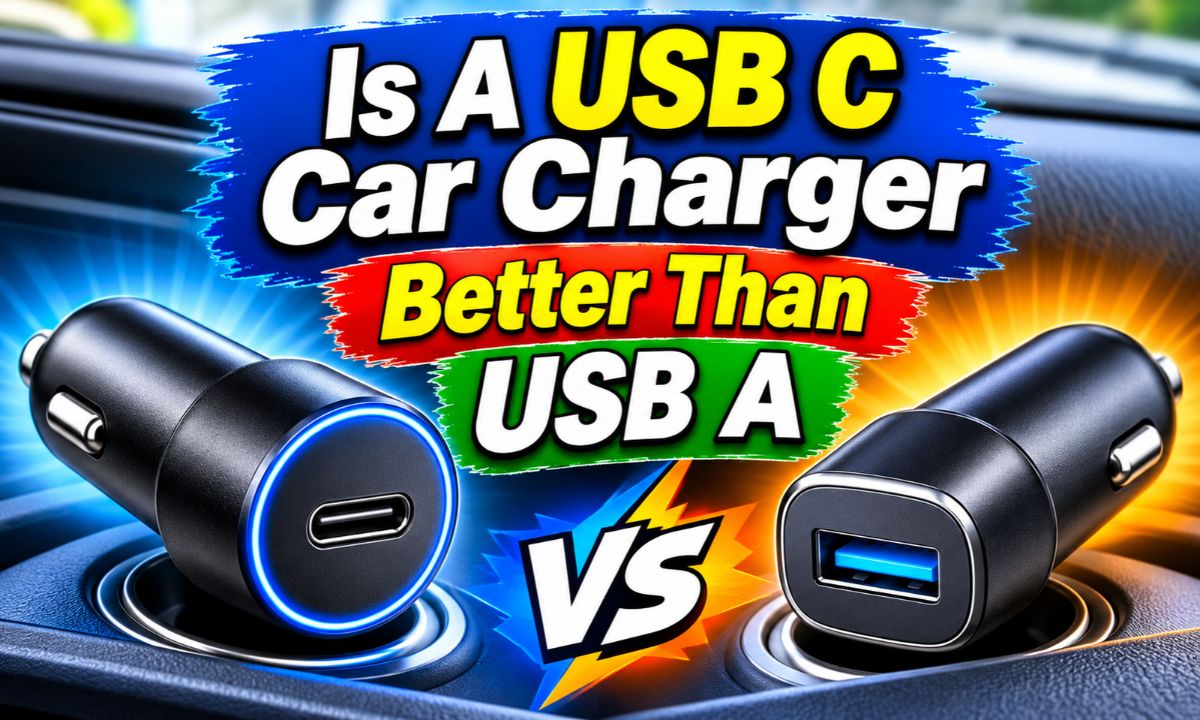
Yes, USB C car chargers are generally better for modern phones because they support faster charging and newer power delivery technology.
If you drive across the United States, your phone often does more than make calls. It may run GPS, play music, handle work calls, and help you find gas stations during a road trip. A reliable car charger can keep your battery ready for all these tasks.
You may have noticed that newer car chargers use USB C ports instead of the older USB A ports. Both can charge phones, but they do not always offer the same speed or power. A USB C charger with USB Power Delivery (USB PD) can supply more power to compatible devices than many basic USB A chargers.
Still, a USB C port does not guarantee fast charging. The charger, cable, phone, and charging standard must all work together. This guide explains the real differences so you can choose the right option for your car without paying for power your device cannot use.
What Is the Difference Between USB C and USB A Car Chargers?
The main difference is the connector design and the charging technology each port can support. USB A is the older rectangular connector. It usually accepts a cable in only one direction. USB C is smaller, oval-shaped, and reversible, so you can plug it in either way.
USB C was designed to support newer USB features, including higher power delivery and more flexible power management. USB Power Delivery can allow a compatible charger and phone to agree on the amount of power needed. This can make charging faster and more efficient for supported devices.
USB A can also support fast charging through certain charging standards. However, many older USB A car chargers provide less power than modern USB C PD models. The difference depends on the exact charger rather than the connector shape alone.
USB A
An older rectangular connector that works with many traditional charging cables and accessories.
USB C
A newer reversible connector that can support USB Power Delivery and higher power levels when the charger and device are compatible.
USB Power Delivery
A charging standard that lets compatible devices and chargers negotiate suitable power levels.
Why Does the Connector Shape Matter?
The reversible design makes USB C easier to use. You do not need to check which side faces up before plugging in your phone. This small detail is useful when you are sitting in the driver’s seat or charging a phone in a dark vehicle.
USB C also supports newer power features. However, the shape does not tell you the actual charging speed. A basic USB C charger may provide less power than a high-quality USB A fast charger with a compatible charging standard.
USB A design
Rectangular and directional, so the plug must face the correct way.
USB C design
Small and reversible, making cable connection easier.
Is a USB C Car Charger Faster Than USB A?
In many cases, yes. A USB C car charger that supports USB Power Delivery can charge a compatible phone faster than a basic USB A charger. This is especially useful when you have a short commute and want to add more battery power before reaching your destination.
For example, a basic USB A charger may provide 5 watts of power, while a compatible USB C PD charger may provide 20 watts or more. These are example output levels, not fixed limits for either connector. Some USB A fast chargers can supply more power, and some USB C chargers offer only basic output.
Your phone also controls how much power it accepts. If your phone supports a maximum charging rate of 18 watts, buying a 65-watt car charger will not make it charge at 65 watts. The phone will use a supported power level.
Charging speed also changes as the battery fills. Many phones accept more power when the battery is low and reduce the rate as the battery approaches full. Heat can also cause the phone to slow charging to protect its battery.
For short trips
A compatible USB C PD charger can add useful battery power during a short drive.
For long trips
A suitable fast charger can help keep a phone charged while running maps and music.
For older phones
A USB A charger may provide enough power if the phone does not support newer fast-charging features.
How Wattage Affects Charging Speed
Wattage measures electrical power. A charger with a higher available wattage can supply more power, but the connected phone must support that amount and the correct charging method.
You can calculate watts by multiplying volts by amps. For example, 5 volts multiplied by 3 amps equals 15 watts. A charger rated at 9 volts and 3 amps can supply 27 watts under that output condition.
These calculations describe the charger’s possible output. They do not mean your phone will always draw the full amount. Actual charging depends on the phone, cable, temperature, battery level, and charging protocol.
Check voltage
Look at the voltage ratings printed on the charger or listed in its specifications.
Check current
The amp rating helps determine the possible power output.
Check total wattage
Choose a charger that meets your phone’s supported charging requirements.
USB C vs USB A Car Charger Comparison
The following table compares common features of the two connector types. Actual performance depends on the specific charger and its supported standards.
USB C has the advantage for newer devices and modern fast-charging systems. USB A remains useful for older accessories and existing cables. Neither connector is automatically better in every situation.
Connector design
USB C is reversible, while USB A has a fixed orientation.
Fast charging
USB C commonly supports USB PD, while USB A may use other fast-charging standards.
Older accessories
USB A can be more convenient if you already own compatible older cables.
Feature-by-Feature Comparison
USB C is usually the stronger long-term option because many newer phones and tablets use it. USB A is still practical when you want to keep using existing cables without buying replacements.
For drivers who carry several devices, a charger with both port types can offer the best balance. You can use USB C for a newer phone and USB A for an older accessory.
USB C compatibility
Works with compatible USB C cables and devices.
USB A compatibility
Works with compatible USB A cables and older charging accessories.
Power flexibility
USB C PD supports flexible power negotiation when both connected devices support it.
What Is USB Power Delivery and Why Does It Matter?
USB Power Delivery, often called USB PD, is a charging standard that allows compatible devices and chargers to negotiate power. Instead of relying only on one fixed voltage, the charger can offer supported power levels and the device can request what it needs.
This feature is one of the main reasons USB C car chargers are attractive. A compatible charger can provide more power than many basic USB A chargers. It can also support a range of devices, depending on its output rating and the device’s requirements.
The USB Implementers Forum explains that USB PD supports flexible power delivery over compatible USB C connections. Its published specifications include power levels far beyond what a typical phone needs. That does not mean every car charger or phone can use those maximum levels.
Power negotiation
The charger and device communicate to select a supported power level.
Flexible output
Compatible chargers can provide different voltage and current combinations.
Device protection
The power negotiation process helps prevent a device from receiving an unsupported negotiated power level.
Does Every USB C Charger Support USB PD?
No. USB C describes the connector, while USB PD describes a power delivery system. A charger can have a USB C port without offering USB PD.
Check the product label or technical specifications before buying. Look for the words USB Power Delivery or USB PD. Also check the listed output ratings, since a low-power USB C charger may not provide the speed your phone supports.
Look for USB PD
Do not assume a USB C port automatically supports Power Delivery.
Check the wattage
Make sure the output meets your device’s charging needs.
Which Devices Benefit Most From a USB C Car Charger?
Modern smartphones are among the main devices that benefit from USB C charging. Many current Android phones use USB C, and iPhone 15 and later models also use USB C ports. A suitable USB C PD car charger can provide faster charging for compatible models.
Tablets can also benefit from higher charging power. Some tablets need more power than a basic phone charger can supply. If you plan to charge a tablet during a long drive, check its recommended adapter output before choosing a car charger.
Some laptops can charge through USB C as well. However, not every laptop accepts power from every USB C charger. A laptop may require a higher wattage output and a suitable USB PD profile.
Smartphones
Modern iPhones and Android phones can benefit from compatible USB C fast charging.
Tablets
A higher-output USB C charger may be useful for tablets that support USB PD.
Laptops
Some USB C laptops can charge in a car when the charger supplies enough compatible power.
Wireless charging accessories
Some in-car wireless charging pads use USB C power input, although the required output depends on the pad.
Is USB C Better for iPhones?
For iPhone 15 and newer models, USB C is the natural cable connection. A compatible USB C PD car charger can support fast wired charging when paired with a suitable cable.
Older iPhones with Lightning ports can also use USB C chargers through a USB C to Lightning cable, provided the charger and cable are compatible. You do not need to replace an older phone simply because newer models use USB C.
Check Apple’s charging guidance for your exact iPhone model. The required power level can differ between generations.
iPhone 15 and newer
Use a compatible USB C to USB C cable.
Older Lightning models
Use a suitable USB C to Lightning cable with a compatible USB C charger.
Is USB C Better for Android Phones?
USB C is generally a good choice for modern Android phones. Many models support USB PD or other fast-charging systems through USB C.
Google’s Pixel charging guidance states that a USB A to USB C cable can charge a Pixel, but it charges more slowly than a compatible USB C power adapter and USB C cable. The exact speed still depends on the Pixel model and charger.
Check phone specifications
Find the supported charging wattage and charging protocol for your model.
Use a suitable cable
Choose a USB C cable rated for the power you want to use.
Can a USB A Car Charger Still Be a Good Choice?
Yes. A USB A car charger can still be useful if your phone or accessories do not need high charging power. It may also be the easiest option when you already own several USB A cables.
Older phones, small accessories, Bluetooth devices, and some dash cameras can work with USB A charging. If a device only needs a modest amount of power, there may be little practical benefit in replacing a working charger.
Some USB A chargers also support fast-charging technologies. However, those technologies may not match the charging protocol used by your newer phone. Check both the charger and phone specifications before expecting fast charging.
You own older cables
USB A lets you keep using compatible cables without replacing them.
You charge small devices
A basic USB A charger may supply enough power for simple accessories.
You need a spare charger
A working USB A charger can remain useful as a backup.
When Should You Keep Your USB A Charger?
Keep it if it charges your devices reliably and provides enough power for your needs. There is no need to replace a working charger just because USB C is newer.
However, if your phone regularly loses battery while using GPS, streaming music, or running other apps, a compatible faster charger may be worth considering.
Keep it
Your devices charge at an acceptable speed and the charger is in good condition.
Replace it
You need faster charging, more power, or a compatible connection for newer devices.
USB C vs USB A for Road Trips and Daily Driving
For most modern drivers, USB C is the more useful choice during road trips. Navigation apps, music streaming, and mobile data can all use battery power. A suitable fast charger can help your phone keep up with these tasks.
Imagine driving from New York to Washington, DC, or taking a longer trip across Texas. You may use your phone for directions throughout the journey. A USB C PD charger with enough output can be more useful than a basic USB A port when your phone supports fast charging.
For family travel, a dual-port charger can be even more practical. One person can connect a newer phone to USB C while another uses USB A for an older device. This avoids carrying several separate car chargers.
Daily commuting
USB C can provide faster charging during short drives when the phone supports it.
Long road trips
A suitable higher-output charger can help maintain battery power during navigation and entertainment.
Family vehicles
A dual-port model can support different cable types.
Rideshare driving
A reliable charger with enough output can help keep a phone ready for navigation and work apps.
Does GPS Make USB C Charging More Useful?
GPS navigation can increase battery use, especially when the screen stays bright and mobile data remains active. Charging may also slow when the phone becomes warm.
A USB C PD charger can help if your phone supports the required charging mode. However, it cannot guarantee that the battery will gain power quickly in every condition. Heavy phone use, heat, and a weak cable can reduce the benefit.
Reduce screen brightness
A lower screen brightness can reduce power use during navigation.
Keep the phone cool
Avoid placing the phone in direct sunlight while charging.
How to Choose the Right USB C Car Charger
Choose a charger based on your device’s needs rather than the largest wattage printed on the package. A good charger should support the right charging standard, provide enough power, fit your vehicle’s power outlet, and have clear safety information.
Most traditional car chargers plug into a 12-volt accessory outlet, sometimes called a cigarette lighter socket. Check that the charger fits securely and does not block nearby controls or other outlets.
Before buying, read the output specifications. A charger with one USB C port and one USB A port may offer different power levels through each connection. Some models also share their total power when two devices are connected.
Check charging standards
Look for USB PD or another charging standard supported by your phone.
Check wattage
Choose an output that meets your phone or tablet’s supported charging needs.
Check port count
Decide whether you need one port or several ports for passengers.
Check build quality
Look for a secure fit, clear labeling, and protection against electrical faults.
Check the warranty
A clear warranty and reliable customer support can make a charger easier to replace if it fails.
How Many Watts Should a USB C Car Charger Have?
For a basic smartphone, a charger around 20 watts may be enough for fast charging on models that support that level. Some newer phones can use higher power, so check the manufacturer’s specifications before buying.
For a tablet, you may need a higher output. Some laptops also require more power than a typical phone charger can provide. A 30-watt, 45-watt, or higher-output charger may be useful when the connected device supports it.
Do not assume that a charger with a higher wattage will damage a compatible phone. With proper USB PD operation, the device and charger negotiate a supported power level. Still, choose a reputable product with accurate specifications.
Around 20W
A practical starting point for many compatible smartphones.
Around 30W to 45W
May suit phones with higher charging needs and some tablets.
Higher output
Useful for compatible larger devices, including certain laptops.
Should You Buy a Dual USB C and USB A Car Charger?
A dual-port charger is a sensible choice if you use devices with different cable types. It can also help when passengers need to charge their phones during a trip.
Before purchasing, check whether the advertised wattage applies to one port or the combined output. For example, a charger advertised as 40 watts may not provide 40 watts to each port at the same time.
Read the shared-output details carefully. Some chargers reduce the USB C port’s available power when another device connects.
Best for mixed devices
One USB C port and one USB A port offer useful cable flexibility.
Best for two newer phones
A dual USB C charger may be more useful when both devices use USB C cables.
Does the Charging Cable Affect Performance?
Yes. A charging cable can limit the power that reaches your phone. Even a high-output USB C car charger may charge slowly if you use an unsuitable, damaged, or low-capability cable.
For a USB C PD charger, use a cable designed for the power level you need. Most phone charging needs do not require an unusually high-power cable, but larger devices may have different requirements.
Cable length and condition can also matter. A damaged connector, loose plug, or poor-quality cable can cause charging interruptions. Replace a cable if you see exposed wires, bent connectors, or other signs of damage.
Match the cable
Use a USB C cable rated for the charger’s intended power level.
Inspect the connectors
Check for dirt, corrosion, bent parts, and loose connections.
Avoid damaged cables
Replace frayed or visibly damaged cables instead of continuing to use them.
Can You Use a USB A to USB C Cable With a USB C Phone?
Yes. A USB A to USB C cable can charge a USB C phone when connected to a suitable USB A power source. This is useful if your car has an older USB A charging port.
However, the phone may charge more slowly than it would with a compatible USB C PD charger and USB C to USB C cable. Google documents this difference for Pixel phones in its charging guidance.
You can continue using your existing cable if the charging speed meets your needs. Replace it only when you need a newer connection or faster compatible charging.
USB A to USB C
Useful with older car chargers and compatible USB A ports.
USB C to USB C
The preferred cable type for compatible USB C PD charging.
Are USB C Car Chargers Safe for Your Phone and Vehicle?
A properly designed USB C car charger from a reputable manufacturer is generally suitable for compatible devices and vehicles. The connector type alone does not make a charger safe or unsafe. Build quality, electrical design, and correct operation matter more.
Look for clear electrical ratings and information about protection against overcurrent, overvoltage, overheating, and short circuits. These features can help protect connected equipment from electrical problems.
Avoid very cheap chargers with unclear specifications, damaged housings, loose plugs, or unusual smells. A charger should fit firmly in the vehicle outlet and should not become excessively hot during normal use.
No charger should be treated as risk-free. If you notice smoke, a burning smell, visible damage, or repeated electrical problems, stop using it and disconnect it when safe to do so.
Choose reputable brands
Look for established manufacturers with clear product details and customer support.
Check electrical ratings
Make sure the input and output specifications suit your vehicle and devices.
Watch for overheating
Stop using a charger that becomes unusually hot or shows signs of damage.
Keep the socket clean
Dust and debris in the vehicle’s power outlet can interfere with a secure connection.
Can a Higher-Wattage USB C Charger Damage a Phone?
A properly designed USB PD charger should not force its full advertised wattage into a compatible phone. The charger and phone negotiate a supported power level.
For example, a phone that supports 20 watts does not automatically receive 65 watts simply because the charger has a 65-watt rating. The phone controls how much power it accepts within the supported charging system.
The important condition is compatibility. Avoid damaged, poorly made, or incorrectly labeled chargers. A higher wattage number cannot make an unsafe product safe.
Use compatible equipment
Check that your phone supports the charger’s charging standard.
Avoid unknown products
Choose a charger with clear specifications and suitable safety information.
Can Heat Affect USB C Charging in a Car?
Yes. A parked car can become very hot, especially during summer. Direct sunlight can also heat the phone while it is charging.
Many phones reduce charging power when their internal temperature rises. This is a protective measure, not necessarily a sign that the charger is broken.
Keep the phone in a shaded, ventilated place when possible. Do not cover it with clothing or place it in an enclosed area where heat can build up.
Move the phone out of direct sunlight
Use a shaded mounting position when practical.
Allow airflow
Avoid trapping the phone between cushions or inside closed storage spaces.
Why Is Your USB C Car Charger Charging Slowly?
Slow charging does not always mean the charger is faulty. The cable, phone settings, battery temperature, and charging standard can all affect performance.
Start by checking the charger specifications and cable. Then test the phone with another compatible charging setup. This can help you find out whether the problem comes from the charger, cable, or phone.
The phone charges slowly
The charger may have insufficient output, or it may not support the phone’s fast-charging standard.
Charging starts and stops
The cable may be loose, damaged, or poorly connected.
The charger feels unusually hot
The charger may be overloaded, damaged, or operating in a hot environment.
The phone does not recognize the charger
The cable, charger, or phone port may have a compatibility or hardware problem.
Simple Troubleshooting Steps
First, check the charger’s output label. Make sure it supports the charging method and power level recommended for your phone.
Next, try another compatible USB C cable. If charging improves, the original cable may be the problem. Also inspect the phone’s charging port for visible dirt or damage.
Disconnect other devices if you use a multiport charger. Some models divide their available power between connected devices. Your phone may receive less power when another device is plugged in.
Finally, check the phone’s temperature. If it feels hot, stop heavy use and allow it to cool. If the problem continues with known-compatible equipment, contact the phone or charger manufacturer.
Step 1
Check the charger wattage and charging protocol.
Step 2
Test with another compatible cable.
Step 3
Disconnect other devices from the charger.
Step 4
Check for overheating or visible damage.
Step 5
Seek qualified support if the charging problem continues.
Common Mistakes When Buying a Car Charger
Many buyers focus only on the port shape or the largest wattage number. These details matter, but they do not tell the whole story.
A better approach is to compare the charger’s power output, supported standards, cable requirements, and shared-port behavior. This helps you avoid paying for features your phone cannot use.
Assuming every USB C port supports fast charging
Some USB C chargers offer basic power only. Check for USB PD or another standard supported by your phone.
Buying the highest wattage without checking compatibility
Your phone may not support the advertised maximum output.
Ignoring cable quality
A weak or damaged cable can reduce charging performance.
Ignoring shared output
A multiport charger may divide its available power between connected devices.
Choosing an unknown charger based only on price
Unclear ratings and poor build quality can create reliability and safety concerns.
Is a Cheap USB C Car Charger Worth Buying?
A low-cost charger can be useful if it comes from a reliable manufacturer and clearly lists its specifications. Price alone does not determine charging performance or safety.
However, avoid products that make large power claims without listing voltage, current, or charging standards. A charger with unclear specifications is difficult to compare with your phone’s requirements.
Check product support, warranty terms, independent safety information, and customer feedback. These details are more useful than a large number printed on the package.
Good signs
Clear output ratings, a secure design, suitable protection features, and reliable support.
Warning signs
Unclear specifications, poor construction, damaged packaging, or exaggerated performance claims.
Which Car Charger Should You Choose?
For most people with modern smartphones, a USB C car charger with USB PD is the better purchase. It offers a useful combination of newer compatibility and fast charging when paired with a supported device and cable.
A USB A charger is still a reasonable choice if your devices use older cables or only need basic charging. There is no need to replace a working charger if it already meets your needs.
If you share a vehicle with family members or regularly charge several devices, consider a dual-port charger. Choose the port combination based on the devices you actually carry.
Is USB C the Better Long-Term Investment?
USB C is generally the better long-term option because it is widely used by newer phones, tablets, and many other electronic devices. Buying a good USB C charger now may reduce the need to replace your car charger when you upgrade your phone.
However, USB A has not become useless. Older accessories and cables can remain in service for years. A dual-port charger can help bridge the gap between older and newer equipment.
The best purchase is the one that meets your current needs while leaving enough room for the devices you expect to use.
Choose USB C
When you mainly use modern devices and want compatible fast charging.
Choose USB A
When you have older equipment and do not need higher charging power.
Choose both
When your vehicle carries a mix of older and newer devices.
Frequently Asked Questions
Q
Is USB C better than USB A for charging phones in a car?
Yes, USB C is generally better for modern phones because it supports newer charging features, including USB Power Delivery. A compatible USB C charger can provide faster charging than many basic USB A chargers.
However, actual speed depends on the phone, cable, charger wattage, and supported charging standard.
Q
Does USB C charge faster than USB A every time?
No. USB C can support faster charging, but the connector alone does not determine speed. Some USB A chargers support fast-charging standards, while some USB C chargers provide only basic power.
Check the charger’s output ratings and compatibility with your phone before comparing charging speeds.
Q
Is a 20W USB C car charger enough for an iPhone?
A 20-watt USB C PD car charger can support fast charging for many compatible iPhone models. However, newer models may support different charging requirements and higher speeds.
Check Apple’s current charging guidance for your exact iPhone model and use a suitable cable.
Q
Can I use a USB C car charger with an older phone?
Yes, provided you use the correct cable. An older phone with a Lightning or Micro-USB connection may work with a USB C charger through a suitable cable.
The phone will charge according to its supported charging system, so it may not use the charger’s full output.
Q
Is a USB C car charger safe to leave plugged in?
A properly designed charger can generally remain in the vehicle’s accessory socket, but behavior varies by vehicle. Some sockets remain powered when the engine is off, while others switch off with the ignition.
Check your vehicle manual. If your socket remains powered, unplugging the charger when it is not needed can prevent unnecessary standby power use.
Q
Does a USB C car charger work with a USB A cable?
A USB C car charger has a USB C output, so a USB A cable cannot plug directly into that port. You need a cable with a USB C connector on the charger end and the correct connector for your phone.
For a USB A car charger and USB C phone, use a USB A to USB C cable.
Q
Should I buy a 30W or 45W USB C car charger?
Choose 30 watts if that meets your phone’s charging requirements. A 45-watt model may be more useful for a device that supports higher power or when you want additional capacity for compatible accessories.
The phone will not necessarily charge faster with the 45-watt model. Its supported charging speed remains the deciding factor.
Q
Can I charge two phones at the same time?
Yes, if the car charger has two suitable ports. Check its combined output rating and how power is divided between the ports.
A dual USB C and USB A model can support different cable types, while a dual USB C model may suit two newer phones.
✦ Wrapping Up
Conclusion
So, is a USB C car charger better than USB A? For most modern drivers, yes. USB C offers a reversible connection, broader support for newer devices, and access to USB Power Delivery fast charging.
USB A still has a place in cars. It works well with many older cables and accessories, and it may provide enough power for devices that do not need fast charging. You do not need to replace a working USB A charger if it already meets your needs.
The most important thing is to match the charger to your phone. Check its supported wattage, charging standard, and cable requirements before buying. If you use several devices, a dual-port charger can provide useful flexibility.
💡 Key Takeaway
For a modern smartphone, choose a reputable USB C car charger with compatible USB Power Delivery and enough wattage for your device. If you also use older accessories, consider a dual USB C and USB A model.