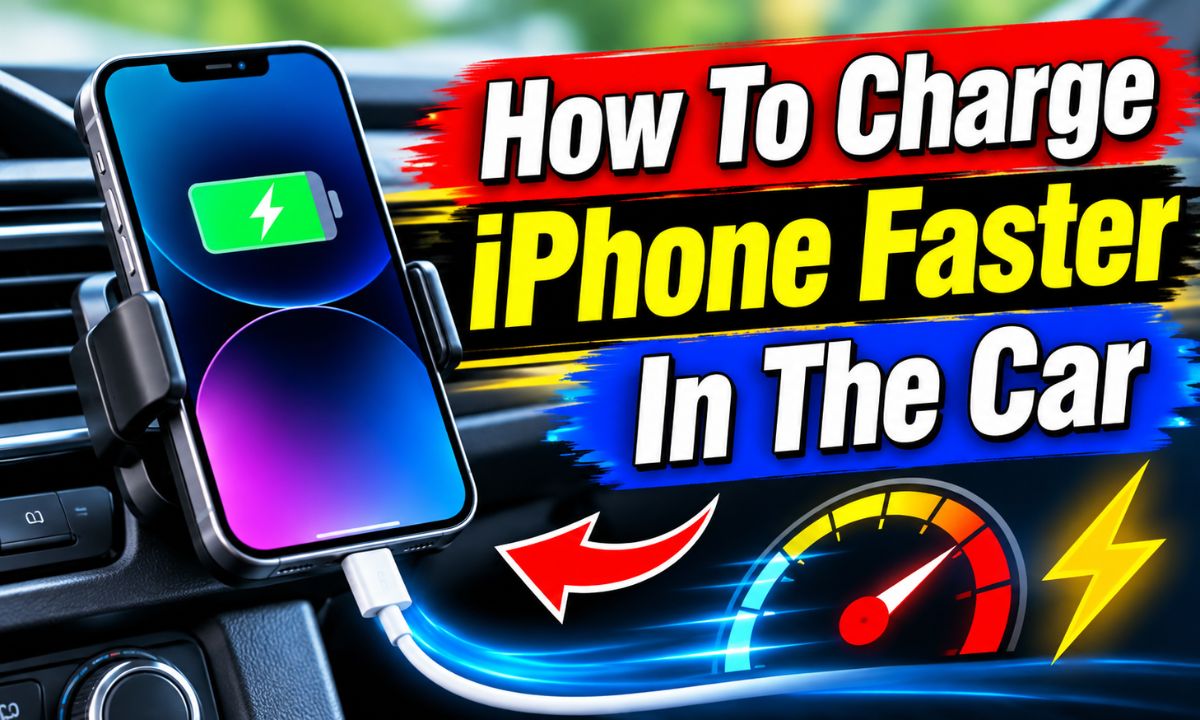
Use a compatible USB-C Power Delivery car charger, a good charging cable, and keep your iPhone cool while charging. These steps can help your phone charge much faster during a drive.
Whether you drive to work in Texas, take a road trip across California, or spend hours traveling on an American highway, a low iPhone battery can cause trouble. Your phone may run navigation, play music, handle calls, and help you find nearby gas stations. All these tasks can use power while you drive.
The good news is that you can improve charging speed without changing your iPhone or buying an expensive accessory. The biggest step is to use a car charger that supports USB Power Delivery (USB-PD). You also need the right cable for your iPhone model. A weak built-in car USB port may charge slowly, even when the phone shows that it is charging.
Heat, screen brightness, background apps, and the current battery level can also affect charging speed. For example, using Apple Maps or Google Maps while streaming music can use some of the power that enters your phone. A hot dashboard can slow charging even when you have a powerful charger.
This guide explains how to choose the right car charger, connect your iPhone, reduce power use, and fix slow charging. It also covers older iPhones, newer USB-C models, wireless car chargers, and common mistakes that can waste your time.
The easiest way to improve car charging speed is to use a USB-C car charger that supports USB Power Delivery. USB-PD is a charging standard that lets a charger and phone agree on a suitable power level. It can provide more power than many older USB-A car chargers.
Many older cars have a USB port built into the dashboard or center console. These ports can be useful for basic charging and data connections. However, some provide limited power and may not charge an iPhone quickly, especially when navigation and other apps are running.
A USB-C PD car charger usually plugs into the vehicle’s 12-volt accessory socket. Some cars call this a power outlet or cigarette lighter socket. Check your vehicle manual to confirm the outlet type and supported use before buying an adapter.
Apple’s fast-charging requirements vary by iPhone generation. Many earlier fast-charge setups use an 18W or higher USB-C PD adapter. Newer models may have different power requirements, so check Apple’s guidance for your exact model before choosing a charger.
Source: static1.makeuseofimages.com
Look for USB-PD support
Check the product specifications for USB Power Delivery. A USB-C port alone does not prove that a charger supports this charging standard.
Check the wattage
Choose a charger that meets the fast-charging requirement for your iPhone. A suitable 20W or 30W model may work for many phones, while some newer models need higher output for their fastest charging mode.
Check the power distribution
A charger with several ports may split its total output between connected devices. Read the power ratings for one-device and multi-device use.
Why USB-C PD Is Better Than a Basic Car USB Port
A basic USB-A port may provide less power than a modern USB-C PD charger. This can make a clear difference when you use your iPhone for navigation or other tasks during a drive. The battery may gain power slowly or remain at nearly the same level.
USB-C PD supports power negotiation. The charger does not simply push its maximum rated power into your phone. Instead, the connected device requests a supported power level. This helps the phone receive suitable power without exceeding its supported charging limits.
Better charging potential
A compatible PD charger can deliver more power than many older low-output USB ports.
Useful for road trips
It can help restore battery power during short stops and longer drives.
2. Choose the Right Charging Cable for Your iPhone
A powerful car charger cannot deliver its full charging benefit if the cable is damaged or unsuitable. The cable connects the charger to your phone, so its type and condition matter. Always choose a cable that matches your iPhone’s charging port.
iPhone 15 and newer models use USB-C ports. These phones generally need a USB-C to USB-C cable for wired fast charging. Older iPhones with Lightning ports need a compatible USB-C to Lightning cable when paired with a USB-C PD car charger.
You do not need to buy the most expensive cable. A compliant cable from a reliable maker can work well. Check that the product supports charging at the power level you need and is made for your iPhone’s connector.
Avoid using cables with loose ends, damaged insulation, bent connectors, or exposed wires. A worn cable can cause charging interruptions and may create an electrical safety risk. Replace it if you notice visible damage.
Source: cdn.ithinkdiff.com
For iPhone 15 and newer
Use a compliant USB-C to USB-C charging cable.
For Lightning iPhones
Use a compatible USB-C to Lightning cable with a USB-C PD car charger.
Inspect the cable
Look for loose connectors, cuts, bent ends, or signs of overheating before each long trip.
Choose a suitable length
A short cable can help keep your charging setup tidy and reduce the chance of tangles around the gear selector or other controls.
Can an Old USB-A Cable Charge an iPhone Fast?
An older USB-A cable can charge an iPhone, but it may limit charging speed. Apple states that iPhone 15 models and later are limited to a maximum of 7.5W when using a USB-A charger. This is one reason a compatible USB-C PD setup is a better choice when speed matters.
If your car only has a USB-A port, you can still use a suitable USB-A cable. However, switching to a USB-C PD car charger and the correct cable may provide a better result if your vehicle has a compatible 12-volt outlet.
Do not force connectors
A cable should fit easily into the charging port. Never push a connector that does not match.
Replace unreliable cables
If charging starts and stops when the cable moves, try a known-good cable before replacing the charger.
3. Pick the Right Charger Wattage for Your iPhone
The wattage rating tells you how much power a charger can provide under supported conditions. A higher rating can be useful, but it does not mean every iPhone will charge at that speed. Your phone controls how much power it accepts.
For many older fast-charge setups, Apple lists an 18W or higher USB-C PD adapter. For iPhone 15 and newer models, a USB-C PD charger is the key requirement. Apple’s newer model guidance gives different wattage requirements for different generations, so avoid treating one charger rating as the best choice for every iPhone.
For example, Apple lists a 40W adapter or higher for fast charging the iPhone 17, iPhone 17 Pro, and iPhone 17 Pro Max to around 50 percent in about 20 minutes under its test conditions. The iPhone 17e and iPhone Air have a different requirement. Newer iPhone 18 Pro models have their own higher-power fast-charging requirements.
These figures come from Apple’s controlled tests with specific devices, cables, and adapters. Your real charging time may differ because of battery level, temperature, settings, and phone use. A car charger must also support the required charging standard and provide the needed output.
Source: i.pinimg.com
Check the exact iPhone model
Look up its fast-charging requirements rather than relying on a general wattage recommendation.
Read the output label
Check the charger’s USB-C output specifications, not just its large total wattage printed on the package.
Avoid paying for unused power
A very high-wattage charger may not provide a useful speed improvement if your iPhone cannot accept that level.
Does a 65W Car Charger Damage an iPhone?
A compliant 65W USB-C PD charger does not automatically send 65W into your iPhone. The phone and charger negotiate an appropriate power level, and the iPhone limits the power it accepts.
You can use a higher-wattage charger when it supports the required charging standard and is designed to meet applicable safety requirements. However, buying a 65W charger only for an iPhone may not be worth the extra cost if a lower-rated charger already meets your phone’s fast-charging needs.
Higher wattage is not forced power
The phone controls its charging demand within the supported charging arrangement.
Quality still matters
Choose a reputable charger with clear electrical ratings and suitable safety protections.
4. Keep Your iPhone Cool While Charging
Heat is one of the main reasons an iPhone may charge slowly in a car. Your phone produces some heat during normal charging. Navigation, video streaming, bright screens, and direct sunlight can add more heat.
This can be a problem during summer drives in states such as Arizona, Florida, and Texas. A phone mounted near a windshield may become much hotter than one placed in a shaded area. A dark dashboard can also absorb heat from sunlight.
Apple explains that charging may slow or pause when an iPhone becomes too hot or too cold. This is an automatic protection feature. It helps keep the battery and other internal parts within a suitable temperature range.
If you see a charging hold message, do not try to force the phone to charge faster. Move it away from direct sunlight, lower the cabin temperature, and allow it to cool. Charging should resume when the phone returns to a suitable temperature.
Source: cdn.mos.cms.futurecdn.net
Avoid direct sunlight
Place your phone in a shaded, well-ventilated location instead of leaving it on a sunny dashboard.
Use the car air conditioner
Cool the cabin when needed, and keep the phone away from hot air outlets.
Remove a heat-trapping case
If your iPhone becomes unusually warm while charging, remove its case and let it cool.
Avoid parked-car charging in extreme heat
Do not leave your iPhone charging unattended in a hot parked vehicle.
Why Does My iPhone Stop Charging at 80 Percent?
An iPhone may slow charging near 80 percent as part of its battery management system. It may also pause charging because of high temperature or a configured charge limit. This behavior does not always mean that your car charger is faulty.
Check Settings and open Battery to review charging information. Depending on your model and iOS version, you may see a charging limit, optimized charging information, or a message about temperature. Let the phone cool if it reports that charging is on hold.
Check the charge limit
Review the battery charging limit in Settings if your iPhone regularly stops at a chosen percentage.
Check the temperature
If the phone is hot, move it to a cooler place before continuing to charge.
5. Reduce iPhone Use While Driving and Charging
Your iPhone can charge faster when it uses less power at the same time. If the screen stays bright, navigation runs continuously, and music streams over cellular data, the phone must handle several tasks while charging.
You do not need to turn off every feature. Small changes can help reduce power use. Lower screen brightness, limit demanding apps, and use a stable connection for music when possible.
Apple notes that graphics-intensive apps, games, camera features, and high-quality video streaming can reduce charging speed. This matters when your iPhone is connected to a car charger during a long trip.
If you use navigation, keep it running when you need directions. Safety and reliable navigation matter more than gaining a few extra minutes of charging. Set your route before driving and avoid handling the phone while the vehicle is moving.
Source: i.ytimg.com
Lower screen brightness
Reduce the display brightness to a comfortable level instead of keeping it at maximum.
Use Low Power Mode
Turn on Low Power Mode when you want to reduce some background activity and power use.
Avoid gaming
Close demanding games and other high-power apps while charging.
Limit video streaming
Avoid watching high-resolution videos while you want the battery to gain power quickly.
Use a dark or sleeping screen when possible
After setting up navigation or music, avoid unnecessary screen activity.
Should You Turn On Airplane Mode to Charge Faster?
Airplane Mode can reduce power use by disabling cellular connections and other wireless features, depending on your settings. However, it is not a practical choice when you need phone calls, mobile data, or live navigation during a drive.
You can use Airplane Mode when you are parked and do not need a network connection. For normal driving, keep the connections you need and reduce unnecessary screen and app activity instead.
Use it when parked
Airplane Mode may help reduce power use during a short charging break when you do not need calls or mobile data.
Keep essential services active
Do not disable the connections needed for navigation, communication, or emergency access during a trip.
6. Connect Your iPhone to the Best Power Port in Your Car
Some vehicles have several USB ports, but they may not provide the same charging power. One port may support data and entertainment features, while another may provide more power. Your owner’s manual can help you identify the purpose and output of each port.
If your car has a low-power USB port, consider using a suitable USB-C PD adapter in the 12-volt accessory socket. This can be a better option for fast charging than relying on a port designed mainly for connecting a phone to the car’s entertainment system.
Check whether your car’s accessory socket remains powered when the engine is off. Some vehicles keep it active, while others switch it off with the ignition. Charging while the engine is off may drain the vehicle battery if the socket remains powered for a long time.
Also check the charger’s vehicle input rating. Many car chargers support 12V systems, while some support both 12V and 24V systems. Do not use a charger outside its stated input range.
Source: i.ytimg.com
Read the vehicle manual
Find out which ports support charging and whether the accessory socket works when the ignition is off.
Use the correct power outlet
Choose a car charger designed for your vehicle’s electrical system.
Avoid loose adapters
Make sure the charger fits securely in the accessory socket and does not disconnect over bumps.
Can I Charge My iPhone Through Apple CarPlay?
Yes. A wired CarPlay connection can charge your iPhone while it connects to your vehicle’s infotainment system. However, the charging speed depends on the power output of the car’s USB port.
If the phone gains battery power very slowly while using wired CarPlay, the port may not provide enough power for fast charging. You may be able to use a separate USB-C PD car charger for power while using wireless CarPlay, if your vehicle and setup support it.
Wireless CarPlay does not automatically charge your iPhone. You still need a charging cable or a compatible wireless charging system.
Wired CarPlay
It can charge and connect your iPhone through the vehicle’s USB port, but speed depends on the port.
Wireless CarPlay
It uses a wireless connection and needs a separate power source if you want to charge at the same time.
7. Use Wired Charging Instead of Wireless Charging When Speed Matters
A wired connection is often the more practical choice when you want to charge your iPhone quickly in the car. It connects the phone directly to a suitable power source and avoids some of the extra heat that can occur during wireless charging.
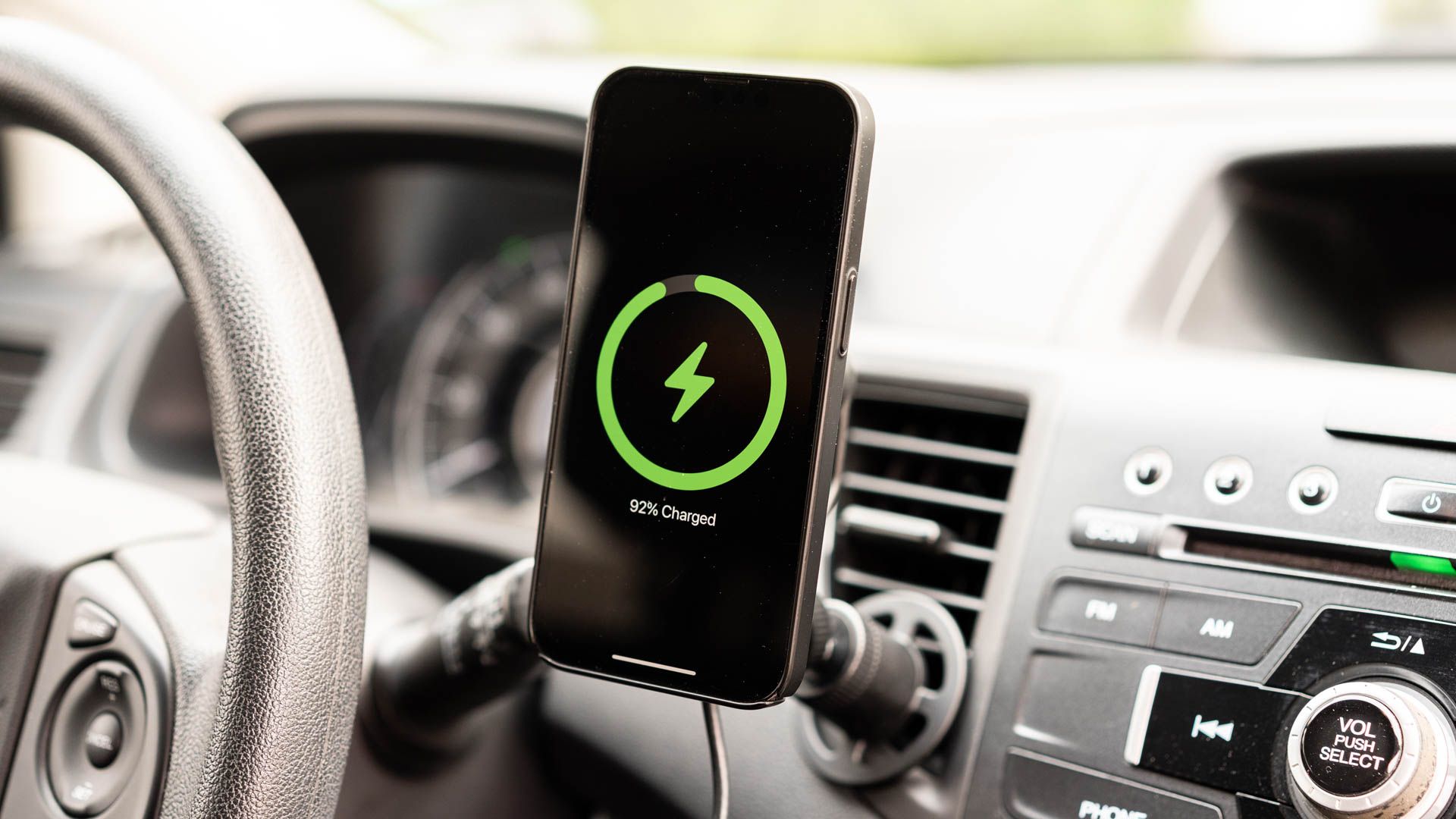
Wireless car chargers can be convenient because they reduce cable clutter. Some models use magnetic alignment and support MagSafe or Qi2 charging. However, charging speed depends on the iPhone model, wireless charger, power adapter, and temperature.
Apple’s wireless fast-charging requirements differ by model. For some newer iPhones, a suitable MagSafe charger and a USB-C PD power source are needed. A basic wireless charging pad may provide less power and take longer to charge the battery.
If your phone gets warm on a wireless charging mount, try a wired USB-C connection. This can be especially helpful when you use navigation in hot weather.
Source: i.pinimg.com
Choose wired charging for speed
A suitable USB-C PD car charger and cable are a good starting point when fast charging is the main goal.
Choose wireless charging for convenience
A compatible wireless mount can make it easier to place and remove your phone.
Check wireless standards
Look for the correct MagSafe or Qi2 support instead of assuming every magnetic charger offers the same charging speed.
Does MagSafe Charge Faster in a Car?
MagSafe can provide fast wireless charging when you use a compatible iPhone, MagSafe charger, and suitable power adapter. However, the result depends on the model and accessories.
A magnetic mount that only holds your phone is not necessarily a fast charger. Check the product’s actual wireless charging specifications and the power adapter requirements before buying it.
Check iPhone compatibility
Confirm that your iPhone supports the wireless charging feature offered by the mount.
Check the power source
A wireless charger needs a suitable power adapter to reach its supported charging speed.
8. Check Your iPhone’s Charging Settings
Your iPhone has built-in battery features that can affect how quickly it reaches a full charge. Checking these settings can help you understand why the battery stops at a certain level or charges more slowly than expected.
Open Settings and tap Battery. Depending on your iOS version and iPhone model, you may see charging information, battery health details, a charge limit, or a slow charger message. These details can help you identify whether the problem comes from the charger or a normal battery setting.
Optimized Battery Charging can delay charging beyond a certain level in some situations. This feature helps reduce the time your battery spends fully charged. A charge limit can also prevent the phone from charging beyond the level you selected.
Do not turn off battery protection features just to make charging appear faster. For a short road trip, the main goal may be to gain enough power for the rest of the journey, not to reach 100 percent.
Source: cdn.ithinkdiff.com
Review Battery settings
Open Settings, tap Battery, and check the charging information shown for your device.
Check your charge limit
Make sure a selected battery limit is not the reason your iPhone stops charging.
Read slow charger warnings
A slow charger message can indicate that the connected power source is not providing the best available charging speed.
How to Know Whether Your iPhone Is Charging Fast
Look at the battery indicator to confirm that your iPhone is receiving power. On supported iOS versions, the Battery section may also show a slow charger message or an estimated charging time.
A rising battery percentage is another useful sign. Compare the percentage before and after a consistent period of charging, while keeping phone use and temperature similar. This is a simple way to see whether a new charger or cable improves your setup.
Do not judge charging speed from the charging symbol alone. The symbol confirms that power is connected, but it does not tell you the exact wattage reaching the battery.
Look for a charging indicator
Check that the battery symbol shows that the phone is connected to power.
Check the Battery menu
Look for charging estimates and any slow charger or temperature warning.
Compare battery changes
Observe the battery percentage over a similar period with the screen use and temperature kept as consistent as possible.
9. Troubleshoot an iPhone That Charges Slowly in the Car
If your iPhone still charges slowly after you install a better car charger, check the setup one part at a time. Start with the cable and power source. Then inspect the phone’s charging port, temperature, and battery settings.
Do not assume that the battery is damaged just because charging takes longer in the car. A low-output port, a shared charger, a worn cable, or a hot phone can all affect charging speed.
Try a known-good cable and a compatible charger. If the phone charges normally with another power source, the issue may be with the car charger or vehicle port. If it charges slowly everywhere, the phone may need further inspection.
Source: i.ytimg.com
Problem: The battery percentage barely increases
Possible causes include a weak USB port, low-output charger, heavy app use, or a damaged cable. Try a compatible USB-C PD charger and a known-good cable.
Problem: Charging starts and stops
Check for a loose cable, unstable accessory socket, damaged connector, or debris in the charging port.
Problem: The phone feels hot
Move the phone out of sunlight, stop demanding apps, and allow it to cool before charging again.
Problem: A slow charger warning appears
Use a compatible higher-output charger and check whether another connected device is reducing the available power.
Problem: The phone does not charge at all
Check the vehicle power socket, charger connection, cable, and phone port. Try a different compatible power source.
Clean the Charging Port Carefully
Dust and pocket lint can build up inside a phone’s charging port. This can stop the cable from connecting properly and may cause intermittent charging.
First, disconnect the cable and turn off the iPhone. Inspect the port with good lighting. If you see debris that cannot be removed safely, contact Apple or a qualified repair provider.
Do not pour liquid into the port, insert metal objects, or use sharp tools. Also, never connect a cable if you suspect that the port is wet. Follow Apple’s liquid detection and drying guidance before charging again.
Inspect before cleaning
Look for visible dust, lint, or damage without pushing anything into the connector.
Avoid liquids
Never spray cleaning products or water into the charging port.
Get help when needed
Ask a qualified repair provider to inspect a damaged, blocked, or unreliable charging port.
When Should You Replace the Car Charger?
Replace the charger if it becomes unusually hot, has damaged connectors, produces a burning smell, or repeatedly disconnects. A charger that works only when you hold it at a certain angle may also have a loose connection.
Stop using a charger that shows signs of electrical damage. Choose a replacement with clear power ratings, a suitable vehicle input range, and recognized safety compliance for your market.
Burning smell
Unplug the charger when safe and stop using it.
Visible damage
Replace a charger with cracked housing, exposed wiring, or bent connectors.
Repeated failures
Test another compatible charger to identify whether the problem is the adapter or vehicle socket.
10. Best Practices for Fast and Safe Car Charging
A good charging setup should be fast, reliable, and easy to use. You do not need several adapters or a complicated cable system. One compatible car charger and one good cable are enough for most drivers.
Place your phone where it has airflow and does not block your view. Keep the cable away from the pedals, gear selector, steering wheel, and other controls. A charging setup should never interfere with safe driving.
If you take long road trips, check your charging accessories before leaving home. A quick inspection can help you avoid a dead battery when you need navigation or an important call.
Use a reputable charger and cable that meet applicable safety standards. Avoid unknown accessories with unclear specifications or unrealistic power claims. A reliable charging setup is more useful than a high wattage number printed on a cheap adapter.
Source: m.media-amazon.com
Prepare before driving
Check the cable, charger, and vehicle power socket before leaving.
Secure the phone
Use a stable mount or safe storage location that does not block the driver’s view.
Keep cables organized
Route cables away from pedals, moving parts, and controls.
Watch for heat
Do not leave a charging iPhone in direct sunlight or a hot parked car.
Use safe charging accessories
Choose products with clear specifications and suitable electrical safety compliance.
A Simple Car Charging Setup for Everyday Use
For most drivers, a USB-C PD car charger with one suitable USB-C port is a simple starting point. Pair it with a cable that matches your iPhone. This avoids the need for extra adapters between the phone and charger.
If you regularly charge a passenger’s phone too, consider a dual-port model. Check its power distribution carefully because the total output may be shared when both ports are in use.
Keep a spare compatible cable in your glove box or travel bag. Store it in a dry place and check it for damage from time to time.
One phone
A single-port USB-C PD car charger and a compatible cable are usually enough.
Two phones
Choose a dual-port charger with enough total output for both connected devices.
Frequent road trips
Carry a spare cable and check the charger before a long journey.
11. How to Charge Your iPhone Faster in the Car: A Quick Step-by-Step Method
If you want a simple method to follow, start with the charger and cable. Then reduce unnecessary phone activity and keep the device cool. This approach addresses the main factors that affect charging speed without requiring complicated changes.
Before your next trip, check the iPhone model and its charging requirements. Select a suitable USB-C PD car charger and connect the correct cable. Use a compatible vehicle power outlet rather than assuming every built-in USB port provides the same output.
After connecting the phone, check that the charging symbol appears. Open Settings and tap Battery if you want to review the charging status. If a warning appears, follow the message rather than trying to bypass the phone’s safety features.
For the best practical result, avoid using demanding apps while the battery is recovering. You can still use essential navigation and communication features, but reduce screen brightness and close apps you do not need.
Source: static1.makeuseofimages.com
Step 1: Identify your iPhone
Check whether it uses USB-C or Lightning and find its fast-charging requirements.
Step 2: Choose a compatible car charger
Select a USB-C PD charger with suitable output and vehicle input ratings.
Step 3: Connect the right cable
Use USB-C to USB-C for supported USB-C iPhones or USB-C to Lightning for compatible older models.
Step 4: Check the connection
Make sure the battery indicator shows that the phone is charging.
Step 5: Reduce power use
Lower brightness, avoid gaming, and limit demanding apps.
Step 6: Control heat
Keep the phone away from direct sunlight and allow airflow around it.
Step 7: Check the result
Compare the battery percentage after a consistent charging period and look for any warnings.
Example: A Better Charging Setup for a Daily Commute
Imagine you leave home with 25 percent battery and have a 40-minute commute. Your old car USB port charges slowly while navigation and music run in the background. By the time you arrive, the battery may have gained very little power.
You replace the old setup with a compatible USB-C PD car charger and the correct cable. You also lower screen brightness and keep the phone away from direct sunlight. These changes can improve the amount of power your iPhone gains during the drive.
The exact percentage increase depends on your iPhone, charger, battery level, phone use, and temperature. This example shows why a better power source and lower power use work together.
Main improvement
A suitable USB-C PD charger can provide a stronger charging source than a low-output car USB port.
Supporting improvement
Less screen activity and lower heat can help the iPhone use incoming power more effectively.
12. Common Mistakes That Make Car Charging Slower
Buying a powerful charger is only part of the solution. Some common mistakes can prevent an iPhone from receiving the best available charging speed. A little attention to the cable, power source, and phone temperature can prevent many of these problems.
One common mistake is buying a charger based only on its total wattage. A charger may advertise a high combined output but offer less power through the port you actually use. Always check the individual port rating.
Another mistake is using a low-quality cable or an old adapter. A cable may still work for basic charging even when it is damaged or unsuitable for the charging setup. If performance is poor, test with a known-good cable.
Finally, avoid expecting the same charging speed from 5 percent to 50 percent and from 80 percent to 100 percent. iPhones manage charging speed to protect battery health, and charging commonly slows as the battery approaches a high charge level.
Source: i.ytimg.com
Buying only by wattage
A high total wattage does not guarantee that the USB-C port provides the power your iPhone needs.
Using a damaged cable
A loose or worn cable can interrupt charging and reduce reliability.
Charging in direct sunlight
Heat can cause charging to slow or pause.
Connecting too many devices
A multi-port charger may divide its available power between connected devices.
Using a weak built-in USB port
Some vehicle ports are designed for basic charging or data rather than fast charging.
Expecting constant charging speed
Charging speed changes with battery level, temperature, and battery management settings.
Does Turning Off Your iPhone Make It Charge Faster?
Turning off your iPhone stops most active phone tasks and can reduce power use during charging. This may help the battery gain power when the phone is not being used.
However, you do not need to turn off your phone for fast charging. A compatible USB-C PD charger, a good cable, and a cool charging environment are more important. If you need the phone for navigation or calls, keep it on and limit unnecessary activity.
When it may help
Turning the phone off can reduce power use when you are parked and do not need it.
When it is unnecessary
For normal driving, a good charger and cable can provide fast charging without switching off the phone.
Frequently Asked Questions
Q
What is the fastest way to charge an iPhone in a car?
Use a compatible USB-C Power Delivery car charger and a suitable charging cable. Choose a charger that meets the fast-charging requirements of your exact iPhone model. Keep the phone cool and avoid demanding apps while charging.
A wired USB-C PD connection is a practical choice when speed matters. A low-power built-in USB port may charge much more slowly.
Q
Is a 20W car charger enough for an iPhone?
A 20W USB-C PD car charger can meet the fast-charging needs of many iPhone models, including several earlier models and some newer ones. However, it may not provide the fastest supported charging speed for every newer iPhone.
Check Apple’s charging requirements for your exact model. Some newer iPhones have higher wattage requirements for their fastest wired charging mode.
Q
Can I use a 30W or 65W car charger with my iPhone?
Yes, you can use a compliant USB-C PD charger with a higher wattage rating if its specifications support your iPhone. The phone controls how much power it accepts, so a 65W rating does not mean that 65W will automatically enter the battery.
A higher-rated charger may be useful if you also charge a tablet or laptop. For an iPhone alone, choose a rating that matches your phone’s needs.
Q
Why does my iPhone charge slowly even with a fast car charger?
Possible causes include a damaged cable, a shared charger port, high phone temperature, heavy app use, or a charging port that needs inspection. The car’s USB port may also provide less power than the charger you expect.
Try a known-good cable, use a suitable USB-C PD car charger, reduce demanding app use, and move the phone out of direct sunlight. Check Settings and tap Battery for any slow charger or temperature warnings.
Q
Does using Apple CarPlay slow down iPhone charging?
CarPlay itself does not set one fixed charging speed. With wired CarPlay, the iPhone receives power from the vehicle’s USB port, and the port’s output affects how quickly it charges.
Navigation and other active apps can also use power while charging. If the battery gains power slowly, check the vehicle port’s specifications and consider a separate compatible USB-C PD charger when your setup allows it.
Q
Should I use a car charger or a wireless charging mount?
A wired USB-C PD car charger is a good choice when fast charging is your main goal. It offers a direct connection and can avoid some of the extra heat associated with wireless charging.
A compatible MagSafe or Qi2 car mount is useful when you want easier phone placement and fewer cables. Check its supported charging speed and power requirements before buying.
Q
Does Low Power Mode make an iPhone charge faster?
Low Power Mode reduces some background activity and certain power-consuming features. This can reduce the amount of power your iPhone uses while connected to a charger.
It does not increase the charger’s output or override the iPhone’s charging limits. It is a useful extra step when you want to reduce battery use during a drive.
Q
Can charging an iPhone in a car damage its battery?
Using a compatible, compliant car charger does not normally damage an iPhone battery. The phone manages charging automatically and includes protections against unsuitable charging conditions.
Excessive heat is a more important concern. Avoid direct sunlight, hot parked vehicles, and damaged charging accessories. Stop using any charger that smells burnt or shows visible electrical damage.
Q
Why does my iPhone stop charging at 80 percent?
Your iPhone may have a charge limit enabled, or Optimized Battery Charging may delay charging to help preserve battery health. Heat can also cause charging to pause or slow.
Open Settings and tap Battery to review the available charging information. Check the selected charge limit and allow the phone to cool if a temperature warning appears.
Q
Can I charge my iPhone while the car engine is off?
That depends on your vehicle. Some cars keep the 12-volt accessory socket powered after the engine is turned off, while others switch it off with the ignition.
Check your vehicle manual before using the socket for a long charging session. Avoid draining the vehicle’s battery by leaving accessories connected when the engine is off.
✦ Wrapping Up
Conclusion
Charging your iPhone faster in the car does not need to be difficult. Start with a compatible USB-C Power Delivery car charger and the correct cable for your iPhone. These two accessories can make a bigger difference than most small software changes.
Next, keep your phone cool and reduce unnecessary power use. Lower the screen brightness, avoid demanding apps, and keep the device away from direct sunlight. If you use navigation, place your iPhone in a shaded location where it can still receive airflow.
If charging remains slow, inspect the cable, charger, car power port, and iPhone charging port. Check the Battery section in Settings for slow charger messages, temperature alerts, and charge limits. Replace damaged accessories and seek qualified help if the phone or charging port appears faulty.
The best setup is the one that matches your iPhone and your vehicle. You do not need the highest-wattage charger on the market. You need a reliable power source, a suitable cable, and a safe place to charge your phone.
💡 Key Takeaway
Before your next drive, check your iPhone model, choose a compatible USB-C PD car charger, connect the correct cable, and keep your phone cool. These simple steps can help you gain more battery power during every trip.
4 thoughts on “How To Charge iPhone Faster In The Car: Easy Tips”





4 thoughts on “How To Charge iPhone Faster In The Car: Easy Tips”