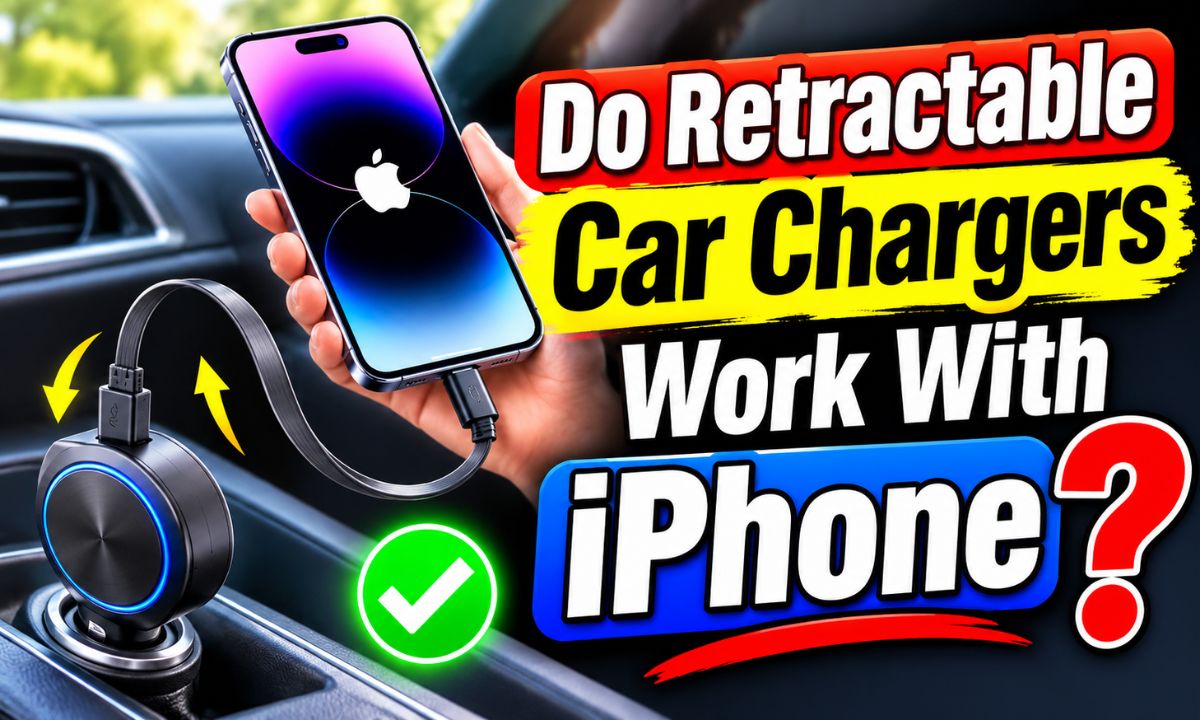
Yes, retractable car chargers work with iPhones when their built-in cable has the correct connector and supports the phone’s charging needs.
Whether you drive across Texas, commute through California, or take a family road trip along the East Coast, keeping your iPhone charged in your car is useful. A retractable car charger can make this easier because its cable pulls out when you need it and slides back into the charger when you finish. This helps keep loose cords off your dashboard and center console.
The key is choosing the right cable. iPhone 15 and newer models use USB-C ports, while iPhone 14 and older models use Lightning ports. Some retractable car chargers include only USB-C, some include Lightning, and others have both. A charger must match your iPhone’s charging port to work without an extra adapter.
Charging speed also matters. A retractable charger may support basic charging or faster USB Power Delivery, depending on its design. Its advertised wattage does not guarantee that your iPhone will receive that full amount. The charger, cable, phone, vehicle power outlet, and other connected devices all affect the result.
This guide explains how these chargers work, which iPhones they support, how to choose a suitable model, and what to check if your phone does not charge. It also covers cable care, charging speed, safety, and common buying mistakes.
How Do Retractable Car Chargers Work With an iPhone?
A retractable car charger works much like a regular car charger. You plug its base into your vehicle’s 12-volt accessory outlet, then connect its built-in cable to your iPhone. Power travels from the car’s electrical system through the charger and cable into the phone’s battery.
The main difference is how the cable is stored. A retractable charger has a small spring-loaded or locking system inside its body. You pull the cable out when you need it, lock it at a useful length, and release it when you are done.
The retracting system does not make the charger incompatible with Apple devices. It is simply a cable storage feature. The actual charging depends on the cable connector, electrical design, and supported charging standards.
Some models also include extra USB-A or USB-C ports. This lets you charge more than one device, such as an iPhone and a passenger’s phone, if the charger supports multiple connections.
Source: ph.pinterest.com
Built-in cable
The cable stays attached to the charger, so you do not need to carry a separate charging cord.
Retractable storage
The cable pulls out for use and returns to the charger body when released correctly.
Vehicle power
The charger takes power from the car’s accessory outlet and converts it into a suitable USB charging output.
Extra charging ports
Some designs offer additional USB connections for passengers or other devices.
Does the Retractable Feature Affect Charging?
No, the retractable feature does not automatically reduce charging speed. A well-made retractable charger can supply power just like a regular charger with a fixed cable. The important details are the electrical output, cable quality, and charging standard.
However, a poorly made or damaged retractable cable can cause problems. Loose internal connections, worn wires, and damaged connectors may lead to slow charging or repeated disconnections. This is why build quality matters as much as the advertised wattage.
Good cable design
A properly designed cable can deliver stable power while extended.
Damaged cable design
Worn internal wires may interrupt charging or cause the connection to fail.
Which iPhone Models Are Compatible With Retractable Car Chargers?
Most iPhones can use a retractable car charger if the charger has the correct connector. The biggest difference between models is the charging port on the bottom of the phone.
Apple moved to USB-C with the iPhone 15 lineup. Earlier models, including the iPhone 14 series and older Lightning-equipped models, use Apple’s Lightning connector. This change means you should check your iPhone model before buying a charger with a built-in cable.
A charger with a USB-C cable is a suitable direct connection for a USB-C iPhone. A charger with a Lightning cable is suitable for a Lightning iPhone. A multi-cable charger can be useful if you own more than one type of iPhone.
Some retractable chargers have a USB-C output port instead of a built-in cable. You can connect your own compatible USB-C to USB-C cable or USB-C to Lightning cable to that port, depending on your phone.
Source: amazon.com
iPhone 15 and newer
Choose a retractable charger with a USB-C cable or a suitable USB-C output port.
iPhone 14 and older
Choose a model with a Lightning cable or use a compatible USB-C to Lightning cable with a suitable USB-C charging port.
Multiple iPhone models
Consider a charger with separate USB-C and Lightning connections if different passengers use different iPhones.
USB-C vs. Lightning: What Is the Difference?
USB-C is a newer, reversible connector. You can insert it either way, and it supports modern charging standards such as USB Power Delivery when the charger and cable are compatible. Apple uses USB-C on iPhone 15 and later models.
Lightning is Apple’s older charging connector. It is smaller and also reversible, but it is not the same as USB-C. A Lightning cable cannot plug directly into a USB-C iPhone without a suitable adapter, and a USB-C cable cannot plug directly into a Lightning iPhone.
The easiest way to avoid confusion is to look at your phone’s charging port. A USB-C port has a small oval opening, while a Lightning port has a narrow, solid-looking connector opening.
USB-C
Used by iPhone 15 and newer models and supported by many modern fast-charging accessories.
Lightning
Used by iPhone 14 and older models that have not switched to USB-C.
Can Retractable Car Chargers Fast Charge an iPhone?
Yes, some retractable car chargers can fast charge an iPhone. However, not every retractable charger supports fast charging. The model must provide a suitable power output and use a compatible charging standard.
For many earlier iPhone models, USB Power Delivery is an important feature to look for when buying a fast car charger. A USB-C charger that supports USB-PD can provide the power needed for compatible iPhones when paired with the right cable.
Apple’s fast-charging guidance has used an 18-watt or higher USB-C power adapter for compatible older models, while newer models have their own power requirements. The exact requirement can vary by iPhone generation. For example, Apple specifies higher power requirements for certain newer models.
A retractable charger that advertises 60W, 100W, or 120W does not force that amount of power into your phone. The iPhone and charger negotiate an appropriate charging level. The phone draws only the power it can use under the current conditions.
A higher-rated charger can be useful when you also charge an iPad or another compatible device. But for an iPhone alone, choosing a reputable charger with the correct charging standard is more useful than buying the largest wattage number.
Source: amazon.in
USB Power Delivery
Look for USB-PD support when you want faster charging through a compatible USB-C connection.
Suitable power output
Check the actual output specifications instead of relying only on the large wattage printed on the product.
Compatible cable
The built-in cable must support the required charging connection and power level.
Phone temperature
Charging may slow when the iPhone becomes too hot or too cold.
Does a 60W or 100W Retractable Charger Charge an iPhone Faster?
Not necessarily. A 100W charger does not automatically charge an iPhone faster than a 30W or 60W charger. The phone has its own charging limits, and the charger must support the correct power profile.
For example, a hypothetical 100W charger may have enough total capacity for a laptop and a phone. That does not mean an iPhone will receive 100 watts. Its charging system controls how much power it accepts.
Also, some chargers advertise their combined output across several ports. If you connect two or three devices, the available power may be divided between them. Always check the single-device output and the multi-device power distribution.
Higher wattage
Can provide more available power for compatible devices, but does not guarantee a faster iPhone charge.
USB-PD support
Helps establish the correct charging level between a compatible charger and phone.
Multiple devices
May reduce the power available to each connected device.
Why Does Charging Slow Down Near a Full Battery?
An iPhone does not charge at the same speed throughout the entire charging cycle. Charging usually slows as the battery approaches a high charge level. This helps manage battery temperature and long-term battery health.
So, if your retractable charger seems fast at a low battery level but slower near 80 or 90 percent, that does not automatically mean it is faulty. Check the charging behavior over a longer period before deciding that the charger has a problem.
How to Choose a Retractable Car Charger for Your iPhone
The best way to choose a retractable charger is to match it to your iPhone, vehicle, and charging habits. A low-cost model may be enough for occasional charging, while a driver who uses navigation and streaming apps may benefit from a more capable USB-C PD model.
Start by checking your iPhone’s charging port. Then look at the charger specifications. Make sure the product lists the cable type, supported charging standard, output ratings, and vehicle input range.
Do not rely on a product title alone. Some listings use phrases such as super fast, universal, or 120W without clearly explaining which port provides that output. Read the detailed specifications and check the manufacturer’s compatibility information.
A good retractable charger should also have a cable that extends far enough to reach your phone without stretching across the steering wheel or interfering with the driver’s controls.
Source: thejacobsen.com
Connector type
Choose USB-C for iPhone 15 and newer or Lightning for iPhone 14 and older.
Charging standard
Look for USB-PD support when fast charging is important.
Output rating
Check the output for the exact cable or port you plan to use.
Cable length
Choose a cable that reaches your phone without creating a driving hazard.
Safety protection
Look for documented overcurrent, overvoltage, short-circuit, and temperature protection.
Warranty and support
A clear warranty and accessible manufacturer support can make it easier to address defects.
Should You Buy a USB-C or Lightning Retractable Charger?
Choose a USB-C retractable charger if your iPhone has a USB-C port. This is the direct option for iPhone 15 and newer models. It is also useful if you own other USB-C devices.
Choose a Lightning retractable charger if you use an older iPhone with a Lightning port. This avoids the need to carry an extra adapter or cable.
If your household has both types of iPhones, a multi-cable charger may be more convenient. Some models include USB-C and Lightning cables in the same body, although you should still check the output available to each connection.
Single USB-C cable
A practical choice for a newer iPhone and other USB-C devices.
Single Lightning cable
A simple choice for an older Lightning-equipped iPhone.
Multiple built-in cables
Useful when family members or passengers have different charging ports.
Is a Multi-Device Retractable Car Charger Worth It?
A multi-device charger can be useful if you regularly travel with passengers. You may be able to charge an iPhone, another phone, and a small accessory from one vehicle outlet.
However, more ports do not always mean more power for every device. Some chargers divide their available output when several connections are active. Check the power distribution table before buying.
If you only need to charge one iPhone, a simpler model may be easier to use and may take up less space.
Family travel
Multiple cables can help passengers charge devices without bringing separate car chargers.
Solo commuting
A single USB-C or Lightning cable may be all you need.
Shared power
Check whether charging several devices reduces the output available to your iPhone.
How to Use a Retractable Car Charger With an iPhone
Using a retractable car charger is usually simple. You do not need a special iPhone app or complicated setup for ordinary wired charging. You only need a compatible charger, a suitable vehicle power outlet, and an accessible charging cable.
Before connecting your phone, park the vehicle safely. Check the charger and cable for visible damage. If the cable is frayed, the connector is bent, or the charger body is cracked, do not use it.
Source: gadgetsopinions.com
Step 1: Check the connector
Confirm that the built-in cable matches your iPhone’s USB-C or Lightning charging port.
Step 2: Insert the charger
Plug the charger into the vehicle’s compatible 12-volt accessory outlet. Follow the manufacturer’s instructions.
Step 3: Extend the cable
Pull the cable gently until you have enough length to reach your phone.
Step 4: Connect your iPhone
Insert the connector straight into the charging port. Do not twist or force it.
Step 5: Check the charging status
Look for the charging symbol on your iPhone screen or battery indicator.
Step 6: Store the cable
Disconnect the cable and release its locking mechanism according to the manufacturer’s instructions.
How Do You Know the Charger Is Working?
The clearest sign is the charging symbol beside your iPhone’s battery indicator. You may also see a charging message on the lock screen. The battery percentage should increase over time, although the change may be slow if you are using power-hungry apps.
For a better check, connect your iPhone while the screen is off and leave it charging for a short period. Then check whether the battery percentage has increased. This gives you a better idea of whether the charger is supplying power.
Charging symbol appears
The phone has detected a power connection.
Battery percentage increases
The charger is supplying enough power to raise the battery level under the current conditions.
Connection stays stable
The phone does not repeatedly connect and disconnect during normal use.
Why Is My Retractable Car Charger Not Charging My iPhone?
If your iPhone does not charge, do not assume that the retractable mechanism is broken. The problem may come from the connector, vehicle outlet, cable, charger electronics, or phone charging port.
Start with the easiest and safest checks. Make sure the vehicle outlet has power, inspect the cable, and confirm that you are using the correct connector. Then test the charger with another compatible device if one is available.
If the charger works with another phone but not your iPhone, inspect the iPhone charging port for visible debris or damage. Do not insert metal objects or force anything into the port.
Source: amazon.co.uk
Wrong connector
A USB-C cable cannot directly charge a Lightning iPhone, and a Lightning cable cannot directly connect to a USB-C iPhone.
No vehicle power
The accessory outlet may be switched off, controlled by the ignition, or affected by a vehicle fuse problem.
Damaged retractable cable
Internal wire damage may prevent the cable from supplying steady power.
Dirty charging port
Debris inside the iPhone port can prevent the connector from seating properly.
Incompatible power output
The charger may not support the required charging standard or may provide insufficient power.
Phone temperature
The iPhone may pause or slow charging when its temperature is outside a suitable range.
What If the iPhone Charges Intermittently?
Intermittent charging often points to a loose connection, worn cable, or damaged port. If charging starts and stops when the cable moves, stop moving it to make the connection work. Repeated movement can make the problem worse.
Disconnect the charger and inspect both ends of the connection. Check whether the cable has cuts, exposed wires, bent connectors, or other signs of damage. If you see any of these problems, replace the charger or have the phone inspected as needed.
A good cable should maintain a stable connection without needing to be held at a certain angle. If it does not, do not rely on it for daily charging.
Try another cable
If the charger has a separate USB output, test it with a known-good compatible cable.
Try another outlet
Check whether the vehicle’s accessory outlet supplies power.
Inspect the phone
If several known-good chargers fail, the iPhone may need professional inspection.
What If the iPhone Says the Accessory May Not Be Supported?
This message can appear when an accessory is damaged, incompatible, or unable to communicate properly with the phone. It may also appear when the charging connector or phone port is dirty.
Disconnect the charger and inspect it. If the message returns with the same cable, try a reputable compatible charger. If it appears with several accessories, contact Apple Support or an authorized service provider for further help.
Check compatibility
Confirm that the accessory is designed for your exact iPhone connector.
Inspect for damage
Stop using cables with exposed wires, bent plugs, or damaged housings.
Test another charger
Use a known-good accessory to help identify whether the problem is the charger or phone.
Are Retractable Car Chargers Safe for iPhones?
A properly designed retractable car charger can be safe for an iPhone. The retractable design itself does not create a special battery risk. What matters is the quality of the charger, the electrical protection it provides, and the condition of the cable.
Look for products with clear manufacturer specifications and documented protection against overcurrent, overvoltage, and short circuits. Temperature protection is also a useful feature. Avoid chargers with unclear ratings, damaged housings, or no reliable manufacturer information.
A charger may become slightly warm during normal operation. However, excessive heat, a burning smell, visible deformation, or repeated charging interruptions are warning signs. Disconnect the charger and stop using it if you notice these problems.
The vehicle environment also matters. A parked car can become very hot in direct sunlight, which may affect the charger and its retracting mechanism. Follow the manufacturer’s storage instructions and avoid leaving an unsuitable accessory exposed to extreme heat.
Source: amazon.ca
Use a reputable charger
Choose a product with clear technical specifications and appropriate safety documentation.
Inspect the cable
Do not use a retractable cable that has exposed wires, cuts, or damaged connectors.
Avoid excessive heat
Disconnect the charger if it becomes unusually hot or produces an abnormal smell.
Use the correct vehicle outlet
Check that the charger supports the voltage and input range of your car.
Keep the cable clear
Position it so it cannot interfere with the steering wheel, pedals, gear selector, or other controls.
Can a Retractable Charger Damage an iPhone Battery?
A compatible, properly functioning charger should not damage an iPhone battery simply because its cable retracts. Modern phones manage their charging process and regulate the power they accept.
However, a low-quality or damaged charger can create unstable electrical connections or excessive heat. Heat is especially important because high temperatures can affect battery health over time.
You can help protect your battery by using a reputable charger, keeping the phone out of direct sunlight, and avoiding charging when the device is unusually hot. If the phone displays a temperature warning, follow the on-screen instructions.
Choose suitable power
Use a charger that supports your iPhone and its charging requirements.
Control heat
Keep the phone away from hot dashboards and direct sunlight while charging.
Replace damaged cables
Do not continue using a cable that causes repeated connection problems.
Retractable Car Charger vs. Regular Car Charger
Both charger types can charge an iPhone. The main difference is cable storage and convenience, not the basic charging process. A regular car charger may use a separate cable, while a retractable model keeps its cable attached to the charger.
A retractable model can help reduce cable clutter. This is useful if you often charge your phone during daily commutes or share your vehicle with other drivers. You can pull out only the length you need and store the rest.
A regular charger gives you more freedom to choose or replace your cable. If the cable wears out, you can often replace it without replacing the entire charger. With a built-in retractable cable, a damaged cable may require replacing the whole unit.
Neither type is automatically faster or safer. Compare their charging standards, output ratings, cable quality, and safety features before making a choice.
Source: thejacobsen.com
Retractable car charger
Offers built-in cable storage, less loose wiring, and quick access. The main limitation is that a damaged built-in cable may be harder to replace.
Regular car charger
Allows you to use different cables and replace a damaged cable more easily. It may leave extra wiring around the console.
Charging performance
Both can provide fast charging if their power output, cable, and charging standard are compatible with the iPhone.
Which Type Is Better for Daily Driving?
A retractable charger may suit you better if you want a tidy center console and use the same phone cable every day. It is also handy when you do not want a loose cable hanging near the gear selector.
A regular charger may be better if you frequently switch between devices or prefer to carry a spare cable. It can also be easier to maintain because the cable is a separate part.
Think about your normal routine. If you mainly charge one iPhone, a retractable cable is convenient. If several devices need different connectors, a charger with separate USB ports and replaceable cables may offer more flexibility.
How to Maintain a Retractable Car Charger
Basic care can help a retractable charger last longer. The most important habit is to extend and retract the cable gently. Pulling it sharply or allowing it to snap back can place extra stress on the internal mechanism.
Keep the charger away from spills, dust, and excessive heat. Do not pull the cable beyond its stated length, and never force it if the locking system becomes stuck.
You should also inspect the cable from time to time. Look for cuts, kinks, loose connectors, and other signs of wear. A cable that no longer retracts smoothly or charges reliably may need to be replaced.
Source: amazon.com
Pull gently
Extend the cable using the connector end rather than pulling hard on the wire.
Follow the release method
Use the manufacturer’s instructions to unlock and retract the cable.
Keep it clean
Wipe the charger body with a dry, soft cloth and keep liquids away from the charging ports.
Avoid excessive extension
Do not stretch the cable beyond its designed range.
Check for wear
Replace a damaged charger rather than trying to repair its internal wiring.
What If the Retractable Cable Gets Stuck?
If the cable stops retracting, do not yank it or push it forcefully into the charger. First, disconnect the charger from the vehicle and check whether the cable is twisted or caught on another object.
Follow the product manual for the correct release method. Some designs require a gentle pull to unlock the cable before it retracts. If the mechanism remains stuck, contact the manufacturer rather than opening the charger body.
The internal spring and electrical connections may be damaged by force. A charger that has a broken or jammed mechanism should not be used if its cable or housing is also damaged.
Disconnect first
Remove the charger from the vehicle before inspecting a stuck cable.
Avoid force
Do not yank the cable or attempt to dismantle the charger.
Check the manual
Use the release instructions supplied for the exact charger model.
Frequently Asked Questions
Q
Do retractable car chargers work with all iPhone models?
They can work with most iPhone models, but the connector must match the phone. iPhone 15 and newer models use USB-C, while iPhone 14 and older models use Lightning. Check the product specifications before purchasing.
Q
Can I use a USB-C retractable car charger with an iPhone 14?
Yes, but you need a compatible USB-C to Lightning cable or a suitable adapter. The iPhone 14 has a Lightning charging port, so a USB-C plug cannot connect directly to it.
Q
Do retractable car chargers support Apple CarPlay?
A retractable charger does not automatically support CarPlay. Charging and CarPlay are different functions. Some USB-C or USB-A connections support both charging and wired data, but the charger and vehicle must support the required data connection. Many charging-only retractable cables do not support CarPlay data.
Q
Can I leave a retractable car charger plugged in all the time?
You may leave a suitable charger connected if its manufacturer permits it and your vehicle outlet is designed for that use. However, some accessory outlets remain powered when the ignition is off. Check your vehicle manual and unplug the charger if you want to avoid unnecessary electrical use or heat exposure.
Q
Why does my retractable car charger charge my iPhone slowly?
Slow charging may result from a low-power output, missing USB-PD support, a damaged cable, multiple connected devices, or high phone temperature. Navigation, video streaming, and other demanding apps can also use power while the phone charges. Check the charger specifications and test it with the screen off.
Q
Can I use a retractable car charger while using GPS?
Yes. You can charge your iPhone while using navigation apps such as Apple Maps or Google Maps. However, GPS, screen brightness, mobile data, and heat can increase power use. A compatible fast charger may help the battery gain charge while navigation is running.
Q
Are 4-in-1 retractable car chargers good for iPhones?
They can be useful if you charge several devices in your car. Many 4-in-1 models include USB-C and Lightning cables or extra charging ports. Check the exact output of each connection and how the charger divides power when multiple devices are connected.
Q
Can a retractable charger charge an iPhone through a phone case?
Yes. A normal wired charging cable connects to the charging port, so most standard iPhone cases do not need to be removed. However, a very thick or poorly designed case may block the connector from seating fully. If charging is unreliable, check whether the case interferes with the plug.
Q
Do retractable car chargers work when the car is turned off?
It depends on the vehicle’s accessory outlet. Some outlets remain powered after the engine is switched off, while others stop supplying power when the ignition is turned off. Check your vehicle manual to understand how your outlet works.
✦ Wrapping Up
Conclusion
Retractable car chargers do work with iPhones, provided that the built-in cable or charging port matches your phone. The retractable design offers a convenient way to keep charging cables organized while driving. It does not prevent an iPhone from charging or automatically reduce charging speed.
Before buying one, check whether your iPhone uses USB-C or Lightning. Then look for a suitable power output, USB Power Delivery support if you want fast charging, and clear safety specifications. Do not choose a charger based only on a large wattage number or a claim that it works with every phone.
For everyday driving, a well-made retractable charger can be a useful accessory. It can reduce cable clutter, make charging easier for passengers, and keep your center console more organized. Handle the cable gently and replace the charger if it becomes damaged or overheats.
💡 Key Takeaway
Check your iPhone charging port first. Choose a retractable car charger with the matching USB-C or Lightning connection, suitable power output, and documented safety protection. Test the connection before relying on it for your next road trip.
2 thoughts on “Do Retractable Car Chargers Work With iPhone: What To Know”



2 thoughts on “Do Retractable Car Chargers Work With iPhone: What To Know”