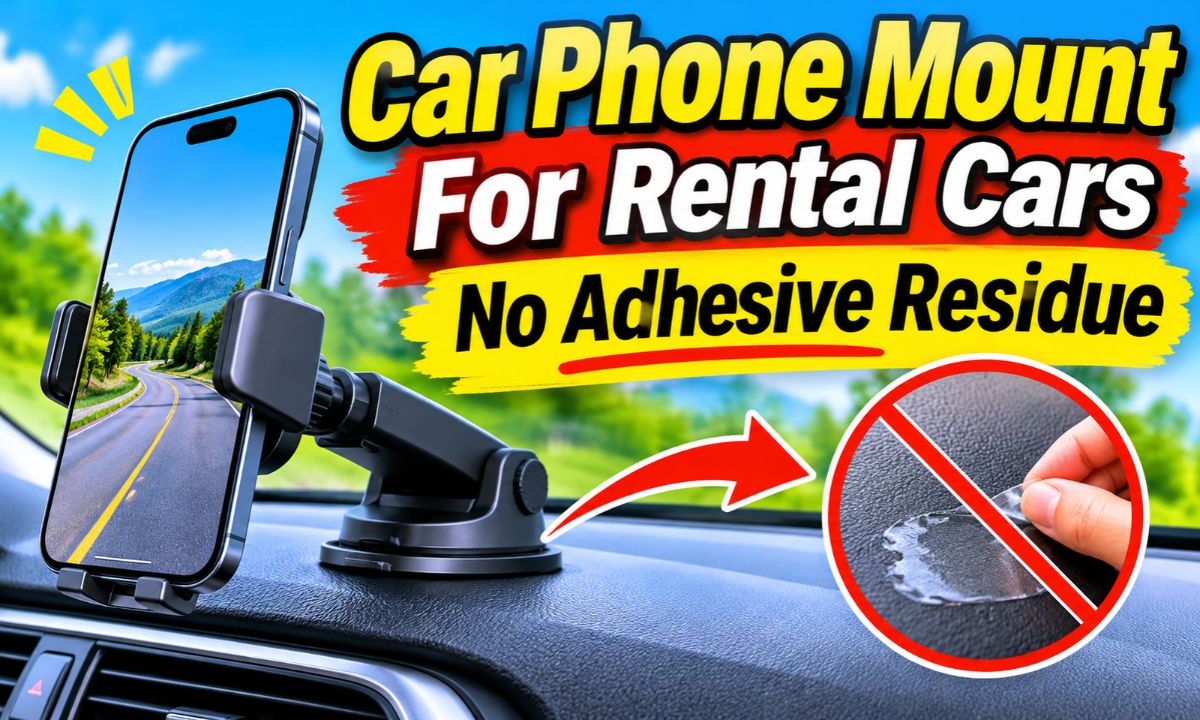
A cup holder phone mount or padded vent clamp is a practical choice for rental cars because neither needs dashboard adhesive.
Renting a car in the United States makes it easier to explore places beyond the airport. You might pick up a car at Los Angeles International Airport, drive through Florida, or take a road trip across several states. Your phone can help with GPS directions, traffic updates, and finding nearby gas stations. A good phone mount keeps your screen easy to see without making you hold it.
However, rental cars come with one extra concern. You do not own the dashboard, air vents, windshield, or center console. A sticky phone holder may leave glue, marks, or a damaged surface when you remove it. That can lead to an uncomfortable discussion during the return inspection. The better approach is to carry a removable mount that grips an existing part of the car rather than sticking to it.
A cup holder mount is often the most flexible starting point because it does not need glue, tape, or a flat dashboard. A padded vent mount is another useful choice when the rental car has strong, suitable vent slats. Suction mounts can also work on approved smooth surfaces, but their grip depends on the surface and the design. This guide explains how each type works, what to check before installation, and how to return the rental car without leaving a mess.
Why Choose a Phone Mount Without Adhesive for a Rental Car?
A removable phone mount helps protect the rental car’s original interior. Rental vehicles are shared by many drivers, so their dashboards and trim need to remain in good condition. Even a small sticky mark can create an avoidable problem when you return the keys.
Adhesive mounts work by bonding a sticky layer to a surface. Some use strong tape, while others use reusable gel pads. These products may hold well in a personal car, but removal can be harder when the adhesive has been exposed to heat, dust, and sunlight.
A rental car also presents a fit problem. You may reserve a compact sedan and receive a different model in the same class. The dashboard shape, vent design, and center console can vary. A portable mount that uses a cup holder or another existing feature gives you more flexibility.
The goal is not simply to find a holder that leaves no glue. It should also stay in place, support your phone, and avoid harm to the vehicle. A mount that leaves no adhesive but scratches the trim is not a good rental car accessory.
Source: luxe.digital
No sticky cleanup
You do not need to peel tape or clean glue from the dashboard when the trip ends.
Easy to carry
Most removable mounts can travel in a backpack or carry-on bag and move between vehicles.
Less risk to interior trim
A well-designed clamp or cup holder base avoids the need to bond anything to the car’s finish.
Useful for different vehicles
Adjustable mounts can fit more than one rental car, although each vehicle still needs a fit check.
What Does No Adhesive Residue Actually Mean?
A no-adhesive mount does not need a sticky layer to attach to the vehicle. It may use a mechanical clamp, a weighted base, a cup holder expansion system, or a suction cup. These methods rely on pressure, friction, or air pressure instead of glue.
There is one important difference between no adhesive and no marks. A suction cup can leave a circular impression. A clamp can scratch a vent if its contact points are rough. A heavy base can rub against the console. Therefore, look for a mount with smooth contact surfaces and a removal process that does not require force.
Adhesive-free
Does not use glue or sticky tape to attach to the rental vehicle.
Residue-free
Does not leave a sticky substance after proper removal, although temporary pressure marks are still possible.
Vehicle-friendly
Uses suitable contact points and does not place excessive pressure on delicate vehicle parts.
Best Types of Adhesive-Free Phone Mounts for Rental Cars
The best mounting style depends on the rental car’s interior. A cup holder mount offers broad flexibility, while a vent mount takes up less space. Suction mounts can work when you have a suitable smooth surface. Magnetic holders make phone removal quick, but their vehicle attachment method matters.
Do not assume that every mount fits every rental car. Check the holder’s dimensions, contact points, and adjustment range before your trip. If possible, choose a model with a return-friendly design and no permanent mounting parts.
Source: ausmalbilderfurkinder.de
Cup holder phone mount
A base expands inside the cup holder and supports an adjustable phone arm. It avoids adhesive and does not need a dashboard attachment.
Padded air vent mount
A clip grips a suitable vent slat. Soft contact pads help reduce direct contact between the clip and the vent.
Suction cup mount
A reusable suction cup attaches to suitable smooth glass or another approved surface. It does not require glue, but surface compatibility is important.
Weighted dashboard mount
A heavy base rests on the dashboard and uses friction to stay in place. It must be stable without sliding or scratching the trim.
Non-adhesive magnetic mount
A magnetic head holds a compatible phone or case. Choose one that attaches through a vent clamp or cup holder rather than a sticky dashboard plate.
Cup Holder Mounts: A Strong Choice for Unknown Rental Cars
A cup holder mount is often the most practical option when you do not know which vehicle you will receive. It sits inside an existing cup holder instead of attaching to the dashboard. Many designs have an adjustable base that expands to fit different cup holder widths.
The base should fit firmly without needing excessive force. A loose base may turn when you tap the phone or drive over a rough road. A base that is too large may damage or strain the cup holder. Adjust it until it feels stable, then test it while the vehicle is parked.
The main drawback is space. A rental car may have only two front cup holders, and one may be close to the gear selector or center controls. A tall phone arm can also block access to the cup holder. Check the full setup before driving.
Best for
Travelers who want a removable mount that does not touch the dashboard or windshield.
Main advantage
It can work across different vehicles with compatible cup holder dimensions.
Main limitation
It uses a cup holder and may place the phone lower than some drivers prefer.
Air Vent Mounts: Compact and Easy to Pack
An air vent mount is a useful option when you want to save space. Most designs use a clip, hook, or locking clamp to hold a vent slat. You can remove the holder when the trip ends without peeling anything from the dashboard.
Vent designs differ from one vehicle to another. Some have thick horizontal slats, while others have narrow vertical openings or round vents. A clip designed for one shape may not fit another. Check the vent before applying pressure.
Look for padded contact points and a secure locking design. Avoid forcing a clip into a narrow opening. Do not use a mount if it bends the slat, makes the vent loose, or blocks an important control.
Best for
Drivers who want a small, lightweight holder and have suitable air vents.
Main advantage
It takes little packing space and does not need an adhesive pad.
Main limitation
Some vents are too weak, thin, or oddly shaped to support a phone.
Suction Cup Mounts: Useful but Surface Dependent
A suction cup uses a pressure difference to hold itself against a smooth surface. Some models have a lever that helps create the seal. Others use a washable gel layer to improve contact. These features do not mean the mount uses permanent adhesive, but they still need careful handling.
Smooth glass is often a better surface for suction than a textured dashboard. Dust, oil, moisture, curves, and surface coatings can weaken the seal. A suction cup that seems secure while parked may release later as the car heats up or vibrates.
Check the rental provider’s rules before placing a suction cup on the windshield. Never attach it over a sensor, camera, tinted film, or other restricted area. Do not attach it to an infotainment screen or any display that is not approved for mounting.
Best for
Vehicles with an approved, clean, smooth mounting surface.
Main advantage
It can be removed without peeling a permanent adhesive strip.
Main limitation
It may leave a temporary ring and may not hold on textured or curved surfaces.
Weighted Dashboard Mounts: No Glue, but Check for Movement
A weighted mount rests on the dashboard instead of sticking to it. Some use a soft, non-slip base that helps reduce movement. Others have a curved bottom that follows the dashboard shape.
This design can work well when the dashboard has enough flat space. However, a heavy holder may slide during a sharp turn or sudden stop. Its base may also rub against the surface if dust gets trapped underneath.
Use one only when the rental provider permits it and the base rests securely. Do not place it on an airbag cover, a curved trim piece, or a surface that becomes unstable when the vehicle moves.
Best for
A vehicle with a broad, stable, approved dashboard area.
Main advantage
It does not need glue, tape, or a permanent mounting disc.
Main limitation
It can slide, take up dashboard space, or rub against the finish.
Comparison Table: Which Mount Should You Choose?
This comparison shows how common mount styles differ for rental car use. The ratings are practical design assessments, not results from a laboratory test. Actual performance depends on the mount, phone weight, vehicle interior, and installation quality.
If your main goal is to avoid touching the vehicle’s finish, start with a cup holder mount. If you need something smaller, check whether the rental car has a suitable vent. Use suction only when the surface and rental rules allow it.
Source: storage.googleapis.com
Most flexible option
Cup holder mount, provided the base fits the vehicle’s cup holder.
Most compact option
Padded vent mount, provided the vent can support the phone.
Best for smooth approved glass
A removable suction cup mount with a reliable release mechanism.
Best when avoiding all mounting contact with trim
A suitable cup holder mount is usually the simplest starting point.
Mount Type Comparison
The table below focuses on the features that matter most when using a phone holder in a rental car. No mount is completely universal, so check compatibility before relying on one for a long trip.
Cup holder mount
Adhesive needed: No. Contact point: Cup holder. Portability: Moderate. Main concern: Fit and space.
Vent clamp mount
Adhesive needed: No. Contact point: Air vent. Portability: High. Main concern: Vent strength and shape.
Suction mount
Adhesive needed: Usually no. Contact point: Approved smooth surface. Portability: High. Main concern: Surface compatibility and suction release.
Weighted dashboard mount
Adhesive needed: No. Contact point: Dashboard. Portability: Moderate. Main concern: Sliding and surface contact.
Magnetic vent mount
Adhesive needed: No, if it uses a mechanical vent clip. Contact point: Air vent and phone or case. Portability: High. Main concern: Magnet compatibility and vent strength.
How to Choose Based on Your Rental Vehicle
A compact rental sedan may have limited dashboard space and small cup holders. A cup holder mount with a short adjustable arm can be useful if it does not interfere with the gear selector. A vent mount may save space when the vents are sturdy.
An SUV may offer more room around the center console. However, large screens, unusual vent layouts, and deep cup holders can still affect fit. A mount with an adjustable base and flexible arm may help, but check the actual vehicle before installation.
A rental minivan may have several cup holders and different seating layouts. Check that the phone holder does not block a storage compartment or passenger control. A removable mount that can be repositioned while parked may be more convenient.
Compact car
Check cup holder size and the distance between the mount and gear selector.
SUV
Check the center console layout, screen position, and dashboard visibility.
Minivan
Check whether the mount interferes with storage, passenger controls, or shared cup holders.
How to Install a Removable Phone Mount in a Rental Car
Install the mount while the rental car is parked. Do not try to fit it while driving or while the vehicle is moving through an airport pickup area. A few minutes of checking can prevent damage and make the phone easier to use.
Start by reading the mount instructions. Some holders need a specific cup holder depth, vent thickness, or suction release method. Do not assume that a similar-looking design uses the same installation process.
Before attaching anything, inspect the rental car. Look for existing scratches, loose vent slats, damaged trim, and marks around the center console. Take clear photos if you notice damage. This gives you a record of the vehicle’s condition before you add your accessory.
Source: pexels.com
Prerequisites
Have the mount, phone, compatible case if needed, a soft dry cloth, and the installation instructions ready.
Check the rental agreement
Look for rules about accessories, windshield attachments, interior modifications, and damage.
Check the mounting area
Make sure the chosen location is clean, stable, and away from restricted equipment.
Step 1: Inspect the Rental Car Before Installation
Walk around the cabin and inspect the dashboard, vents, windshield, and center console. Look for loose parts or existing marks that could be mistaken for damage caused by your mount.
Check the driver’s view and locate the airbag areas. Never place a mount where it can interfere with an airbag or block a camera, sensor, control, or display.
Take photos
Record any existing damage near the area where you plan to use the holder.
Check the vents
Look for bent, cracked, or loose slats before considering a vent clip.
Review restrictions
Follow the rental provider’s instructions rather than assuming every removable mount is allowed.
Step 2: Choose a Safe Mounting Position
Choose a position that lets you see navigation with a brief glance. The phone should not cover the road, windshield, mirrors, instrument panel, or essential controls.
Keep the mount away from the passenger-side airbag area and any marked airbag deployment zone. Avoid attaching anything to the infotainment screen. If you are unsure whether an area is safe, use another mounting point.
Keep the windshield clear
Do not place the phone in a position that blocks a driver’s forward view.
Protect vehicle equipment
Avoid sensors, cameras, airbag covers, displays, and delicate trim.
Keep controls accessible
Make sure the holder does not block climate controls, hazard lights, or the gear selector.
Step 3: Attach the Mount According to Its Design
For a cup holder mount, place the base into the cup holder and adjust its expansion mechanism according to the instructions. It should sit securely without forcing the holder against the cup holder walls.
For a vent mount, open the clip and position it on a suitable vent slat. Tighten or lock it only as directed. Stop if the slat bends or the clip requires unusual force.
For a suction mount, use only a surface that the rental provider allows and the manufacturer approves. Clean it with a method suitable for that surface, let it dry, and follow the release and locking instructions. Do not use a dashboard disc that requires permanent adhesive.
Do not force the base
A tight fit should come from the mount’s intended adjustment, not excessive pressure.
Do not overtighten clips
Excess pressure can damage plastic vent slats or surrounding trim.
Avoid extra adhesive parts
Leave out sticky discs, tape, glue, and permanent magnetic plates.
Step 4: Attach Your Phone and Check Stability
Place the phone in the cradle or against the magnetic head. Make sure the holder supports the phone without pressing hard against its buttons. If the mount uses a metal plate, check that the plate is attached to your own phone or compatible case rather than the rental vehicle.
Adjust the viewing angle while parked. The phone should remain secure when you gently touch the holder. Do not pull or shake the mount with excessive force, as this can damage the mounting point.
Check the grip
The phone should not slip out when the vehicle moves normally.
Check the viewing angle
The display should be readable without blocking the road or important controls.
Check access
Make sure the mount does not block charging ports, buttons, or ventilation controls.
Step 5: Test the Setup Before Starting Your Trip
Keep the car parked and check that the mount remains in place when you insert and remove the phone. Confirm that the arm does not swing into the controls and that the phone does not interfere with the driver’s view.
If the holder feels loose, reposition it or choose another mounting method. Do not wait for it to fall while you are on a highway. A safe setup should remain stable without putting pressure on delicate parts.
Signs of success
The base stays in place, the phone remains secure, and no vehicle part bends or moves.
Signs of failure
The holder slips, the vent moves, the suction cup releases, or the phone blocks your view.
What to do
Stop using an unstable mounting point and switch to a compatible alternative.
How to Remove a Phone Mount Without Leaving Marks
Remove the phone mount before returning the rental car. Take your phone out first, then release the mounting mechanism according to its instructions. A slow and controlled removal is better than pulling the holder away with force.
The removal method depends on the mount type. Cup holder bases need to be loosened, vent clips need to be unlocked, and suction cups need their release tabs or valves used. Never use a knife, screwdriver, or other sharp tool to pry a mount from the interior.
After removal, inspect the mounting area under normal cabin light. Check for dust rings, pressure marks, loose vent slats, and any sign of surface damage. If the area looks clean and the vehicle parts remain intact, the mount has been removed properly.
Source: mitarashidanngo.blog
Remove the phone first
This reduces weight and makes the mount easier to handle.
Use the release mechanism
Follow the product instructions rather than pulling the holder away by its arm.
Inspect every contact point
Check the cup holder, vent, dashboard, or glass where the mount was installed.
Removing a Cup Holder Mount
Take the phone out and loosen the expanding base. Once the pressure is released, lift the mount straight out. If the base does not move, check whether a locking knob or adjustment ring is still engaged.
Look inside the cup holder for dust or small pieces that may have collected around the base. Wipe away ordinary loose dust with a soft, dry cloth. Do not use a sharp object or pour liquid into the cup holder.
Release the expansion
Loosen the base before lifting it out.
Check for trapped debris
Look for dust or small particles under the base.
Removing a Vent Mount
Unlock the vent clip before removing it. Follow the manufacturer’s instructions to release the clamp without twisting the vent slat. Pulling the clip sideways can place unnecessary pressure on the plastic.
After removal, check whether the vent moves normally. If a slat looks bent or loose, do not try to force it back into place. Report the issue to the rental provider.
Unlock first
Release the clamp before moving the holder.
Use a gentle motion
Avoid twisting, bending, or pulling the vent slat.
Removing a Suction Cup Mount
Use the release tab or valve if the mount has one. Gently lift the edge of the cup as directed by the manufacturer. Do not pull hard on the mount arm, because that can put stress on the glass or dashboard surface.
If a faint circular mark remains, first check whether it is simply dust or moisture. Use a clean, soft cloth and a surface-safe cleaning method only if needed. Avoid solvents, abrasive pads, and household chemicals that could damage the rental car’s finish.
Release the seal
Use the built-in release feature instead of forcing the cup away.
Clean gently
Use a soft cloth and an approved cleaner if the surface needs attention.
What If You Find a Sticky Mark?
A sticky mark may come from an old accessory, a previous driver, or a mount component. Do not assume that every mark was caused by your holder. Check the area against the photos you took before installation.
If your mount caused the mark, avoid scraping it or applying an unknown cleaning product. Ask the rental provider which cleaning method is safe for that surface. This is especially important for soft-touch dashboards, coated displays, and delicate trim.
Avoid aggressive cleaning
Do not use blades, rough sponges, strong solvents, or abrasive cleaners.
Check the vehicle material
Different dashboard plastics, coatings, and glass treatments need different care.
Contact the rental company
Ask for guidance if the mark does not come off with a safe, gentle method.
Common Problems and How to Fix Them
A phone mount can fail even when it does not use adhesive. The most common reasons include poor fit, a weak mounting surface, an unsuitable vent, or a phone that is too heavy for the holder.
Start by identifying what is moving. A loose phone may need a better cradle, while a moving base may need a different mounting point. Do not try to solve every problem by tightening the mount harder. Too much pressure can damage the rental car.
Source: pexels.com
Phone keeps falling
Check the cradle width, side grips, magnetic compatibility, and phone weight.
Mount slides around
Check the base fit and contact surface. Replace the mounting location if it is unsuitable.
Vent slat bends
Remove the vent mount and choose a cup holder or another approved mounting point.
Suction cup releases
Check for dirt, moisture, texture, curves, or an unsuitable surface.
The Phone Holder Does Not Fit the Cup Holder
Rental cars may have cup holders with different depths and widths. An adjustable base may not fit every design. If the base cannot expand properly or feels unstable, do not force it into place.
Check the holder’s published adjustment range. If the rental vehicle is outside that range, use another compatible mount. A holder that does not fit securely is not worth the risk of damaging the center console.
Check the measurements
Compare the cup holder dimensions with the mount’s stated adjustment range.
Check the depth
Make sure the base can sit securely without hitting the bottom or surrounding trim.
The Phone Falls Off During a Turn
A phone may fall because the cradle is too wide, the side grips are weak, or the magnetic connection is not compatible with the phone case. A heavy phone can also place more force on the mount than its design supports.
Check the phone’s position and make sure the holder supports it near its center of gravity. If a magnetic holder uses a metal plate, follow its compatibility instructions. Do not assume every magnetic phone or case has the same holding strength.
Check phone size
Compare the phone and case dimensions with the mount’s supported range.
Check the magnetic connection
Confirm that the phone or case supports the mount’s magnetic system.
Replace an unstable mount
Do not keep using a holder that releases the phone during normal driving.
The Suction Cup Will Not Stay Attached
Suction cups need a suitable surface. A textured dashboard, dusty glass, curved trim, or moisture can prevent a proper seal. Some dashboard surfaces have a soft finish that is not suitable for suction mounting.
Try another mounting style if the surface is unsuitable. A cup holder base is usually a better option than adding an adhesive dashboard disc. Never use a permanent sticky pad simply to make a suction mount work.
Check the surface
Look for texture, curves, dust, moisture, or coatings.
Check the suction mechanism
Make sure the cup and release valve are clean and working as directed.
Change the mount type
Choose a compatible cup holder or vent mount if suction is unreliable.
The Vent Mount Blocks Airflow
A large phone holder may cover part of the vent opening. This can reduce airflow and make it harder to adjust the direction of the air. It may also place the phone close to hot or cold air.
Try a different vent position only if the clip fits securely and does not damage the slats. If every vent position is unsuitable, switch to a cup holder mount.
Check airflow
Make sure the holder does not block too much of the vent opening.
Check temperature
Avoid placing the phone directly in strong hot or cold airflow.
The Mount Leaves a Mark After Removal
A circular mark may be a pressure impression, dust ring, or moisture trace. It does not always mean that adhesive was used. Check the mount design and the surface before deciding how to clean it.
Use a soft cloth and a cleaner approved for the vehicle’s material. If the mark remains, contact the rental company instead of trying stronger chemicals. A small mark can become a larger problem if the wrong cleaner damages the finish.
Identify the mark
Check whether it is dust, moisture, a temporary impression, or actual residue.
Use a safe cleaning method
Follow the vehicle care guidance and avoid harsh products.
Important Safety Rules When Using a Phone Mount
A removable phone mount must not interfere with safe driving. The phone should remain in a stable position where the driver can check navigation without blocking the road. A mount does not make every phone activity safe or legal.
The National Highway Traffic Safety Administration explains that distraction can be visual, manual, or cognitive. Looking at a screen, handling a phone, and thinking about a message can all take attention away from driving. A phone holder can reduce the need to hold the device, but it cannot remove these risks.
Set your route before moving. Use voice guidance when practical, and ask a passenger to handle changes if needed. If you need to adjust the phone, pull over in a safe and legal place first.
Source: carlelo.com
Keep the road visible
Never position the phone where it blocks the windshield or a clear view of traffic.
Protect airbags
Keep mounts away from marked airbag areas and deployment paths.
Avoid vehicle displays
Do not attach a holder to an infotainment screen or place pressure on it.
Follow local laws
Hands-free rules differ across U.S. states. Check the rules for every state on your route.
Reduce phone interaction
Set navigation before driving and avoid reading or typing while moving.
Does a Phone Mount Make Navigation Safer?
A phone mount can make navigation easier to view and reduce the need to hold the device. However, it does not remove visual or mental distraction. Looking away from the road to read a map can still take attention away from traffic.
Use audio directions when possible and keep the map display simple. If a route changes or you miss a turn, let the navigation system recalculate rather than trying to correct it while driving.
Before driving
Enter the destination and review the route while parked.
During driving
Listen to directions and keep screen checks brief.
When a change is needed
Stop in a safe location before changing the route or settings.
Can You Mount a Phone on the Windshield?
Windshield mounting rules vary by state and may depend on the size and position of the device. Some states restrict objects in specific areas of the windshield. A rental provider may also have its own rules about suction cups and glass attachments.
Check the laws for the state where you are driving and the rental agreement. Even when a windshield mount is allowed, it must not block the driver’s view, vehicle sensors, or cameras. A cup holder mount can avoid many of these placement concerns.
Check state requirements
Do not assume windshield mounting rules are identical across the United States.
Check vehicle equipment
Avoid cameras, sensors, coated glass, and restricted areas.
What to Look for Before Buying a Rental Car Phone Mount
A good travel phone mount should be compact, adjustable, and easy to remove. It should also work with your phone and the types of rental cars you are likely to use. Do not choose a mount based only on its magnetic strength or advertised grip.
Check the mounting range, phone compatibility, contact materials, and storage size. A mount with clear instructions and a simple release mechanism can save time at the rental counter and make removal easier at the end of the trip.
If you travel often, portability matters. A folding arm or detachable phone cradle can take up less room in your luggage. A design with several adjustable parts may offer more flexibility, but make sure those parts lock securely.
Source: cars.truckstrend.com
Adjustable base
Look for a base that lists its supported cup holder range or vent compatibility.
Soft contact points
Rubber or padded surfaces can help reduce direct contact with vehicle trim.
Secure phone grip
Check that the cradle supports your phone’s size and weight.
Simple release
A clear release system helps you remove the mount without forcing it.
Compact storage
A folding or detachable design is easier to pack for air travel.
No permanent mounting parts
Avoid products that require sticky dashboard discs, tape, screws, or glue.
Check Phone and Case Compatibility
Phone holders have different size ranges. A large phone with a protective case may not fit a compact cradle. Check the maximum width, height, and supported weight before buying.
Magnetic holders need extra attention. Some work with magnetic phone cases, while others need a metal plate. If a plate is needed, attach it only to your own phone or case and follow the phone maker’s wireless charging guidance.
Phone dimensions
Compare your phone and case measurements with the holder’s stated range.
Wireless charging
Check whether a metal plate affects your phone’s wireless charging system.
Magnetic compatibility
Confirm that the mount supports your phone or case’s magnetic setup.
Check the Mount’s Travel Size
A travel mount should fit in your carry-on or backpack without taking up too much space. A folding arm can be helpful when you change rental cars often. Detachable parts should also stay together during travel.
Consider the weight of the mount as well. A heavy cup holder base may be stable, but it takes more room in luggage. A light vent clip packs easily, but it may not fit every vehicle.
Foldable design
Choose a holder that folds down for storage.
Secure components
Check that removable parts do not fall out of the carrying case.
Reasonable weight
Balance stability with the amount of luggage space you have.
Avoid Claims That Sound Too Good to Be True
Some listings describe mounts as universal, damage-free, or suitable for every dashboard. These claims need careful reading. A product can be removable without being suitable for every surface or vehicle.
Look for clear dimensions, mounting instructions, material details, and limits. A seller’s claim that a holder leaves no marks is not a guarantee that it will be harmless on every rental car.
Read the fit range
A stated adjustment range is more useful than a general universal-fit claim.
Read the removal instructions
Check whether the mount needs a special release process or cleaning step.
Check surface warnings
Avoid products that are not approved for the vehicle’s mounting material.
Common Mistakes to Avoid With Rental Car Phone Holders
The biggest mistake is treating a rental car like your own vehicle. You may be comfortable using a strong adhesive pad at home, but the same product may not be suitable for a shared vehicle. Choose a removable mounting system from the start.
Another mistake is assuming that no adhesive means no possible damage. Mechanical clips, suction cups, and weighted bases can still affect the interior if they are poorly fitted or removed carelessly. Check the contact points before and after use.
Source: lease.amtauto.co.uk
Using permanent dashboard tape
Avoid adhesive-backed pads that may leave glue or pull at the surface.
Forcing a vent clip
Do not push a clip onto a vent that is too narrow or fragile.
Overtightening an adjustable base
Excess pressure can strain the cup holder or surrounding trim.
Ignoring the rental agreement
A removable accessory may still be restricted by the provider’s terms.
Leaving the mount in the vehicle
Remove your accessory and check the cabin before handing back the keys.
Cleaning with harsh chemicals
Strong cleaners can damage plastic finishes, coatings, and soft-touch materials.
Do Not Assume Every Rental Company Has the Same Rules
Rental agreements can differ by company, location, and vehicle type. Some providers may allow portable accessories, while others may restrict certain windshield or dashboard attachments. The exact terms matter more than general advice from another driver’s experience.
Check the agreement or ask the rental counter if you are unsure. This is especially useful when you plan to use a suction cup on glass or a clamp on a delicate vent.
Read the terms
Check accessory and interior damage rules before installing the mount.
Ask when uncertain
Get guidance from the rental provider about any unclear mounting restriction.
Do Not Leave the Phone Mount Behind
It is easy to forget a small phone holder when you are rushing to return a rental car or catch a flight. Check the cup holders, vents, center console, and storage compartments before leaving.
Remove the mount and place it in your luggage. Then check that the original vehicle parts are in their normal position and that no accessory pieces remain inside the cabin.
Check the front cabin
Look around the dashboard, vents, and center console.
Check the storage areas
Look inside cup holders, door pockets, and other places where small parts may fall.
A Simple Rental Car Phone Mount Checklist
A short checklist can make the whole process easier. Use it when you collect the vehicle, install the mount, and return the car. It helps you avoid common fit and removal problems.
Before the trip
Choose an adhesive-free mount, check phone compatibility, read the instructions, and pack any required accessories.
At vehicle pickup
Inspect the interior, photograph existing marks, and review the rental company’s accessory rules.
During installation
Choose a safe position, use the correct attachment method, and check the fit without forcing any vehicle part.
Before driving
Confirm that the phone is secure and the holder does not block the road, airbags, sensors, or controls.
Before returning the car
Remove the phone and mount, inspect all contact points, and return every vehicle part to its original position.
Research Notes and Useful Reader Questions
The practical guidance in this article focuses on three main needs: avoiding adhesive, finding a mount that fits an unfamiliar vehicle, and removing the accessory without damaging the interior. These needs are more important for rental cars than choosing a mount based only on appearance or extra features.
A review of rental car phone mount guides and general mount comparisons shows that cup holder and vent mounts receive attention as portable options. Some guides also discuss suction cups, but the conditions for safe use are not always explained in enough detail. This guide adds a clearer distinction between avoiding glue and avoiding all possible marks or pressure damage.
The following gap map separates questions that appear in the reviewed material from practical next needs inferred from the rental process. These are editorial research findings, not verified search-volume or search-demand figures.
Observed question: Which mount works in an unfamiliar rental car?
Covered by rental mount comparisons. The practical improvement is to explain why cup holder fit and published adjustment ranges matter.
Observed question: Can suction cups leave marks?
Covered in general mounting advice. This guide adds surface checks, pressure-mark distinctions, and careful removal steps.
Inferred next need: What should I inspect before installing a mount?
Added because rental cars have pre-existing wear and different interior layouts. The guide includes a pickup inspection and photo checklist.
Inferred next need: What if the mount damages a vent?
Added because mechanical clips can place pressure on plastic parts. The guide explains when to stop and contact the rental provider.
Inferred next need: How do I return the car without forgetting my mount?
Added because portable accessories can be left in the cabin. The guide includes a return inspection checklist.
Evidence Limits
The mount comparisons in this guide are based on documented design differences and practical fit considerations. No physical product was tested for this article. Therefore, the guide does not claim that a particular holder passed a road test or leaves absolutely no marks in every vehicle.
Rental policies also vary. A rule published by one provider or location should not be treated as a universal U.S. rental rule. Always check the terms that apply to your own booking.
Documented guidance
Mount designs, installation methods, and general driving distraction principles.
Analysis
Comparisons of portability, fit, contact points, and practical rental car suitability.
Not established
Universal compatibility, guaranteed damage-free removal, and real-world performance of an untested individual model.
Frequently Asked Questions
Q
What is the best car phone mount for a rental car without adhesive?
A cup holder phone mount is often the most flexible option because it does not need adhesive and does not attach to the dashboard. It can work in many different rental vehicles when the adjustable base fits the cup holder.
A padded vent mount is another good option when the vehicle has suitable vent slats. Check the fit and stability before driving.
Q
Can I use a magnetic phone mount in a rental car?
Yes, if the magnetic holder attaches through a removable vent clip or another approved mechanical mounting system. Avoid magnetic mounts that require a sticky metal plate on the rental car’s dashboard.
Check whether your phone or case supports the magnetic system. If the holder requires a metal plate, attach it to your own phone or case according to the manufacturer’s instructions.
Q
Do suction cup phone mounts leave residue?
A standard suction cup does not need glue, so it generally does not leave adhesive residue. However, it may leave a temporary circular impression, moisture trace, or dust ring.
The result depends on the surface, suction material, and length of use. Follow the release instructions and inspect the area before returning the rental car.
Q
Are vent phone mounts safe for rental car air vents?
They can be suitable when the vent slats are strong enough and the clip fits without excessive pressure. A padded clip may help reduce direct contact with the plastic.
Avoid using a vent mount if the slat bends, feels loose, or cannot support the phone. Choose a cup holder mount instead when the vent design is unsuitable.
Q
Can I put a phone mount on a rental car dashboard?
You may be able to use a weighted or suitable suction mount if the rental agreement permits it and the surface is approved for that design. However, avoid adhesive pads, permanent tape, and sticky dashboard discs.
Never place a mount over an airbag cover, vehicle sensor, display, or area that blocks the driver’s view. When in doubt, use a cup holder mount.
Q
How do I remove a phone mount without damaging a rental car?
Remove the phone first, then release the mount using its built-in mechanism. Loosen cup holder bases, unlock vent clips, and release suction cups through their tabs or valves.
Do not pull, twist, or pry against the vehicle’s interior. Inspect the contact area and use only a safe cleaning method approved for the surface.
Q
Can a phone mount block the rental car’s airbag?
Yes. A poorly placed mount can interfere with an airbag deployment area or other vehicle equipment. Never attach a holder to an airbag cover or place it in a marked deployment path.
Check the vehicle manual and safety markings before choosing a location. If you cannot confirm that a position is safe, choose another mounting point.
Q
Will a cup holder phone mount fit every rental car?
No. Cup holders vary in diameter, depth, shape, and position. An adjustable mount may fit many vehicles, but no design should be assumed to fit every rental car.
Check the product’s published adjustment range and compare it with the actual cup holder. Do not force a base that is too large or use one that remains loose.
Q
Can I leave my phone mount in the rental car when I return it?
It is better to remove your personal mount before returning the vehicle. This helps you avoid losing it and gives you a chance to inspect the mounting area.
Check the cup holders, vents, dashboard, and storage areas for small parts. Return the car with its original accessories and interior parts in place.
Q
What should I do if a phone mount leaves a mark on the rental car?
First, identify whether the mark is dust, moisture, a temporary pressure impression, or actual sticky residue. Compare the area with the photos taken before installation.
Avoid strong chemicals, blades, and abrasive pads. Ask the rental provider for an approved cleaning method if the mark remains or the surface appears damaged.
✦ Wrapping Up
Conclusion
A rental car phone mount should make navigation easier without leaving a sticky mess behind. The best approach is to choose a mounting system that grips an existing part of the vehicle rather than relying on tape or glue. For many travelers, a cup holder mount is the most practical starting point because it avoids direct contact with the dashboard and windshield.
A padded vent mount can also work well when the rental car has strong, compatible vent slats. Suction cups are useful on approved smooth surfaces, but they need more care and can leave temporary marks. Weighted dashboard mounts offer another option, although they need a stable surface and careful placement.
Before installing any holder, inspect the car, check the rental agreement, and choose a safe location. Make sure the phone does not block the road, airbags, sensors, or vehicle controls. When the trip ends, remove the mount gently and inspect the area before handing back the keys.
The right choice is not simply the holder with the strongest grip. It is the one that fits the vehicle, holds your phone securely, and comes away without harming the rental car.
💡 Key Takeaway
For your next U.S. rental car trip, pack an adjustable cup holder phone mount with a secure base and padded contact points. Check its fit at pickup, set your route while parked, and remove the mount gently before returning the vehicle.