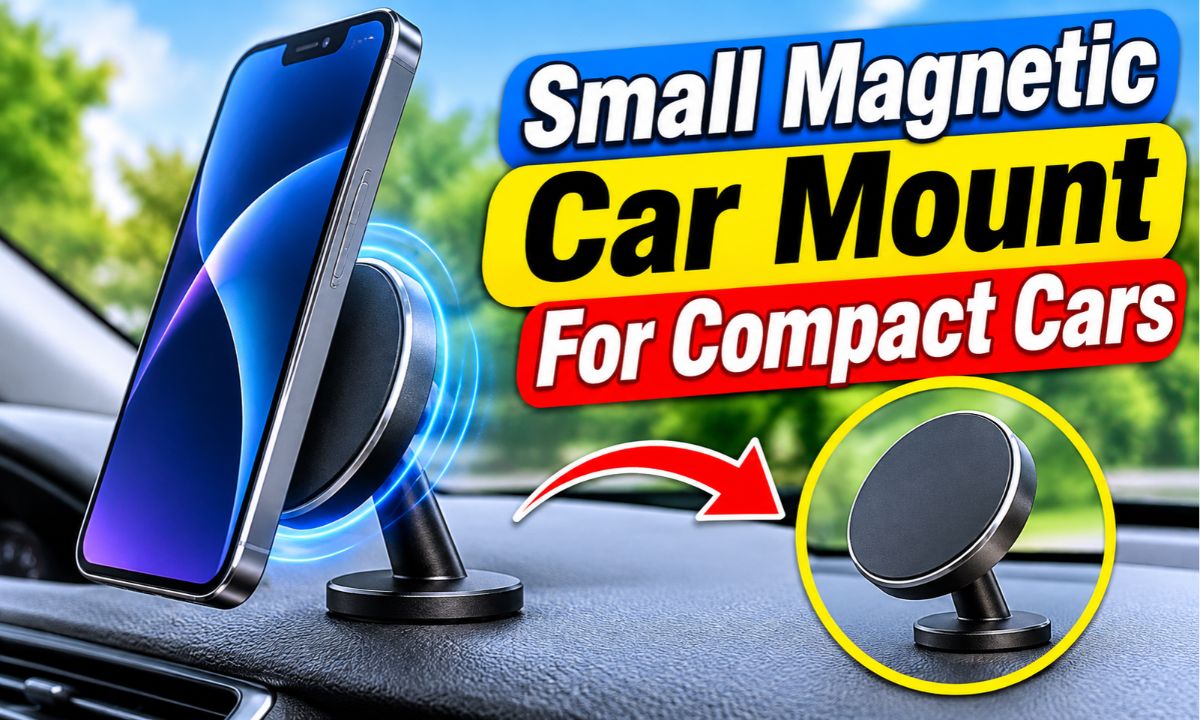
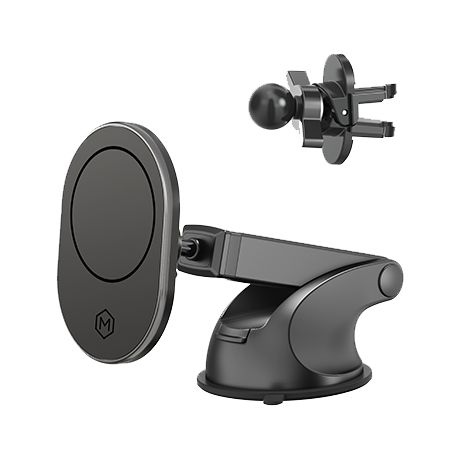
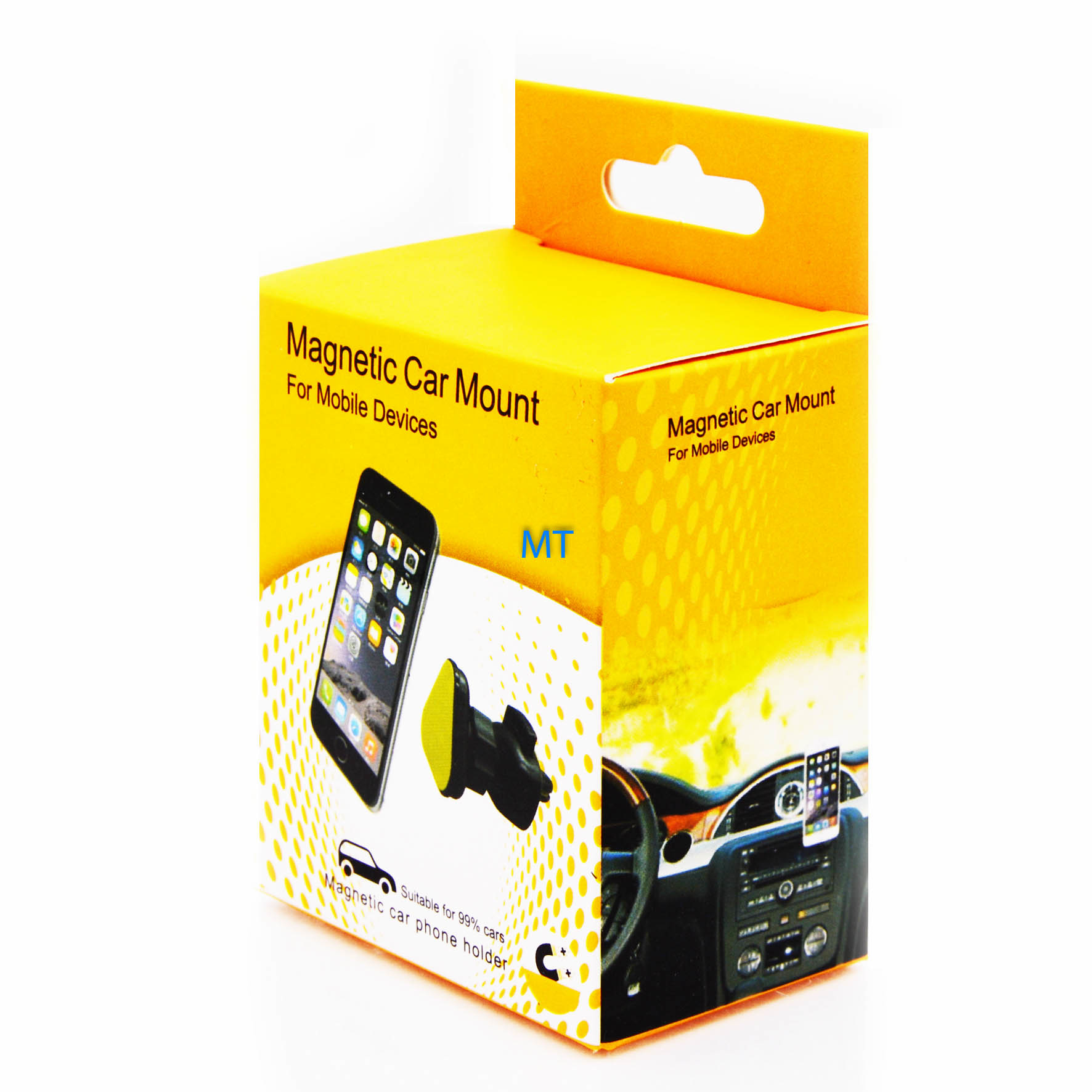
A small magnetic car mount with a firm base, a compact head, and a phone-compatible magnetic plate is a practical choice for a compact car.
Drivers across the United States use phone mounts for GPS directions, hands-free calls, and music controls. In a small car, however, every inch of dashboard and vent space matters. A large phone holder can cover a control, block an air vent, or make an already tight cabin feel crowded.
A small magnetic mount can solve much of that problem. It holds a compatible phone against a compact magnetic head instead of using wide side clamps. The key is to match the mount to your phone, case, dashboard, and vent design. A tiny mount is not automatically a good mount if it cannot hold the phone on rough roads.
This guide explains what to look for, where to place the mount, how to install it, and how to avoid common fit problems. It focuses on practical use in small U.S. cars, including hatchbacks, compact sedans, and small crossovers. It does not claim that any particular model has been tested in a vehicle.
Why a Small Magnetic Mount Works Well in a Compact Car
Compact cars have less open space between the driver, dashboard, center console, and windshield. A large clamp-style holder can take up room that you need for climate controls, the infotainment screen, or other daily tasks. A small magnetic mount uses a much smaller contact area.
Most magnetic holders have two main parts: a mounting base and a magnetic head. A metal plate or magnetic phone case helps the phone attach to the head. Once attached, the phone can often turn between portrait and landscape views, depending on the mount design.
This simple layout can make the cabin feel less cluttered. It can also make it easier to remove the phone when you leave the car. Still, the mount must be strong enough for the weight and shape of your phone.
Source: mobie.com.au
Less dashboard clutter
A small head and narrow base can take up less room than a wide holder with adjustable side arms.
Quick phone removal
You can lift the phone away from the magnetic head without opening or closing a clamp.
Flexible screen angle
A swivel joint can let you turn the phone to a useful viewing angle while parked.
Better use of tight spaces
A compact design may fit near the center console or on a suitable vent without filling the area.
What Makes a Mount Truly Compact?
Look at the full mount, not just the round magnetic head. The base, arm, clip, and adjustment joint all add bulk. A small magnetic head attached to a long, thick arm may still crowd a narrow dashboard.
A low-profile design keeps the phone close to its base. A folding arm can help when you want to move the mount out of the way. The best size is the one that fits your car without blocking controls or making the phone hard to see.
Small magnetic head
Look for a head that does not extend far beyond the phone’s contact area.
Short support arm
A short arm can reduce movement and keep the phone closer to the mounting point.
Slim base
A narrow base can fit in a limited space, provided the surface supports it.
How to Choose the Right Magnetic Car Mount
Start with your phone and the place where you want to install the holder. A mount that fits your dashboard may not work with your phone case. Likewise, a strong magnetic head is not useful if its base cannot attach securely to your car.
Check the mount’s listed phone compatibility, base type, adjustment range, and installation instructions. Do not rely on words such as universal or extra strong without checking what they mean for your exact phone and case.
The following table gives a simple way to compare the main features. These are selection guidelines, not measurements of a specific product.
Source: bell.ca
Magnetic strength
Choose a holder designed to support the combined weight of your phone and case.
Mounting base
Match the base to a smooth dashboard, suitable vent, or other approved mounting surface.
Adjustability
A swivel or ball joint can help you set the phone angle without using a large support arm.
Phone access
Make sure the mounted phone does not cover important buttons, displays, or climate controls.
Compare the Main Features Before Buying
A compact mount should balance size with grip. A very small magnetic head may look neat, but it can provide less contact area for some phone shapes. A larger head may offer more support but take up more room.
Also check whether the package includes a metal plate, adhesive ring, protective film, or extra mounting base. These parts can affect both compatibility and the cost of using the mount.
For a small phone
A low-profile magnetic head may provide enough support when the phone and case are light and compatible.
For a large phone
Look for a mount with clear support information for heavier phones and test the hold before regular use.
For a thick case
Check whether the magnetic system works through the case or requires an external metal plate.
For frequent removal
A simple magnetic connection can be easier to use than a clamp that needs two hands.
Check the Base Before You Check the Magnet
The base is just as important as the magnetic head. A strong magnet cannot prevent the whole holder from falling if the adhesive, suction cup, or vent clip loses its grip.
A dashboard adhesive base needs a surface that its manufacturer approves. Deep grain, soft-touch coatings, leather, and curved areas can make attachment difficult. A suction base usually needs a suitable smooth surface. A vent clip needs a vent slat that can support the mount without bending or moving.
Adhesive base
Best suited to a clean, dry, compatible surface with enough flat area.
Suction base
Useful on approved smooth surfaces, but it may not hold well on rough or heavily textured dashboards.
Vent clip
Useful when dashboard space is limited, provided the clip fits the vent securely.
MagSafe vs. Universal Magnetic Mounts
Not every magnetic phone mount uses the same connection system. Some are made for MagSafe-compatible iPhones and cases. Others use an adhesive metal plate that attaches to the back of a phone or its case.
MagSafe is Apple’s magnetic accessory system. Compatible iPhone models can attach to a suitable MagSafe mount without a separate metal plate. A compatible case can also provide the magnetic connection.
A universal magnetic holder often includes one or more metal plates. These plates help a phone attach to the magnetic head, but their placement matters. A metal plate can interfere with wireless charging, so check the phone, case, and mount instructions before sticking one in place.
MagSafe-compatible phone
Check that both the phone and case support the magnetic attachment system used by the mount.
Android phone
Many Android phones need a compatible magnetic case or a supplied metal plate to use a standard magnetic holder.
Older iPhone
A compatible case or correctly placed metal plate may be needed if the phone does not support direct magnetic attachment.
Wireless charging user
Check the exact plate location and charging instructions before attaching any metal part.
Will a Magnetic Mount Work Through a Phone Case?
It may, but the result depends on the case thickness, material, and magnetic system. A thin compatible case may allow a strong connection, while a thick case can weaken the hold.
A standard metal plate mount may work through some cases when the plate sits between the phone and case. However, the plate must be positioned as the mount maker directs. If the phone slides or rotates during a parked test, do not assume it will stay secure on the road.
Thin magnetic case
Often the simplest option when it is made for the phone and mount system.
Thick protective case
May reduce magnetic contact, so check the fit with the case installed.
Metal or wallet case
May not work as expected with a magnetic mount and may need a different case or holder.
Dashboard, Vent, or Windshield: Where Should You Put It?
The best mounting spot is the one that keeps the phone secure, easy to glance at, and outside the driver’s forward field of view. In a compact car, the center dashboard and air vents may already be crowded, so check the whole area before choosing a mount.
A vent mount can save dashboard space. A dashboard mount can leave the vent open. A windshield mount may offer more freedom to position the phone, but it needs extra care because it can obstruct the road view and may be restricted by state rules.
There is no single location that suits every compact car. Dashboard shape, vent design, steering-wheel position, and the driver’s seat height all change the result.
Source: mtimpex.com
Dashboard
A useful choice when there is a flat, compatible area that is clear of airbags and controls.
Air vent
A space-saving choice when the vent slat is sturdy and the phone will not block needed airflow.
Windshield
Use only where permitted and where the phone does not block the driver’s view.
Center console
Can work if the phone remains easy to glance at without forcing the driver to look far down or reach awkwardly.
Why a Vent Mount Can Suit a Small Car
A vent mount keeps the holder off the dashboard, which can help when the center area has a screen, buttons, or a narrow ledge. It is also easy to remove in many designs.
The trade-off is that the vent must support the clip and phone. Some vents have thin, loose, rounded, or movable slats. A heavy phone can make a weak vent move or tilt, and the mount may block some airflow.
Check the vent shape
Confirm that the clip is designed for the slat style in your car.
Check the vent movement
Make sure the mount does not force the slat or stop you from adjusting it.
Check heat exposure
Avoid directing hot air at the phone for long periods.
When a Dashboard Mount Is the Better Choice
A dashboard mount may be a better fit when the vents are weak or placed too low. It can also keep the phone in a stable spot without using a vent slat.
Before attaching it, inspect the dashboard for curves, texture, soft coatings, and airbag covers. Never place a mount on an airbag panel or in a location where an inflating airbag could strike the phone or holder.
Find a flat area
Choose a surface approved by the mount maker.
Avoid hidden hazards
Keep clear of airbag covers, switches, displays, and other controls.
Test the viewing angle
Check the screen from your normal driving position while the car is parked.
How to Install a Small Magnetic Car Mount
A careful installation helps the mount stay in place and reduces the chance of a phone falling while you drive. Read the product instructions first because adhesive, suction, and vent systems need different steps.
Gather the mount, supplied plate or ring, cleaning materials approved by the maker, and your phone with its usual case. Do the work while parked, with the car in a safe place.
Do not rush the adhesive curing or waiting period. Some manufacturers ask users to leave a newly attached mount unused for a set time before adding a phone.
Step 1: Choose the location
Find a place that does not block the road view, mirrors, controls, displays, or airbag deployment areas.
Step 2: Check phone compatibility
Confirm whether your phone needs a magnetic case, metal plate, or supplied ring.
Step 3: Prepare the surface
Clean and dry the mounting area as directed by the manufacturer.
Step 4: Attach the base
Fit the adhesive, suction, or vent base according to its instructions. Do not force a clip onto a vent.
Step 5: Wait as directed
Allow any required adhesive setting or curing time before using the mount.
Step 6: Attach the phone
Place the phone on the magnetic head and check that it sits flat and does not slide.
Step 7: Set the angle
Adjust the screen while parked so it is readable with a brief glance and does not block your view.
How to Test the Mount Before Driving
A parked test can reveal a poor fit before it becomes a road problem. Gently check the base, magnetic connection, and adjustment joint without using excessive force.
If the phone moves, tilts, or falls during this check, stop and find the cause. Do not try to fix a loose mount while the car is moving.
Base test
Check that the base does not lift, twist, or slide on its mounting surface.
Phone test
Check that the phone remains attached when you gently change its angle.
Control test
Make sure the phone does not cover buttons, displays, vents, or the gear selector.
Cable test
If charging, route the cable away from the wheel, pedals, and moving controls.
Common Problems and How to Fix Them
A magnetic mount can fail for several reasons. The magnet may be too weak for the phone, the case may be too thick, or the base may not suit the car’s surface.
Start by checking the phone connection. Then inspect the base and the mounting location. Change one thing at a time so you can identify the real cause instead of buying another holder without solving the problem.
Phone keeps sliding
Check the plate position, phone weight, case thickness, and magnetic compatibility. Use only parts approved for the mount.
Mount falls from the dashboard
Check whether the surface is textured, dirty, curved, or unsuitable for the adhesive or suction base.
Vent clip keeps moving
Check the vent shape and clip fit. Stop using the mount if it bends or damages the slat.
Phone shakes on rough roads
Check the base, adjustment joint, arm length, and magnetic connection. A shorter support may reduce movement.
Phone gets hot
Move it away from direct sunlight and hot vent airflow when safe. Check the phone maker’s heat guidance.
What If the Magnet Is Not Strong Enough?
First, check whether the phone is aligned with the magnetic head. A plate placed too high or too low may not line up with the strongest contact area.
Next, check the case. A thick case, wallet attachment, or unsuitable material can weaken the connection. Try the approved case or plate arrangement described in the instructions.
If the phone still moves during a gentle parked test, choose a holder rated for your phone’s size and weight. Do not add loose magnets or improvised metal parts to increase grip.
Recheck alignment
Place the phone in the center of the magnetic head.
Remove extra accessories
Test without a wallet attachment or other add-on that changes the phone’s shape.
Use a compatible case
Choose a case made for the magnetic system in the mount.
What If the Adhesive Will Not Stick?
Adhesive bases need a compatible surface. Dust, oil, dashboard protectant, moisture, deep texture, and strong curves can reduce contact.
Clean the surface only with a product that is safe for the dashboard material and allowed by the mount maker. Do not use harsh solvents on a soft-touch or coated surface. If the base still will not hold, use another approved mounting style.
Check the surface
Look for curves, grain, coatings, or damage that may prevent full contact.
Follow the waiting time
Do not attach the phone before the stated setting period ends.
Avoid repeated repositioning
Moving an adhesive base can reduce its ability to stick.
Safety Rules for Using a Phone Mount in a Compact Car
A phone mount should support safe access to navigation, not compete with the driver’s attention. The phone must not block the road view, mirrors, required displays, or vehicle controls.
The National Highway Traffic Safety Administration’s driver-distraction guidance says mounted devices should not obstruct the driver’s field of view or the view of controls and displays needed for driving. This is a useful design principle, but it does not replace state laws or vehicle-specific instructions.
Windshield mounting rules differ across the United States. Check the law in every state where you drive before attaching a holder to the glass. When in doubt, consider a suitable dashboard or vent location instead.
Keep the road view clear
Do not place the phone in the driver’s forward sightline or where it hides a pedestrian, vehicle, or road sign.
Avoid airbag zones
Never attach the mount to an airbag cover or in the path of an airbag deployment.
Set the phone before moving
Enter your route, choose audio, and adjust the screen while parked.
Limit interaction
Use voice guidance when suitable and avoid typing, browsing, or handling the phone while driving.
Secure loose cables
Keep charging leads away from pedals, the steering wheel, and the gear selector.
Why Small Cars Need Extra Care With Phone Placement
A compact car may have a narrow windshield, short dashboard, and closely spaced controls. A phone that seems small outside the car can still cover a large part of the driver’s view once mounted.
Check the position from your own seat, not from the passenger seat or outside the car. Move the seat to your normal driving position and confirm that the phone stays clear of the road view and required controls.
Check the mirrors
Make sure the phone does not hide a side mirror or rearview mirror.
Check the instrument panel
Keep the speed display and warning lights visible.
Check the passenger area
Keep the mount and phone away from passenger airbag deployment paths.
Magnetic Mount vs. Clamp-Style Holder
A magnetic mount is often easier to use when you remove your phone many times during the day. A clamp holder can be more suitable when you want physical side support or use a phone that is not compatible with a magnetic system.
The right choice depends on phone weight, case design, mounting space, and how often you remove the device. Neither style is automatically safer or more secure in every car.
Source: uk.syncwire.com
Magnetic mount
Offers quick attachment and a small contact head, but needs a compatible magnetic connection and a stable base.
Clamp-style holder
Holds the phone with side grips, but can take up more room and may need two hands to release.
Gravity holder
Uses the phone’s weight to close its arms, but its size and moving parts may crowd a small vent.
Which Style Is Better for Daily Commuting?
For a driver who uses a compatible phone and wants a clean dashboard, a small magnetic mount may be convenient. It can make it easier to remove the phone after parking without opening a clamp.
For a heavier phone or a case that does not work with magnets, a well-fitted clamp holder may be a more practical choice. Compare the actual fit in your car rather than choosing by appearance alone.
Choose magnetic for convenience
A good fit for compatible phones and frequent removal.
Choose a clamp for physical support
A useful option when magnetic compatibility is limited.
Choose by cabin layout
Avoid any holder that blocks controls or makes the screen hard to view.
How to Keep a Magnetic Car Mount in Good Condition
Basic care can help the holder remain stable and easy to use. Dust and oil can collect on the base, while loose joints can cause the phone to move.
Check the mount from time to time, especially after a very hot day, a cold spell, or a trip over rough roads. Follow the maker’s cleaning advice because some finishes and adhesive pads can be damaged by strong cleaners.
Source: techsmart.ph
Clean the magnetic head
Remove dust with a soft, dry cloth when the mount maker permits it.
Inspect the base
Look for lifting adhesive, loose suction, or movement around a vent clip.
Check the swivel joint
Make sure it holds the chosen angle without slipping.
Review the metal plate
Replace a damaged or loose plate rather than relying on a weak connection.
When Should You Replace the Mount?
Replace the holder if its base no longer stays attached, its joint cannot hold the phone, or the magnetic surface is damaged. A cracked clip or bent vent attachment is also a reason to stop using it.
Do not wait for the phone to fall during a trip. If the mount cannot pass a simple parked stability check, use another secure holder.
Replace a loose base
A base that repeatedly lifts or slides cannot provide dependable support.
Replace damaged parts
Cracks, broken joints, and bent clips can make the mount unstable.
Replace incompatible designs
If your new phone is heavier or larger, choose a holder that supports its size and weight.
A Simple Buying Checklist for Compact Car Owners
Before ordering, compare the mount with the exact phone, case, and car you use. Product photos can make a holder look smaller than it feels once installed, so check its dimensions and mounting method.
A short checklist can prevent a poor fit. It also helps you avoid paying for features you do not need.
Source: lilyrhyme.com
Phone fit
Check phone size, weight, case thickness, and magnetic compatibility.
Mount size
Review the dimensions of the head, arm, and base.
Mounting surface
Confirm that your dashboard or vent works with the attachment method.
Viewing angle
Make sure the phone can sit in a useful position without blocking your view.
Included parts
Check for metal plates, rings, adhesive pads, and any required accessories.
Charging needs
Do not assume that a magnetic holder includes wireless charging.
Return policy
Review the seller’s return terms in case the mount does not fit your car.
Do You Need Wireless Charging?
A magnetic mount and a wireless charging mount are not the same thing. A basic magnetic holder keeps the phone in place but may not provide power.
If you need charging during navigation, look for a model that clearly lists compatible wireless charging standards and phone models. Check whether your case affects charging and whether the mount needs a separate power cable or car adapter.
Basic magnetic holder
Choose this if you only need a place to hold the phone.
Magnetic wireless charger
Choose this if the phone and charger support the same charging system.
Wired charging
A separate cable may be a simpler option if the phone does not support the mount’s charging system.
Frequently Asked Questions
Q
Are magnetic car mounts safe for phones?
A compatible magnetic phone mount is generally designed to hold a phone without harming its normal operation. However, metal plates and some accessories can affect wireless charging, NFC functions, or other features, depending on the phone and their placement.
Follow the phone and mount makers’ instructions. Keep loose magnets and small metal parts away from children.
Q
Will a small magnetic mount hold a large phone?
It depends on the mount’s design, magnetic connection, base, and the phone’s weight. A small head may support a large phone if the maker specifies that use, but size alone does not prove that it can.
Check the stated phone weight or compatibility range. Test the phone while parked before using the mount on the road.
Q
Can I use a magnetic car mount with an Android phone?
Yes, many magnetic car mounts work with Android phones. Some Android models need a magnetic case or a metal plate supplied with the holder.
Check the plate placement instructions and make sure it does not interfere with wireless charging. A thick case may also reduce the magnetic hold.
Q
Does a magnetic car mount charge my phone?
No. A basic magnetic mount only holds the phone. Some products combine a magnetic holder with wireless charging, but that feature must be listed separately.
If you want charging, check phone compatibility, charging standards, power requirements, and case limits before buying.
Q
Can I attach a magnetic mount to a textured dashboard?
Some adhesive bases do not hold well on textured dashboards because they cannot make full contact with the surface. Suction cups may also fail on rough or curved areas.
Check the product instructions for approved surfaces. If your dashboard is unsuitable, consider a compatible vent mount or another approved mounting point.
Q
Where should I put a phone mount in a small car?
Choose a stable location that keeps the phone easy to glance at without blocking the road view, mirrors, instrument panel, or controls. A suitable low dashboard area or sturdy air vent may work.
Avoid airbag deployment zones. Check local windshield-mounting laws before using a glass-mounted holder.
✦ Wrapping Up
Conclusion
A small magnetic car mount can make a compact car easier to use by keeping the phone in a fixed place without adding a large clamp or bulky holder. It is a useful option for drivers who want quick phone removal and a tidy cabin.
The right choice depends on more than the magnet. Check the phone and case, the mounting base, the available dashboard or vent space, and the phone’s weight. A mount that fits all four is more useful than one that only looks small.
Most of all, choose a position that keeps your view of the road clear. Install the holder while parked, test it before driving, and stop using it if the phone or base becomes loose.
💡 Key Takeaway
Measure your available mounting space, check your phone and case compatibility, and choose a compact magnetic holder with a base approved for your car’s surface.