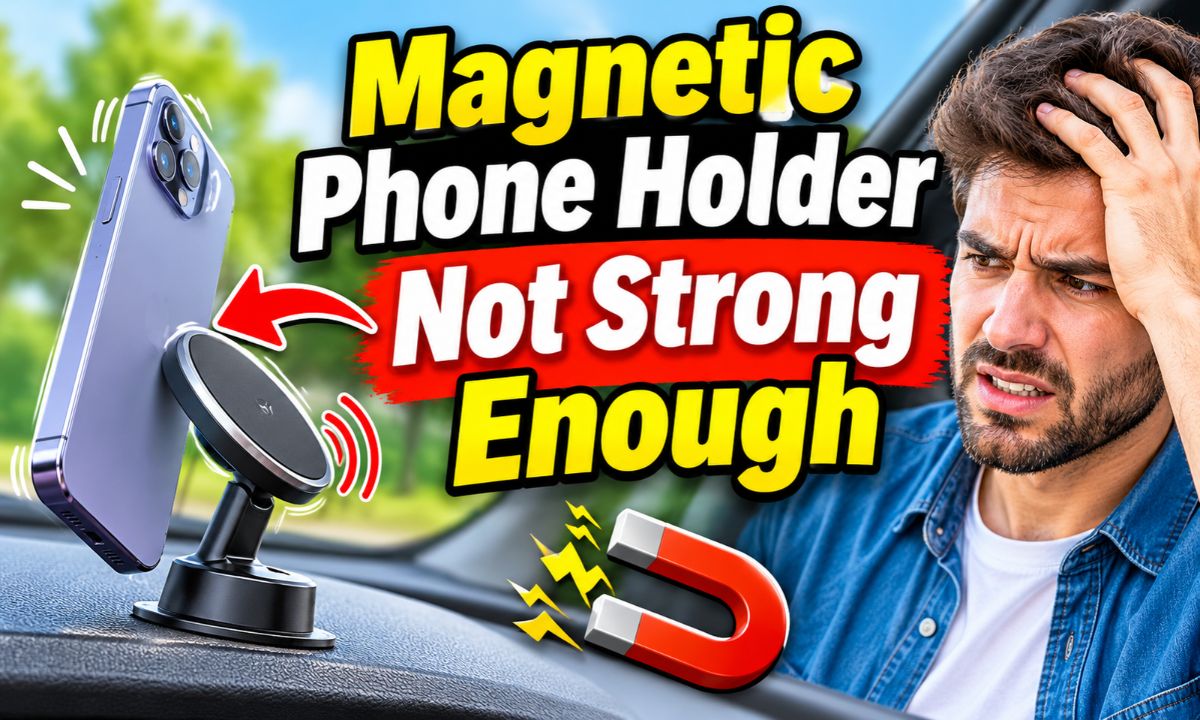
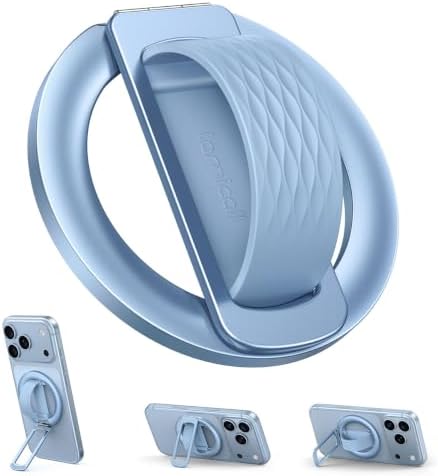
A magnetic phone holder may feel weak because of a thick phone case, poor magnet alignment, an incorrect metal plate, dirt, or a worn holder. Check these parts before replacing the mount.
Whether you use a magnetic phone holder in your car, at your office desk, or beside your bed, a weak grip can become frustrating. In the United States, many drivers use phone mounts for GPS directions, hands-free calls, and music controls during daily trips. If your phone slides down, spins, or falls off when you hit a pothole, the problem may not be the magnet itself.
A magnetic holder needs a good connection between the phone and the mount. The phone must have compatible built-in magnets or a suitable metal plate. The case must not create too much distance, and both contact surfaces must be clean. Even a strong magnet can perform poorly when these parts do not line up.
The good news is that you can check most common problems at home. Start with the phone case, test the magnetic connection, and inspect the holder for damage. These steps can help you find the weak point without spending money on a new mount too soon.
Why Is Your Magnetic Phone Holder Not Strong Enough?
A magnetic phone holder needs close contact and proper alignment to hold a phone securely. If your phone keeps slipping, the connection may be too weak for the phone’s weight. The issue can also come from the case, metal plate, or mounting surface.
Think of the magnet and metal plate as two parts of a simple lock. Both must meet in the right place for the connection to work well. If something blocks them or pulls them apart, the holder may struggle to keep your phone in place.
Before changing anything, look at how the phone behaves. A phone that slides down may have a weak magnetic connection. A phone that turns sideways may have poor alignment or a loose joint. If the entire holder moves, the problem may be its base rather than its magnet.
Source: barcodeindex.com
Thick phone case
Extra material between the phone and the magnetic surface increases the distance between them. This can reduce the holding force.
Poor magnetic alignment
A phone that sits off-center may have an uneven connection and can twist or slide during movement.
Incorrect metal plate
A small, poorly placed, or unsuitable metal plate may not provide enough contact for the holder.
Dirty contact surface
Dust, oil, and small particles can prevent the phone from sitting flat against the holder.
Heavy phone
A large phone with a rugged case puts more load on the magnetic connection than a small, light phone.
Damaged holder
A cracked housing, loose magnetic head, or worn joint may prevent the holder from keeping the phone stable.
Does a Strong Magnet Always Mean a Better Holder?
No. Magnet strength is only one part of a magnetic holder’s performance. The shape of the magnetic surface, its alignment, the phone’s weight, and the distance between the parts also matter.
A holder with a strong magnet can still fail if the phone case is too thick or the metal plate is badly placed. A well-matched holder with proper alignment may work better than a stronger magnet used with the wrong accessories.
Is the Magnet Weak or Is the Holder Loose?
These are two different problems. If the phone comes away from the magnetic head while the holder stays in place, check the phone-to-magnet connection. If the phone and holder move together, inspect the base, clamp, adhesive, or adjustment joint.
1. Check Your Phone Case First
Your phone case is one of the first things to check when a magnetic holder does not provide enough grip. Some cases are thick, rugged, or made with layers that keep the phone too far from the magnet. This extra distance can make the connection less secure.
A thin case may work well with a compatible magnetic holder. A thick protective case may need a magnetic ring or a different mounting system. Do not assume that every case with a smooth back will work with every magnetic mount.
Some cases have built-in magnetic rings. These cases are made to work with compatible magnetic accessories. A standard plastic or silicone case may not have this feature, even if it fits your phone perfectly.
Source: amazon.co.za
Remove the case for a quick test
Place your phone directly against the holder while parked or at a safe indoor location. If the grip improves, the case is likely part of the problem.
Check the case thickness
Compare your case with the thickness limit listed in the holder’s instructions. A rugged case may need a different mount.
Look for a magnetic ring
Check whether your case has a built-in magnetic ring designed for your holder’s system.
Remove extra accessories
Take off card holders, kickstands, and other attachments that sit between the phone and the mount.
Can a Thick Phone Case Weaken a Magnetic Holder?
Yes. A thick case can reduce magnetic attraction by increasing the gap between the magnetic parts. This is especially common with rugged cases that use several layers of plastic, rubber, or other materials.
Try a thinner compatible case if the connection improves when you remove the original one. You can also look for a holder made for your phone and case combination. Always check the manufacturer’s compatibility guidance before buying.
What If Your Case Has a Built-In Magnet?
A built-in magnetic ring can help with alignment, but compatibility still matters. The ring’s position and design must match the holder. A case advertised as magnetic is not automatically compatible with every MagSafe or magnetic phone mount.
2. Check the Metal Plate or Magnetic Ring
If your phone does not have built-in magnets that match the holder, you may need a compatible metal plate or magnetic ring. Many traditional magnetic car mounts use a metal plate attached to the phone or case. The plate gives the holder a surface to attract.
A common mistake is placing the plate in the wrong position. If the plate sits too high, too low, or far to one side, the phone may not connect evenly with the magnetic head. This can cause the phone to tilt or slide when the vehicle moves.
Check the instructions supplied with your holder before moving or replacing the plate. Some mounts need a specific plate size and position. Others use a magnetic ring made for a particular phone or charging system.
Source: alibaba.com
Check the plate position
Make sure the plate lines up with the magnetic surface when the phone is attached.
Inspect the adhesive
Look for lifted corners, cracks, or movement. A loose plate can shift when you remove the phone.
Check the plate size
Use the size and shape recommended by the mount manufacturer. A random metal piece may not provide the intended contact.
Look for damage
Replace a bent or damaged plate if the manufacturer recommends replacement.
Where Should You Place a Magnetic Metal Plate?
The correct position depends on the phone and mount design. Many holders work best when the plate is centered on the back of the phone or case. Follow the included alignment guide instead of guessing.
If your holder uses an adhesive plate, test its position before removing the adhesive backing. Some products include a clear protective film for use on the outside of a case. This can help avoid direct contact with the phone itself.
Do not place a metal plate inside a case if it prevents the case from closing properly. A plate that moves or presses against the phone can cause other problems.
Can You Use a Metal Plate With Wireless Charging?
Be careful. A conventional metal plate can interfere with wireless charging and may cause unwanted heat. Do not place a metal plate over the phone’s wireless charging area unless the phone and accessory manufacturers specifically approve that arrangement.
If you use wireless charging often, consider a compatible magnetic case or holder that supports your phone’s charging system. Follow the charging accessory instructions and remove incompatible metal accessories when needed.
3. Clean the Magnetic Surfaces
Dirt and small particles can stop your phone from sitting flat against the magnetic holder. Fingerprints, dust, skin oil, and residue may collect on both surfaces during daily use. Cleaning them is a simple step that can improve contact.
Turn off or disconnect any electronic accessory before cleaning it. Use a soft, dry microfiber cloth to wipe the magnetic head and the exposed metal plate or compatible case surface. Do not pour water or cleaning liquid directly onto the holder.
If the manufacturer permits a slightly damp cloth, use very little moisture and dry the surface fully before attaching your phone. Avoid abrasive pads, sharp tools, and harsh chemicals that could damage the coating or adhesive.
Source: head-fi.org
Clean the magnetic head
Wipe away dust, fingerprints, and loose particles with a soft microfiber cloth.
Clean the metal plate
Remove dirt and residue without scratching or bending the plate.
Check for sticky residue
Look for old adhesive or other material that keeps the phone from sitting flat.
Let everything dry
Make sure all surfaces are completely dry before testing the connection.
How Often Should You Clean a Magnetic Phone Holder?
There is no single cleaning schedule for every holder. Check the surface whenever the grip starts to feel weaker or you notice visible dust and oil. If you use the holder every day in your car, a quick inspection during regular vehicle cleaning is a useful habit.
Keep the holder away from loose metal objects and other debris. A clean magnetic surface is easier to align and inspect.
Can Water Damage a Magnetic Phone Mount?
Water may damage electronic parts, charging circuits, adhesive, or other materials, depending on the design. Never soak a magnetic charging mount or rinse it under a tap unless its manufacturer specifically allows it. Use the cleaning method in the product manual.
4. Align Your Phone Correctly
Poor alignment can make a magnetic holder feel weaker than it really is. The phone may attach, but only part of the intended magnetic area makes proper contact. This can allow the phone to rotate or slide.
Remove the phone and place it back on the center of the magnetic surface. Let the magnet guide the phone into position if the holder is designed for automatic alignment. Avoid attaching it at an angle.
For a magnetic ring or metal plate, use the alignment template supplied with the accessory. The center of the plate should match the intended contact point on the mount. Do not assume that the center of the phone’s back is always the correct position for every model.
Source: shopee.ph
Center the phone
Position the phone so the magnetic surfaces meet evenly.
Avoid tilted placement
A crooked connection can make the phone easier to twist or pull away.
Check the camera bump
A large camera bump may stop the phone from sitting flat on some holders.
Use the correct alignment guide
Follow the accessory instructions for the exact phone or case model.
What If the Camera Bump Prevents a Flat Connection?
Some phones have large camera modules that extend from the back of the device. If the holder touches the camera area before the magnetic surfaces meet, the phone may wobble or sit at an angle.
Try a compatible case or magnetic accessory that provides a flat contact area. Make sure the solution does not cover the camera lens or create pressure on the camera module.
Why Does the Phone Rotate Even When the Magnet Holds?
A magnetic connection can resist separation without fully preventing rotation. The phone may turn if the magnetic ring is poorly aligned, the contact area is small, or the phone’s weight puts pressure on the joint.
Check the position of the phone and inspect the mount’s adjustable head. Tighten any adjustment knob according to the product instructions.
5. Check Whether Your Phone Is Too Heavy
A heavy phone can put more pressure on a magnetic holder. Large phones, rugged cases, battery packs, and attached accessories all add weight. A holder designed for a small phone may not support a larger device securely.
The phone’s weight is not the only issue. Its size also matters because a larger device can create more leverage when it moves. This is especially important in a car, where road bumps and sharp turns can put extra stress on the mount.
Check the holder’s stated device compatibility and weight limits. If the manufacturer does not provide a clear limit, contact its support team rather than guessing how much weight the magnet can handle.
Source: amazon.com
Remove heavy accessories
Take off battery packs, bulky grips, and other attachments before testing the holder.
Check the phone weight
Compare the phone and case combination with the holder’s supported device range.
Inspect the magnetic head
Check whether the head tilts or moves under the phone’s weight.
Choose a suitable holder
Use a model designed for larger phones if your current mount cannot support the device.
Can a Magnetic Holder Support a Large Phone?
Yes, if the holder is designed for that phone’s size and weight. Some magnetic mounts support large phones, while others work best with smaller devices. Always check the exact product specifications.
A phone that stays attached while sitting still may still fall during a sudden movement. Test the setup carefully in a safe place before using it in a moving vehicle.
Do Phone Grips and PopSockets Affect Magnetic Holding?
They can. A grip or pop-up stand between the phone and holder increases the distance and may prevent direct contact. Some accessories are removable or designed to work with magnetic mounts, but compatibility depends on the exact product.
Remove the grip before testing the holder. If the connection becomes stronger, choose a compatible removable grip or a different mounting arrangement.
6. Inspect the Holder’s Base and Moving Parts
Sometimes the magnet is not the weak part. The holder may have a loose ball joint, weak suction cup, worn adhesive pad, or unstable vent clip. These parts support the whole setup and can make the phone shake even when the magnetic connection is good.
Check each connection separately. Hold the mount base in place and gently move the magnetic head. If the joint shifts too easily, tighten its adjustment nut if the design allows it. Do not force a fixed joint or turn a small adjustment screw beyond its intended range.
For a car mount, inspect the dashboard attachment, windshield suction cup, or air vent clamp. A loose base can make the phone wobble, which may eventually cause it to separate from the magnet.
Source: amazon.com
Suction cup
Check for dust, cracks, loss of flexibility, and a poor seal against the mounting surface.
Adhesive pad
Look for peeling edges, old adhesive, and an unsuitable dashboard surface.
Vent clip
Check that the clip fits the vent and does not slide or damage its slats.
Ball joint
Inspect the joint for looseness and tighten it according to the instructions.
Why Does the Whole Magnetic Holder Keep Moving?
If the entire holder moves when you touch the phone, inspect its attachment point. A suction cup may need cleaning and reseating, while an adhesive mount may need a fresh mounting pad.
Adhesive products often need time to bond before they can support a phone. Follow the exact curing time in the manual. Some manufacturers specify a waiting period of 24 hours or longer, while others provide different instructions.
Can a Loose Air Vent Clip Weaken the Magnetic Grip?
A loose vent clip does not directly reduce the magnet’s strength, but it can make the phone shake and shift. This extra movement may cause an already weak magnetic connection to fail.
Check whether the clip is compatible with your vehicle’s vent design. Do not force it onto thin, damaged, or fragile vent slats.
7. How to Fix a Magnetic Phone Holder Step by Step
The easiest way to fix a weak magnetic holder is to test one part at a time. Start with the phone and case, then check the plate, alignment, and holder base. This makes it easier to find the actual cause instead of replacing several parts at once.
You only need the phone, its case, the magnetic holder, and a soft microfiber cloth for the basic checks. If the holder uses an adhesive plate, follow its installation instructions before moving or replacing it.
Perform the test indoors or while the vehicle is parked. Never test a loose phone holder while driving or try to adjust it while the vehicle is moving.
Source: smiletotalk.com
Step 1: Remove the phone case
Attach the bare phone to the holder if the phone is designed to work with that magnetic system. Notice whether the grip improves.
Step 2: Clean the contact points
Use a soft, dry cloth to clean the magnetic head and the compatible phone or plate surface.
Step 3: Check the metal plate
If your mount needs a plate, confirm that it is the correct type, properly attached, and positioned as instructed.
Step 4: Align the phone
Place the phone in the center of the magnetic surface and check that it sits flat.
Step 5: Inspect the holder
Check the ball joint, base, suction cup, or vent clip for movement and damage.
Step 6: Test with the case again
Reattach the case and compare the connection. If the grip becomes weak again, the case may be incompatible.
Step 7: Check the manufacturer’s limits
Confirm that the holder supports your phone’s size, weight, and magnetic system.
How Do You Know the Fix Worked?
The phone should sit flat and remain in its intended position during gentle handling. The magnetic head should not wobble, and the holder’s base should stay firmly attached.
A successful indoor test does not guarantee that a mount will remain secure on every road. If you use it in a vehicle, test the setup while parked and inspect it again before driving. Replace any part that continues to move or release unexpectedly.
What If the Phone Still Falls Off?
If cleaning, alignment, and case removal do not improve the connection, the holder may be unsuitable or damaged. Contact the manufacturer with the model number and details about your phone and case.
If the magnetic head has lost its holding ability, the housing is cracked, or the phone repeatedly releases, stop using it. A different holder with a compatible magnetic system or a mechanical phone clamp may be a better choice.
8. Choose the Right Magnetic Phone Holder
If your current holder cannot support your phone, replacing it may be the most practical solution. However, do not choose a new model based only on claims about magnet strength. Look at phone compatibility, mounting style, device weight, and how you plan to use it.
For example, a magnetic holder for a desk may work well at home but may not be suitable for a car. A vehicle mount needs to handle vibration and sudden movement. A charging mount also needs to support the phone’s charging system.
Choose a design that matches your phone and daily use. A compatible magnetic case, a suitable metal plate system, or a mechanical clamp can all work, depending on the device and mounting location.
Source: smiletotalk.com
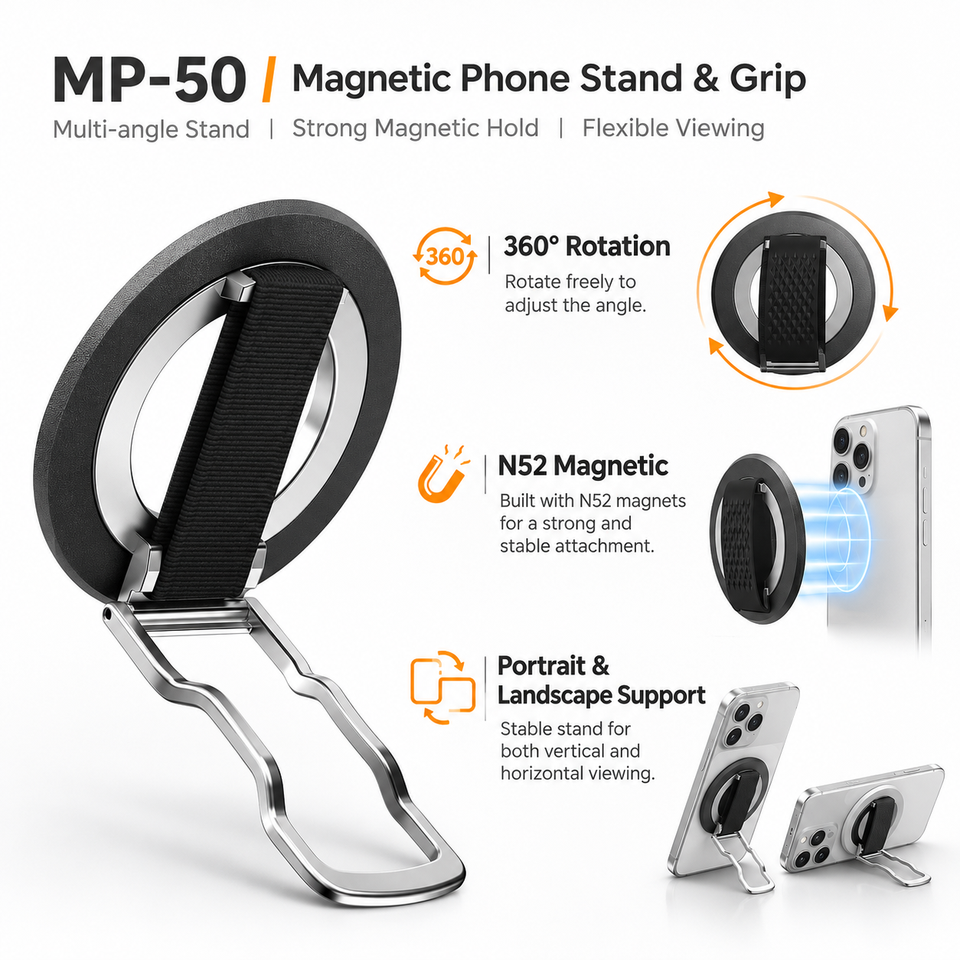
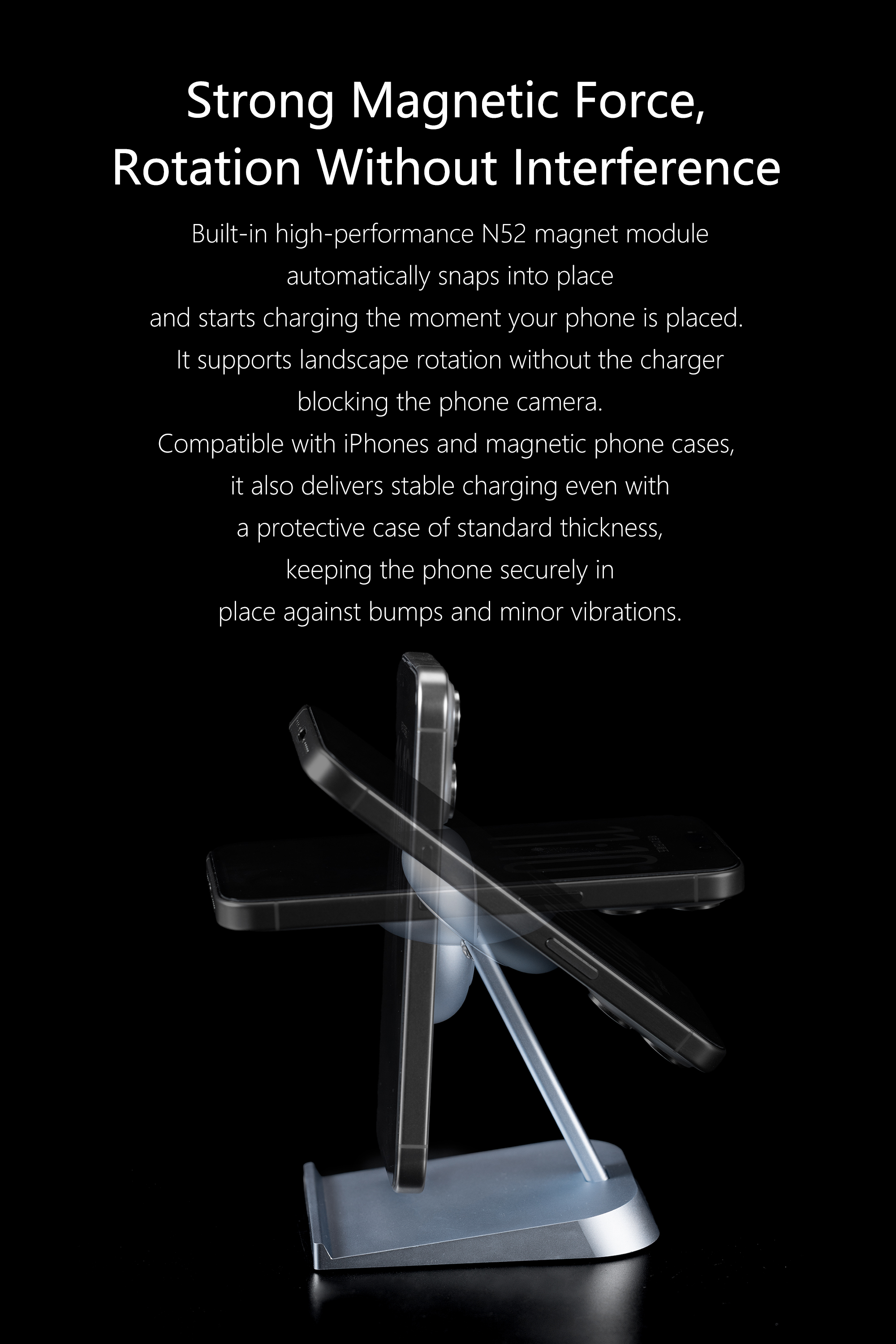
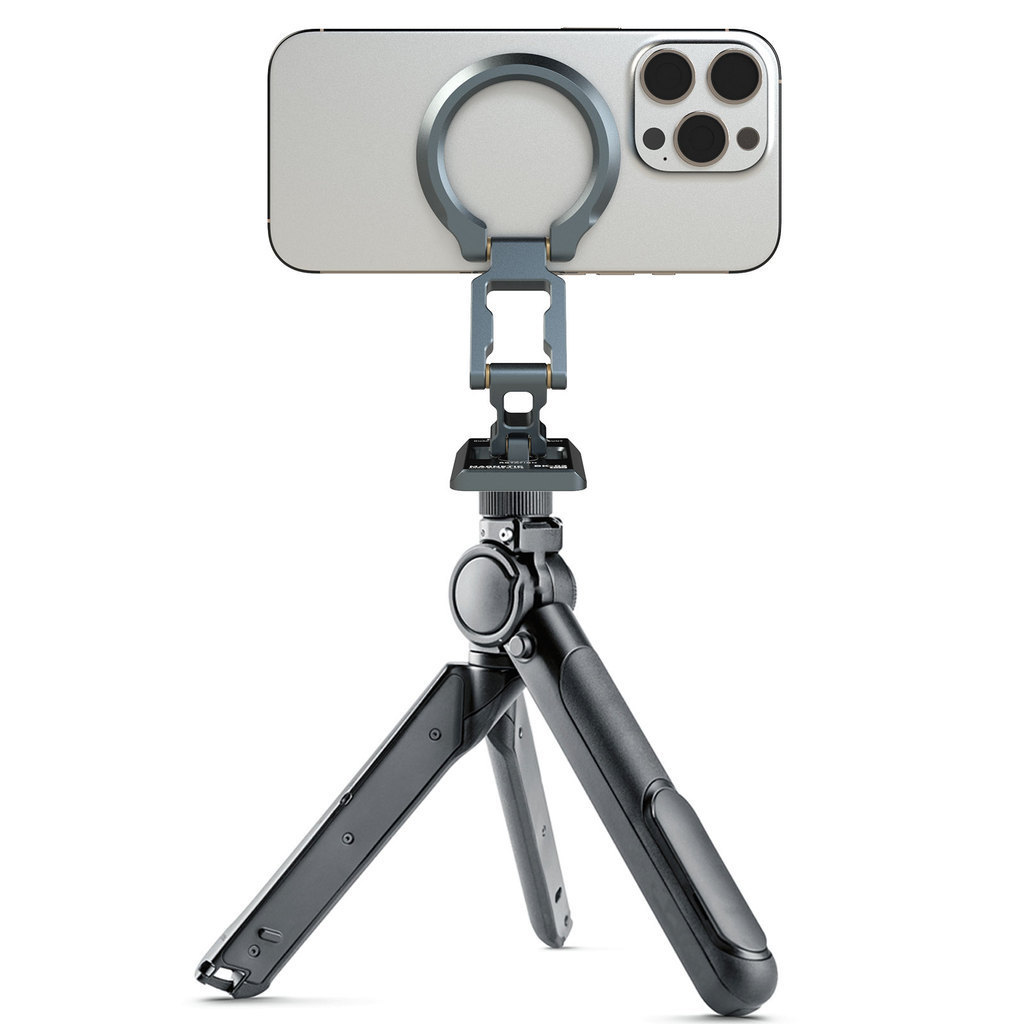
MagSafe-compatible holder
A suitable option for supported iPhones and compatible magnetic cases. Check the exact device and accessory compatibility.
Metal plate magnetic mount
Useful for many phones that do not have a matching built-in magnetic system. It requires the correct plate and placement.
Magnetic charging holder
Useful when you want charging and mounting in one device. Check the supported charging standard and power requirements.
Mechanical clamp holder
A practical alternative when magnetic accessories do not provide enough grip or are not compatible with your phone.
Cup holder mount
Can provide a different mounting option when your dashboard or air vents are unsuitable.
Magnetic Holder vs. Mechanical Phone Clamp
A magnetic holder offers quick attachment and removal. It can be convenient when you enter and leave your car often. However, it depends on a compatible magnetic connection and proper alignment.
A mechanical clamp holds the phone with physical side grips. It may be useful for phones without magnetic accessories or for setups that need a more direct physical hold. The trade-off is that attaching and removing the phone may take more effort.
Neither design is automatically best for every driver. Choose the one that fits your phone, vehicle, and mounting position.
What Should You Check Before Buying?
Read the product specifications and check the manufacturer’s compatibility list. Look for clear information about supported phones, case thickness, mounting type, and charging features if applicable.
Also inspect the return policy and warranty. A holder that does not support your exact phone and case combination is not a good purchase, even if its advertised magnet strength looks impressive.
9. Common Mistakes That Make Magnetic Holders Weaker
Some common fixes can create more problems when used without checking the holder’s instructions. For example, adding another metal plate may not improve the connection. It can also make the phone sit unevenly or interfere with wireless charging.
Using a stronger adhesive is not always the answer either. The adhesive only secures the holder or plate to its surface. It does not increase the magnetic attraction between the phone and the mount.
A better approach is to find the failed connection and correct that specific problem. Avoid making several changes at once because you may not know which change helped.
Adding random magnets
Extra magnets may not match the holder’s design and can affect alignment or other phone accessories.
Using several metal plates
Multiple plates can create uneven contact and may interfere with wireless charging.
Ignoring the phone case
A case that blocks the magnetic connection will continue to cause trouble even if the mount is new.
Overtightening the holder
Excessive force can damage the ball joint, vent clip, or adjustment mechanism.
Using damaged adhesive
Pressing an old, peeling adhesive pad back into place may not restore a reliable bond.
Testing while driving
Never try to catch, reposition, or repair a loose phone mount while operating a vehicle.
Can You Put Two Magnetic Holders Together for More Strength?
This is generally not a good repair method. Two magnetic holders may have different pole arrangements, contact shapes, and mounting designs. Stacking them does not guarantee a stronger or safer connection.
Use one holder that is designed to support your phone. If the original mount is too weak, replace it with a compatible model rather than combining unrelated accessories.
Should You Use Glue to Fix a Loose Metal Plate?
Do not use household glue without checking the accessory manufacturer’s instructions. Some adhesives can damage phone cases or leave residue that is hard to remove.
Use the replacement adhesive or mounting film recommended for the plate. Follow its surface preparation and curing instructions.
10. Safety Tips for Using a Magnetic Phone Holder in Your Car
A secure phone holder is important when you use navigation or hands-free features on the road. A phone that falls near the pedals or distracts you can create a dangerous situation. Check the entire mounting system before every trip.
Place the holder where it does not block your view of the road, mirrors, controls, or vehicle displays. Avoid mounting it near airbag deployment areas. Follow your vehicle manual when choosing a suitable location.
Never assume that a strong magnet alone makes a mount safe. The base, joint, phone case, and magnetic connection must all work together. If the phone keeps falling, use another mounting system until the issue is fixed.
Keep your view clear
Do not place the phone where it blocks the windshield or your view of traffic.
Avoid airbag areas
Follow the vehicle owner’s manual and keep accessories away from airbag deployment zones.
Secure the cable
If the holder charges your phone, route the cable so it cannot interfere with steering, pedals, or controls.
Check the mount before driving
Make sure the base and phone connection are secure before starting your trip.
Stop if the holder fails
Do not continue using a mount that releases the phone during normal movement.
Can Strong Magnets Damage Your Phone?
Modern phones are designed with many magnetic accessories in mind, but this does not mean every magnetic accessory is suitable for every device. Strong magnets can affect some magnetic sensors and accessories, while metal plates can create problems with wireless charging.
Follow the phone manufacturer’s guidance about magnetic accessories. Keep bank cards, access cards, and other items with magnetic strips away from magnetic surfaces when the manufacturer advises it.
Is a Magnetic Phone Holder Safe for Long Road Trips?
It can be suitable when the holder is compatible, properly installed, and securely attached. Check the phone connection and the mount base before leaving. Inspect them during safe stops, especially if you travel on rough roads.
If the phone starts moving or the holder becomes loose, stop in a safe location before making adjustments. Do not rely on a magnetic mount that has already shown repeated failures.
11. Quick Troubleshooting Table
Use this table to match the problem with its likely cause and the first check to make. These are troubleshooting clues, not proof that a particular part has failed. Check the manufacturer’s instructions before changing plates, adhesives, or mounting hardware.
Phone slides down the holder
Possible cause: weak contact, a thick case, or poor plate alignment. First check: remove the case and test the magnetic connection.
Phone falls off during bumps
Possible cause: poor alignment, an unsuitable holder, or excessive vibration. First check: inspect the case, magnetic connection, and mount base.
Phone rotates sideways
Possible cause: an off-center magnetic ring or loose joint. First check: align the phone and inspect the adjustable head.
Whole holder moves
Possible cause: a weak suction cup, loose vent clip, or damaged adhesive. First check: inspect the mounting base.
Magnet works without the case
Possible cause: excessive case thickness or missing magnetic compatibility. First check: try a compatible magnetic case.
Metal plate keeps moving
Possible cause: poor adhesive or incorrect installation. First check: use the recommended replacement adhesive and follow its curing time.
Phone will not attach at all
Possible cause: incompatible magnetic system or missing metal plate. First check: confirm whether your phone needs a compatible ring or plate.
Frequently Asked Questions
Q
Why Does My Magnetic Phone Holder Feel Weak All of a Sudden?
A sudden loss of grip can come from a shifted metal plate, a loose magnetic ring, dirt, or a damaged holder. A new phone case or accessory may also create extra distance between the phone and the magnet.
Remove the case, clean both contact surfaces, and check the plate position. If the holder still feels weak, inspect it for damage or contact the manufacturer.
Q
Will a Stronger Magnet Fix My Phone Holder?
Not always. A stronger magnet may not solve a problem caused by a thick case, incorrect alignment, or a loose mounting base. First find out which connection is failing.
If the holder is genuinely too weak for your phone, choose a compatible model with a suitable device weight rating and clear installation instructions.
Q
Do All iPhones Work With Magnetic Phone Holders?
No. Magnetic accessory support depends on the iPhone model and the holder’s design. Some newer iPhones have built-in magnetic systems, while older models may need a compatible magnetic case or accessory.
Check the exact phone model and accessory compatibility before buying. Do not assume that every iPhone can attach securely to every MagSafe-style mount.
Q
Can an Android Phone Use a Magnetic Holder?
Yes. Many Android phones work with magnetic holders when paired with a suitable magnetic case or compatible metal plate. Some newer devices and accessories also support magnetic alignment systems.
Check the phone and holder specifications. If your phone does not have a matching magnetic system, use the plate or case recommended by the mount manufacturer.
Q
Does a Metal Plate Make a Magnetic Phone Holder Stronger?
A suitable metal plate gives a traditional magnetic mount a surface to attract. It can improve the connection when the phone does not have compatible built-in magnets.
However, the plate must be the correct type, size, and position. Adding an extra plate does not automatically increase holding strength and may create alignment or charging problems.
Q
Why Does My Magnetic Phone Holder Work at Home but Not in My Car?
A car creates movement and vibration that a stationary desk does not. Road bumps, turns, braking, and the position of the mount can place extra stress on the connection.
Your phone may also be heavier than the holder can reliably support during movement. Check the device compatibility, mounting base, case, and magnetic alignment before using it on the road.
Q
How Long Should a Magnetic Phone Holder Last?
There is no universal lifespan. Product quality, daily use, heat exposure, adhesive condition, and physical damage can all affect how long a holder works.
Replace it when the magnet, joint, clip, or mounting base no longer holds securely. Do not continue using a damaged holder just because it still attaches to your phone.
✦ Wrapping Up
Conclusion
A magnetic phone holder that feels too weak does not always need to be replaced. The problem may come from a thick phone case, poor alignment, an incorrect metal plate, dirt, or a loose mounting base. Checking these parts in the right order can help you find the cause and avoid unnecessary purchases.
Start by removing the phone case and testing the magnetic connection. Clean the contact surfaces, check the metal plate or magnetic ring, and make sure the phone sits in the correct position. Then inspect the holder’s joints and base for movement or damage.
If these steps do not improve the grip, your holder may not be suitable for your phone. Choose a compatible magnetic mount or a mechanical clamp that can support your device. Most importantly, never trust a holder that repeatedly releases your phone while driving.
💡 Key Takeaway
Start with a simple case-off test. If the phone holds firmly without its case, choose a compatible magnetic case or mounting accessory. If it still slips, inspect the plate, alignment, magnet, and base before deciding whether to replace the holder.