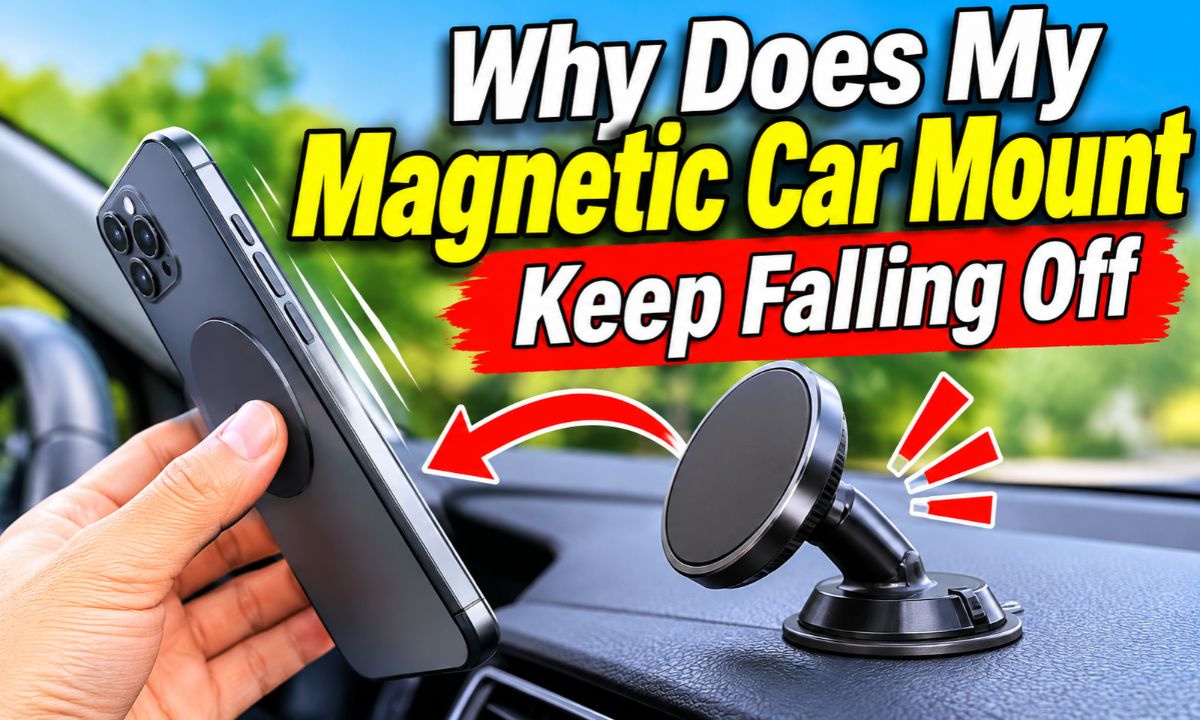
A magnetic car mount usually falls off because of weak adhesive, a dirty mounting surface, excess heat, poor placement, or a loose connection.
If your phone holder keeps dropping onto the floor while you drive around town, you are not alone. A magnetic car mount should hold your phone in place during normal driving. However, heat, dust, road bumps, and a poor mounting surface can weaken its grip.
In the United States, parked cars can get very hot during summer. A dashboard near the windshield may face strong sunlight for hours. That heat can soften some adhesives and make a mount slide or fall. A dirty dashboard, textured plastic, or an unsuitable mounting pad can cause the same problem.
The good news is that you may not need a new phone holder. First, find out which part is failing. The adhesive base, suction cup, vent clip, magnetic connection, and phone plate each have different problems. Once you identify the weak point, you can choose a fix that lasts longer.
Your magnetic car mount keeps falling off when one of its contact points cannot hold the weight and movement of your phone. The most common weak points are the dashboard adhesive, suction cup, vent attachment, and magnetic connection.
A mount has two separate jobs. Its base must stay attached to the car, and its magnet must hold the phone or metal plate. If either connection fails, the phone holder may fall. This is why checking the whole setup matters.
Start by watching what happens when the phone falls. If the entire holder comes off the dashboard, investigate the base. If the holder stays in place but the phone drops, inspect the magnet and metal plate. If the arm moves or droops, check its joints and locking parts.
Source: vecteezy.com
The entire mount falls off
Look for weak adhesive, a dirty dashboard, a loose suction cup, or a mounting surface that does not suit the base.
Only the phone falls
Check the metal plate position, magnet contact, phone case, and phone weight.
The mount slowly slides down
Look for a loose adjustment joint, a poor mounting angle, or a surface that cannot support the holder.
A Dirty Dashboard Weakens the Adhesive
Dust, skin oils, dashboard polish, and cleaning product residue can form a thin layer between the adhesive and the dashboard. The pad may seem to stick at first, but it may not form a strong bond.
Even a small amount of dirt can affect how well an adhesive contacts a surface. A dashboard that looks clean may still have a greasy coating. This is common when drivers use shiny dashboard sprays or interior protectants.
Look for residue
Check for a slippery or shiny film, dust, loose dirt, and old adhesive.
Check the contact area
Make sure the entire adhesive pad touches the mounting surface rather than resting on dust or debris.
Dashboard Heat Can Weaken the Bond
Heat is another common reason a car mount loses its grip. A vehicle parked outside in summer can develop a very hot cabin, especially when sunlight passes through the windshield.
Some adhesives soften or lose holding strength when exposed to temperatures beyond their rated range. A mount that works in a cool garage may fail after several hours in a sunny parking lot.
Check the product instructions for its temperature limits and curing time. Do not assume every adhesive pad can handle the same amount of heat.
Watch for seasonal failure
If the mount works in cool weather but falls during hot days, heat may be affecting the adhesive.
Avoid direct sunlight when possible
Choose a suitable shaded mounting position that also keeps the phone out of the driver’s view.
The Dashboard Surface May Be Too Textured
An adhesive pad needs enough contact with a suitable surface. Deep grooves, raised patterns, soft-touch coatings, and curved dashboard panels can leave gaps beneath the pad.
A flat adhesive pad may stick well to smooth, firm plastic but struggle on a heavily textured dashboard. The problem is not always the adhesive itself. The surface may simply be unsuitable for that mounting system.
Check for gaps
Look around the edge of the pad for areas that do not touch the dashboard.
Use a compatible mounting base
A manufacturer-approved mounting disc may provide a flatter surface if the dashboard material allows it.
Other Common Reasons a Magnetic Mount Loses Its Grip
Not every falling mount has an adhesive problem. The phone, case, magnet, and mounting hardware all affect how well the system works. A mount can have a strong base but still fail to hold a large phone.
Check the following parts before buying another holder. Each one can create a different symptom, so the right repair depends on what moves or separates.
Source: alamy.com
Weak magnetic contact
A small or poorly positioned metal plate may not provide enough contact for the phone’s weight.
A thick phone case
A thick or uneven case can increase the distance between the magnet and metal plate.
A heavy phone
Large phones and bulky cases place more demand on the magnetic connection and mounting arm.
A loose ball joint
A worn or poorly tightened joint may let the phone tilt or slide down.
An unsuitable vent
Some vent clips do not fit every vent blade shape or support the holder securely.
The Metal Plate Is in the Wrong Position
Many magnetic phone mounts use a thin metal plate inside or on the back of a phone case. The magnet holds this plate, not the phone itself. If the plate sits too high, too low, or off-center, the phone may tilt or slip.
The best position depends on the mount design and the phone. Follow the manufacturer’s placement instructions. Avoid putting a plate over wireless charging coils unless the phone and accessory makers confirm that the setup is compatible.
Check alignment
Place the phone against the mount and see whether the plate sits flat against the magnetic surface.
Inspect the plate adhesive
A loose plate can separate from the case even when the magnet itself works well.
The Phone Case Is Too Thick or Uneven
A thick rugged case can create a gap between the metal plate and the mount. The farther the plate sits from the magnet, the less secure the connection may become.
Raised camera rings, textured backs, and curved case panels can also prevent flat contact. A metal plate attached to a smooth, flat area usually provides a more stable connection than one attached across a raised feature.
Try a compatible case
Use a case that supports the mounting system and allows the plate to sit flat.
Check the phone without extra accessories
Remove bulky add-ons and test whether the mount holds the phone more securely.
The Mounting Arm or Ball Joint Is Loose
The mount may stay attached while the phone slowly tilts toward the floor. This often points to a loose ball joint, adjustment collar, or swivel connection rather than a weak magnet.
A long arm also creates more leverage. The farther the phone sits from the base, the more force it can place on the joint when the car moves over bumps.
Tighten adjustable parts
Follow the manual to tighten the joint or locking collar without forcing plastic parts.
Shorten the arm
Move the phone closer to the base if the mount allows it.
How to Stop Your Magnetic Car Mount From Falling Off
The best fix is to identify the failing connection, clean the surface, and reinstall the mount according to its instructions. Do not keep pressing a failing adhesive pad back into place. Once its bond has weakened or become contaminated, pressing it again may not restore its original grip.
Before starting, check the mount manual and the vehicle owner’s manual. Gather a clean microfiber cloth and a cleaner that is safe for your dashboard material. You may also need a replacement adhesive pad or a compatible mounting disc.
Source: pixabay.com
Step 1: Remove the phone and holder
Take the phone off the mount. Carefully remove the base or suction cup according to its instructions.
Step 2: Clean the mounting surface
Remove dust, oil, old adhesive, and cleaning residue using a material-safe cleaning method.
Step 3: Let the surface dry
Make sure no moisture or cleaner remains before applying a new adhesive pad.
Step 4: Inspect the adhesive
Replace a dirty, stretched, torn, or damaged pad with a compatible replacement.
Step 5: Position the mount carefully
Choose a firm, suitable surface with enough room for the full pad to make contact.
Step 6: Apply the required pressure and wait
Follow the manufacturer’s instructions for pressing and curing the adhesive before attaching the phone.
Step 7: Test the holder
Check the base, joints, and magnetic connection while the car is parked before normal use.
Clean the Dashboard Without Damaging It
Use a cleaner approved for the dashboard material. A clean microfiber cloth can remove loose dust, but oily residue may need a suitable interior-safe cleaner.
Avoid soaking the dashboard or using harsh solvents without checking the vehicle and mount instructions. Strong chemicals can damage soft-touch finishes, coatings, or plastic surfaces.
Do not apply dashboard shine products to the mounting area before installing an adhesive holder. These products can leave a slippery film that prevents good contact.
Use a gentle method
Test any cleaner in a hidden area first if the vehicle maker recommends it.
Avoid excess liquid
Keep moisture away from vents, screens, buttons, and electrical parts.
Give a New Adhesive Enough Time to Set
Some adhesive pads need time to develop their intended bond. Attaching a heavy phone immediately can put stress on the pad before it is ready.
There is no single waiting period for every mount. Follow the product instructions for the exact adhesive and temperature conditions. If the manufacturer says to wait before use, keep the phone off the holder during that period.
Follow the stated curing time
Do not rely on a general online waiting period when the mount maker provides specific instructions.
Avoid moving the base
Do not twist, pull, or adjust the mount while the adhesive is setting.
How to Fix a Magnetic Mount That Uses a Suction Cup
A suction-cup mount needs a clean, smooth, compatible surface to create a firm seal. Dust, oil, surface texture, and an uneven dashboard can let air enter beneath the cup. Once the seal weakens, the holder may slowly detach.
First, check whether the suction cup has a locking lever or twist mechanism. Some models also use a reusable gel layer. Their cleaning and installation methods may differ, so follow the instructions for your exact mount.
Source: vecteezy.com
Clean the cup
Remove dirt and residue using the cleaning method recommended by the manufacturer.
Inspect the sealing edge
Look for cracks, bends, tears, or hardening that may stop the cup from forming a seal.
Use a smooth mounting surface
A suitable windshield or approved smooth mounting disc may work better than a rough dashboard.
Lock the suction mechanism
If the model has a locking lever, use it as directed after placing the cup.
Can You Wash a Reusable Suction Cup?
Some reusable suction cups can be rinsed with water to remove dust and restore a clean contact surface. Others have special coatings or gel layers that need different care.
Check the instructions before using soap, alcohol, heat, or abrasive tools. If the cup has become damaged or no longer seals after proper cleaning, replacing it is usually more sensible than repeatedly reinstalling it.
Follow the care instructions
Use water or another cleaning method only when the manufacturer allows it.
Replace damaged cups
A cracked or permanently distorted cup may not hold reliably.
How to Tell Whether the Magnet Is Too Weak
If the base stays firmly attached but the phone keeps slipping away, the magnetic connection deserves attention. A magnet can feel strong when tested with a small metal object but still struggle with a heavy phone and case.
The phone’s weight, the metal plate’s size, its position, and the distance between the plate and magnet all affect the connection. Road vibration and sudden braking can make a marginal connection fail sooner.
Source: shutterstock.com
Check the phone’s weight
Compare your phone and case with the mount’s stated weight or device limits.
Check the metal plate
Make sure it is compatible, firmly attached, and positioned as the manufacturer recommends.
Check the contact distance
Remove bulky accessories that create a large gap between the plate and magnet.
Check the mounting angle
A flat, well-aligned connection may hold more securely than a tilted or off-center one.
Does a Phone Case Make a Magnetic Mount Fall?
Yes, a phone case can contribute to the problem. A thick case, uneven back, metal ring, or poorly placed plate may reduce contact between the mount and the phone.
However, not every case causes trouble. Some cases are designed to work with magnetic mounts and have a compatible built-in magnetic system. Check the case and holder instructions before adding another plate.
Check accessory compatibility
Use a case and plate that the mount maker lists as compatible.
Avoid stacking plates
Extra metal layers can create alignment and spacing problems.
Can a Stronger Magnet Solve the Problem?
A stronger magnetic connection may help when the phone slips off a securely attached base. It will not fix a dirty dashboard, damaged adhesive, loose ball joint, or unsuitable mounting surface.
Before replacing the mount, check the manufacturer’s phone weight limits and approved accessories. A compatible replacement is a better choice than mixing parts that were not designed to work together.
Replace only the failing part when possible
A replacement plate, adhesive base, or joint may solve the problem without replacing the full holder.
Do not judge strength by feel alone
A reliable setup must hold the actual phone and case under normal vehicle movement.
Where Should You Place a Magnetic Car Mount?
The best mounting spot is firm, compatible with the holder, and easy to reach without taking your eyes off the road for long. It must not block the driver’s view or interfere with airbags, vehicle controls, or safety equipment.
A smooth, flat area can help an adhesive base make better contact. However, the dashboard material and the vehicle maker’s restrictions matter more than choosing a spot simply because it looks convenient.
Source: vectorstock.com
Choose a firm surface
Avoid loose trim, soft coverings, deep grooves, and curved panels that prevent full contact.
Keep the windshield clear
Do not place the phone where it blocks the driver’s forward view.
Stay away from airbag areas
Never mount a holder on or near an airbag cover or where deployment could strike the phone.
Check the vehicle manual
Follow the vehicle maker’s guidance for windshield, dashboard, and vent accessories.
Is the Windshield Better Than the Dashboard?
A windshield can provide a smooth surface for some suction-cup mounts. A dashboard may be more convenient for other holders, especially when the vehicle has a suitable flat area.
Neither location is automatically better for every car. Local laws may also restrict windshield-mounted objects or the areas they may occupy. Check the rules that apply where you drive and keep the driver’s view clear.
Windshield mounting
Consider it only when the holder is designed for glass and the location is legal and safe.
Dashboard mounting
Choose it when the surface is firm, compatible, and outside restricted airbag and visibility zones.
Can You Use a Magnetic Mount on an Air Vent?
A vent-mounted holder can be a useful alternative when the dashboard is too rough or curved for an adhesive base. It avoids dashboard adhesive, but it introduces a different issue: vent compatibility.
Some clips are made for particular blade shapes or thicknesses. A heavy phone can also place stress on a vent blade. Check the clip’s fit and weight limits before using it.
Check the vent design
Confirm that the clip matches the shape and thickness of your vehicle’s vent blades.
Avoid forced installation
Do not bend or damage a vent blade to make an incompatible clip fit.
Common Mistakes That Make a Car Mount Fall Again
A quick reinstall may seem like an easy fix, but some habits can make the problem return. The key is to prepare the surface and use the mount within its design limits.
Avoid these mistakes when repairing or replacing a magnetic phone holder.
Source: vecteezy.com
Sticking the old pad back on
A pad covered in dust or old adhesive may no longer form a dependable bond.
Installing over dashboard polish
Shiny interior products can leave a film that interferes with adhesion.
Using superglue without approval
Strong glue can damage dashboard finishes and may make future removal difficult.
Adding too many metal plates
Extra plates may increase the gap or interfere with wireless charging.
Ignoring the phone’s weight
A holder designed for a smaller phone may not safely support a large phone with a heavy case.
Testing while driving
Never adjust or repair a falling phone mount while the vehicle is moving.
Should You Use Double-Sided Tape?
A compatible replacement adhesive pad can be useful when the original pad has worn out. However, ordinary household tape is not automatically suitable for a hot vehicle interior or a heavy phone holder.
Use the replacement material recommended by the mount maker. Check its temperature rating, surface compatibility, and installation instructions. Avoid covering dashboard materials that the vehicle maker says should remain unobstructed.
Choose an approved replacement
Use a pad designed for the mount and the intended dashboard surface.
Do not use glue as a shortcut
Unapproved adhesives may damage trim or create problems when the holder needs removal.
When Should You Replace the Entire Mount?
Replace the holder when the magnet, suction cup, clip, locking mechanism, or adjustment joint is damaged and the maker does not offer a suitable replacement part.
A holder that repeatedly drops a phone after correct installation should not be trusted simply because it works for a short time while parked. Choose a compatible replacement with clear device limits and mounting instructions.
Replace cracked or worn parts
Visible damage to the base, arm, clip, or joint can make the holder unreliable.
Replace an incompatible design
Choose another mounting style if your dashboard or phone cannot work reliably with the current holder.
Quick Troubleshooting Guide: Match the Problem to the Fix
Use this table to narrow down the problem before buying another magnetic car mount. The first column describes what you see, while the second gives the likely cause and a sensible first check.
These are troubleshooting clues, not guaranteed diagnoses. More than one issue can affect a mount at the same time.
Source: shutterstock.com
The whole base falls off
Clean the surface, inspect the adhesive or suction cup, and check whether the dashboard material is compatible.
The phone falls but the base stays
Inspect the metal plate, case thickness, magnet contact, and phone weight.
The arm droops
Tighten the adjustment joint according to the manual or replace a worn joint.
The mount falls mainly in hot weather
Check the adhesive temperature rating and move to a suitable shaded mounting position.
The mount falls on rough roads
Check the base, clip, joint, and magnetic connection for movement and verify the phone’s weight is within the holder’s limits.
The suction cup releases overnight
Clean and inspect the cup, then check whether the mounting surface is smooth and suitable.
A Simple Parked-Car Test
After reinstalling the holder, test each connection while the car is parked. Check whether the base moves, whether the arm stays in position, and whether the phone plate remains firmly attached.
Use only gentle pressure. Do not pull hard enough to damage the dashboard or holder. If any part shifts under light handling, fix that issue before using the mount on the road.
Test the base
Check for lifting edges, sliding, or a weak suction seal.
Test the joint
Confirm that the arm and swivel stay in the selected position.
Test the phone connection
Confirm that the phone sits flat and stays attached during gentle handling.
Choosing a More Reliable Replacement Mount
If the current holder is damaged or unsuitable for your vehicle, choose a replacement based on the mounting surface and phone size. A more expensive magnet will not solve a dashboard adhesion problem, so match the design to the failure you found.
Read the product instructions before buying. Look for a stated device weight limit, compatible surface types, replacement adhesive availability, and clear guidance for installation and removal.
Source: shutterstock.com
For a smooth dashboard
Consider an adhesive or approved suction-cup design that matches the surface and vehicle instructions.
For a textured dashboard
Consider a compatible mounting disc or a different mounting style rather than placing a flat pad directly on deep texture.
For a heavy phone
Choose a holder with a suitable device weight limit and a stable base and joint.
For a dashboard that gets very hot
Check the adhesive’s stated temperature range and consider a suitable alternative mounting location.
For easy maintenance
Look for replaceable pads, plates, or clips so one worn part does not require replacing the whole holder.
Magnetic Mount vs. Clamp-Style Phone Holder
A magnetic holder makes it easy to attach and remove a compatible phone. It can be convenient for drivers who make frequent stops. However, it depends on a suitable magnetic plate or built-in magnetic system and a secure base.
A clamp-style holder grips the phone’s sides or corners. It may suit phones or cases that do not work well with magnetic plates, but the clamp must fit the device and allow access to needed buttons and ports.
Neither design is best for every driver. Choose based on phone compatibility, mounting position, ease of use, and the type of failure you are trying to avoid.
Choose magnetic when
Your phone or case supports the system and you want quick attachment and removal.
Choose a clamp when
You want a mechanical grip or do not want to attach a metal plate to your phone or case.
Research Notes and Reader Question Gaps
This guide separates the physical reasons a mount can fail from the steps used to correct them. The practical improvement is a failure-point approach: first identify whether the base, joint, or phone connection is slipping, then repair only the affected part.
The image entries supplied for this article are question-themed illustrations, not photographs of car mounts. They meet the supplied file-format and URL restrictions where selected, but they are not direct visual evidence of a mounting method. No hands-on product test or measured adhesive comparison is claimed.
The following next-question map identifies useful needs that follow from the main troubleshooting task. These are editorial inferences, not verified search-volume findings or confirmed People Also Ask results.
Why does my mount fall off only in summer?
Reader stage: troubleshooting. Basis: inferred next need from the heat-related failure. Coverage: answered in the heat and adhesive sections. Benefit: helps readers distinguish temperature-related failure from poor cleaning.
Can I put a magnetic plate on a wireless charging phone?
Reader stage: setup. Basis: inferred next need from plate placement. Coverage: answered briefly in the magnetic connection section. Benefit: encourages compatibility checks before installation.
Can I use a magnetic mount on a textured dashboard?
Reader stage: choosing a mounting location. Basis: inferred next need from surface compatibility. Coverage: answered in the dashboard texture and replacement sections. Benefit: helps prevent repeated adhesive failure.
Should I replace the adhesive pad or the whole holder?
Reader stage: repair or replacement. Basis: inferred next need from repeated mount failure. Coverage: answered in the replacement section. Benefit: helps avoid unnecessary replacement.
How can I mount a phone without blocking an airbag?
Reader stage: installation and safety. Basis: inferred next need from mounting location. Coverage: answered in the placement section. Benefit: reduces the risk of unsafe positioning.
Frequently Asked Questions
Q
Why does my magnetic phone mount fall off when I hit a bump?
A bump can expose a weak connection. The adhesive base may be loose, the magnetic plate may not sit flat, or the phone may be too heavy for the holder.
Check the base, arm, joint, and phone connection separately while parked. Do not use the mount until every part stays secure.
Q
Will cleaning my dashboard make the mount stick again?
Cleaning can help when dust, oil, or dashboard polish is interfering with the adhesive. Use a cleaner approved for the dashboard material and let the surface dry fully.
However, cleaning will not repair a damaged adhesive pad or make an unsuitable textured surface compatible. Replace worn pads with approved parts.
Q
Can I use superglue to keep my magnetic car mount in place?
It is generally a poor idea to use unapproved superglue on a dashboard. It may damage the surface, leave permanent marks, or make later removal difficult.
Use a replacement adhesive pad or mounting accessory approved for the holder and vehicle surface.
Q
Why does my magnetic mount hold my phone at home but not in my car?
A stationary indoor test does not reproduce the heat, vibration, bumps, and movement found in a vehicle. Your car’s dashboard may also have a different surface or coating from the surface used during the indoor test.
Check the phone weight, mounting angle, adhesive rating, and surface compatibility. Test the complete setup while parked before driving.
Q
Does a magnetic car mount damage a phone?
A compatible magnetic mount is not automatically harmful to a phone. However, the plate or magnetic accessory can interfere with some wireless charging systems or accessories, depending on the phone and mount design.
Follow the phone and mount manufacturers’ compatibility guidance. Keep accessories away from sensitive components when the product instructions require it.
Q
How long should a magnetic car mount adhesive last?
There is no reliable lifespan that applies to every adhesive mount. The result depends on the adhesive type, dashboard material, installation quality, temperature, sunlight, phone weight, and vibration.
Follow the manufacturer’s care instructions and replace the pad if it becomes damaged or repeatedly loses its bond.
Q
Is a magnetic mount safe to use while driving?
It can be used when it is securely installed in a legal location that does not block the driver’s view, interfere with controls, or sit in an airbag deployment area.
Set up navigation before driving and avoid handling the phone while the vehicle is moving. If the mount cannot hold the phone reliably, stop using it until the problem is fixed.
✦ Wrapping Up
Conclusion
A magnetic car mount that keeps falling off usually has a problem with its adhesive base, suction cup, mounting surface, magnetic plate, or adjustment joint. The best solution depends on which part is failing. Replacing the entire holder without checking these parts may waste money and leave the real problem unsolved.
Start by removing the phone and inspecting the holder. Clean the mounting area with a suitable product, check the adhesive or suction cup, and make sure the phone plate sits flat against the magnet. Follow the manufacturer’s instructions for installation and curing time.
If the holder still fails, choose a mounting system that suits your dashboard, phone weight, and case. Above all, keep the mount away from airbag deployment areas and positions that block your view.
💡 Key Takeaway
Remove the phone, identify which connection is failing, clean and inspect that part, and reinstall or replace it according to the manufacturer’s instructions. Test the complete mount while parked before driving.