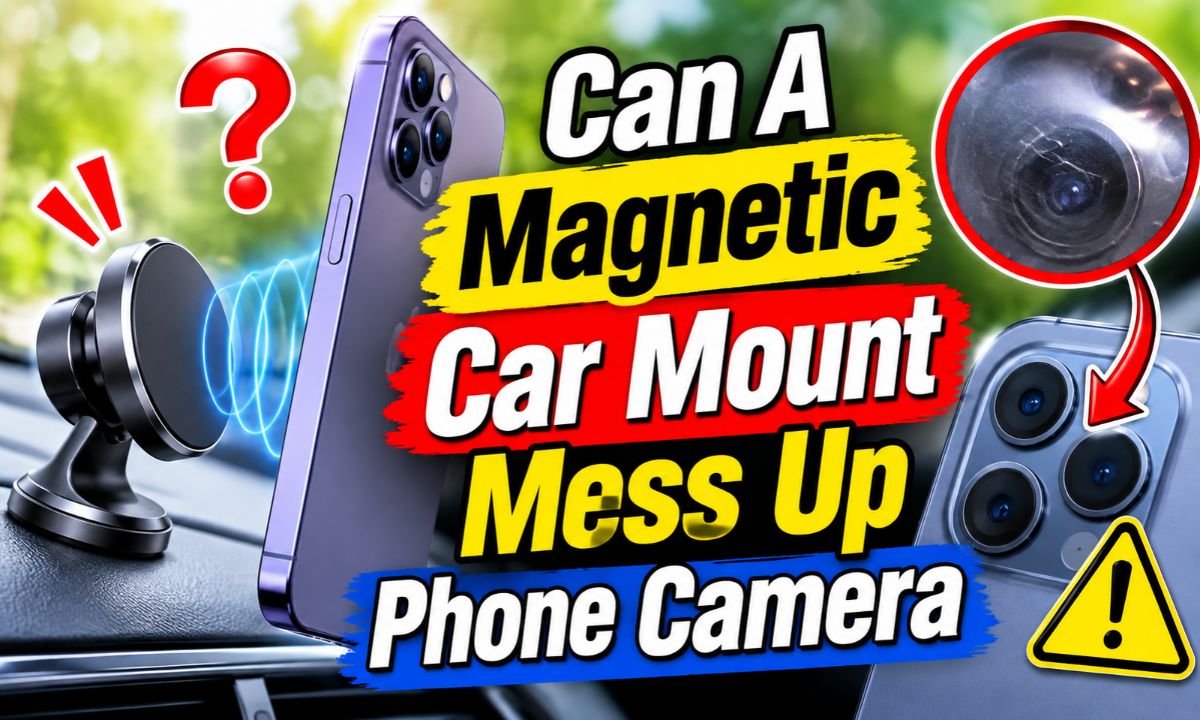
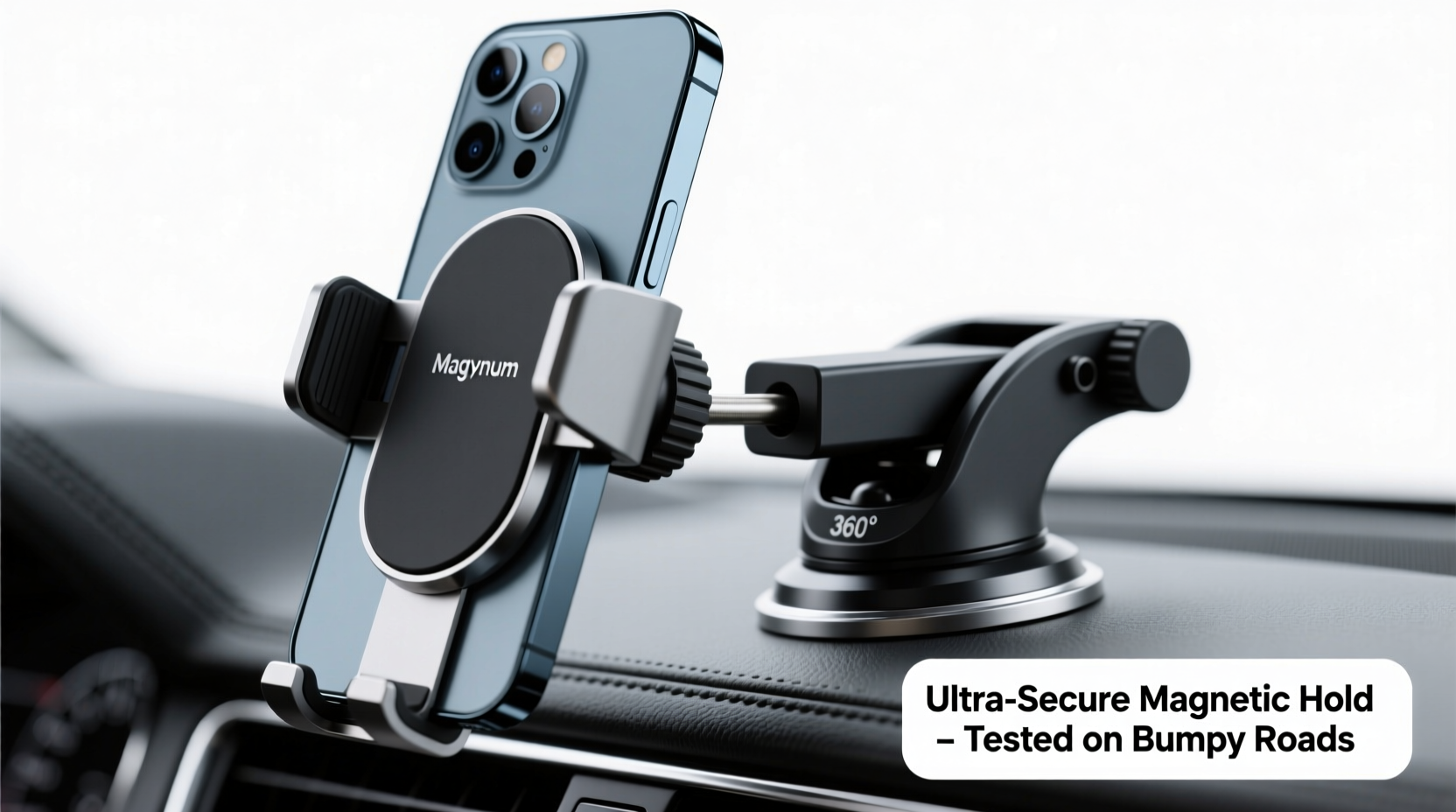
Yes, a strong magnet placed close to certain phone cameras can interfere with autofocus and optical image stabilization, but the risk depends on the magnet, phone, and mount design.
Drivers across the United States use magnetic phone mounts for navigation, hands-free calls, and music control. They are easy to use. You place your phone against the mount, and magnets hold it in place while you drive. But many people worry about what those magnets might do to their phone cameras.
The concern is not completely unfounded. Apple warns that strong magnetic fields from some accessories can interfere with parts of an iPhone camera system. This includes optical image stabilization and closed-loop autofocus. The effect can reduce camera performance while the magnetic field is present. This does not mean every magnetic car mount will damage every phone.
There is another issue worth knowing about. Road vibration can affect small moving parts inside some smartphone cameras. This is a separate risk from magnetic interference. A normal car mount and a motorcycle handlebar mount do not expose a phone to the same conditions.
The good news is that you can lower the risk with a well-designed mount. You can also check your camera for signs of trouble and choose a better place for the mount. This guide explains what magnets can do, which phone features matter, and how to protect your camera.
Can A Magnetic Car Mount Actually Damage Your Phone Camera?
Yes, a magnetic car mount can affect some phone camera systems. However, the word damage needs a closer look. A magnetic field may temporarily interfere with camera sensors without physically breaking the camera.
Some modern phone cameras use tiny moving parts to keep pictures sharp. These parts help the lens focus and reduce blur when your hand or phone moves. Strong magnetic fields near the camera can interfere with the sensors that control these functions.
Apple has published guidance about magnetic accessories and iPhone cameras. It explains that magnets near the rear camera can affect lens-position sensors. This may limit the movement of camera lenses and reduce the benefit of certain camera features.
The main concern is not that a magnet will erase your photos or destroy the camera sensor. The concern is that it may interfere with the small systems that help the camera focus and stay steady.
The risk varies by phone model and accessory design. A mount made for one phone may not have the same effect on another. You should also consider where the mount places its magnets.
Source: m.media-amazon.com
Temporary interference
A magnetic field may affect autofocus or image stabilization while the phone is close to the magnet. Removing the phone from the magnetic field may restore normal operation.
Possible camera performance problems
A camera may struggle to focus or stabilize an image if its control sensors are affected. The result may include blurry photos or unstable video.
Permanent hardware damage
A magnet does not automatically cause permanent damage. Persistent faults need further testing because vibration, impact, software problems, and hardware failure can produce similar symptoms.
Does Every Magnetic Phone Mount Cause Problems?
No. Different mounts use different magnet sizes, strengths, shapes, and positions. Phones also have different camera layouts and internal designs. This makes it impossible to give one risk level for every magnetic mount.
A mount with magnets far from the camera may pose less risk than one with a strong magnet directly behind the camera area. Still, distance alone cannot prove that an accessory is safe. The phone maker’s guidance and the mount maker’s compatibility information matter.
Look for a mount that is designed for your exact phone or case. A well-designed accessory should place its magnets where they are less likely to interfere with sensitive phone parts.
Check the magnet position
Compare the mount’s magnetic area with the location of your phone’s rear camera system.
Check accessory guidance
Read the phone and mount maker’s instructions before using an unfamiliar magnetic accessory.
How Do Magnets Affect Phone Camera Technology?
Magnets can affect some camera systems because modern phone cameras use electronic sensors and moving lens parts. These systems work together to keep photos sharp. A strong magnetic field near the camera can interfere with some of the sensors that guide their movement.
Two important features are optical image stabilization and autofocus. Both help your phone capture clear photos and videos. Understanding how they work makes it easier to see why magnet placement matters.
Apple explains this issue in its support guidance about magnetic accessories. Its warning specifically covers certain iPhone camera systems. It should not be treated as proof that every Android or iPhone model will react in the same way.
Source: s.alicdn.com
Optical image stabilization
Optical image stabilization, or OIS, helps reduce blur caused by movement. Some systems move the lens or camera sensor to counter small shakes.
Autofocus
Autofocus adjusts the camera lens so the subject looks sharp. Some phones use magnetic sensors to help track lens position.
Lens-position sensors
These sensors help the camera determine where its moving parts are. A strong magnetic field may interfere with their readings.
What Is Optical Image Stabilization?
OIS is a camera feature that helps reduce the effect of small movements. When you hold your phone, your hands naturally move a little. These movements can cause blur, especially in low light or when using a zoom lens.
The phone uses motion data to help correct the movement. Depending on the camera design, a lens or sensor can shift to reduce unwanted motion. This happens very quickly while you take a photo or record a video.
A strong magnetic field near certain camera sensors may interfere with this process. If the system cannot correctly track the lens position, the camera may not stabilize images as expected.
Common OIS warning signs
Photos may look blurry, video may appear shaky, or the camera may seem unable to settle on a steady image.
Where OIS helps
It is especially useful when taking photos in low light, recording video, or using a camera that has optical stabilization.
How Can A Magnet Affect Autofocus?
Autofocus helps your phone make a subject look clear. It adjusts the lens position until the image is sharp. Some camera systems use magnetic sensors to track the position of moving lens parts.
A nearby strong magnet can affect the sensor readings. The camera may then have trouble placing the lens in the right position. You might notice repeated focus changes, soft images, or difficulty locking onto a nearby object.
This does not mean that every magnetic phone holder will cause autofocus failure. The actual effect depends on the phone’s camera design, magnet strength, and distance.
Focus hunting
The camera keeps shifting between sharp and blurry focus instead of settling on the subject.
Slow focus
The camera takes longer than usual to make a nearby object look clear.
Which Phone Cameras Are Most Likely To Be Affected?
Phones with optical image stabilization or magnet-sensitive autofocus systems have camera components that may be affected by strong nearby magnetic fields. However, the presence of these features alone does not mean a magnetic mount will cause a problem.
Apple provides specific information about the iPhone models and camera systems covered by its guidance. Its support page states that OIS is available on iPhone 6 Plus, iPhone 6s Plus, and iPhone 7 and later, including the second- and third-generation iPhone SE. It also identifies closed-loop autofocus on iPhone XS and later, including those SE models.
Not every camera on an iPhone has the same stabilization features. For example, Apple notes that the Ultra Wide camera on iPhone 11 and later does not have OIS. Some older telephoto cameras also lack it.
Android phones need separate consideration. Samsung, Google, Motorola, and other brands use different camera designs. Do not assume that an Apple warning applies in exactly the same way to every Android phone.
The best approach is to check your exact phone model. Read its camera specifications and accessory guidance. If the manufacturer warns against strong magnets near the rear camera, follow that advice.
Source: m.media-amazon.com
iPhones with OIS
Several iPhone models use optical stabilization. Apple specifically warns that nearby strong magnetic fields can interfere with some camera functions.
iPhones with closed-loop autofocus
Apple identifies iPhone XS and later models, including the second- and third-generation SE, as having this autofocus system.
Android phones
Camera features vary by manufacturer and model. Check the official support information for your device rather than relying on a general rule.
How To Check Whether Your Phone Has OIS
Start by finding the exact model name of your phone. You can usually find it in the Settings app under AboutPhone or About Device. On an iPhone, open Settings, select General, and then choose About.
Next, visit the official support page or specifications page for that model. Search for optical image stabilization, sensor-shift stabilization, or camera stabilization. Check each rear camera separately because different lenses may have different features.
If the manufacturer’s information is unclear, contact its support team. Do not rely on a random accessory listing to determine how your phone camera works.
Check the exact model
Two phones in the same product family may use different camera hardware.
Read official specifications
Look for OIS, autofocus, and stabilization details for each rear camera.
Can A MagSafe Car Mount Damage An iPhone Camera?
A MagSafe car mount can potentially interfere with an iPhone camera if its magnetic field is strong and close enough to sensitive camera components. However, MagSafe compatibility does not mean that every magnetic accessory is automatically harmful.
MagSafe uses magnets to help attach accessories and align compatible devices. This makes it easy to connect a phone to a charger, wallet, stand, or car mount. The location and design of the magnetic parts still matter.
Apple’s guidance specifically warns about magnets and magnetizable metal near the rear camera. This is an important point for people who use magnetic cases or car mounts. A mount may hold the phone securely while still placing a magnetic field near a camera component.
A properly designed accessory should consider the phone’s camera layout. It should also provide a secure connection without placing unnecessary magnetic material near sensitive areas.
If you use an iPhone with a MagSafe mount, choose an accessory made for your model. Check its instructions and avoid homemade metal plates placed close to the camera. If the camera behaves strangely, remove the phone from the mount and test it again.
Source: m.media-amazon.com
MagSafe attachment
MagSafe magnets help align and hold compatible accessories. Their presence alone does not prove that an accessory will damage a camera.
Third-party magnetic rings
The position of a magnetic ring or metal plate can vary. A poorly placed accessory may put magnetic material close to the camera.
Camera compatibility
Choose a mount that identifies compatible phone models and provides clear information about its magnetic layout.
Is It Safe To Use A Magnetic Mount With An iPhone Case?
It can be safe to use a compatible magnetic case and car mount, but the case design matters. Some cases have built-in magnetic rings. Others use metal plates or separate magnetic attachments.
A case that places a metal plate behind the center of the phone may have a different effect from one that places a magnet near the camera. The materials and positions are not the same in every product.
Read the case and mount instructions together. A case advertised as magnetic does not automatically make every mount suitable for your phone.
Use compatible accessories
Check that the case and mount are designed to work together.
Avoid extra metal plates near the camera
Do not add an untested magnetic plate close to the rear camera module.
Does A Magnetic Car Mount Affect Android Phone Cameras?
A magnetic mount may affect some Android phone camera systems, but the answer depends on the device. Android is used across many brands, and each manufacturer may use a different camera design.
Some Android phones have optical image stabilization. Others use electronic image stabilization, autofocus systems, or a mix of technologies. These systems do not all respond to magnetic fields in the same way.
Google Pixel phones, Samsung Galaxy phones, and other Android devices should be checked by exact model. A general statement about iPhone camera sensors cannot establish the same risk for every Android phone.
You should also remember that a magnetic mount can affect other phone functions. A strong magnet near the phone may interfere with the digital compass or magnetometer. This can cause incorrect direction readings in some navigation apps.
If your Android camera starts acting strangely after installing a mount, remove the phone and test it without the case or magnetic accessory. If the problem continues, follow the phone maker’s troubleshooting advice.
Source: m.media-amazon.com
Samsung Galaxy
Check the exact Galaxy model specifications for OIS and autofocus features. Do not assume all Galaxy cameras use the same hardware.
Google Pixel
Check Google’s support information for your model and its magnetic accessory compatibility.
Other Android brands
Review the manufacturer’s camera specifications and accessory recommendations before choosing a mount.
Can Magnets Affect Google Maps Or A Phone Compass?
Yes, a strong nearby magnetic field can interfere with a phone’s digital compass. The compass uses a magnetometer to measure magnetic fields and help determine direction.
You may notice that the map arrow points in the wrong direction or moves strangely. This does not necessarily mean your GPS has stopped working. GPS can still estimate your location while the compass provides unreliable direction information.
Remove the phone from the magnetic mount and check the compass again. If the direction improves, the accessory may have been affecting the magnetometer. You can also follow your phone’s instructions for compass calibration.
Incorrect direction
The map arrow may point away from the direction you are facing.
Unstable compass readings
The direction may jump or change while the phone is still.
Can Road Vibrations Damage A Phone Camera?
Yes, strong and repeated vibrations can harm some smartphone camera systems. This is a separate concern from magnetic interference. The problem is especially important for people who mount phones on motorcycles.
Apple warns that long-term exposure to high-amplitude vibrations within certain frequency ranges can degrade iPhone camera performance. Its guidance specifically discusses vibrations from high-powered motorcycle engines.
The camera systems in some phones contain small moving parts. These parts help stabilize images and adjust focus. Repeated strong vibration can place stress on those delicate components.
A standard car dashboard mount is not the same as a motorcycle handlebar mount. Most passenger cars do not produce the same type of sustained engine vibration that Apple describes in its motorcycle warning. Still, rough roads, loose mounts, and constant shaking can make a phone move more than it should.
For motorcycles, Apple recommends avoiding attachment to high-power or high-volume motorcycle engines. For lower-powered vehicles, it recommends a vibration-dampening mount and avoiding prolonged use. A dampener can reduce risk, but it does not guarantee that every phone and motorcycle combination is safe.
Source: m.media-amazon.com
Motorcycle vibration
Strong engine vibration can travel through the frame and handlebars into a mounted phone.
Rough roads
Repeated bumps can shake a phone and place stress on its mount and internal components.
Loose dashboard mounts
A mount that rattles or moves constantly can make the phone less stable during a drive.
Are Car Mounts Safer Than Motorcycle Mounts?
A normal passenger car mount generally exposes a phone to a different vibration environment than a motorcycle handlebar mount. Cars have suspension systems, and the phone is usually attached to the dashboard, windshield, or air vent.
Motorcycles transmit more engine and road vibration through the frame and handlebars. Some high-powered engines produce vibration patterns that can be harmful to delicate camera systems over time.
This does not mean every motorcycle ride will damage a phone or that every car mount is risk-free. The type of vehicle, mounting point, phone design, road conditions, and time of exposure all matter.
Passenger cars
Use a stable mount that does not shake or rattle. Check the phone after driving on rough roads.
Motorcycles
Follow the phone manufacturer’s vibration guidance. Avoid high-powered motorcycle mounting where the manufacturer advises against it.
Scooters and mopeds
Consider a vibration-dampening mount and limit prolonged exposure, as recommended in Apple’s guidance.
Why A Vibration-Dampening Mount Matters
A vibration-dampening mount uses a system that absorbs or reduces some of the movement before it reaches the phone. It may use rubber parts, springs, or a dedicated dampening assembly.
The goal is to reduce the amount of vibration transferred from the vehicle to the phone. This can help protect camera components during use, especially on vehicles with more vibration than a normal passenger car.
Do not assume that a soft rubber pad alone makes a mount suitable for every motorcycle. Look for a mount specifically designed and tested for vibration reduction. Even then, follow the phone manufacturer’s limits.
Choose a dedicated dampener
Use a mount system designed to reduce vibration rather than relying only on a basic rubber grip.
Check the mounting point
A mount attached directly to a highly vibrating part may transfer more movement to the phone.
Warning Signs That Your Phone Camera May Have A Problem
A camera problem may appear as blurry photos, unstable video, or autofocus that keeps changing. These symptoms can occur after magnetic interference or physical vibration, but they do not prove that the mount caused the issue.
The first step is to remove the phone from the magnetic mount. If you use a magnetic case, remove that too for the test. Then open the camera app and check whether the same problem remains.
Test more than one camera lens if your phone has several rear cameras. A problem with one lens may not appear when you switch to another. This can help you describe the issue more clearly if you need professional repair.
Source: m.media-amazon.com
Blurry pictures
Images remain soft even when the phone is still and the subject is well lit.
Focus hunting
The camera repeatedly moves between sharp and blurry focus without settling.
Shaky video
The recorded image appears to jump, shake, or drift even when the phone is held steady.
Buzzing or clicking sounds
The camera area makes unusual noises while the camera app is open. A faint sound can be normal on some devices, but a new loud or persistent noise deserves attention.
Unusual camera movement
The image appears to jump or shift without any movement from your hand.
Temporary Magnetic Interference Or Permanent Damage?
The two conditions can look similar, so testing matters. Temporary interference may stop after you remove the phone from the magnetic field. Permanent hardware damage is more likely when the problem continues without the accessory.
However, this is not a perfect test. A camera can have a software fault, a damaged lens, dirt on the lens cover, or another hardware issue. A phone may also have more than one problem at the same time.
If the camera returns to normal after you remove the magnetic case and mount, stop using that combination. If it remains faulty, arrange a proper inspection rather than assuming that the magnet permanently damaged it.
Problem disappears
The camera works normally after removing the magnetic accessory. This supports the possibility of temporary interference.
Problem remains
The camera still shakes or fails to focus without the accessory. A separate camera fault may need repair.
Problem affects one lens
One camera may have a hardware issue while the other rear cameras continue to work normally.
How To Protect Your Phone Camera When Using A Magnetic Car Mount
You can reduce the risk of camera problems by choosing a compatible mount and placing it carefully. The goal is to keep strong magnetic material away from sensitive camera components while making sure the phone stays secure.
Before installing a mount, check the phone’s camera layout and the accessory instructions. Do not place extra metal plates or magnets near the rear camera just to improve the grip.
You should also make sure the mount is firm and stable. A loose mount can allow the phone to shake on rough roads. This can make navigation harder and expose the device to repeated movement.
The following steps provide a simple way to check your setup before regular use.
Source: m.media-amazon.com
Choose a compatible mount
Check the phone model and case compatibility. Look for clear accessory information rather than relying only on a strong-magnet claim.
Keep magnets away from the camera
Follow the phone maker’s advice about magnetic materials near the rear camera.
Secure the mount properly
Install it on a stable surface and check that the phone does not wobble or slide.
Avoid unnecessary metal plates
Do not add extra metal or magnetic parts near sensitive camera areas.
Inspect the setup
Check the mount, case, and phone after installation to make sure all parts fit as intended.
Step 1: Check Your Phone Camera Position
Look at the back of your phone and identify the camera module. Some phones have a large camera island in one corner. Others use separate camera rings or a centered camera arrangement.
Compare that layout with the magnetic area of your mount. If the mount’s magnets sit close to the rear camera, review the manufacturer’s guidance before using it.
Identify the rear camera
Check the location of all rear lenses, especially the main and telephoto cameras.
Check the magnetic area
Find out where the mount’s magnets or metal plates make contact with the phone.
Step 2: Choose The Right Mounting Position
A dashboard mount or windshield mount may be a good option if it gives you a clear view of the road and does not block important controls. The mount should hold the phone securely without putting unnecessary pressure on the camera area.
Do not choose a position only because it is close to the steering wheel. You must still have a safe driving view. In the United States, follow applicable state laws and local rules about windshield obstructions and phone use.
Use a stable location
Choose a firm dashboard or other approved mounting surface.
Keep the road in view
Place the phone where it does not block your view of traffic, signs, or the windshield.
Step 3: Test The Camera Before Driving
Take a few photos before attaching the phone to the mount. Use the main camera and, if available, test the other rear lenses. Record a short video as well.
Attach the phone and check that the mount holds it securely. You can then remove the phone and repeat the camera test. Compare the results under similar lighting and with the same subject.
If you notice a new focus or stabilization problem, stop using that magnetic accessory. Do not keep repeating the test with a mount that appears to interfere with the camera.
Test a still photo
Use a well-lit object and check whether the image is sharp.
Test autofocus
Move between a nearby subject and a more distant object while checking that focus changes normally.
Test video
Record a short clip and look for unusual shaking or jumping.
Step 4: Check The Mount Regularly
A mount can loosen over time. Adhesive pads may weaken, clamps may wear, and magnetic surfaces may collect dust or debris. These problems can make the phone move more than it should.
Check the mounting surface and attachment points from time to time. If the mount begins to rattle or the phone slips, fix the problem before using it again.
Inspect the adhesive
Make sure the dashboard or windshield attachment remains firmly in place.
Clean contact surfaces
Remove dust and dirt according to the mount maker’s cleaning instructions.
Replace worn parts
Do not rely on damaged clamps, loose joints, or worn magnetic accessories.
What Should You Do If Your Phone Camera Stops Working?
If your camera starts acting strangely after using a magnetic mount, remove the phone from the mount first. This is the simplest way to check whether the accessory may be involved. Do not assume that the camera needs replacement before you complete a few basic checks.
Remove the magnetic case or metal plate if you use one. Place the phone on a stable surface and open the camera app. Test the rear camera in good light.
If the camera works normally, stop using the accessory combination that caused the problem. If the problem remains, move on to basic software checks and professional support when needed.
Source: m.media-amazon.com
Remove magnetic accessories
Take off the mount, magnetic case, metal plate, and other magnetic attachments.
Restart the phone
A restart may help if a temporary camera app or software issue is involved.
Test different camera lenses
Check whether the main, Ultra Wide, and telephoto cameras behave differently.
Check for software updates
Install available official updates if the phone maker recommends them.
Contact support
Arrange a camera inspection if focus, stabilization, or unusual noises continue.
Troubleshooting Common Camera Symptoms
Different camera symptoms can have different causes. A blurry picture may result from a dirty lens, poor light, or autofocus trouble. A shaky video may point to stabilization issues or movement from the mount.
Use the following table to decide what to check first. These are possible causes, not a diagnosis of your phone.
Blurry photos
Clean the lens cover with a soft microfiber cloth. Test in good light and check whether autofocus works without the magnetic accessory.
Shaky video
Place the phone on a stable surface and test again. If the image still jumps, seek camera support.
Camera buzzing
Close the camera app and reopen it. If a new or loud noise continues, have the camera checked.
Compass problems
Remove the magnetic accessory and test the phone’s compass again.
Camera app crashes
Restart the phone and check for official software updates. Seek support if the problem continues.
When Should You Visit A Phone Repair Shop?
Get professional help if the camera continues to shake, buzz, or fail to focus after you remove all magnetic accessories. These symptoms may indicate a hardware problem that needs inspection.
A qualified repair provider can test the camera module and determine whether the issue involves autofocus, stabilization, the lens, or another part of the phone.
If your phone is under warranty or has an active protection plan, contact the manufacturer or authorized service provider first. Avoid opening the phone yourself because modern camera modules and internal parts are delicate.
Persistent focus failure
The camera cannot focus on nearby or distant subjects even after basic checks.
Unusual mechanical noise
The camera makes a repeated buzzing, rattling, or clicking sound that was not present before.
Repeated image shaking
The viewfinder or recorded video shakes even when the phone is resting on a stable surface.
Magnetic Car Mount Vs Other Phone Mount Types
A magnetic mount is not the only way to hold a phone in your car. You can also use a clamp mount, a cradle mount, or a wireless charging mount with a mechanical grip.
Each design has benefits and limits. A magnetic mount is quick to use, while a clamp mount holds the phone with physical arms. A cradle may offer a more enclosed grip, and some wireless charging mounts combine charging with phone support.
The best option depends on your phone, case, vehicle, and daily needs. If you are concerned about magnets near the camera, a mechanical mount may be a simpler choice.
Source: m.media-amazon.com
Magnetic mount
Offers quick attachment and removal. Its magnetic design needs to be compatible with the phone and camera layout.
Clamp mount
Uses adjustable arms to hold the phone. It does not need a strong magnet to secure the device.
Cradle mount
Supports the phone with a base and side grips. It may take longer to remove the phone.
Wireless charging mount
Can combine charging and mounting. Check the charging standard, phone compatibility, heat, and magnetic layout.
Which Type Is Best If You Want To Avoid Magnetic Interference?
A mechanical clamp or cradle mount is a practical option if you want to avoid strong magnets near your phone. It holds the device through physical pressure rather than magnetic attraction.
However, a mechanical mount is not automatically better in every way. Poorly designed clamps can press buttons, damage a case, or allow the phone to move on rough roads. The mount should fit the phone without putting pressure on the camera area.
If you prefer a magnetic design, choose one with clear compatibility information. Avoid accessories that make vague claims about magnet strength without explaining their intended phone models.
For magnet concerns
Consider a nonmagnetic clamp or cradle mount.
For quick removal
A compatible magnetic mount may be more convenient for frequent trips.
For charging
Choose a charging mount that matches your phone’s supported charging standard.
Common Myths About Magnetic Phone Mounts And Cameras
There is a lot of confusing advice about magnets and smartphones. Some people say that any magnet will destroy a phone camera. Others claim that magnetic mounts cannot affect camera performance at all.
Neither statement is accurate. Magnetic fields can interfere with certain camera systems, but the effect depends on the device and accessory. A sensible approach is to follow the manufacturer’s guidance instead of relying on broad claims.
Myth: Every magnet destroys phone cameras
Fact: A magnet does not automatically destroy a camera. Strong magnetic fields near certain sensors can interfere with camera functions.
Myth: MagSafe accessories are always harmless
Fact: Magnetic accessory compatibility does not remove the need to consider magnet position and camera guidance.
Myth: A magnetic mount will erase photos
Fact: Magnetic interference with autofocus or stabilization is different from deleting stored photographs.
Myth: Android cameras cannot be affected
Fact: Android phones use different camera technologies. Their risk must be assessed by model.
Myth: A camera problem always means permanent damage
Fact: Some magnetic interference may be temporary. Persistent symptoms still need proper inspection.
Myth: Car and motorcycle mounts create the same risk
Fact: Their vibration environments can be very different. High-amplitude motorcycle vibration has specific manufacturer warnings.
Can A Magnetic Mount Damage Phone Batteries Or Screens?
A normal magnetic car mount is not expected to damage a phone battery simply because it uses magnets. Modern phone batteries are not like old magnetic storage media. A magnetic field does not erase battery charge or stored data.
Phone screens also do not normally become damaged just because a magnetic mount holds the device. However, poor mounting pressure, drops, overheating, and faulty charging equipment can create other problems.
If a mount includes wireless charging, check that it is compatible with your phone. Charging can create heat, especially in a hot vehicle or under direct sunlight. Follow the phone maker’s charging guidance and avoid leaving the device in excessive heat.
Battery
A typical magnetic holding mechanism does not automatically harm the battery.
Screen
The magnet itself is not a normal cause of screen damage. Physical pressure and impact are separate risks.
Charging
Check charging compatibility and manage heat during long drives.
How To Choose A Camera-Friendly Magnetic Car Mount
A good car mount should hold your phone securely without creating unnecessary problems for its camera or other features. You do not need the strongest magnet on the market. You need a mount that fits your phone and works with your vehicle.
Start with the phone maker’s accessory guidance. Then check the mount maker’s compatibility list and installation instructions. If the product does not explain its magnetic layout or supported phone models, consider a different option.
Also think about your daily driving conditions. A smooth dashboard mount may work well for normal commuting. A vehicle that produces strong vibration may need a different setup. Motorcycle users should pay special attention to the phone manufacturer’s vibration warnings.
Phone compatibility
The mount should clearly identify the phone models or case types it supports.
Camera clearance
The design should avoid unnecessary magnetic material near sensitive camera components.
Secure attachment
The mount should hold the phone firmly without excessive movement.
Stable adjustment
A good joint should keep the screen in position without constant shaking or slipping.
Clear instructions
The maker should explain installation, compatibility, cleaning, and any usage limits.
Charging safety
If the mount charges the phone, check the supported charging standard and heat guidance.
Is A Stronger Magnet Always Better?
No. A stronger magnet may provide a firmer hold, but strength alone does not make a car mount better. It may also increase the magnetic field near the phone, depending on its position and design.
A well-designed mount should provide enough holding force for the phone without relying on unnecessary magnetic strength. The design should also consider the phone’s weight, case, and camera position.
Do not choose a mount only because its listing uses words such as extra strong or ultra powerful. Check its actual compatibility and installation guidance.
Look for balanced design
The mount should hold the phone securely without placing magnets close to sensitive areas.
Check the phone weight
A larger phone may need a mount designed for heavier devices.
Read real compatibility details
Look for supported models, case types, and mounting instructions.
Research Notes And Important Evidence Limits
The main evidence for magnetic interference in this guide comes from Apple’s published support document, Magnetic accessories may interfere with iPhone cameras. The document explains how strong magnetic fields can affect lens-position sensors used by some iPhone camera systems.
Apple’s separate support guidance about high-amplitude vibrations addresses a different issue. It warns that prolonged exposure to certain vehicle vibrations can degrade camera performance. It specifically discusses high-powered motorcycle engines and recommends avoiding those mounting conditions.
We also examined technical reporting from iFixit about smartphone camera components and motorcycle vibration, along with coverage from Macworld. These sources help explain the mechanical concerns and reported cases, but individual repair stories do not establish the risk for every phone or car mount.
The most important limitation is that the available evidence does not establish one universal safe magnet strength or distance for every smartphone. The effect depends on the camera design and accessory arrangement. There is also no basis for claiming that every magnetic mount causes permanent camera damage.
For that reason, this guide gives priority to manufacturer instructions, practical testing, and clear troubleshooting steps. It does not claim that any particular magnetic mount has been independently tested with every phone model.
DOCUMENTED
Apple states that strong magnetic fields near certain iPhone rear cameras can interfere with OIS and closed-loop autofocus sensors.
DOCUMENTED
Apple warns that prolonged exposure to certain high-amplitude vibrations can degrade iPhone camera performance.
REPORTED BY OTHERS
iFixit describes camera problems reported after motorcycle use and discusses its inspection of a damaged smartphone camera module.
ANALYSIS
A mount that places strong magnets close to a sensitive camera system deserves more caution than a compatible design that keeps those components apart.
NOT ESTABLISHED
There is no universal magnet-strength or distance threshold that guarantees camera safety across all phone models.
Competitor Coverage And Reader Question Gap Map
Research checked on November 15, 2026, focused on magnetic phone mounts, iPhone camera interference, and smartphone camera damage from vehicle vibration. The reviewed material included Apple’s official magnetic accessory guidance, Apple’s vibration guidance, iFixit’s technical reporting, and Macworld’s coverage.
The official Apple page provides the strongest direct explanation of magnetic interference. Its guidance explains the affected camera systems and recommends avoiding magnets or magnetic metal near the rear camera.
The reviewed technical and news articles provide useful information about motorcycle vibration. However, their coverage does not establish a universal risk level for ordinary passenger-car magnetic mounts. The practical gap addressed here is a clearer distinction between magnetic interference, vibration damage, and temporary camera symptoms.
Question: Can a magnet interfere with OIS?
Stage: Before buying. Basis: Observed in Apple’s support guidance. Coverage: ANSWERED by Apple, with the camera mechanism explained in this guide. Priority: High.
Question: Does a MagSafe mount affect an iPhone camera?
Stage: Accessory selection. Basis: Inferred next need from Apple’s magnetic accessory warning. Coverage: SHALLOW in the general vibration articles reviewed. Priority: High.
Question: Can motorcycle vibration damage a mounted phone?
Stage: During use. Basis: Observed in Apple’s support guidance and iFixit’s reporting. Coverage: ANSWERED. Priority: High.
Question: How can I tell whether the problem is temporary?
Stage: Troubleshooting. Basis: Inferred next need from Apple’s explanation of magnetic interference. Coverage: SHALLOW in the reviewed general coverage. Priority: High.
Question: Can a magnetic mount affect a phone compass?
Stage: After installation. Basis: Inferred next need from magnetic sensor use in smartphones. Coverage: NOT CHECKED across all reviewed pages. Priority: Medium.
Question: Is a mechanical phone mount a useful alternative?
Stage: Buying a replacement. Basis: Inferred next need from the risk discussion. Coverage: SHALLOW in the reviewed camera-focused material. Priority: Medium.
Frequently Asked Questions
Q
Can a magnetic car mount permanently damage my phone camera?
A magnetic car mount does not automatically cause permanent camera damage. A strong magnetic field near certain camera sensors can interfere with autofocus or optical image stabilization. The effect may be temporary, but persistent camera problems need professional inspection.
Remove the mount and magnetic case, then test the camera. If the issue continues, contact your phone manufacturer or an authorized repair provider.
Q
Are magnetic phone mounts safe for iPhones?
Some magnetic mounts can be used with compatible iPhones, but magnet position matters. Apple warns that strong magnets or magnetic metal near the rear camera can interfere with certain camera systems.
Choose an accessory designed for your exact iPhone model and follow Apple’s guidance. Avoid adding untested magnetic plates close to the rear camera.
Q
Can a magnetic mount make my phone camera blurry?
Yes, a strong nearby magnetic field may interfere with autofocus or optical image stabilization on some phones. This can make photos look blurry or cause the camera to struggle with focus.
Remove the phone from the mount and test the camera in good light. If the image becomes clear again, the accessory may be involved.
Q
Does a magnetic phone holder affect video stabilization?
It can affect some camera systems if the magnet interferes with sensors used for optical stabilization. You may notice shaky footage or unusual image movement.
However, digital stabilization and other camera features vary by phone. Test the phone without the magnetic accessory before deciding that the mount caused the problem.
Q
Can a magnetic car mount affect my phone’s GPS?
A typical magnetic phone holder does not automatically stop GPS from working. However, a nearby strong magnetic field can interfere with the phone’s digital compass or magnetometer.
You may see the map arrow point in the wrong direction even when your location is correct. Remove the phone from the mount and check the compass again.
Q
Is a mechanical phone mount safer for camera protection?
A mechanical clamp or cradle mount avoids the magnetic interference concern because it holds the phone with physical grips. It can be a practical option if you want to avoid magnets near your camera.
Choose one that fits your phone without pressing the camera area or side buttons. It should also hold the device firmly on rough roads.
Q
Can I use a magnetic phone mount with a camera lens protector?
A camera lens protector does not prevent magnetic interference. It may help protect the outer lens cover from scratches, but it cannot shield internal autofocus or stabilization sensors from a magnetic field.
Check the phone and accessory instructions before combining a magnetic mount with other camera accessories.
Q
Can a magnetic mount damage an Android phone camera?
It is possible for a strong magnetic field to interfere with certain Android camera systems, but the risk depends on the exact phone design. Android phones use different autofocus and stabilization technologies.
Check the manufacturer’s guidance for your model. If the camera starts shaking or losing focus after using a magnetic mount, remove the accessory and test the phone.
Q
Should I stop using my magnetic mount if my camera starts buzzing?
Yes. Remove the phone from the mount and check whether the sound continues. A new or loud buzzing or rattling noise may indicate a camera hardware problem.
Some phones can produce faint sounds from their camera stabilization systems during normal operation. However, a new persistent noise, especially with focus or image problems, should be checked by a qualified repair provider.
Q
Can a magnetic phone mount damage an iPhone battery?
A normal magnetic holding system is not expected to damage an iPhone battery simply because it uses magnets. The main concerns discussed in Apple’s camera guidance involve magnetic interference with certain camera sensors.
If your mount also charges your phone, check its charging compatibility and avoid excessive heat. Follow the phone manufacturer’s charging recommendations.
✦ Wrapping Up
Conclusion
A magnetic car mount can affect phone camera performance, but the risk is not the same for every phone or accessory. Strong magnetic fields near certain rear camera systems can interfere with autofocus and optical image stabilization. Apple has documented this concern for some iPhone models.
It is also worth separating magnetic interference from vibration damage. A normal passenger-car mount does not create the same conditions as a phone attached to a high-powered motorcycle. Repeated high-amplitude vibration can damage delicate camera components over time.
The safest approach is to check your phone’s camera features, choose a compatible mount, and keep strong magnets away from sensitive camera areas. If your camera starts acting strangely, remove the magnetic accessories and test it again.
You do not need to stop using every magnetic phone holder. You simply need to choose one carefully and pay attention to how your camera behaves. A secure, compatible mount can make driving more convenient without ignoring your phone’s hardware limits.
💡 Key Takeaway
Before using a magnetic car mount, check your phone manufacturer’s camera guidance, confirm the mount’s compatibility, and test your rear camera without the accessory. If focus or stabilization problems continue after removal, arrange a professional camera inspection.