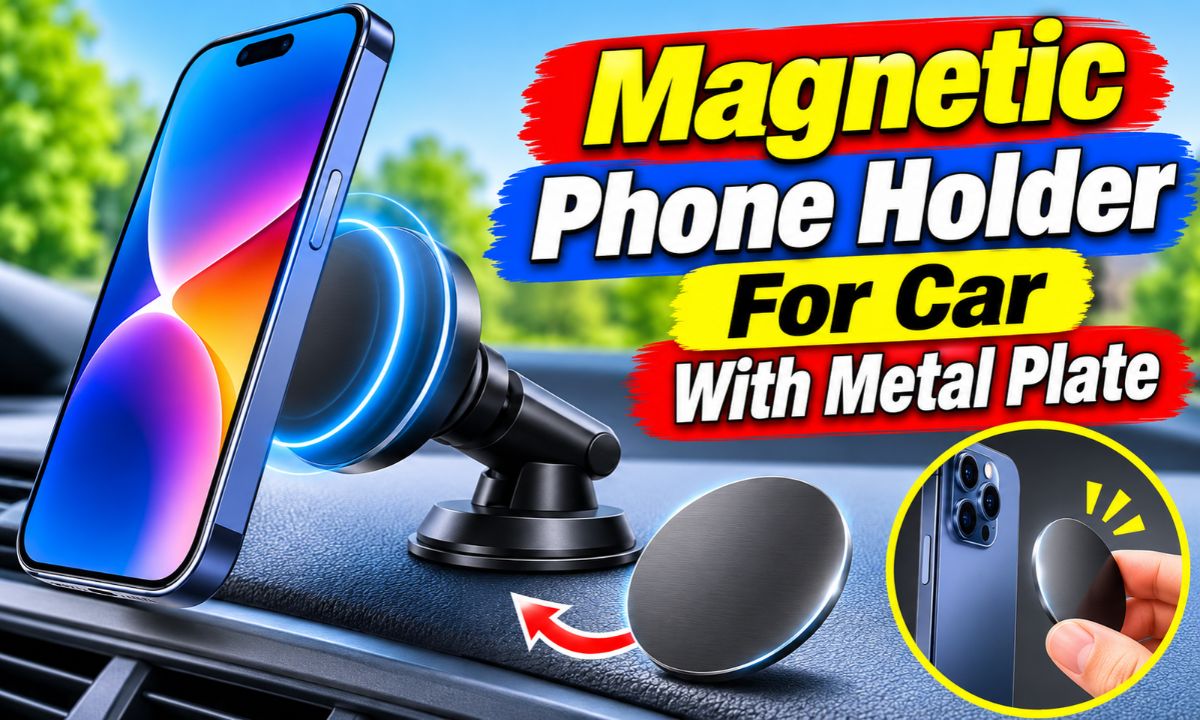
A magnetic phone holder for a car with a metal plate uses a magnet on the mount and a metal plate on your phone or case to hold your device in place while you drive.
Whether you drive to work in Texas, take a road trip across California, or use your phone for directions around New York City, a secure phone mount can make daily driving easier. A magnetic phone holder is a simple way to keep your phone within view without holding it in your hand. It uses a small metal plate attached to your phone or phone case and a magnetic mount fixed to your dashboard, windshield, or air vent.
The setup is simple, but a few details matter. The plate must sit in the right spot, the phone case must not block too much magnetic force, and the mount must attach to a suitable surface. Wireless charging also needs attention because a metal plate can block the charging coil. This guide explains how the system works, how to install it, how to fix common problems, and what to check before buying one.
How Does a Magnetic Phone Holder With a Metal Plate Work?
A magnetic phone holder works through attraction between a magnet and a metal plate. The holder contains one or more magnets. A thin metal plate attaches to the back of your phone or its protective case. When you bring the phone close to the holder, the magnet attracts the plate and keeps the device in place.
Unlike a traditional phone holder with side clamps, this design does not need arms to grip the phone. You can place the phone against the magnetic head and remove it with a gentle pull. This makes it useful when you enter and leave your vehicle several times a day.
The metal plate is an important part of the system. Most ordinary phones do not have the right metal surface on their backs for a standard magnetic mount. The plate gives the holder a surface that the magnet can attract.
The plate does not usually contain a magnet. It is a passive piece of metal. The magnet inside the holder creates the attraction that keeps the phone attached.
Source: lazada.co.th
Magnetic head
This is the part attached to the dashboard, windshield, or air vent. It contains the magnet that attracts the metal plate.
Metal plate
This thin steel or other compatible metal piece attaches to the phone or case and provides a surface for magnetic attraction.
Adhesive backing
Many plates use adhesive to stay on the phone case. Some mounts also use adhesive to attach their base to the dashboard.
Adjustable joint
Some holders have a ball joint or swivel head. This lets you change the viewing angle and rotate the phone.
Why Does the Metal Plate Matter?
The metal plate creates a connection between the phone and the magnet. Without it, a standard magnetic holder may not provide enough attraction to hold an ordinary smartphone. The plate also spreads the contact area across the back of the phone.
Plate size and shape can affect how the phone sits on the holder. Round plates work with many compact mounts, while rectangular plates can offer a wider contact area. Always check the holder maker’s instructions before choosing a plate.
Round plates
These are common for small magnetic holders and can work well with compact phones.
Rectangular plates
These offer a wider surface and may suit larger phones when the mount is designed for them.
Does the Holder Need a Special Phone?
Most standard magnetic mounts work with many phone brands, including Apple, Samsung, Google, and other Android devices, as long as the correct metal plate is fitted. You do not need a phone with built-in magnetic features for a conventional plate-based holder.
However, a standard metal plate mount and a MagSafe or Qi2 magnetic mount are not the same thing. MagSafe and Qi2 systems use specific magnetic arrangements. A regular steel plate does not automatically provide the alignment or charging features of those systems.
Regular smartphones
Usually work with a standard magnetic holder when fitted with the correct plate.
MagSafe phones
Can use a compatible magnetic holder directly or a suitable metal plate mount, depending on the product design.
How to Install a Magnetic Phone Holder for Your Car
Installing a magnetic phone holder is usually easy. The main goal is to create a clean, firm connection between the mount, the metal plate, and your phone. Read the instructions supplied with your specific model because adhesive types and curing times can differ.
Before you start, park your car on a level surface and turn it off. Do not install or adjust the holder while driving. Check the dashboard material and choose a place that gives you a clear view of the road.
Source: amazon.co.uk
What you need
Prepare the magnetic holder, its metal plate, the supplied adhesive film if needed, a clean microfiber cloth, and an appropriate cleaning wipe. Check that the plate fits your phone case.
Check the instructions
Look for the correct plate position, adhesive requirements, mounting surface limits, and recommended waiting time.
Step 1: Choose a Suitable Mounting Location
Start by choosing a flat and stable location. The center dashboard is a common option because it can keep navigation information within view. An air vent mount may also work if the vent blades can support the holder without damage.
Avoid placing the holder where it blocks the windshield, instrument panel, mirrors, or important controls. Do not attach it to an airbag cover or an area where an airbag may deploy. Check your vehicle manual if you are unsure about the dashboard layout.
Dashboard
A suitable flat dashboard surface can provide a stable base and convenient viewing angle.
Air vent
A vent mount saves dashboard space, but the clip must fit the vent without placing too much pressure on its blades.
Windshield
A windshield mount may offer a useful viewing position, but local rules and visibility requirements must be considered.
Step 2: Clean the Mounting Surface
Dust, oil, and dashboard cleaners can weaken an adhesive bond. Wipe the selected area with a cleaning product that is safe for your dashboard material. Use a dry microfiber cloth to remove moisture and let the surface dry fully.
Do not use harsh chemicals on soft-touch, painted, leather, or coated dashboard surfaces. Some cleaning products can discolor or damage these materials. Check your vehicle manual and the mount instructions before using alcohol or adhesive cleaners.
Remove dust
A clean surface helps the adhesive make better contact.
Remove oil
Grease and skin oils can reduce the strength of an adhesive bond.
Allow drying
Do not attach the mount while the surface is still wet.
Step 3: Attach the Magnetic Holder
Remove the protective backing from the holder’s adhesive base if your model uses one. Place the base on the selected surface and press it firmly as directed by the manufacturer. Keep it still while the adhesive begins to bond.
Some products require a waiting period before you attach a phone. The required time depends on the adhesive and surface. Follow the exact instructions rather than assuming that every mount is ready for use immediately.
Position carefully
Make sure the holder is straight and faces the direction you want before pressing it down.
Apply even pressure
Press the base as instructed so that the adhesive contacts the surface evenly.
Wait before use
Allow the adhesive to set for the time stated in the product manual.
Step 4: Attach the Metal Plate to Your Phone
The plate usually goes on the back of your phone case. This is often better than sticking it directly to the phone because you can replace the case without leaving adhesive on the device. Make sure the plate sits on a flat area.
If the case is thin, some manufacturers allow you to place the plate inside it. However, the case must not create too much distance between the plate and the magnet. A thick, textured, or rugged case may need the plate on the outside.
Before removing the adhesive backing, check the plate position against the magnetic head. Center the plate where the holder needs it, unless the manufacturer gives a different placement instruction.
Clean the case
Remove dust and oil from the area where the plate will sit.
Check alignment
Hold the plate in place and make sure it lines up with the magnetic head.
Press firmly
Apply even pressure and allow the plate adhesive to set.
Step 5: Test the Magnetic Connection
Once the mount and plate are ready, bring the phone toward the magnetic head. The phone should attach without needing a complicated locking motion. Check that the plate sits flat and that the phone does not slide or tilt easily.
Gently test the connection while the car is parked. Turn the phone to a comfortable viewing angle and check that the holder stays in place. If the phone feels loose, check the case thickness, plate position, and magnet compatibility before driving.
Check the grip
The phone should remain attached when you gently change its angle.
Check the base
The holder should not lift, rotate, or slide on the dashboard.
Check visibility
Make sure the phone does not block your view of the road or vehicle controls.
Where Should You Place the Metal Plate on Your Phone?
The best plate position depends on your phone design, case, and charging habits. For a phone that does not use wireless charging, the plate can often sit near the center of the back if the manufacturer permits it. This can provide a balanced connection with the mount.
For phones that support wireless charging, plate placement needs more care. Wireless charging uses a coil inside the phone. A metal plate placed directly over that coil can block charging or cause charging problems. Some mount makers recommend placing the plate near the lower part of the phone instead.
There is no single plate position that works for every phone. Camera bumps, battery layouts, charging coils, and case designs vary. Check the phone and mount instructions before applying the adhesive because many plates are difficult to remove without damage.
Source: walmart.com
Phones without wireless charging
A central position may work if the mount maker recommends it and the phone case has a suitable flat surface.
Phones with wireless charging
Keep the plate away from the charging coil. A lower position may work with some models, but it must be tested.
Phones with raised cameras
Choose a position that allows the plate to sit flat without touching or interfering with the camera bump.
Can You Put the Metal Plate Inside a Phone Case?
Yes, you can place a metal plate inside some phone cases. This keeps the plate hidden and leaves the outside of the case smooth. It also makes it easier to change the plate or case later.
However, the magnetic connection may become weaker when the plate sits behind a thick case. The extra space reduces the effective magnetic attraction. If the phone does not stay attached, try a thinner compatible case or place the plate outside the case if the manufacturer allows it.
Avoid placing the plate inside a wallet case with cards or other objects behind the phone. Uneven pressure can make the plate sit poorly, and the extra materials may interfere with the magnetic connection.
Thin plastic case
Often allows a useful connection when the plate and mount are designed to work together.
Thick protective case
May reduce magnetic strength and may require an external plate.
Wallet case
May be unsuitable because of its thickness, uneven surface, and stored cards.
What If You Want to Keep Your Phone Case Free of Adhesive?
You can look for a replacement case with a built-in metal plate or a compatible magnetic ring. Some cases are made specifically for magnetic holders and do not need a separate adhesive plate.
Another option is a removable metal plate designed for your particular case. Check that it stays in place and does not move around when you attach or remove the phone. A loose plate can scratch the case or create an unstable connection.
Built-in plate case
Offers a cleaner setup because the metal part is already part of the case design.
Compatible magnetic case
May work with a suitable magnetic holder without an extra steel plate.
Magnetic Phone Holders and Wireless Charging Compatibility
Wireless charging is one of the most important things to check before buying a magnetic holder with a metal plate. A standard metal plate and a wireless charging coil may not work well together when the plate covers the coil. This can stop charging or prevent the charger from working as intended.
A phone may support wireless charging and still work with a metal-plate car mount. The key is where the plate sits and whether the phone maker and mount maker allow that arrangement. Some manuals recommend putting the plate near the bottom of the phone to keep the center charging area clear.
Do not assume that a metal plate placed inside a case will solve every charging problem. The plate can still affect charging even when it is hidden. You may need to remove the case before using a wireless charger.
Apple’s MagSafe charging instructions also advise keeping metal objects away from the charging surface. A regular magnetic mount with an adhesive steel plate should not be confused with a purpose-built MagSafe or Qi2 charging system.
Source: amazon.com
Standard metal plate
Can interfere with wireless charging when placed over the phone’s charging coil.
Magnetic charging case
Uses a compatible magnetic arrangement designed for the relevant charging system.
Wired charging
Can be a practical alternative when the metal plate makes wireless charging inconvenient.
How to Check Whether Wireless Charging Still Works
First, check the phone maker’s charging guidance and the mount manual. Find out where the charging coil sits and whether the plate can be placed somewhere else. Do not guess based only on the shape of the phone.
Next, place the phone on a compatible wireless charger without the car mount. Confirm that charging starts. If the plate is already installed, follow the manufacturer’s instructions before removing or moving it.
If charging fails after you install the plate, remove the case and test again only if the manufacturer permits this. If charging works without the case, the plate or case arrangement may be causing the issue. If it still fails, check the charger, cable, power supply, and phone settings.
Check the charging area
Find the location of the phone’s wireless charging coil.
Check the plate location
Make sure the metal plate does not cover the charging area.
Test with a compatible charger
Confirm that the phone charges before and after changing the plate arrangement.
Should You Choose a Magnetic Holder Without a Metal Plate?
If wireless charging is a major part of your daily routine, a compatible magnetic charging mount may be a better option. These products use a magnetic arrangement designed to hold and align supported phones while charging.
For example, MagSafe-compatible and Qi2-ready products are designed around specific magnetic alignment systems. You must still check phone and case compatibility. A regular steel plate does not turn an ordinary phone case into a certified magnetic charging case.
Choose a plate-based holder
If you want a simple, often affordable magnetic mount and do not need wireless charging through the plate.
Choose a magnetic charging mount
If you want magnetic attachment and wireless charging in one system and your phone supports the required standard.
How to Choose the Right Magnetic Car Phone Holder
The right magnetic holder should match your phone, case, vehicle, and daily driving habits. A small holder may be convenient for a compact phone, while a larger or more stable design may be better for a large smartphone. The mount’s shape alone does not prove that it can support your device.
Before buying, check the supported phone size and weight, magnet design, plate size, attachment method, and mounting surface requirements. Read the product manual for any limits. If you drive on rough roads, pay extra attention to the holder’s stability and the strength of the base.
A good mount should also allow a useful viewing angle without forcing you to move your head far from the road. A holder that grips the phone well but blocks your view is not a good choice.
Source: amazon.co.uk
Magnet strength
Look for a clear compatibility statement for your phone size and weight rather than relying only on claims such as super strong.
Mounting style
Choose a dashboard, windshield, or air vent design that suits your vehicle and does not damage its interior.
Plate quality
Check the plate material, size, shape, and adhesive quality.
Adjustability
A useful swivel or ball joint makes it easier to set the screen at a suitable angle.
Case compatibility
Make sure the mount can hold your phone through the case you actually use.
Replacement parts
Check whether extra plates and replacement adhesive are available if you need them later.
Dashboard Mount vs. Air Vent Mount
A dashboard mount can provide a stable position when attached to a suitable surface. It may use a suction cup or adhesive base. The main concern is dashboard material because textured, soft-touch, and leather surfaces may not support every adhesive or suction design.
An air vent mount does not need adhesive on the dashboard. It can be useful in a small car or when you want to keep the dashboard clear. However, a heavy phone may place stress on the vent blades, and the mount can affect airflow.
Neither style is best for every vehicle. Check the shape of your dashboard, the vent design, and the manufacturer’s mounting instructions before choosing.
Dashboard mount
A good option when your vehicle has a suitable flat surface and you want a fixed viewing position.
Air vent mount
A practical option when you want to avoid adhesive, provided the vent can support the holder.
Windshield mount
Can offer flexible positioning, but must not block the driver’s view or violate local mounting rules.
What Makes a Good Metal Plate?
A good metal plate should fit the magnetic head, stay flat, and have adhesive suited to the phone case. It should not bend easily during normal use. The plate should also have a suitable finish so that it does not scratch the phone or case.
Some kits include several plate shapes. This can be helpful if you use more than one phone or have different cases. However, more plates do not always mean a stronger connection. Correct placement and case thickness matter just as much.
Flat construction
Helps the plate make even contact with the magnetic holder.
Suitable adhesive
Helps prevent the plate from moving or falling off the case.
Correct dimensions
Should match the contact area and design of the magnetic holder.
Common Problems and How to Fix Them
A magnetic phone holder can stop working well for several reasons. The phone may slide off, the plate may peel away, or the dashboard base may lose its grip. These problems do not always mean the magnet is faulty.
Start with the simplest checks. Inspect the plate, case, and mounting surface. Then check the position of the phone and whether the holder is compatible with its size and weight. Do not try to solve a weak connection by adding random metal pieces or using unapproved adhesives.
Source: amazon.com
Phone falls off
Check for a thick case, poor plate alignment, a small contact area, or an incompatible magnet.
Plate keeps peeling off
Clean the case, check its surface material, and use a compatible replacement plate if needed.
Mount falls from dashboard
Check the surface material, adhesive condition, and installation instructions.
Phone will not stay at the right angle
Check the swivel joint and tighten its adjustment mechanism as directed.
Problem 1: The Phone Keeps Falling Off
A phone that falls off the holder may have a weak magnetic connection. This can happen when the metal plate is too far from the magnet, the case is too thick, or the plate does not match the holder.
Remove any extra objects between the phone and plate. Check that the plate sits flat and that the phone makes full contact with the magnetic head. If the case is very thick, test a compatible thinner case while the vehicle is parked.
If the phone still falls, stop using the setup until you identify the cause. A loose phone can become a distraction or fall into the driver’s footwell.
Check case thickness
A thick case can increase the distance between the magnet and plate.
Check plate alignment
An off-center plate may cause the phone to sit poorly.
Check phone weight
The holder may not be rated for a large or heavy device.
Problem 2: The Metal Plate Will Not Stick
A metal plate may peel away if the case has a rough, oily, rubbery, or textured surface. Dust and moisture can also prevent the adhesive from bonding properly. Some cases have coatings that do not work well with adhesive plates.
Remove the loose plate carefully if the product instructions allow it. Clean the case with a suitable product and let it dry. Replace the plate if its adhesive has collected dust or lost its grip. Do not assume that the old adhesive will work again after removal.
Clean the case
Remove dust and oil with a cleaner that is safe for the case material.
Use a compatible plate
Choose a plate with adhesive designed for the case surface.
Allow enough time
Follow the adhesive setting time before attaching the phone.
Problem 3: The Dashboard Holder Keeps Falling
If the holder falls from the dashboard, the mounting surface may not be suitable. Textured plastic, leather, dusty surfaces, and some soft-touch finishes can make it difficult for adhesive or suction cups to hold.
Remove the mount carefully and inspect the base. Clean the surface using a product approved for your dashboard. If the mount uses a suction cup, check its seal and locking mechanism. If it uses adhesive, follow the maker’s instructions for replacement pads.
Do not attach the mount to an airbag cover or use an adhesive that can damage the dashboard. If the vehicle surface is not compatible, choose another mounting method.
Inspect the surface
Look for dust, texture, oil, moisture, and dashboard coatings.
Inspect the base
Check for damaged adhesive, dirt, or a worn suction seal.
Change the mount type
Use a compatible vent or other suitable mount if the dashboard cannot support the base.
Problem 4: The Phone Rotates or Tilts
A phone that rotates on the magnetic head may have a poor plate position or an adjustment joint that is too loose. A large phone can also place more force on the holder than a small one.
Check whether the phone is centered on the magnetic head. Tighten the swivel joint if the design allows it. If the plate is positioned too high or low, check whether the manufacturer permits a different position before moving it.
Center the phone
A balanced position can help prevent unwanted movement.
Tighten the joint
Adjust the ball joint or swivel lock according to the manual.
Check compatibility
Make sure the holder supports the size and weight of your phone.
Problem 5: Wireless Charging Stops Working
If wireless charging stops after you install a metal plate, the plate may be covering the charging coil. The phone case may also be too thick or contain other metal parts.
Check the phone maker’s instructions and the mount manual. If the plate can be moved safely, follow the recommended placement. Otherwise, remove the plate using the correct method or switch to a wired charger or a compatible magnetic charging system.
Check plate placement
The plate should not cover the wireless charging area.
Check the case
Metal parts or extra thickness can affect charging.
Use another charging method
A wired charger may be the simplest option if the plate cannot be moved.
Safety Tips for Using a Magnetic Phone Holder
A magnetic phone holder should make your driving setup more convenient, not create another hazard. The most important rule is to place the phone where it does not block your view or interfere with vehicle controls.
The National Highway Traffic Safety Administration advises that devices should not obstruct the driver’s field of view or the view of controls and displays needed for driving. This is a useful standard when choosing a mounting location.
Airbags are another important concern. Never attach a phone holder to an airbag cover or place it where a deploying airbag could strike the phone or mount. Check your vehicle manual for airbag locations and approved accessory placement.
A magnetic mount is not a reason to handle your phone while driving. Set your navigation route before you leave. If you need to change an address or answer a message, pull over in a safe place first.
Source: amazon.ca
Keep the road in view
Position the phone so it does not block the windshield, mirrors, or important vehicle displays.
Stay clear of airbags
Do not attach the mount to an airbag cover or in a known deployment area.
Avoid loose accessories
Make sure the phone and mount cannot fall into the footwell or interfere with pedals.
Set navigation before driving
Choose your route and adjust the screen while parked.
Check local rules
Windshield and dashboard phone mounting rules can differ between states and locations.
Can Magnets Damage Your Smartphone?
Ordinary magnetic phone mounts are generally designed for use with modern smartphones. However, it is not accurate to claim that every magnet is harmless to every phone feature. Apple accessory design guidance warns that magnetic and metal components can affect digital compasses and that some materials may affect wireless functions.
A magnetic holder may also affect accessories or items that rely on magnetic strips or radio-frequency identification. Keep bank cards, hotel key cards, access badges, and similar items away from the magnetic connection when the manufacturer warns against contact.
If your phone shows compass errors or unusual accessory behavior after fitting a mount, remove the phone from the holder and check the device maker’s guidance. Do not assume that a mounting problem means the phone has permanent damage.
Digital compass
A nearby magnet can affect compass readings on some devices or accessories.
Wireless charging
Metal plates can interfere with the charging coil when placed in the wrong location.
Magnetic cards
Keep sensitive magnetic-stripe cards away from strong magnetic contact.
Can a Magnetic Holder Work in Hot Weather?
Hot weather can affect the adhesive that holds the mount or plate in place. A parked car in direct summer sunlight can become very hot, and some adhesives may soften or lose grip under conditions beyond their rated limits.
Check the mount’s temperature guidance before installation. Do not install an adhesive holder on a hot dashboard unless the manufacturer permits it. Let the interior cool to the recommended installation temperature and allow the adhesive to set as directed.
Check the mount from time to time, especially during very hot or cold weather. If the adhesive starts to peel, stop using the holder until you replace or repair the mounting system.
Follow temperature limits
Use the mount within the temperature range stated by its maker.
Inspect adhesive
Look for lifting edges, loose pads, and signs of surface damage.
Avoid forced reuse
Replace worn adhesive instead of relying on a weak old bond.
Magnetic Phone Holder With Metal Plate vs. Other Car Mounts
A metal-plate magnetic holder is one of several ways to keep a phone in your car. Clamp-style holders use adjustable arms, while magnetic charging holders use a compatible magnetic system. Each design has a different balance of convenience, compatibility, and charging support.
The best choice depends on how you use your phone. If you want quick attachment and do not need wireless charging through the plate, a standard magnetic holder may be enough. If you prefer a mechanical grip or have a very thick case, a clamp-style holder may be more suitable.
The comparison below focuses on the main differences rather than claiming that one design is best for every driver.
Source: lazada.co.th
Magnetic holder with metal plate
Offers quick attachment and a simple design. Requires correct plate placement and may affect wireless charging.
Clamp-style holder
Uses physical arms to grip the phone. May support a wider range of cases but often takes longer to attach and remove.
Magnetic charging holder
Can combine phone attachment and wireless charging when the phone and case support the required system.
CD-slot holder
Uses the vehicle’s CD slot as a mounting point. It is not suitable for every dashboard or stereo design.
Which Type Is Best for Daily Commuting?
For a daily commute, convenience and stability are often the main concerns. A metal-plate magnetic mount can be useful if you frequently remove your phone and want a simple connection. It also keeps the holder compact.
If your phone has a heavy protective case, a clamp-style holder may give you a more predictable grip. If you rely on wireless charging during long drives, a compatible magnetic charging mount may save you from removing the case or changing the plate position.
Frequent phone removal
A standard magnetic holder can make attaching and removing the phone quick.
Heavy phone case
A clamp holder may be easier to use when the case is thick or unusually shaped.
Regular wireless charging
A compatible charging mount may be a better fit than a separate metal plate.
Is a Metal Plate Better Than Built-In Magnets?
Neither option is always better. A metal plate lets a standard magnetic holder work with many ordinary phones. Built-in magnetic systems can offer better alignment and may support wireless charging when the device and accessory are compatible.
The main difference is the intended system. A standard metal plate is a simple attachment aid, while MagSafe and Qi2 products use specific magnetic arrangements. Choose based on the phone and charging features you need rather than the number of magnets advertised on the package.
Metal plate advantage
Can provide broad compatibility with phones that lack built-in mounting magnets.
Built-in magnetic advantage
Can provide a cleaner setup and compatible charging alignment on supported devices.
Frequently Asked Questions
Q
Does a magnetic phone holder need a metal plate?
A standard magnetic phone holder usually needs a metal plate unless your phone or case already has a compatible magnetic attachment system. The plate provides a metal surface that the holder’s magnet can attract.
Some newer magnetic mounts work with phones that have built-in magnets or compatible magnetic cases. Check the product’s compatibility details before buying.
Q
Can I use a magnetic phone holder without sticking the metal plate to my phone?
Yes, in some cases. You may be able to place the plate inside a compatible thin phone case instead of sticking it to the outside. You can also choose a case with a built-in metal plate or a compatible magnetic ring.
Make sure the plate cannot move around inside the case. If the case is too thick, the magnet may not hold the phone securely.
Q
Will a metal plate stop my phone from charging wirelessly?
It can. A metal plate placed over the wireless charging coil may block charging or affect the charging process. Some manufacturers recommend placing the plate near the lower part of the phone to keep the charging area clear.
The correct position depends on your phone and mount. Check both manuals before applying the plate.
Q
Can I reuse a metal plate after removing it?
Sometimes, but many adhesive metal plates are intended for one-time use. Removing them can damage the adhesive or bend the plate. Even if the plate looks fine, it may not stick securely again.
For a reliable connection, use a replacement plate with fresh adhesive when the original no longer holds firmly.
Q
Will a magnetic car mount hold a large smartphone?
It depends on the holder’s design, magnetic strength, plate size, case thickness, and phone weight. A mount that holds a small phone may not hold a large phone securely on rough roads.
Check the manufacturer’s supported device weight and test the connection while parked. Do not use the holder if the phone slips or moves during a basic stability check.
Q
Can I put the metal plate on the back of a silicone phone case?
It depends on the silicone finish and the adhesive. Some smooth silicone cases may not provide a reliable surface for ordinary adhesive plates. A rough or soft surface can make the plate peel away.
Check the plate instructions for compatible case materials. A suitable hard case or a compatible built-in plate case may offer a more reliable option.
Q
Can a magnetic phone holder damage my car dashboard?
The magnet itself is not usually the main concern. The mounting adhesive or suction base can affect some dashboard finishes, especially soft-touch, painted, leather, or textured surfaces.
Check your vehicle manual and the mount instructions. Test only on an approved surface, and use a mounting method designed for your dashboard material.
Q
Is a magnetic phone holder safe to use while driving?
A properly installed holder can keep your phone in a fixed position, but it does not make phone use while driving risk-free. The holder must not block your view, cover vehicle controls, or interfere with an airbag.
Set your route before moving. Avoid typing or handling the phone while driving, and pull over safely if you need to change settings.
Q
Why does my magnetic phone holder work at home but not in my car?
The phone may be using a different case, plate position, or magnetic contact area. A thick case or uneven phone back can weaken the connection. The holder may also have a loose base or an adjustment joint that cannot support the phone’s weight.
Check the plate alignment, case thickness, mount condition, and product compatibility. Test the phone while the vehicle is parked before using it on the road.
Q
Do I need a different metal plate for each phone?
Not always. A plate may work with several phones if it is the correct size and is positioned properly. However, moving a plate between devices can damage its adhesive.
If you regularly switch phones, consider a case with a built-in plate or a kit that includes extra metal plates.
✦ Wrapping Up
Conclusion
A magnetic phone holder for a car with a metal plate is a simple way to keep your smartphone within reach while using navigation. The magnet sits inside the holder, while the metal plate attaches to the back of your phone or case. When both parts are compatible and correctly positioned, they create a convenient connection without the need for side clamps.
The most important part of installation is choosing the right plate position and mounting surface. A thick case can weaken the magnetic hold, and a plate placed over a wireless charging coil can stop charging from working. Always check the instructions for your phone and mount before attaching the adhesive parts.
Safety matters just as much as convenience. Keep the phone out of your field of view, away from airbag deployment areas, and clear of vehicle controls. Test the holder while parked and stop using it if the phone or mount becomes loose.
💡 Key Takeaway
Before buying or installing a magnetic car phone holder, check your phone’s weight, case thickness, wireless charging coil position, plate compatibility, and dashboard mounting surface. Install it according to the instructions, allow the adhesive to set, and test the connection while parked.
2 thoughts on “Magnetic Phone Holder For Car With Metal Plate: Setup Guide”



2 thoughts on “Magnetic Phone Holder For Car With Metal Plate: Setup Guide”