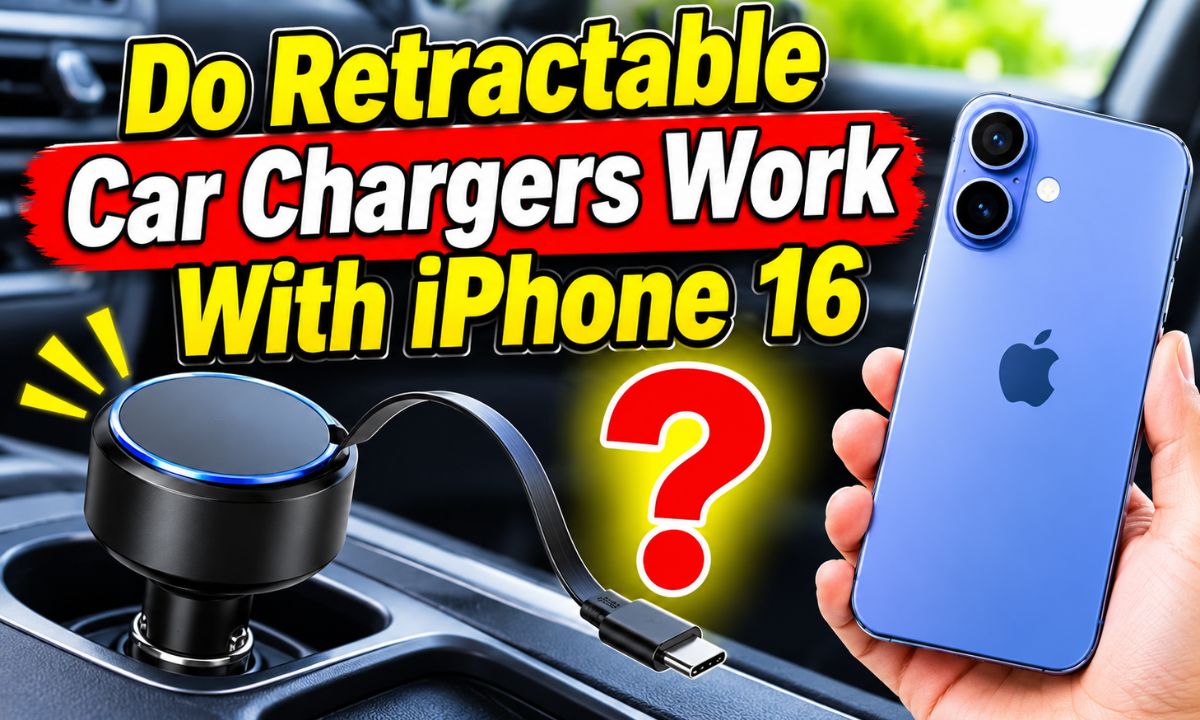
Yes. Retractable car chargers work with iPhone 16 when they have a compatible USB-C connector and suitable charging output.
If you drive in the United States, a car charger can be a handy way to keep your phone ready for road trips, daily commutes, and long drives. You can plug a charger into your vehicle’s 12-volt accessory outlet and charge your phone without needing a wall socket. Retractable models add another benefit: the cable pulls out when needed and stores inside the charger when you finish.
The good news is that the iPhone 16 supports USB-C charging. This means you can use a retractable car charger with a built-in USB-C cable or a charger that has a USB-C port and a separate USB-C cable. You do not need a special Apple-branded car charger. However, the connector, power output, cable quality, and vehicle input rating all matter. A charger made only for older Lightning devices will not connect directly to your iPhone 16.
Before buying one, check more than the word compatible on the package. Look for USB-C, USB Power Delivery (USB PD), and a suitable wattage rating. Also check whether the charger can supply enough power when you use more than one port. These details help you avoid slow charging, poor connections, and products that do not meet your needs.
Yes, they do. The iPhone 16 has a USB-C port, so a retractable car charger with a USB-C connector can charge it. This applies to the standard iPhone 16, iPhone 16 Plus, iPhone 16 Pro, and iPhone 16 Pro Max.
Apple lists USB-C as the charging connector for the iPhone 16 family. It also supports USB-C charging with compatible power adapters and cables. This makes many newer retractable car chargers suitable for the phone.
The main thing to check is the connector at the end of the retractable cable. Some older car chargers have built-in Lightning cables. Those cables were made for older iPhones and cannot plug directly into the USB-C port on an iPhone 16.
You may also find retractable chargers with more than one charging option. For example, a unit may have a built-in USB-C cable, a separate USB-C port, and a USB-A port. This can let you charge different devices from one car accessory.
USB-C retractable cable
This is the most direct option. Pull out the built-in USB-C cable and connect it to your iPhone 16.
USB-C charging port
You can connect your own USB-C cable to the charger and use the other end with your phone.
USB-A charging port
This can work with a compliant USB-A-to-USB-C cable, although the charging speed depends on the charger’s output.
Lightning-only cable
This cable does not fit the iPhone 16. Choose a USB-C model instead.
Does Every Retractable Car Charger Support iPhone 16?
No. Retractable describes how the cable stores, not which phones it supports. A retractable charger may have USB-C, Lightning, Micro-USB, or several cable types. You must check the exact connector before you buy.
Some older models were designed mainly for iPhone 14 and earlier devices. Others support newer USB-C phones. Read the product specifications rather than relying on a general claim such as universal compatibility.
Check the cable end
Look for a USB-C plug that matches the port on your iPhone 16.
Check the supported devices
Look for the iPhone 16 series in the manufacturer’s compatibility list.
Why USB-C Matters for iPhone 16 Charging
USB-C matters because it is the physical connector used by the iPhone 16 for wired charging. It replaces the Lightning connector found on many older iPhone models. A cable with the wrong end cannot make a direct connection, even if the charger itself supplies enough power.
USB-C is also used by many Android phones, tablets, laptops, and other electronic devices. This makes it useful when you want one charging system for several devices in your vehicle.
However, USB-C does not always mean fast charging. The connector tells you what fits. The charging protocol and power rating help determine how quickly the phone can charge. A low-power USB-C charger may charge the iPhone 16 more slowly than a suitable USB-C PD charger.
Apple states that the iPhone 16 can reach up to 50% charge in around 30 minutes with a 20W or higher USB-C power adapter and a suitable USB-C charging cable. This is a stated test result under specific conditions, not a promise that every car charger will produce the same result.
USB-C connector
Provides the physical connection needed for wired charging.
USB Power Delivery
Allows compatible chargers and devices to negotiate suitable power levels.
Wattage rating
Shows the maximum power the charger can provide under its stated operating conditions.
Cable quality
A compliant, undamaged cable helps provide a reliable connection and suitable power delivery.
USB-C Does Not Always Mean USB PD
This is an important difference when choosing a retractable charger. USB-C describes the connector and cable system, while USB Power Delivery is a charging protocol. A USB-C product may support basic charging without offering USB PD.
For a better chance of getting fast wired charging, look for USB-C PD in the product specifications. Also check the stated output of the exact USB-C cable or port you plan to use. A charger may have several outputs with different power limits.
Basic USB-C charging
Can charge your phone, but the available power may be limited.
USB-C PD charging
Supports negotiated power delivery and is the preferred option for fast wired charging.
What Charging Speed Can You Expect?
Charging speed depends on the power available from the car charger, the cable, and the iPhone itself. A retractable charger with USB-C PD and an output of 20W or higher is a sensible starting point for iPhone 16 users.
Apple lists fast charging at up to 50% in around 30 minutes when using a 20W or higher USB-C adapter and a suitable cable. A car charger that supports the right charging standard can provide a similar type of wired charging, but actual results depend on the product and conditions.
Do not assume that a charger marked 65W, 75W, or 100W will charge your iPhone at that full rate. Those numbers usually describe the maximum output available to connected devices. Your phone controls how much power it accepts.
Charging can also slow down when the battery is nearly full. Heat, background activity, navigation, mobile data, and screen brightness can affect the rate. For example, using GPS navigation while streaming music may consume some of the power entering the phone.
20W USB-C PD
A practical target for fast wired charging with the iPhone 16.
30W USB-C PD
Provides extra capacity and can be useful when sharing a charger with another device, depending on its power allocation.
45W or higher
May be useful for multi-device charging or other compatible electronics, but does not mean the iPhone 16 will charge at that wattage.
Low-power USB output
Can still charge the phone, but may be less suitable when you need a quick battery boost.
Is a 30W Retractable Car Charger Better Than a 20W Model?
A 30W model can be useful, but it is not automatically better for every iPhone 16 owner. If you only charge one phone, a good 20W USB-C PD charger may meet your needs.
A 30W charger can offer more flexibility if you also charge wireless earbuds or another device. However, check how the charger divides its output. Some models reduce the power available to each port when two or more devices are connected.
The best choice depends on your daily use. If you mainly need to keep one phone charged during a commute, a reliable 20W or 30W USB-C PD model is usually a sensible place to start.
Choose 20W
If you mainly charge one iPhone and want a simple, suitable fast-charging option.
Choose 30W
If you want some extra output capacity or plan to charge another device.
Choose a higher-output model
If you have other compatible devices that need more power and the charger clearly lists its output limits.
Retractable Car Charger Compatibility Comparison
The following table shows which retractable charger types can work with an iPhone 16. It focuses on the connector and charging method rather than brand names.
Use it as a quick buying guide. Remember that a compatible connector does not guarantee fast charging. You still need to check the power rating and charging protocol.
USB-C retractable cable
Compatible when the cable and charger meet the USB-C charging requirements.
USB-C port with a separate cable
Compatible when you connect a suitable USB-C cable.
USB-A port with a USB-A-to-USB-C cable
Can charge the phone, but the speed depends on the output and supported charging standard.
Lightning retractable cable
Not directly compatible with the iPhone 16.
Wireless retractable charging accessory
Requires a suitable wireless charging design and power source. A normal retractable cable is not a wireless charger.
A Simple Example of a Compatible Charger
Consider a retractable car charger with a built-in USB-C cable rated for USB PD and an individual output of 30W. Its connector matches the iPhone 16, and its power output is suitable for fast wired charging when the phone and cable negotiate the required power.
Now consider an older charger with a built-in Lightning cable and a 12W USB-A port. Even if its package mentions iPhone compatibility, the built-in cable is not suitable for direct connection to an iPhone 16. The USB-A port may still work with a separate USB-A-to-USB-C cable, but it may charge more slowly.
First example
USB-C cable, USB PD, and suitable power output. This is a suitable configuration.
Second example
Lightning cable and a basic USB-A output. Direct connection is not possible through the built-in cable.
How to Choose the Right Retractable Car Charger
Choose a retractable car charger by checking its connector, power output, vehicle compatibility, and build quality. These four details matter more than its appearance or the number of cables built into the body.
You do not need to buy the most expensive model. A well-made charger with a suitable USB-C cable and a clear power rating can be enough for everyday use. The goal is to get a dependable charge without adding clutter to your car.
Check the USB-C connector
Make sure the retractable cable has a USB-C plug for your iPhone 16.
Look for USB PD
Choose a model that clearly lists USB Power Delivery support if you want fast wired charging.
Check the wattage
A 20W or higher USB-C PD output is a practical target.
Review the port layout
Make sure the charger has enough ports for your phone and any other devices.
Check the vehicle input
Confirm that the charger supports your car’s accessory outlet voltage.
Read the warranty
A clear warranty and accessible manufacturer support can help if the cable or retraction system fails.
Look at the Retractable Cable Design
The cable mechanism deserves attention because it moves every time you use the charger. A poor retraction system can become loose, jam, or fail to hold the cable at the length you need.
Look for a model with a clear extension and release method. The cable should pull out without excessive force and retract without sharp jerks. It should also stay in place while you use it.
Cable length matters, too. A short cable may be fine when your phone sits near the dashboard. A longer cable can help when you use a phone mount farther from the outlet. Make sure it does not cross the steering wheel, gear selector, or other controls.
Smooth extension
The cable should pull out without sticking or making you force the mechanism.
Secure locking
The cable should remain at the length you choose.
Controlled retraction
The cable should return smoothly without whipping toward the charger body.
Useful cable length
Choose enough reach for your phone’s normal position without creating a driving hazard.
Check the Car Charger Safety Features
A car charger should be designed to manage electrical power and heat. Look for clearly documented protections against overcurrent, overvoltage, overheating, and short circuits. These features can help reduce risks, but their presence does not prove that every product is safe.
Choose a charger from a manufacturer that provides clear specifications, safety information, and warranty support. Avoid products with unclear ratings, damaged plugs, loose connectors, or no useful manufacturer details.
Apple advises users to avoid damaged charging cables and adapters and to keep charging equipment in a well-ventilated area. This guidance also matters in a vehicle, where direct sunlight and a hot dashboard can increase the temperature around your phone and charger.
Overcurrent protection
Helps protect against excessive electrical current.
Overvoltage protection
Helps manage voltage that rises beyond the intended level.
Temperature monitoring
Can help control charging when the unit becomes too hot.
Short-circuit protection
Helps respond to an electrical short within the charger.
How to Use a Retractable Car Charger With iPhone 16
Using a retractable car charger is simple when the cable and vehicle outlet are compatible. You do not need to install an app or change a special iPhone setting for normal USB-C charging.
Before you begin, check that the cable is in good condition and that the charger supports your vehicle’s accessory socket. Do not use a charger with a cracked body, exposed wires, loose plug, or damaged connector.
Step 1: Check the charger
Confirm that it has a USB-C cable or port and supports your iPhone 16.
Step 2: Inspect the cable
Look for cuts, exposed wires, bent connectors, or signs of heat damage.
Step 3: Insert the charger
Place the charger into the vehicle’s compatible accessory outlet.
Step 4: Extend the cable
Pull the USB-C cable out gently until it reaches your phone.
Step 5: Connect your phone
Insert the USB-C connector into the iPhone 16 charging port.
Step 6: Check the charging status
Look for the charging symbol on your iPhone screen.
Step 7: Store the cable
Disconnect the cable and follow the manufacturer’s release instructions to retract it.
How to Know if the Charger Is Working
Your iPhone should show a charging symbol when the connection is working. You can also check the battery percentage to see whether it increases during your drive.
For a better check, connect the phone while its battery is low and allow it to charge for a short period. Keep in mind that battery percentage does not rise at a constant rate, so a small change over a few minutes does not always mean something is wrong.
If the phone repeatedly connects and disconnects, stop using the charger until you identify the cause. A loose plug, damaged cable, or unstable vehicle outlet may be responsible.
Normal result
The charging symbol appears and remains visible while the cable is connected.
Possible problem
Charging starts and stops, the cable becomes unusually hot, or the connection feels loose.
Why Your Retractable Car Charger May Not Charge iPhone 16
If your charger does not work, start with the connector and power source. These are simple checks that can solve many common charging problems without replacing the charger.
Do not keep using a charger that becomes unusually hot, smells burnt, sparks, or shows physical damage. Disconnect it when safe and replace it with a suitable product.
Wrong connector
A Lightning-only cable cannot connect directly to the USB-C port on your iPhone 16.
Loose car socket
A charger that does not sit firmly in the accessory outlet may lose power while driving.
Damaged retractable cable
Internal cable damage can interrupt charging even when the outer cable looks normal.
Low power output
A charger may provide too little power for your charging needs, especially when you use navigation.
Poor cable connection
Dust or debris in the phone port or a damaged plug can prevent a stable connection.
Vehicle power issue
Some accessory outlets only work when the ignition is on. A vehicle fuse or outlet fault can also stop charging.
Problem: The iPhone 16 Does Not Recognize the Charger
First, unplug the charger and check both ends of the cable. Make sure the USB-C plug is fully inserted into the phone and that the charger is firmly seated in the vehicle outlet.
Try another known-good USB-C charging cable or a compatible USB-C power source. If the phone charges with another source, the retractable charger or its cable may be faulty.
If several known-good chargers fail, inspect the phone’s USB-C port for visible debris or damage. Do not insert metal objects or force anything into the port. Seek qualified repair support if the connector appears damaged.
Check the connector
Confirm that the charger uses USB-C rather than Lightning.
Try another cable
Use a known-good USB-C cable to help identify whether the retractable cable has failed.
Test another outlet
Check whether the vehicle accessory socket supplies power.
Problem: The Phone Charges Very Slowly
Slow charging often points to a limited power output, a non-PD charger, or shared power between multiple devices. Check the exact output rating of the port or retractable cable you are using.
If the charger supports several devices, disconnect the others and test the iPhone by itself. Some multiport chargers reduce the power available to each device when several connections are active.
Also consider your phone use. GPS, streaming, gaming, and high screen brightness can consume power while the phone charges. If the phone is very warm, allow it to cool and keep it out of direct sunlight.
Check USB PD support
Confirm that the USB-C output supports USB Power Delivery.
Check the output rating
Look for an individual output of 20W or higher.
Reduce power use
Lower screen brightness and close demanding apps when practical.
Problem: The Cable Will Not Retract
A retractable cable may stop returning because of dirt, wear, or a damaged internal spring mechanism. Do not yank the cable or push it into the housing by force.
Follow the manufacturer’s instructions for releasing and retracting the cable. If the mechanism remains stuck, stop using it and contact the manufacturer or replace the charger.
Avoid opening the charger body yourself. Internal parts may be damaged, and attempting a repair can create an electrical or mechanical safety risk.
Release the cable correctly
Use the pull-and-release method stated in the product manual.
Avoid force
Do not twist, stretch, or sharply bend the cable.
Replace damaged equipment
A faulty retraction system is a good reason to stop using the charger.
Are Retractable Car Chargers Safe for iPhone 16?
A properly designed and compatible retractable car charger can be used with an iPhone 16. The retractable feature itself does not make the charger unsafe. What matters is its electrical design, cable condition, power rating, and correct use.
A quality charger should clearly state its input voltage and output ratings. It should also provide useful safety information and identify the manufacturer. Avoid products that make large power claims without explaining the output of each port.
Heat deserves special attention. A vehicle parked in the sun can become very hot, and charging adds more heat to the phone and charger. Keep charging equipment away from direct sunlight where possible and allow enough space for ventilation.
Never leave a damaged cable connected to a power source. If you notice a burning smell, unusual heat, melted plastic, sparks, or repeated power interruptions, stop using the charger. Replace it rather than trying to repair an enclosed electrical device.
Use a suitable voltage rating
Check the vehicle input range printed on the charger and match it to your vehicle.
Avoid damaged cables
Replace cables that show cuts, exposed conductors, loose connectors, or signs of overheating.
Keep the charger ventilated
Do not cover it with clothing or other objects.
Avoid extreme heat
Do not leave the phone charging in direct sunlight on a hot dashboard.
Buy from a traceable manufacturer
Look for clear specifications, warranty details, and appropriate safety documentation.
Can a High-Wattage Car Charger Damage iPhone 16?
A higher maximum wattage does not automatically damage an iPhone 16. With a compatible USB-C Power Delivery charger, the phone and charger negotiate the power level. The phone does not simply receive every watt printed on the charger’s label.
For example, a 65W USB-C PD charger can be used with a phone that accepts less power, provided the charger and cable are compliant and functioning correctly. The iPhone draws only the power it can use under the current conditions.
The real concern is a poorly made or defective charger, not simply a high wattage number. Choose a properly specified product from a reliable manufacturer.
High wattage
Describes the charger’s available maximum output, not the amount forced into the phone.
Compatible power delivery
Allows the phone and charger to negotiate an appropriate charging level.
Can You Use Retractable Chargers With Apple CarPlay?
Yes, but charging compatibility and wired Apple CarPlay compatibility are two different things. A retractable USB-C cable may charge your iPhone 16 without supporting the data connection required for wired CarPlay.
If your vehicle supports wired CarPlay, check whether its USB port supports the connection and whether the cable can carry the required data. A charging-only cable may supply power but fail to establish CarPlay.
The iPhone 16 also supports wireless CarPlay in compatible vehicles. In that case, you can use a retractable car charger for power while the phone connects to the vehicle wirelessly.
Charging only
A cable designed for power can charge the iPhone without providing data connectivity.
Wired CarPlay
Requires a compatible vehicle connection and a cable that supports the required data function.
Wireless CarPlay
Can work over a wireless connection while a separate retractable charger supplies power.
Does a Retractable Charger Replace a CarPlay Cable?
Not in every vehicle. If your car needs a wired data connection for CarPlay, a retractable charger that only supports charging will not replace the original data cable.
Check the cable specifications or the manufacturer’s manual before relying on it for CarPlay. If the product only lists charging and does not state data support, treat it as a charging cable.
For charging
Choose a suitable USB-C PD retractable cable.
For wired CarPlay
Choose a compatible USB-C data cable and verify the vehicle’s connection requirements.
Retractable Car Charger vs. Regular Car Charger
Both charger types can power an iPhone 16. The main difference is cable storage and convenience, not the basic charging technology.
A retractable model keeps the cable inside its body when you finish charging. A regular car charger usually has one or more USB ports, so you connect and store a separate cable.
Neither design is automatically faster. A regular 30W USB-C PD charger may charge your phone as quickly as a retractable model with the same compatible output. Compare the actual specifications instead of choosing by design alone.
Retractable charger
Offers built-in cable storage and can reduce loose wires around the dashboard.
Regular car charger
Offers flexibility because you can choose and replace the charging cable separately.
Charging performance
Depends on the power output, charging protocol, cable, and phone rather than the storage design.
Maintenance
Retractable models have a moving cable mechanism that may wear over time.
Which Type Should You Choose?
Choose a retractable charger if you want a tidy dashboard and prefer not to carry a separate cable. It can be especially useful when you charge your phone during short daily trips.
Choose a regular USB-C car charger if you want to change cable lengths, replace a damaged cable easily, or use a cable that also supports data transfer.
If charging performance is your main concern, compare the USB PD output and cable specifications of both designs. A retractable model is not worth paying extra for if it has a lower output or poor build quality.
Best for cable organization
A retractable model with a smooth and reliable storage mechanism.
Best for cable flexibility
A regular USB-C car charger with a separate replaceable cable.
Best for shared use
A multiport charger with clear individual output ratings and enough power for your devices.
Common Buying Mistakes to Avoid
A few simple checks can prevent you from buying a charger that does not meet your needs. Many problems come from confusing connector type, charging speed, and total output.
Take a moment to read the specifications before placing an order. A few minutes of checking can save you the trouble of returning an unsuitable charger.
Buying a Lightning-only model
The iPhone 16 uses USB-C, so a built-in Lightning cable is not a direct fit.
Assuming USB-C means fast charging
USB-C is a connector type. Look for USB PD and a suitable output rating.
Ignoring shared output
A charger may advertise a high total wattage but provide less power to each port when several devices are connected.
Choosing an unsuitable cable length
A cable that is too short may not reach your phone, while one that is too long may create clutter.
Ignoring vehicle compatibility
Check the charger’s input rating before connecting it to your car or truck.
Buying only by price
A very cheap charger with unclear specifications may not offer the quality and support you need.
Ignoring the retraction mechanism
A cable that sticks or retracts too sharply can become frustrating and may wear out sooner.
A Final Checklist Before Buying
Use this short checklist when comparing products online or in a store. It covers the details that matter most for an iPhone 16 owner.
Connector
USB-C cable or USB-C charging port.
Charging standard
USB Power Delivery support.
Power output
20W or higher on the output you plan to use.
Vehicle input
A voltage range that matches your vehicle.
Cable mechanism
Smooth extension, secure locking, and controlled retraction.
Safety information
Clear specifications and documented electrical protections.
Warranty
A clear warranty and manufacturer contact information.
What Does the Manufacturer Compatibility Information Tell Us?
Manufacturer specifications provide a useful way to confirm that retractable charging technology works with newer iPhones. For example, Belkin documents its BoostCharge Retractable Car Charger 75W as compatible with the iPhone 16 family. Its listed design includes an integrated USB-C retractable cable, a USB-C port, and a USB-A port.
Belkin also documents a separate 30W retractable car charger with a built-in USB-C cable and USB Power Delivery support. Its compatibility information includes the iPhone 16 series. These examples establish that retractable USB-C car chargers are available for this phone, but they do not prove that every retractable charger will work equally well.
Apple’s charging guidance also explains why USB-C is the right connector to look for. The company states that iPhone 15 and later models use USB-C and can charge through compliant USB-C cables and power adapters.
The USB Implementers Forum explains that USB Power Delivery allows compatible devices and chargers to negotiate power levels. This is why the maximum wattage printed on a charger should not be confused with the actual power your iPhone receives.
The practical lesson is simple: use official phone specifications to confirm the connector, charging guidance to understand power requirements, and the charger manufacturer’s documentation to verify the exact product.
Documented phone requirement
The iPhone 16 has a USB-C charging connector.
Documented charger examples
Belkin lists retractable USB-C car chargers that support the iPhone 16 family.
Charging standard
USB PD supports negotiated power delivery between compatible equipment.
Evidence limitation
Manufacturer compatibility information is not an independent test of long-term cable life or real-world charging performance.
Research Scope and Important Limitations
This guide uses Apple’s iPhone 16 technical specifications and USB-C charging guidance, USB-IF information about USB Power Delivery, and manufacturer documentation for two retractable car charger designs. The sources were reviewed on November 8, 2026.
The manufacturer examples show documented compatibility, connector types, and stated power ratings. They are not independent performance tests. No hands-on charging, temperature, cable durability, or vehicle socket testing was conducted for this article.
The supplied image list contains food, gardening, and unrelated video thumbnails rather than car chargers or iPhone charging equipment. Those images are not used because they would misrepresent the subject of this guide.
Documented
The iPhone 16 uses USB-C, and suitable USB-C chargers can charge it.
Manufacturer-reported
Specific Belkin retractable car chargers list iPhone 16 compatibility and their stated output ratings.
Not independently established here
Long-term durability, actual charging speed in every vehicle, and performance under all temperature conditions.
Frequently Asked Questions
Q
Can I Use Any USB-C Retractable Car Charger With iPhone 16?
Not necessarily. The charger must have a compatible USB-C connection and support a suitable charging standard. For fast wired charging, look for USB Power Delivery and an output of 20W or higher. Also check the cable quality and the manufacturer’s compatibility information.
Q
Does iPhone 16 Support Fast Charging in a Car?
Yes. The iPhone 16 supports fast wired charging through a compatible USB-C power source. Apple lists up to 50% charge in around 30 minutes with a 20W or higher USB-C power adapter and a suitable cable. A compatible car charger can provide fast wired charging, although actual results depend on its output and operating conditions.
Q
Can a USB-A Retractable Car Charger Charge iPhone 16?
Yes. You can use a USB-A retractable charger with a suitable USB-A-to-USB-C cable. However, the available power and charging speed depend on the charger’s specifications. A USB-C PD model is generally a better choice if fast wired charging is your goal.
Q
Will a Retractable Lightning Charger Work With iPhone 16?
No, not through its built-in Lightning cable. The iPhone 16 has a USB-C port. You need a retractable USB-C cable or a charger with a USB-C port and a suitable separate cable.
Q
Can I Use a 65W Retractable Car Charger With iPhone 16?
Yes, provided it is a compliant USB-C PD charger with a suitable cable. The 65W rating describes the charger’s maximum available output, not the amount that the iPhone must receive. Your phone negotiates an appropriate power level.
Q
Does a Retractable Car Charger Work While Using Apple CarPlay?
It can, but charging and CarPlay are separate functions. A charging-only cable may power your iPhone without supporting wired CarPlay data. If your vehicle requires a wired connection, check that the cable supports data transfer. Wireless CarPlay can work while a separate retractable charger powers the phone.
Q
Can I Charge iPhone 16 and Another Phone at the Same Time?
Yes, if the retractable charger has multiple outputs. Check the power distribution chart in its specifications. The total advertised wattage may be shared among connected devices, so the iPhone may receive less power when another phone is charging.
Q
Is a Retractable Car Charger Better Than a Regular USB-C Car Charger?
It depends on your needs. A retractable model keeps its cable stored inside the charger and reduces loose wires. A regular USB-C car charger gives you more freedom to choose and replace cables. Charging speed depends on the power output and charging standard, not the retractable design.
✦ Wrapping Up
Conclusion
Retractable car chargers work with the iPhone 16 when they use a compatible USB-C connection and provide suitable charging power. You can use a model with a built-in USB-C cable or one with a USB-C port and a separate cable. This makes retractable chargers a useful option for everyday driving, commuting, and longer road trips.
For a practical choice, look for USB-C Power Delivery and an output of 20W or higher. Check the vehicle input rating, cable length, retraction mechanism, safety information, and warranty before buying. A charger with a higher maximum wattage can offer more flexibility, but it will not force your phone to accept more power than it supports.
Most importantly, do not buy a charger just because its package says it works with iPhones. Check that it specifically supports the USB-C connection used by the iPhone 16. A little attention to the specifications can help you avoid the wrong cable and get a more dependable charging setup.
💡 Key Takeaway
Before buying, check for a USB-C retractable cable, USB Power Delivery support, and at least 20W of individual USB-C output. Confirm that the charger supports your vehicle’s accessory socket and has clear safety specifications.
1 thought on “Do Retractable Car Chargers Work With iPhone 16: Guide”

1 thought on “Do Retractable Car Chargers Work With iPhone 16: Guide”