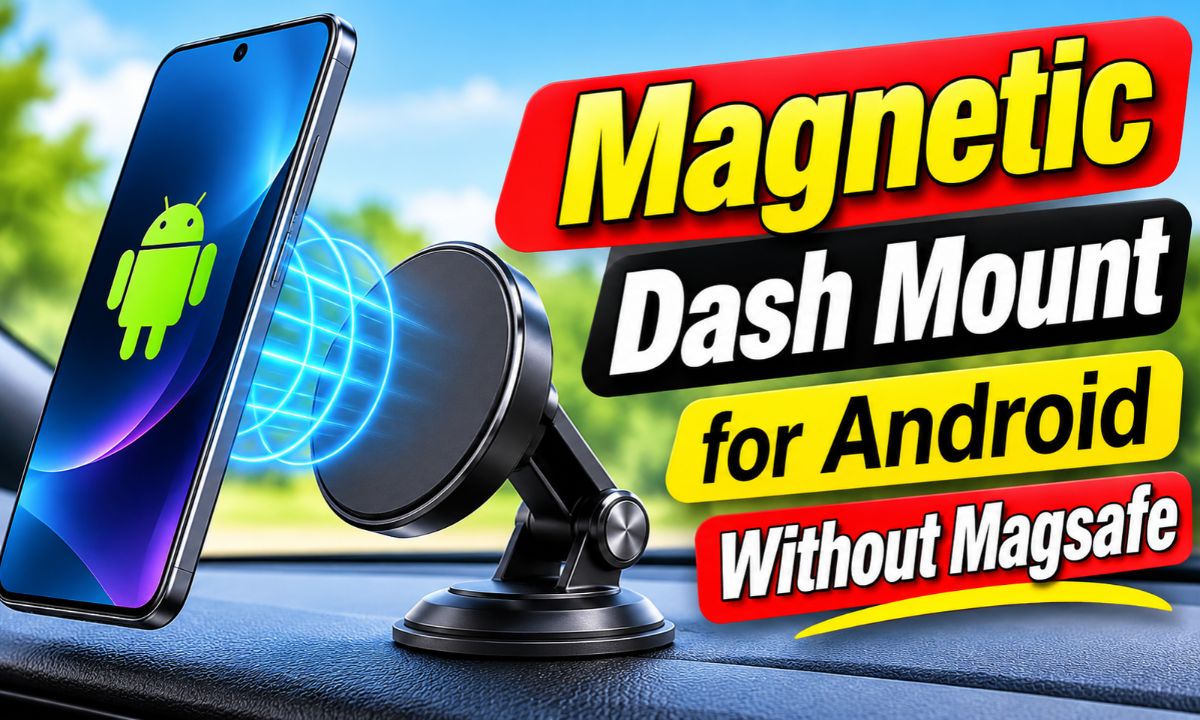
Yes, an Android phone can use a magnetic dash mount without built-in MagSafe, but it needs a compatible magnetic case, ring, or plate.
For drivers in the United States, the key issue is not whether an Android phone has the MagSafe name. The real question is whether the phone or its case has a magnetic attachment system that matches the mount. Many Android phones do not have built-in magnets, so a plain magnetic mount may not hold the phone by itself.
The usual fix is simple. You can use a case made for magnetic mounts, add a properly placed magnetic ring to a compatible case, or use a mount designed around a metal plate. These options can turn a regular Android phone into a practical hands-free dashboard setup. The best choice depends on whether you also want wireless charging, how thick your case is, and how secure the phone must be on rough roads.
Can an Android Phone Work With a Magnetic Dash Mount?
Yes, but the phone needs a magnetic interface. A magnetic dash mount creates a holding force between its magnet and a compatible magnetic surface on the phone, case, or accessory. If your Android phone has no built-in magnetic ring and the case has no magnetic material in the right place, the mount may barely hold the phone or may not hold it at all.
This is why the phrase without MagSafe can be confusing. MagSafe is Apple’s branded magnetic accessory system, while Android phones can use other magnetic solutions. Some newer Android devices and cases support magnetic alignment through Qi2-related designs, while other phones rely on a case or accessory added after purchase.
For a regular Android phone, think of the setup as two separate parts: the phone needs a magnetic attachment point, and the dashboard mount needs a matching magnetic surface. Once both parts are compatible, the mount does not need the phone itself to carry the MagSafe brand.
Android phone with magnetic case
This is often the cleanest option because the magnetic ring is built into the case and does not require a separate plate on the phone.
Android phone with magnetic ring
A magnetic ring can be attached to a suitable case. Placement matters because the ring must line up with the mount and should not block features such as wireless charging.
Android phone with metal plate
A metal plate can work with many basic magnetic holders, but it can create problems for wireless charging and may not be suitable for every phone or case.
Magnetic Mount Versus MagSafe Mount
A magnetic mount is a broad category. It may use a magnet on the mount and a metal plate or magnetic ring on the phone. A MagSafe-compatible mount is designed around Apple’s magnetic accessory system, although compatible Android cases and adapters can also provide a matching magnetic interface.
The important detail is the physical connection, not the label. Before buying, check what the mount expects on the phone side. Some mounts require a metal plate, while others are intended for magnetic rings or MagSafe-compatible cases.
Basic magnetic mount
Often works with a supplied metal plate or ring and may be the simplest low-cost setup.
Magnetic mount with wireless charging
Needs careful compatibility checks because magnetic alignment and wireless charging must work together.
Qi2 magnetic mount
Designed for compatible Qi2 magnetic phones or cases. Android compatibility depends on the specific phone and case.
The Three Main Ways to Mount a Non-MagSafe Android Phone
If your Android phone does not have built-in magnetic attachment, you have three practical routes. A magnetic case is usually the least disruptive. A magnetic ring can be useful if you want to keep your existing case. A metal plate is often the simplest solution for a basic holder, but it deserves more care if wireless charging is involved.
Your choice should follow the way you use the phone. If you only need navigation and hands-free viewing, a simple magnetic holder may be enough. If you charge wirelessly in the car, choose the mounting method with charging compatibility in mind before attaching anything.
Use a magnetic Android case
Choose a case that clearly states compatibility with the magnetic mount system you plan to use. This keeps the phone protected and avoids attaching a permanent accessory directly to the device.
Add a magnetic ring
A ring can give a normal case a magnetic attachment point. Follow the ring maker’s placement instructions and allow adhesive to set as directed before putting the phone on the mount.
Use a metal plate
This is common with traditional magnetic holders. Check the phone maker’s wireless-charging guidance first, because metal or magnetic objects can interfere with charging or cause unwanted heating.
Which Method Is Best for Wireless Charging?
A magnetic-compatible case is generally the cleaner choice when you want magnetic mounting and wireless charging together. A metal plate can sit between the phone and a wireless charger and interfere with the charging field. Google guidance for Pixel phones warns that metallic or magnetic objects between the phone and wireless charger can cause heating or prevent proper charging.
Do not assume that a magnetic ring will automatically support wireless charging either. The ring must be designed and positioned for that use, and the phone must support the wireless charging standard used by the charger. When charging matters, check the exact phone, case, ring, and charger combination.
Best starting point
Use a magnetic-compatible case designed to work with both your Android phone and the intended charger.
Use caution with metal plates
A metal plate may block or disrupt wireless charging, so test the setup before relying on it for daily charging.
Check case thickness
A very thick or rugged case can weaken the magnetic connection or increase the distance between the phone and mount.
How to Install a Magnetic Dash Mount on an Android Phone
Start by checking the mount, phone, and case as a single system. Confirm the mount’s required magnetic accessory, the phone’s charging method if applicable, and the recommended dashboard location. Do not attach the mount first and try to solve compatibility later.
A good installation should leave the phone easy to see without blocking the driver’s view. It should also keep the mount away from controls that you need while driving. In the United States, state laws and local rules can vary, so drivers should also follow applicable hands-free and windshield-mount rules.
1. Check the phone and case
Confirm whether the Android phone has built-in magnetic support. If not, choose a compatible magnetic case, ring, or plate.
2. Pick a suitable dashboard location
Choose a position that gives a clear view without blocking the road, important controls, mirrors, or safety equipment.
3. Clean the mounting surface
Remove dust, oil, and loose debris from the dashboard area. For adhesive mounts, follow the mount maker’s surface and temperature instructions.
4. Attach the mount
Secure the mount according to its instructions. Do not rely on a weak adhesive bond or an unstable surface.
5. Attach the magnetic accessory
If you are using a ring or plate, place it where the mount maker specifies. Let adhesive cure for the required time before applying phone weight.
6. Test the phone while parked
Place the phone on the mount and gently check for movement. Test portrait and landscape positions if the mount allows both.
7. Test charging separately
If the mount has wireless charging, check that charging starts and remains stable. A phone that sticks to the mount is not necessarily a phone that will charge through it.
Signs the Installation Is Working
The phone should attach without excessive force and remain stable when you gently move the mount by hand while the vehicle is parked. The dashboard mount itself should not shift, tilt, or peel away from its mounting surface.
If wireless charging is part of the setup, the phone should show a stable charging state after it is aligned. If charging repeatedly starts and stops, check alignment, case thickness, power delivery, and possible heat before assuming the mount is defective.
Stable attachment
The phone stays in place when you lightly touch the screen while the car is parked.
Secure dashboard mount
The base does not lift, rotate, or slide when you adjust the phone.
Reliable charging
If wireless charging is supported, the phone stays in a charging state after proper alignment.
What to Do If the Android Phone Keeps Falling Off
If the phone falls, start with the magnetic connection rather than the dashboard adhesive. The most common issue is a mismatch between the mount and the phone accessory. A thick case, poor ring placement, heavy phone, or extra accessory can also increase the load on the magnetic connection.
Do not solve a weak connection by simply adding more metal. That can create new problems, especially if the phone uses wireless charging. Work through the connection from the phone outward so you can identify the actual cause.
Check the case
Remove a very thick or poorly fitting case and test the magnetic connection again. If the phone becomes stable, the case is part of the problem.
Check the ring or plate
Make sure it is centered and firmly attached. A ring that is off-center can reduce the useful contact area with some mounts.
Remove extra weight
Wallets, card holders, grips, and other accessories can increase the load and change how the phone sits against the mount.
Clean contact surfaces
Dust and debris can reduce contact and cause movement. Clean the surfaces using methods approved by the accessory maker.
Check the dashboard base
If the phone and magnetic interface are secure but the whole mount moves, the dashboard attachment is the weak point.
When a Metal Plate Is the Wrong Fix
A metal plate is not automatically a universal solution. If your Android phone uses wireless charging, placing metal near the charging area can interfere with charging or create unwanted heat. Google specifically warns against metallic or magnetic objects between a Pixel phone and a wireless charger unless the accessory is designed for that charging system.
If wireless charging is important, a compatible magnetic case or Qi2-ready accessory is usually easier to manage. If wireless charging does not matter, a traditional metal-plate mount may remain a practical option, provided the plate and mount are compatible.
You need wireless charging
Favor a magnetic case or charging-compatible magnetic accessory rather than adding an arbitrary metal plate.
You only need a phone holder
A metal plate can be suitable if it is compatible with the holder and does not conflict with the phone maker’s guidance.
Magnetic Mounts and Wireless Charging Are Not the Same Thing
A magnetic mount can hold a phone without charging it. A wireless charger can charge a phone without holding it magnetically. A magnetic wireless charging mount combines both functions, but the phone still needs compatible charging hardware and a suitable magnetic alignment system.
This distinction matters because a non-MagSafe Android phone may attach to a basic magnetic mount with a plate while still being unable to charge through that same setup. Conversely, a phone may support Qi wireless charging but have no magnetic attachment point.
Magnetic attachment
Provides the physical connection between the phone and mount.
Qi wireless charging
Transfers power wirelessly when the phone and charger support compatible charging requirements.
Qi2 magnetic charging
Combines a standardized wireless charging system with magnetic alignment for compatible devices and accessories.
Why Alignment Matters
Wireless charging depends on the alignment of the transmitter and receiver coils. If the phone sits too far away, shifts off center, or has an incompatible case or object between the coils, charging may become slow, stop, or fail to start.
A magnetic system can help place a compatible phone in a repeatable position. That does not mean every magnetic ring or plate creates the same alignment. The mount, phone, case, and charging system need to be designed to work together.
Keep the charging area clear
Avoid cards, coins, random metal pieces, and other objects between the phone and wireless charger.
Use compatible accessories
Follow the phone and charger manufacturer’s compatibility guidance rather than assuming every magnetic accessory is safe for charging.
How to Choose the Right Magnetic Dash Mount for Android
The best mount depends on what you want the mount to do. For navigation only, a simple magnetic holder may be enough. For charging, look for a model that explicitly supports your Android phone or its magnetic case and states the charging standard and limits.
Do not choose only by magnet strength. A strong magnet does not fix a poor dashboard base, a badly positioned ring, an incompatible case, or an unsafe viewing position. The entire system has to work together.
For simple navigation
A basic magnetic dash holder with a compatible case or plate can be sufficient.
For wireless charging
Choose a magnetic charging mount that specifically supports your phone, case, and wireless charging standard.
For a thick rugged case
Check whether the case is compatible with the mount. Thickness and extra weight can reduce magnetic holding performance.
For frequent rough-road driving
Give extra attention to the mount base, magnetic interface, phone weight, and case weight.
For changing phones
A magnetic-compatible case system can make future phone changes easier if the accessory standard remains compatible.
A Simple Compatibility Checklist
Before buying, write down the exact Android phone model and case you use. Then check the mount’s compatibility information. If the mount uses a metal plate, check the phone manufacturer’s wireless charging guidance. If the mount uses magnetic alignment, confirm that the case or ring provides the required magnetic interface.
Also check the dashboard attachment. A mount can be perfectly compatible with the phone but still perform poorly on a dashboard with a textured, curved, soft, or heat-exposed surface.
Phone model
Identify the exact Android model because wireless charging and magnetic features vary by device.
Case
Confirm whether the case is magnetic-compatible and whether its thickness is within the mount’s stated limit.
Mount type
Determine whether the mount expects a magnetic case, ring, metal plate, or a specific magnetic standard.
Charging
If charging is required, verify both the phone’s charging standard and the mount’s supported output.
Common Mistakes to Avoid
The biggest mistake is treating every magnetic mount as universal. Magnetic systems differ, and Android phones vary widely in built-in magnetic support, wireless charging, case design, and weight.
Another mistake is testing the mount only while parked and assuming it will behave the same on every road. A secure setup should remain stable during normal driving, but no accessory can guarantee that a phone will stay attached in every condition.
Assuming Android means MagSafe-compatible
Android is a broad device category. Some phones and cases support magnetic systems, while others do not.
Using any metal plate with wireless charging
Metal can interfere with wireless charging and may cause heating. Follow the phone and charger manufacturer’s guidance.
Ignoring case thickness
A thick case increases the gap between the mount and phone and can weaken magnetic attachment.
Adding a wallet behind the phone
Extra cards and accessories add weight and can change magnetic alignment.
Mounting where the phone blocks the road view
The phone should not create an avoidable visual obstruction. Choose a location that supports safe driving and complies with applicable rules.
Judging the mount only by magnet strength
The dashboard base, phone weight, case, ring or plate, road conditions, and mounting angle all affect stability.
A Note About Safety
A phone mount is a driving accessory, not a substitute for attention to the road. Set navigation before moving when possible, use voice controls when appropriate, and keep the phone positioned so it does not interfere with your view or vehicle controls.
For wireless charging, heat deserves attention. Google guidance for Pixel devices says metallic or magnetic objects can cause heating or charging problems when placed between the phone and charger. If a phone or charger becomes unusually hot, stop the charging setup and check the manufacturer’s instructions rather than continuing to use it.
Stop if the phone becomes unusually hot
Allow the device to cool and check the charging setup for incompatible materials, poor alignment, or other problems.
Do not obstruct vehicle safety equipment
Keep the mount away from airbags, critical controls, and areas where the phone could become a hazard.
Follow local driving rules
Hands-free and phone-mount rules can vary by state and locality in the United States.
Frequently Asked Questions
Q
Can I use a magnetic car mount with an Android phone that has no MagSafe?
Yes. The phone does not need Apple’s MagSafe brand. It needs a compatible magnetic interface, such as a magnetic case, magnetic ring, or suitable plate, depending on the mount.
Q
Will a metal plate damage my Android phone?
A metal plate is not automatically harmful, but it can interfere with wireless charging and may cause unwanted heating when used in the wrong location. Check your phone manufacturer’s charging guidance before installing one.
Q
Can I use a magnetic ring instead of a MagSafe case?
Yes, a compatible magnetic ring can provide an attachment point for a phone that lacks built-in magnets. Use a ring designed for your case and mount, and follow its placement and adhesive instructions.
Q
Will a magnetic mount work through a thick Android case?
It may, but the extra distance can weaken the connection. Thick rugged cases also add weight. Check the mount’s stated case thickness limit and test the complete setup while parked.
Q
Can a magnetic dash mount also wirelessly charge an Android phone?
Yes, if the phone, case, magnetic alignment system, and charger are compatible. Magnetic holding alone does not mean that wireless charging is supported.
✦ Wrapping Up
Conclusion
An Android phone without MagSafe can still work very well with a magnetic dash mount. The key is to add the right magnetic interface rather than assuming the phone itself will attract to the mount. For a basic holder, a compatible metal plate or magnetic ring may be enough. For wireless charging, a magnetic-compatible case or Qi2-ready setup is usually the better path.
Before installing anything, check the exact phone model, case thickness, mount type, charging requirements, and dashboard surface. Test the complete setup while parked, make sure the phone stays secure, and avoid metal objects that can interfere with wireless charging. That small compatibility check can prevent a loose phone, failed charging, or an accessory that does not work as expected.
💡 Key Takeaway
If your Android phone has no built-in magnetic system, start with a compatible magnetic case or ring, then choose a dash mount that matches it and separately verify wireless charging compatibility.