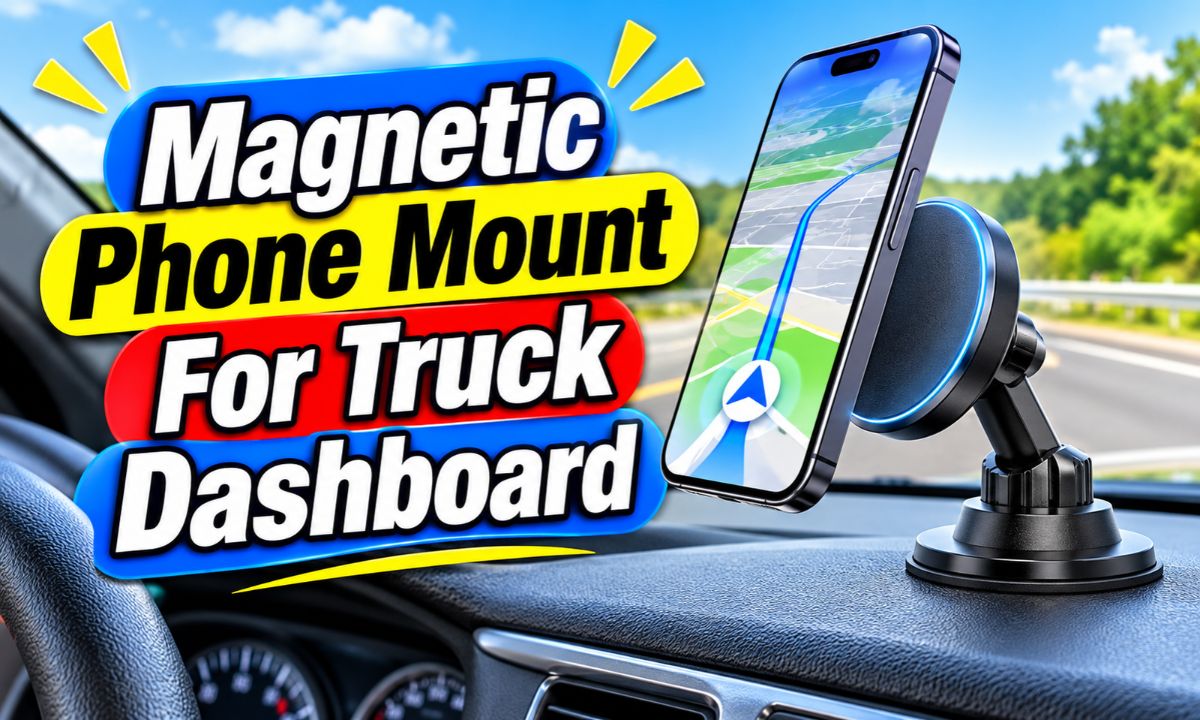
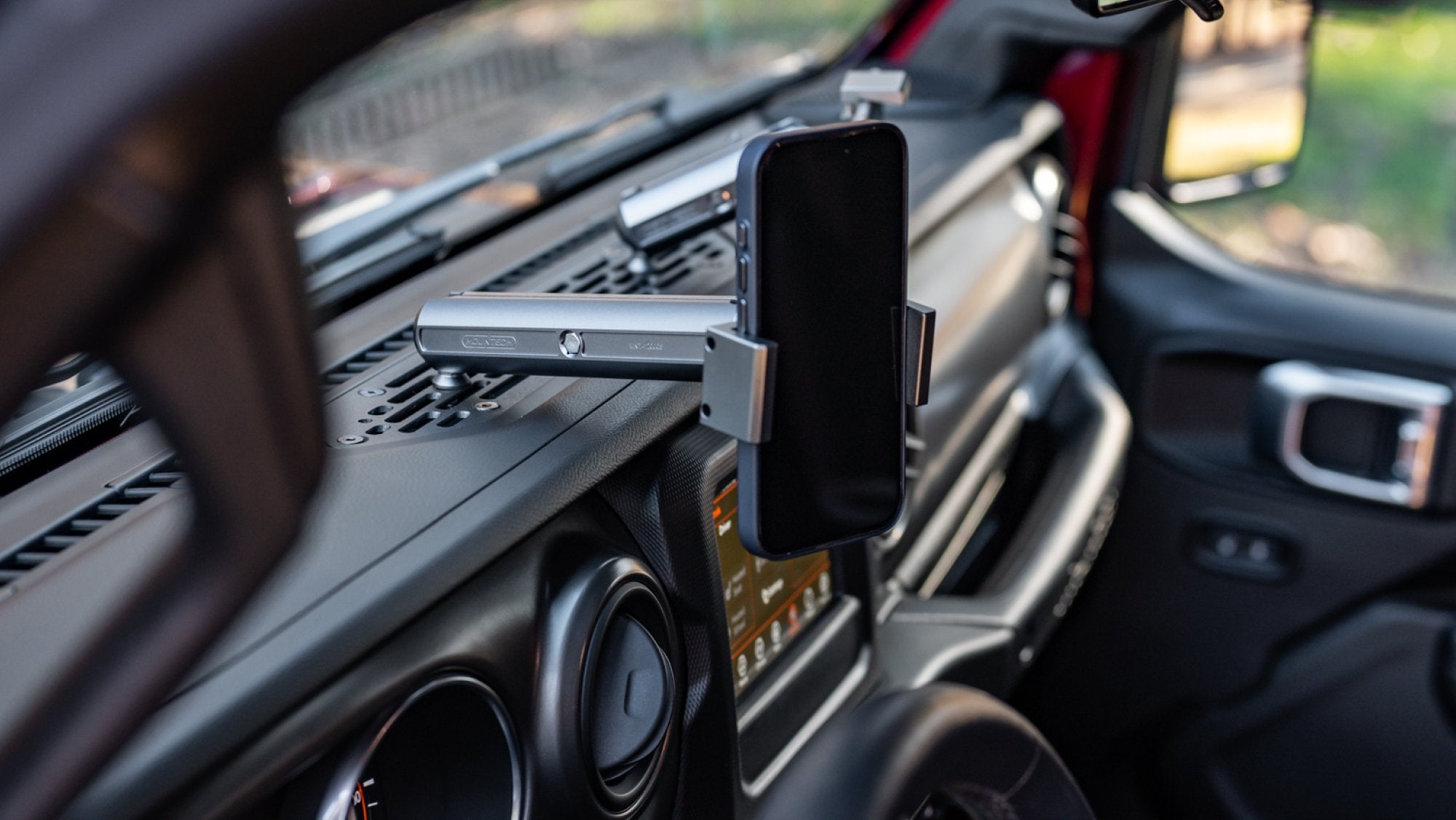
A good magnetic phone mount for a truck dashboard needs a strong phone connection, a stable mounting base, and a position that does not block your view.
Truck drivers across the United States use their phones for maps, work calls, traffic updates, and daily travel. Whether you drive a Ford F-150, Chevrolet Silverado, Ram 1500, or a heavy-duty work truck, keeping your phone within easy view can make route planning more convenient. However, a phone that slides around the dashboard can become a real nuisance.
A magnetic phone mount offers a simple way to keep a phone in place. Instead of opening and closing side clamps, you bring the phone near the magnetic head, and the magnets help hold it against the mount. The best setup depends on your truck’s dashboard shape, phone size, case, road conditions, and the type of magnetic system you choose.
Truck dashboards can be very different from car dashboards. Some have wide, flat areas, while others have curved plastic, textured trim, raised screens, or deep instrument panels. A mount that works well in a small sedan may not stay secure on a truck that travels over rough roads or carries heavy loads. This guide explains how to choose, install, and maintain a suitable mount without damaging your dashboard or creating a driving hazard.
The goal is not simply to find the strongest magnet. You also need a base that stays attached, an adjustable arm that does not shake too much, and a phone position that lets you keep your attention on the road. A little planning before installation can prevent many common problems.
What Is a Magnetic Phone Mount for a Truck Dashboard?
A magnetic dashboard phone mount is a holder that uses magnets to keep a smartphone attached to a fixed point inside a vehicle. One part attaches to the truck’s dashboard, and another part connects to the phone or its case. When the two parts meet, magnetic force helps hold the phone in place.
Most basic systems have a small metal plate that attaches to the phone or sits inside a compatible case. The mount itself contains one or more magnets. Other designs use a magnetic ring that lines up with the phone’s built-in magnetic system.
The main advantage is convenience. You do not need to spread open clamps, adjust side arms, or press several buttons each time you enter your truck. You can attach or remove the phone with one hand while the vehicle is parked.
However, the magnetic connection is only one part of the system. The mount also needs to stay attached to the dashboard. A powerful magnet cannot prevent the entire holder from falling if its adhesive pad or suction base loses its grip.
Source: m.media-amazon.com
Magnetic phone connection
Magnets connect the phone to the holder, either through a metal plate, a magnetic case, or a compatible magnetic ring.
Dashboard mounting base
The base uses adhesive, suction, a vehicle-specific bracket, or another approved attachment method to stay in place.
Adjustable head
A swivel joint or ball joint lets you set the viewing angle and change between portrait and landscape positions.
Support arm
The arm connects the base to the magnetic head. Its length and stiffness affect how much the phone moves.
How Does Magnetic Attachment Work?
A magnet creates a force that attracts a suitable metal object or another magnet. In a phone mount, this force helps keep the phone against the holder while the truck moves. The strength of the connection depends on the magnet design, contact area, alignment, phone weight, and distance between the magnetic parts.
A metal plate is not the same as a MagSafe magnetic ring. A standard plate can work with many universal magnetic holders, but it does not automatically support magnetic wireless charging. A MagSafe-compatible system uses a specific magnetic arrangement designed to align with supported phones and accessories.
If the phone case is thick, contains a card holder, or has other objects between the magnetic parts, the connection may become weaker. The phone should sit flat against the magnetic head whenever the design allows it.
Universal magnetic system
Usually relies on a metal plate attached to the phone or placed inside a compatible case.
MagSafe-style system
Uses a magnetic ring designed for compatible phones and cases, helping the phone align with the mount.
Why Truck Drivers Need a Different Type of Dashboard Mount
A truck often places different demands on a phone holder than a small passenger car. Large dashboards, tall seating positions, rough work roads, and frequent vehicle movement can affect where a phone mount fits and how well it stays in place.
A pickup truck may travel over gravel, farm roads, construction sites, potholes, or uneven rural routes. These conditions can cause a long mounting arm to shake or make a weak adhesive base come loose. A mount that feels stable in a parked vehicle may behave differently during regular driving.
Some trucks also have wide dashboards with raised sections and curved surfaces. This can make it hard to find a level spot for a suction cup or adhesive base. The mounting point must have enough room for the phone without covering the instrument panel or blocking the driver’s view.
Another concern is vibration. The truck’s engine, suspension, tires, and road surface can all contribute to movement. RAM Mounts explains that heavier-duty mounting situations may need larger mounting components, and it offers vibration-damping accessories for certain phone-mount systems. This supports an important selection principle: choose the complete mounting system for the conditions, not just the magnetic head.
Source: m.media-amazon.com
Rough road movement
A mount with a weak base or long flexible arm may move more when the truck travels over potholes and uneven surfaces.
Large phone size
A large smartphone may need a wider magnetic contact area and a stronger overall mounting structure.
Curved dashboard surfaces
A flat mounting base may not sit correctly on a strongly curved dashboard.
Long driving hours
A comfortable viewing position and easy phone removal can matter during frequent stops and extended trips.
Why a Short Mounting Arm Can Be Better
A short arm usually creates less leverage than a long arm. When a truck moves, the phone’s weight can make a long arm swing or shake around its base. Reducing the distance between the base and the phone can help limit that movement.
This does not mean every short mount is automatically better. The phone still needs a useful viewing angle, and the base must fit the dashboard. Look for a design that balances reach, stiffness, and adjustability.
If your truck has a deep dashboard, a longer arm may be needed to bring the phone into a practical position. In that case, choose a well-supported arm with secure joints rather than a thin, flexible extension.
Choose a compact design
Use the shortest arm that gives you a clear view without blocking the windshield or controls.
Check the joints
Look for adjustment joints that lock firmly instead of slowly changing position during movement.
Types of Magnetic Dashboard Mounts for Trucks
The mounting base is one of the most important parts of your buying decision. Different designs work with different dashboard materials and shapes. Before choosing one, check the manufacturer’s instructions and compare the mount with the surface in your truck.
An adhesive mount may work well on a suitable smooth dashboard area. A suction mount can be useful when the surface is smooth and nonporous. A vehicle-specific bracket may offer a more secure attachment when a universal base does not fit the dashboard.
Do not assume that every mount advertised as universal will fit every truck. Universal usually refers to phone or vehicle compatibility within certain limits. It does not mean that the base can attach safely to any material, curve, or textured surface.
Source: m.media-amazon.com
Adhesive magnetic mount
Uses a sticky mounting pad to attach to a suitable dashboard surface. It can offer a low-profile setup, but the adhesive must match the surface and temperature conditions.
Suction cup magnetic mount
Uses suction to hold the base against a compatible smooth surface. It may be easier to reposition, but dirt, texture, heat, and surface curves can affect the seal.
Vehicle-specific dashboard mount
Uses a bracket or mounting point designed for a particular vehicle or dashboard layout. It can be useful when the factory dashboard has few suitable flat areas.
Magnetic vent mount
Attaches to an air vent instead of the dashboard. It may be an option when dashboard space is limited, but vent shape and strength matter.
Heavy-duty magnetic mount
Uses a more substantial mounting structure for demanding vehicle use. Check its rated device size, base design, and mounting instructions.
Adhesive Mounts for Flat Dashboards
An adhesive mount is often a practical choice when your truck has a suitable flat or gently curved dashboard area. It does not need a smooth suction-cup seal, and many designs have a small footprint.
The main limitation is surface preparation. Dust, dashboard protectants, oil, and textured plastic can reduce adhesion. Heat inside a parked truck can also affect some adhesives. Always check the temperature and surface requirements supplied by the manufacturer.
Some mounts include an adhesive dashboard pad that creates a smoother mounting area. Use it only when the manufacturer approves it for your dashboard material. Do not apply strong adhesive to leather, soft-touch trim, or delicate finishes without confirming compatibility.
Best fit
A compatible, clean, stable dashboard surface with enough room for the base.
Main drawback
Removal can leave residue or damage a sensitive finish if the adhesive is unsuitable.
Suction Mounts for Smooth Surfaces
A suction mount uses a cup to create a seal against a smooth surface. Some models include a locking lever or a reusable suction pad. These features may help secure the base when used according to the instructions.
A textured dashboard can prevent the cup from forming a reliable seal. Dust and oil can also cause problems. If the cup repeatedly loses suction, moving it to another approved surface is better than repeatedly pressing it back onto an unsuitable area.
A suction cup should not be placed where it can interfere with a windshield view or obstruct access to vehicle controls. Check whether the mount is approved for dashboard use rather than assuming every suction model can be used on any surface.
Best fit
A smooth, clean, compatible mounting surface.
Main drawback
The seal may weaken because of dirt, heat, surface texture, or an unsuitable curve.
How to Choose the Right Magnetic Phone Mount
The right mount should match your phone, truck, dashboard, and normal driving conditions. A mount that looks attractive in a product photo may still be unsuitable if the base does not fit your dashboard or the magnetic system does not work with your phone case.
Start by measuring the available dashboard space. Then check the weight and dimensions of your phone, including its case. A large phone with a thick protective case can place more demand on the magnetic connection and the mounting arm.
Next, decide whether you need a standard magnetic holder or a magnetic wireless charging mount. These are different products. A basic magnetic holder keeps the phone in place, while a compatible charging mount also needs the right charging technology, power supply, and alignment.
Look beyond claims such as extra strong or heavy duty. A useful product description should explain the mounting method, supported phone sizes or weights, compatible cases, adjustment range, included metal plate, and any surface restrictions.
Source: m.media-amazon.com
Phone compatibility
Check the phone’s size, weight, case thickness, and magnetic attachment requirements.
Magnet design
Look for clear compatibility details instead of relying on a general claim about magnet strength.
Base quality
Choose a base that matches the shape and material of your dashboard.
Arm stability
A firm arm and locking adjustment joints can help limit unwanted movement.
Viewing angle
The phone should be easy to see without covering important parts of the windshield or dashboard.
Heat resistance
Check the manufacturer’s operating and storage temperature guidance for the adhesive, plastic, and other mount parts.
Should You Buy a MagSafe or Universal Magnetic Mount?
A MagSafe-compatible mount is a useful option if you own a compatible iPhone and use a suitable magnetic case or accessory. Its magnetic arrangement helps align the phone with the mount. Some models also support wireless charging, but charging support must be confirmed separately.
A universal magnetic mount can work with a wider range of phones when you use the included metal plate or a compatible magnetic accessory. This can be helpful if you switch between different phones or use an Android device without a built-in magnetic attachment system.
The main difference is the attachment method. A MagSafe-style holder depends on compatible magnetic alignment, while a traditional universal holder often depends on a metal plate. Neither system is automatically stronger in every situation. Actual performance depends on the product design and how well the phone connects to it.
If you use an Android phone, check whether the phone or case has a magnetic ring designed for the mount. Do not assume that wireless charging support means the phone will attach magnetically. Wireless charging and magnetic attachment are related in some products, but they are not the same feature.
Choose MagSafe compatibility
When you have a compatible iPhone and want a magnetic connection that aligns with its magnetic system.
Choose universal magnetic attachment
When you need a flexible option for phones that use an included metal plate or a suitable magnetic case.
Does Phone Weight Matter?
Yes. A heavier phone creates more force on the magnetic connection when the truck moves, brakes, or turns. A large phone with a rugged case may be much heavier than a small phone without a case.
Check the mount’s stated weight capacity when the manufacturer provides one. Also consider the complete assembly, including the case and any attached accessories. A holder that supports a phone without a case may not perform the same way with a large protective cover.
If you use a heavy phone, choose a mount with a suitable contact area and a firm base. Test the attachment while parked before taking the truck onto rough roads.
Check the full weight
Include the case, magnetic plate, and any other attached accessory.
Avoid unsupported loads
Do not exceed the manufacturer’s stated phone weight or size limits.
Where Should You Place a Magnetic Phone Mount in a Truck?
The best location is a stable dashboard area that keeps the phone within a practical viewing range without blocking the road, instrument cluster, mirrors, or vehicle controls. The exact location depends on the truck’s design and the driver’s seating position.
Before attaching the mount, sit in your normal driving position and check the view through the windshield. Make sure the phone will not cover warning lights, the speedometer, climate controls, or the infotainment screen. Also consider how the phone will look from the passenger seat and whether it will interfere with normal vehicle use.
Airbag placement is especially important. Do not place a phone mount or its adhesive base in an area where it could interfere with an airbag or become a projectile if the airbag deploys. Check your owner’s manual for airbag locations and dashboard restrictions.
A phone should never be positioned where it blocks a direct view of traffic or forces you to turn your head for a long time. If no suitable dashboard location exists, consider a compatible alternative mounting point rather than forcing a mount into an unsafe position.
Source: m.media-amazon.com
Near the center of the dashboard
May provide convenient access, but only if the screen and mount do not block the road view or factory controls.
On the driver’s side
Can provide a shorter glance when the position is suitable, but must not cover the instrument panel or steering-wheel controls.
On a compatible dashboard bracket
Can provide a more suitable attachment point when the original dashboard has a curved or textured finish.
Away from airbag covers
Helps avoid interference with airbag deployment areas and reduces the risk of loose accessories becoming dangerous objects.
Check the Airbag Area Before Installation
Many trucks have airbags in the steering wheel, passenger dashboard, and other locations. The exact layout depends on the model and year. A dashboard mount should not cover an airbag panel or interfere with the path an airbag may use during deployment.
Never rely on appearance alone to decide where an airbag is located. Read the vehicle owner’s manual and follow any warnings about dashboard accessories. If the mounting location is unclear, ask a qualified vehicle technician or the truck manufacturer for guidance.
Also check the windshield area. A mount that sits too high may obstruct your view even if it does not cover an airbag. Keep the phone and its arm out of important sightlines.
Read the owner’s manual
Find the airbag locations and any restrictions on dashboard accessories.
Avoid airbag covers
Do not attach accessories to panels that may open or move during airbag deployment.
Check the full viewing area
Make sure the phone does not block traffic, pedestrians, mirrors, or important vehicle displays.
How to Install a Magnetic Phone Mount on a Truck Dashboard
A good installation starts with surface inspection and careful positioning. Do not rush to stick the base onto the first flat-looking area. A few minutes of preparation can help prevent the mount from coming loose or damaging the dashboard.
You will need the mount, its supplied mounting hardware, a clean microfiber cloth, and any approved cleaning material listed in the instructions. You may also need the included metal plate or a compatible magnetic phone case.
Do not use household solvents or harsh cleaners unless the truck and mount manufacturers approve them. Some cleaners can damage dashboard coatings, soften plastic, or leave a surface that reduces adhesive grip.
Source: m.media-amazon.com
Before installation
Check the mount instructions, dashboard material, phone compatibility, and available mounting space.
Prepare the surface
Remove dust and residue using an approved cleaning method, then allow the area to dry fully.
Test the position
Hold the mount in place and check the road view, controls, screen access, and airbag restrictions.
Attach the base
Follow the manufacturer’s steps for the adhesive, suction cup, or vehicle-specific bracket.
Connect the magnetic plate
Install the supplied plate or use a compatible magnetic phone case as directed.
Check the connection
Attach the phone and inspect the magnetic grip and base stability while the truck is parked.
Step 1: Clean the Dashboard
Choose a suitable mounting area and remove loose dust. Use a clean microfiber cloth and the cleaning method approved by the dashboard and mount manufacturers. If the surface has oil, wax, or dashboard dressing, remove it only with a compatible cleaner.
Let the surface dry completely before installation. Moisture, dust, and oily residue can interfere with adhesive contact. Avoid cleaning delicate dashboard finishes with strong alcohol or household chemicals unless the manufacturer specifically permits them.
Good sign
The mounting area feels clean and dry, with no visible dust or oily film.
Problem to avoid
Installing the adhesive base over dashboard polish, dirt, or moisture.
Step 2: Test the Mounting Position
Place the uninstalled mount in the area you selected. Sit in the driver’s seat and check the viewing angle from your normal driving position. Move the steering wheel through its normal range and make sure the mount does not interfere with your hands or controls.
Check the phone position with the screen in portrait and landscape mode if the mount supports rotation. The phone should not hide the speedometer, warning lights, windshield view, or important dashboard displays.
If the location feels awkward, move the mount before removing the adhesive backing. It is easier to change the position now than after the base has bonded to the dashboard.
Good sign
The phone is visible with a brief glance and does not block essential parts of the truck.
Step 3: Attach the Mounting Base
Follow the exact installation steps for your base type. For an adhesive mount, remove the backing and press the base onto the approved surface as directed. For a suction mount, make sure the cup forms a proper seal and use its locking feature if supplied.
Do not assume that pressing harder will fix an incompatible surface. If the base does not sit flat or the suction cup cannot seal, choose another approved mounting point or a different base design.
Allow the adhesive to cure for the time specified by the manufacturer before attaching the phone or driving. Different adhesives have different bonding requirements, so there is no universal waiting period.
Good sign
The base sits evenly and does not lift, slide, or rock when checked gently.
Step 4: Attach the Metal Plate or Magnetic Case
If the mount uses a metal plate, install it in the location and orientation specified by the manufacturer. Some plates attach to the outside of the phone case, while others may be placed inside a compatible case. Check whether the case material and plate position allow a reliable connection.
If you use a magnetic case, confirm that it is compatible with the mount. Remove any wallet, card holder, thick accessory, or other object that may interfere with magnetic contact.
Place the phone against the magnetic head and check whether it aligns properly. The phone should not slide away or rotate unexpectedly during a gentle parked-vehicle check.
Good sign
The phone connects in the intended position and stays aligned when handled gently.
Step 5: Test the Complete Setup While Parked
Before driving, check the entire assembly. Look at the base, support arm, adjustment joints, magnetic head, and phone connection. Make sure all locking parts are secure and that the phone does not move into the windshield or vehicle controls.
Do not test the mount by shaking the phone aggressively. A simple, gentle check is enough to identify loose parts. If anything moves or detaches, stop and correct the installation before using the truck.
After installation, check the mount again at normal stops. Temperature changes, dashboard movement, and repeated phone removal can affect some mounting systems over time.
Good sign
The phone remains attached, the base stays fixed, and the viewing angle remains useful.
How to Keep a Magnetic Phone Mount Secure on Rough Roads
A truck phone mount needs regular checks if you often drive on uneven roads. Gravel, potholes, construction areas, and rough rural routes can cause repeated movement that puts stress on the base and adjustment joints.
The first step is to reduce unnecessary movement. Keep the arm as short as practical, tighten the adjustment joints according to the instructions, and make sure the phone sits correctly against the magnetic head.
The second step is to check the dashboard attachment. If an adhesive edge starts lifting or a suction cup repeatedly loses its seal, do not keep driving and hope it will hold. Remove the phone and fix the mounting problem while parked.
A vibration-damping accessory may help with certain mounting systems. However, it is not a replacement for a suitable base or a properly secured phone. Check whether the accessory is compatible with your specific mount before adding it.
Source: m.media-amazon.com
Use a firm mounting arm
Avoid thin, flexible arms that allow the phone to swing around.
Reduce unnecessary extensions
Keep the phone closer to the base when a suitable viewing position allows it.
Inspect the magnetic surface
Remove dust and debris that may prevent the phone from sitting flat against the holder.
Check the base regularly
Look for lifting adhesive, loose screws, worn joints, and weakened suction.
Use compatible vibration control
Consider a manufacturer-approved vibration-damping component when the mounting system supports it.
What If the Phone Keeps Falling Off?
If the phone falls from the magnetic head, first check the contact between the phone and the mount. A metal plate may be too small, incorrectly placed, or separated from the magnet by a thick case. A magnetic case may also be incompatible with the holder.
Next, check the phone’s weight and the mount’s stated capacity. A large phone with a rugged case may exceed the limits of a small magnetic holder. Changing to a suitable mount is safer than adding random metal plates or extra adhesive.
If the phone stays on the magnetic head but the entire mount falls, the problem is likely at the dashboard connection. Check the base type, surface condition, installation method, and temperature limits. Replace damaged mounting parts rather than relying on a weak connection.
Phone separates from the head
Check magnetic compatibility, plate position, case thickness, phone weight, and contact alignment.
Entire mount falls
Check adhesive bonding, suction seal, dashboard material, and base compatibility.
Phone keeps rotating
Check the swivel joint, magnetic alignment, and whether the phone is too heavy for the mount.
Magnetic Phone Mount vs. Clamp Phone Holder for Trucks
A magnetic phone holder and a clamp-style phone holder solve the same basic problem in different ways. A magnetic mount uses magnetic attraction, while a clamp holder uses adjustable arms or grips to hold the sides of the phone.
A magnetic mount is usually faster to use. You can attach the phone directly to the magnetic head without opening a clamp. This can be convenient when you enter and leave your truck many times during a workday.
A clamp holder can provide physical support around the phone. This may be useful if you have a phone without magnetic compatibility, a heavy protective case, or a device that does not work well with the available magnetic holders.
Neither design is always better. A magnetic holder depends on a suitable magnetic connection, while a clamp holder depends on secure grips and the correct phone dimensions. The base and arm still matter for both designs.
Source: m.media-amazon.com
Magnetic mount
Offers quick attachment and removal, a simple design, and convenient access. It needs compatible magnetic contact and suitable holding strength.
Clamp mount
Uses physical side grips and can support phones without magnetic accessories. It may take more effort to insert and remove the phone.
Heavy-duty cradle
May provide additional physical support for demanding conditions. It can be bulkier and may require more adjustment.
Which One Is Better for a Work Truck?
For a work truck that travels on rough roads, the best choice depends on the phone and the mounting conditions. A properly rated magnetic mount with a stable base may be convenient for regular stops, but a suitable clamp holder may offer a better fit for a heavy phone.
If you use your phone for long shifts, consider how easily you can remove it when leaving the vehicle. Also check whether the mount can support the phone with its protective case and any charging cable attached.
Do not choose a mount only because it has the largest magnet or the most adjustment points. The complete assembly must remain secure without creating an obstruction.
Choose magnetic
When quick attachment, a compatible phone, and a stable magnetic connection are your main priorities.
Choose a clamp
When you need physical side support or cannot use a compatible magnetic phone case or plate.
Common Problems and How to Fix Them
Most magnetic phone mount problems come from poor surface contact, incompatible phone accessories, loose adjustment joints, or an unsuitable mounting location. Finding the exact cause is more useful than replacing the entire holder right away.
Start by identifying which part has failed. Is the phone separating from the magnetic head, is the mounting base coming loose, or is the phone moving because the arm cannot stay in position? Each problem needs a different fix.
Always make repairs while the truck is parked. If the mount cannot hold the phone securely, remove the phone and stop using the setup until you correct the issue.
Source: builtrightind.com
Weak magnetic connection
Check the phone case, plate position, magnetic compatibility, and any objects between the phone and mount.
Adhesive base peeling
Check the dashboard material, surface preparation, adhesive age, and temperature limits.
Suction cup falling
Clean the cup and compatible surface, then reinstall it according to the manufacturer’s instructions.
Phone shaking
Shorten the arm if possible, tighten the joints, and inspect the base for movement.
Mount leaves residue
Use a removal method approved for the adhesive and dashboard finish. Avoid scraping with sharp tools.
The Mount Does Not Stick to a Textured Dashboard
Many truck dashboards have grainy or uneven surfaces. An adhesive pad may touch only the raised parts, while a suction cup may fail to form a complete seal. This can cause the base to slide or come loose.
Check whether the manufacturer supplies an approved dashboard pad or adapter. If not, look for a compatible bracket or another mounting location. Do not use household glue or an unapproved adhesive to force the mount into place.
Best solution
Use a mounting base designed for the surface or choose a compatible vehicle-specific bracket.
The Phone Slides Even Though the Magnet Feels Strong
A magnet may attract the phone strongly but still allow it to slide if the contact surfaces do not line up properly. A small plate, uneven phone case, or loose mounting angle can make the phone less stable.
Clean both contact surfaces and check the alignment. If the case has a raised camera area or other accessories, make sure the phone can sit flat against the holder. Replace incompatible accessories if necessary.
Best solution
Use the correct plate or compatible magnetic case and ensure the phone sits evenly against the mount.
The Adhesive Base Becomes Loose in Hot Weather
A truck parked outside during a hot summer day can become much warmer inside than the surrounding air. Some adhesives may soften or lose holding strength when temperatures exceed their rated limits.
Check the mount’s temperature specifications and installation instructions. If the adhesive is damaged or no longer holds securely, replace the approved adhesive component or choose another mounting system. Do not continue using a base that lifts from the dashboard.
Best solution
Use an approved mount with suitable temperature limits and inspect its adhesive regularly.
Driving Safety and Legal Considerations
A phone mount can make navigation easier, but it does not make phone use while driving safe. The National Highway Traffic Safety Administration explains that distracted driving includes activities that take your eyes, hands, or attention away from driving. Its 2024 data reports 3,208 deaths in crashes involving distracted drivers.
A mounted phone can still distract you if you read messages, scroll through apps, type addresses, or repeatedly adjust the screen. The safest approach is to plan your route before leaving, use voice directions where appropriate, and keep the phone untouched while the truck is moving.
The NHTSA also advises drivers to pull over to a safe location before reading or sending messages. A red light or traffic queue is not a good time to handle a phone. Traffic can move unexpectedly, and your attention needs to remain on the road.
Phone-use laws differ by state. Some states restrict handheld phone use, texting, or other forms of interaction while driving. Commercial drivers may also have additional federal or employer rules. Check the laws that apply to your route and vehicle rather than assuming that a dashboard mount makes every phone activity legal.
A good mounting position should support safe driving rather than encourage constant screen use. If the phone is difficult to read without a long glance, move it while parked or use spoken directions instead.
Set navigation before departure
Enter the destination and choose the route while parked in a safe place.
Use voice directions
Audio guidance may reduce the need to look at the screen repeatedly.
Silence unnecessary alerts
Use an available driving focus or do-not-disturb setting to reduce notification distractions.
Keep hands on driving tasks
Do not type, scroll, or adjust the phone while the truck is moving.
Follow local laws
Check state restrictions and any commercial vehicle requirements that apply to your route.
Can a Dashboard Phone Mount Block Your View?
Yes. A phone mount can obstruct your view if it sits too high, too close to the windshield, or directly in front of important road information. The phone and its support arm should remain outside the driver’s essential sightlines.
Check the position from your normal seating position, not while standing outside the truck. Also check the view when the steering wheel is turned and when the phone is in both portrait and landscape modes.
If the mount blocks your view, choose another approved location. Do not rely on being able to look around the phone while driving.
Keep the windshield clear
Avoid placing the phone where it covers traffic, road signs, or pedestrians.
Protect dashboard visibility
Do not cover the speedometer, warning lights, or other essential displays.
How to Maintain Your Magnetic Truck Phone Mount
Regular care can help your phone mount remain useful for longer. Dust, skin oils, heat, repeated adjustment, and daily phone removal can affect the magnetic contact area and mounting joints.
Start by wiping the magnetic head with a clean, soft cloth. Remove dust and small particles from the contact surface. If the mount has an adhesive base, check its edges for lifting or signs of damage.
Inspect the support arm and adjustment joints as well. A joint that no longer stays in position can make the phone move toward the windshield or dashboard controls. Tighten it only as directed by the manufacturer.
Avoid soaking the mount or using harsh chemicals. If the product includes electronic charging components, follow its cleaning and care instructions carefully. Disconnect power before cleaning a powered mount.
Clean the magnetic head
Remove dust and debris with a soft cloth to help the phone make proper contact.
Inspect the base
Look for peeling adhesive, worn suction parts, cracks, or movement.
Check adjustment joints
Make sure the head and arm remain in their selected positions.
Review the phone plate
Check that the metal plate remains attached and does not become bent or loose.
Replace damaged parts
Do not continue using cracked plastic, damaged adhesive, or loose mounting components.
When Should You Replace a Magnetic Phone Mount?
There is no single replacement schedule for every magnetic mount. Its service life depends on the materials, adhesive quality, temperature exposure, road conditions, and frequency of use.
Replace the mount or damaged components when the base repeatedly detaches, the arm cracks, the joints cannot hold their position, or the magnetic head no longer keeps the phone attached. A mount that cannot secure the phone should not remain in service.
Also check whether replacement parts are available. Some manufacturers sell separate bases, arms, magnetic heads, or adhesive components. Replacing one worn part may be possible without buying an entirely new system, provided the parts are compatible.
Replace immediately
When the holder has cracked parts, unreliable attachment, or any defect that could let the phone fall while driving.
Inspect regularly
When the mount is used daily in a truck exposed to heat, dust, and road vibration.
Research Notes and Useful Questions to Consider Before Buying
This guide was prepared using product-support information and official vehicle-safety guidance available on November 19, 2026. The research included RAM Mounts’ mounting and vibration guidance, Belkin’s magnetic accessory troubleshooting information, and NHTSA’s distracted-driving guidance.
The reviewed material helps explain mounting methods, vibration concerns, magnetic alignment, and safe phone use. However, it does not establish that one universal mount will fit every pickup or that a particular magnet can hold every phone on every road. No hands-on product testing or independent comparative magnet-strength measurements were performed for this article.
A useful improvement over a basic product-selection guide is to consider the entire mounting system. Readers should evaluate the dashboard surface, phone weight, case, base, arm, airbag position, and road conditions together. This approach can help prevent the common mistake of choosing a holder based only on its advertised magnet strength.
Question: Will it fit my truck?
Reader stage: Before purchase. Basis: An inferred next need from differences in truck dashboard shapes. Useful answer: Check the exact dashboard material, available space, and vehicle-specific mounting requirements.
Question: Will it hold a large phone?
Reader stage: Before purchase. Basis: An inferred next need from phone size and weight differences. Useful answer: Compare the complete phone-and-case weight with the mount’s stated limits.
Question: Why does it fall off on rough roads?
Reader stage: After installation. Basis: An inferred next need supported by RAM Mounts’ vibration guidance. Useful answer: Separate magnetic connection problems from dashboard base problems.
Question: Can I use MagSafe and wireless charging?
Reader stage: Before purchase. Basis: An inferred compatibility need supported by Belkin’s magnetic accessory guidance. Useful answer: Confirm magnetic compatibility and charging support as separate features.
Question: Where can I install it safely?
Reader stage: During installation. Basis: An inferred safety need supported by NHTSA guidance. Useful answer: Check windshield visibility, vehicle controls, and airbag locations.
What the Reviewed Sources Establish
RAM Mounts describes different mounting options and explains that heavy-duty environments may call for larger mounting components. Its phone-mount information also describes vibration-damping options for certain systems. These details support checking the full mounting structure when selecting a truck holder.
Belkin’s magnetic accessory troubleshooting guidance identifies several reasons a magnetic connection may be unreliable. These include incompatible accessories, objects between the phone and case, poor alignment, and dirty contact surfaces. This supports checking the complete phone connection before assuming that the mount itself is defective.
NHTSA explains that distracted driving can involve visual, manual, and cognitive distractions. Its guidance supports setting up navigation before driving and avoiding phone interaction while the vehicle is moving.
The reviewed sources do not establish a universal magnet-strength requirement for pickup trucks. They also do not provide a single dashboard mounting position that is safe for every vehicle. Those decisions require checking the exact phone, mount, truck, and manufacturer’s instructions.
Documented
Mounting options, vibration-control considerations, magnetic accessory troubleshooting, and official distracted-driving guidance.
Not established
Universal real-world holding performance, a single best mount for all trucks, and guaranteed compatibility with every phone case.
Frequently Asked Questions
Q
Do magnetic phone mounts work in trucks?
Yes. Magnetic phone mounts can work well in trucks when the magnetic connection and dashboard base are suitable for the phone and vehicle. The important factors include phone weight, case compatibility, dashboard material, and road conditions.
For a truck that regularly travels over rough roads, choose a stable base and a firm support arm. Check the complete setup while parked before using it on the road.
Q
Will a magnetic phone mount damage my smartphone?
A compatible magnetic phone mount is generally designed for use with supported smartphones. However, poorly designed accessories or magnets that interfere with certain phone components may cause problems.
Check the phone and accessory manufacturer’s compatibility guidance. Keep the mount away from magnetic cards and other sensitive items, and avoid using an accessory that causes compass or camera problems.
Q
Do I need a metal plate for a magnetic truck phone mount?
Not always. A universal magnetic mount often uses a metal plate that attaches to the phone or case. A compatible magnetic case or MagSafe-style system may work without an extra plate.
Read the mount instructions before adding a plate. Its location and orientation can affect attachment, and some cases are not designed to hold extra metal accessories.
Q
Can a magnetic phone mount hold an iPhone with a thick case?
It depends on the mount, case, phone weight, and magnetic system. A thick or uneven case can increase the distance between the magnetic parts and may weaken the connection.
Check whether the mount supports your exact case or requires a compatible magnetic case. If the phone does not attach securely while parked, choose another approved combination rather than relying on it during driving.
Q
Are magnetic phone mounts better than suction cup mounts?
These terms describe different parts of a mounting system. Magnetic refers to how the phone connects to the holder, while suction cup describes how the holder attaches to the vehicle.
Some magnetic phone mounts use suction bases, while others use adhesive pads or vehicle-specific brackets. Choose the base according to your dashboard and the phone connection according to your device.
Q
Can I use a magnetic phone mount on a textured truck dashboard?
Some magnetic mounts can work on textured dashboards, but the result depends on the mounting base. Adhesive pads may not bond well to rough surfaces, and suction cups may fail to form a proper seal.
Look for a compatible mounting adapter or a vehicle-specific bracket. Do not use an unapproved adhesive or force a suction cup onto an unsuitable surface.
Q
Will a magnetic mount interfere with wireless charging?
A standard metal plate can interfere with wireless charging if it sits between the charging coil and the charger. A magnetic phone holder also does not automatically support wireless charging.
If you want both features, choose a mount specifically designed for compatible wireless charging. Follow the phone and mount instructions for alignment, power requirements, and case compatibility.
Q
Can I leave a magnetic phone mount in my truck during summer?
You may be able to leave the mount installed, but high cabin temperatures can affect adhesives, plastic parts, and some suction components. The actual limits depend on the materials and product design.
Check the manufacturer’s temperature guidance. Inspect the base after periods of high heat, and replace damaged or weakened parts before using the mount again.
Q
Is a magnetic phone mount safe for a heavy-duty pickup truck?
It can be suitable if the complete mounting system is designed for the phone’s weight and the vehicle’s conditions. A heavy-duty pickup may experience strong vibration on rough roads, so a small lightweight mount may not be the right choice.
Check the manufacturer’s load limits, mounting instructions, and vibration-control options. Make sure the base is secure and the phone cannot fall into the driver’s area.
Q
Can I install a magnetic phone mount near my truck’s airbag?
Do not install a phone mount on an airbag cover or where it could interfere with airbag deployment. A loose phone or mounting part could also become a hazard if an airbag deploys.
Read your truck owner’s manual to identify restricted areas. If the safe mounting location is unclear, ask the vehicle manufacturer or a qualified technician before installation.
✦ Wrapping Up
Conclusion
A magnetic phone mount can make daily truck travel more convenient by keeping your phone in a consistent place. It can help with route viewing and quick phone removal when you stop, but the right setup depends on more than magnetic strength.
Start with your truck’s dashboard shape and material. Then check your phone’s size, weight, case, and magnetic compatibility. Choose an appropriate base, a stable arm, and a position that does not block your windshield, vehicle controls, or airbag areas.
Installation matters just as much as product choice. Clean the surface with an approved method, follow the mounting instructions, allow adhesives to cure as directed, and check the complete assembly while parked. Inspect the mount regularly, especially if you drive on rough roads or leave your truck in hot weather.
Most importantly, treat the mount as a place to secure your phone, not permission to use it while driving. Set your route before departure, use voice guidance when appropriate, and pull over safely whenever you need to read or change something.
💡 Key Takeaway
Before buying, measure your available dashboard space, check your phone and case compatibility, confirm that the mounting base suits your truck, and identify a position away from airbags and important sightlines. A stable, correctly installed mount is more useful than one with impressive magnetic claims but an unsuitable base.