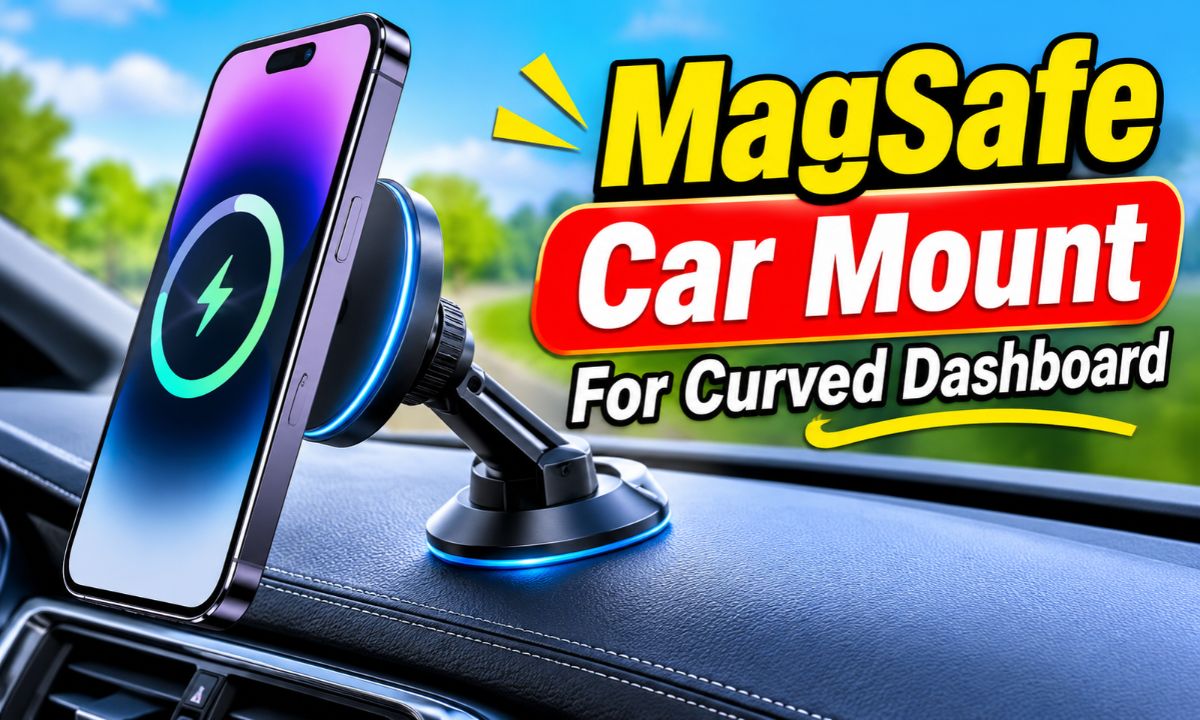
A MagSafe car mount for a curved dashboard needs a flexible arm, a suitable adhesive base, or a compatible dashboard pad that creates a stable mounting surface.
Drivers across the United States use phone mounts for GPS directions, hands-free calls, and music controls. But not every car has a flat dashboard. Many popular cars, SUVs, and pickup trucks have sloped, rounded, or textured dash panels. These shapes can make a standard magnetic phone holder hard to install.
A curved dashboard creates a simple problem. A flat suction cup needs even contact with the surface to form a strong seal. When one side lifts, air can enter beneath the cup. An adhesive base can also struggle when it sits across a steep curve or a soft dashboard material.
The good news is that you do not need to give up on a magnetic phone mount. You need to match the mount’s base and arm to your dashboard shape. A flexible gooseneck, a purpose-made adhesive pad, or a mount with a movable base may work better than a basic flat suction cup.
This guide explains how to choose a suitable mount, check your dashboard, install it, and fix common problems. It also covers MagSafe compatibility, phone weight, heat, charging, and safe placement so you can make a sound choice before buying.
Why Curved Dashboards Make MagSafe Mounts Difficult
Curved dashboards make phone mounts harder to install because many mounting bases are designed for flat surfaces. A round suction cup or rigid adhesive plate may not sit evenly on a sloped panel. This can reduce contact and make the mount less stable.
Think of a suction cup like a lid on a smooth jar. It needs an even surface to hold properly. If one edge sits higher than the other, the seal may fail. The same basic problem can happen when you place a flat mount on a rounded dashboard.
The dashboard material also matters. A smooth hard-plastic panel may support one type of mount, while a soft-touch, leather-covered, or fabric-covered panel may not support the same adhesive. A good fit depends on both the shape and the material.
Source: amazon.com
Rounded dashboard panels
A curved panel can leave gaps beneath a rigid base. Look for a mount with a flexible joint or a suitable mounting pad.
Sloped surfaces
A steep angle can make the phone tilt toward the driver or passenger. An adjustable arm can help correct the viewing angle.
Textured plastic
Deep grain and raised patterns can reduce contact with suction cups and some adhesive pads.
Soft dashboard coverings
Leather, suede, and soft-touch coatings may be damaged by strong adhesive. Check the vehicle and mount instructions first.
Does Every Curved Dashboard Need a Special Mount?
No. A mildly curved dashboard may still have a small flat area that can support a suitable mount. The key is to check the exact spot rather than judge the whole dashboard by its overall shape.
Place the mount base against the proposed area without removing its protective film. Look for gaps, rocking, or uneven contact. If the base cannot sit properly, choose another mounting method instead of forcing it into place.
Mild curve
A small flat section or compatible dashboard pad may provide enough contact for a suitable base.
Deep curve
A flexible arm, adjustable mounting system, or another approved location may be more practical.
Best Types of MagSafe Mounts for Curved Dashboards
The best mount type depends on the amount of curve, dashboard material, and space around the steering wheel. Some designs focus on a flexible arm, while others use an adhesive base or a suction system with a separate dashboard pad.
Do not choose a mount based on its magnet alone. The magnetic head holds the phone, but the base holds the entire assembly to the vehicle. Both parts must work well together.
The following options explain the main designs and where each one may be useful.
Source: amazon.co.uk
Flexible gooseneck mount
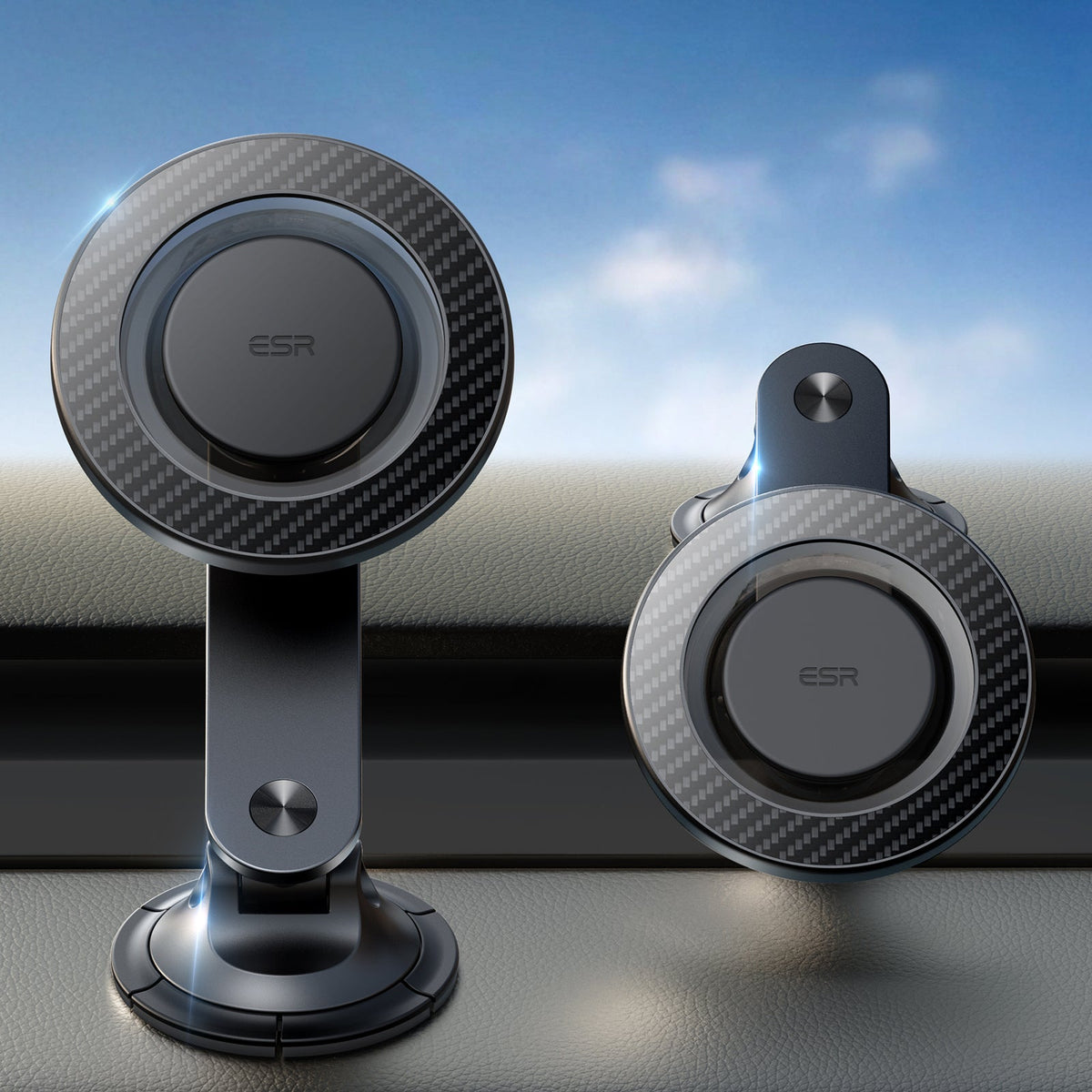
A bendable neck can help move the phone away from a curved mounting area and place it at a useful viewing angle. Check that the neck stays firm under the weight of your phone.
Adhesive dashboard mount
A broad adhesive base can provide a fixed mounting point on an approved surface. It is useful when a suction cup cannot seal against the dashboard.
Suction cup with dashboard pad
A compatible pad can create a smoother mounting area for a suction cup. The pad itself must attach securely to the dashboard.
Adjustable folding mount
A folding arm and rotating magnetic head can help position a phone above a sloped panel. The base still needs a suitable mounting surface.
Vent and dashboard combination mount
A two-way design gives you another installation option if the dashboard location is unsuitable. Check vent strength, airflow, and phone clearance.
When a Flexible Gooseneck Is the Better Choice
A gooseneck mount can be useful when the dashboard curves downward or has a raised section near the windshield. Its flexible neck lets you move the magnetic head without needing the base to sit directly below the phone.
However, a long neck can vibrate or move when the car travels over rough roads. A phone with a heavy case can make this problem worse. Choose a design with a firm neck and a base rated for the complete load.
Before buying, check how far the neck extends and whether it can hold your phone without bending over time. A shorter, firmer arm may be easier to control than a very long flexible one.
Main advantage
More freedom to position the phone above a curved or sloped mounting area.
Main limitation
Long or weak arms may shake and make the screen harder to view.
When an Adhesive Dashboard Pad Makes Sense
An adhesive dashboard pad can help when the dashboard is slightly curved or textured and the mount manufacturer approves the pad for that surface. Some pads provide a flat area for a suction base, while others serve as the direct mounting base.
These are not all the same product. Check whether the pad is designed to hold a suction cup or whether it is intended to support the mount itself. Using the wrong combination can create a weak connection.
Adhesive pads can also be difficult to remove without leaving marks. Test the proposed location and review the dashboard care instructions before installation.
Useful feature
It can provide a more suitable mounting area than a suction cup placed directly on textured plastic.
Important limit
It cannot make every soft, deeply curved, or delicate dashboard safe for adhesive mounting.
How to Choose the Right Mount for Your Dashboard
Start by checking the dashboard rather than shopping by brand or magnet strength. The right mount should fit the surface, keep the phone stable, and let you see the screen without blocking the road.
You should also consider the phone and case. A large iPhone with a thick protective case puts more weight on the magnetic head than a small phone without a case. The mount must support the full setup, not just the phone by itself.
Use this table to compare the main mounting options before making a purchase.
Source: amazon.ca
Check the base shape
Compare the base diameter and shape with the available flat area on your dashboard.
Check the adjustment range
Look for a head that tilts and rotates enough to fit your dashboard angle.
Check the load rating
Confirm that the mount supports your phone and case together.
Check the mounting instructions
Make sure the manufacturer approves the intended dashboard material and installation method.
Mount Type Comparison
Each design solves a different mounting problem. A suction cup is easy to reposition on an approved smooth surface, while an adhesive base can provide a more fixed installation. A gooseneck offers more reach but may need extra support to control vibration.
Suction cup
Best for compatible smooth surfaces. Less suitable for deep curves, fabric, and uneven dashboard panels.
Adhesive base
Useful for approved rigid surfaces. Removal and surface compatibility need careful attention.
Gooseneck
Useful when the phone needs to sit farther from the base. Arm stiffness is important.
Folding arm
Useful for compact storage and angle adjustment. The base still needs good contact.
Check MagSafe Compatibility Before Buying
MagSafe uses a magnetic attachment system designed for compatible iPhones and accessories. A MagSafe-compatible phone or case can attach to a matching magnetic car mount without a traditional side-clamp holder.
However, not every magnetic phone holder is a genuine MagSafe accessory. Some products use a general magnetic plate or ring. These may work with different phones, but the attachment strength and alignment can vary.
If you use an Android phone, check whether the mount includes a suitable metal ring or supports another approved magnetic attachment method. A metal ring may need to be attached to the case, and its position matters.
Also check your case. A thick case, wallet attachment, metal plate, or other accessory between the phone and mount can affect the connection. Use a case designed for magnetic attachment when possible.
Compatible iPhone
Check the phone model and whether the selected mount supports its MagSafe attachment system.
Check for an included ring or a compatible case. Do not assume that every magnetic mount works directly with Android.
How to Install a MagSafe Mount on a Curved Dashboard
The safest way to install a mount is to plan the position first, prepare the surface, follow the mounting instructions, and test the phone while the vehicle is parked. Never rush the adhesive step.
Some mounts include a dashboard pad. Others use a direct adhesive base or a suction cup. Follow the instructions for the exact model because curing times and surface requirements can differ.
Before starting, gather a clean microfiber cloth, the supplied mounting parts, and the installation guide. Use only a cleaning product that is safe for your dashboard material.
Source: manuals.plus
Park safely
Park on level ground, switch off the vehicle, and make sure the dashboard is cool.
Check the location
Keep the mount away from airbags, controls, displays, and important sightlines.
Prepare the surface
Remove dust and dirt with an approved cleaning method. Let the area dry fully.
Step 1: Find a Suitable Mounting Spot
Look for a stable area that gives the base enough room to sit properly. Avoid placing it across a sharp curve or over a seam between two dashboard panels.
Place the uninstalled mount in the proposed spot. Check whether it rocks or leaves a visible gap. Also attach your phone to the magnetic head while parked to check the viewing angle.
Make sure the phone does not block the windshield view, rearview mirror, instrument panel, or controls. Check the vehicle owner’s manual for airbag locations and restricted mounting areas.
Good location
A stable area with enough space for the base and a clear view of the road.
Poor location
A steep curve, flexible panel, airbag cover, or area that blocks a control.
Step 2: Clean and Prepare the Dashboard
A clean surface helps a compatible adhesive or suction base work as intended. Dust, skin oil, dashboard dressing, and wax can interfere with contact.
Use the cleaning method recommended by the vehicle maker and mount manufacturer. Do not apply alcohol or another strong cleaner without checking that it is safe for the dashboard finish.
Allow the area to dry completely. Do not install the mount over fresh polish, oily dressing, or a damp surface.
Remove dust
Wipe the area with a clean, lint-free cloth.
Avoid harsh chemicals
Some dashboard coatings can stain, fade, or become damaged by unsuitable cleaners.
Let it dry
Wait until the surface is fully dry before applying adhesive.
Step 3: Install the Correct Base or Dashboard Pad
If the mount includes an approved dashboard pad, install it according to the supplied instructions. Press it evenly and make sure it sits in the intended position.
Some adhesive pads require several hours or a full day to cure. Other products specify a different waiting period. Follow the exact instructions rather than attaching your phone as soon as the pad looks secure.
If the mount uses a direct adhesive base, make sure the entire intended contact area sits properly on the approved surface. Do not bend a rigid base to force it against a curve.
Use the supplied parts
Do not combine unrelated adhesive pads and suction cups unless the manufacturers approve that setup.
Apply even pressure
Follow the specified pressure and installation time.
Wait for curing
Respect the full waiting time before adding the mount or phone.
Step 4: Attach and Adjust the Magnetic Head
Once the base is ready, attach the arm and magnetic head. Tighten the adjustment joints according to the instructions. Avoid overtightening plastic knobs or threaded parts.
Attach your phone and check whether the magnetic connection feels secure. Rotate the phone into portrait or landscape mode and confirm that the joint stays in place.
If the phone tilts forward or the arm moves under its weight, check the joint and the mount’s load limit. A phone that keeps slipping is not ready for road use.
Check alignment
Place the phone in the center of the magnetic attachment area.
Lock the joints
Secure adjustable parts without forcing them.
Check phone clearance
Make sure the mount does not cover the camera, buttons, or charging port.
Step 5: Test the Mount Before Driving
Keep the vehicle parked and gently check the base, arm, and magnetic connection. The phone should stay in place when you make normal adjustments by hand.
Check the mount again after the adhesive has fully cured. Look for lifting edges, movement, or a loose joint. If anything shifts, stop and correct the problem before driving.
Take a short parked-position viewing check from the driver’s seat. The phone should be easy to glance at without blocking your view of the road or important vehicle information.
Stable base
The mounting base does not rock, slide, or lift at the edges.
Secure phone
The phone remains attached when the mount is gently checked.
Clear sightline
The mount does not interfere with driving visibility or vehicle controls.
How to Keep a MagSafe Mount Secure in Hot Weather
Heat can affect both adhesive products and suction-based mounts. This matters to drivers in hot parts of the United States, especially when a vehicle sits in direct summer sun.
A dashboard can become much hotter than the air around the car. Heat may soften some adhesives or change the behavior of certain materials. Repeated heating and cooling can also place stress on the mounting connection.
The magnetic connection and the dashboard connection are separate. A strong magnet cannot prevent the entire base from coming loose.
Source: tiendamia.com
Use a suitable product
Choose a mount that lists the intended vehicle surface and operating conditions.
Inspect the adhesive
Look for lifted edges, soft material, residue, or movement.
Check the suction cup
Clean and maintain it as directed by its manufacturer.
Remove the phone when parked
This can reduce the load on the mount and limit unnecessary exposure of the phone to dashboard heat.
Can a MagSafe Mount Stay Attached in a Hot Car?
It may, but there is no single answer for every mount. Adhesive type, dashboard material, temperature, phone weight, and installation quality all affect performance.
Check the product’s temperature limits and maintenance instructions. If the manufacturer does not state that the adhesive is suitable for your conditions, do not assume it will remain secure during prolonged heat exposure.
If the mount begins to lift or slide, remove the phone and stop using it. Replacing a failing mounting pad is safer than trying to hold it in place with extra tape or an unapproved glue.
Warning sign
The adhesive edges begin to lift or the base moves when touched.
Correct response
Remove the phone, inspect the mounting area, and follow the manufacturer’s repair or replacement instructions.
Common Problems and How to Fix Them
A mount that falls, shakes, or loses its grip may have an installation problem, a compatibility issue, or a damaged part. Find out which connection is failing before replacing the entire setup.
There are three main connections to check: the dashboard base, the adjustable arm, and the magnetic phone attachment. Each has a different cause of failure.
Source: mightymount.ca
The base keeps falling
Check for a curved contact area, dust, incompatible dashboard material, or a worn suction cup.
The phone slides down
Check magnetic alignment, case compatibility, phone weight, and joint tightness.
The mount shakes
Check for a long flexible arm, loose joints, or a weak mounting base.
The adhesive leaves marks
Use only the removal method approved for the adhesive and dashboard material.
Problem: The Suction Cup Will Not Stick
A suction cup may fail because the dashboard is too curved, rough, dusty, or porous. Some cups also lose grip when their surface becomes dirty or worn.
Remove the mount and inspect the cup. If the manufacturer permits washing, clean it as directed and allow it to dry. Do not use oils or household glue to restore its grip.
If the dashboard is not suitable for direct suction, use an approved dashboard pad or select another mounting design.
Check the surface
Look for deep texture, curves, seams, and soft materials.
Clean the cup
Use the cleaning method in the product manual.
Change the mounting method
Choose an approved flat mounting area if direct suction continues to fail.
Problem: The Phone Falls Off During a Drive
A falling phone can indicate weak magnetic attachment, poor alignment, an unsuitable case, or excessive weight. The mount may also be moving because its base or arm is loose.
First, stop using the mount until you find the cause. Check whether the phone attaches at the center of the magnetic ring. Remove extra accessories and test with a compatible case.
If the magnetic connection still feels weak, check the manufacturer’s compatibility information. Do not rely on a metal plate or extra magnet unless the mount maker approves it.
Check the case
Remove wallet attachments, thick accessories, and other items that may interfere with magnetic contact.
Check the phone weight
Make sure the complete phone and case setup is within the mount’s stated limit.
Inspect the magnetic head
Look for damage, dirt, or a loose rotating joint.
Problem: The Mount Vibrates on Rough Roads
Some vibration is related to the road and vehicle suspension, but a long or flexible mount arm can make the movement more noticeable. A heavy phone can add more force to the arm.
Check all adjustment joints and make sure the base is firmly attached. If the mount continues to move, try a shorter approved arm or a more stable mounting location.
Do not place extra weight on the mount or use improvised braces that can detach and become a hazard.
Shorten the arm
Use the shortest practical extension that gives you a clear view.
Tighten the joints
Follow the manufacturer’s adjustment instructions.
Check the base
A loose base can make the whole mount shake.
MagSafe Car Mount Safety and Dashboard Placement
A secure phone mount must also be placed safely. A location that holds the phone well may still be unsuitable if it blocks the windshield, covers a control, or sits near an airbag deployment area.
In the United States, vehicle rules for phone use and mounting can vary by state. Check the laws where you drive, along with the vehicle owner’s manual and the mount instructions.
Federal driver-distraction guidance from the National Highway Traffic Safety Administration emphasizes that mounted devices should not obstruct the driver’s view or access to controls needed for driving. A mount should support safer access, not create another distraction.
Source: in.esrtech.com
Keep the road visible
Place the phone where it does not block the windshield or important sightlines.
Avoid airbag areas
Do not attach a mount to an airbag cover or where a deployed airbag could strike the phone or mount.
Keep controls clear
Do not cover climate controls, hazard switches, displays, or other important controls.
Set navigation before moving
Enter your destination and adjust the phone while parked.
Use voice guidance
Audio directions can reduce the need to look at the screen.
Can You Mount a MagSafe Holder on the Windshield Instead?
A windshield mount may be an option when the dashboard has no suitable mounting area. However, windshield mounting rules vary by state and may restrict the location or size of an attached device.
Before using this method, check your state requirements and vehicle manual. Keep the mount away from the driver’s primary view and make sure it does not interfere with sensors, cameras, or other equipment near the windshield.
If windshield mounting is not allowed or the position is unsuitable, consider a compatible vent mount or another approved dashboard location.
Check local rules
Confirm that the intended windshield location is permitted.
Check vehicle equipment
Avoid blocking cameras, sensors, and other built-in systems.
Does Wireless Charging Make a Mount Hotter?
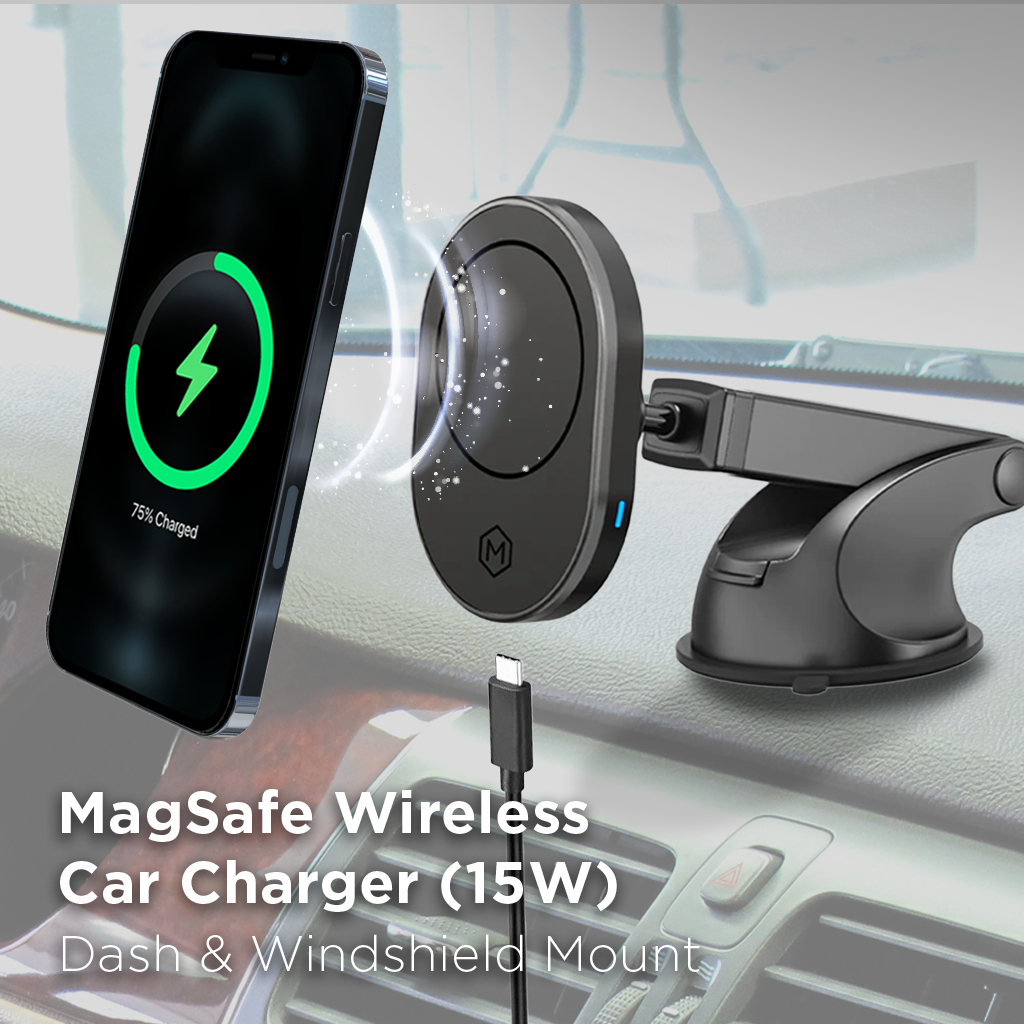
A magnetic mount does not always include wireless charging. Some models only hold the phone, while others combine magnetic attachment with a charging coil.
Wireless charging can produce heat in both the phone and charger. The amount depends on the charger, phone, alignment, power level, and operating conditions.
If you choose a charging mount, check its power requirements and use a suitable car power adapter. Keep the phone properly aligned and follow the charging manufacturer’s temperature guidance.
Magnetic holder only
Holds the phone but does not charge it.
Wireless charging mount
Needs a compatible phone, charging system, cable, and suitable power source.
Charging performance
May vary with phone model, case, temperature, and alignment.
What to Look for Before Buying
A good buying decision starts with the dashboard, not the product’s advertised magnet count. A mount with a powerful magnetic head can still be a poor choice if its base cannot attach securely to your vehicle.
Read the product details carefully and look for clear installation instructions. A useful listing should explain the mounting surface, adhesive or suction method, adjustment range, phone compatibility, and weight limits.
Also check whether replacement adhesive pads or other mounting parts are available. A mount that cannot be repaired may need full replacement if its base wears out.
Source: themightymount.com
Base compatibility
The product should clearly identify suitable and unsuitable dashboard materials.
Arm design
Choose a short, firm, adjustable arm when the dashboard shape requires extra reach.
Magnetic compatibility
Check support for your exact phone and case combination.
Rotation
A useful rotating head lets you switch between portrait and landscape positions.
Charging support
Confirm whether the mount is a holder only or includes wireless charging.
Replacement parts
Look for available pads, adhesive bases, and other service parts.
Warranty and support
Read the actual warranty terms and check how the manufacturer handles installation problems.
Questions to Ask Before Ordering
Before purchasing, compare the mount’s dimensions with the flat space on your dashboard. A wide base may not fit between raised panels, while a very small base may not provide the contact area needed by its design.
Ask whether the mount can use a dashboard pad on your material. If the answer is unclear, contact the manufacturer rather than assuming the adhesive will work.
Finally, check the return policy. A mount can look suitable in product photos but fail to fit your actual dashboard.
Will the base fit?
Compare its dimensions with the available mounting area.
Is my dashboard material supported?
Check for specific approval for plastic, textured, leather-covered, or soft-touch surfaces.
Can I adjust the phone angle?
Check the arm and magnetic head movement before buying.
Can I replace the mounting pad?
Check whether compatible replacement parts are sold.
Research Notes and Important Buying Gaps
A useful comparison of curved-dashboard mounts should focus on installation conditions rather than magnetic strength alone. Product pages often describe rotation, magnet design, or general compatibility, but these details do not prove that a particular base will attach to every dashboard.
The main evidence distinction is between documented installation requirements and real-world performance. A manufacturer manual can establish how a product is meant to be installed. It cannot establish that the same product will remain secure on every vehicle or in every temperature.
The following research map highlights practical questions that deserve attention when comparing mounting options. It is an editorial assessment of the available product and instruction material, not a claim about every competing page on the internet.
Source: mightymount.ca
Question: Will a suction cup work on a curved dashboard?
Reader stage: Before buying. Evidence basis: Mount installation manuals describe the need for suitable contact and, in some cases, a separate dashboard pad. Priority: High. Article placement: Mount selection and installation.
Question: Can an adhesive pad damage a dashboard?
Reader stage: Before installation. Evidence basis: Product guidance warns about delicate and incompatible surfaces. Priority: High. Article placement: Dashboard preparation and buying advice.
Question: Will a long arm shake with a large phone?
Reader stage: During use. Evidence basis: Mechanical analysis of arm length, joint movement, and phone weight. This is an inferred next need, not a verified search-demand finding. Priority: Medium. Article placement: Mount type comparison and troubleshooting.
Question: Can a mount stay attached in summer heat?
Reader stage: After installation. Evidence basis: Adhesive and suction maintenance instructions, with product-specific temperature limits still needed. Priority: High. Article placement: Heat and maintenance.
Reader stage: Before buying. Evidence basis: Magnetic phone holders and charging mounts are different product types. Priority: High. Article placement: Compatibility and charging.
Question: Where can a phone mount be placed legally?
Reader stage: Before installation. Evidence basis: NHTSA visibility guidance and state-specific vehicle rules. Priority: High. Article placement: Safety and placement.
Frequently Asked Questions
Q
What is the best MagSafe car mount for a curved dashboard?
The best choice depends on your dashboard shape and material. A flexible gooseneck may work well when you need extra reach, while an approved adhesive dashboard pad can help create a suitable mounting area for a compatible base.
Check the surface requirements, phone weight limit, and adjustment range before buying. No single mount is guaranteed to work on every curved dashboard.
Q
Will a suction cup stick to a curved dashboard?
A suction cup may stick to a mildly curved area if its design supports that surface and it can form a proper seal. Deep curves, rough textures, seams, and porous materials can prevent a secure connection.
Use an approved dashboard pad if the manufacturer recommends one. Do not force a flat suction cup against a surface where it cannot make even contact.
Q
Can I use a MagSafe mount without a MagSafe case?
That depends on your phone model and mount. A compatible iPhone may attach directly, but a suitable magnetic case can improve convenience and protect the phone.
Some general magnetic mounts include a metal ring for other phones or cases. Check the instructions because ring placement and case material can affect attachment.
Q
Are adhesive dashboard pads safe for leather dashboards?
Do not assume that an adhesive pad is safe for leather. Strong adhesive can leave residue, discolor the surface, or damage its finish when removed.
Check the vehicle manufacturer’s care instructions and the mount maker’s surface compatibility list. If leather is excluded, choose another approved mounting location.
Q
Why does my MagSafe car mount keep falling off?
The cause may be a weak dashboard connection, dirty suction cup, poor magnetic alignment, incompatible case, loose joint, or excessive phone weight.
Check each connection separately while parked. Stop using the mount if the base or phone attachment remains loose. Replace damaged parts or choose a mount that better matches your dashboard.
Q
Can I use a MagSafe car mount for wireless charging?
Only if the product includes a wireless charging system. Some MagSafe car mounts are magnetic holders and do not supply power.
For charging, check phone compatibility, charger specifications, power adapter requirements, and cable connections. Follow the manufacturer’s guidance for heat and alignment.
Q
Is a vent mount better than a dashboard mount for a curved dash?
A vent mount can be a useful alternative when the dashboard has no suitable mounting surface. It avoids the need for a dashboard adhesive pad or suction cup.
However, check that the vent is strong enough to support the phone and mount. Also consider whether the phone will block airflow or make the vent difficult to adjust.
✦ Wrapping Up
Conclusion
Choosing a MagSafe car mount for a curved dashboard is mainly about finding a secure base and a useful phone position. A powerful magnet is only one part of the setup. The dashboard connection, arm design, phone weight, and case compatibility matter just as much.
For a slightly curved dashboard, an approved mounting pad may provide a suitable base. For a steep or awkward curve, a flexible arm or another approved mounting location may be more practical. If your dashboard has leather, suede, or a delicate soft-touch finish, check compatibility before applying adhesive.
Take time to test the position before installation. Clean the surface with an approved method, follow the curing instructions, and check every joint before attaching your phone for a drive. A secure mount should stay in place without blocking your view or interfering with vehicle controls.
The right setup is the one that fits your actual dashboard, holds your phone reliably, and lets you use navigation without creating another driving hazard.
💡 Key Takeaway
Before buying, measure the available flat area on your dashboard, check its surface material, and compare those details with the mount’s installation instructions. Choose an approved base and test the complete setup while parked.
1 thought on “MagSafe Car Mount For Curved Dashboard: Fit Guide”




1 thought on “MagSafe Car Mount For Curved Dashboard: Fit Guide”