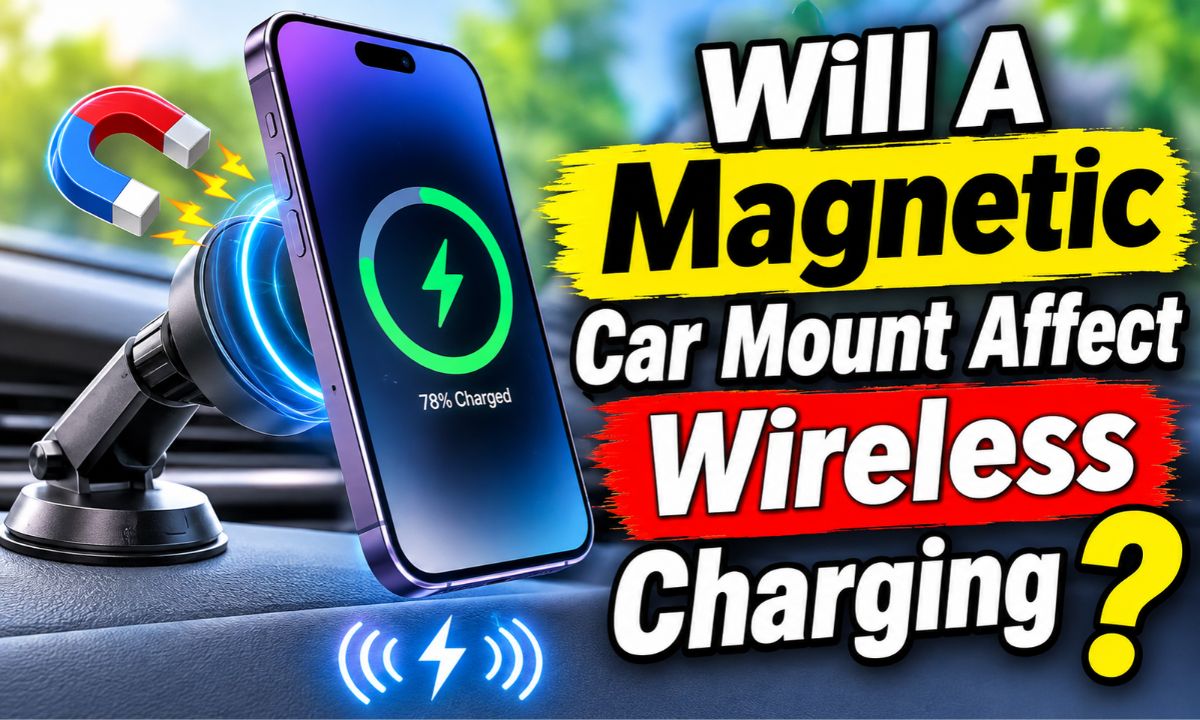
Yes, a magnetic car mount can affect wireless charging if its magnets, metal plates, or design interfere with the phone’s charging coil. A compatible magnetic charging mount can work normally.
If you drive in the United States, you may use a magnetic phone holder to keep your iPhone or Android phone within easy reach for navigation, hands-free calls, and traffic updates. These mounts are popular because they hold a phone in place without bulky clamps. However, adding magnets and metal parts near a wireless charging system can raise questions about charging speed, heat, and device compatibility.
The good news is that a magnetic car mount does not automatically prevent wireless charging. The result depends on where the magnets and metal parts sit, whether the mount has a built-in charging coil, and whether your phone supports the charging system. A simple magnetic holder and a magnetic wireless charging mount are two different products, even if they look similar.
Understanding this difference can help you avoid slow charging, charging interruptions, and excess heat. It can also help you choose a mount that works with your phone insteadof buying an accessory that blocks the charging coil. This guide explains how the parts interact, what problems to watch for, and how to test your setup.
How Does a Magnetic Car Mount Affect Wireless Charging?
A magnetic car mount can affect wireless charging when its magnetic parts or metal components interfere with the charging area on the back of your phone. Wireless charging needs two coils to line up. One coil sits inside the phone, while the other sits inside the charging pad or mount. Both must work together to transfer power.
A magnet alone does not always stop this process. Many modern magnetic charging systems are designed to use magnets for alignment. Problems are more likely when an accessory has an unplanned metal plate, an incompatible magnetic ring, or a design that places the charging coils too far apart.
The Wireless Power Consortium explains that conductive foreign objects in a Qi charging field can absorb energy and become hot. Its guidance also explains why a charger may reduce power or stop charging when it detects an object that could cause heating. This is one reason the material and position of a mount matter.
The practical answer is simple: a properly designed magnetic wireless charging mount can work well, but an ordinary magnetic holder may not support wireless charging at all. You need to check the exact mount design and your phone’s charging support before using both features together.
Source: i5.walmartimages.com
Magnetic alignment
Some charging systems use magnets to help place the phone in the correct position over the charging coil.
Metal interference
A metal plate or other conductive part in the charging area can reduce charging efficiency or trigger foreign object protection.
Coil positioning
If the phone and charger coils do not line up, charging may become slow or stop.
Accessory compatibility
A mount designed for magnetic holding may not have the parts needed for wireless power transfer.
Why Wireless Charging Needs Proper Alignment
Wireless charging uses electromagnetic induction. The charging pad sends energy through a changing magnetic field, and a receiving coil inside the phone turns that energy into electrical power. This process works best when the two coils sit close together and line up correctly.
Think of the coils as two parts of a small energy bridge. If you move one part too far away or place an unwanted object between them, the transfer can become less efficient. A magnetic car mount can change this setup if it holds the phone in the wrong position.
Some charging mounts use magnets to keep the phone centered. Others use a metal plate that sits near the phone’s charging coil. These designs can have very different results, so the word magnetic on a product label does not prove wireless charging compatibility.
Correct position
The phone’s receiving coil should line up with the charging mount’s transmitting coil.
Clear charging area
Avoid loose metal objects and unapproved plates near the charging coils.
Does a Regular Magnetic Phone Holder Stop Wireless Charging?
A regular magnetic phone holder can prevent wireless charging if it uses a metal plate attached to the back of the phone. Many basic magnetic mounts rely on a strong magnet in the holder and a thin steel plate on the phone or inside its case. The plate helps the phone stay attached, but it can interfere with the charging field.
The location of that plate is especially important. If it covers the area where the phone’s wireless charging coil sits, the phone may fail to charge or may charge less efficiently. Even if the phone begins charging, the added material can cause unwanted heat or interruptions.
Some holders use a magnetic ring instead of a solid metal plate. A ring may leave the center area more open, but that does not guarantee compatibility. Its size, thickness, material, and position still matter.
If your current holder does not include a wireless charging feature, do not assume that attaching a wireless charger somewhere else will solve the problem. Check the phone manufacturer’s instructions and the accessory maker’s compatibility details first.
Source: fenrisfour.com
Metal plate behind the phone
A solid plate near the charging coil can block or reduce wireless power transfer.
Magnetic ring
A ring may work with some charging arrangements, but its exact placement and design still matter.
Magnetic case
A case with built-in magnets may support wireless charging if it is designed for the phone and charging standard.
Basic magnetic holder
A holder made only for phone attachment should not be treated as a wireless charger.
What Happens If You Use a Metal Plate?
A metal plate can interfere with the energy transfer between the charger and phone. Conductive materials exposed to the charging field may develop eddy currents, which can produce heat. The Qi system includes foreign object detection methods to help manage this risk.
The phone may refuse to charge, show a charging warning, or start and stop charging. In some cases, the charger may lower its power output. These responses depend on the phone, charger, plate, and their positions.
The safest approach is to remove the plate before wireless charging unless the mount and phone makers clearly approve that specific arrangement. Do not cut, bend, or modify a charging accessory to make it fit.
Remove the plate
Take off an ordinary metal mounting plate before placing the phone on a wireless charging pad.
Check the case
Look for built-in metal layers or mounting parts that may sit over the charging coil.
Can a Magnetic Car Mount Work With MagSafe and Qi2 Charging?
Yes. A magnetic car mount can work with MagSafe or Qi2 when the mount, phone, and any case support the same charging system. These systems are different from a basic magnetic phone holder because they are designed to combine magnetic alignment with wireless power transfer.
Apple’s MagSafe system uses magnets to help align compatible accessories with supported iPhones. Qi2 also uses a Magnetic Power Profile, which builds magnetic alignment into the wireless charging experience. This design helps the charging coils line up more consistently.
However, magnetic attachment does not mean every mount can charge every phone. A mount may support magnetic holding without offering power, or it may support a charging speed that your phone cannot use. The phone model, charger rating, case, and power adapter all affect the final result.
Samsung also provides guidance for magnetic accessories on Galaxy devices. Its support information explains that some magnetic covers and plates can cause coil misalignment or be treated as foreign objects by chargers that lack the needed Magnetic Power Profile support. This shows why compatibility should be checked by exact device and accessory model.
Source: p.globalsources.com
MagSafe
Apple’s magnetic accessory system helps align supported iPhones and compatible wireless charging accessories.
Qi2
A wireless charging standard that includes magnetic alignment through its Magnetic Power Profile.
MPP compatibility
The charger and phone or approved case must support the right magnetic charging arrangement.
Basic magnetic attachment
A magnet that holds a phone in place does not automatically provide Qi or Qi2 charging.
Is MagSafe Better Than a Regular Magnetic Mount?
For an iPhone user who wants both magnetic attachment and wireless charging, a compatible MagSafe car charger is generally a more suitable option than a basic magnetic holder. It is designed around the phone’s magnetic alignment system and charging needs.
A regular magnetic mount may still be useful if you only need a holder and plan to charge with a cable. It can also be suitable for phones that do not support wireless charging. The right choice depends on whether you need charging, holding, or both.
Check the accessory’s exact compatibility list before buying. A product described as MagSafe compatible may refer only to magnetic attachment, while another may offer actual MagSafe wireless charging.
Choose a charging model
Look for clear wireless charging specifications rather than a magnetic attachment claim alone.
Check the phone model
Confirm that your iPhone supports the advertised MagSafe or Qi2 charging feature.
Can Android Phones Use Magnetic Wireless Charging Mounts?
Some Android phones support Qi or Qi2 wireless charging, while others do not. A phone can support wireless charging without having built-in magnets for secure attachment. In that case, a compatible magnetic case or accessory may be needed.
Samsung Galaxy phones provide a useful example. Some Galaxy models support Qi wireless charging, but magnetic accessories can affect alignment and charging performance. Samsung’s guidance recommends compatible MPP accessories for suitable magnetic charging arrangements.
Before buying a magnetic car charger for an Android phone, check the exact phone model, charging standard, case compatibility, and advertised power output. Do not rely on the Android brand name alone.
Check Qi support
Confirm that your specific phone has built-in wireless charging.
Check magnetic support
Find out whether your phone has built-in magnetic alignment or needs a compatible case.
Check charging standards
Match the charger and phone to the supported Qi or Qi2 features.
Why Does Wireless Charging Become Slow With a Magnetic Mount?
Wireless charging may become slow because the mount changes the distance or alignment between the phone and charging coils. A magnetic ring, metal plate, thick case, or poorly designed mount can all affect the charging process.
Charging speed also depends on the phone’s temperature and battery level. A phone may reduce charging power when it becomes hot. This can happen more easily inside a vehicle on a sunny day, especially when the phone sits near a windshield or in direct sunlight.
The power adapter matters too. A wireless car charger may advertise a high charging rate, but it needs a suitable power source to reach that rate. A weak USB port, low-power adapter, or unsuitable cable can limit the energy supplied to the mount.
A slow charging result does not always mean the magnet is the cause. You should check alignment, case thickness, power supply, temperature, and phone compatibility before replacing the mount.
Source: blackberryempire.com
Poor coil alignment
The phone may sit off-center because of the mount’s magnetic layout or its position on the dashboard.
Extra material
A thick case, metal plate, or poorly designed magnetic accessory can affect power transfer.
Insufficient power
The vehicle’s USB port or adapter may not provide enough power for the advertised charging rate.
High phone temperature
The phone may lower its charging speed to control heat.
How to Tell Whether the Mount Is Slowing Charging
Start by comparing the phone’s charging behavior with and without the magnetic mount. Use a known compatible wireless charger and remove the car mount’s metal plate or other removable attachment if the manufacturer allows it.
Keep the test conditions as similar as possible. Use the same phone, case, battery level range, and power adapter when practical. If charging improves after removing the magnetic accessory, that accessory may be part of the problem.
If the phone charges slowly in every setup, the issue may come from the phone, battery temperature, charger, or power supply instead. A single test cannot identify every possible cause, but it can help narrow down the problem.
Compare charging behavior
Check whether the phone charges normally on a compatible wireless pad without the mount.
Inspect the accessory
Look for a metal plate, thick magnetic ring, or other part covering the charging area.
Check the power source
Use the adapter and cable recommended by the charger manufacturer.
Can Magnets Damage a Phone or Its Battery?
A properly designed magnetic phone mount is not generally expected to damage a modern smartphone simply because it uses magnets. However, that does not mean every magnetic accessory is safe or compatible with every phone and charger.
Modern smartphones use solid-state storage rather than the magnetic hard drives found in older computers. A normal phone mount magnet does not erase stored photos, apps, or files. Many phones also use magnets in approved accessories and internal components.
The more relevant concern is wireless charging performance and heat. A metal object or poorly positioned accessory in the charging area can absorb energy from the charging field. Excess heat can affect charging performance and may create a safety concern.
You should also consider other phone components. Some devices use magnetic sensors, such as those that help detect certain accessories or cover positions. An unusually strong or poorly placed magnet may affect a sensor while the phone is attached. Check the phone maker’s guidance if you notice unusual behavior.
The battery itself is not normally harmed by a magnet alone. Battery health is more closely linked to factors such as heat, charging conditions, battery age, and usage. If your phone becomes unusually hot during charging, stop the process and investigate the cause.
Source: madlabglobal.com
Stored data
Ordinary magnetic phone mounts do not normally erase modern smartphone storage.
Battery health
Heat and charging conditions matter more than the simple presence of a mount magnet.
Phone sensors
Some sensors may respond to magnetic fields, depending on the phone design and magnet placement.
Charging safety
A conductive object in the charging field can heat up and should not be ignored.
Does a Magnetic Mount Damage an iPhone Camera?
A normal magnetic car mount is not automatically harmful to an iPhone camera. However, the camera system may contain optical image stabilization and other moving or electronically controlled parts. The effect of a particular accessory depends on the phone model and magnet design.
A magnetic mount should be used according to the phone and accessory makers’ instructions. If the camera behaves strangely after attaching a mount, remove the phone and check whether the issue disappears. Do not assume that every camera problem comes from the magnet.
A magnetic phone holder and a magnetic charging mount also serve different purposes. Camera concerns should be checked separately from wireless charging compatibility.
Follow manufacturer guidance
Check the support information for your exact phone and mount.
Watch for unusual behavior
Remove the accessory if camera focus or stabilization changes while it is attached.
How to Use a Magnetic Car Mount Without Interrupting Wireless Charging
You can reduce charging problems by choosing a compatible mount, keeping the charging area clear, and placing the phone correctly. A few checks before driving can save you from dealing with a phone that keeps disconnecting or loses battery power during navigation.
Start by checking the phone’s wireless charging support. Then confirm that the car mount supports the same charging standard. If you use a magnetic case, make sure it is approved for that charger rather than assuming that all magnetic cases work in the same way.
Next, check the charging adapter and cable. The mount may need a specific power input to provide its advertised charging speed. A suitable mount connected to an unsuitable power source may still charge slowly.
Once the setup is ready, place the phone in the correct position and check the charging indicator. Keep the phone away from direct heat where possible. Do not leave a charging phone in a very hot vehicle or ignore repeated temperature warnings.
Source: m.media-amazon.com
Confirm phone compatibility
Check the phone’s manual or support page to confirm wireless charging support.
Choose the correct mount
Select a charger that clearly lists support for your phone and its charging standard.
Check the case
Use a compatible case and remove ordinary metal plates or unapproved inserts.
Use a suitable adapter
Follow the mount maker’s power requirements for the adapter and cable.
Position the phone
Center the phone over the charging area and make sure the magnetic attachment is secure.
Watch the temperature
Stop charging if the phone or mount becomes unusually hot or shows a temperature warning.
A Simple Setup Checklist
Before your first drive, test the mount while the vehicle is parked. Make sure the phone attaches securely and that the charging indicator appears. Leave it in place for a short period and check whether charging continues without interruptions.
Try the phone in portrait and landscape positions if the mount supports both. Some mounts may work better in one position because the charging coils line up differently. Follow the maker’s instructions instead of forcing the phone into an unusual angle.
If charging fails, remove the phone and inspect the case and mount. Remove any loose metal objects from the charging area. Then test the phone on a compatible charging pad to see whether the issue follows the phone or stays with the car mount.
Before driving
Confirm that the phone is attached firmly and the charging indicator is active.
During use
Watch for repeated charging interruptions or unexpected heat.
After a failed test
Remove the accessory and test the phone on a separate compatible charger.
What to Do If Wireless Charging Still Does Not Work
If the phone does not charge, remove the case first and try again. A case may contain metal, magnets, or other parts that affect the charging field. A thick case can also increase the distance between the two coils.
If the problem continues, check the phone’s position and the mount’s power supply. Make sure the USB cable is firmly connected and that the adapter meets the required input rating. If possible, test the mount with another compatible phone.
If neither phone works with the mount, the mount or its power source may be faulty. If your phone fails to charge on other known-compatible chargers too, check the phone’s charging settings and contact the manufacturer or an authorized repair service.
Remove the case
Test charging without the case to rule out a metal layer or excessive thickness.
Reconnect the power
Check the cable, adapter, and vehicle power connection.
Test another phone
Use a compatible device to help identify whether the mount is the problem.
Seek repair help
Contact the phone maker if charging fails across multiple compatible chargers.
Magnetic Car Mount vs. Magnetic Wireless Charging Mount
A magnetic car mount and a magnetic wireless charging mount may look alike, but they do not perform the same job. The first holds your phone in place. The second holds your phone and transfers power to its battery.
A basic magnetic holder usually has a mounting base and a magnet. Your phone may need a metal plate or magnetic case to attach to it. It does not necessarily contain a charging coil or a power connection.
A magnetic wireless charging mount contains a charging coil and electronic parts that control power transfer. It may also use magnets to align the phone with the coil. This design is intended to combine phone support and charging in one accessory.
Choosing between them depends on your needs. If you are happy using a charging cable, a basic magnetic holder may be enough. If you want the phone to charge while mounted, choose a compatible charging model.
Source: p.globalsources.com
Basic magnetic mount
Designed to hold the phone. Wireless charging is not included unless the manufacturer specifically states otherwise.
Magnetic wireless charger
Combines magnetic phone attachment with a built-in wireless charging system.
Magnetic case
May help the phone attach to a mount, but its charging compatibility depends on its design.
Which Type Should You Choose?
Choose a basic magnetic holder if your main goal is to keep your phone visible for navigation and you do not mind using a cable. It may be simpler and can work with phones that lack wireless charging support.
Choose a magnetic wireless charging mount if you want to charge without connecting a cable to the phone each time. Make sure the mount supports the correct wireless charging standard and your phone model.
For drivers who use navigation for long trips, a charging mount can help maintain battery power. However, the charging rate still depends on the phone, mount, adapter, and operating conditions.
For cable charging
A basic magnetic holder can be a practical option.
For wireless charging
Choose a purpose-built magnetic wireless charging mount.
For mixed phone use
Look for clear compatibility details covering all intended phone models.
Common Mistakes to Avoid With Magnetic Charging Mounts
Many charging problems come from small setup mistakes rather than a defective phone. A mount may be compatible in general but still fail when used with the wrong case, adapter, or metal plate.
The most common mistake is buying a holder based only on its magnetic strength. A strong magnet can hold a phone securely, but that does not prove the product supports wireless charging. Read the charging specifications before making a purchase.
Another mistake is ignoring heat. A phone mounted near a sunny windshield may become hot while running navigation and charging. If the phone warns that it is too hot, stop charging and let it cool in a safe place.
You should also avoid adding extra metal parts to improve the magnetic grip. An extra plate may make the phone attach more firmly, but it may also interfere with the charging field.
Source: madlabglobal.com
Assuming all magnetic mounts charge phones
A magnetic holder may have no wireless charging hardware at all.
Ignoring case compatibility
A metal or thick case can interfere with charging even when the mount itself is compatible.
Using an unsuitable adapter
A weak power source can prevent the mount from reaching its stated charging performance.
Adding extra metal plates
Unapproved metal parts can interfere with charging or become hot.
Ignoring heat warnings
Repeated overheating should be treated as a reason to stop and inspect the setup.
Should You Use a Magnetic Mount With a Thick Phone Case?
A thick phone case can reduce wireless charging performance because it increases the space between the phone’s receiving coil and the charger’s transmitting coil. Some cases also contain metal inserts or other parts that may cause additional problems.
There is no single thickness limit that applies to every phone and mount. Follow the exact limits listed by the phone and charger makers. If charging is unreliable, remove the case and test the phone again.
A case made for magnetic wireless charging is usually a better starting point than a generic case with an added metal plate. Still, check the exact phone and charger compatibility before using it.
Check case thickness
Follow the maximum thickness listed in the phone or charger instructions.
Check for metal
Avoid unapproved metal inserts near the wireless charging coil.
Test without the case
Remove the case temporarily if charging is slow or unreliable.
How to Choose a Compatible Magnetic Wireless Charging Mount
The best mount for your phone is one that supports its wireless charging system, holds it securely, and uses a suitable power source. You do not need the strongest magnet or the highest advertised wattage if your phone cannot use those features.
Start with the phone’s official specifications. Confirm wireless charging support and identify the charging standard. Then compare those details with the mount’s stated compatibility.
Look for clear information about the charger model, power input, supported output, and case requirements. A product listing that only says universal magnetic holder does not provide enough information to confirm wireless charging support.
If you use an iPhone, check whether the accessory supports the appropriate MagSafe or Qi2 features. If you use an Android phone, check its Qi or Qi2 support and whether a compatible magnetic case is needed.
Source: fenrisfour.com
Phone compatibility
The exact phone model should appear in the supported device list or meet the stated charging standard.
Charging standard
Look for clear Qi, Qi2, or MagSafe support where applicable.
Power requirements
Check the required USB adapter, cable, and input rating.
Mount design
Look for secure attachment and proper coil alignment.
Case support
Confirm whether the mount works with your current phone case.
Safety features
Look for documented protection against overheating and foreign objects.
Does a Higher Wattage Always Mean Faster Charging?
No. A charger with a higher advertised wattage does not guarantee that your phone will charge faster. The phone, charger, power adapter, cable, and charging conditions must all support the required power level.
For example, a mount advertised as a 15-watt wireless charger may not deliver 15 watts to every phone. The actual rate can be lower because of phone limits, temperature, alignment, or the charging standard in use.
Compare the supported output for your exact phone instead of choosing a mount based only on the largest number on its packaging. A well-matched charger can be more useful than a higher-rated model with limited compatibility.
Check the phone limit
Find the maximum wireless charging rate supported by your device.
Check the adapter
Make sure the power source can meet the charger’s input requirements.
Consider temperature
Charging may slow when the phone becomes hot.
Troubleshooting Symptoms and Their Possible Causes
The easiest way to troubleshoot a magnetic car mount is to match the symptom with a likely cause. Do not replace the phone or mount before checking the simple issues first.
Start with the phone’s position and case. Then inspect the power connection and temperature. If the problem continues, test the phone and mount separately with compatible charging equipment.
Stop using the setup if you notice unusual heat, a damaged cable, a burning smell, or signs of physical damage. Do not keep testing an accessory that appears unsafe.
Source: m.media-amazon.com
Phone does not charge at all
Possible causes include an incompatible phone, a metal plate, incorrect coil alignment, or a faulty power supply.
Charging starts and stops
Possible causes include movement, poor alignment, foreign object detection, or an unstable power connection.
Charging is slower than expected
Possible causes include a thick case, low adapter output, high temperature, or a phone charging limit.
Phone becomes unusually hot
Possible causes include poor energy transfer, an unsuitable accessory, direct sunlight, or heavy phone use.
Phone will not attach securely
Possible causes include an incompatible case, incorrect magnetic layout, or a mount that does not support the phone.
A Practical Troubleshooting Order
First, remove the phone from the mount and check for a temperature warning. If the device is hot, let it cool before trying again. Do not place it in a refrigerator or use another extreme method to cool it.
Second, remove the case and any removable metal mounting plate. Place the phone directly on a known-compatible wireless charger. If charging works normally, the case or mount attachment may be causing the problem.
Third, reconnect the car mount using its recommended adapter and cable. Check that the phone sits in the correct position and that the cable does not move when the vehicle is in use.
Finally, test another compatible phone if one is available. If the mount fails with multiple suitable devices, contact the accessory maker. If the original phone fails on multiple known-compatible chargers, contact the phone maker.
Step 1
Stop charging and let the phone cool if it is unusually hot.
Step 2
Remove the case and metal plate, then test on a separate compatible charger.
Step 3
Check the mount’s alignment, cable, and power adapter.
Step 4
Test another compatible phone to help identify the faulty part.
Frequently Asked Questions
Q
Will a magnetic car mount affect wireless charging?
It can, but not every magnetic mount causes a problem. A basic holder with a metal plate may interfere with the phone’s charging coil, while a compatible magnetic wireless charging mount is designed to support both attachment and charging.
Check the phone, case, mount, and charging standard before using them together.
Q
Can I use a magnetic phone holder and wireless charger at the same time?
Yes, if the holder and charging system are designed to work together. A regular magnetic holder with a metal plate may block wireless charging or cause interruptions.
A purpose-built magnetic wireless charging mount is usually a better option when you want both features. Check the maker’s instructions for your exact phone model.
Q
Do magnetic car mounts damage iPhone batteries?
A normal magnetic car mount does not automatically damage an iPhone battery. The main concerns are poor charging compatibility and excess heat rather than the simple presence of a magnet.
Use a compatible charger, keep the phone away from excessive heat, and stop charging if the device shows a temperature warning.
Q
Can a metal plate stop MagSafe charging?
Yes. A metal plate placed near the wireless charging coil can interfere with charging or prevent proper magnetic alignment. It may also create an unwanted heating risk.
Remove an ordinary metal mounting plate before using MagSafe or another wireless charger unless the accessory maker specifically approves that arrangement.
Q
Does Qi2 work with magnetic car mounts?
Qi2 includes a Magnetic Power Profile that supports magnetic alignment between compatible devices and chargers. A Qi2-compatible car charger can use this feature to help position the phone correctly.
However, the exact phone, charger, and case must support the relevant features. A magnetic holder that does not contain a Qi2 charging system is not automatically a Qi2 charger.
Q
Why does my phone stop charging when I attach it to a magnetic mount?
The most likely causes include a metal plate, poor coil alignment, an incompatible case, a weak power supply, or a phone that has become too hot. Some chargers may also stop power transfer when they detect a possible foreign object.
Remove the case and plate, check the phone’s position, and test it on another compatible charger. If the problem continues, inspect the mount and its power source.
Q
Can a magnetic mount make wireless charging slower?
Yes. A magnetic accessory can reduce charging speed if it changes coil alignment or introduces material that interferes with power transfer. A thick case can also increase the distance between the coils.
A compatible charging mount with proper alignment can reduce these problems, but the actual charging speed still depends on the phone, adapter, and temperature.
Q
Is it safe to leave my phone on a magnetic wireless charging mount all day?
A compatible charger can be used for normal charging, but leaving a phone in a hot vehicle can create problems. Direct sunlight, high cabin temperatures, and navigation use can increase device temperature.
Keep the mount away from direct sunlight where possible. Follow the phone maker’s temperature guidance and stop charging if the device becomes unusually hot.
✦ Wrapping Up
Conclusion
A magnetic car mount can affect wireless charging, but the result depends on its design and compatibility with your phone. A regular magnetic holder with a metal plate may interfere with the charging coil, reduce charging speed, or prevent charging altogether. A purpose-built magnetic wireless charging mount is designed to hold the phone and transfer power at the same time.
Before choosing a mount, check your phone’s wireless charging support, the accessory’s charging standard, and any case restrictions. Look for clear MagSafe, Qi, or Qi2 compatibility where applicable. Also make sure the vehicle’s power adapter and cable meet the mount’s requirements.
If your phone charges slowly or stops charging, remove the case and metal plate, check the coil position, and test the phone on another compatible charger. Watch for excess heat and follow the manufacturer’s safety instructions. These simple checks can help you find the cause without replacing accessories unnecessarily.
💡 Key Takeaway
Choose a magnetic car mount with verified wireless charging support for your exact phone. Avoid ordinary metal mounting plates near the charging coil, use a suitable power adapter, and test the setup while parked before relying on it during a drive.