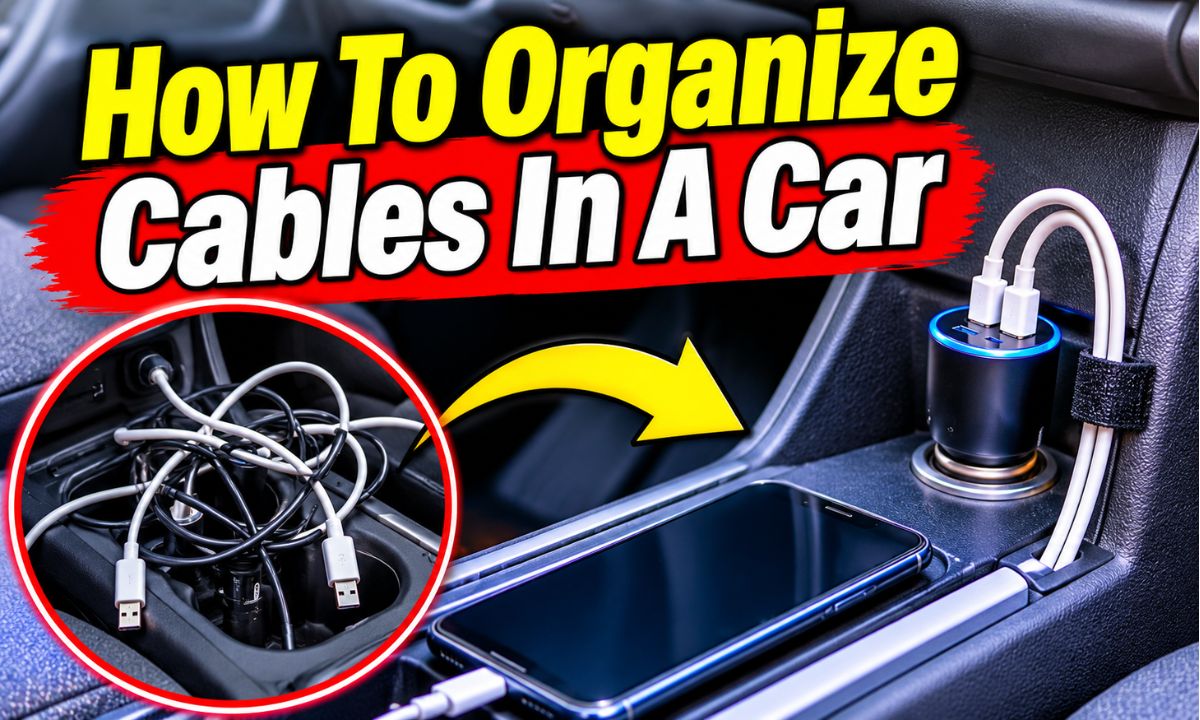
Organize car cables by sorting them, removing extra cords, using cable clips and ties, and routing wires away from pedals, airbags, and moving parts.
Whether you drive a Ford F-150 in Texas, a Toyota Camry in California, or a Honda Civic in New York, loose charging cables can make your car feel messy. Phone chargers, dash cam wires, USB cords, and audio cables can quickly pile up around the center console. A few simple storage tools can make a big difference.
The best way to organize cables in a car is to give every wire a clear path and a proper storage spot. Use small cable clips, reusable hook-and-loop ties, sleeves, and a compact storage box. Keep cords short where possible and secure any extra length. Most importantly, never let a cable interfere with the pedals, seat belts, steering, airbags, or other safety systems.
You do not need an expensive setup to get started. A quick cleanout, a few low-cost organizers, and a little planning can help keep your car neat. This guide explains how to sort, route, secure, and store your cables while keeping the interior safe and easy to use.
Organizing cables makes your car easier to use, cleaner, and less distracting. A loose phone charger can fall between the seats, wrap around a gear selector, or hang near the driver’s feet. Even a small cord can become a problem if it gets in the way of normal driving tasks.
Most modern American vehicles have several electronic devices and charging options. You may use a phone charger, dash cam, GPS unit, portable music player, or a rear-seat charging cable. Without a plan, these wires can turn the center console into a tangled storage area.
Good cable management is not only about looks. It also helps protect cords from repeated pulling, sharp edges, crushing, and accidental damage. A well-planned setup makes it easier to find the right cable when you need it.
Better driving safety
Secured cables are less likely to fall into the footwell or interfere with pedals and vehicle controls.
Less interior clutter
A neat console and dashboard make it easier to find your phone, charger, and other small items.
Less cable damage
Proper routing reduces pulling, bending, pinching, and rubbing against hard surfaces.
Easier daily use
A cable stored in the right place is easier to reach and return after charging.
Which Car Cables Usually Need Organizing?
Start with the cords you use most often. Phone charging cables are common, but they are not the only wires that need attention. Dash cams, portable navigation devices, Bluetooth accessories, and rear-seat chargers can also create clutter.
Some cars have built-in USB ports and wireless charging pads. Others rely on a 12-volt power outlet and separate adapters. Your cable plan should match the ports, devices, and layout of your own vehicle.
Phone charging cables
USB-C, Lightning, and other charging cords used for phones and tablets.
Dash cam cables
Long power cables that connect a front or rear camera to its approved power source.
Audio cables
Auxiliary and other wired connections used for music and audio devices.
Navigation cables
Power cords for portable GPS devices and other electronic accessories.
Rear-seat charging cables
Longer cords used by passengers in the back of the vehicle.
What Do You Need To Organize Car Cables?
You can organize most loose car cables with a few basic supplies. You do not need every type of organizer. Choose tools that fit your cable thickness, dashboard surface, and available storage space.
Before buying anything, look at where your cords sit and how far they need to reach. A small clip may work for one phone charger, while a cable sleeve may be better for several wires that follow the same safe route.
Avoid using random household tape or tight metal fasteners. They may leave sticky marks, damage the cable cover, or fail when exposed to heat inside a parked car.
Adhesive cable clips
Small holders that guide charging cords along suitable flat surfaces. Check surface compatibility and adhesive instructions before use.
Reusable cable ties
Hook-and-loop straps that hold extra cable length together without the need for permanent fastening.
Cable sleeves
Flexible covers that keep several compatible cables together and provide protection from light rubbing.
Cable storage box
A small container for spare charging cords, adapters, and other accessories.
Soft cleaning cloth
A clean cloth for removing dust and dirt before applying a compatible adhesive organizer.
Plastic trim tool
A suitable nonmetal tool for approved trim work. It does not make it safe to open or disturb airbag areas.
Which Cable Organizer Should You Choose?
The best organizer depends on the number of cords and where you want to place them. Small clips work well for one or two charging wires. Reusable ties are useful for extra cable length that does not need to stay connected.
If you have several wires running together, a sleeve may help keep them neat. For spare cords that you rarely use, a storage box is often more practical than attaching them to the dashboard.
For one charging cable
Choose a small cable clip that holds the cord without squeezing it.
For several loose wires
Use a suitable cable sleeve or separate reusable ties.
For extra cable length
Use a loose hook-and-loop strap and store the bundle in a safe location.
For spare accessories
Use a small storage pouch or box inside an appropriate storage compartment.
How To Organize Cables In A Car Step By Step
The easiest method is to clean the area first, sort your cables, plan each route, and then secure the wires with suitable organizers. Do not start by sticking clips all over the dashboard. A little planning helps prevent wasted effort and unsafe cable paths.
Park on a level surface, switch off the vehicle, and make sure you have enough light to see the cable paths. Remove loose items from the center console and footwells. Keep any electrical work separate from simple cable storage and follow the accessory maker’s instructions.
Step 1: Remove all loose cables
Unplug removable charging cords and collect the loose wires from the dashboard, seats, doors, and storage spaces.
Step 2: Sort cables by purpose
Separate phone chargers, camera wires, audio cords, and spare cables so you can see what you actually use.
Step 3: Remove unnecessary cords
Set aside damaged, duplicate, and unused cables. Keep only the accessories that serve a clear purpose.
Step 4: Plan safe cable paths
Choose a route that stays clear of the driver’s footwell, moving controls, seat tracks, hot parts, sharp edges, and airbag deployment areas.
Step 5: Measure the needed length
Check that each cable reaches its device without being stretched or leaving a large loose loop.
Step 6: Install suitable organizers
Place compatible clips or ties along the confirmed route. Clean and dry surfaces before using adhesive products.
Step 7: Secure extra cable length
Use a reusable strap to hold excess wire loosely. Keep the bundle in a suitable storage space where it cannot move into controls or become crushed.
Step 8: Test the setup
Reconnect the devices and check that every cord reaches properly, remains secure, and stays clear of vehicle controls.
Step 1: Clean The Dashboard And Center Console
Start by removing dust, crumbs, and other dirt from the areas where you plan to place cable clips. Adhesive holders may not stick well to dusty or oily surfaces. Use a cleaning method that is safe for your vehicle’s interior material.
Allow the surface to dry fully before applying an adhesive organizer. Do not use strong solvents unless the vehicle and organizer makers approve them. Some dashboard finishes can become discolored or damaged by harsh cleaners.
Check the surface
Look for dust, oil, moisture, and loose trim before attaching anything.
Avoid sensitive areas
Do not cover airbag labels, vents, switches, displays, or safety warnings.
Step 2: Sort And Label Your Cables
Place similar cords together and identify which device each one serves. This simple step prevents confusion when you need to unplug or replace a cable.
If several cords look alike, use small removable labels near their storage ends. Avoid labels that cover electrical connectors or make a cable difficult to inspect.
Keep daily-use cables together
Place your main phone charger and any regularly used accessory cords in easy-to-reach storage.
Separate spare cords
Store backup and rarely used wires in a pouch rather than leaving them plugged in.
Step 3: Choose The Right Cable Length
A cable that is too long creates extra loops, while one that is too short may pull on the phone or connector. Measure the route from the power source to the device before buying a replacement.
For example, if your phone sits in a dashboard mount, measure the distance from the approved charging port to the mount along the intended safe route. Allow enough slack for normal movement without leaving a loose section near the driver.
Avoid tight cables
The connector should not pull when you pick up or place your phone.
Avoid excessive loops
Choose a practical length that reaches the device without creating a large hanging section.
Step 4: Attach Cable Clips In Suitable Places
Cable clips can keep a charging wire near the side of a center console or another suitable interior surface. Choose a clip with an opening that fits the cable without squeezing its outer cover.
Follow the adhesive maker’s instructions for surface preparation, placement, and curing time. Test the clip gently before relying on it. If it comes loose, remove it and find a better mounting surface rather than adding more adhesive without checking compatibility.
Use a suitable mounting surface
Choose a clean, dry, stable area away from switches, controls, and airbag covers.
Keep cables easy to remove
A useful clip should hold the cord in place while allowing you to unplug it without pulling hard.
Step 5: Bundle Extra Cable Length
Some electronic accessories come with long cords. If you cannot replace the cable with a shorter approved version, secure the extra length with a reusable tie.
Do not make a tight coil or wrap a cable around a power adapter. Avoid sharp bends and follow the cable maker’s guidance. Store the bundle away from heat, moving parts, and places where it could be crushed.
Use loose bundles
Secure the wire without squeezing or deforming its outer cover.
Keep bundles out of footwells
Store extra wire in a suitable compartment, not beside the driver’s pedals.
How To Hide Charging Cables In A Car
You can make charging cables less visible by routing them along suitable edges and securing them with small clips. The goal is to keep the cord out of the way without hiding it in an unsafe location.
For a phone charger, start at the power source and plan the shortest safe path to the phone holder. Follow an existing interior edge where possible. Do not run the cable across the steering wheel, gear selector, parking brake, or the driver’s footwell.
Some drivers prefer to tuck wires behind removable trim. This can create a clean look, but it requires vehicle-specific knowledge. A hidden route is not automatically a safe route, especially near side-curtain airbags, wiring harnesses, and other concealed parts.
Follow suitable console edges
Use a confirmed path along the center console where the wire cannot interfere with controls or moving parts.
Use a phone cable holder
Keep the charging end in a small holder near a suitable phone mount.
Store extra wire in a compartment
Use the center console or another suitable storage area for loose cable length.
Keep dashboard surfaces clear
Do not place clips over instrument displays, vents, switches, or airbag covers.
Can You Tuck Cables Behind Dashboard Trim?
You can sometimes route accessory cables behind approved interior trim, but you should not push a wire into an unknown gap. A space behind a panel may contain an airbag, wiring, sharp metal edges, or other components.
Before any trim work, check the vehicle service information and the accessory installation guide. Never route a cable across an airbag module or its deployment path. Do not attach accessory cables to airbag wiring or other safety-system components.
If the safe path is unclear, leave the cable visible and secured with suitable clips. A neat exposed cable is better than a hidden wire that could interfere with a safety system.
Check the vehicle information
Use model-specific instructions to identify restricted areas and approved cable routes.
Never force a panel
Stop if trim does not release as intended or if removal requires disturbing an airbag area.
Avoid pinching
Never close a panel over a cable that could be squeezed, cut, or damaged.
How To Keep Phone Charging Wires Off The Center Console
If your charging cord keeps falling across the console, use a suitable cable clip near the charging port or phone mount. Keep the cable close to a safe interior edge rather than letting it hang in front of the gear selector.
You can also use a shorter compatible cable. This reduces excess length and makes it easier to keep the cord in place. Make sure the cable still reaches without pulling when you move the phone.
Use a short charging cord
Choose a compatible length that reaches the phone without excess slack.
Secure the cable end
Use a small holder so the connector does not fall into a gap.
How To Organize Dash Cam Cables
Dash cam cables need more planning than ordinary phone chargers because they may run from the windshield to a power source or rear camera. Many front cameras come with long cables to support different vehicle layouts.
A clean installation can keep the wire out of sight, but the route must not interfere with airbags or other vehicle systems. The exact path depends on your car, camera, and power method.
Read the camera installation guide before routing its wire. Some models use a 12-volt outlet, while others support a compatible hardwire kit or approved power adapter. Do not assume that every power connection or cable path works with every vehicle.
Read the camera manual
Check the recommended mounting position, cable route, power source, and safety warnings.
Secure the visible cable
Use suitable cable holders to stop the wire from hanging near the windshield or dashboard.
Check airbag locations
Never route a cable across a side-curtain airbag deployment path or attach it to restraint-system wiring.
Protect the cable
Keep it away from sharp edges, excessive bending, heat, and places where trim could crush it.
Organizing A Front Dash Cam Cable
A front dash cam is often mounted near the rearview mirror. Its power cable may need to reach a power outlet or another approved source. Start by checking the camera maker’s recommended route for your specific vehicle.
Do not assume that the gap between the windshield and headliner is safe for every vehicle. Side-curtain airbags may deploy near the roof and pillars. A cable must not obstruct their covers or deployment paths.
If the manufacturer provides a safe routing method that does not affect the restraint system, follow it carefully. Otherwise, ask a qualified installer to complete the job.
Use the approved power source
Match the camera’s power requirements and connector to its supplied or approved adapter.
Check the full cable route
Inspect for possible contact with airbags, trim clips, sharp edges, and hot surfaces.
Organizing Rear Dash Cam Cables
Rear camera cables can be much longer than front camera power wires. They may need to travel toward the rear window or hatch, depending on the vehicle design.
Keep wires away from seat hinges, seat tracks, door openings, and moving hatch parts. A cable that gets trapped when a seat folds or a hatch closes can become damaged.
For complex installations, especially those that involve roof trim or side airbags, professional installation is the better option.
Check seat movement
Make sure the cable cannot be trapped when rear seats fold or slide.
Check hatch movement
Use an approved flexible cable path that does not become stretched or pinched.
Best Places To Store Extra Car Cables
Store spare cables in a clean compartment where they cannot move into controls or become crushed. You do not need to keep every cord connected all the time. Separating daily-use wires from spare accessories makes the cabin easier to manage.
The center console is often a practical place for a small cable pouch. The glove box may also work if the wires do not interfere with the lid, passenger controls, or other stored items.
Avoid leaving loose cords under the driver’s floor mat or around the seat rails. Do not place them where passengers can trip over them or where a seatbelt may catch them.
Center console
A useful place for the main phone charger and a small number of frequently used cords.
Glove box
Suitable for spare USB cables and adapters when there is enough room to close the compartment safely.
Seat-back storage
Can hold passenger charging accessories if the cords remain clear of seat movement and seatbelt hardware.
Small storage pouch
Keeps backup wires, charging adapters, and other accessories together.
How To Store Multiple Charging Cables
If you carry several charging cords, separate them by connector type or device. Small pouches or individual compartments help prevent tangles. You can label each cord so passengers know which one to use.
Keep damaged cables out of the car. A frayed outer cover, bent connector, or exposed wire can indicate damage that makes the cable unsuitable for continued use.
Separate cable types
Keep USB-C, Lightning, and other connector types in separate spaces.
Remove damaged cords
Replace cables with exposed conductors, damaged connectors, or signs of overheating.
Avoid overfilling compartments
Leave enough room for doors, lids, and other storage features to work as intended.
How To Organize Cables In Different Types Of Cars
Every vehicle has a different dashboard, console, and storage layout. A cable organizer that works well in a sedan may not fit an SUV or pickup truck. Choose your setup based on the available space and the location of the power ports.
Sedans
Use small clips along suitable console edges and store spare cords in the center console or glove box.
SUVs
Use separate storage for front and rear passenger cables, keeping cords clear of folding seats and moving parts.
Pickup trucks
Secure charging wires around suitable console areas and keep them away from seat adjustments and storage compartments.
Minivans
Plan rear-seat charging routes carefully so cords do not cross walkways, seat rails, or sliding-door areas.
Electric vehicles
Organize ordinary low-voltage accessory cords separately from charging equipment and high-voltage vehicle components.
How To Organize Cables In A Small Car
Small cars have limited storage space, so avoid adding large organizers. Use one or two compact cable clips and a small pouch for spare wires.
A short charging cable can be especially useful in a compact cabin. Keep the center console free of extra accessories so the gear selector and other controls remain easy to reach.
Choose compact accessories
Use small holders that do not take up useful dashboard or console space.
Limit spare cords
Carry only the charging cables and adapters you regularly need.
How To Organize Cables In An SUV Or Family Car
Family vehicles may need charging cables for several passengers. Give each seating area a clear storage plan rather than running long cords across the cabin.
Use suitable rear-seat charging ports where available. Keep wires away from child safety seat anchors, seatbelt buckles, sliding doors, and folding seat mechanisms.
Create separate storage
Keep front and rear charging accessories in their own suitable compartments.
Protect passenger areas
Do not run cables across walkways or between seats where passengers may become caught in them.
Car Cable Organization Ideas For A Cleaner Interior
Small changes can make a big difference when you want a cleaner car interior. The best setup is one that keeps the cords you use close by while putting everything else away.
You can combine a few simple storage methods instead of relying on one large organizer. For example, use a cable clip for the main phone charger, a reusable tie for extra length, and a pouch for spare cords.
Create a charging station
Choose a suitable storage spot for your main phone charger and keep its connector in a small holder.
Use color-coded labels
Mark similar cables to make it easier to identify which device each one serves.
Keep spare cables in one pouch
Avoid scattering extra wires around the dashboard, seats, and door pockets.
Use removable organizers
Choose products that can be removed without damaging the interior when your setup changes.
Reduce unnecessary adapters
Use compatible charging equipment and avoid carrying several duplicate adapters.
Use A Cable Management Box
A small cable storage box can keep spare charging cords together. Choose a box that fits inside an existing compartment and does not prevent the compartment from closing.
Do not place power adapters or cables in a closed space if their instructions require ventilation or if they could become hot. A storage box is for suitable spare accessories, not a way to hide overheating equipment.
Choose the right size
Select a box that fits the available compartment without forcing the lid or door.
Keep cables separate
Use small dividers or pouches to stop different cords from tangling.
Try A Magnetic Cable Holder
Some magnetic cable holders use a small magnetic insert or clip to keep a compatible cable end in place. They can be useful near a suitable charging area because the connector is easier to find.
Check that the holder works with your cable and does not interfere with other accessories. The adhesive base must also be suitable for your dashboard material and the temperatures it may experience.
Check cable compatibility
Make sure the holder can grip the cable without damaging its outer cover.
Check the mounting location
Keep it away from airbag covers, switches, displays, and other sensitive areas.
Important Safety Tips For Car Cable Management
Safety should come before appearance when organizing vehicle cables. A wire that looks neat but crosses an airbag deployment area or interferes with a pedal is not a good installation.
The National Highway Traffic Safety Administration explains that airbags deploy very rapidly and that objects near their deployment areas can create serious injury risks. Vehicle airbag layouts vary, so follow the instructions for your exact make, model, and year.
Keep all loose cords away from the driver’s feet, steering components, seat tracks, seatbelt hardware, door hinges, and moving controls. Never attach accessory cables to airbag wiring or other safety-system components.
Keep pedals clear
No cable should enter the driver’s footwell or become trapped beneath a floor mat.
Avoid airbag areas
Never cover an airbag panel or route a cable across a known deployment path.
Protect electrical wires
Keep cords away from sharp edges, hot surfaces, crushing points, and repeated bending.
Keep seat belts clear
Make sure wires cannot interfere with belt buckles, retractors, or normal belt movement.
Use suitable accessories
Follow the cable and device makers’ instructions for compatible power adapters and connections.
Never Route Cables Near The Driver’s Pedals
The driver’s footwell must remain clear. A cable can slide under a pedal or become trapped by a floor mat, which may affect the driver’s ability to operate the vehicle.
Do not place a cable beneath the driver’s floor mat, even if you think it will stay in place. Check that the mat itself is correctly secured and that no wire can move into the pedal area.
Keep the footwell empty
Do not store spare cords, charging adapters, or cable bundles near the pedals.
Check floor mats
Make sure no cable is trapped beneath or around a floor mat.
Avoid Airbag Deployment Areas
Airbags may be located in steering wheels, dashboards, seats, doors, roof rails, and side pillars. Their positions and deployment paths vary by vehicle.
Do not assume that a cable is safe just because it is hidden behind a trim panel. Check the vehicle maker’s information before any installation near these areas. If you cannot confirm a safe route, use a qualified installer.
Do not cover airbag panels
Keep clips, holders, and other accessories away from marked airbag covers.
Do not disturb safety wiring
Never connect, move, or attach an accessory cable to an airbag circuit.
Keep Cables Away From Heat And Sharp Edges
High cabin temperatures can affect cable materials and adhesive holders. Cords that touch sharp metal or hard trim edges may also wear over time.
Check the cable route for rubbing, pinching, and signs of heat damage. Replace damaged wires instead of covering them with tape and continuing to use them.
Avoid hot components
Keep cables away from heater outlets, hot ducts, and other high-temperature areas.
Inspect cable covers
Look for cuts, flattened sections, discoloration, and exposed conductors.
Common Car Cable Organization Mistakes To Avoid
Many cable problems happen because drivers focus only on hiding wires. A cable may look tidy at first but still become loose, pinched, or difficult to reach. Check the full route and how the cable behaves during normal vehicle use.
Using cables that are too long
Extra length creates loose loops that can fall into gaps or become tangled. Choose a practical cable length whenever possible.
Using too many adhesive clips
Adding clips everywhere can clutter the dashboard and may damage some interior finishes. Use only the holders needed for a safe route.
Pulling cables too tightly
A tight cable can strain connectors and damage the wire when a device moves.
Using unsuitable tape
Household tape may leave residue, soften, or fail in a hot vehicle interior.
Hiding cables without checking the route
An unknown gap behind trim may contain safety equipment, sharp edges, or other components.
Ignoring damaged wires
A cable with a split cover or exposed conductor should be removed from service and replaced.
Leaving spare cords plugged in
Unneeded cables add clutter and can create loose loops around the console.
Why Do Adhesive Cable Clips Keep Falling Off?
Adhesive clips may come loose because the surface is dusty, oily, textured, or unsuitable for the adhesive. Heat inside a parked car may also affect some adhesive products.
Remove the failed holder according to its maker’s instructions. Clean the area with a compatible cleaner and allow it to dry before trying a different mounting method. Do not attach a clip to a surface that is not approved for it.
Check surface compatibility
Some adhesives do not work well on soft-touch, textured, or coated dashboard materials.
Follow application instructions
Observe the recommended cleaning and setting process.
Try a different organizer
A suitable non-adhesive holder may work better if the surface does not support adhesive products.
Why Do Car Cables Keep Getting Tangled?
Cables often tangle because several loose cords share the same storage space. Different lengths and connectors can wrap around one another when the car moves.
Separate daily-use cables from spare wires. Secure the extra length of each cord with a reusable tie and return it to the same storage spot after use.
Separate each cable
Use individual straps or small pouches instead of making one tight bundle.
Reduce unnecessary cords
Remove duplicate cables that you do not need to carry.
How To Maintain Your Car Cable Organization
Cable management needs a little attention from time to time. A holder may loosen, a cable may become damaged, or a new device may change the route. A quick inspection helps you catch small problems before they become frustrating.
Check the main charging area during regular interior cleaning. Look at the cable holders, connectors, and storage compartments. If a cable has shifted, secure it again only after confirming that its path remains safe.
Inspect clips
Check that holders remain attached and do not show signs of cracking or wear.
Check cable condition
Look for cuts, exposed wires, loose connectors, and heat damage.
Remove unused accessories
Clear out cords and adapters that no longer serve a purpose.
Clean storage spaces
Remove dust and debris from cable pouches and compartments.
Recheck the route after changes
Make sure new devices or charging accessories do not interfere with vehicle controls.
When Should You Replace A Car Charging Cable?
Replace a charging cable if its outer cover is split, its connector is damaged, or its wires are exposed. A cable that becomes unusually hot, smells burnt, or repeatedly loses power should also be disconnected and checked.
Do not repair a damaged charging cable with ordinary tape and continue using it. Choose a compatible replacement that meets the device maker’s power and connection requirements.
Visible damage
Cuts, cracks, exposed conductors, and flattened sections are reasons to stop using the cable.
Unusual heat
Disconnect the cable if it becomes unusually hot and inspect the charger and device according to their instructions.
Unreliable connection
Frequent disconnections may indicate a damaged cable or connector.
A Simple Car Cable Organization Plan
If you are unsure where to start, use the following example as a basic plan. It is designed for a vehicle with one phone charger, a dash cam, and a few spare charging cords. Adjust it to your vehicle layout and accessory instructions.
Phone charger
Use one compatible cable with enough length to reach the phone holder. Secure the cord along a confirmed safe console route.
Dash cam
Follow the camera maker’s installation instructions and use a safe, vehicle-specific route.
Spare charging cords
Place backup cables in a small pouch inside the center console or glove box.
Extra cable length
Use loose reusable ties and store the excess in a suitable compartment.
Rear passenger cables
Use suitable rear charging ports and keep wires away from seat movement and passenger walkways.
How To Know Your Setup Is Working
A good cable setup should stay in place during normal use. You should be able to connect and disconnect your devices without pulling hard or moving other accessories.
The driver’s footwell should remain clear, all vehicle controls should work normally, and no cable should be trapped by a seat, door, or storage lid. You should also be able to identify and inspect each cable without taking apart the interior.
No loose wires
The cords stay in their intended locations rather than hanging across the cabin.
Easy access
Daily-use connectors are simple to reach without pulling or stretching.
No control interference
The cables stay clear of pedals, steering parts, gear selectors, and seatbelt hardware.
No cable damage
The wires are not pinched, crushed, sharply bent, or rubbing against rough surfaces.
Frequently Asked Questions
Q
What Is The Best Way To Organize Cables In A Car?
The best method is to remove unused wires, choose suitable cable lengths, and secure the remaining cords with cable clips or reusable ties. Store spare cables in a small pouch or compartment.
Keep all wires away from pedals, airbags, moving parts, seat belts, and sharp edges. Choose a setup that is easy to inspect and does not interfere with driving.
Q
How Can I Hide Charging Cables In My Car?
Use suitable cable clips to guide charging wires along safe edges of the center console or other approved interior surfaces. A shorter cable can also reduce visible slack.
You may be able to route some wires behind approved trim, but never push a cable into an unknown space. Check your vehicle’s safety information, especially around airbag areas.
Q
Are Adhesive Cable Clips Safe For Car Dashboards?
Adhesive cable clips can be suitable when their adhesive works with the dashboard material and the clips are placed in safe locations. Check the product instructions before attaching them.
Do not place clips over airbag covers, vents, displays, switches, or other important controls. Test the holder gently and replace it if the adhesive begins to fail.
Q
How Do I Keep Cables From Falling Between Car Seats?
Use a suitable cable holder near the charging area to keep the connector in place when it is not being used. A shorter cable can also reduce the amount of loose wire.
Do not wedge a cable tightly between a seat and the center console. Seat movement can pinch or damage it, so keep the wire away from seat tracks and adjustment mechanisms.
Q
Can I Use Zip Ties To Organize Car Cables?
Yes, suitable zip ties can hold compatible cable bundles together, but reusable hook-and-loop ties are often easier for charging cords that you may need to remove or adjust.
Never tighten a tie enough to crush the cable. Avoid attaching accessory wires to vehicle safety-system wiring, brake lines, or other vehicle components.
Q
How Do I Organize Multiple Phone Chargers In My Car?
Keep the charging cords you use most often in one accessible storage area. Separate them by connector type and use small labels or individual straps to prevent tangling.
If several passengers need power, use suitable built-in charging ports or an approved multi-port adapter. Make sure the power source can support the connected devices and follow its instructions.
Q
Can I Run A Charging Cable Under A Car Floor Mat?
No. Do not route a loose cable beneath the driver’s floor mat. It could move into the pedal area or affect the mat’s position.
Keep the driver’s footwell free of loose cables and other objects. Use a different approved route that does not interfere with normal vehicle operation.
Q
How Do I Organize A Long Dash Cam Cable?
Start by checking the dash cam installation guide and your vehicle’s airbag layout. Use only a confirmed safe route and secure the wire with suitable holders or protective materials.
Do not coil extra wire tightly or hide it behind unknown trim. If the route involves an airbag pillar, roof trim, or vehicle wiring, ask a qualified installer for help.
Q
Do I Need A Professional To Organize Car Cables?
You can usually organize removable phone chargers and spare cords yourself with suitable clips, ties, and storage pouches.
Professional help is a better choice for hardwired dash cams, hidden wiring routes near airbags, fuse-box connections, or installations that require removing safety-related trim. A qualified installer can follow the correct vehicle-specific procedure.
✦ Wrapping Up
Conclusion
Learning how to organize cables in a car does not require a complicated setup. Start by removing unused cords, sorting the wires you need, and choosing the right storage tools. Cable clips, reusable ties, sleeves, and small pouches can help keep your interior neat without taking up much space.
The most important part is safe cable routing. Keep every wire away from pedals, steering components, seat belts, seat tracks, hot surfaces, sharp edges, and airbag deployment areas. Never hide cables behind trim unless you have confirmed that the route is suitable for your exact vehicle.
Check your cable holders and wires from time to time. Replace damaged cords, remove unnecessary accessories, and adjust your setup when you add a new device. A simple system that stays secure and easy to inspect is better than a complicated installation that only looks neat.
💡 Key Takeaway
Start today by removing every loose cable from your car, keeping only the cords you use, and securing your main phone charger along a safe route with a suitable cable holder. Store spare wires in one small pouch and check that the driver’s footwell and all vehicle controls remain completely clear.