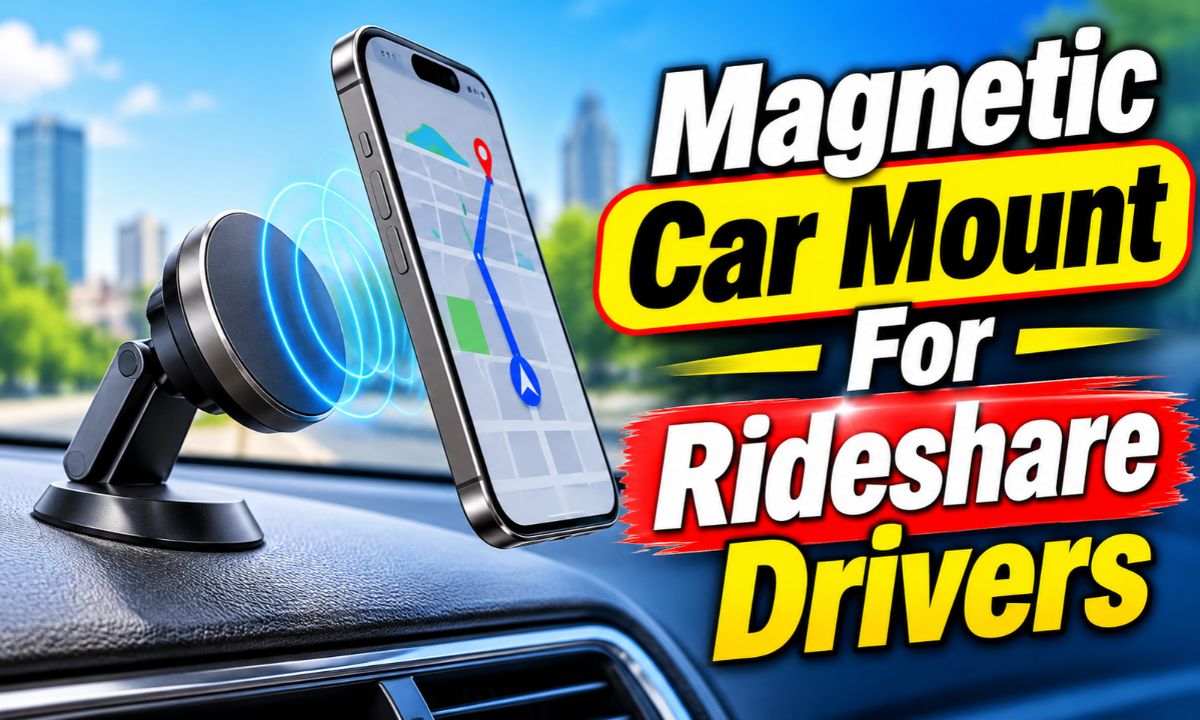
A magnetic car mount for rideshare drivers offers quick phone access, easy navigation viewing, and simple one-handed attachment during daily driving shifts.
Driving for Uber or Lyft in the United States means spending many hours behind the wheel. Drivers travel through busy city streets, suburban roads, airports, and unfamiliar neighborhoods. A smartphone helps manage trip requests, GPS directions, passenger messages, and pickup locations. Keeping that phone in a steady and easy-to-see position can make each trip more manageable.
A magnetic car mount is one way to organize this setup. It holds a compatible phone or magnetic phone case against a mounting plate. The driver can attach or remove the device with a simple motion. This can be useful when starting a shift, stopping for a passenger, or leaving the car between trips. However, a strong magnet alone does not make a mount suitable for professional use. Its base, viewing angle, phone compatibility, and charging setup also matter.
The right setup should work with your vehicle, phone, and daily driving routine. It should not block your view, cover important controls, or interfere with an airbag. Drivers should also check their state and local phone-use laws. A phone mount can support hands-free navigation, but it does not make texting or handling an app while driving safe or legal.
Why Rideshare Drivers May Prefer a Magnetic Phone Mount
A magnetic mount can make daily phone handling easier because it does not require opening and closing a traditional phone cradle. The driver places the phone against the magnetic surface, and the magnets help hold it in position. Removing the phone is usually just as simple. This design can be useful for drivers who enter and leave their vehicles several times during a shift.
Rideshare work also involves more than following a single route. A driver may need to check a pickup point, follow a new destination, and park near a busy building. A stable phone position helps keep the navigation screen in a consistent place. It can also reduce the need to search for a loose phone on a seat or in a cup holder.
Uber’s driver preparation guidance recommends using a phone mount for hands-free navigation. The company also recommends having a phone charger ready. These suggestions support a tidy driving setup, although drivers must still follow local laws and use their phones responsibly.
Source: thechuckdriver.com
Fast attachment
A magnetic surface lets a compatible phone connect with a simple movement. This is helpful when switching between driving and safe, parked stops.
Simple removal
The phone can usually be lifted away without squeezing cradle arms or adjusting several parts.
Flexible viewing
Many magnetic mounts have a swivel joint that lets drivers adjust portrait or landscape viewing.
Less cabin clutter
A compact mount can keep the phone off the passenger seat and away from loose items.
Why Frequent Stops Make Easy Phone Access Useful
A rideshare driver may complete several short trips in one shift. Each trip can involve a new pickup point, route, and destination. A phone mount that allows quick removal can make it easier to take the phone when leaving the vehicle.
However, quick access should not be confused with permission to use the phone while moving. Drivers should review trip details, type messages, and make route changes only when safely parked. The mount is a storage and viewing tool, not a replacement for safe driving habits.
How a Magnetic Car Mount Works
A magnetic car mount uses magnets to hold a phone against a metal or magnetic mounting surface. The mount itself attaches to the vehicle through a separate base. Depending on the design, that base may use adhesive, suction, a vent clip, or another support system.
Some phones have built-in magnetic alignment systems. Other phones need a compatible magnetic case or a metal ring attached to the case. The ring gives the mount a surface that can connect with its magnets. Without the correct accessory, a phone may not stay attached as intended.
Magnetic strength is only one part of the design. The size and weight of the phone, the case material, the position of the magnetic ring, and road vibration can all affect how well the setup works. A mount that holds a small phone may behave differently with a large phone and a thick protective case.
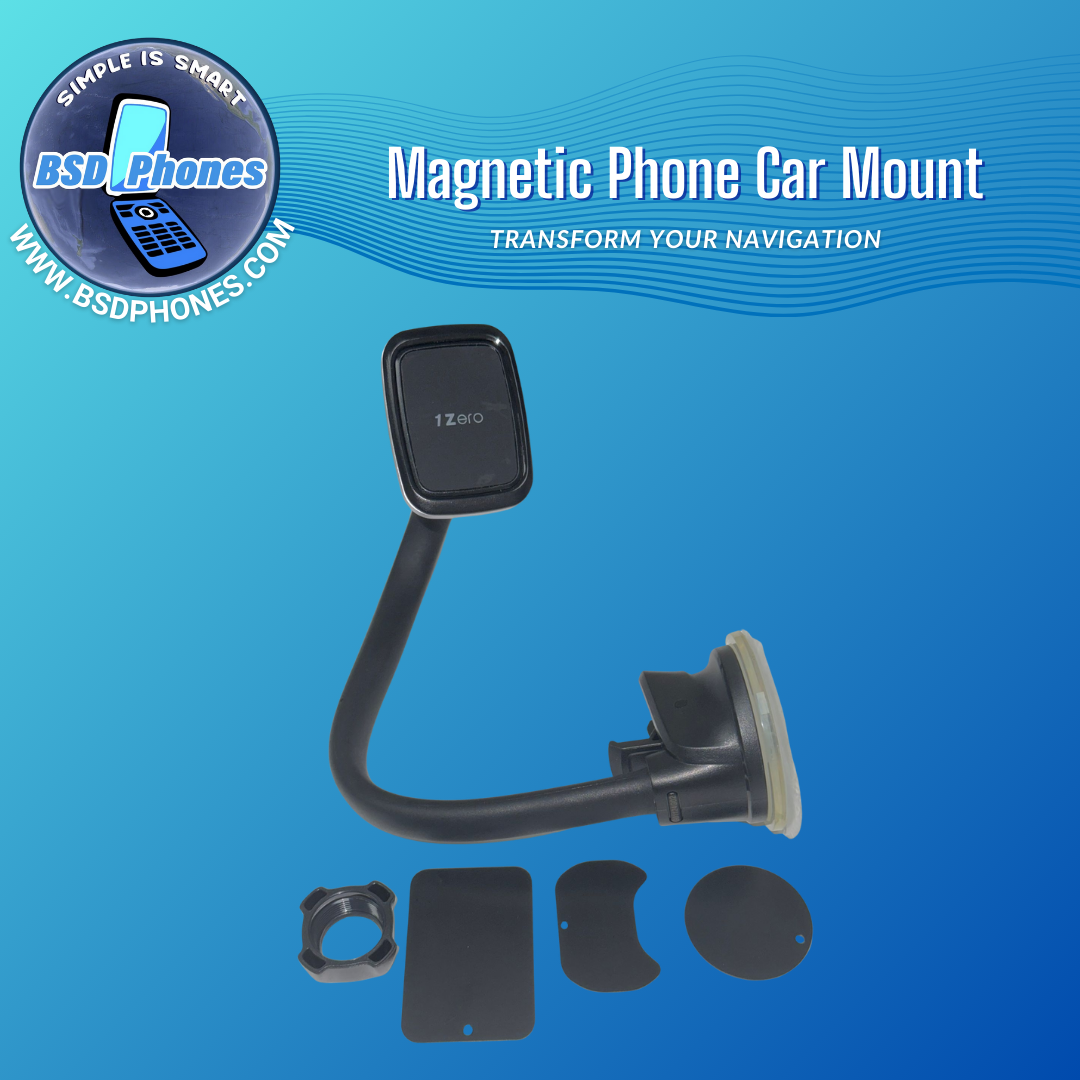
Source: bsdphones.com
Magnetic head
This is the part that connects with the magnetic case or phone ring.
Mounting arm
Some designs use an adjustable arm to bring the phone closer to the driver’s viewing area.
Swivel joint
This part allows the phone to tilt or rotate into a useful position.
Vehicle base
The base connects the mount to the dashboard, windshield, air vent, or another approved location.
Magnetic Mounts and MagSafe Compatibility
MagSafe is Apple’s magnetic accessory system for supported iPhone models. A MagSafe-compatible mount is designed to connect with the phone’s magnetic alignment system. Some magnetic mounts also support compatible Android phones through a magnetic case or ring.
Do not assume that every magnetic mount supports every phone. A product may use a magnetic plate that works with many devices but does not provide wireless charging. A MagSafe-compatible charging mount may have different requirements. Read the product’s exact compatibility details before buying.
A metal ring can help a non-MagSafe phone connect to a magnetic mount. It should be placed according to the accessory instructions. Incorrect placement may affect alignment, charging, or the ability to use other wireless accessories.
Built-in magnetic support
Check whether your phone supports the magnetic system used by the mount.
Magnetic case
A compatible case can provide the needed connection without adding a separate plate.
Adhesive metal ring
Some mounts include a ring for phones without built-in magnetic support. Confirm its position and charging limitations.
What to Look for in a Magnetic Car Mount for Rideshare Drivers
A mount for occasional driving may not meet the needs of someone who works on the road every day. Rideshare drivers should look for a design that can handle frequent phone attachment, long navigation sessions, and regular vehicle movement. The best choice depends on the phone and the vehicle, not just the product’s appearance.
Start with the base. A powerful magnetic head cannot help if the adhesive pad or vent clip moves during a turn. The phone should remain steady on normal roads and should not require constant adjustment. A strong, well-designed base is especially useful for drivers who work in areas with rough pavement.
Next, consider how easily you can reach the phone while seated. A mount that sits too low may force you to look away from the road for longer. One that sits too high may block traffic signals or other important parts of the view. Choose a position that provides a brief, clear glance without creating a new obstruction.
Source: bell.ca
Secure magnetic connection
Look for clear information about supported phone weights, compatible cases, and the included magnetic accessories.
Stable vehicle base
Choose a base suited to your dashboard texture, vent shape, or other mounting surface.
Adjustable viewing angle
A swivel joint or adjustable arm can help position the phone without blocking the road.
Charging access
Make sure the phone’s charging port remains reachable if you plan to use a cable.
Durable construction
Check the quality of the joints, ball head, adhesive, and moving parts. These areas receive repeated use.
Clear installation instructions
The instructions should explain surface preparation, mounting limits, phone compatibility, and any required waiting period.
Why Magnet Strength Is Not the Only Important Specification
A product may advertise a large number of magnets or a strong magnetic pull. Those details do not tell the whole story. The mount’s shape, phone weight, case thickness, and vehicle movement also affect the connection.
Look for a published holding capacity when available. Compare that figure with the actual weight of your phone and case. Remember that a laboratory holding figure may not represent performance on rough roads, during sudden braking, or with an incorrectly installed base.
If the manufacturer does not publish a clear holding capacity, test the installed mount while parked. Check whether the phone sits flat, whether the connection feels stable, and whether a gentle movement causes it to slide. Do not conduct risky tests while driving.
Why an Adjustable Arm Can Help
A short magnetic mount can work well when the dashboard has a suitable position near the driver’s natural line of sight. An adjustable arm offers more flexibility when the mounting surface is lower or farther away.
A long arm can also create more movement if its joints are loose or the phone is heavy. Keep the arm as short as practical and tighten the adjustment points according to the instructions. Stability is more useful than having the phone reach an attractive but awkward position.
Choosing the Right Mounting Position in Your Vehicle
The best mounting position is one that keeps the phone stable and visible without blocking the driver’s view, controls, or safety equipment. The right location depends on the vehicle’s dashboard layout, vent design, windshield angle, and driver’s seating position.
Do not choose a position simply because it is easy to install. A phone placed in the wrong area can cover a gauge, obstruct a road view, or interfere with an airbag deployment zone. Check your vehicle manual and the mount instructions before attaching anything.
Uber’s phone mount guidance recommends a dashboard position and warns that windshield mounting is restricted in some states. This is useful general guidance, but the legal rules vary by location. Check the rules where you drive before settling on a permanent position.
Source: thechuckdriver.com
Dashboard mounting
A dashboard mount can provide a convenient viewing position. It must be compatible with the dashboard surface and must not cover controls or block the road.
Air vent mounting
A vent mount can save dashboard space. Check the vent shape and clip design, and make sure the phone does not block too much airflow.
Windshield mounting
A windshield mount may provide a clear view in some vehicles, but state laws and visibility rules can limit where it may be placed.
Cup holder mounting
A cup holder mount may work when the dashboard and vents are unsuitable. However, a low phone position can require longer downward glances.
Dashboard Mounts for Daily Rideshare Work
A dashboard mount is often worth considering because it can place the phone close to the driver’s forward view. Some models use adhesive pads, while others use suction bases designed for smooth surfaces.
Before installing an adhesive mount, check the dashboard material and the manufacturer’s surface requirements. Some dashboards have textured finishes that do not provide a good bond. Heat can also affect certain adhesives, so follow the product’s temperature and curing instructions.
Avoid placing the phone over the instrument panel or in an area where it could obstruct an airbag. If you cannot identify a safe position, check the vehicle manual or ask a qualified vehicle professional.
Vent Mounts for Drivers Who Want a Compact Setup
A vent mount can be a useful choice when the dashboard has no suitable flat area. It usually attaches to one or more vent slats. Some designs use a hook or locking mechanism to improve the connection.
Not every vent is suitable. Round vents, thin slats, unusual shapes, and moving vent assemblies may not support every clip. A heavy phone can also cause a weak vent clip to tilt or loosen.
Check whether the mount allows enough airflow. This matters during hot U.S. summer days when drivers may depend on air conditioning for long periods.
Magnetic Mounts With Wireless Charging or Without It
A magnetic car mount can either hold the phone without charging it or combine magnetic attachment with wireless charging. Both designs can work for rideshare drivers. The better option depends on how long you drive, how quickly your phone battery drains, and how well your device manages heat.
A non-charging magnetic mount is simple. You attach the phone and connect a charging cable when needed. This setup gives you control over charging and can be easier to maintain. It may also cost less than a wireless charging model.
A wireless charging mount reduces the need to plug in a cable each time. However, wireless charging can create heat, especially when the phone is running GPS navigation, cellular data, and a bright screen. Direct sunlight and a hot vehicle cabin can add to the problem.
Source: thechuckdriver.com
Non-charging magnetic mount
A practical choice for drivers who prefer a simple holder and want to use a separate cable or car charger.
Wireless charging magnetic mount
A useful option for compatible phones when convenient charging is a priority. Check the charging standard and power requirements.
Cable charging setup
A suitable USB car charger and cable can provide a separate power source without adding wireless charging heat at the mount.
How to Reduce Phone Heat During Long Shifts
Phone heat is worth watching when driving for several hours. GPS, mobile data, navigation apps, and high screen brightness all use device resources. Charging at the same time may add more heat.
If your phone becomes unusually hot, stop charging and follow the phone manufacturer’s cooling guidance. Move the vehicle to a safe location, remove the phone from direct sunlight, and let it cool. Do not place it in a refrigerator or use ice to cool it quickly.
A wired charging setup may be preferable if wireless charging makes your phone too warm. You can also reduce unnecessary screen brightness, close unused apps, and use the vehicle’s air conditioning without directing extreme cold at the device.
Keep the phone out of direct sunlight
Choose a mounting position that does not expose the device to unnecessary solar heat.
Use a suitable charger
Check the phone’s charging requirements and use a compatible, reputable power adapter.
Watch for temperature warnings
If the phone displays a temperature alert or stops charging, allow it to cool before continuing.
Does Wireless Charging Work Through Every Phone Case?
No. Case thickness, materials, magnetic rings, and the phone’s charging design can affect wireless charging. Some cases are made for magnetic charging, while others may interfere with alignment.
Metal plates and certain magnetic accessories can also affect charging. Read the instructions for both the phone and mount. If the phone does not charge consistently, test it without the case while parked, provided the manufacturer allows that setup.
How to Install a Magnetic Car Mount for Rideshare Driving
A proper installation starts with checking the vehicle, phone, and mount instructions. Do not attach the mount first and look for a suitable position later. Choose a safe location before preparing the surface.
The installation process varies by mounting style. An adhesive dashboard base needs a suitable clean surface, while a vent mount needs compatible slats. A suction mount may require a smooth surface and a locking action.
Allow enough time for the setup before accepting your first trip. A mount that seems secure while parked may still need adjustment to avoid vibration or an awkward viewing angle.
Source: mightymount.ca
Step 1: Check compatibility
Confirm the phone size, case, magnetic ring, mount weight limit, and charging support.
Step 2: Choose a safe location
Avoid airbag areas, important controls, instrument displays, and positions that block the road.
Step 3: Prepare the mounting surface
Clean and dry the surface if required. Use only cleaning products approved for that vehicle material.
Step 4: Attach the vehicle base
Install the adhesive, suction, or vent base according to the supplied instructions.
Step 5: Connect the magnetic head
Tighten the joints and check that the magnetic surface faces the correct direction.
Step 6: Attach the phone
Place the phone against the magnetic surface and confirm that it aligns correctly.
Step 7: Check the complete setup
Make sure the phone is secure, the screen is readable, and the cable does not interfere with driving.
How to Test the Mount Before Starting a Shift
Keep the vehicle parked while checking the mount. Gently adjust the phone and confirm that the magnetic connection remains steady. Check that the mounting base does not move when you touch the phone lightly.
Sit in your normal driving position and look at the phone. The screen should be readable with a brief glance. You should not need to lean forward, turn your head sharply, or look down toward the center console.
Check the charging cable and the phone’s charging port. The cable should have enough slack for normal movement but should not hang near the pedals, steering wheel, or gear selector.
Signs of a successful installation
The base stays in place, the phone sits flat, the screen is visible, and the controls remain easy to reach.
Signs that adjustment is needed
The phone tilts, the mount vibrates, the cable pulls on the device, or the screen blocks part of the road view.
What to Do if the Mount Will Not Stay Attached
First, identify which part is moving. The phone may be slipping from the magnetic head, the adjustable joint may be loose, or the vehicle base may be coming away from the surface. Each problem needs a different fix.
If the magnetic connection is weak, check the phone case, metal ring, and alignment. If the base moves, review the installation instructions and surface requirements. Do not add random glue or tape unless the manufacturer approves it.
Replace a damaged or unreliable mount rather than continuing to use it. A phone that falls while driving can distract the driver and create a hazard.
Phone Mount Safety and U.S. Driving Laws
A magnetic phone mount can help keep a phone in a fixed position, but it does not remove the risks of distracted driving. Looking at a screen for too long, typing a message, searching through an app, or reaching for a fallen phone can take attention away from the road.
The National Highway Traffic Safety Administration defines distracted driving as activities that divert attention from driving. Its guidance includes phone use, navigation adjustments, and other actions that take attention away from safe vehicle operation. NHTSA reported 3,208 deaths in crashes involving distracted drivers in 2024.
Phone-use laws differ across the United States. Some states restrict handheld phone use, while others have specific rules about texting, calls, screen use, and mounting positions. A mount does not automatically make every phone interaction legal. Check the current rules in each state where you drive.
Source: thechuckdriver.com
Keep the road as your priority
Use voice navigation where suitable and avoid looking at the phone for extended periods.
Set routes before moving
Enter destinations and review directions while parked in a safe place.
Do not type while driving
Wait until you are safely parked before responding to passenger messages or changing app settings.
Follow state mounting rules
Check windshield restrictions and other phone placement rules in your operating area.
Protect airbag areas
Never install a mount where it may interfere with an airbag or its deployment path.
Can a Magnetic Mount Make Phone Use Legal While Driving?
No. A magnetic mount is a physical accessory, not a legal exemption. State laws may still prohibit texting, handheld calls, or certain screen interactions even when the phone is attached to a dashboard.
For example, a mounted phone may be suitable for viewing navigation under certain conditions, while typing a message may remain prohibited. The exact rule depends on the state and the type of use. Check official state transportation or law enforcement guidance rather than relying on a general online summary.
Commercial vehicle rules can also differ from ordinary passenger vehicle rules. Drivers should check whether any additional requirements apply to their specific work and vehicle.
How to Keep Navigation From Becoming a Distraction
Prepare the route before pulling away from a pickup location. Listen to spoken directions when available and avoid repeated screen adjustments. If the route changes or the app needs attention, find a safe place to stop first.
A phone mount should allow a quick glance, not encourage constant screen watching. If you cannot read the display without taking your eyes off the road for too long, adjust the position or use voice guidance.
Magnetic Mounts Compared With Other Phone Holders
Magnetic mounts are not the only option for rideshare drivers. Traditional cradle mounts, suction holders, and cup holder mounts can also provide a stable place for a phone. Each design has different strengths and limits.
A magnetic holder is useful when quick attachment is the main priority. A cradle may be better for someone who does not want to attach a metal ring or use a magnetic case. A cup holder mount may work when the dashboard and vents do not offer a suitable installation point.
Choose based on the vehicle and phone you actually use. A mount that looks compact in a product photo may not fit your car’s vents or dashboard. Check dimensions and installation details before ordering.
Source: thechuckdriver.com
Comparison of Common Car Phone Mount Types
The following table compares common mount designs by their practical use. These are general design differences, not test results or a ranking of individual products.
Magnetic mount
Best suited to drivers who want fast phone attachment and removal. It may require a compatible case or magnetic ring.
Clamp-style mount
Useful for phones without magnetic accessories. It holds the device with adjustable arms but may take longer to remove.
Suction cup mount
Offers flexible placement on suitable surfaces. Its stability depends on surface condition, suction design, and installation.
Vent mount
Saves dashboard space. Its suitability depends on vent shape, slat strength, and phone weight.
Cup holder mount
Provides an alternative when other locations are unsuitable. It may place the phone lower than a dashboard mount.
When a Traditional Cradle May Be Better
A cradle mount can be a sensible option if you use different phones, change cases often, or do not want a metal ring on your device. Its side arms provide physical support around the phone.
Some one-touch cradle designs allow quick attachment. However, the release system may require more deliberate movement than a magnetic mount. Check whether the arms block the phone’s buttons or charging port.
Common Problems With Magnetic Mounts and Their Solutions
A magnetic mount can work well for daily driving, but problems may appear after repeated use. The most common issues involve weak magnetic contact, a moving base, poor viewing angles, and charging trouble. Identifying the exact problem helps prevent unnecessary replacements.
Do not ignore a mount that starts moving or dropping the phone. Repeated adjustments can become distracting, and a falling phone can create a hazard. Fix the problem while parked or replace the mount if it no longer holds securely.
Source: thechuckdriver.com
Phone keeps sliding
Check the magnetic ring position, case compatibility, phone weight, and alignment. Use an approved accessory if the current setup is unsuitable.
Dashboard base comes loose
Check surface compatibility, cleanliness, installation pressure, and any required adhesive curing time.
Mount shakes on rough roads
Check the adjustable joints and arm length. A shorter arm or more stable base may help.
Phone does not charge
Check cable connections, charger output, wireless alignment, case compatibility, and the phone’s charging settings.
Phone gets too hot
Stop charging, move out of direct sunlight, and allow the device to cool according to its manufacturer’s instructions.
The Phone Falls Off During a Turn
A phone that falls during a turn may have a weak magnetic connection or an unstable vehicle base. A thick case, poorly placed ring, or heavy phone can increase the problem. The mount may also be positioned at an angle that places extra force on the magnetic contact.
Check the complete setup while parked. Confirm that the magnetic ring is centered, the phone is supported within the manufacturer’s stated limits, and the base is firmly installed. If the phone still slips, stop using the mount and choose a more suitable model.
The Mount Keeps Falling Off in Hot Weather
High cabin temperatures can affect some adhesives and suction-based mounting systems. A dashboard that becomes hot in direct sunlight may weaken an adhesive bond that was stable in cooler conditions.
Follow the manufacturer’s temperature limits and installation instructions. Avoid installing the mount on a surface that is unsuitable for its adhesive. If the base repeatedly comes loose, consider a different mounting style that is compatible with your vehicle.
The Phone Screen Is Hard to See
A poor viewing angle, screen glare, direct sunlight, or a low mounting position can make navigation difficult. A long shift can make these problems more frustrating because the driver uses the navigation display throughout the day.
Adjust the angle while parked. Keep the screen away from strong reflections and choose a position that does not require leaning or turning sharply. Never move the mount into a position that blocks your forward view just to make the screen easier to read.
How to Maintain a Magnetic Mount During Daily Rideshare Work
Regular checks can help a magnetic mount remain useful over time. Rideshare vehicles often experience repeated phone attachment, temperature changes, road vibration, and daily cleaning. Small problems are easier to address before the mount becomes unreliable.
You do not need a complicated maintenance routine. A quick check before each shift and a more careful inspection from time to time can help identify loose joints, worn adhesive, or damaged magnetic surfaces.
Use cleaning methods approved by the manufacturer. Avoid pouring liquid onto the magnetic head or applying harsh chemicals to plastic and rubber parts. If a component is cracked or damaged, replace it instead of trying to repair it with an unapproved adhesive.
Source: bell.ca
Check the base
Look for lifting adhesive edges, loose suction parts, or damaged vent clips.
Inspect the joints
Make sure the swivel head and adjustable arm remain firm when positioned.
Clean the magnetic surface
Remove dust and small debris using the method recommended by the manufacturer.
Inspect the phone accessory
Check that the metal ring or magnetic case remains attached and properly aligned.
Review the charging cable
Replace damaged cables and keep them away from pedals and moving controls.
When Should You Replace a Magnetic Mount?
Replace the mount when its magnetic head no longer holds the phone securely, the base repeatedly comes loose, or the adjustable joint cannot maintain its position. Visible cracks, damaged clips, and worn moving parts are also reasons to stop using it.
There is no universal replacement schedule for every mount. Service life depends on construction, installation, heat exposure, and how often the phone is attached and removed. Check the manufacturer’s warranty and replacement guidance when a problem appears.
A Practical Buying Checklist for Rideshare Drivers
Before choosing a mount, compare it with your actual driving routine. A driver who works a few hours each weekend may need a different setup from someone who spends most of the day accepting trips. The goal is to find a mount that is easy to use, stable, and suitable for the vehicle.
Avoid buying based only on the number of magnets, advertised strength, or appearance. Read the installation instructions and check the exact phone models and cases supported. Also consider whether the product includes the magnetic ring, charging cable, power adapter, or other accessories you need.
Source: thechuckdriver.com
Phone compatibility
Confirm the phone model, case thickness, magnetic system, and weight support.
Vehicle compatibility
Check dashboard texture, vent shape, and available mounting space.
Daily use
Consider how often you remove the phone and whether one-handed attachment is important.
Charging needs
Decide between a simple holder, a wired charging setup, and wireless charging.
Safety and visibility
Make sure the mount does not block the road, controls, gauges, or airbag areas.
Warranty and support
Review the return policy, warranty coverage, installation instructions, and replacement options.
Which Type of Magnetic Mount Fits Your Driving Routine?
A compact vent mount may suit a driver who wants a small setup and has compatible vent slats. A dashboard mount with an adjustable arm may be more useful when the available vent position is too low or too far away.
Drivers who spend long hours using navigation may prefer a simple magnetic holder with a separate charging cable. This avoids relying on a wireless charging system throughout the shift. Drivers who value cable-free charging should check device compatibility and heat management before choosing a wireless model.
If you drive more than one vehicle, portability and installation style become more important. A mount that is easy to remove and reinstall may be useful, but its base must remain secure in every vehicle where you use it.
Research Notes and Reader Question Gap Map
This guide was developed around the needs of U.S. rideshare drivers who use a phone for navigation and trip management. The research review included pages about phone mounts for Uber and Lyft drivers, delivery drivers, magnetic mounting systems, and distracted driving guidance. The pages were reviewed on November 14, 2026.
The reviewed commercial guides discuss quick phone attachment, mounting stability, charging, heat, and phone compatibility. However, product recommendations and manufacturer specifications should not be treated as independent proof of real-world performance. No physical mount testing was conducted for this article.
Official guidance from Uber supports using a phone mount for hands-free navigation and recommends checking installation and mounting position. NHTSA guidance explains why even brief phone interactions can distract drivers. State-specific legal details must be checked separately because rules differ across the country.
Competitor coverage: MountGuys
The reviewed guide discusses frequent phone removal, mount stability, durability, and charging access. Its product comparison is useful, but a reader still needs to verify the exact fit and legal mounting position for the vehicle.
Competitor coverage: Cabin Command
The reviewed page gives detailed attention to one-handed phone attachment, holding capacity, mount height, and heat. Product specifications remain dependent on the listed models and their current documentation.
Competitor coverage: Dash & Drive
The reviewed page discusses charging heat, wireless charging, cooling, and warranties. Its main focus is product comparison rather than a complete installation and daily maintenance process.
Official guidance: Uber
Uber recommends a phone mount for hands-free navigation and offers installation suggestions. Its guidance does not replace state-specific legal requirements.
Official guidance: NHTSA
NHTSA explains distracted driving and the risks of phone use. It supports the article’s emphasis on safe stops and limited screen interaction.
Next-Question Gap Map
The following questions are inferred next needs based on the practical decisions a rideshare driver must make. They are not presented as verified search-volume findings. The coverage assessment refers only to the pages reviewed for this article.
Will a magnetic mount work with a thick phone case?
Reader stage: before buying. Basis: inferred compatibility question. Competitor coverage: answered in part. Reader benefit: understanding when a magnetic case or ring is needed. Placement: compatibility section.
Where should an Uber driver place a phone mount?
Reader stage: installation. Basis: observed in official Uber guidance and competitor discussions. Competitor coverage: answered, with some variation in detail. Reader benefit: safer positioning and fewer visibility problems. Placement: mounting position section.
Can wireless charging make a phone too hot?
Reader stage: daily use. Basis: observed in the reviewed Dash & Drive guide. Competitor coverage: answered in detail by one reviewed page and treated briefly by others. Reader benefit: better charging decisions during long shifts. Placement: charging section.
Why does a magnetic mount fall off in hot weather?
Reader stage: troubleshooting. Basis: inferred from adhesive and suction installation requirements. Competitor coverage: shallow in the reviewed rideshare pages. Reader benefit: identifying base failure instead of replacing the magnetic head unnecessarily. Placement: troubleshooting section.
When should a rideshare driver replace a phone mount?
Does a phone mount make using an app while driving legal?
Reader stage: before and during driving. Basis: observed in official safety guidance and related phone-use discussions. Competitor coverage: partly answered. Reader benefit: separating hands-free navigation from prohibited or distracting phone use. Placement: safety section.
Frequently Asked Questions
Q
Is a magnetic car mount good for Uber and Lyft drivers?
Yes, a magnetic car mount can be useful for Uber and Lyft drivers who frequently attach and remove their phones. It offers quick access to navigation and can help keep the cabin organized.
However, the mount must fit the phone and vehicle properly. Look for a stable base, a reliable magnetic connection, and a position that does not block the road or vehicle controls.
Q
Do I need a MagSafe phone to use a magnetic car mount?
No. Some magnetic mounts work with phones that do not have built-in MagSafe support. These models may include a metal ring or require a compatible magnetic case.
Check the product instructions before buying. A metal ring may provide magnetic attachment, but it does not automatically enable wireless charging or every MagSafe feature.
Q
Can a magnetic mount hold a large smartphone?
Some magnetic mounts support large phones, but the result depends on the mount’s holding capacity, phone weight, case, and installation. A large phone in a thick case can place more load on the magnetic connection and vehicle base.
Check the manufacturer’s stated weight limit when available. Choose a mount designed for your actual phone and test the setup while parked before using it on the road.
Q
Is a dashboard magnetic mount better than a vent mount?
Neither design is automatically better for every driver. A dashboard mount can provide flexible placement, while a vent mount can save dashboard space and may be easier to remove.
The dashboard surface, vent design, phone weight, and viewing angle should determine your choice. Both types must be installed in a position that does not block the road, controls, or airbags.
Q
Can I charge my phone while using a magnetic car mount?
Yes. You can use a magnetic mount with a separate charging cable, or choose a model that supports wireless charging. The correct setup depends on the phone and mount specifications.
Keep an eye on phone temperature during long navigation sessions. Wireless charging may add heat, especially in a hot vehicle. If your phone becomes unusually hot, stop charging and let it cool safely.
Q
Will a magnetic car mount damage my phone?
A properly designed and compatible magnetic mount is generally intended for normal phone use. However, the mount and accessories should follow the phone manufacturer’s guidance.
Avoid placing unapproved metal plates or accessories over wireless charging components. If you use a compass or other sensitive accessory, check the device manufacturer’s advice about magnetic interference.
Q
Can I use a windshield magnetic mount in every U.S. state?
No. Windshield obstruction and phone mounting rules vary by state. Some locations restrict where objects may be attached to the windshield.
Check the current rules in every state where you drive. A dashboard position may be a suitable alternative if it does not obstruct visibility or interfere with vehicle safety equipment.
Q
Should a rideshare driver choose a magnetic mount with wireless charging?
Choose wireless charging if your phone supports it, the mount provides suitable alignment, and you value cable-free charging. Check the power requirements and heat management features before purchasing.
A simple magnetic mount with a separate wired charger may be more practical if your phone gets hot during long shifts or you want a less complex setup.
✦ Wrapping Up
Conclusion
A magnetic car mount can be a practical accessory for rideshare drivers who depend on their phones throughout the workday. Its biggest advantage is simple attachment and removal. That can make it easier to manage a phone between trips while keeping navigation in a consistent position.
The best choice is not always the mount with the most magnets or the longest adjustable arm. A reliable vehicle base, correct phone compatibility, stable positioning, and suitable charging support matter just as much. Drivers should also consider hot weather, frequent stops, road vibration, and the condition of their dashboard or air vents.
Most importantly, a phone mount does not replace safe driving habits. Set your route before moving, use voice directions when suitable, and stop safely before handling trip requests or messages. Check state phone-use laws and vehicle safety instructions before installing the mount.
A well-chosen setup should make your driving area more organized without adding another distraction. Take time to check the phone, mount, vehicle, and installation before starting your next shift.
💡 Key Takeaway
Before buying, check your phone and case compatibility, compare dashboard and vent mounting options, confirm local mounting laws, and test the complete setup while parked. Choose a stable magnetic mount that keeps navigation visible without blocking your view or vehicle controls.
2 thoughts on “Magnetic Car Mount For Rideshare Drivers: Best Guide”





2 thoughts on “Magnetic Car Mount For Rideshare Drivers: Best Guide”