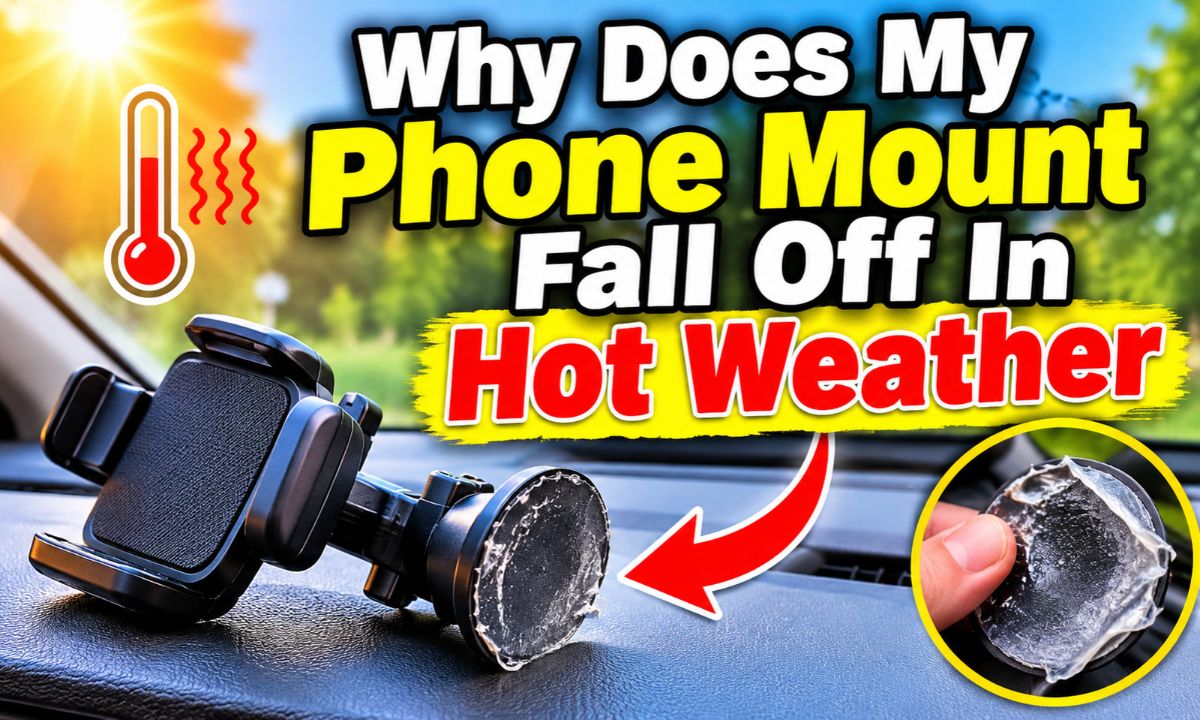
Your phone mount falls off in hot weather because heat can weaken adhesive grip, affect suction cup contact, and soften some mounting materials.
Summer heat can make a simple drive across the United States frustrating when your phone holder keeps dropping from the dashboard or windshield. A mount that stays firmly in place during a cool morning may suddenly fall off after your car sits in a sunny parking lot. The problem often comes from the mounting surface, the adhesive, or the suction cup rather than the phone itself.
Inside a parked car, temperatures can rise well above the outdoor temperature. Direct sunlight can also heat a dashboard or windshield much more than the surrounding air. This extra heat can affect pressure-sensitive adhesives, soft suction cup materials, and the contact between the mount and the surface. Dust, dashboard texture, poor installation, and an aging mounting pad can make the problem worse.
The best fix depends on the type of phone mount you use. A suction cup needs a clean, smooth surface and a good seal. An adhesive mount needs a compatible surface and proper curing time. A vent mount has a different set of problems, such as loose clips or weak vent slats. Identifying the attachment type first can save you money and help keep your phone secure.
Your phone mount usually falls off because heat changes the conditions that help it stay attached. A suction cup depends on a close seal against a smooth surface. An adhesive mount depends on the bond between its sticky layer and the dashboard. When heat, surface contamination, or material wear affects that connection, the mount can lose its grip.
Heat is not always the only cause. A mount that was poorly installed may stay in place during mild weather but fail when the car gets hot. The extra stress can reveal a weak seal or a bond that was never strong enough.
The weight of your phone also matters. A large phone, thick protective case, or wireless charging attachment adds more load to the mount. A long adjustable arm can increase leverage, making the base work harder when the car moves or hits a bump.
Source: au.norton.com
Softening adhesive
Some adhesive materials become softer as temperatures rise. They may lose their ability to hold a phone mount firmly against a dashboard, especially when the surface is oily or textured.
Weak suction
Heat can affect the shape and flexibility of some suction cups. If the cup cannot maintain an even seal, air can enter beneath it and the mount may drop.
Dashboard expansion
Different dashboard materials respond to heat in different ways. Small changes in shape or surface contact can put extra stress on a suction cup or adhesive pad.
Material aging
Repeated exposure to sunlight and heat can wear down some plastics, rubber parts, gels, and adhesives. An older mount may become less reliable over time.
How Hot Can a Car Get in Summer?
A parked car can become much hotter than the outdoor air. Sunlight enters through the windows and warms the seats, dashboard, steering wheel, and other surfaces. With the windows closed, that heat can build up inside the cabin.
The dashboard may become hot enough to make some mounting materials less reliable. A mount placed in direct sunlight can also become hotter than one installed in a shaded area.
This is why a phone holder may stay attached during an air-conditioned drive but fall off after the vehicle sits outside for several hours. The mounting surface has changed, even if the mount itself has not.
Direct sunlight
A dashboard exposed to sunlight can become much hotter than the shaded parts of the cabin.
Closed windows
A parked vehicle with closed windows can trap heat and make the mounting area uncomfortable to touch.
Dark surfaces
Some dark surfaces absorb more sunlight, which can contribute to higher surface temperatures.
The Main Reasons Different Phone Mounts Lose Their Grip
Not every phone mount fails for the same reason. The attachment method determines which part of the setup needs attention. Before replacing your mount, check whether it uses a suction cup, an adhesive base, a magnetic attachment, or a vent clip.
This distinction matters because cleaning a suction cup will not repair a worn adhesive pad. Likewise, replacing adhesive tape will not fix a loose air vent clip.
Source: au.norton.com
1. Suction Cup Phone Mounts
Suction cup mounts use a flexible cup to create a seal against a smooth surface. Some models also use a sticky gel layer or a locking lever to improve their grip. When the cup is dirty, damaged, or unable to form a complete seal, the mount can fall.
Hot weather can make a weak seal less reliable. A cup that has become stiff, stretched, or warped may not sit evenly against the glass or dashboard. A small amount of dust or oil can also create a path for air to enter.
Many suction cup mounts work best on smooth glass or a compatible mounting pad. A deeply textured dashboard may not provide enough contact for a reliable seal.
Check the cup
Look for cracks, dirt, hardened gel, and uneven edges. These signs can point to a damaged or worn suction cup.
Check the surface
Look for dust, dashboard polish, oil, and deep texture that may prevent the cup from sitting flat.
Check the locking lever
Make sure the locking mechanism moves fully into its locked position if your model uses one.
2. Adhesive Dashboard Phone Mounts
Adhesive mounts use a sticky pad or double-sided tape to attach the base to the dashboard. The bond depends on the adhesive type, surface material, cleanliness, pressure, and installation temperature.
Some adhesives become softer in high heat. This can allow the base to move slowly under the weight of the phone. The process may start with a loose edge before the entire mount comes away.
A poor surface can cause the same problem. Dust, wax, silicone dashboard dressing, oil, and textured plastic can prevent the adhesive from making enough contact. Installing a new pad over old residue may also lead to another failure.
3M’s technical information for its VHB Tape 5930 describes surface cleaning, application pressure, and temperature conditions as important parts of the bonding process. However, those specifications apply to that particular tape, not every adhesive phone mount.
Old adhesive
A used pad may have lost its original bonding ability or collected dirt that prevents proper contact.
Poor surface preparation
A dashboard covered with dust, wax, or oily residue can prevent a strong adhesive bond.
Insufficient curing time
Some adhesives need time after installation to develop their intended bond. Using the mount too soon can cause early failure.
3. Magnetic Phone Mounts
A magnetic phone mount usually has two separate attachment points. The base attaches to the dashboard or windshield, while the magnet holds a compatible metal plate or phone attachment.
If the entire mount falls off, the base or its adhesive is the likely problem. If the base stays attached but the phone slides away, check the magnetic connection, plate position, case thickness, and phone weight.
Heat can affect the adhesive used on the base. It can also make a phone warmer during navigation or wireless charging. These are separate issues, so check both connections before deciding what needs replacement.
Weak base
The dashboard adhesive or suction cup may be failing even if the magnet itself is strong.
Poor metal plate position
A plate placed too far from the center of the magnetic holding area may provide a less secure connection.
Heavy phone case
A thick case or added accessory can increase the distance between the magnet and its metal plate.
4. Air Vent Phone Mounts
Air vent mounts attach with clips or hooks rather than suction or dashboard adhesive. Their grip depends on the vent design and the shape of the mounting clip.
Hot weather does not usually affect these mounts in the same way as adhesive models. However, a hot cabin, repeated adjustments, and the weight of a large phone can expose a loose clip or weak vent slat.
Some vent mounts also sit near air conditioning outlets. Cold air may cool the phone, but the mount must still fit the vent securely. Do not force a clip onto a vent that is not designed to support it.
Loose clip
A clip that does not fit the vent blade correctly may slip during driving.
Weak vent slats
Thin or damaged vent blades may not support the mount and phone weight.
Wrong vent design
Some clips are not compatible with round, unusually shaped, or recessed air vents.
How to Stop Your Phone Mount From Falling Off in Hot Weather
The most reliable solution is to fix the attachment problem before installing the mount again. Simply pressing a loose mount back onto a hot dashboard may only provide a short-term hold.
Start by removing the phone and inspecting the mounting base. Check for dirt, damaged rubber, worn gel, peeling tape, and loose adjustment parts. Once you know which part has failed, follow the correct cleaning and installation steps.
Source: syncwire.com
Step 1: Remove the Phone and Inspect the Mount
Take your phone out of the holder before working on the mount. This reduces the weight and prevents the phone from falling while you inspect the attachment.
Look closely at the base and its connection points. If you find a cracked cup, badly warped plastic, damaged locking lever, or deteriorated adhesive, cleaning alone may not solve the problem.
Inspect the suction cup
Check whether the edges are smooth and flexible. Look for cracks, permanent folds, or hardened material.
Inspect adhesive tape
Look for peeling edges, dirt, bubbles, and sections that no longer stick to the dashboard.
Inspect the phone holder
Check whether the cradle, ball joint, and locking knobs remain tight and stable.
Step 2: Clean the Mounting Surface
A clean surface gives a suction cup or adhesive pad a better chance of making full contact. Remove dust and loose dirt with a soft, clean cloth.
For a glass surface, use a suitable glass cleaner and allow it to dry fully. For a dashboard, use a cleaner approved for that material. Avoid soaking the surface or allowing cleaner to enter electronic controls, vents, or other openings.
If you plan to use a new adhesive pad, follow its manufacturer’s cleaning instructions. Some adhesive systems recommend isopropyl alcohol and water, while others may have different requirements. Test cleaning products in an inconspicuous area if the dashboard material could be affected.
Do not apply dashboard shine, wax, silicone spray, or oily protectant to the mounting area before installation. These products can leave a film that interferes with adhesion.
Remove residue
Clean away old adhesive, grease, dust, and dashboard dressing using a compatible method.
Allow the surface to dry
Do not install the mount while the mounting area is wet or damp.
Avoid harsh tools
Do not scrape the dashboard with sharp metal objects or use abrasive cleaners that may damage its finish.
Step 3: Clean and Restore the Suction Cup
If your suction cup is still in good condition, cleaning it may restore its grip. Remove loose dirt and rinse the cup with warm water if the mount maker allows this method.
Some manufacturers recommend mild soap and warm water for sticky gel suction cups. Others advise rinsing with plain water. Follow the instructions for your exact model rather than using strong solvents or hot water.
Let the cup air-dry completely. Do not wipe a sticky gel surface with a rough towel because lint and fibers can remain on it. Once dry, check whether the cup has returned to its normal shape.
Use gentle cleaning
Warm water and a suitable mild cleaner can remove dirt without exposing the cup to harsh chemicals.
Check for damage
Replace a cup that remains distorted, cracked, or unable to form a seal.
Avoid excessive heat
Do not use boiling water, a heat gun, or a hair dryer to soften the cup.
Step 4: Reinstall the Mount Correctly
Choose a flat, smooth, compatible surface. If you are using a windshield suction cup, make sure the glass is clean and dry. If you are using a dashboard pad, check that the dashboard material and shape are approved for that mount.
Position the base carefully before pressing it into place. Follow the manufacturer’s directions for the locking lever, adhesive pad, or mounting ring. Apply firm, even pressure as directed.
For adhesive mounts, respect the stated waiting period before adding the phone. Some products need several hours or longer to build a strong bond. There is no single curing time that applies to every adhesive.
Choose the right spot
Avoid deep dashboard grooves, soft fabric, leather, rough plastic, and curved areas unless the mount is designed for them.
Apply even pressure
Press the base according to the product instructions instead of pushing only on one edge.
Wait before use
Allow the adhesive to develop its bond for the full time stated by the manufacturer.
Step 5: Test the Mount Before Driving
After installation, check the base with the phone removed. Gently inspect whether the mount moves or lifts at the edges. Do not pull hard enough to damage the dashboard or break the suction seal.
Next, attach your phone and check whether the holder stays in position. Adjust the viewing angle and tighten the locking knob if your model has one.
Test the setup while the vehicle is parked. If the mount shifts under the phone’s weight, remove it and correct the problem before driving. A phone that falls while you are moving can distract you or interfere with safe control of the vehicle.
Check the base
Make sure the suction cup or adhesive pad stays firmly attached.
Check the joints
Tighten loose adjustment points without overtightening or damaging them.
Check phone support
Confirm that the cradle or magnet holds the phone securely with its normal case fitted.
Where Should You Place a Phone Mount in a Hot Car?
The best location is a spot that offers a secure attachment, a clear view, and minimal direct sunlight. The exact position depends on your vehicle’s dashboard shape, windshield angle, air vents, and the instructions for your mount.
A smooth windshield area may work better than a textured dashboard for some suction cup models. However, a windshield location must not block the driver’s view or interfere with airbags and other safety systems.
A dashboard location can be convenient, but not every dashboard is suitable for adhesive or suction mounting. Some have soft coatings, deep curves, or textured finishes that prevent a reliable bond.
Source: us.norton.com
Choose a shaded location
Whenever possible, avoid a spot that receives direct sunlight for long periods.
Avoid dashboard texture
Choose a smooth, flat area that matches the mounting system’s requirements.
Keep the windshield clear
Never place a mount where it blocks your view of the road, mirrors, or important vehicle displays.
Check airbag locations
Keep mounts and phones away from airbag deployment areas and follow the vehicle owner’s manual.
Consider cabin airflow
A position with suitable airflow may help reduce phone heating during navigation, but the mount must remain compatible with the vent or surface.
Is the Windshield Better Than the Dashboard?
A windshield can be a better mounting surface when the dashboard is deeply textured or curved. Smooth glass gives many suction cups a more consistent contact area.
However, a windshield mount can still fail if the glass is dirty, the cup is damaged, or the phone is exposed to strong sunlight. Glass does not eliminate heat-related problems.
A dashboard mount may be preferable when it has a compatible adhesive base or a purpose-made mounting disc. The best choice is the surface that meets the mount manufacturer’s requirements and allows safe visibility.
Windshield advantage
Smooth glass may provide a more reliable suction surface than a textured dashboard.
Dashboard advantage
A suitable dashboard location can keep the phone within reach without placing a large accessory on the glass.
Important limitation
Both locations can become hot in direct sunlight, so surface compatibility and phone temperature still matter.
How to Choose a Phone Mount That Handles Summer Heat
If your current mount keeps falling off, replacing it may be more practical than repeatedly cleaning or repairing it. Look for a model that matches your dashboard material, phone size, and normal driving conditions.
Do not rely only on marketing terms such as heat-resistant, heavy-duty, or strong adhesive. Check the actual installation instructions, supported surfaces, temperature limits, and replacement-part availability.
Look for Suitable Mounting Materials
A good mount should use materials suited to the way you plan to attach it. A quality suction cup should remain flexible and form a consistent seal. An adhesive base should specify which surfaces it supports and how to prepare them.
If the mount uses a gel pad, check whether the manufacturer allows it to be washed and reused. Some gel pads are reusable, while others are intended to be replaced after removal.
Flexible suction cup
Choose a cup that forms a complete seal and has clear cleaning and maintenance instructions.
Suitable adhesive
Check the adhesive type and its stated temperature resistance rather than assuming every sticky pad works in a hot vehicle.
Strong adjustment joints
A secure arm and locking joint can reduce unwanted movement and stress on the base.
Check the Weight and Size Limit
A large smartphone with a thick case can put more weight on the mount than a small phone without a case. Wireless charging attachments and metal plates may add further weight.
A long mounting arm can also increase leverage. This means the base may experience more pulling force when the phone moves over bumps or when you adjust its angle.
Choose a mount designed for your phone’s overall size and weight. If the manufacturer lists a maximum supported weight, follow that limit.
Phone size
Make sure the cradle or magnetic head supports your phone’s dimensions.
Case thickness
Check that the case does not interfere with the holder’s grip or magnetic connection.
Arm length
A shorter, stable arm may reduce leverage on the mounting base.
Check Replacement Parts and Instructions
Some phone mounts allow you to replace only the suction cup, gel pad, adhesive disc, or magnetic plate. This can be less expensive than replacing the complete holder.
Before buying, check whether replacement parts are available and whether the manufacturer explains how to install them. A mount with clear maintenance instructions is easier to care for when summer heat becomes a regular issue.
Replaceable pads
Look for a model with compatible replacement adhesive or suction components.
Clear temperature guidance
Check the stated operating and installation temperature limits.
Surface compatibility
Confirm that the mount supports your vehicle’s dashboard or windshield material.
How to Protect Your Phone Mount When Your Car Is Parked
Preventing excessive heat exposure can help reduce repeated mounting problems. You do not need to remove the holder after every short trip, but a few simple habits can help protect the mount and phone.
When parking outside, use a windshield sunshade if it is suitable for your vehicle. It can reduce direct sunlight entering the cabin and help limit heating of the dashboard. Park in a shaded area when possible.
If your mount is easy to remove, consider taking it off the dashboard when the vehicle will remain parked in intense sunlight for a long time. Store it away from direct sun and extreme heat.
Use a windshield sunshade
A sunshade can reduce direct sunlight inside the vehicle and help protect the dashboard and accessories.
Park in the shade
Choose a shaded parking spot when available, especially during long stops.
Remove the phone
Take your phone out of the mount before leaving the vehicle. This reduces the load on the holder and protects the phone from prolonged heat exposure.
Store removable mounts carefully
Keep removable holders away from direct sunlight and follow the manufacturer’s storage instructions.
Clean the mounting area
Remove dust and residue before reinstalling the holder.
Can Air Conditioning Help?
Air conditioning can help cool the cabin while the vehicle is running. It may also help reduce the temperature around a phone positioned near a suitable air vent.
However, air conditioning cannot repair damaged adhesive or a worn suction cup. It is also not a substitute for proper installation.
Avoid directing very cold air onto a hot phone if condensation is a concern. Follow your phone manufacturer’s advice on temperature and moisture.
Cool the cabin first
Allow the interior to become more comfortable before using a phone that has been exposed to strong heat.
Check vent compatibility
Use a vent mount only if its clip fits the vent securely.
Watch for moisture
Be mindful of condensation when moving a hot phone into a very cold airflow.
Can Hot Weather Damage Your Phone Too?
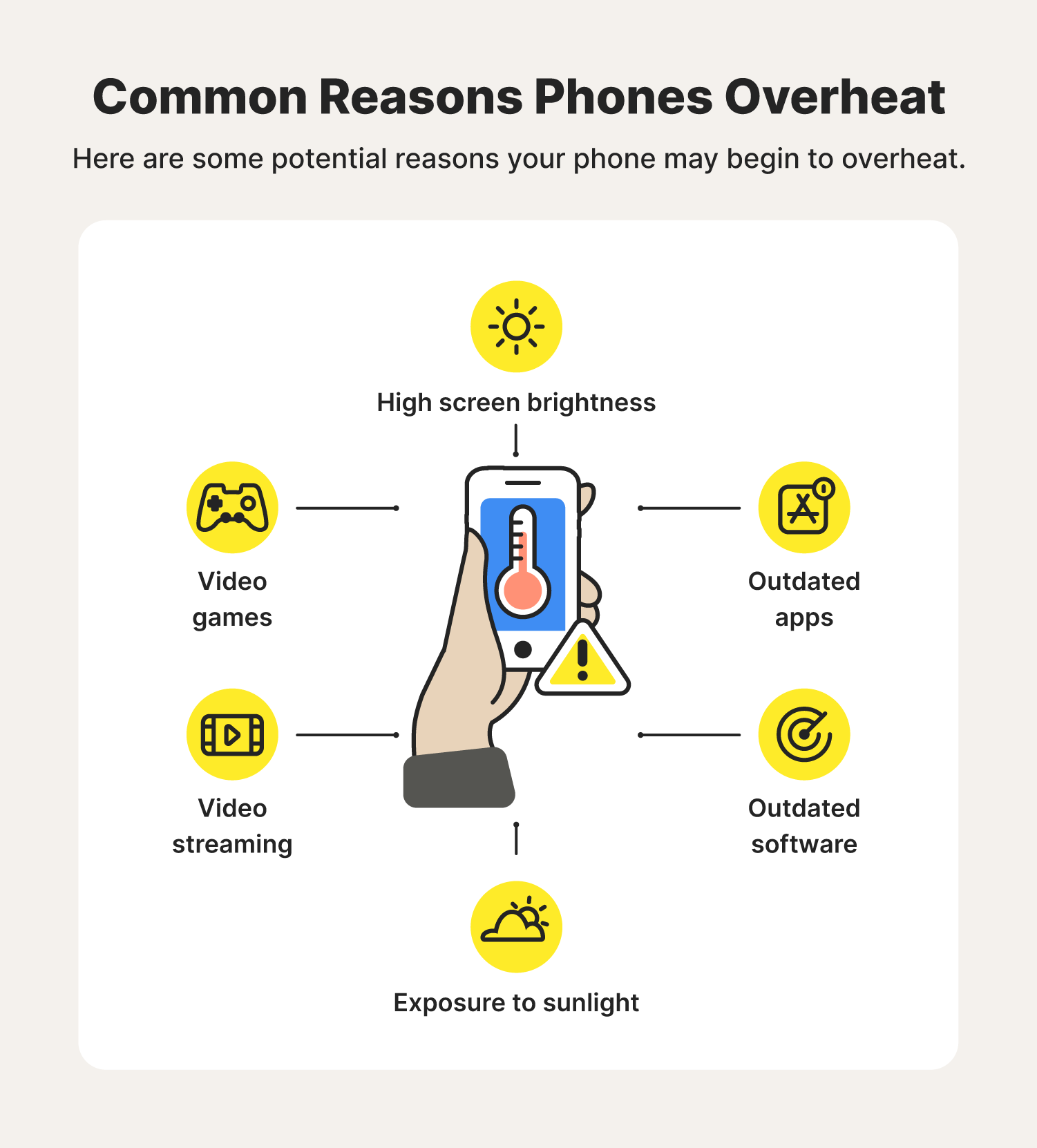
Yes. A phone can become too hot while sitting in a car, especially when it is exposed to direct sunlight or running navigation for a long time. The mount may remain secure while the phone itself develops a temperature problem.
Apple states that iPhone and iPad devices are designed for use in ambient temperatures between 32°F and 95°F. It also warns that parked vehicles can exceed the recommended storage temperature range.
When an iPhone becomes too warm, charging may slow or stop, the screen may dim, and some features may become unavailable. Other phone brands may use different temperature limits and protection systems, so check the instructions for your exact device.
Navigation heat
GPS use and continuous screen activity can add to the heat produced by a phone during a hot drive.
Wireless charging
Wireless charging can make a phone warmer, especially when combined with direct sunlight and navigation.
Direct sunlight
A phone mounted near the windshield may receive strong sunlight for an extended period.
Protective response
Some phones dim the screen, slow charging, or show a temperature warning when they become too hot.
What Should You Do If Your Phone Shows a Temperature Warning?
Remove the phone from direct sunlight and stop charging it. If possible, move it to a cooler place and follow the instructions shown by the device.
Do not put a hot phone in a refrigerator, freezer, or ice bath. A sudden temperature change can cause moisture to form and may damage the device.
Wait until the phone returns to a normal temperature before using demanding apps or charging again. If overheating happens repeatedly under ordinary conditions, contact the device manufacturer’s support team.
Stop direct sunlight
Move the phone away from the windshield or another hot location.
Pause charging
Disconnect the charger if the device is too hot and its manufacturer advises stopping.
Allow natural cooling
Let the phone cool gradually in a shaded, ventilated place.
Seek support if needed
Repeated temperature warnings or unusual battery behavior deserve attention from the phone manufacturer.
Common Mistakes That Make Phone Mounts Fall Off Again
A replacement mount can fail just as quickly as the old one if the installation problem remains. Small mistakes often have a bigger effect than the brand or price of the holder.
Avoid these common shortcuts when trying to improve a mount’s grip.
Installing on a dirty dashboard
Dust, oil, wax, and silicone protectant can prevent an adhesive pad or suction cup from making proper contact. Clean the area first.
Attaching the mount to textured plastic
A suction cup cannot seal properly against many rough or deeply textured surfaces. Use a compatible mounting disc or another approved location.
Using ordinary glue
Household glue is not a reliable substitute for a purpose-made mounting adhesive. It may damage the dashboard, leave residue, or fail under heat.
Reinstalling a damaged suction cup
Cleaning cannot repair a cracked or permanently warped cup. Replace the damaged part.
Using the mount too soon
An adhesive pad may need time to develop its bond. Follow the stated waiting period.
Overloading the holder
A heavy phone, thick case, and long arm can place more stress on the mounting base. Stay within the manufacturer’s limits.
Ignoring loose joints
A loose ball joint or locking knob can make the phone move even when the base is still attached.
Placing the mount in an unsafe location
Do not block your view or install a phone holder in an airbag deployment area just to find a cooler mounting spot.
Troubleshooting: What Does the Way Your Mount Falls Off Tell You?
The exact failure pattern can help you identify the problem. Watch what happens when the mount starts to loosen, and check whether the base, adhesive, joint, or phone holder moves first.
The table below links common symptoms to likely causes and practical checks. These are troubleshooting clues rather than proof that one part has failed.
The suction cup drops suddenly
Possible causes include dirt, a damaged cup, a poor seal, or an unsuitable surface. Clean and inspect the cup, then reinstall it on a compatible smooth surface.
One edge of the adhesive pad lifts
The surface may be contaminated, curved, or incompatible with the adhesive. Remove the mount and follow the manufacturer’s replacement and cleaning instructions.
The mount slowly slides downward
Heat-softened adhesive, an overloaded arm, or a loose adjustment joint may be responsible. Inspect the base and shorten the arm if possible.
The mount stays attached but the phone falls
Check the cradle arms, magnetic plate, case thickness, and phone weight. The base may be working correctly.
The mount works in the morning but fails in the afternoon
Direct sunlight and rising surface temperature may be affecting the attachment. Try a suitable shaded location and inspect the mounting material.
The mount keeps falling after cleaning
The suction cup, adhesive, or dashboard surface may be permanently unsuitable. Consider a different mounting system.
When Should You Replace the Entire Phone Mount?
Replace the mount if the base is cracked, the suction cup has lost its shape, the locking mechanism no longer works, or the adhesive repeatedly fails after correct installation.
You should also replace it if the holder cannot support your phone securely or if its mounting position creates a safety problem. A low-cost replacement is better than relying on a mount that may drop your phone while driving.
If only the adhesive pad or suction cup is damaged, check whether the manufacturer sells a compatible replacement. Avoid fitting a random pad that has not been approved for the mount.
Replace damaged parts
Cracked, brittle, warped, or permanently deformed parts should not be trusted to hold a phone.
Check compatibility
Use replacement parts made for the exact mount model.
Change mounting type
If your dashboard is unsuitable for suction or adhesive mounting, consider a compatible vent or other vehicle-approved mounting system.
A Simple Summer Maintenance Routine for Your Phone Mount
A quick check can help prevent an unexpected fall. You do not need special tools or complicated maintenance for most ordinary phone holders.
Inspect the mount before long summer trips and after periods when the vehicle has been parked in direct sunlight. Pay attention to the attachment point rather than only the phone cradle.
Before driving
Check the base, locking lever, adjustment joints, and phone grip.
After long parking periods
Look for lifted adhesive edges, loose suction cups, and signs of material damage.
During regular cleaning
Remove dust and dirt using a method approved for the mounting material.
Before a road trip
Test the mount with your normal phone and case while parked.
When replacing parts
Use compatible components and follow the installation instructions.
A Quick Pre-Trip Checklist
Before leaving for a long drive, make sure the phone mount is secure and the phone can be removed without pulling the base away from the dashboard. Check the cable if you use a charger, and make sure it does not pull on the phone or holder.
Set the viewing angle while parked. The screen should be easy to see without blocking your view of the road. Once everything is secure, avoid making repeated adjustments while driving.
Base secure
The suction cup or adhesive pad has no loose edges.
Holder secure
The phone cradle or magnetic head holds the phone correctly.
Arm locked
The adjustment joints stay in position.
Safe placement
The mount does not obstruct the windshield, controls, or airbag areas.
Research Notes and Practical Evidence
The main guidance in this article is based on manufacturer documentation and technical information reviewed on November 14, 2026. The research focused on hot-weather phone mounting, suction cup care, adhesive preparation, and phone temperature limits.
The reviewed iOttie mount instructions describe using clean, smooth surfaces and rinsing a dirty gel suction cup with water before allowing it to air-dry. A separate generic suction cup manual also recommends a flat, nonporous surface and careful cleaning.
3M’s VHB Tape 5930 technical data sheet describes surface preparation, pressure, and application conditions. Its figures apply to the named industrial adhesive product and should not be treated as universal specifications for car phone mounts.
A dashboard mount manufacturer’s support page also describes surface compatibility, installation pressure, and waiting time. Its performance statements relate to that company’s own product and are not independent proof that all similar adhesives will perform the same way.
Apple’s support guidance explains that high temperatures can affect device behavior and that parked cars may exceed recommended storage conditions. This matters because a phone mount can remain attached while the phone becomes too hot.
No independent hands-on test of a particular phone mount is claimed here. The recommended cleaning and installation steps should always be checked against the instructions for the exact mount and vehicle.
Documented
Apple documents device temperature limits and overheating responses. 3M documents preparation and application conditions for its named VHB tape.
Manufacturer guidance
Mounting manuals describe suitable surfaces, suction cup cleaning, pressure, and installation procedures for their products.
Analysis
Heat, contamination, surface texture, phone weight, and aging can combine to make an already weak mounting connection fail.
Not established
There is no single temperature at which every phone mount will fail. Performance depends on the mount design, adhesive, material, installation, and vehicle conditions.
Next Questions to Consider Before Replacing Your Mount
Once you identify why your current holder fails, the next step is to decide whether it needs cleaning, a replacement part, or a different mounting location. The following questions address practical decisions that can change the result.
Can I reuse a suction cup after it falls off?
Often, if the cup is undamaged and its manufacturer allows cleaning and reuse. Rinse it as directed, let it dry, and reinstall it on a suitable surface.
Should I install a new mount on a hot dashboard?
Follow the adhesive manufacturer’s installation temperature range. A very hot surface may not provide suitable installation conditions.
Will a windshield mount solve the problem?
It may help when the dashboard is textured or curved, but it will not solve a damaged suction cup or a poor installation.
Do I need a heat-resistant adhesive?
Choose an adhesive designed for the mounting material and expected conditions. Check its actual specifications and compatibility.
Frequently Asked Questions
Q
Why does my phone mount only fall off when my car is parked in the sun?
Direct sunlight can heat the dashboard and mounting base. This may soften some adhesives, affect suction cup materials, or expose a weak seal that remains stable in cooler conditions.
Try parking in the shade, using a suitable sunshade, and moving the mount to a compatible location with less direct sunlight. Inspect the adhesive or suction cup for damage before reinstalling it.
Q
Does hot weather make suction cups stop working?
Hot weather can affect some suction cup materials, especially when the cup is old, dirty, or damaged. However, heat does not automatically make every suction cup fail.
A clean, flexible cup on a smooth surface may continue to work well. Check the manufacturer’s temperature guidance and replace a cup that cannot form a reliable seal.
Q
Can I use super glue to keep my phone mount attached?
No. Ordinary super glue is not a suitable general repair for a car phone mount. It may damage the dashboard finish, leave a hard residue, or fail when the materials expand and contract with temperature changes.
Use the manufacturer’s approved replacement adhesive, mounting disc, or compatible suction cup instead.
Q
How do I make my phone mount adhesive stick again?
First, remove the mount and inspect the adhesive pad. If it is reusable, clean it according to the manufacturer’s instructions and allow the mounting surface to dry fully.
If the adhesive is worn, dirty, or damaged, replace it with a compatible pad. Install it within the recommended temperature range, apply the stated pressure, and wait for the required bonding time.
Q
Is a windshield phone mount more reliable in hot weather?
A windshield mount may be more reliable than a dashboard mount when the dashboard is deeply textured, curved, or made from an unsuitable material. Smooth glass can provide a better surface for many suction cups.
However, windshield mounts can still fail in high temperatures if the cup is dirty, damaged, or incorrectly installed. Always check the vehicle’s visibility and safety requirements before choosing a location.
Q
Why does my phone fall off the magnetic mount even though the base stays attached?
This usually points to a problem with the magnetic connection rather than the dashboard attachment. The phone may be too heavy, the metal plate may be poorly positioned, or the case may be too thick.
Check the mount’s phone weight limit, plate position, and case compatibility. Make sure the magnet and phone attachment are clean and correctly aligned.
Q
Can I leave my phone mount attached to the windshield all summer?
You may be able to leave a properly installed mount in place, but the result depends on its materials, temperature rating, and installation conditions. Regularly inspect the suction cup and base for signs of wear.
If the mount is removable, taking it down during long periods of intense heat may help reduce exposure. Also remove your phone when leaving the vehicle.
Q
How often should I clean my car phone mount?
Clean it whenever you notice dust, dirt, or residue affecting its grip. Check the mounting surface before long road trips and during periods of frequent summer use.
There is no universal cleaning schedule because materials and driving conditions vary. Follow the maintenance instructions for your particular model.
Q
Can I use a phone mount on a leather dashboard?
Only if the mount manufacturer specifically approves that surface. Leather can be textured, curved, or sensitive to adhesives and cleaning products.
A mount designed for smooth glass or hard plastic may not attach safely to leather. Consider a different approved mounting location rather than forcing the adhesive onto the surface.
Q
Why does my phone get hot even when the mount stays attached?
The phone can heat up from direct sunlight, navigation, wireless charging, and other demanding activities. A secure mount does not prevent the phone from becoming too warm.
Move the phone away from direct sunlight, pause charging if it becomes too hot, and let it cool naturally. Follow the temperature guidance from your phone manufacturer.
✦ Wrapping Up
Conclusion
A phone mount that falls off in hot weather usually has a problem with its adhesive, suction cup, mounting surface, or installation. High temperatures can make these weak points more noticeable, especially when a car sits in direct sunlight.
Start by identifying your mount type and checking the attachment point. Clean the surface, inspect the base, and reinstall it according to the manufacturer’s directions. Replace worn parts rather than trying to hold a damaged mount together with household glue or other temporary fixes.
You can also reduce future problems by parking in the shade, using a windshield sunshade, removing your phone when the car is parked, and checking the mount before long drives. Most importantly, keep the holder in a position that does not block your view or interfere with vehicle safety systems.
💡 Key Takeaway
Remove your phone, clean and inspect the mount, check the mounting surface, and reinstall it correctly. If the adhesive or suction cup is damaged, replace the compatible part before driving again.
1 thought on “Why Does My Phone Mount Fall Off In Hot Weather: Fixes”



1 thought on “Why Does My Phone Mount Fall Off In Hot Weather: Fixes”